Gold Catalyst Evolution V6.11 — Complete Installation and Setup Guide

UPDATE NOTE — 8 October 2026
Hello traders,
This is the current installation and operating guide for Gold Catalyst Evolution V6.11, aligned with the official product description and current operating screenshots. V6.11 preserves the two-engine trading core and adds Engine A Defense Mode, broker-session-aware Weekend Protection and persistent protection state across terminal restarts.
Gold Catalyst Evolution V6.11 — official product description, current version and gallery
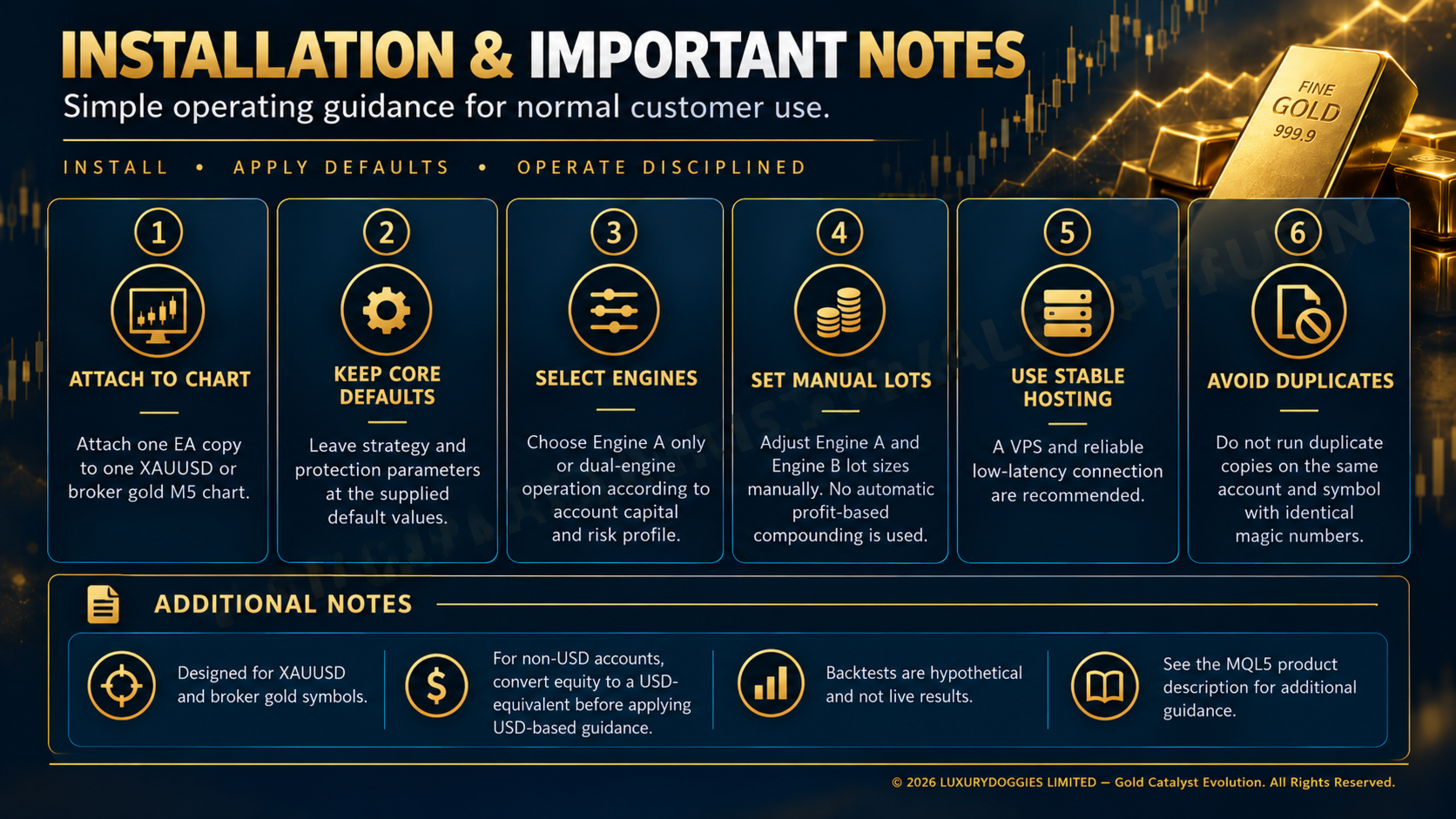 V6.11 installation and important operating notes — current product operating illustration; not a performance result.
 1. Confirm the platform, version and symbol
Install or update the product through MQL5 Market in MetaTrader 5. Sign in to the MQL5.community account that owns the license or rental, locate the product in the terminal’s Market/Purchased area and confirm the installed version is 6.11. Menu wording may vary by terminal build. The Market demo is intended for Strategy Tester evaluation; forward operation requires an appropriately licensed or rented copy.
Open your broker’s XAUUSD or gold symbol containing XAU or GOLD. Attach one EA copy to one M5 chart. The EA reads the additional timeframe data it requires automatically; no second chart is required. Non-gold instruments are outside the supported configuration.
2. Confirm account mode and execution conditions
Hedging is preferred for fully independent simultaneous engine positions. Netting is supported through same-symbol serialization and should be evaluated separately because MT5 maintains one net position per symbol. Raw Spread, Zero Spread or a low-markup ECN-style account is preferred, but compare actual spread, commission and swap.
Reference leverage is 1:1000. Actual margin depends on the broker and symbol specification. Leverage affects margin requirements; it does not reduce the monetary loss from a given lot size and price movement.
3. Attach the EA and permit trading
- Attach Gold Catalyst EA MT5 to the M5 gold chart.
- Enable Algo Trading in both terminal controls and the EA’s Common settings.
- Keep the terminal connected and review Experts/Journal for initialization or permission errors.
- Use distinct engine magic numbers from the supplied build. Do not run duplicate copies on the same account and symbol with identical magic numbers.
- Confirm sufficient free margin and that selected lots meet the broker’s minimum, maximum and volume-step rules.
Capital and manual fixed lots in V6.11
- USD 400 minimum suggested entry configuration: Engine A enabled at 0.01 lot; Engine B disabled.
- USD 1,000 dual-engine reference: Engine A at 0.02 and Engine B at 0.04; both engines enabled for this reference.
- At USD 1,000 and above, Engine A only, Engine B only or both engines may be selected according to the reviewed capital and risk profile. Engine B may be reduced or disabled for a more conservative profile.
- Lots are set manually and remain static. There is no automatic balance/equity scaling or profit-based compounding.
- For non-USD accounts, convert account equity to its USD-equivalent value before applying USD-based guidance.
These are operating references, not safety guarantees. Increased lots increase potential gains and losses; each selected engine/lot combination needs evaluation under the operating broker’s conditions.
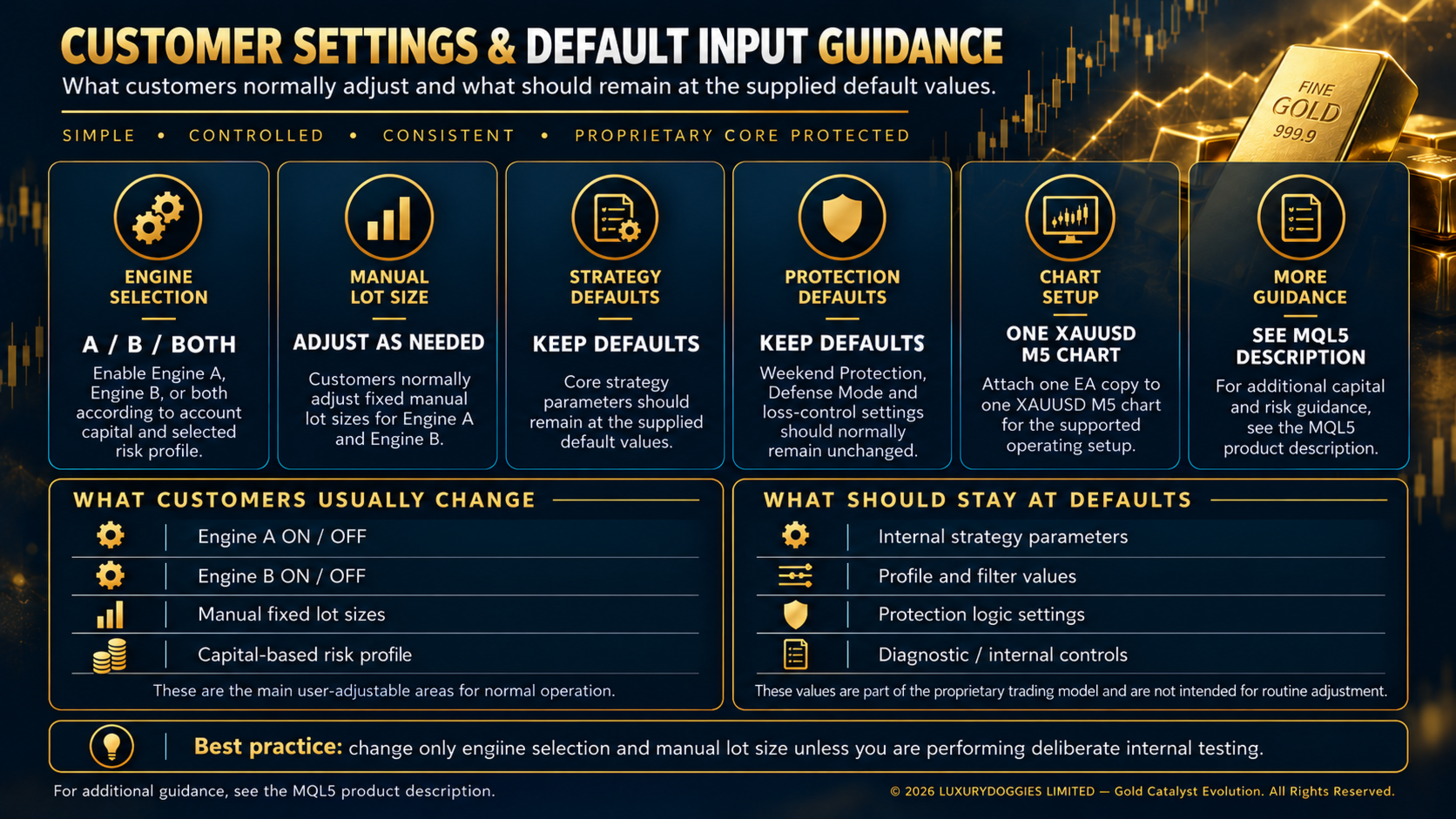 Customer settings and supplied-default guidance — current product operating illustration; not a performance result.
 4. Keep the trading core and protection defaults
For ordinary operation, adjust engine selection and manual fixed lots to the capital and risk profile being evaluated. Keep internal strategy, sealed-profile, filter, protective and diagnostic parameters at the supplied defaults. An older blog’s numerical input table is not a substitute for the defaults delivered with the installed version.
V6.11 protection and operating defaults
- Engine A Defense Mode: an additional protective state after a configured sequence of full-stop losses; internal recovery handling is automatic.
- Protection state persistence: retains protection state across terminal restarts where applicable.
- Weekend Protection: uses the broker’s session timing to block new entries near the weekly close, close protected EA positions before the weekend and resume after the market reopens.
- Engine B loss controls: daily-loss and consecutive-loss monitoring with cooldown behavior.
- Margin and execution checks: available margin and broker volume requirements are checked before orders are sent.
For normal customer operation, adjust engine selection and manual lots according to the evaluated capital and risk profile. Keep strategy, protection, sealed-profile, filter and diagnostic parameters at the supplied defaults. These controls do not guarantee recovery, exact Stop Loss fills, a maximum drawdown or any trading result.
5. First-run and demo checklist
- Current build 6.11, supported gold symbol and one M5 chart.
- Algo Trading permitted globally and for the EA.
- Selected engine switches and fixed lots match the intended capital profile.
- No duplicate copy or magic-number collision on the account and symbol.
- No recurring initialization, invalid-volume, invalid-stop or trade-permission errors.
- Accepted positions show intended protective levels; confirm actual SL/TP in MT5.
- Engine A Defense Mode, Engine B cooldowns and Weekend Protection are retained at supplied defaults and included in evaluation.
- Protection-state behavior is checked after a controlled terminal restart in the evaluation environment.
A period without trades does not by itself prove malfunction. The selected engines enter only when their own conditions and operating controls permit. Protection states, broker sessions, spread, margin and market status can affect participation. Diagnose from the logs rather than assuming a fixed trading frequency.
6. Test the exact selected configuration
Use the current build in Strategy Tester with relevant broker gold data, M5 and Every tick based on real ticks where available. Record version, dates, deposit, currency, leverage, account mode, engine selection and lots. Then forward-evaluate a licensed or rented copy on demo under the intended broker’s conditions.
Review both engine-level behavior and combined account equity, drawdown, losing sequences, costs and execution errors. A change to lots, engine selection or other settings creates a different test configuration; it cannot inherit another sample’s results automatically. Historical pre-V6 results and earlier development screenshots do not establish V6.11 performance.
7. VPS and updates
A stable VPS and reliable low-latency connection are recommended for continuous operation. After migrating, verify the account, chart, version, inputs, trading permissions and hosted logs. Protection-state persistence does not mean the EA can execute while the terminal is offline. Broker-held protective orders, once accepted, still depend on broker execution.
Before a later update, read the product’s What’s New entry and current description. Verify the delivered defaults instead of reusing an older preset blindly. Technical support is available through product comments and MQL5 messaging.
Related guides: V6.11 FAQ · Capital, engine selection and manual lots · Testing and validation
Risk notice: Trading leveraged gold involves substantial risk. Gold Catalyst Evolution V6.11 does not guarantee profit, fixed returns, stable income, recovery or a specific drawdown. Backtests and demo monitoring can differ from live execution because of spread, commission, swap, slippage, liquidity, delays, broker settings, contract size and data. Use only capital you can afford to lose. Past performance does not guarantee future results.