
RiskFrame v1.1 is now available
Version 1.1 expands the RiskFrame interface to five languages and unifies the validation strip with the actual pre-send checks.
The result is a clearer workflow: the verdict shown on the chart now comes from the same validation path used before an order is submitted. When RiskFrame detects a known blocking condition, it displays the reason before the confirmation dialog is opened.
RiskFrame remains a manual trade-planning, execution and position-management panel for MetaTrader 5. It does not generate signals or make trading decisions. The trader chooses the setup; RiskFrame helps plan, size, validate, execute and manage it.
1. A five-language trade workflow
The main moment-of-decision workflow now supports English, Russian, German, Spanish and Portuguese. Select the language using the new "Language" input.
Localization covers:
- The validation strip and its verdict.
- Safety and blocking messages.
- The complete pre-send confirmation dialog, including warning notes.
- Action-confirmation dialogs for close, cancel, STOP NOW and removal actions.
- The Control Panel and Toolbar settings dialogs.
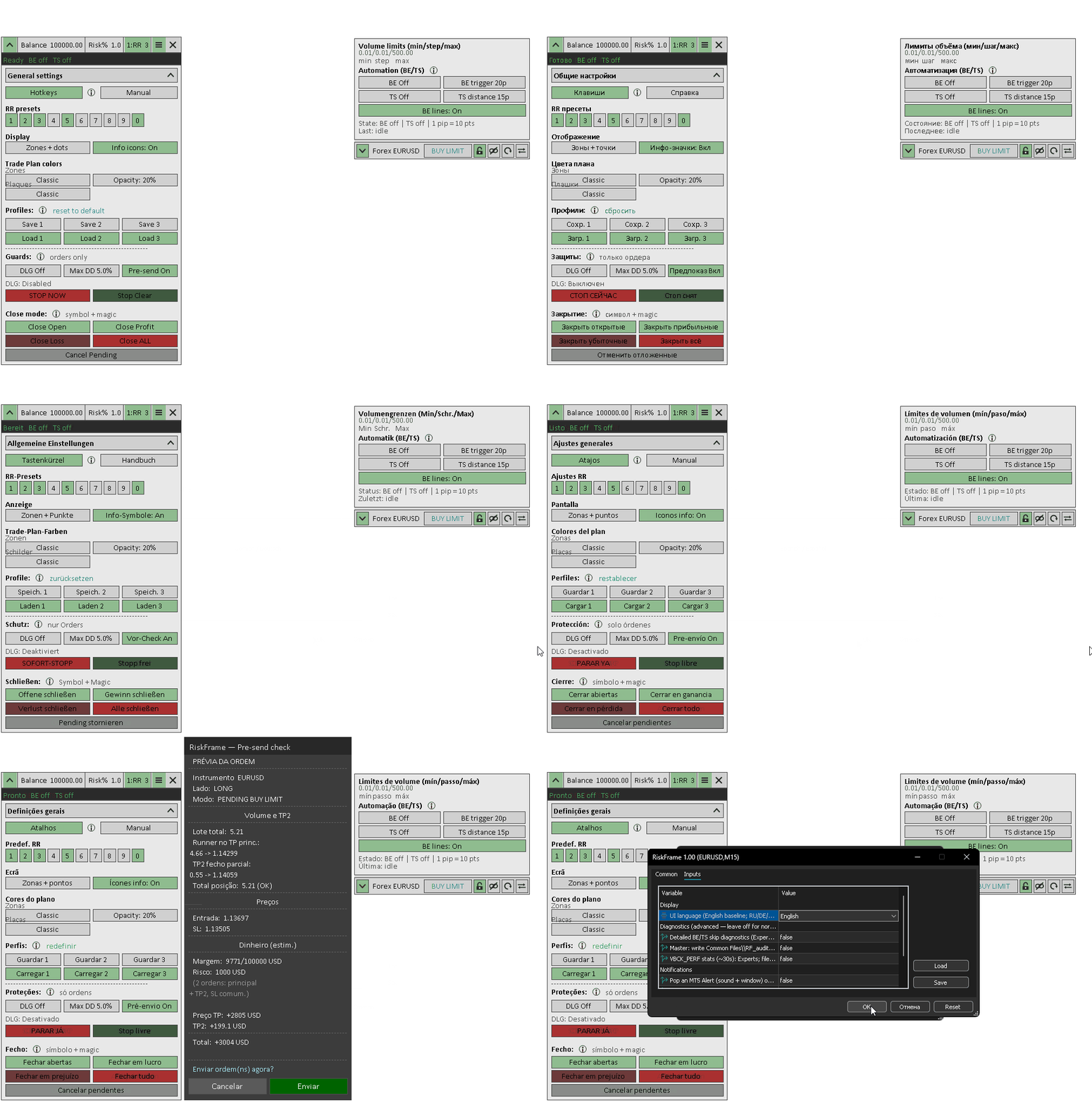
Trading abbreviations remain unchanged on purpose: TP, TP2, SL, BE, TS, RR and DLG are kept consistent across all interface languages.
The longer in-EA help pages and quick guides remain in English in v1.1. Additional help localization is planned as a separate task so that it can be reviewed properly instead of being added as unverified machine translation.
2. Unified pre-send validation
Previously, the validation strip and the actual send path could reach their decisions through separate checks. That created a risk of inconsistency between the verdict displayed on the chart and the conditions evaluated immediately before sending.
In v1.1, the validation strip and the send action use the same pre-send result.
- A green "Ready" means that RiskFrame found no known pre-send validation block at that moment.
- If a known blocking condition is detected, RiskFrame displays the reason and does not open the confirmation dialog.
- The same validation result is used by the chart verdict and the send action.
This does not mean that a broker server can never reject an order. Market, account or server conditions may change after validation, and some broker-side conditions cannot always be known in advance. The improvement is that RiskFrame no longer uses separate decision paths for the displayed verdict and the final pre-send check.
Version 1.1 also adds checks for several conditions that previously could reach the broker:
- Broker trading restrictions — for example, a symbol that is long-only or close-only for the selected action.
- Invalid Stop Loss or Take Profit prices — including non-positive values or a protective level placed on the wrong side of the entry.
- Closed symbol sessions — sending is blocked when the broker-provided session data shows that the market is closed.
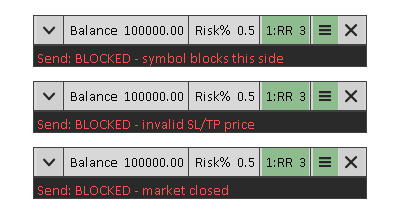
Market-session detection is deliberately conservative. If a broker does not provide usable session information, RiskFrame does not invent a closed-market result and leaves the final decision to the broker.
3. Clearer risk feedback
Version 1.1 improves how RiskFrame reports two less obvious risk conditions.
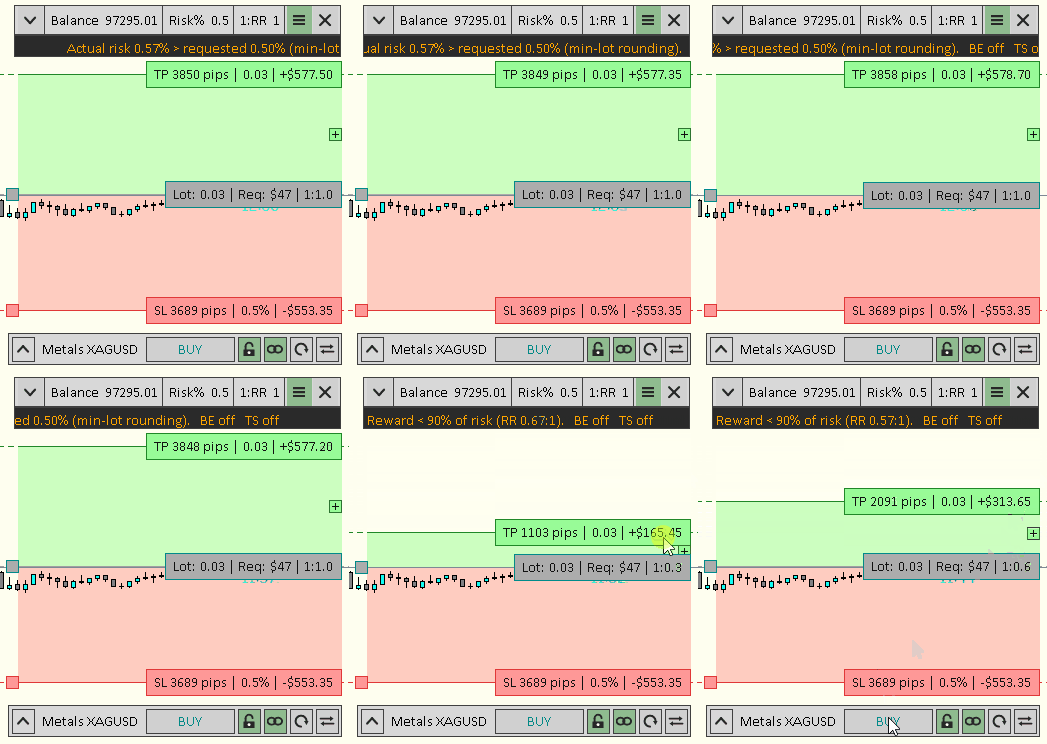
- If broker lot-step rounding raises the resulting planned risk above the selected Risk%, the panel now displays a warning instead of silently presenting the rounded volume as equivalent to the requested risk.
- If margin or tick-value data is unavailable, RiskFrame reports that limitation instead of treating the calculation as a valid result.
4. Trade-management fixes
- STOP NOW: failed close operations are retried, the final result is reported, and the emergency state remains latched if a close fails.
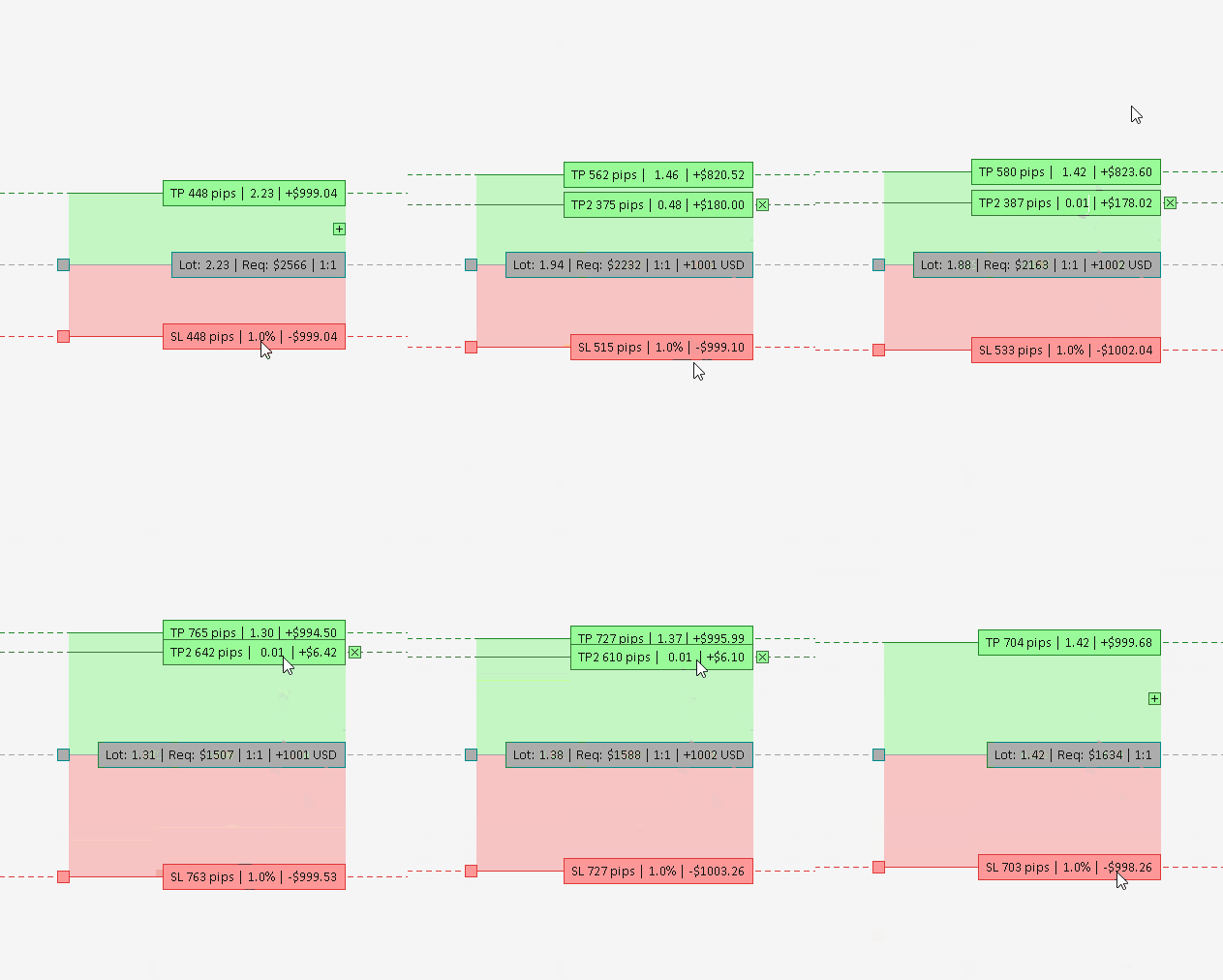
- TP2 edge case: a zero or too-small TP2 no longer prevents the RR-linked main Take Profit from moving when Stop Loss is adjusted.
5. Interface improvements
- The validation strip has been decluttered to make the send verdict easier to read.
- Pre-send notes now wrap correctly in all supported interface languages.
- The Guards help now states more clearly that reaching the daily-loss limit blocks new orders only. It does not close existing positions.
- The EA interface and product identity have been updated from Trade Station to RiskFrame.
Operational reminders
- RiskFrame is a manual utility, not a signal robot or an automatic trading strategy.
- Break-even and Trailing Stop require RiskFrame to remain attached, AutoTrading enabled and MetaTrader running.
- On netting accounts, the automatic TP2 partial close requires the same conditions.
- Because Strategy Tester does not reproduce the full mouse-driven chart-object workflow, test the interactive panel on a demo chart.
Links
RiskFrame Trade Manager MT5: https://www.mql5.com/en/market/product/183465
Full RiskFrame user manual: https://www.mql5.com/en/blogs/post/772278



![[iVISTscalp5]: XAUUSD. Forecast First. Market Reaction Afterwards](https://c.mql5.com/6/1035/splash-preview-777232.png "[iVISTscalp5]: XAUUSD. Forecast First. Market Reaction Afterwards")
