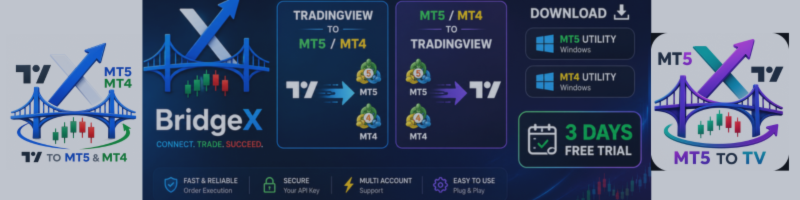

BridgeX is a professional Chrome extension + MT5/MT4 utility that creates a seamless connection between TradingView and MetaTrader. Whether you want to send trades from TradingView to MT5 or stream your MT5 trades to TradingView — BridgeX does it all.
Two products. One powerful ecosystem.
BridgeX — TradingView to MT5 & MT4Draw on TradingView • Execute in MT5/MT4 • One Click • Multi-Account
BridgeX lets you draw your Long or Short position on any TradingView chart, click one button, and your order executes instantly in your MT5 or MT4 terminal.
-
Works with most MT5/MT4 brokers
-
Supports multiple accounts simultaneously
-
Free Chrome Extension – no TradingView Pro required
-
MT5 & MT4 support
-
VPS ready – send trades from local TradingView to MT5 on any VPS
Stream your MT5 trades to TradingView • Live alerts • Analytics dashboard
BridgeX Mirror instantly pushes your MT5 trade data (Opens, Closes, Pending Orders, SL/TP updates) directly onto your TradingView screen as sleek, professional pop-up alerts.
-
Live TradingView Alerts – Pop-ups with distinct sounds for Buys, Sells, and Closes
-
Close Trade Analytics – Instant alerts showing Pips gained/lost and Dollar Profit ($)
-
Advanced Analytics Dashboard – Win Rate, Profit Factor, Net P&L, Average Win/Loss, Best/Worst trade, Average Holding Time, and Per-Account breakdown
-
Smart Trade Merging – Combines MT5 open and close records into one unified trade history
-
Multi-Account & API Key Isolation – Generate unique API keys to filter specific accounts
-
Symbol Mapping – Automatically translates MT5 symbols (e.g., US500) to TradingView symbols (e.g., SPX500)
🛠️ How It Works (Same Method for Both Products)
| Step | |
|---|---|
| 1 | Install the BridgeX Chrome Extension from the Chrome Web Store |
| 2 | Install the BridgeX MT5/MT4 utility from the MQL5 Market |
| 3 | Open the Dashboard → Settings → Generate your API Key |
| 4 | Copy the API Key and paste it into the MT5/MT4 utility input |
| 5 | Important: Allow WebRequest and add https://traderapi.duckdns.org as shown in the video tutorial |
🎯 Who Is This For?
-
Manual Traders – Execute TradingView analysis instantly in MT5
-
Multi-Account Managers – Send one trade to multiple accounts with one click
-
Prop Firm Traders – Track MT5 challenge accounts and manage risk
-
Signal Providers – Share trades visually without exposing broker details
-
Algorithmic Traders – Monitor EAs without keeping MT5 in the foreground
🆓 3-Day Free Trial
Try BridgeX risk-free! We offer a 3-day free trial for 1 account — no payment required.
📥 Download Links
| Resource | Link |
|---|---|
| BridgeX Chrome Extension | Download from Chrome Web Store |
| BridgeX Mirror Chrome Extension | Download from Chrome Web Store |
| MT5 BridgeX TV to MT5 Utility | : https://bridgex.trader-rentable.com/ |
| MT5 BridgeX Mirror MT5 to TV Utility | : https://www.mql5.com/en/market/product/184315 |
3 Days - Free Trial BridgeX EA : Download
3 Days - Free Trial BridgeX Mirror EA : Download
BridgeX Microsoft Edge Extension Download from Micosoft Edge Web Store
-
Support: For assistance with setup, webrequest configuration, or any questions — contact us anytime!