
COMMAND CENTER [ tambangEA ]
How EA Works : https://youtu.be/EV3Rilud3BQ
MQL5 Blogs : https://www.mql5.com/en/blogs/post/768117
MT4 Version : https://www.mql5.com/en/market/product/167977
MT5 Version : https://www.mql5.com/en/market/product/167978
//=====
//=====
//=====
//=====
//=====
//=====
//=====
//=====
//=====
//=====
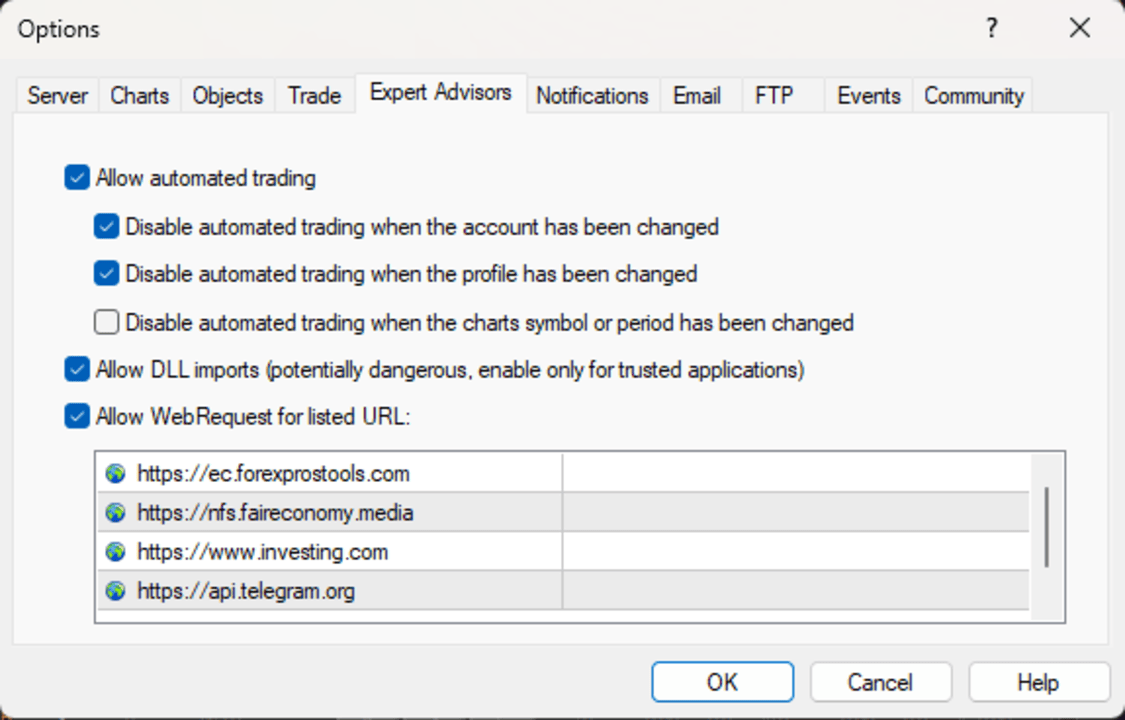
Tools → Options → Expert Advisors → Allow WebRequest for listed URL
Description
Command Center [tambangEA]
Professional Multi Pair Trading Terminal Dashboard
Problem
Most traders lose speed and clarity because their workflow is fragmented.
They scan one chart for signals.
They open another chart for confirmation.
They check news on a website.
They monitor exposure somewhere else.
They switch between panels just to manage positions.
This creates delay.
Delay creates hesitation.
Hesitation creates mistakes.
A good trading workflow needs one thing above all: control.
You need to see the market, understand the current state, measure strength, monitor risk, and execute from one place without losing context.
That is where most basic trading panels fail.
They can place orders, but they do not function as a real operational dashboard.
Solution
Command Center [tambangEA] is built as a true trading terminal dashboard.
It transforms one chart into a complete market control station where you can:
- scan multiple symbols in real time
- inspect the state of the selected pair
- confirm directional context with strength analytics
- monitor economic news and market headlines
- control execution from one unified interface
- track account condition, floating result, exposure, and session status
Instead of working with disconnected tools, you work from one structured environment.
The dashboard is designed around a professional flow:
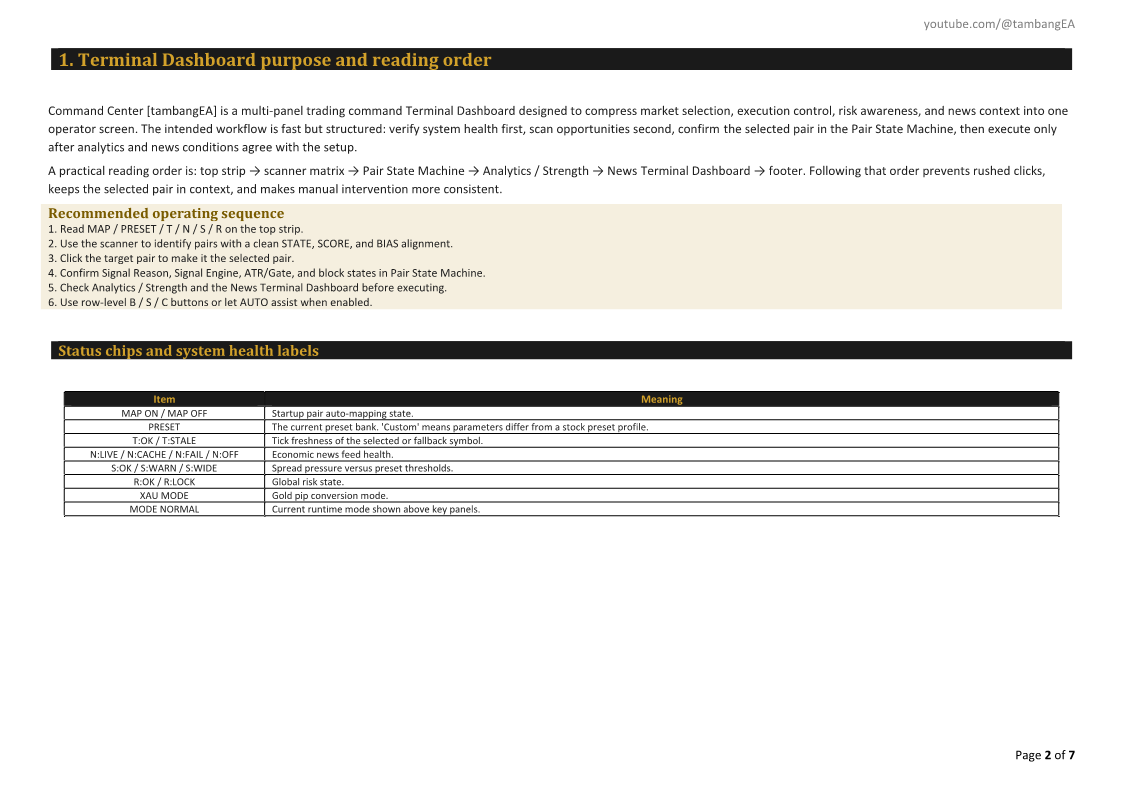
Scan → Validate → Confirm → Execute → Manage
This helps you trade with more discipline, more visibility, and less friction.
Benefits
Faster market reading
The multi-pair scanner lets you evaluate many instruments at once without changing charts.
Better decision structure
You are not forced to guess blindly.
The dashboard organizes state, bias, trend, range, strength, and news in one place.
Cleaner execution workflow
Action controls are available directly inside the terminal, so you can react without losing your market view.
Stronger situational awareness
You see not only price context, but also session timing, economic news, market headlines, and account condition.
Better operational discipline
When information is grouped clearly, you are less likely to overtrade, chase random movement, or miss important context.
More professional trading environment
This is not just a button panel.
It is a structured command interface built for traders who want a more serious workspace.
Features
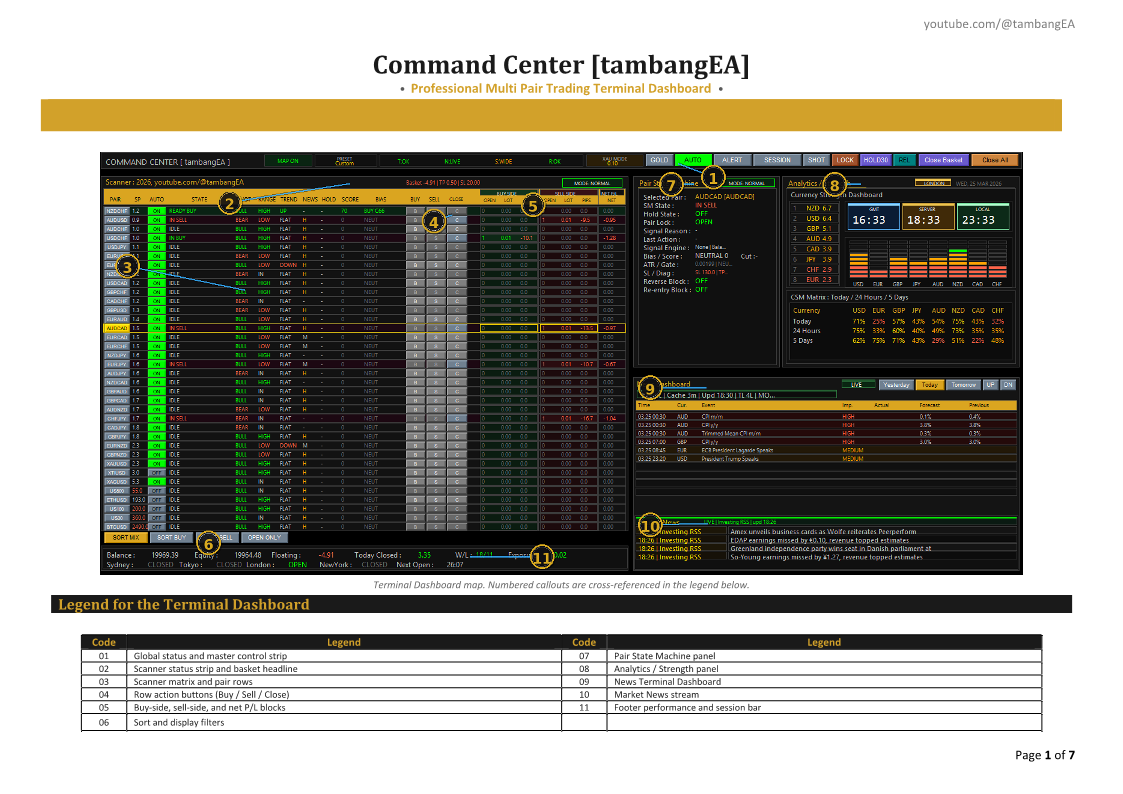
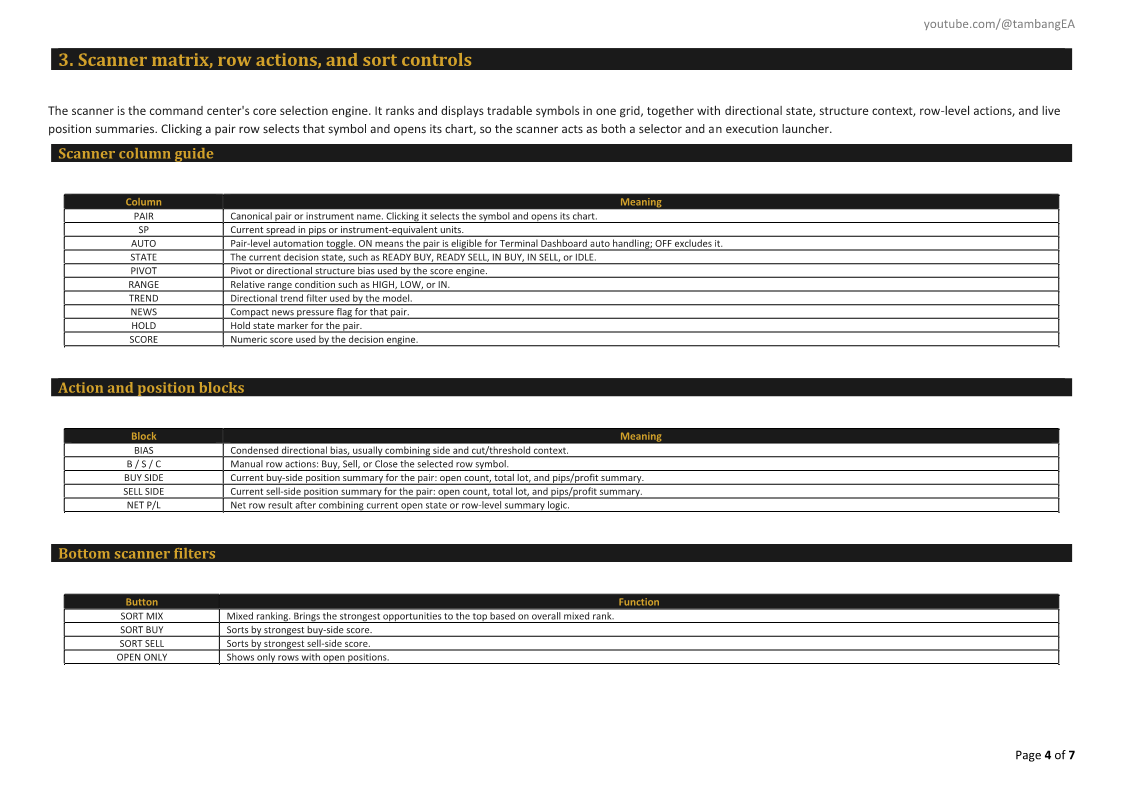
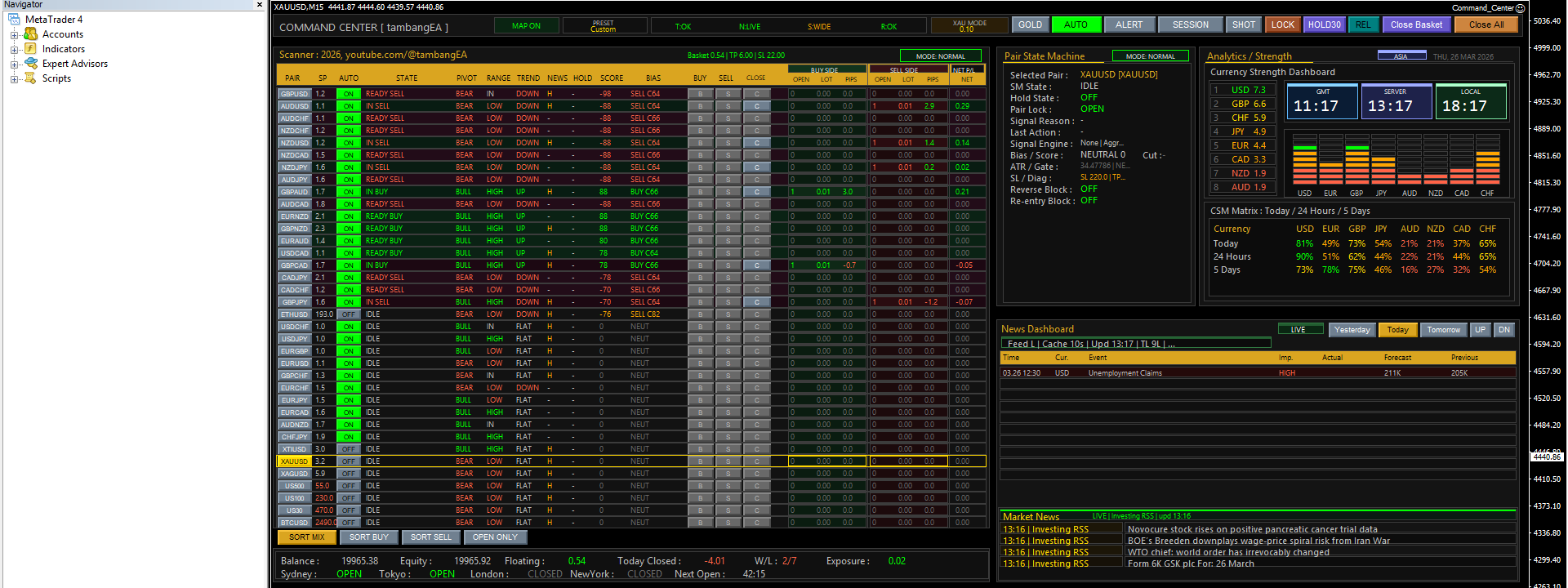
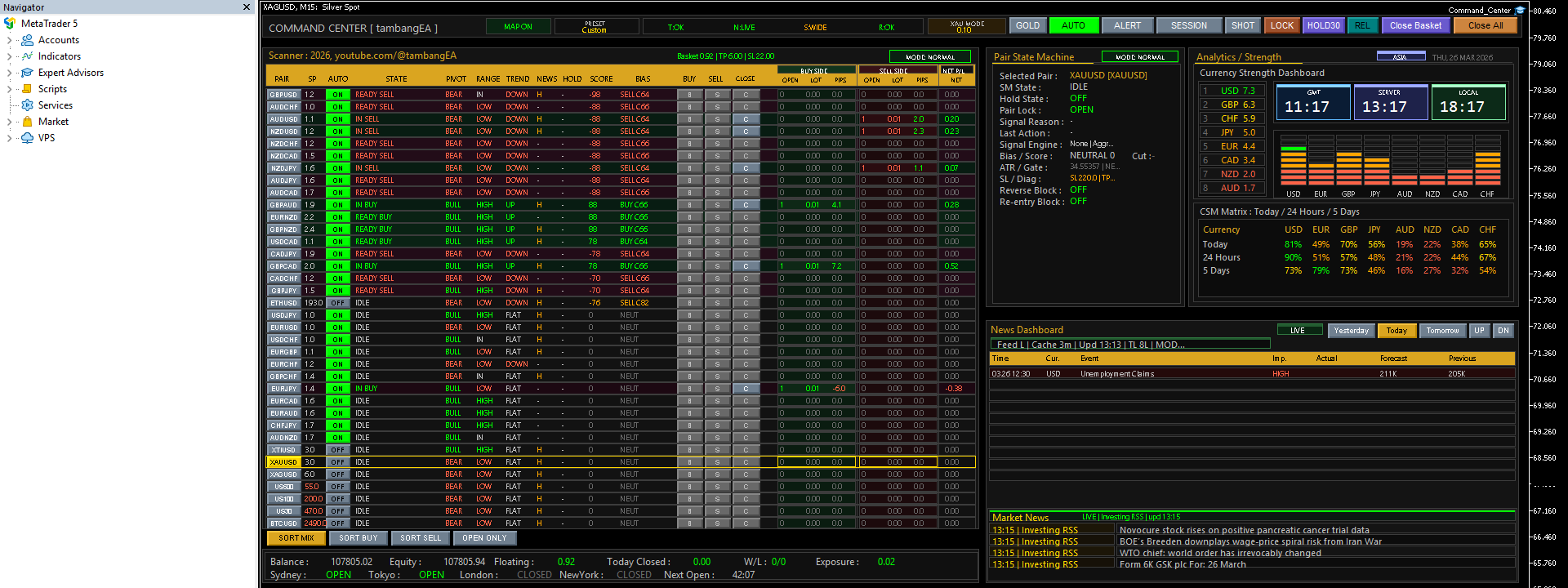
1. Multi Pair Scanner
The scanner is the heart of the dashboard.
It allows you to monitor multiple instruments in one panel and review:
- spread
- auto status
- pair state
- pivot condition
- range condition
- trend condition
- news condition
- hold status
- score
- bias
This helps you identify active symbols faster and stay focused on the best opportunities.
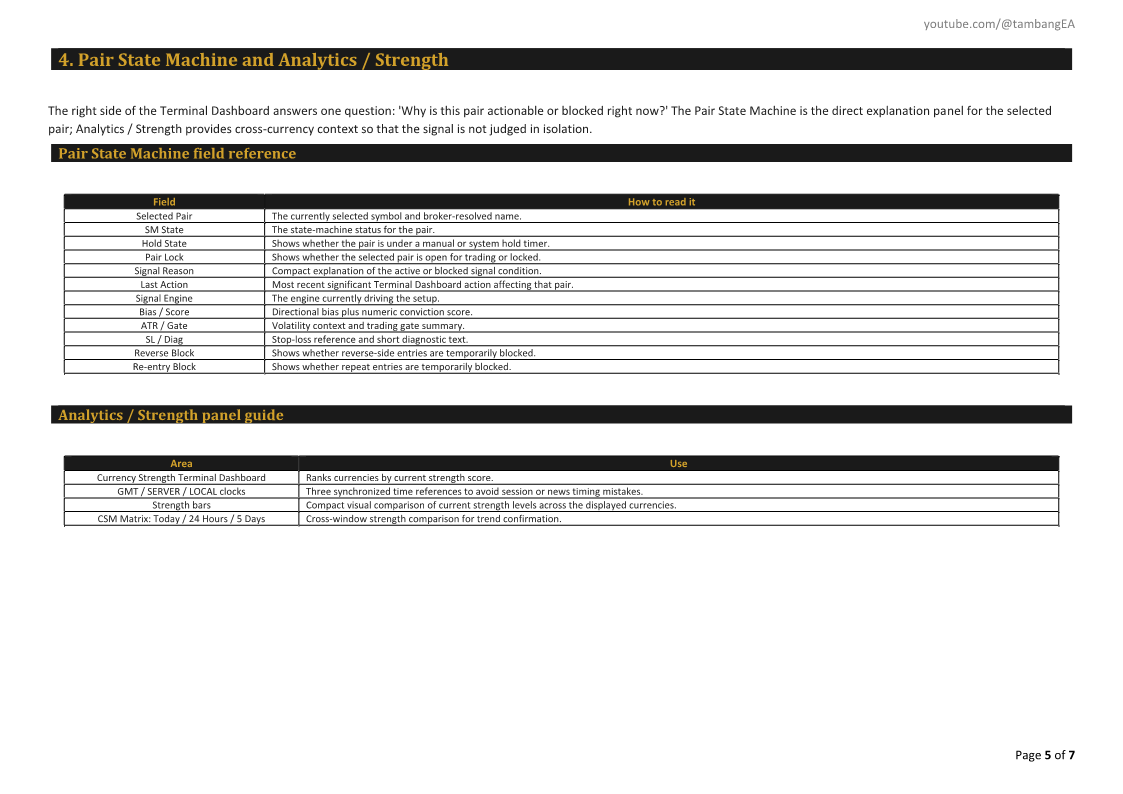
2. Pair State Machine
The Pair State Machine provides a deeper view of the currently selected symbol.
It displays:
- selected pair
- state machine status
- hold state
- pair lock
- signal reason
- last action
- signal engine
- bias and score
- ATR and gate information
- SL diagnostics
- reverse block
- re-entry block
This section gives structure to your decision-making and helps reduce random execution.
3. Analytics / Strength
The analytics area adds market context beyond a single symbol.
It includes:
- currency strength dashboard
- visual strength bars
- GMT clock
- server clock
- local clock
- CSM matrix for Today, 24 Hours, and 5 Days
This gives you a broader view of relative market pressure and helps confirm directional bias.
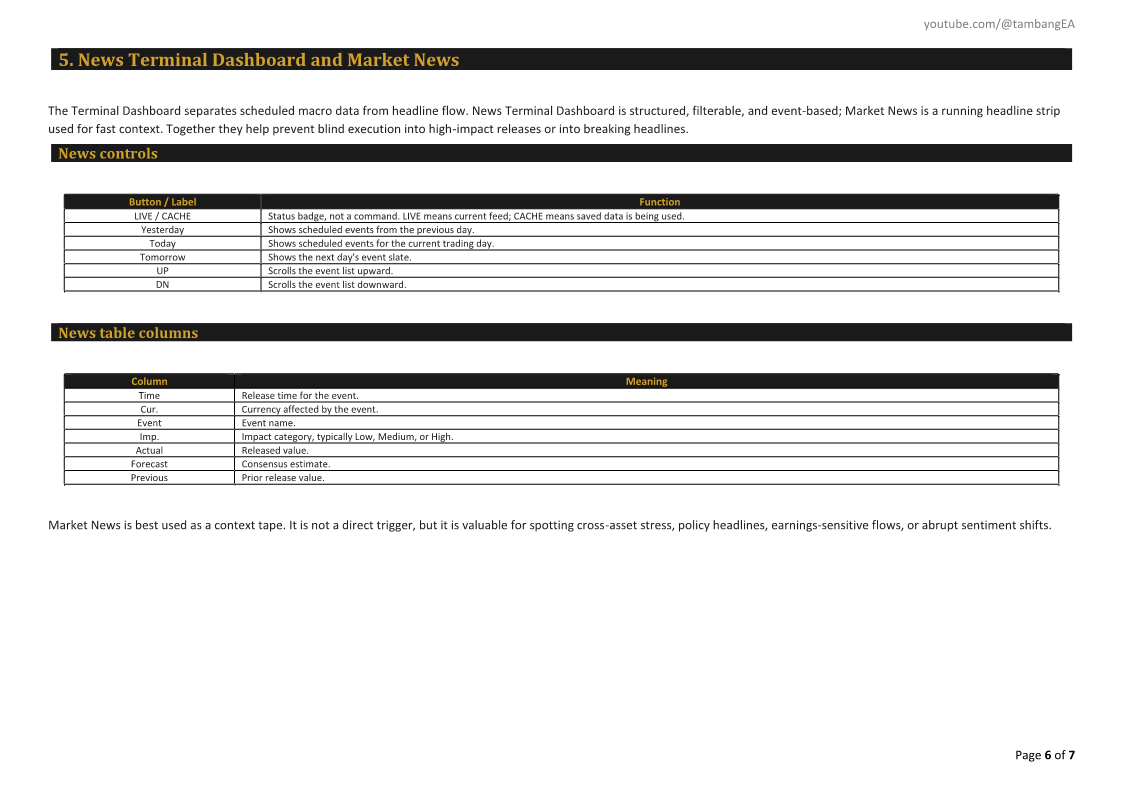
4. Economic News Dashboard
Important scheduled events are shown directly inside the terminal.
You can review:
- event time
- currency
- event name
- impact level
- actual
- forecast
- previous
This keeps you aware of high-impact conditions without leaving the chart.
5. Market News Feed
The dashboard also includes a live market news section for headline awareness.
This helps you stay informed about active developments that may affect volatility and sentiment.
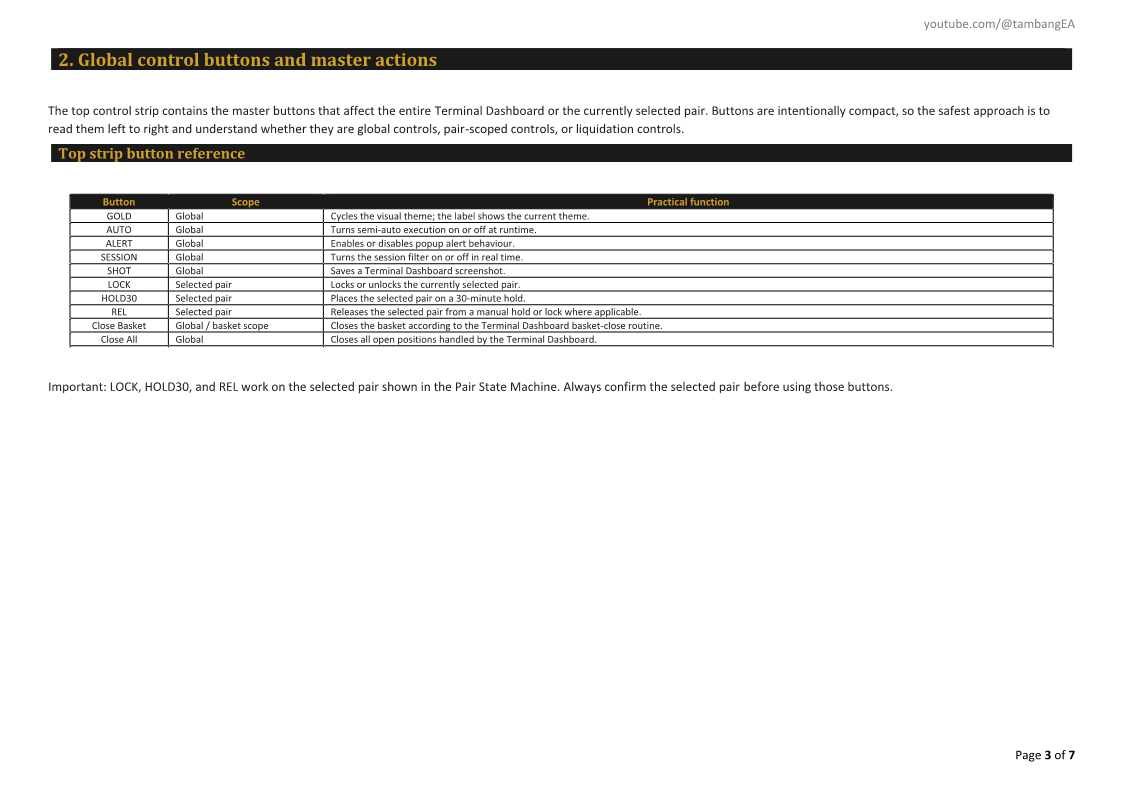
6. Execution Controls
The terminal includes integrated action controls such as:
- Buy
- Sell
- Close
- Close Basket
- Close All
This allows fast and practical management directly from the dashboard.
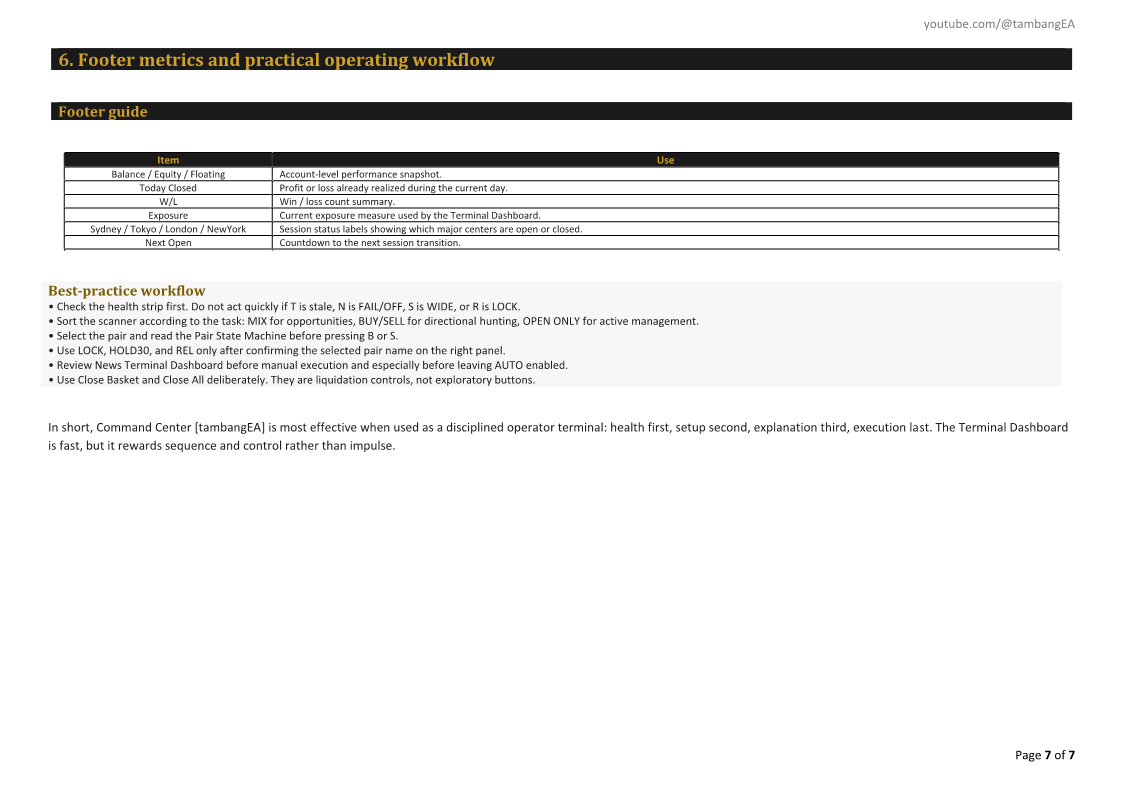
7. Account and Exposure Monitoring
At the footer, the dashboard shows the key trading statistics you need during live operation:
- balance
- equity
- floating result
- closed result
- win/loss ratio
- exposure
- session status
- next market open timing
This helps you keep account condition visible at all times.
8. Session Awareness
The dashboard highlights session information so you can stay aligned with market timing and participation windows.
9. Professional Layout
The interface is organized for active use, not for decoration.
The layout is built to support:
- fast scanning
- quick state reading
- direct action
- continuous monitoring
Why This Product
There are many tools that can place trades.
Very few tools can help you operate the market like a command center.
Command Center [tambangEA] stands out because it is designed as a complete operational workspace, not a simple execution panel.
It gives you:
- one-chart workflow
- multi-symbol visibility
- structured pair analysis
- integrated strength context
- economic news awareness
- market headline awareness
- action controls
- live account monitoring
This product is especially valuable for traders who:
- monitor many instruments
- prefer dashboard-based operation
- want more structure in live trading
- need speed without losing market context
- want a professional terminal-style environment inside MetaTrader
If your goal is to trade with a cleaner process, stronger visibility, and a more serious command interface, Command Center [tambangEA] is built for that purpose.
Disclaimer
Command Center [tambangEA] is a trading terminal dashboard and market workflow tool. It is not a guaranteed profit system.
Trading Forex, Gold, Indices, Crypto, and other leveraged markets involves significant risk. Market conditions can change rapidly, and losses are possible.
This product is designed to improve:
- workflow
- visibility
- execution efficiency
- situational awareness
- operational control
All trading decisions remain the full responsibility of the user.
Always test on a demo account first, verify broker conditions, and apply proper risk management before using on a live account.




