

How to obtain your Perplexity API key (for ANS EA)
AI News Strike EA on the MQL Market: https://www.mql5.com/en/market/product/153455
Product Manual: https://www.mql5.com/en/blogs/post/764949
To use the AI analysis features (Perplexity Sonar, Sonar‑Pro), you need a Perplexity API key. Follow the steps below to create one.
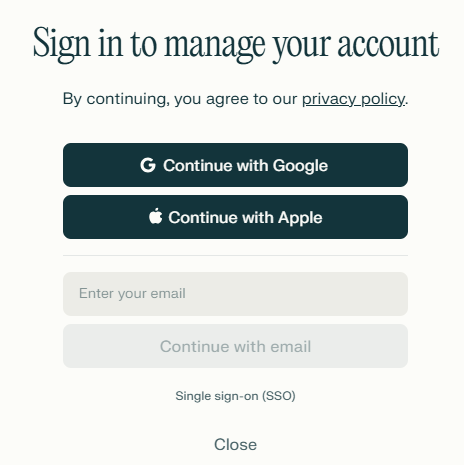
1.Visit the Perplexity AI website
2.Create an account and sign in
Follow the on‑screen prompts to create your account and log in.
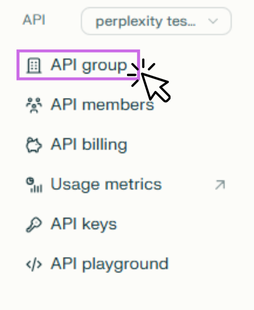
3.Open your account page and click API group
https://www.perplexity.ai/account/details
From Workspace (left menu), open API → API group.
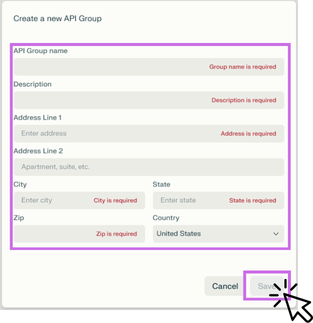
4.Fill in the required information and click “Save”
You can set any value for the API Group name. Enter the required fields such as address and click Save.
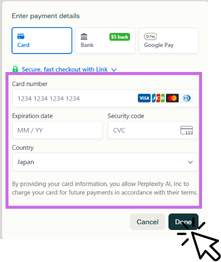
5.Add your payment method
Add a payment method such as a credit card or Google Pay (you won’t be charged at this step).
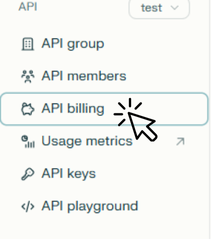
6.Open API Billing and add initial credits
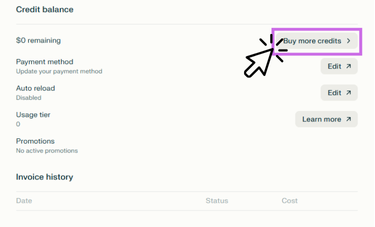
Click API billing in the left menu. If your balance is low, top up from Buy more credits.
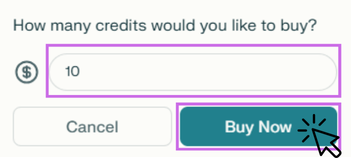
・Minimum top‑up by credit card: $3
・Minimum top‑up by bank transfer: $5
※Minimum amounts may change according to Perplexity’s policy.
↓
↓
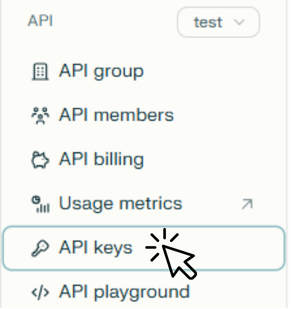
7.Open API Keys and generate an API key
Go to API → API keys in the left menu and click Accept Terms and Generate API Key.
↓
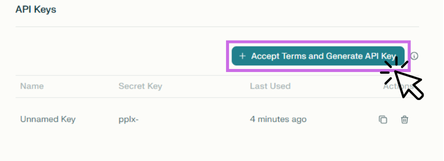
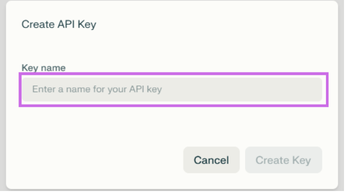
8.Enter any name for “Create API Key → Key name”
There are no rules—use any name you like.
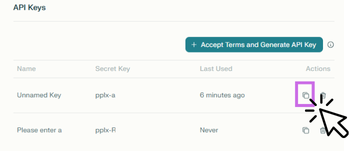
9.Copy the issued key
In the list, click the copy icon for the key (it starts with pplx-...) to copy it to your clipboard.
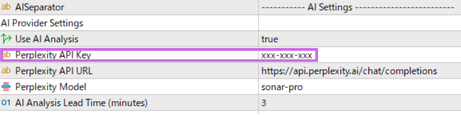
9.Paste the API key into the EA and save
Apply ANS EA to a MetaTrader 5 chart, paste the key into Perplexity API Key under user inputs, and click OK to save.
Estimated usage (cost image)
Example)If you top up $10 and each request costs about $0.015, even processing around 100 medium‑to‑high‑importance releases per month would leave a balance equivalent to about 4–6 months of usage.
※Because additional requests occur during tests and restarts, once AI enters the standby state just before a release, avoid unnecessary MT5 restarts.
AI News Strike EA on the MQL Market:https://www.mql5.com/en/market/product/153455
Product Manual:https://www.mql5.com/en/blogs/post/764949
Disclaimer: This material is for informational and educational purposes regarding the use of ANS EA. It does not constitute investment advice, financial guidance, or a buy/sell recommendation. Forex (FX) and other leveraged products involve high risk and may not be suitable for all investors. You are solely responsible for your trading decisions and results. The author and seller of this EA accept no liability for any losses or damages.




