
TickSniper - Automatic trading EA-scalper. With auto optimization of parameters

| 🎯 TickSniper PRO FULL for MetaTrader 4 & MetaTrader 5 Professional automatic tick scalper Expert Advisor based on fast quote movement, spread analysis, smart trailing stop and adaptive broker conditions. TickSniper analyzes live tick movement, quote speed, spread behavior and symbol specifications to open short-term trades when the market shows a fast directional impulse. The Expert Advisor is fully automatic and does not require set files for standard operation. |
| 💎 TickSniper MT4 | 💎 TickSniper MT5 |
| ⬇ Download TickSniper DEMO + PDF | 📘 Full Instruction |
| ▶ Watch Video | 🛒 All Expforex Products |
| 🏠 Main | 🎓 Documentation | ⚙ Settings |
| ❓ FAQ | ⭐ Reviews | 💬 Comments |
🎬 Watch TickSniper in ActionThe video shows the logic of TickSniper: tick movement, broker quotes, short-term scalping entries, automatic adaptation and Expert Advisor operation inside MetaTrader. |
🎯 TickSniper for MT4 and MT5 One Expert Advisor concept for both terminals: tick-based scalping, automatic parameter adaptation, smart trailing and broker-condition analysis. |


🚀 What is TickSniper?
TickSniper is an automatic scalping Expert Advisor for MetaTrader 4 and MetaTrader 5.
The Expert Advisor works with live tick data. It does not depend on a classic timeframe signal. Instead, it analyzes current quotes, tick speed, spread, price movement distance, symbol specifications and the direction of fast market movement.
When the algorithm detects a strong short-term impulse that matches its internal rules, TickSniper can open a position in the direction of the movement. The trade is then managed by automatic Stop Loss, Take Profit, smart trailing stop, breakeven and averaging logic.
TickSniper is fully automatic. In normal operation, you do not need a set file. Install the Expert Advisor on the chart, enable Algo Trading, check broker conditions and let the algorithm work according to its rules.
⚡ Tick-Based SignalsThe EA reacts to fast quote movement and tick acceleration, not to slow candle patterns. | 📊 Spread-Aware LogicThe algorithm uses current and average spread as part of its trading and protection logic. |
🛡 Smart ProtectionStop Loss, breakeven, averaging and trailing stop are used to manage positions and series. | 🤖 Fully AutomaticNo standard set file is required for basic operation. The EA adjusts values from live symbol conditions. |
| ✅ Main idea: TickSniper is designed for traders who want an automatic scalping system that reacts to fast quote movement and manages trades using spread-based adaptive logic. |
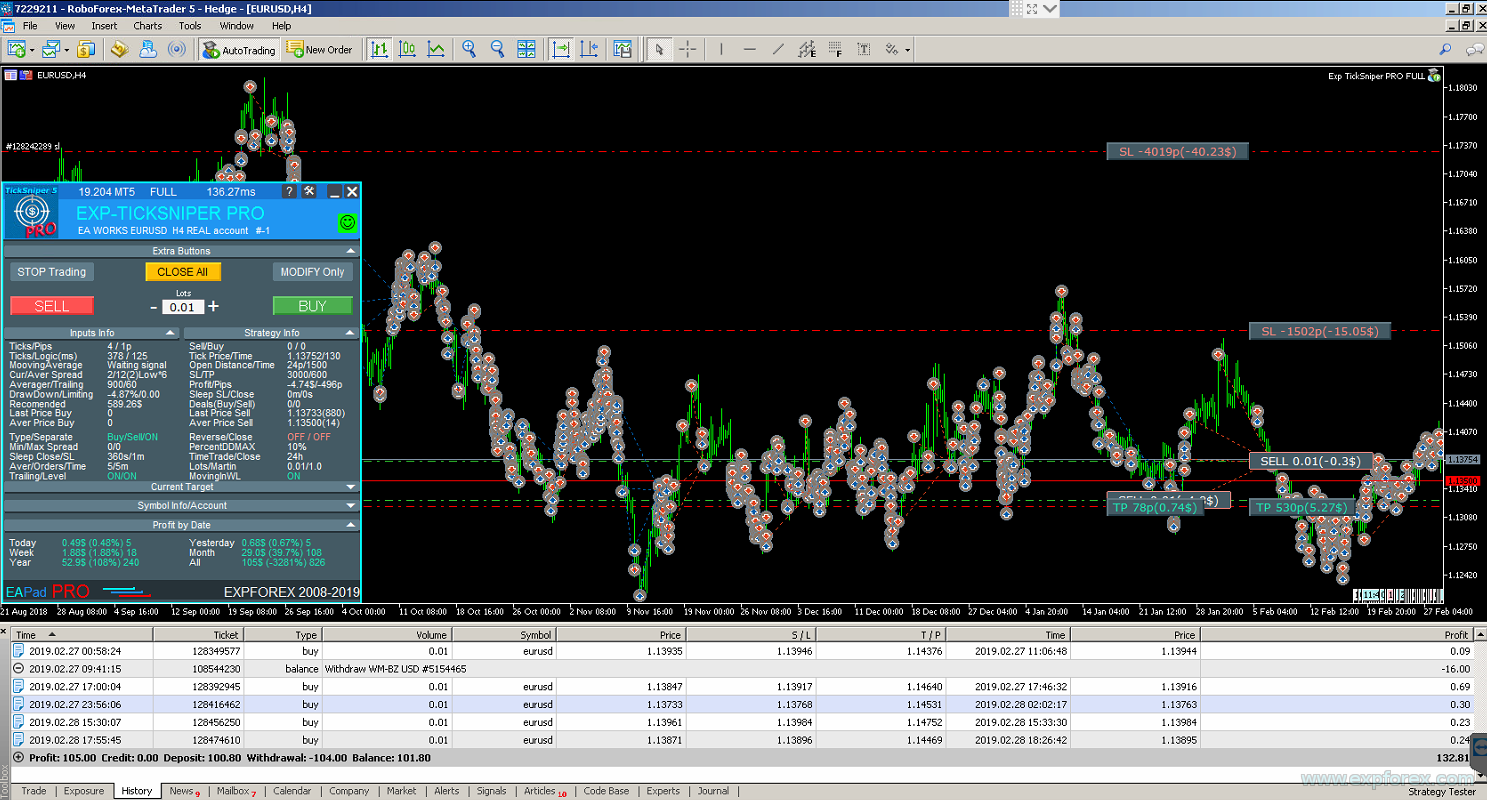
🖥 TickSniper PRO FULL Interface The panel helps monitor tick activity, spread, signal state, trading status, open positions, drawdown and automatic calculations. |

🧠 Principle of Operation
TickSniper searches for rapid price movement in the current symbol. The EA counts incoming ticks, measures movement distance, checks timing and compares the movement with its internal filters.
The core trading logic can be described like this:
- The EA works on the symbol where it is installed.
- The timeframe does not matter because the algorithm works mainly with current quotes and ticks.
- The EA counts ticks received by the terminal during a selected time interval.
- It measures how far price moved during this short period.
- The direction of the movement is checked by additional filtering logic.
- If all conditions match, the EA opens a position.
- The position or series is then managed by automatic SL/TP, breakeven, averaging and trailing logic.
⚡ Tick Movement Logic TickSniper analyzes fast price movement and searches for a short-term directional impulse in live quotes. |
🎯 Signal Logic: Timeopen and DistanceTickSpread
The signal logic is based on two key ideas: how fast the price moves and how far it moves compared with spread.
The main parameters are:
- Timeope — time window for detecting movement, in milliseconds.
- DistanceTickSpread — required movement distance measured in spreads.
- DistanceTickMANUAL — manual movement distance in points, if you want to replace spread-based distance logic.
- PeriodFilterMa — Moving Average filter used to confirm direction.
For example, if Timeope = 1500 and DistanceTickSpread = 2, the price should move at least 2 average spreads within 1.5 seconds, and the movement must pass internal confirmation rules.
| Parameter | Meaning |
| Higher Timeope | Fewer signals, more time to confirm movement. |
| Lower Timeope | Faster reaction, but potentially more aggressive behavior. |
| Higher DistanceTickSpread | Fewer trades, stronger movement required. |
| Lower DistanceTickSpread | More trades, but signal accuracy can become lower. |
⚙ Recommended Configuration Modes
TickSniper does not need a set file for normal operation, but you can use different configuration examples depending on broker quality, quote speed and risk style.
These are not separate “buttons” inside the EA. They are practical configuration presets based on the main signal parameters.
| Mode | Description | Timeope | DistanceTickSpread |
| EASY | Fewer trades with more accurate signals. | 3000 ms | 7 spreads |
| MEDIUM | Balanced mode with moderate trading frequency and accuracy. | 1500 ms | 2 spreads |
| HARD | Aggressive method. More trades, lower signal selectivity. | 1500 ms | 1 spread |
| SlowQuotesBroker | Mode for brokers with weaker or slower quote streams. | 3000 ms | 2 spreads |
| CRAZY | Very aggressive scalping mode for fast executions. | 3000 ms | 1 spread |
| Important: aggressive modes can increase the number of trades but can also reduce signal quality and increase broker-dependency. Always test any configuration on your broker’s demo or small real account first. |
📈 Trade Management: Stop Loss, Averaging, Breakeven and Trailing
TickSniper is not only an entry algorithm. It also includes trade management logic for opened positions and position series.
The EA can use Stop Loss, averaging, breakeven and trailing stop. The purpose is to manage short-term scalping trades and reduce the probability that a single false impulse destroys the whole strategy.
| Function | Purpose |
| StoplossTickSpread | Automatic Stop Loss distance calculated from average spread. |
| DistanceAverageSpread | Distance for averaging positions, calculated from average spread. |
| TrailingStopaTickSpread | Trailing stop distance for position or total series. |
| MovingInWLUSE | Breakeven function for open positions or average series. |
| CloseByMa | Optional closing of positions when Moving Average direction changes. |
| Set StopLoss to next profitable level | Advanced protection logic for moving stop loss to profitable levels in a series. |
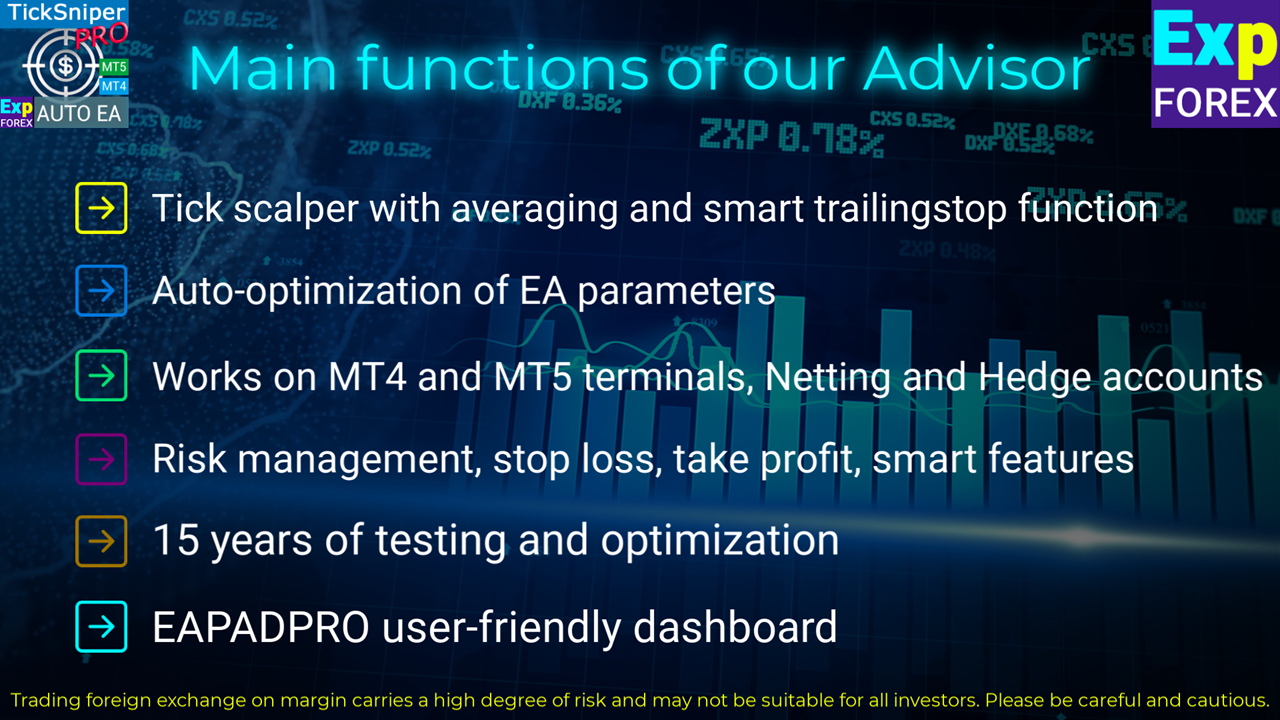
📈 TickSniper Trade Management Panel The panel displays key working values and helps monitor how TickSniper manages trades after a signal appears. |
🧩 Averaging Logic and Risk Control
Averaging is used as part of the TickSniper recovery logic when a position goes into drawdown.
If the first signal was not successful and the market moved against the position, the EA can open averaging positions at calculated distances. The goal is to bring the average price closer to the current market and manage the series with trailing or breakeven logic.
However, averaging always increases exposure and risk. This is why broker quality, deposit size, spread, leverage and VPS stability are important.
| Averaging Setting | Meaning |
| DistanceAverageSpread | Base averaging distance in average spreads. |
| DistanceAverageSpread_Coef | Coefficient for increasing or decreasing the next averaging distance. |
| DistanceAverageSpread_Different | Custom sequence of averaging distances separated by commas. |
| MaxOrders | Maximum number of averaging positions. |
| AveragingbyFilterMA | Allows averaging only when the Moving Average filter confirms the same direction. |
| MinTimebeforenextAverage | Minimum time before the next averaging position can be opened. |
| Risk note: averaging can help manage a false entry, but it can also increase drawdown. Use realistic deposit, correct lot size and conservative settings. A small deposit with aggressive averaging can create high risk. |
📊 Deposit Recommendations Based on Risk Level
Recommended deposits depend on broker conditions, selected symbols, leverage, spread, lot size and risk mode. The following examples are practical starting points for minimum lot 0.01 and leverage around 1:300.
| Risk Level | Recommended Deposit | Lot Size | Symbols | Leverage |
| Low Risk | $1,000+ | 0.01 minimum lot | Up to 3 pairs, for example EURUSD, USDCHF, USDJPY | 1:300 or higher |
| Medium Risk | $300+ | 0.01 minimum lot | 1 pair, for example EURUSD | 1:300 or higher |
| High Risk | $100+ on Cent account | 0.01 minimum lot | 1 pair, for example EURUSD | 1:300 or higher |
| Important: these are not profit guarantees. They are practical deposit examples for testing and risk planning. Real results depend on broker quote stream, spread, commission, execution, VPS and market conditions. |
🌐 Broker Requirements and Why They Matter
TickSniper depends strongly on broker conditions because the strategy works with fast quotes, spread and short-term movements.
A broker with slow quotes, wide floating spread, high commission, strict stop levels or unstable execution can change the result dramatically. Two terminals can also receive ticks at slightly different times, even on the same computer.
✅ Recommended
| ⚠ Avoid or Test Carefully
|
🧪 Why Strategy Tester Results Are Not Reliable
TickSniper works with live tick behavior and sharp quote movement. The strategy tester usually cannot reproduce the exact same conditions as a real broker server.
There are several reasons:
- historical tick data may be incomplete;
- fixed spread in the tester does not reproduce real floating spread conditions;
- real tick speed and quote arrival timing are different from simulated history;
- broker execution, slippage and stop levels can behave differently in real time;
- the EA reacts to fast movement that may not exist in the tester the same way.
The correct way to evaluate TickSniper is to test it on a demo account or small real account with the broker where you plan to use it.
| Practical testing rule: do not judge TickSniper only by Strategy Tester results. Use demo forward testing on your broker server and watch spreads, quote speed, logs, drawdown and execution quality. |
🖥 What EAPADPRO Shows in TickSniper
TickSniper displays important real-time data in the EAPADPRO panel. This helps you understand what the EA sees and why it may or may not open a position.
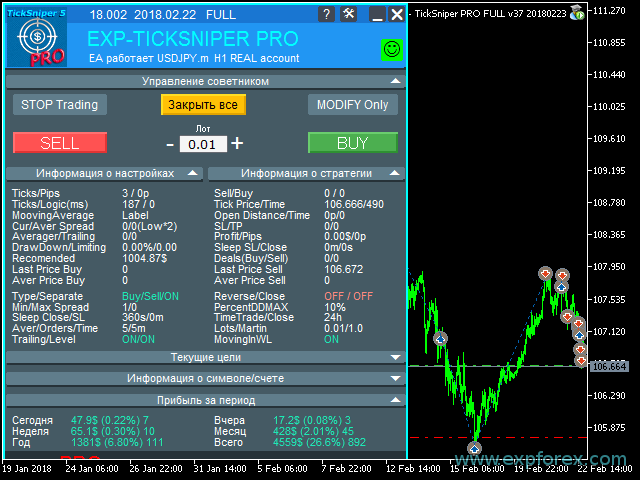
🖥 EAPADPRO Information Panel The panel displays tick data, signal state, spread, average spread, drawdown, recommended deposit, deals, average price and trade-management values. |
Main EAPADPRO Data
- Ticks / Pips — number of ticks and price movement distance.
- Sell / Buy — number of signals in each direction.
- Ticks / Logic — tick flow and algorithm calculation timing.
- TickPrice — last quote processed by the EA.
- LastTickTime — time of last incoming quote.
- MovingAverage — filter direction.
- OpenDistance — distance required for signal opening.
- CurrentSpread / AverageSpread — spread values used by the system.
- Stoplosspips / Takeprofitpips / Averagerpips / TrailingStoppips — current calculated management distances.
- Profit / Pips — current profit and points.
- DrawDown — current drawdown percentage.
- Sleep after SL / Close — pause after stop loss or after previous close.
- Recommended — minimum deposit estimate calculated for current symbol and settings.
⚙ Main Settings You Should Understand
TickSniper can work automatically, but advanced users can configure signal strength, spread filters, averaging, manual distances, autolot, time filters and protection functions.
| Setting Group | Purpose |
| General Settings | TypeFilling, RoundingDigits, order type, separate BUY/SELL trading, close on opposite signal and OnlyModify mode. |
| Signal Options | Timeope, DistanceTickSpread, DistanceTickMANUAL, spread check time and Moving Average filter. |
| Spread Filters | MaxSpreadToNotTrade, MinSpreadToNotTrade, AutoCheckLowSpread and ManualMinimumAverageSpread. |
| Risk Protection | PercentDDMAX, margin level restriction, sleep after close and sleep after Stop Loss. |
| Averaging Settings | Averaging distance, coefficient, custom distance sequence, MA filter for averaging and maximum averaging positions. |
| Auto Set | Spread-based Take Profit, Stop Loss, averaging distance and trailing stop. |
| Manual Set | Fixed values in points for Take Profit, Stop Loss, averaging distance, trailing stop and breakeven. |
| AutoLot | Fixed lot, dynamic lot, percent of balance/free margin, risk rate and maximum lot. |
| Trading Time | Open/close time, closing positions outside trading time and closing positions at a specific day/time. |
| Trailing and Breakeven | TrailingStopUSE, SaveTPafterTrailingStop, MovingInWLUSE and profitable stop movement logic. |
| Limits | Daily, weekly or monthly limits by money, points or balance percent. |
| 📘 Want the full parameter list? Open the complete TickSniper Settings documentation before changing advanced signal, averaging, autolot, trailing or limiting options. |
🛠 How to Install and Start TickSniper
Installation is standard for MQL5 Market products. After installation, attach the Expert Advisor to a chart and let it calculate the broker and symbol conditions.
| Step | Action |
| 1 | Download, buy or rent TickSniper for MetaTrader 4 or MetaTrader 5. |
| 2 | Open MetaTrader and log in to the MQL5 account used for the product. |
| 3 | Install TickSniper from the Market section of the terminal. |
| 4 | Attach TickSniper to the chart of the symbol you want to trade. |
| 5 | Enable Algo Trading / Auto Trading and allow automated trading in EA settings. |
| 6 | Start with minimum lot 0.01 and conservative risk. |
| 7 | Check EAPADPRO: trading permission, spread, average spread, tick flow and drawdown state. |
| 8 | Run forward testing on demo or small real account with your broker. |
| 9 | Use stable VPS if the EA must work continuously. |
| 10 | Move to real trading only after you understand broker behavior, drawdown and EA logic. |
🔗 Useful Links🔹 Buy / Rent TickSniper for MetaTrader 4 🔹 Buy / Rent TickSniper for MetaTrader 5 |
❓ Practical FAQ
Do I need a set file?
No. TickSniper is designed as an automatic Expert Advisor with adaptive parameter calculation. For normal operation, install it on the chart and allow the EA to calculate values from broker and symbol conditions.
Why does it not trade immediately?
Because it waits for its signal. A signal appears only when a series of internal conditions match: tick speed, movement distance, spread, direction filter and trading permission.
Why can two terminals show different results?
TickSniper depends on quote timing and tick arrival speed. Even two terminals on the same computer may receive ticks differently, especially with different brokers or different server routes.
Why can results differ by broker?
Every broker has different spread, commission, swap, stop levels, execution speed, server behavior, contract specifications and quote stream. For a tick scalper, these differences matter strongly.
Does TickSniper work better on MT4 or MT5?
The algorithm and concept are the same. In practice, MT5 can sometimes receive more detailed quote flow and faster execution depending on broker infrastructure, but the final result still depends on broker conditions.
📌 Practical Recommendations Before You Start
- Start with demo or small real testing on your broker.
- Use minimum lot 0.01 at the beginning.
- Do not use zero-spread accounts for this strategy.
- Check broker commission because it can absorb scalping profit.
- Use floating spread accounts and watch spread widening.
- Use a VPS close to the broker server.
- Do not overload one VPS with many terminals if tick speed is important.
- Do not judge the EA only by Strategy Tester results.
- Do not use aggressive signal settings without understanding drawdown.
- Take profit on time and manage money realistically.
- Read logs in the Experts and Journal tabs if the EA does not open trades.
⚠ Risk Warning
| Trading Forex and CFDs involves risk. TickSniper is an automatic scalping Expert Advisor. It uses tick-based signals, spread analysis, averaging, Stop Loss and trailing logic, but it cannot guarantee profit. Results depend on broker quotes, spread, commission, execution, VPS quality, market volatility, account size and your settings. Averaging can increase drawdown. Always test on demo or small real volume before serious trading. |
🏁 Final Thoughts
TickSniper is a specialized tick scalping Expert Advisor for traders who understand that scalping depends on live execution conditions, not only on historical charts.
The EA analyzes fast quote movement, spread, symbol specifications and tick flow. It opens trades only when its internal rules detect a suitable short-term movement, then manages positions with automatic protection and recovery logic.
If you need a fully automatic scalping Expert Advisor with adaptive broker-aware calculations, TickSniper can be a powerful tool. But because the strategy depends strongly on spread, quotes and execution, it must be tested carefully on the broker where you plan to trade.
🚀 Start Testing TickSniper TodayDownload the demo, install TickSniper on your broker’s MetaTrader terminal, check EAPADPRO, watch tick flow and test the system in real market conditions. |
| ▶ Watch Video | 📘 Full Instruction |
| 💎 Buy TickSniper MT5 | 💎 Buy TickSniper MT4 |
| ⬇ Download DEMO + PDF | 🛒 All Expforex Products |
SEO Tags
TickSniper, Exp TickSniper, TickSniper PRO FULL, MetaTrader tick scalper, MT4 tick scalper, MT5 tick scalper, Forex scalping Expert Advisor, automatic scalper EA, tick movement trading, quote speed scalping, spread based scalper, MetaTrader Expert Advisor, Forex robot, automatic trading robot, tick strategy EA, scalping advisor, smart trailing stop EA, averaging Expert Advisor, Stop Loss scalper, breakeven scalper, Moving Average filter EA, Timeope, DistanceTickSpread, DistanceTickMANUAL, spread filter EA, TickSniper MT4, TickSniper MT5, Expforex TickSniper, MQL5 Market Expert Advisor




