Pentaryx AUDCAD
- 专家
- 版本: 1.6
- 激活: 15

Pentaryx AUDCAD
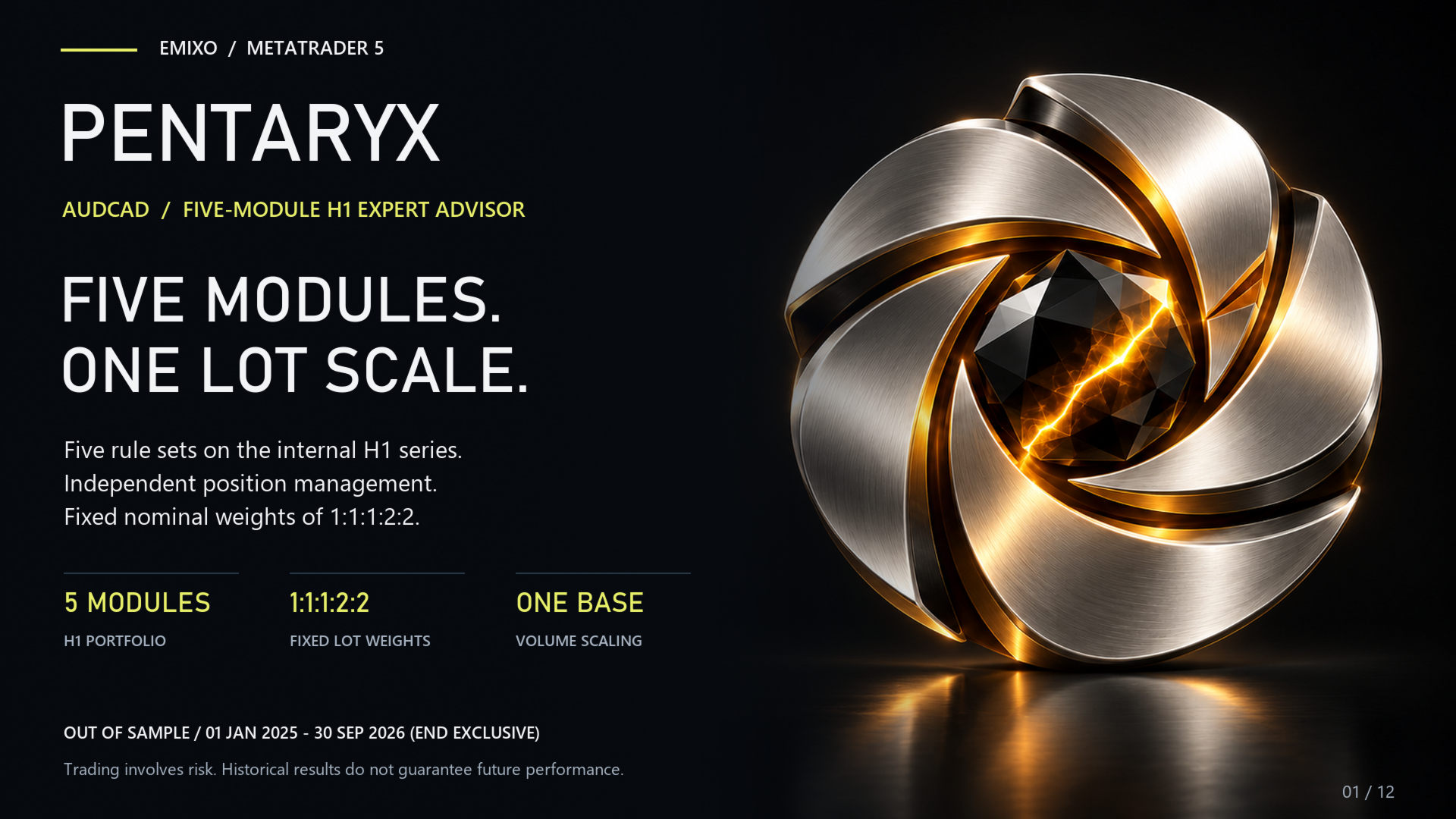
Five modules. One Expert Advisor. One volume scale.
PENTARYX combines five trading modules in one Expert Advisor for AUDCAD. Its defined weighting structure lets you manage the collection from a single chart instead of configuring five separate programs.
The trading approach
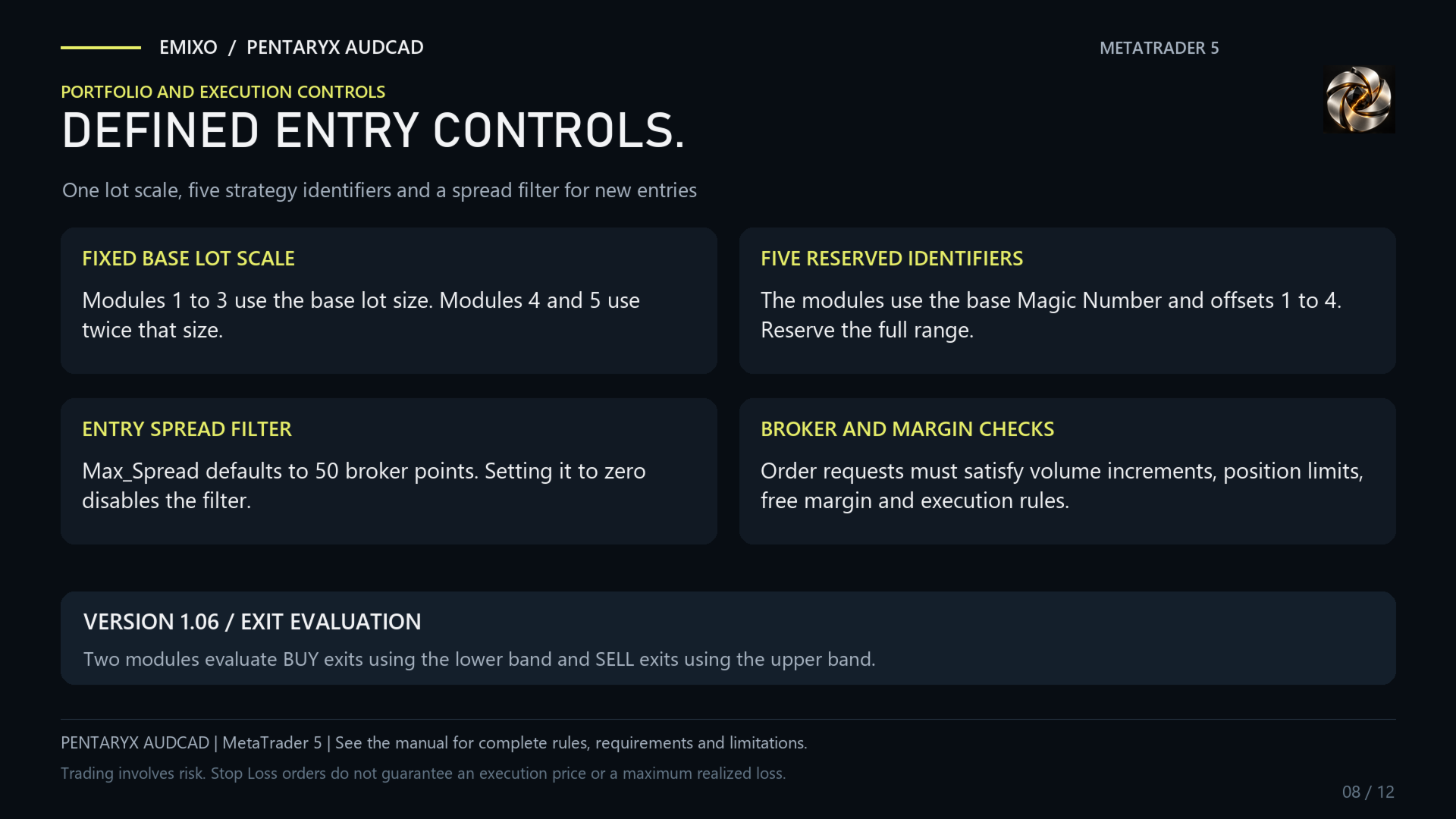
Each module retains its own method and internal timeframes. The weights are 1:1:1:2:2: the first three modules use the base volume, while the last two use twice that amount. Entry_Amount changes the volume scale while preserving these ratios. The reference configuration is AUDCAD H1.
What Pentaryx offers
- Five methods in one installation. A multi-module structure for traders seeking several trading methods on the same market.
- Explicit weights. Volume ratios are disclosed and stay unchanged when the scale changes.
- Four public controls. Panel, identity, base volume and spread filter keep configuration focused on practical choices.
- Separate module identities. A range of five Magic Numbers distinguishes the trades of the different components.
Your settings
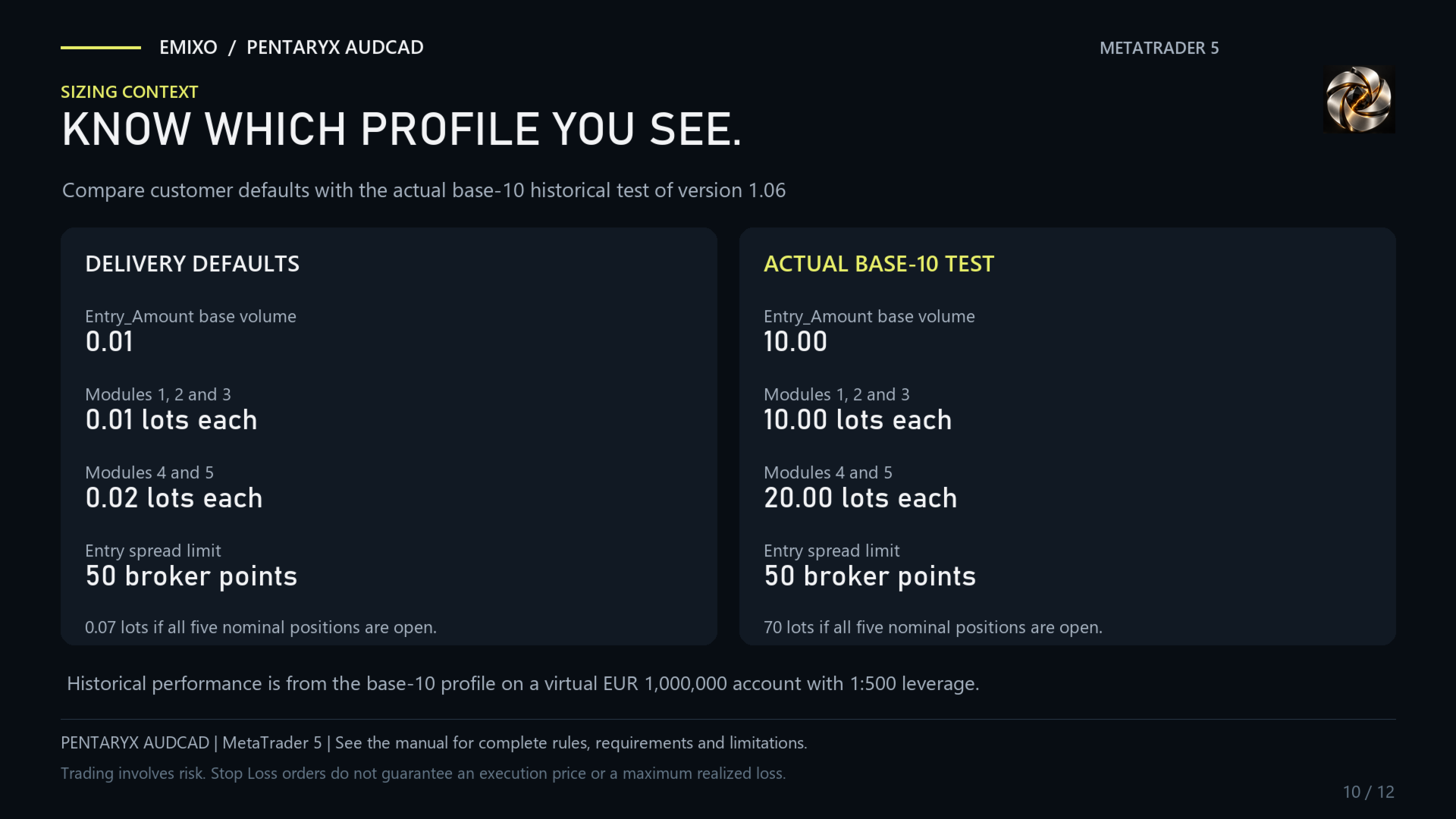
At the default base of 0.01, nominal volumes are 0.01 / 0.01 / 0.01 / 0.02 / 0.02 lots. The default spread filter is 50 broker points. The base volume is not the portfolio's total lot size; actual exposure depends on signals and entry checks.
Reference setup
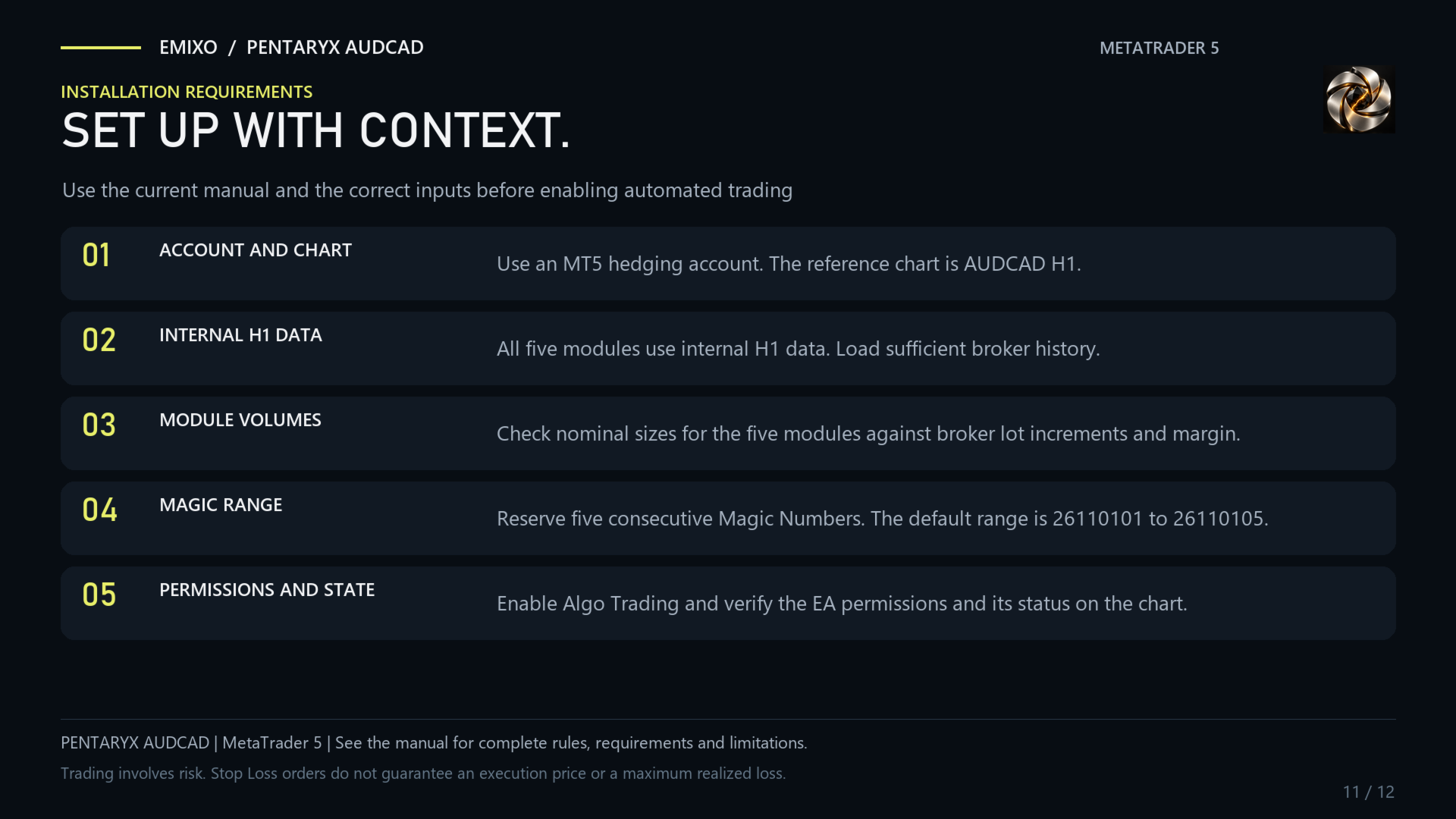
Use a hedging account, attach PENTARYX to the reference AUDCAD H1 chart and reserve the entire five-Magic-Number range. Verify volume and margin compatibility with your broker. Each module keeps its strategy-defined internal timeframes.
Historical test
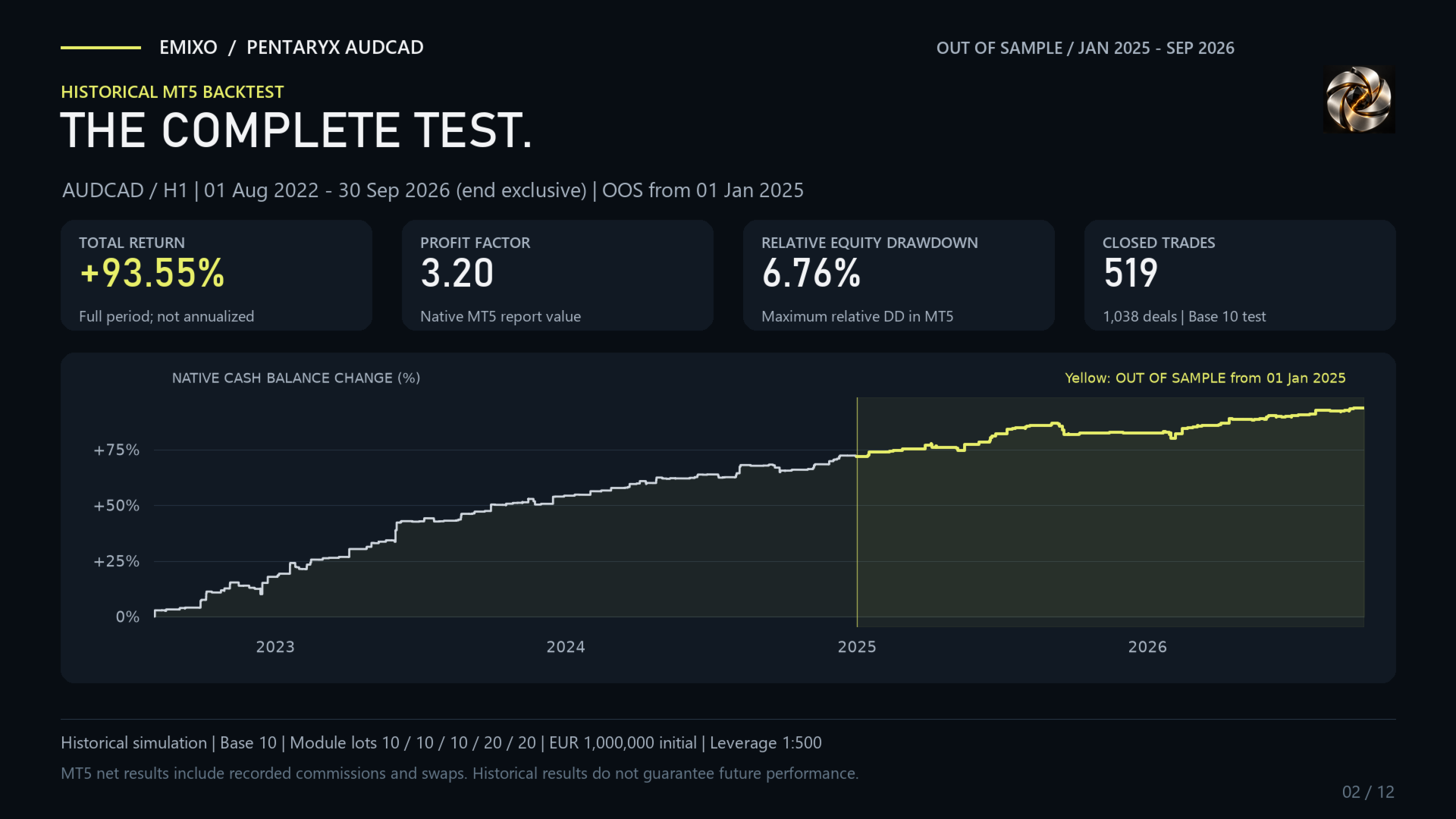
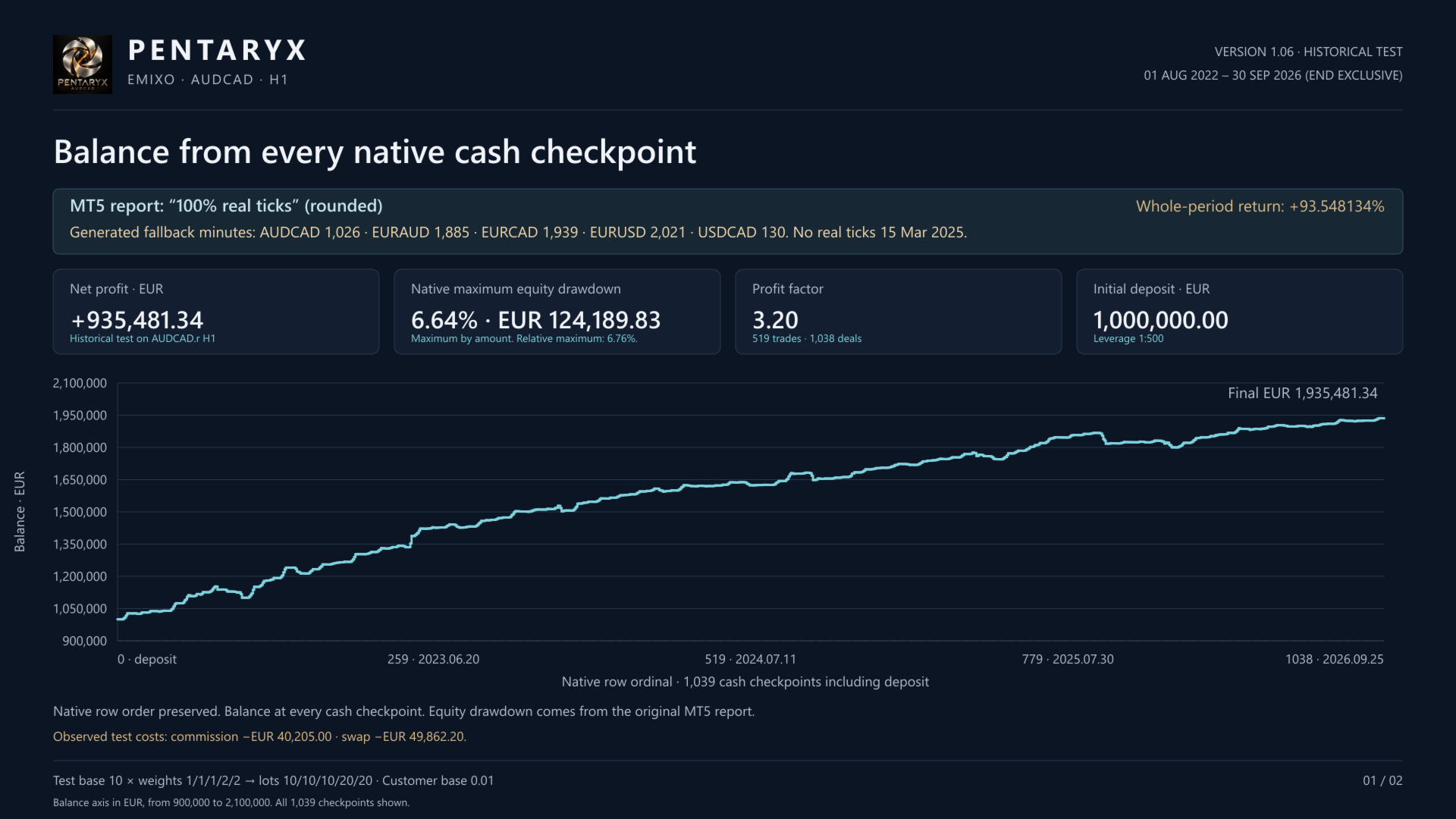
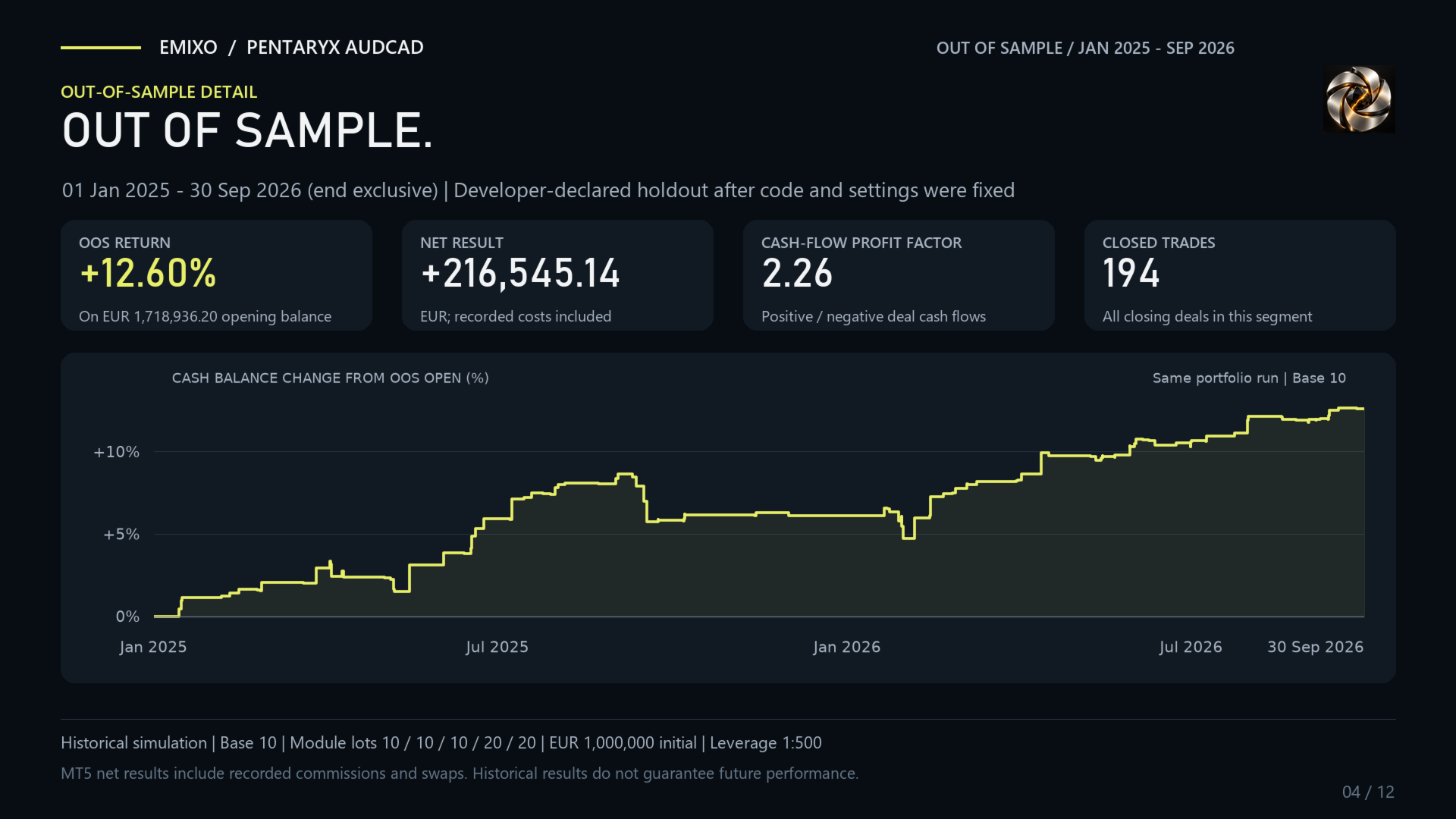
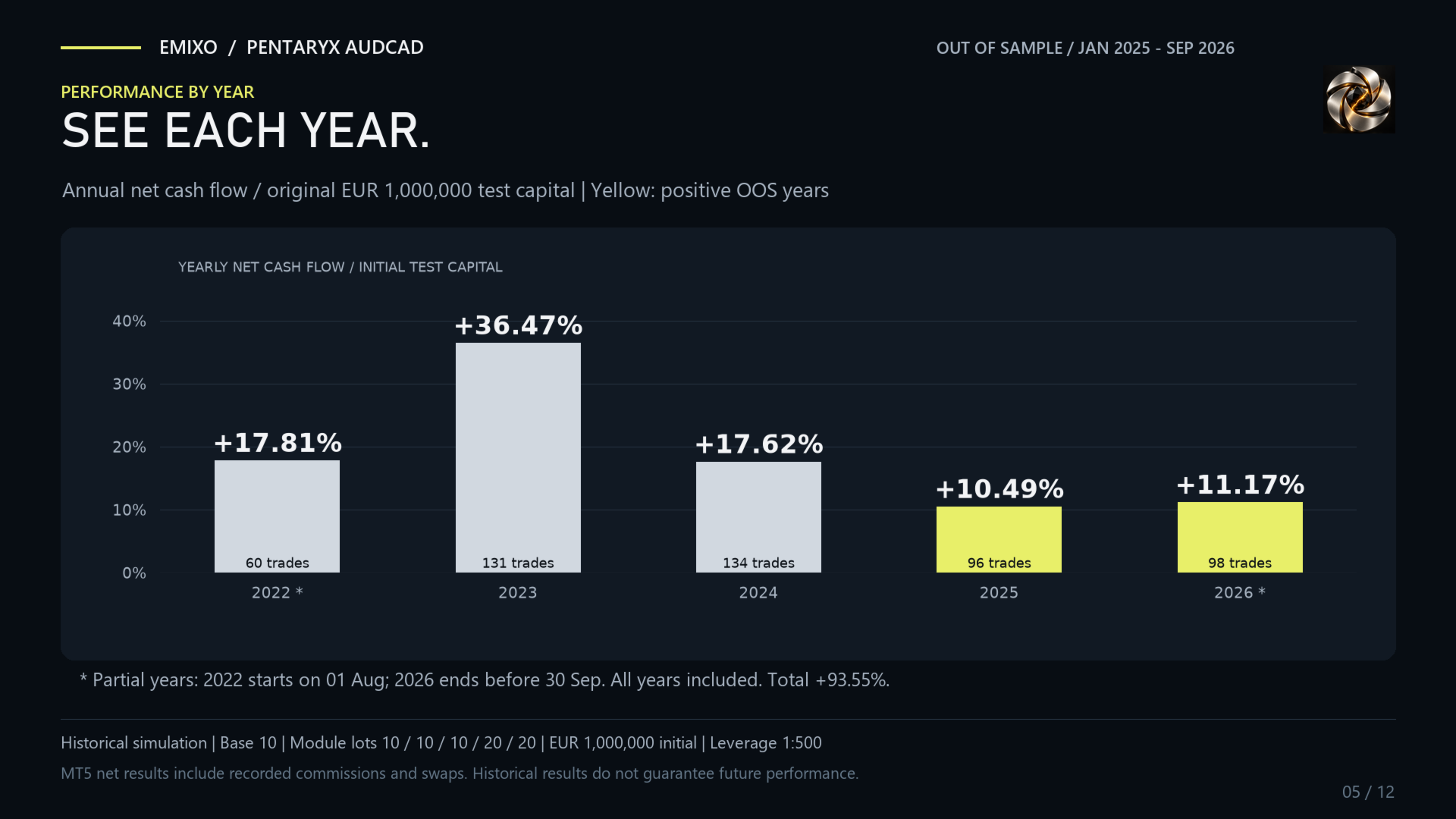
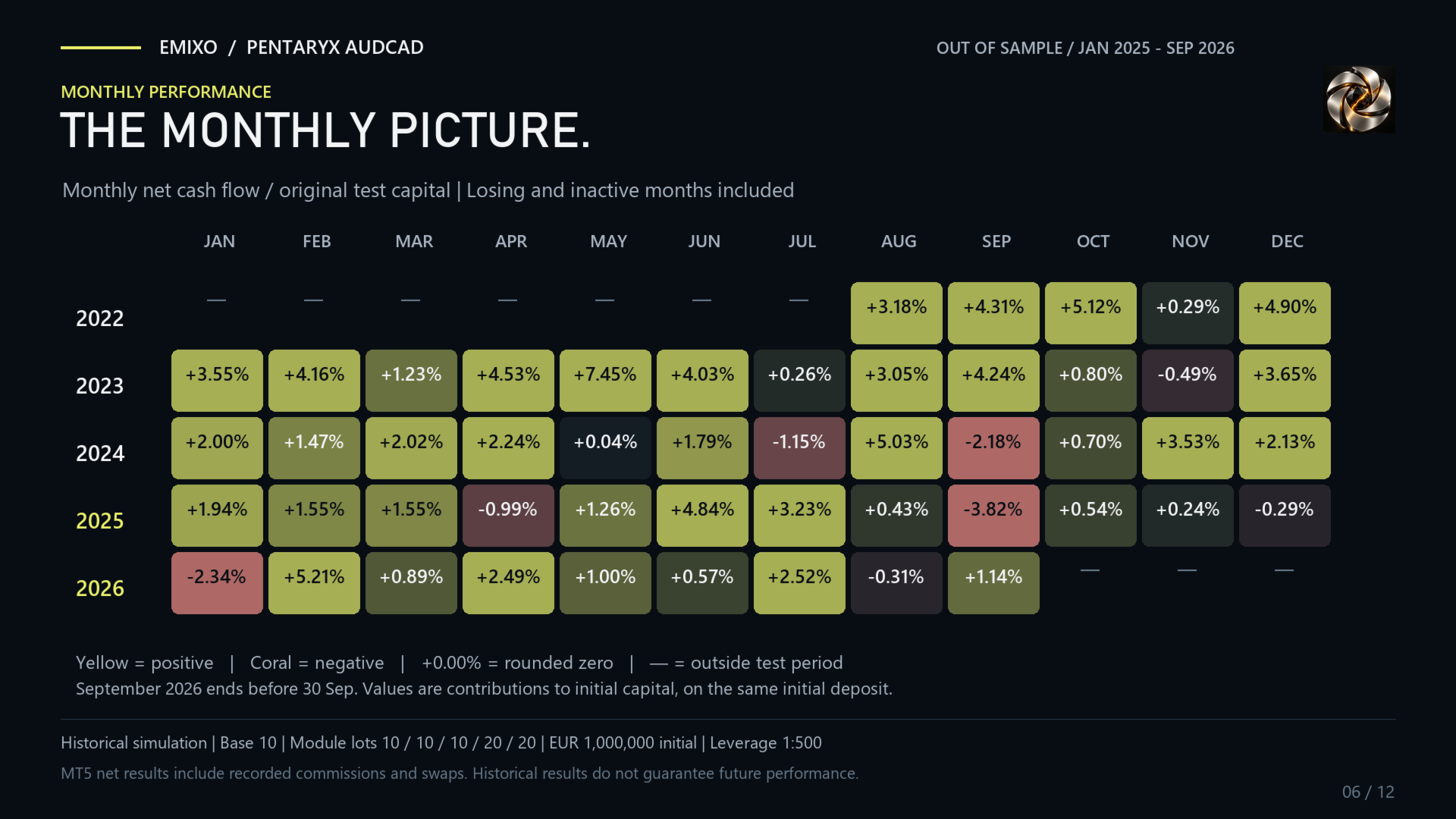
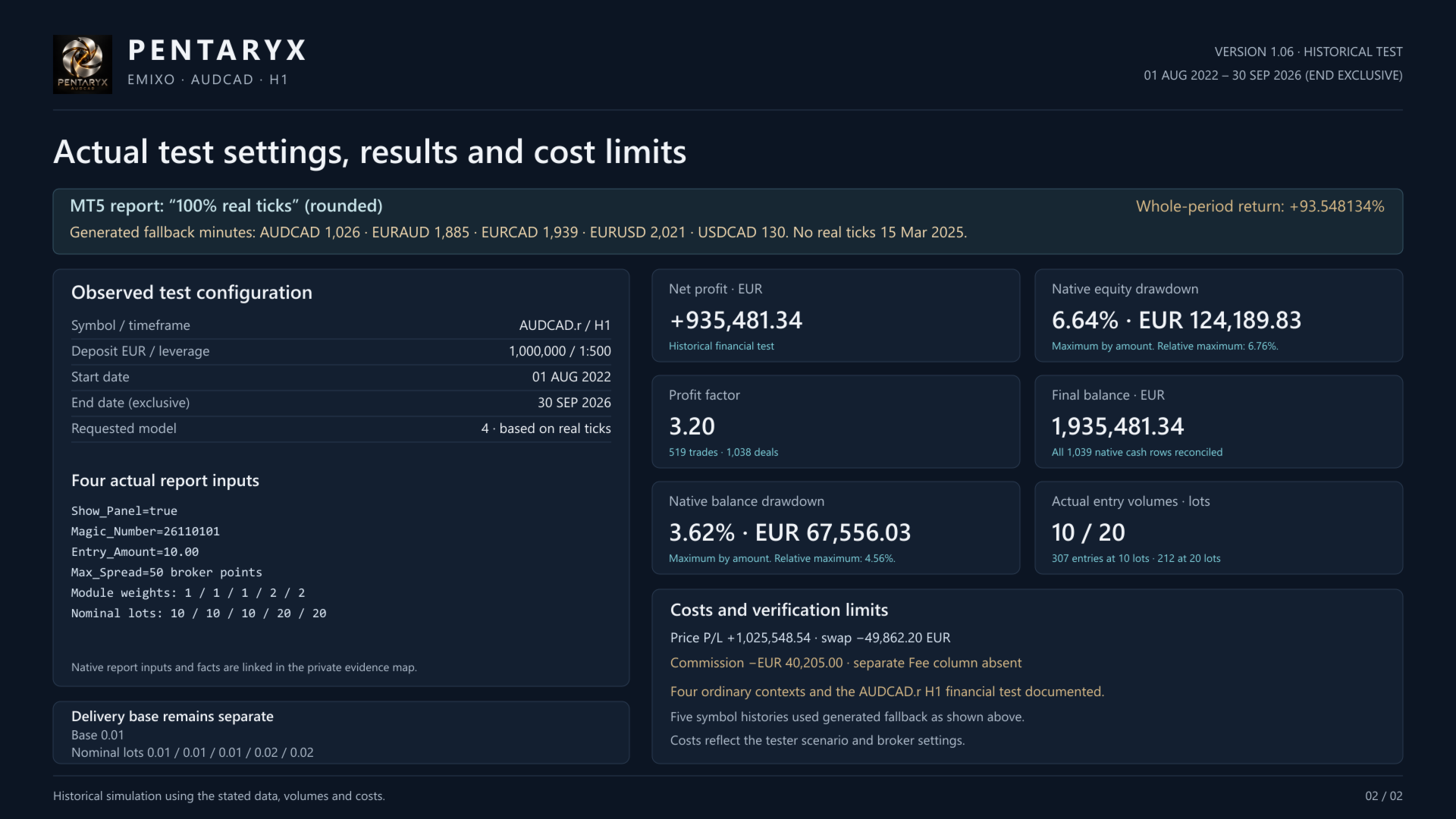
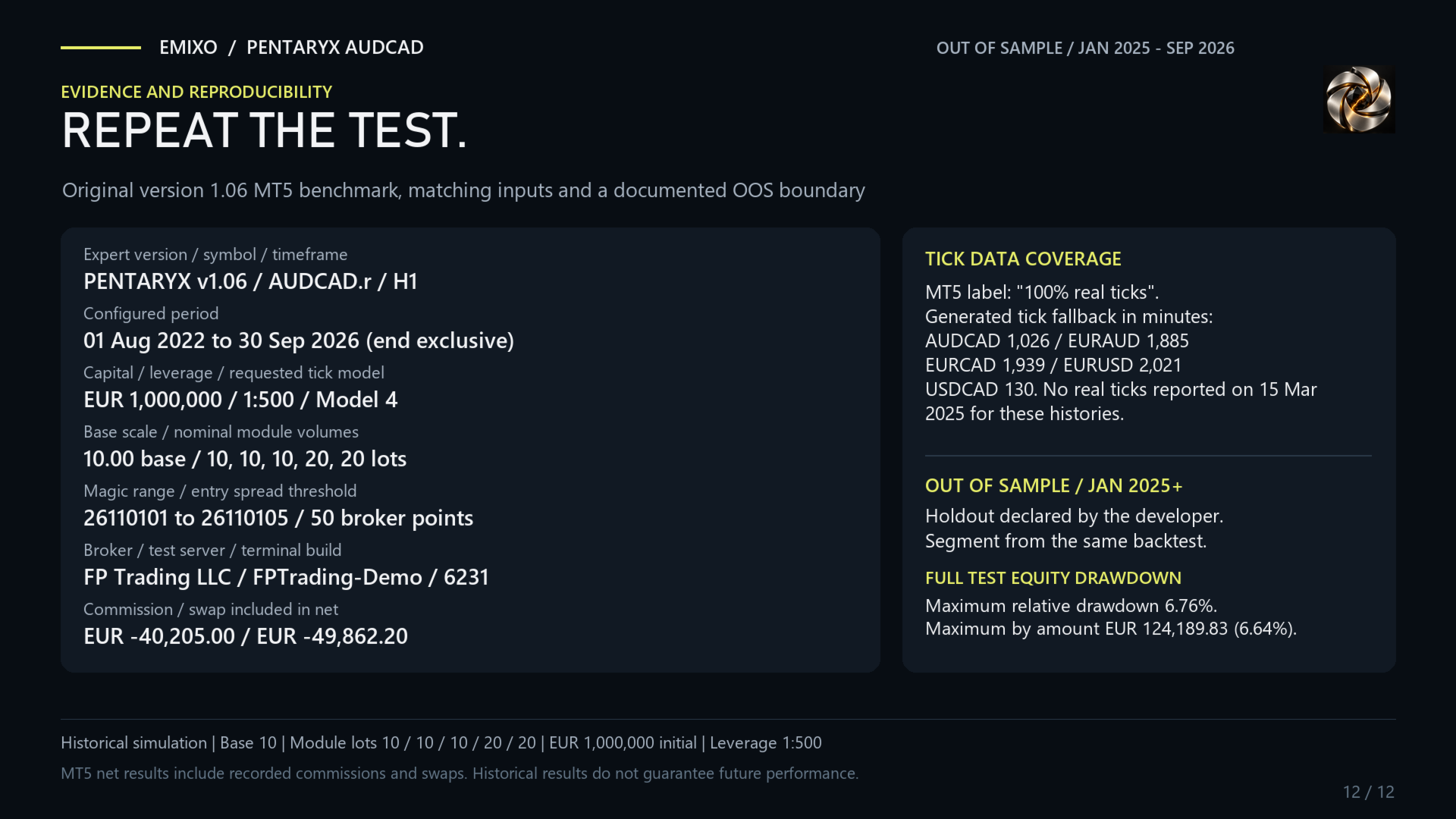
AUDCAD.r, 01 Aug 2022 – 30 Sep 2026 (end exclusive). Initial virtual capital EUR 1,000,000, leverage 1:500.
- Net result: +EUR 935,481.34.
- Full-period return: +93.55%, not annualized.
- Profit Factor / closed trades: 3.20 / 519.
- Maximum relative equity drawdown: 6.76%.
Test profile: Base 10; nominal lots 10 / 10 / 10 / 20 / 20; default base 0.01. Net figures include commission and swap recorded in the report. The historical profile is separate from the product's starting settings.
Getting started
Use the Market demo in the Strategy Tester to examine entries and exits with your broker's data. Before operational use, check the configuration on a demo account. For setup questions, contact the seller through MQL5 messages or product comments.
Trading involves a risk of loss. Backtests are historical simulations, not live results or forecasts. Spreads, costs and execution can change outcomes; stops and operating limits do not guarantee a maximum loss.