Price Action Trading Box Manager Expert For MT4
- 实用工具
- Mehnoosh Karimi
- 版本: 3.1
- 激活: 10
Price Action Trading Box Manager Expert for MT4
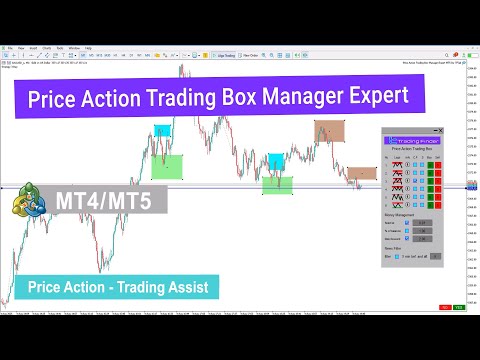
The Price Action Trading Box Manager Expert is an advanced tool designed for traders who rely on price action strategies and want to streamline parts of their trade execution and monitoring. This Expert Advisor displays multiple price action formations inside a dedicated dashboard in a simple list format.
By selecting any pattern from the list, traders can instantly place a trading zone (box) on the chart. When the market price reaches these zones, the EA automatically triggers buy or sell orders. It also includes essential features such as risk management tools, customizable position sizing, risk-to-reward (R:R) settings, and an integrated news filter.
Specifications – Price Action Trading Box Manager Expert
| Feature | Details |
| Category | Trading Tool – Price Action – Risk Management |
| Platform | MetaTrader 4 (MT4) |
| Skill Requirement | Intermediate |
| Indicator Type | N/A |
| Timeframe Support | Multi-Timeframe |
| Trading Styles | Scalping – Intraday – Swing Trading |
| Markets | All Financial Markets |
Overview
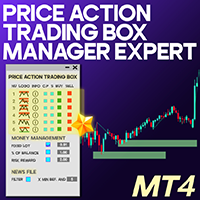
When the Expert is attached to your MT4 chart, a control panel will appear at the bottom of the screen. This interface offers an intuitive and professional layout, providing quick access to categorized pattern lists, trade entry settings, and general configuration options.
Key features include precision checkpoints, trade direction reversal tools, Yes/No entry validation, and on-panel alert notifications.
How to Install and Use the Expert in MT4
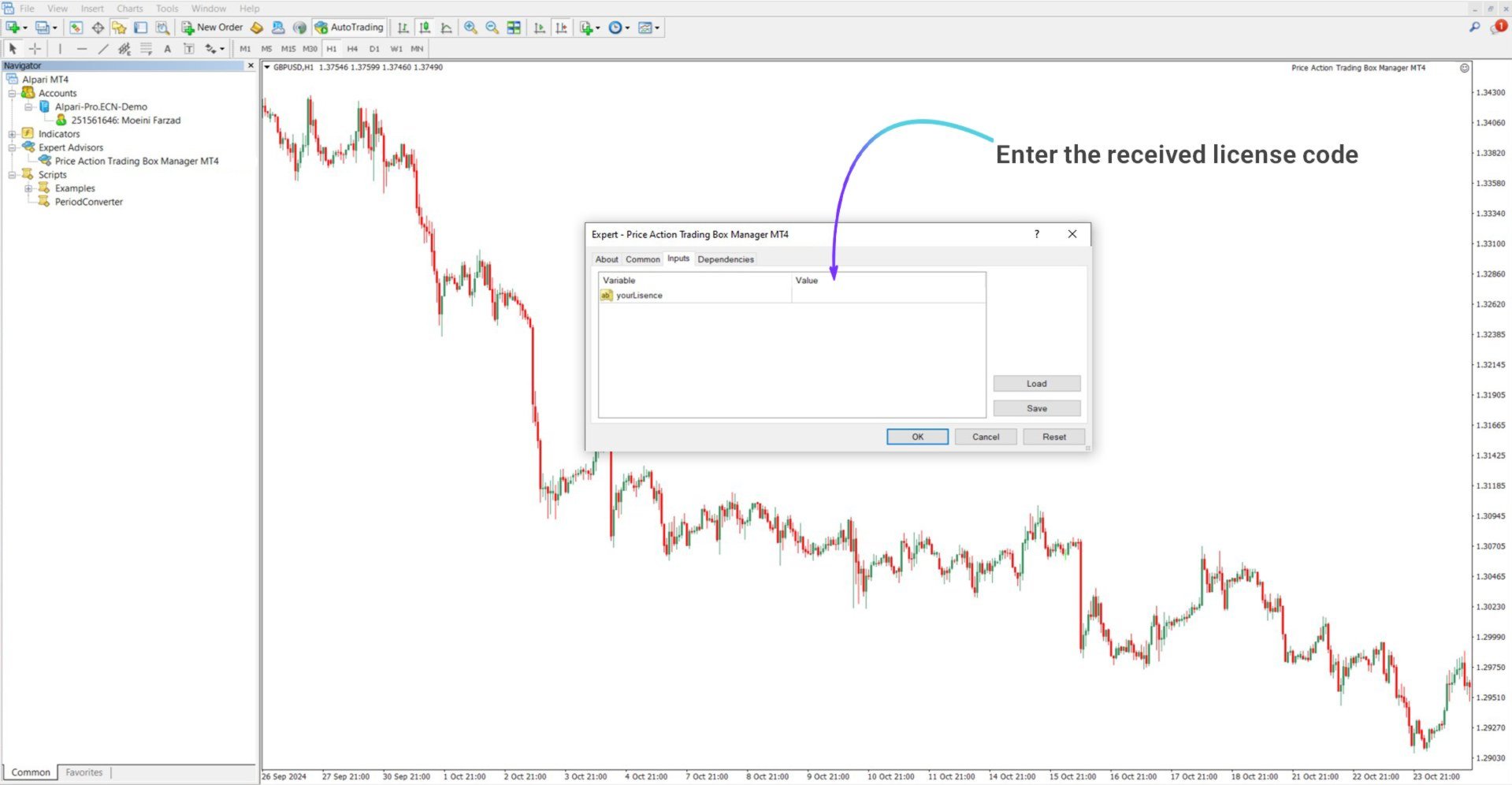
For the complete installation process, please refer to Installing Experts in MetaTrader 4.
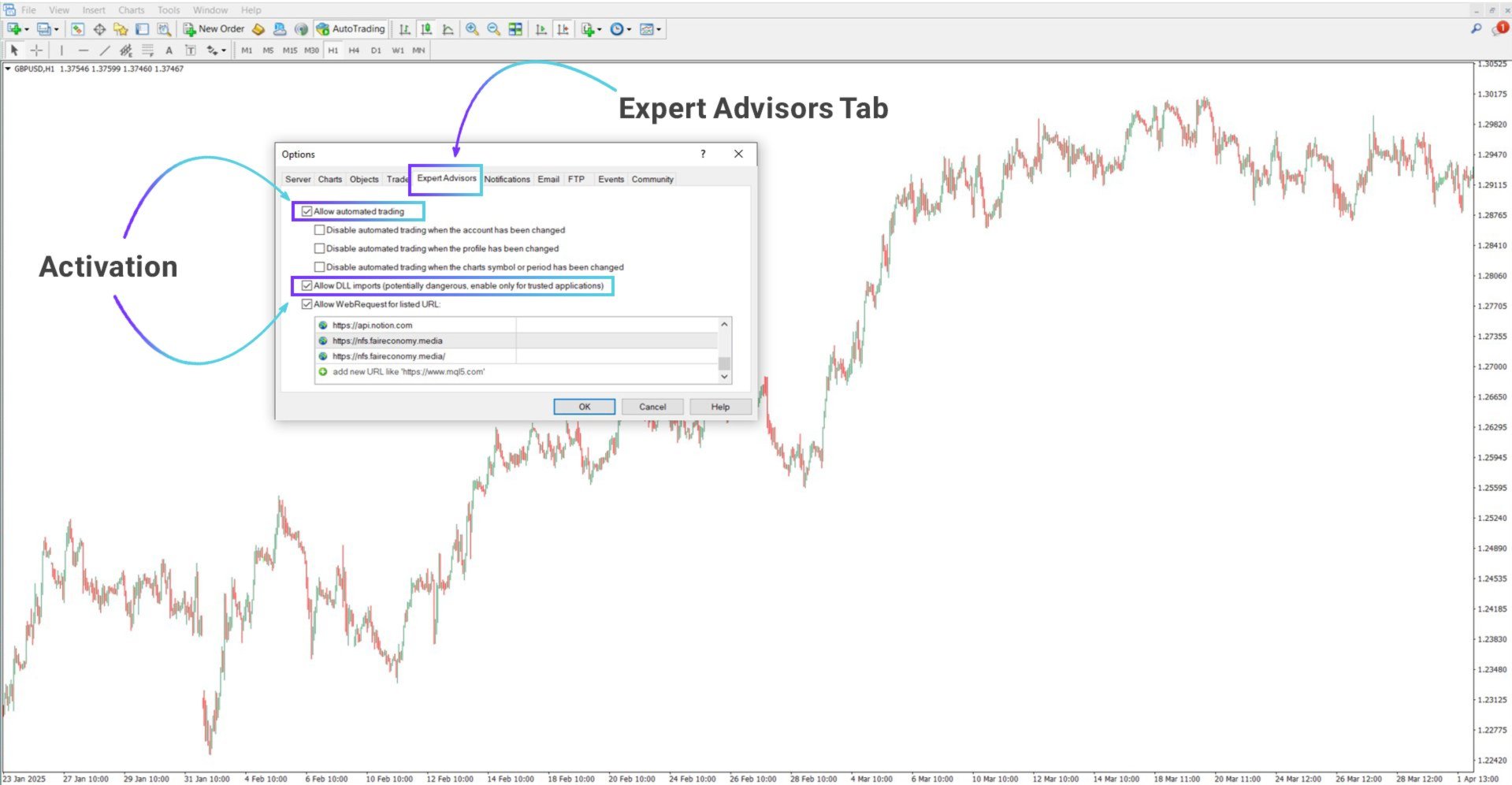
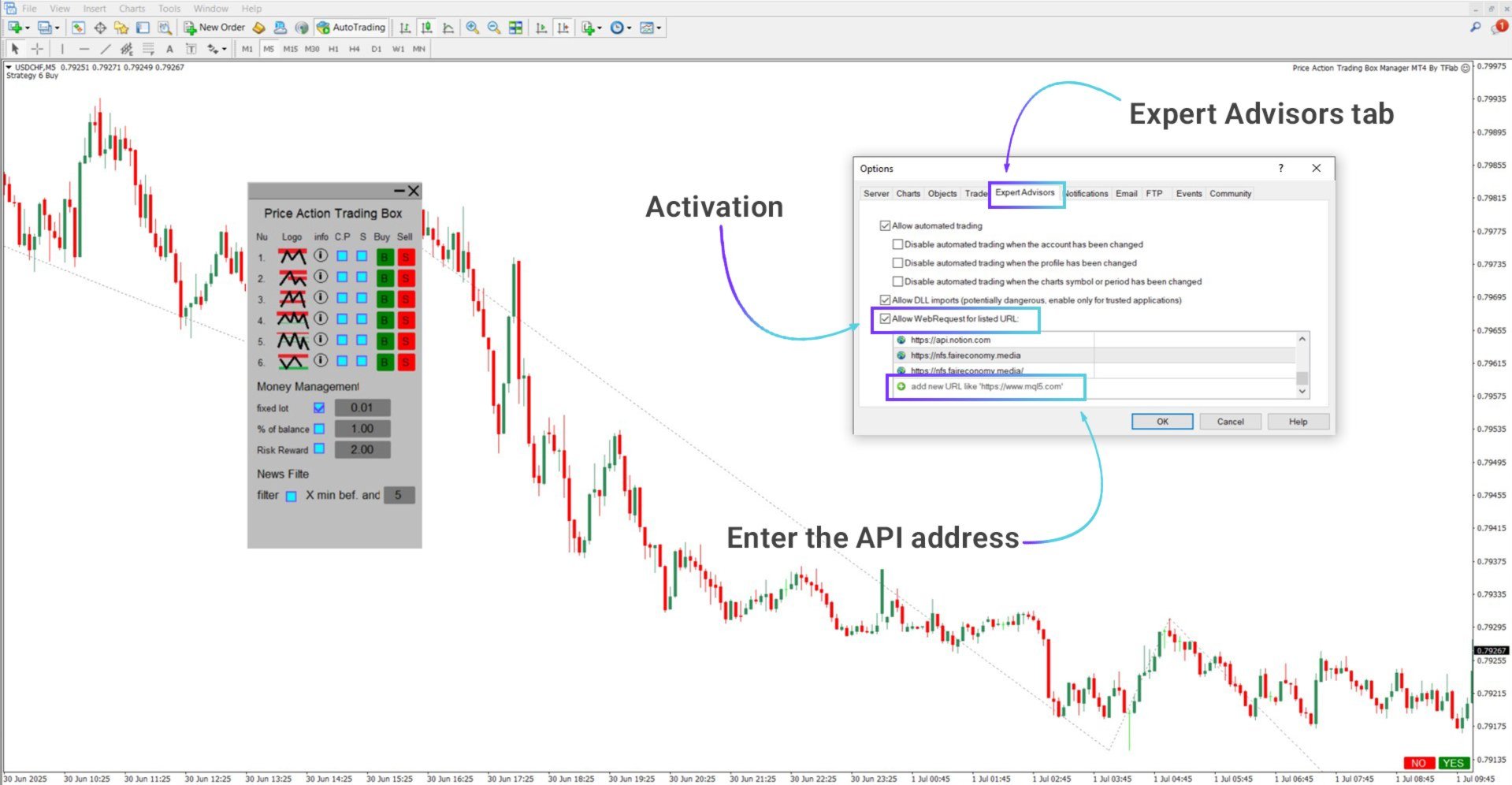
Enabling DLL Access in MT4
The Expert requires DLL imports to function correctly. To enable them:
- Open MT4 and click Tools from the top menu
- Select Options
- Open the Expert Advisors tab
- Check the following:
- Allow automated trading
- Allow DLL imports
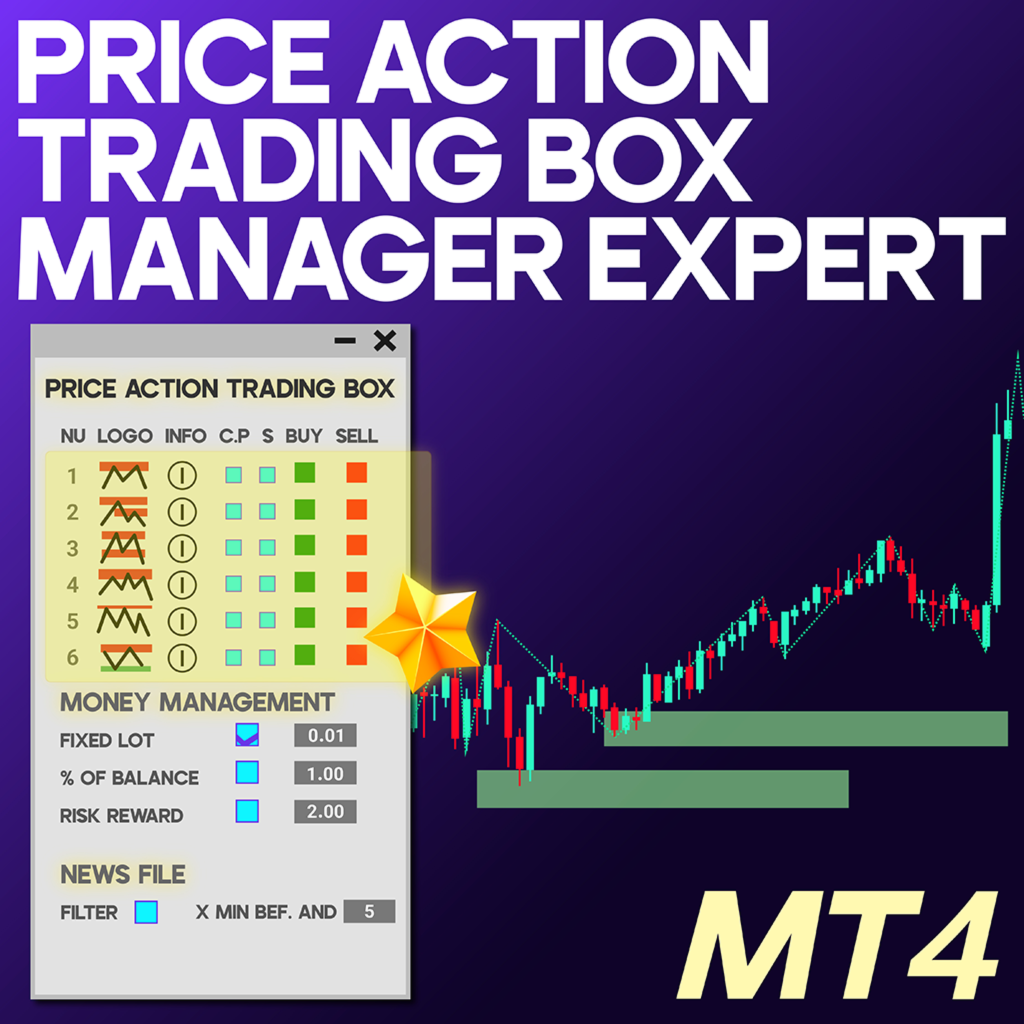
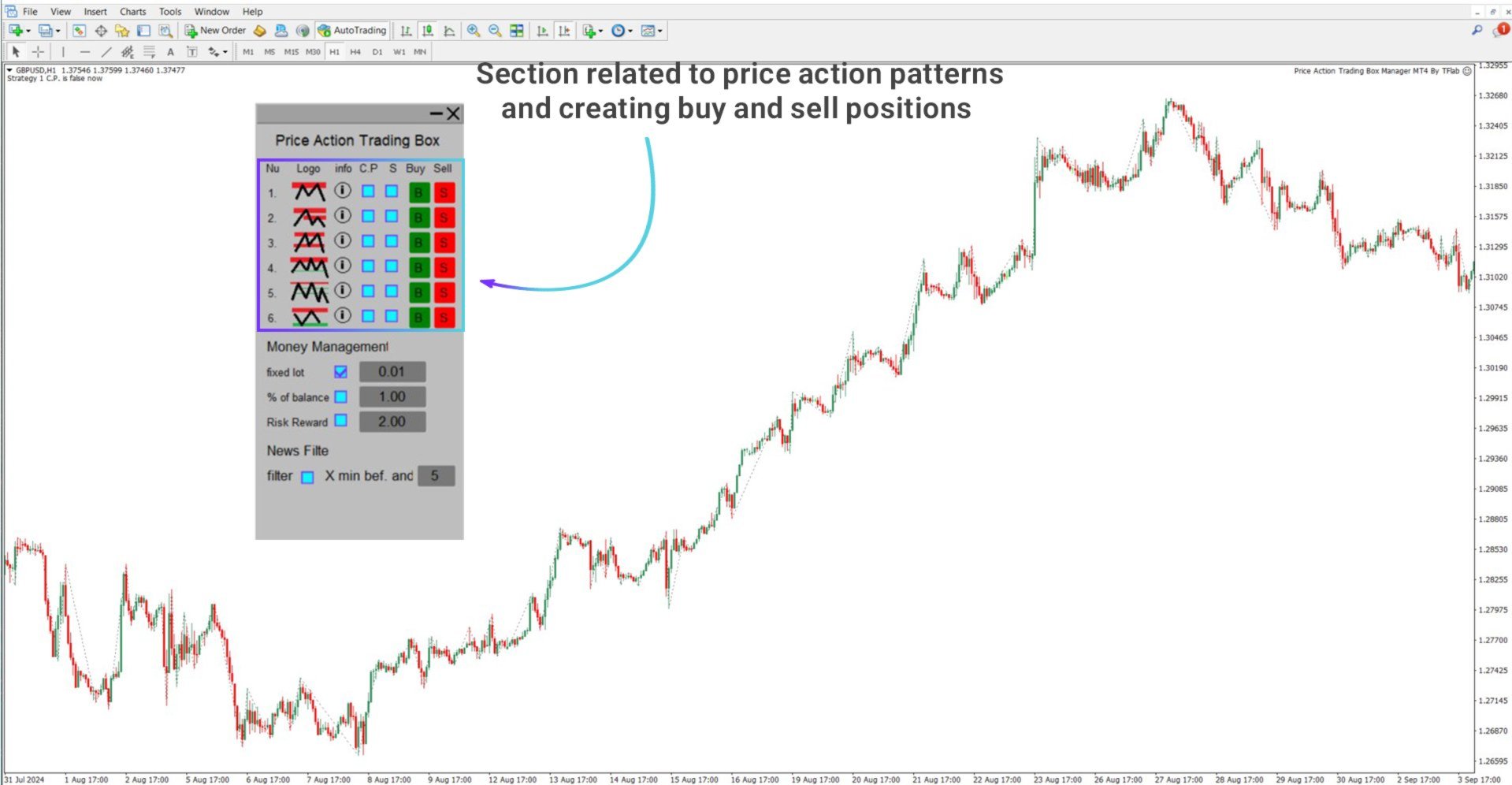
Panel Section 1 – Pattern Management Table
This section of the dashboard displays all available price action patterns in a table layout. Each row provides interactive tools to inspect or engage with each pattern. Patterns are available in both Buy (bullish) and Sell (bearish) variations.
Note: The Expert does not automatically draw the pattern; traders must adjust the box manually.
Column Descriptions
- Nu – Pattern sequence number
- Logo – Pattern icon
- Info – Button for detailed pattern specifications
- C.P – Checkpoint indicator to verify pattern placement
- S – Direction swap (reverses the trade direction logic)
- Buy – Draw a bullish zone box
- Sell – Draw a bearish zone box
Pattern Descriptions & Box Logic
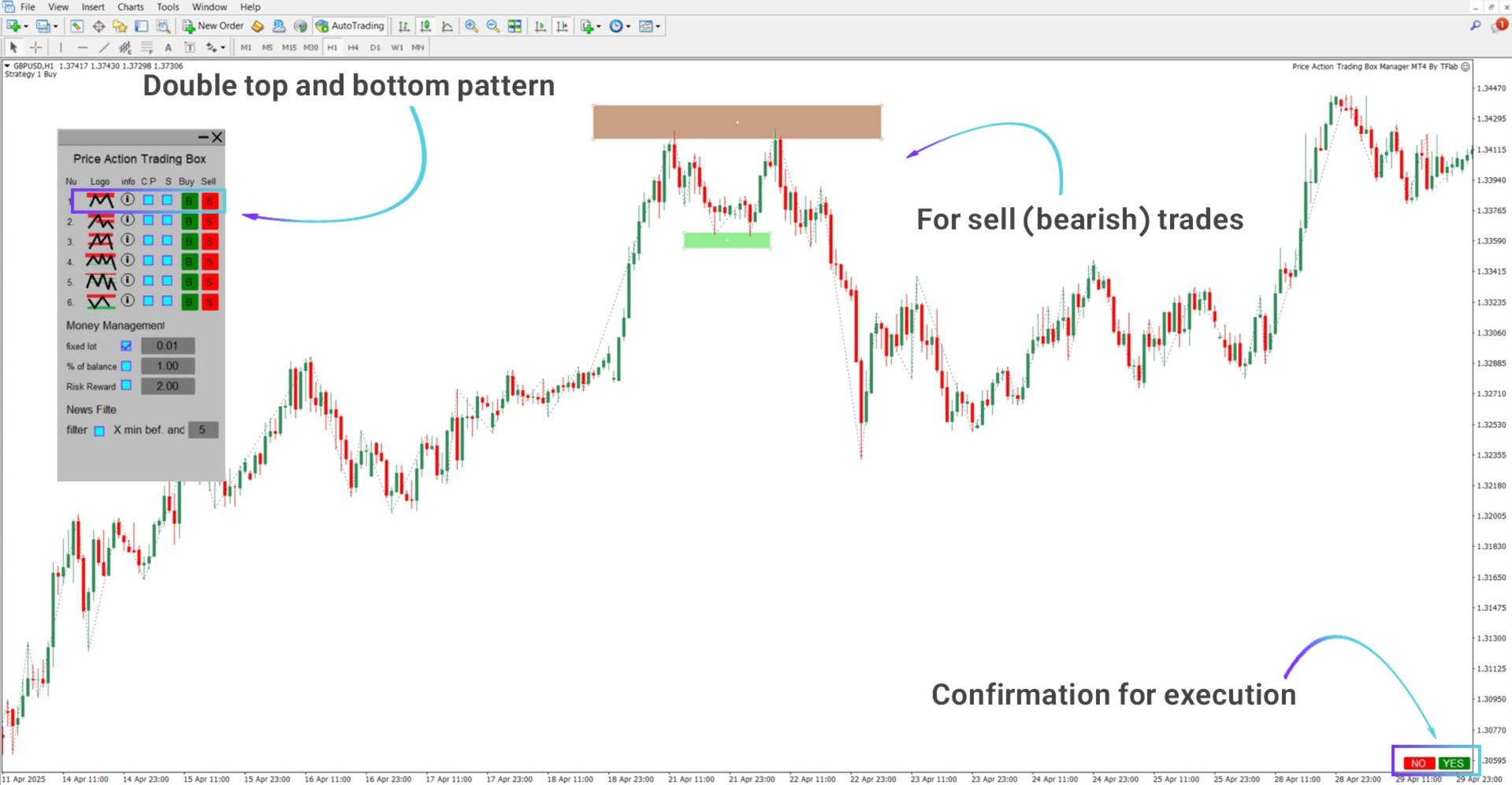
Double Top / Double Bottom
Occurs when the price retests a resistance or support zone twice without a breakout. Selecting this pattern draws a customizable box. After manually aligning it with the wave structure, a trade is placed once the 5-wave development is confirmed.
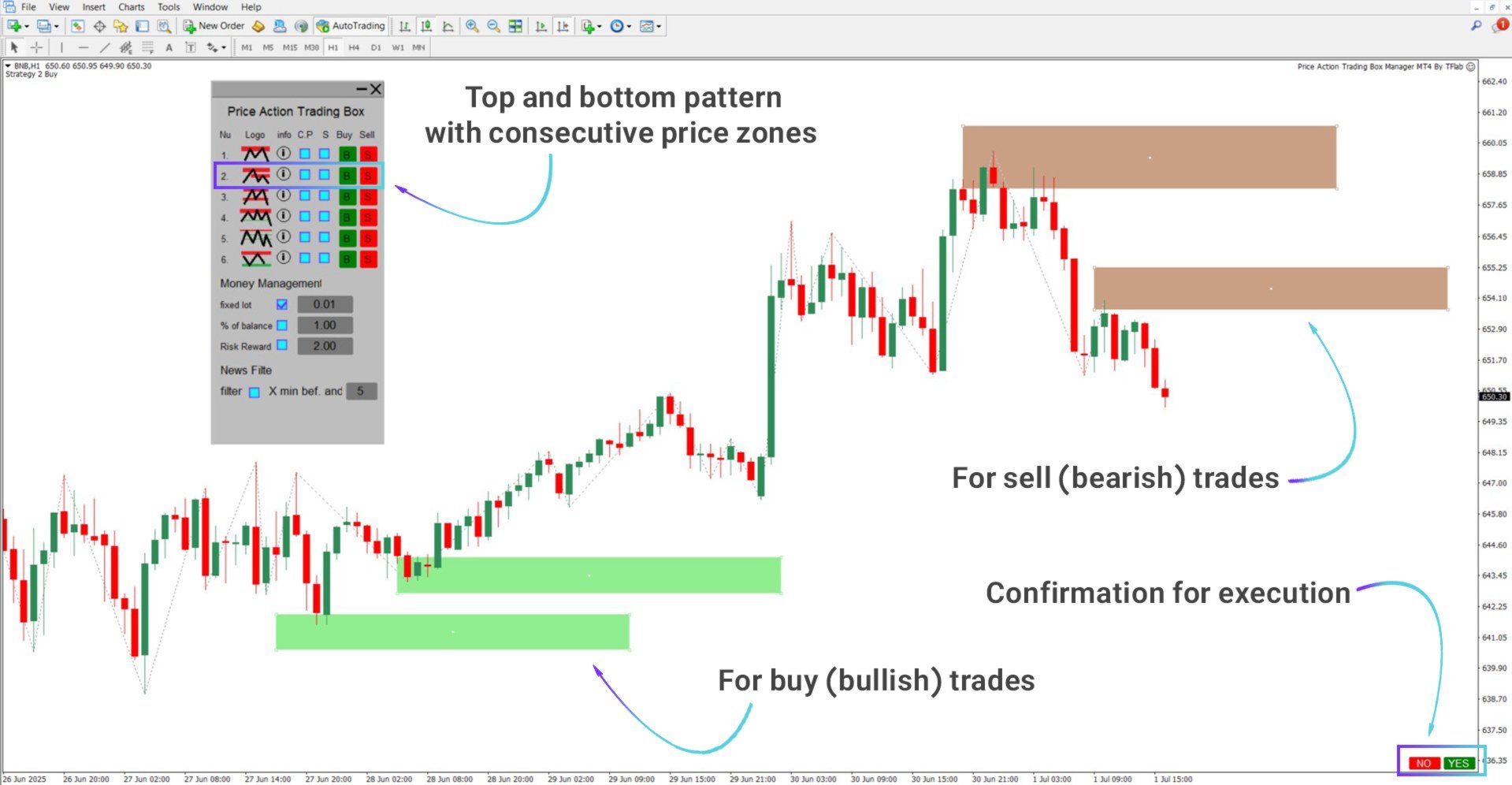
Sequential Zones
Formed by a top, a bottom, and a second lower top. The Expert places two boxes to help map out the price structure.
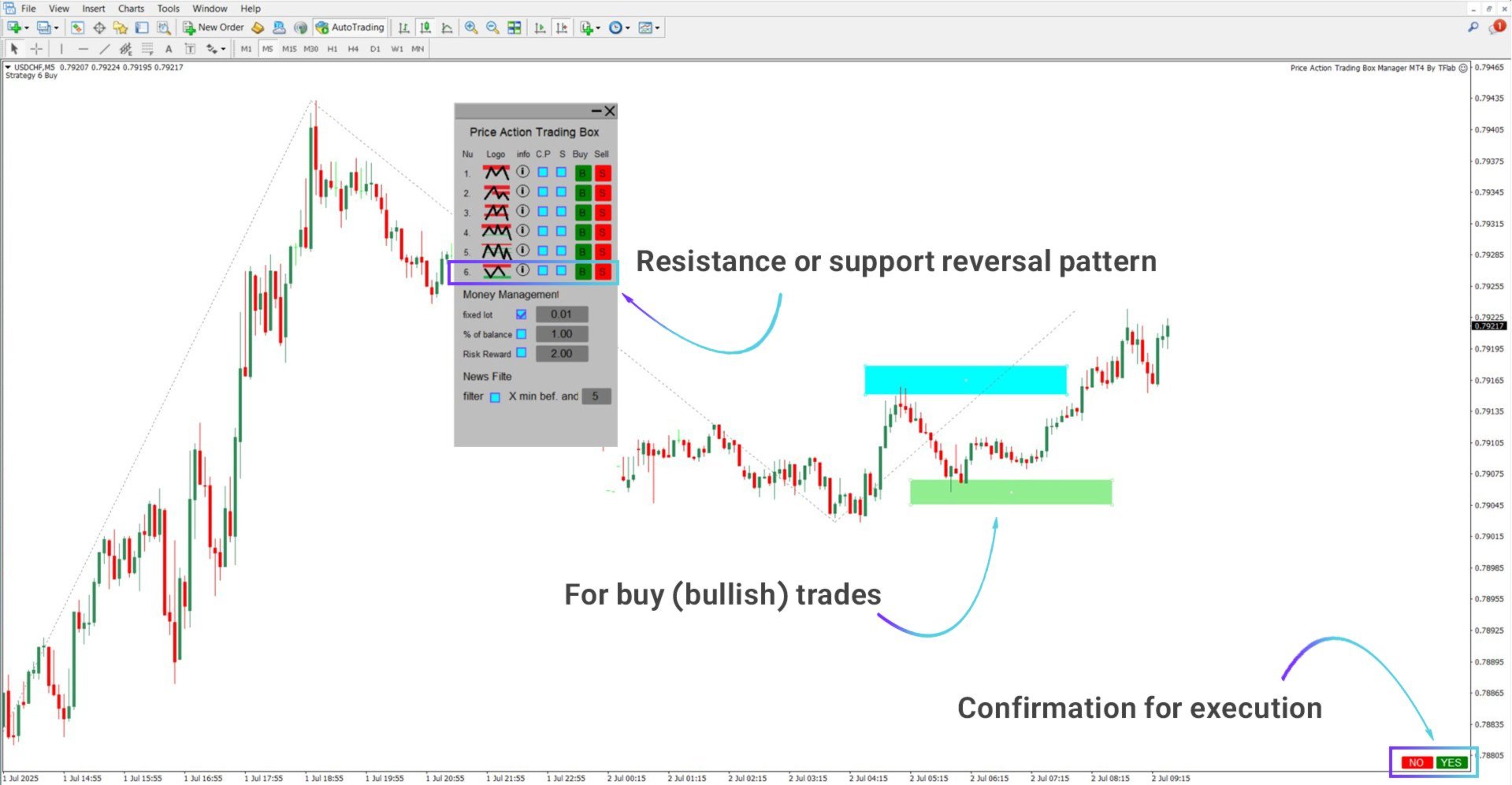
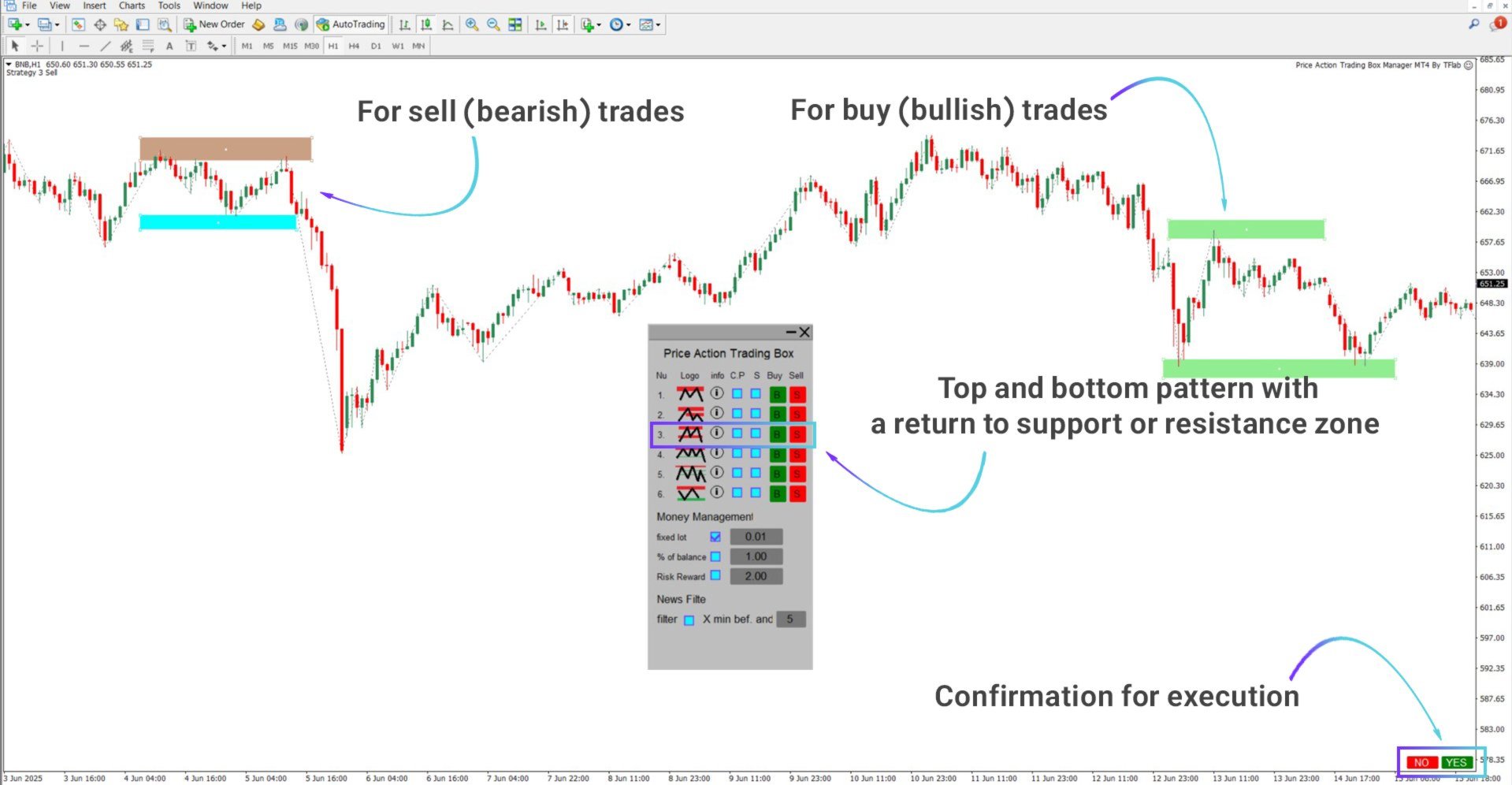
Support or Resistance Retest
The price tests a support/resistance level, retraces, and retests the zone—indicating a possible reversal or trend continuation.
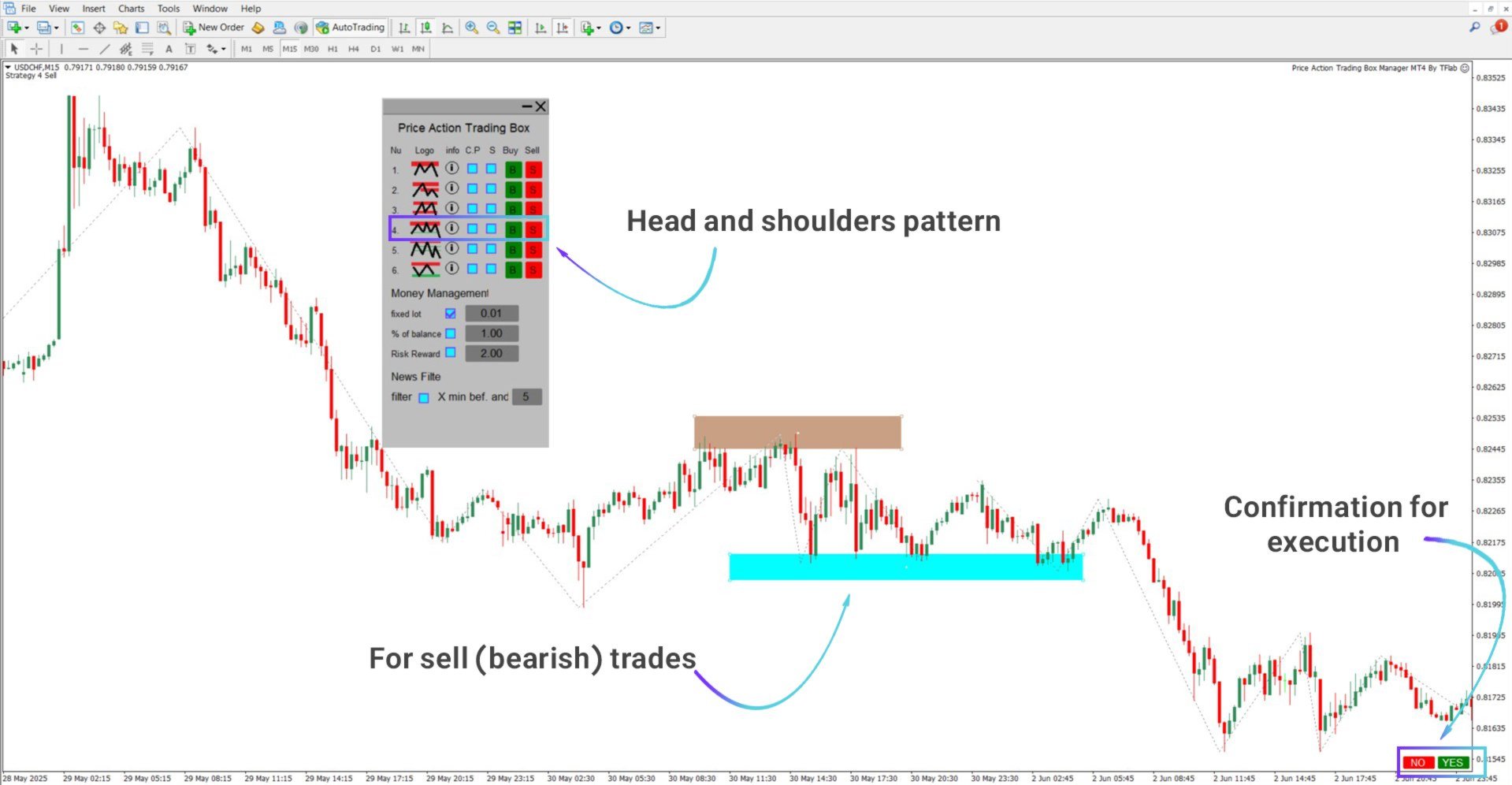
Head and Shoulders
A classic reversal formation with three peaks, the middle being the highest. The bullish variation is mirrored. Boxes can be manually adjusted for accuracy.
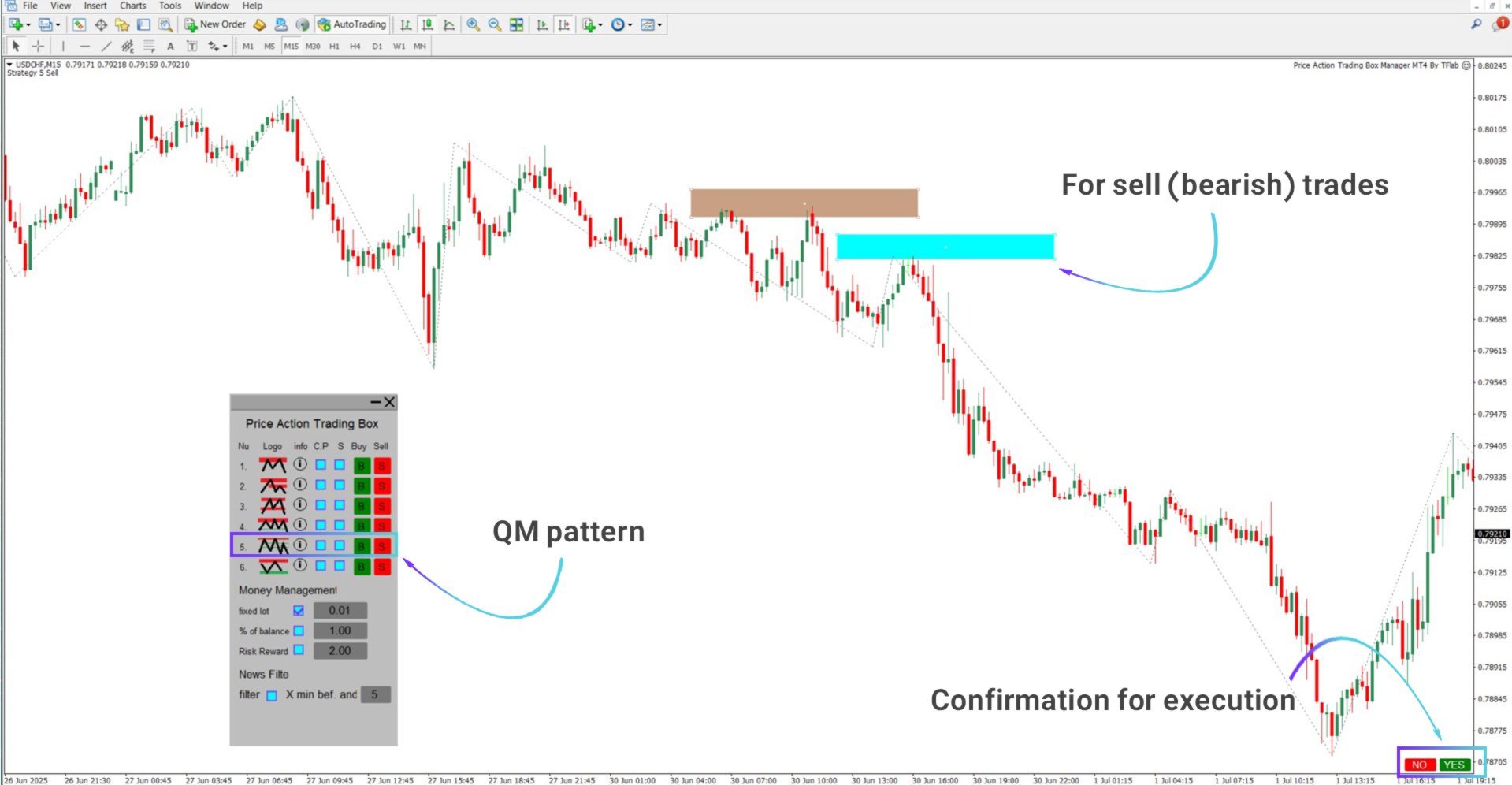
QM Pattern
Characterized by a strong high, followed by a decline, a near retest of the first high (without breaking it), and another decline. Aligning it correctly signals a potential short setup.
Rejection at Support/Resistance
When price strikes an important level and immediately reverses, forming a rejection. The Expert identifies the area and creates trade opportunities around the reaction.
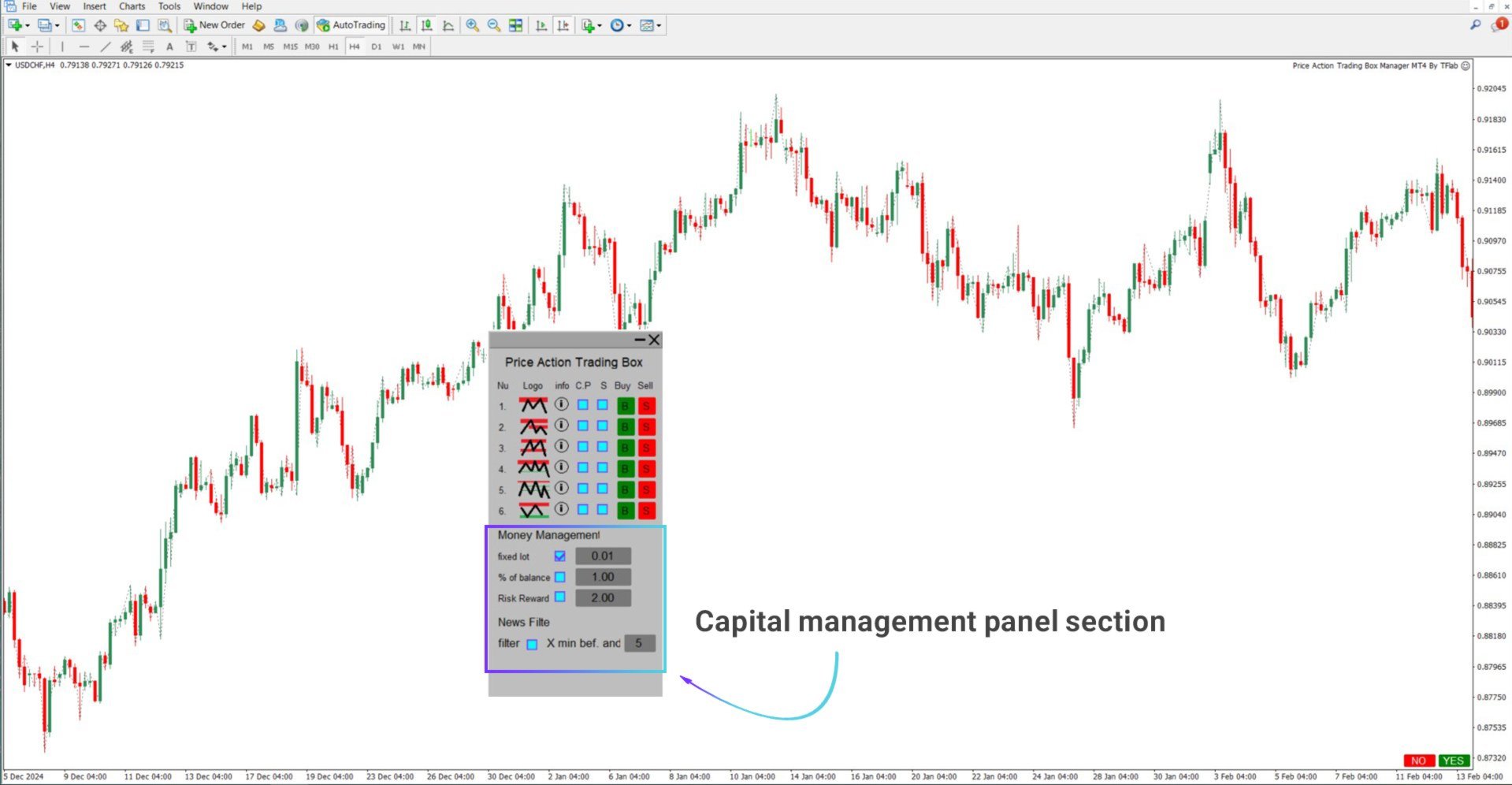
Capital & Risk Settings – Manager Panel
This panel allows traders to configure capital allocation, lot sizing, and risk/reward preferences. A built-in news filter manages trade activity during high-impact events.
Money Management Options
- Fixed Lot – Uses the same lot size for each trade
- % of Balance – Dynamic position sizing based on account percentage
- Risk/Reward – Set custom R:R ratios for TP and SL
News Filtering
- Filter Toggle – Enable/disable news filtering
- X Minutes Before/After – Define restricted trading windows
Note: News filtering requires Web Request permissions.
To enable:
- Go to Tools > Options
- Under Expert Advisors, check Allow WebRequest for listed URL
- Add the following:
https://nfs.faireconomy.media/
Conclusion
The Price Action Trading Box Manager Expert for MT4 serves as a powerful assistant for traders working with price action strategies.
It offers hands-on zone creation, advanced trade management, risk control, and smart filtering that boosts reaction speed while reducing manual workload.
Its balance of simplicity and precision makes it an excellent tool for modern technical traders.