GR Statistics and Monitoring

- Statistics and monitoring of account

- Sending screenshot to TG and push notification to the phone :

  • bot report by schedule and by pressing the button;
  • notifications of the drawdown (in % or currency) of a symbol and/or account by schedule;

- Closing the position of the symbol by pressing its current profit/loss

My bot's token is written in the "Bot token (0=off)" parameter. To work it, you need to find it in search of TG called "GR_BOT_MT5_TO_TG_bot" and send a message "/start"After that, you can click on the screenshot sending button + push on the terminal graph. You can also use your bot by doing the same actions with him

All questions and wishes can be written in Telegram. Contact is indicated in the bot in the "General" section

推荐产品
控制您的外匯投資組合。立即查看您的站立位置、工作原理以及導致您疼痛的原因! 此處提供 MT4 版本: https://www.mql5.com/en/market/product/58375 交易經理儀表板旨在讓您一目了然地顯示您當前在外匯市場中的每個頭寸,並使風險管理和貨幣敞口更易於理解。 對於通過多個頭寸或交易網格和籃子策略逐漸進入市場的交易者,這是需要查看的關鍵信息。監控終端中的多個位置通常很難管理。 過度槓桿化和使用低風險:回報是新交易者和一些經驗豐富的交易者面臨的主要問題,交易經理向您展示您對每種貨幣的風險敞口,確保您不會同時進行雙向交易。 特徵: 未平倉交易 - 查看您當前按貨幣對排序的所有未平倉交易。您不僅可以在該貨幣對上看到您的方向偏差,還可以在該貨幣對上運行的每筆交易或頭寸上看到您的方向偏差。 回撤和利潤信息 - 立即查看您交易活躍的貨幣對的回撤或盈利情況。輕鬆識別需要管理的交易。 手數大小 - 查看您在每個貨幣對上的手數以及您進行的交易數量。 風險敞口 - 查看您對每種貨幣的方向偏差,以確保您不會在另一個入場時以相反的方向交易。另請查看您在該貨幣中使用不同貨
Close All Button EA
Abraham Theuri Wangui
引入MQL5实用程序按钮 - 轻松交易管理的终极解决方案!只需单击一下,您就可以立即关闭所有未平仓头寸,使您的交易体验比以往任何时候都更顺畅、更高效。 这个创新工具的设计考虑到了简单性,确保它易于所有级别的交易者使用。无论您是经验丰富的专业人士还是初学者,MQL5 实用程序按钮都提供了一种轻松无忧的方式来管理您的交易,无与伦比。 该按钮不仅简化了关闭所有未平仓头寸的过程,而且还为您节省了宝贵的时间。不再需要逐个手动平仓 - MQL5 实用程序按钮只需几秒钟即可为您完成所有操作。 那么为什么要等待呢?立即下载MQL5实用程序按钮,将您的交易提升到一个新的水平。简单,高效且随时可用 - 对于希望简化交易管理流程的交易者来说,它是完美的工具。
AUTO RISK MANAGER PRO:您在外汇交易中的可靠伙伴! AUTO RISK MANAGER PRO_MT4 (MT4版本) 演示版本 + 详细说明 停止因为情绪而亏钱!现在是时候把风险管理交给专业算法了。 想象一下:市场突然朝着与你的仓位相反的方向急剧移动,而此时你正在睡觉、工作或陪伴家人。很常见,对吗?有了 Auto Risk Manager Pro —— 不再如此! 优势: 革命性的风险管理方式 24/7 自动保护资金 无需您参与 —— 即使您不在电脑前 精准的获利目标 —— 在合适的时机锁定利润 严格的亏损限制 —— 避免重大损失 多货币支持 —— 适用于任何交易工具 自动关闭图表(同时卸载所有挂载的EA) 控制面板 Control Panel Settings(控制面板设置) PanelColor = clrDarkSlateGray — 面板颜色 PanelX = 10 — 面板距离图表左侧的偏移 PanelY = 60 — 面板距离图表顶部的偏移 风险管理设置 Risk Management Settings(风险管理设置) Work = false/tru
Multi trades update
Abdelaziz Omar Abdelaziz Nader
Core Features: Profit Target Control: Automatically closes all open positions once a defined total profit value is reached. Drawdown Protection: Monitors total floating losses and closes all trades if the loss exceeds a set percentage of the account balance. Trading Halt on Target: Automatically stops further trading once a desired percentage profit of account balance is achieved. Dynamic SL/ TP Adjustment: Optionally adjusts Take Profit and Stop Loss for all open trades to pr
FREE
标题:MT5交易助手 交易助手 — 下单前即可查看风险 可视化风险管理器是一款适用于MetaTrader 5的图表实用工具,专为希望以清晰直观的方式控制仓位大小的自主交易者而设计。您可以直接在图表上设置入场点、止损点和止盈点。面板会显示手数、风险金额、目标盈利金额以及盈亏比——这些数据会随着您移动这些线条而更新。 您将获得以下优势   : 更快的决策 : - 根据设定的风险自动计算交易量/手数。 更稳定的风险 : - 可以选择“账户余额百分比”或“固定金额”进行单笔交易。 更少的执行意外 : - 实时点差成本(往返,每手)和经纪商佣金或费用可以计入仓位大小(可选)。 一键交易 : - 当几何图形符合您的预期时,点击“买入”或“卖出”按钮。如果您的入场点偏离当前价格,该工具会根据入场点相对于买卖价的位置(突破型入场或回撤型入场)发送“市价单”、“限价单”或“止损单”。 更简洁的图表工作流程 : - “跟随”模式可使入场点与市场价格保持一致(可选择同时移动止损/止盈);“隐藏线条”模式可使图表更简洁,并提供可最小化的面板。 保持逻辑清晰的几何结构 : - 买入/卖出设置切换;如果您以与当
FREE
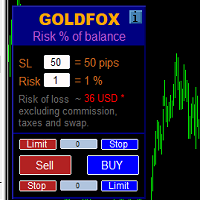
自動計算交易手數,同時考慮止損(以點為單位)和賬戶餘額的風險百分比。 “EA 交易”面板位於圖表左上角。在顧問面板上,您可以選擇以點為單位的止損大小和余額中的風險百分比。您可以為掛單設置與當前價格的偏差(以點為單位)。紅色表示觸發止損時您可以損失的存款貨幣金額,該金額不包括佣金、掉期和稅金。    建議將此顧問用於主要外匯貨幣對,XAUUSD(黃金)、BTCUSD、ETHUSD!對於其他儀器,考慮到計算的特殊性,可能會出現錯誤!對於大多數外匯工具,我們建議使用點後 5 位數字的帳戶。       描述 - 損失風險。存款貨幣的風險金額在顧問的信息面板上以紅色表示。此值將對應於未結訂單(或掛單),前提是該工具的保證金足以應對此風險,並且您已在 SL 字段中正確指定點數大小(SL 大小不得小於經紀人允許的一種)! - 止損(點或點)。經紀商可能在點值、小數位數等方面有所不同......因此,為了正確輸入止損,我們建議您首先在經紀商的模擬賬戶或掛單上檢查並選擇合適的值.例如,您必須選擇值 1 ..., 15, 150 或 1500, 15000 ... - 錯誤。計算中允許出現錯
Limit Order Trailing Et  —  is a utility for trailing limit orders (Buy Limit and Sell Limit) in MetaTrader 5. It automatically adjusts limit order prices following the market while maintaining a defined offset, allowing entries on pullbacks after price movement. This tool is designed for working with limit orders in MT5 and can be used in both manual trading and semi-automated trading systems. Unlike stop orders, limit orders are designed for price retracements (pullbacks) rather than brea
FREE
This MetaTrader 5 script -  design to manage your workspace to close all open charts except the most recently active one. Perfect for traders who need a quick and reliable way to declutter their platform while keeping the current chart in focus. Key Features: One-Click Convenience: Instantly closes all charts except the active one, streamlining your workspace. Safe and Efficient: Skips the current chart to ensure uninterrupted analysis. Error Handling: Robust error detection with detailed loggi
FREE
Session panel
Timo Mario Hoffmann
Session Panel for MT5 Session Panel is a free MT5 indicator that gives you a fast and convenient live overview of the major trading sessions directly from the chart. Monitor Tokyo, London, and New York session times, see which session is currently active, track countdowns to the next session, and view session overlap information in one compact dashboard. Built for traders who want better market timing, clearer session awareness, and a cleaner chart workflow in live market conditions. Session Pan
FREE
One click to close all (OCCA) provides you posibility to close all open position with one click. Here is no any settings, just run the script and all your open positions will be closed and it will happen very fast ! Works with all types of accounts, with all currency pairs and any broker. The number of open positions is not limited. The script will be useful for trading strategies, in which you need to manage a large number of positions.
Visual Trade Manager for MT5 is an interactive trade execution and position management tool designed for traders who want fast chart-based control over risk and execution. The panel provides a visual trade box with entry, stop and target lines directly on the chart. Position size is calculated from the selected risk percentage, and the tool supports both market execution and pending order placement. Main features - BUY and SELL switching directly from chart buttons - Draggable Entry, Stop and
See AutoTrade deals ONLY on select charts If you attach this indicator to the chart, all the Autotrade deals will be removed from chart display. This solves the problem that deals on chart is turned on Universally. Now turn on the Universal show deal on charts. Attach this indicator to the charts that you do not want to see the deals. E.g. if you are trading m1 chart, it may clutter your h1 chart bar.
停止因执行错误而亏损交易。 以精准执行和全面风险控制进行交易。 专为MT5设计的手动交易面板,适用于剥头皮(scalping)和日内交易。 一键执行、严格风险控制、仓位管理以及内置交易纪律系统。 专为高速剥头皮交易打造,该执行面板提供精准入场、高效管理以及稳定一致的执行表现。 更快交易,更好执行,更强控制。 以剥头皮交易者的思维构建,该面板将您的交易执行转化为快速、结构化且可控的过程——消除犹豫、执行错误以及情绪化决策。 内置保护系统可防止常见交易错误并强化纪律执行。 为真实市场环境而设计 针对高波动和快速决策环境进行优化。 适用于: 纽约交易时段 新闻驱动行情 日内动量交易 结构化技术交易策略 超高速执行(单击交易) 一键 BUY / SELL 图表上的交互式 LIMIT 挂单 快速平仓及部分平仓(25% / 50%) 完整热键支持 精准执行,无延迟 交互式 LIMIT 挂单 直接在图表上放置订单 执行前动态预览 订单类型(Buy Limit / Sell Limit) 显示USD风险及手数 一键确认
Smart Panel Trade
Nereu Ferreira Junior
Make Trades in MetaTrader 5 with Profit Panel! If you are a MetaTrader 5 trader, you know how important it is to act quickly and accurately. With this in mind, we created the Profit Panel – an essential tool for negotiations What is the Profit Panel? Designed to make your daily trading easier. It offers a simplified and intuitive interface where you can open, manage and close transactions with just a few clicks. How does it work? The MT5 Trading Dashboard puts all the most important trading func
RRPP Script
Mikhail Ostashov
RRPP Script A script for placing a pending order prepared by the Risk Ratio Trade Panel indicator. Reads the entry price, Take Profit, Stop Loss and lot size directly from the indicator lines on the chart. Requirements The Risk Ratio Trade Panel indicator must be attached to the chart and the panel must be open before running the script. How it works Attach the Risk Ratio Trade Panel indicator to the chart, open the panel and set the Entry, TP and SL lines to the desired levels. Then run RRPP Sc
FREE
This utility displays the information required for making trades on each opened chart. For example: spread value, swap value; triple swap day; session closing time; ATR of the symbol by Gerchik; total profit/loss for the current symbol; the number of trades made earlier; the percentage change in the quotes of 6 selected instruments; and much more. The spread value is always shown. The rest of the information is displayed depending on the settings: Show total orders at the moment (long, short) .
FREE
Manual Assistant Pro
Kmwgdhanushkabandara Senevirathna
MT5 Smart Dashboard   is the ultimate tool for manual traders who want speed and automatic risk management. It transforms your chart into a professional trading station with a clean dark theme. Key Features: Fast Execution Panel: Open   Buy   and   Sell   trades instantly. Place   Pending Orders   (Limit & Stop) with one click. Adjust   Lot Size   and   Price   easily via buttons (+/-). ️ Automatic Risk Management: Auto Break-Even (BE):   Moves your Stop Loss to the entry price automatically
FREE
The 2025 Breakout Strategy EA is an automated solution designed to capture breakout opportunities with advanced risk management. Utilizing market bias analysis, ATR-based stop loss and take profit, and a customizable risk-reward ratio, this EA ensures precise trade execution. Key Features: Breakout Strategy : Identifies high-potential breakout trades. Customizable Trading Sessions : Set your preferred trading hours, including automatic activation for the New York session. Risk Management : Use A
FREE
Smoothing Oscillator   is an ea based on the Smoothing oscillator indicator.  https://www.mql5.com/es/market/product/59188 This ea uses the indicator's trend exhaustion signal to initiate a countertrend strategy. The system has a costly lotage, although it can have more than one operation open at a time It does not require large capital or margin requirements to be operated. You can download the demo and test it yourself.  Very stable growth curve as result of smart averaging techniques. "Safet
T Manager for Price action Traders
Haidar Lionel Haj Ali
4.5 (10)
T Manager, the ultimate trade management solution designed by traders for traders. If you are searching for a simple and efficient trade panel, trade manager, or trade assistant, you are at the right place.   The market contains a diverse number of those tools , but this one is designed by traders for traders . I designed this tool, and I am using it daily. Take my advice and stop buying tools blended with un-useful features that you will never use,   T Manager provides you with the essential y
Position Stress Monitor Position Stress Monitor is a utility for MetaTrader 5 designed to visualize position structure and risk conditions directly on the chart through a compact panel. The tool does not attempt to predict the market or generate entry signals. Instead, it focuses on a different problem that many traders encounter in practice: understanding how a group of positions behaves as a whole. In real trading, especially when managing multiple entries or holding both buy and sell positio


Apex MTF Panel A clean, standalone multi-timeframe RSI/MACD dashboard that instantly shows BUY, SELL, or NEUTRAL confluence signals across your chosen timeframes in a compact horizontal layout. TF names sit directly above signals with matching colors for instant readability. Fully customizable signal colors, live font-size adjustment, corner positioning, and smart “LOADING” state ensure professional performance on any chart. Feel free to join my   Telegram Channel Core Concept and How It Works
FREE
EW Close All – 一键全平。全部关闭 。 EW Close All 是一款轻量级、多语言 EA 专家顾问,只需点击一次按钮,即可瞬间关闭所有持仓并取消全部挂单。 关闭所有已开仓位   取消所有挂单   适用于任意交易品种和任意时间周期   多语言界面   干净、快速、可靠 完美适用于快速离场、风险控制或每日收盘前的清理工作。 保持绝对掌控 —— 用 EW Close All 几秒钟内关闭一切! EW Close All – 一键全平。全部关闭 。 EW Close All   是一款轻量级、多语言 EA 专家顾问,只需点击一次按钮,即可瞬间关闭所有持仓并取消全部挂单。 关闭所有已开仓位   取消所有挂单   适用于任意交易品种和任意时间周期   多语言界面   干净、快速、可靠 完美适用于快速离场、风险控制或每日收盘前的清理工作。 保持绝对掌控 —— 用 EW Close All 几秒钟内关闭一切!
FREE
SymbolMonitor
Oleksandr Kashyrnyi
SymbolMonitor 1.3 – 全面掌控您的交易! 您交易多个金融工具,希望 实时查看您的利润 ? SymbolMonitor 1.3 是一款强大的智能交易系统(EA),可 自动分析每个交易品种的盈利情况 ,并提供 灵活的设置和警报功能! 版本 1.3 新功能 可定制的视觉参数 – 调整 字体、大小和文本颜色 自动通知 – 当利润达到目标时收到警报 精准的收益计算 – 显示 总交易量、利润、库存费(Swap)和手续费 实时数据更新 – 所有指标自动刷新 支持两种语言 – Русский / English (可在设置中切换) 重要! 每手交易的手续费 需要手动输入 ,因为不同的经纪商和交易品种手续费不同。请在参数中设置,以获得准确的净利润计算! SymbolMonitor 适合谁? 交易多个资产的投资者 – 分别监控每个品种的利润 剥头皮和日内交易者 – 无需手动计算,快速分析 专业交易员和资金管理者 – 轻松监控收益并接收提醒 主要特点: 个性化视觉设置 – 选择字体、大小和文本颜色
Script to calculate equity and balance at a specific date and time.  This script makes up for a lack of MetaTrader account history, that does not show how the balance and equity changes in time. Balance calculation includes closed orders only. Equity calculation includes orders closed before and orders that are still open at the specified time. Example: date and time set to 2020/07/06 00:00. If I had a Buy 1 lot EURUSD position opened at price 1.12470 on the 2020/07/02, the program would ca
FREE
TC-Supportは手動取引とEA運用のために開発されたパネルになります。 このパネルでは、リスクリワード、リスク計算、リスク管理など資金管理、 トレーリングストップ機能、ブレークイーブンなどポジション管理が可能になります。 その他、便利な機能があります。 詳細な情報はこちらにサイトがあります。 デモ口座で動作するEAはこちらに置いてあります。   https://toushika.top/ mt5-tc-support / Disable Auto Trading  の 機能はMQL5では外部のDLLの利用は許可されませんので使用できません。 おもな機能一覧 資金管理 リスクリワード計算 ロット計算 損失金額計算 最大ロット数の設定 設定したリスクパーセンテージでヘッジポジション EA運用 最大損失金額またはパーセンテージによる強制クローズ EA運用 資金破綻回避  ポジション管理 成行、指値、Stop Limit注文に対応 ポジションを部分的にクローズ トレーリングストップ機能 一定の距離を超えてたらSLを移動 利確条件設定
Click Trading
Jawad Tauheed
5 (2)
One Click Trading – Auto TP SL Developer TraderLinkz Version 1.00 Category Utility What it does Adds missing TP and SL to your manual trades and pending orders Sets them once per ticket Lets you move TP and SL afterward Works on hedging and netting accounts Scans on every tick and reacts on trade events Why you want it You place faster entries You get consistent risk and exit targets You reduce fat finger errors You keep full manual control Quick start Attach the EA to any chart Keep TP and SL e
FREE
SimpleTrade by Gioeste
Giovanni Scelzi
4 (3)
Discover the power of automated trading with **SimpleTradeGioeste**, an Expert Advisor (EA) designed to optimize your trading operations in the Forex market. This innovative EA combines advanced trading strategies with proven technical indicators, offering an unparalleled trading experience. video backtest :  https://youtu.be/OPqqIbu8d3k?si=xkMX6vwOdfmfsE-A ****Strengths**** - **Multi-Indicator Strategy**: SimpleTradeGioeste employs an integrated approach that combines four main technical ind
FREE
Account Info AS 是一款功能強大的 MetaTrader 5 資訊腳本,可將您交易帳戶的完整資訊直接顯示在圖表上。該腳本提供帳戶分析、風險管理和交易決策所需的所有數據。 主要功能 完整財務資訊 帳戶類型(模擬/真實/競賽) 餘額、淨值和保證金 可用保證金(現金和百分比) 保證金水平 當前盈虧 風險管理 追繳保證金和強制平倉水平 目前交易品種1手保證金計算 熱門交易品種的保證金 交易資訊 持倉(數量、方向、總獲利) 按類型列出的掛單 目前交易品種資訊: 手數(最小/最大/步長) 點差(點) 隔夜利息 科技數據 目前伺服器時間 公司和伺服器名稱 帳號和客戶資訊 設定 該腳本有三個簡單的參數: Line_spacing - 在資料之間新增空行,以提高清晰度和可讀性 ShowAllSymbolsInfo - 顯示熱門交易品種(例如 EURUSD、 GBPUSD、XAUUSD 等) 顯示時間(秒)- 訊息顯示時間(0 = 不自動清除) 使用方法 將腳本拖放到 MetaTrader 5 的任意圖表上 如有必要,請在彈出視窗中調整
FREE
Order Trailing
Makarii Gubaydullin
订单追踪:随着市场变动获得最佳执行价格 挂单追踪将允许您保持与入场价格的指定距离。 如果市场价格远离订单,订单将会移动。 多功能工具 : 66+ 功能,包括此工具 | 如有问题请联系我 | MT4版本 要激活订单追踪,您需要设置面板上的4个主要参数: 1. 符号 或 交易 ,将应用追踪: 对于当前[Symbol] / 对于[ALL]符号,或对于特定交易[Ticket]。 除了[Symbol]或[ALL]规则外 - 您可以为特定交易设置单独规则, 通过其票号:单独[Ticket]的规则将优先。 2. 追踪挂单的激活时刻 : [ 执行后立即 ]: 无延迟 当订单放置时; [如果挂单 > 比]:追踪将在 指定时间后 开始; 3. 当前市场价格与入场价格的距离 。 如果市场远离入场点,此距离将在追踪时保持: 但如果市场价格接近入场点,订单将不会移动。可以是: [ 自动 ]:将在追踪开始时确定(第2点)。 或者您可以[ 手动 ]设置:以点/百分比/市场价格百分比。 4. 移动SL / TP水平的规则 。 您可以禁用它们的移动,也可以启用其中每一个的移动。 从入场价格到水平的初始距离将始终被保持
该产品的买家也购买
Trade Assistant MT5
Evgeniy Kravchenko
4.42 (208)
它有助于计算每笔交易的风险,容易安装新的订单,具有部分关闭功能的订单管理, 7 种类型的追踪止损和其他有用的功能。   附加材料和说明 安装说明   -   应用程序说明   -   模拟账户应用程序的试用版 线条功能  - 在图表上显示开仓线、止损线、止盈线。 有了这个功能,就可以很容易地设置一个新的订单,并在开仓前看到它的附加特性。   风险管理  - 风险计算功能在考虑到设定的风险和止损单的大小的情况下,计算新订单的成交量。它允许你设置任何大小的止损,同时观察设定的风险。 批量计算按钮 - 启用 / 禁用风险计算。 在 " 风险 " 一栏中设置必要的风险值,从 0 到 100 的百分比或存款的货币。 在 " 设置 " 选项卡上选择风险计算的变量: $ 货币, % 余额, % 资产, % 自由保证金, % 自定义, %AB 前一天, %AB 前一周, %AB 前一个月。   R/TP 和 R/SL - 设置止盈和止损的关系。 这允许你设置相对于损失的利润大小。 例如, 1 : 1 - 这决定了 TP = SL 的大小。 2 : 1 - 这意味着 TP 是 SL 的两倍。 RR -
欢迎来到 Trade Manager EA——这是一个终极风险管理工具,旨在使交易变得更直观、精准和高效。它不仅仅是一个下单工具,而是一个用于无缝交易计划、仓位管理和风险控制的全面解决方案。不论您是新手交易员、资深交易员,还是需要快速执行的剥头皮交易员,Trade Manager EA 都可以满足您的需求,适用于外汇、指数、大宗商品、加密货币等各种市场。 借助 Trade Manager EA,复杂的计算已成过去。只需分析市场,在图表上用水平线标记入场、止损和止盈,设置您的风险水平,Trade Manager 就会立即计算出理想的头寸规模,并实时显示以点、账户货币计价的止损和止盈。每笔交易都得以轻松管理。 主要功能: 头寸规模计算器 :根据定义的风险瞬间确定交易规模。 简单的交易计划 :在图表上用可拖动的水平线直接计划交易,设置入场、止损和止盈。 实时显示 SL 和 TP :以账户货币、点或分显示止损和止盈,便于分析。 高级保护工具 盈亏平衡选项 : 基本盈亏平衡 :当您的交易达到设定水平时自动保护利润。 多级盈亏平衡 :设置多达 4 个级别以逐步保护利润。 尾随止损选项 : 基本尾随
测试版发布 Telegram to MT5 Signal Trader 即将进入正式的 Alpha 版本。一些功能仍在开发中,您可能会遇到一些小错误。如果您遇到问题,请反馈,您的意见将帮助我们改进软件。 Telegram to MT5 Signal Trader 是一款强大的工具,能够将 Telegram 频道或群组的交易信号自动复制到您的 MetaTrader 5 账户。 支持公开和私人频道,可将多个信号提供者连接至一个或多个 MT5 账户。软件优化、高效、稳定,精准控制每笔复制交易。 界面简洁,仪表盘美观,图表交互性佳,导航直观。您可以管理多个信号账户,自定义每个提供者的设置,并实时监控所有操作。 系统需求 由于 MQL 限制,EA 需要配合 PC 端应用与 Telegram 通信。 安装程序可通过官方 安装指南 获取。 核心功能 多提供者支持: 从多渠道复制信号至多个 MT5 帐户 高级信号识别: 关键词、模式和标签全面自定义 逐提供者控制: 可启用/禁用特定信号类型、平仓策略等 灵活风险管理: 固定手数、固定金额、余额/权益百分比、部分平仓设置 可定制 SL/TP: 覆盖信号
Farmed Hedge Yield Farming | All Markets (Manual - Hybrid - Semi/Automated EA) MULTI-ASSET SUPPORT Trade any asset available on your broker - Forex: Major, Minor, Exotic pairs - Crypto: BTC, ETH, XRP, SOL, BNB - Stocks: Apple, Tesla, Amazon, Google, etc. - Commodities: Gold, Silver, Oil, Gas - Indices: US30, NAS100, SPX500, DAX40 - Any CFD your broker offers VERIFIED TRADING RESULTS - Farmed Hedge Yield Axi Copy:  https://www.mql5.com/en/signals/2356376 - Farmed Hedge Yield Exn Copy:   https:/
Footprint Chart Pro — Professional OrderFlow EA for MetaTrader 5 Version 6.34 | Professional tool for real traders | Institutional-Grade Visualization DEMO USERS - PLEASE SELECT EVERY TICK / REAL TICK WHEN TESTING AND YOU HAVE DOWNLOADED HISTORICAL DATA. IF YOU SEE A WAITING SCREEN AND IT IS NOT DOWNLOADING, IT MEANS YOU HAVE LOW HISTORICAL DATA. TRY 1 MIN AND 5 MIN FIRST ON 1 DAY DATA. ONE DAY DATA SHOULD BE THE NEWEST AND MOST CURRENT DATE. PLEASE WAIT UNTIL THE MARKET HAS ROLLED OVER PERIOD.
HINN Lazy Trader
ALGOFLOW OÜ
5 (2)
Limited time offer: 20% off for a few days only!  - Annual subscription $360 instead of $450  - Lifetime plan $550 instead of $690 The core idea: using the user interface, you configure the parameters the chart must meet before entering a position (or positions), choose which entry models to use, and set the rules for when trading and planning should end. Lazy Trader  handles the rest: it  takes over all the routine chart watching and execution! full description  :: 3 key videos [1] ->  [2]   -
Ultimate Extractor
Clifton Creath
5 (9)
Ultimate Extractor - Professional Trading Analytics for MT5 *****this is the local HTML version of Ultimate Extractor. !!!!!it is not compatible with Cloud!!!! For the online version please reach out to me directly****** Ultimate Extractor transforms your MetaTrader 5 trading history into actionable insights with comprehensive analytics, interactive charts, and real-time performance tracking. What It Does Automatically analyzes your MT5 trading history across all Expert Advisors and generates
The product will copy all telegram signal to MT5 ( which you are member) , also it can work as remote copier.  Easy to set up, copy order instant, can work with almost signal formats, image signal,  s upport to translate other language to English Work with all type of channel or group, even channel have "Restrict Saving Content", work with  multi channel, multi MT5 Work as remote copier: with signal have ticket number, it will copy exactly via ticket number. Support to backtest signal. How to s
ManHedger MT5
Peter Mueller
4.83 (6)
THIS EA IS A SEMI-AUTO EA, IT NEEDS USER INPUT. Manual & Test Version Please TEST this product before BUYING  and watch my video about it. The price of the ManHedger will increase to 250$ after 20 copies sold. Contact me for user support or bug reports or if you want the MT4 version! MT4 Version  I do not guarantee any profits or financial success using this EA. With this Expert Advisor, you can: Implement your own Zone Recovery strategy to capitalize on trending markets. Create Grid trading s
AntiOverfit PRO MT5
Enrique Enguix
5 (3)
AntiOverfit PRO:关于回测的残酷真相 在你购买那个 EA 之前,先停一下。 你刚刚发现了一个号称年收益 250% 的系统。回测看起来非常漂亮。卖家开价 399 美元,或者 1,999 美元。表面上看,一切都很完美。 但问题在于:这个回测并不能证明你以为它证明了的东西。 单靠历史数据,本身并不能证明太多。它唯一能说明的是,这套逻辑在 某一条 特定的市场路径中有效。一旦价格走出另一条路径,机器人就开始失效。 而大多数昂贵 EA,正是死在这里。 AntiOverfit PRO 做了什么 AntiOverfit PRO 给你的,是几乎没有人在卖系统之前愿意展示的东西:一种在你花钱之前,先检验其稳健性的方法。 不需要你是数学家,也不需要把事情搞复杂。整个流程很直接: 把 AntiOverfit 放到你的 MT5 图表上。 AntiOverfit 会生成真实可信的价格变体。它保留市场的波动率和结构,但改变价格运行的顺序。 这些历史数据会作为新符号保存到你的 Market Watch 中。 打开 Strategy Tester ,选择“All symbols in Market W
YuClusters
Yury Kulikov
4.93 (43)
Attention: You can view the program operation in the free version  YuClusters DEMO .  YuClusters is a professional market analysis system. The trader has unique opportunities to analyze the flow of orders, trade volumes, price movements using various charts, profiles, indicators, and graphical objects. YuClusters operates on data based on Time&Sales or ticks information, depending on what is available in the quotes of a financial instrument. YuClusters allows you to build graphs by combining da
Custom Alerts AIO:多市场智能监控,一键启动,无需设置 概述 Custom Alerts AIO 是一款“开箱即用”的高级市场扫描工具,无需额外安装任何其他指标或进行复杂设置。它内置了 Stein Investments 的所有核心指标(FX Power、FX Volume、FX Dynamic、FX Levels 和 IX Power),可帮助您轻松监控所有主要资产类别,如外汇、黄金、指数和加密货币。如果您的经纪商支持股票,您也可以手动添加个股进行监控。 1. 为什么选择 Custom Alerts AIO? 无需额外购买任何指标 • 所有关键指标均已内置,开箱即用。 • 专注于实时预警,不包含任何图形元素,性能高效,界面简洁。 全面覆盖所有主要市场 • 支持监控外汇、金属、加密货币和指数市场。 • 无需手动输入任何交易品种,只需在设置中勾选资产类别即可启用。 • 股票并不属于默认类别,如有需要可手动通过参数输入添加。 高效、专业、便捷 • 无需图表模板和手动加载,适合自动化或远程交易环境。 • 非常适合 VPS 上长期运行,或作为后台市场预警工具使用。 2
Telegram To MT5 Receiver
Levi Dane Benjamin
4.31 (16)
将信号从您所属的任何渠道(包括私人和受限渠道)直接复制到您的 MT5。 该工具在设计时充分考虑了用户的需求,同时提供了管理和监控交易所需的许多功能。 该产品采用易于使用且具有视觉吸引力的图形界面。 自定义您的设置并在几分钟内开始使用该产品! 用户指南 + 演示  |   MT4版本  |   不和谐版本 如果您想尝试演示,请参阅用户指南。 Telegram To MT5 接收器在策略测试器中不起作用! Telegram 至 MT5 功能 一次复制多个通道的信号 从私人和受限频道复制信号 不需要机器人令牌或聊天 ID(如果出于某种原因需要,您仍然可以使用这些) 使用风险百分比或固定手数进行交易 排除特定符号 选择复制所有信号或自定义要复制的信号 配置单词和短语以识别所有信号(默认值应适用于 99% 的信号提供商) 配置时间和日期设置以仅在需要时复制信号 设置一次打开的最大交易量 交易和头寸管理 使用信号或自动设置的管理 通过设置每月、每周、每天、每小时或每分钟的最大交易次数,停止过度交易和报复性交易。 支持市价订单和挂单 每日最大利润目标(以美元为单位)以确保头寸并停止过度交易 确
EA Auditor
Stephen J Martret
5 (1)
EA AUDITOR - 购买前验证EA MetaTrader 5 唯一独立的EA与信号验证工具 每次都做出更明智的EA购买决策。 MQL5市场拥有一些由才华横溢的开发者打造的出色EA——这些策略能够改变您的交易。但市场中也存在内置历史读取器以伪造回测结果的EA、过度拟合策略、被操纵的信号,以及被虚假宣传为"AI驱动"或"机器学习"的EA,而实际上不过是贴了流行标签的基础指标。问题在于?付款之前几乎无法分辨真假。EA Auditor改变了这一现状。它独立审计任何回测、任何开发者发布的实盘信号,并将两者交叉验证——让优秀的EA脱颖而出,让问题EA在您冒险一分钱之前就被曝光。 为什么选择EA AUDITOR? 因为没有验证,再好的回测也毫无意义。 大多数EA卖家提供回测结果来展示其策
Ultimate Trailing Stop EA MT5
BLAKE STEVEN RODGER
4.13 (8)
This EA Utility allows you to manage (with advanced filtering) unlimited open orders (manual or EA) with 16 trailing stop methods: fixed, percent, ATR Exit, Chandelier Exit, Moving Average, Candle High Low Exit, Bollinger Bands, Parabolic, Envelope, Fractal, Ichimoku Kijun-Sen, Alligator, Exit After X Minutes or Bars, RSI and Stochastic. The trailing stop can be either real or virtual, and you can exit fully or with a partial close percent on touch or bar close.  Moreover, you can add (override
Introduction Our system is more than just a tool—it’s your personal guide in the dynamic trading landscape. Expertly developed and optimized using advanced strategies, this groundbreaking predictor gives traders a powerful edge. It’s not just about the features; it’s about a trading journey that stands out from the crowd. Get ready for an enhanced trading experience like never before! What It Does Next Candle Prediction: Imagine gaining insights into the market’s next move before it happens. Our
Crypto Charting
Rajesh Kumar Nait
5 (5)
Crypto Charting for MT5 – MetaTrader 5 加密货币图表集成工具 概述 Crypto Charting for MT5 通过 WebSocket 提供实时 OHLC 图表数据。支持多家交易所,并可在 MT5 中自动更新历史数据。 功能 实时 WebSocket 数据传输 自动历史数据同步 网络中断后的计划更新 兼容所有 MT5 时间周期 支持 OHLCV 数据格式 支持策略测试器 自动重新连接 支持的交易所 Binance, Bybit, OKX, KuCoin, MEXC, Gate.io, Bitget, XT.com 补充说明 如需获取 Tick 数据和深度数据,可查看名为 Crypto Ticks 的相关产品。 注意事项 不使用 DLL,适用于 VPS 环境。 Strategy Tester 不支持 WebRequest 功能。 如需试用版本,请通过 MQL5 私信联系作者。 Full Documentation & Setup Guide : Click Here
Trend Cue Basket Manager
Mohammadreza Faghanimakrani
Trend Cue is a basket-management utility for MetaTrader 5 hedging accounts. You open the first trade. You choose the direction, the timing, and the lot size. Trend Cue then manages the basket that forms around that decision — setting take-profit levels based on real market volatility, optionally building a grid of additional entries, tracking your average price, and protecting your account with drawdown limits that act on the entire basket rather than on individual positions. It works on any ins
EasyInsight AIO MT5
Alain Verleyen
4.92 (12)
EASY Insight AIO – 全能智能交易一站式解决方案 概述 想象一下,您可以在几秒钟内扫描整个市场——外汇、黄金、加密货币、指数,甚至股票——无需手动筛选图表、繁琐安装或配置指标。 EASY Insight AIO 是您专为 AI 交易打造的即装即用数据导出工具。它将整个市场快照一次性输出为简洁的 CSV 文件,直接支持 ChatGPT、Claude、Gemini、Perplexity 等各类 AI 平台的即时分析。 无需窗口切换,无需图表叠加,也没有任何杂乱。只需纯净、结构化的数据自动导出,让您专注于基于数据的高效决策,无需再盯盘耗时。 为什么选择 EASY Insight AIO? 真正的一体化 • 无需设置,无需安装指标,无图表叠加。只需安装、运行并导出——就是这么简单。 多资产全覆盖 • 扫描分析外汇、金属、加密货币、指数、股票——您的券商所能提供的一切市场。 AI 专属数据导出 • 高度结构化、针对 AI 优化的 CSV 文件,直接适配主流智能工具和平台。 完整导出内容: • 三个可选周期的货币强度分析 • 净多头头寸变化体现市场情绪 • 成交量变化、
Crystal Trade Manager – Advanced MT5 Risk and Trade Control Utility Overview Crystal Trade Manager (CTM) is a professional MetaTrader 5 utility designed for risk management, trade automation, and instant execution control. It provides traders with an integrated system for protecting equity, managing daily drawdowns, controlling lot sizes, and applying automation features such as automatic SL/TP, break-even, and trailing stop. The tool is suitable for manual traders, prop-firm challenge particip
EA price is reduced to 50% discount for limited time period. Spot vs Future Arbitrage EA for MT5 Spot vs Future Arbitrage EA is an automated Expert Advisor designed for MetaTrader 5 that operates using price differences between Gold spot and Gold futures instruments. The strategy opens positions on both instruments simultaneously to take advantage of temporary differences between spot and futures prices. Requirements The trading account must provide both Gold spot and Gold futures instruments
Reward Multiplier is a semi-automatic trade manager based on pyramid trading that opens additional orders with the running profit of your trades to maximize return exponentially without increasing the risk. Unlike other similar EAs, this tool shows potential profit/loss and reward to risk ratio before even entering the first trade! Download Demo here  (starting lot is fixed at 0.01) Guide + tips here MT4 version   here You only open the first order. When your trade goes into profit RM opens a ne
Local Trade Copier EA 是针对需要从外部来源执行交易信号或需要同时管理多个账户的个人交易者或账户经理的解决方案,无需 MAM 或 PAMM 账户。它可以从多达 8 个主帐户复制到无限的从帐户 [ 安装指南 | 更新指南 | 故障排除 | 常见问题 | 所有产品 ] 100% 自托管 容易安装和使用 不使用安装程序、配置文件、服务器、内存管道或 DLL 1000 次激活可永久使用 EA 本地执行,无网络延迟 它实现了您需要的所有功能: 最多8个主账户和无限从属账户 适用于所有经纪人和 DD/NDD/ECN/STP 执行 适用于具有不同帐户货币的帐户 在真实账户和模拟账户之间工作不明显 支持主从账户中的符号名称后缀 按幻数和订单评论过滤 不会干扰其他交易 可选择复制 SL 和 TP 水平 可选择复制挂单 支持符号翻译 支持部分关闭 反向模式 灵活的交易规模: - 固定地段 - 乘数 - 成比例的 - 与乘数成比例 EA 可以使用投资者或任何账户的主密码复制交易。 如何将交易从一个主账户复制到一个或多个从账户 在源终端中安装 EA 将 EA 加载到任何图表并选择“MA
MT5-StreamDeck offers the possibility to use a certain number of pre-programmed Hot-keys with a clearly defined role. So by the push of a button you can open a trade with a pre-defined lot size, stoploss and take profit. Close all your trades, close the ones in profit, or in loss, set Break-even or set a trailing stop. All this with a Hot key button. See the feature list for all the actions that can take place at the push of a button. Ideal for Quick Scalping or day trading with set risk managem
EchoTrade Telegram to MT5 Copier
Perpetual Chinemerem Vincent
5 (1)
EchoTrade Telegram to MT5 Copier Seamless, Instant, and Reliable Signal Copying - Direct from Telegram to MetaTrader 5! The product does not run in the strategy tester but you can get free trial version here  for testing before purchase. Tired of manually executing trades from Telegram signals? EchoTrade automates the process, instantly copying trades from any Telegram channel or group directly into your MT5 account—accurately, efficiently, and without delay. Key Features: Universal Compatibi
神速EA跟单(TradeMirror)是一款专为MT4/MT5平台设计的本地化订单复制工具,支持实时同步交易操作。 产品优势 基于金融软件对安全性、稳定性与隐私保护的高标准要求,我们在三大核心维度进行了深度优化: 简洁直观的图形界面,轻松实现零门槛操作 强化隐私保护机制,满足金融场景的敏感数据隔离需求 毫秒级订单同步,确保信号分发精准无延迟 全面兼容MT4/MT5双平台,无缝适配各类交易环境 智能系统监测结合邮件通知,实时保障交易稳定性 核心功能特性 产品搭载以下专业级跟单功能: 多账户并行连接 邮件实时推送 自定义手数调节 信号筛选机制 反向交易模式 止盈止损重置 免费体验流程 正式购买前,您可通过以下步骤免费试用完整功能: 点击页面中的「免费演示」按钮 勾选「确认已安装MetaTrader 4/5」选项 授权浏览器启动MT4/MT5客户端 在平台内导航至「专家顾问/市场/TradeMirror」并启动测试模式 启用「复盘显示」功能(确保GUI界面可视化) 点击「开始」按钮 通过图表窗口查看TradeMirror交互界面 操作指南与建议 为提升使用体验,我们提供以下专业建议: MQL
AlgoRadar
Stephen J Martret
5 (3)
ALGORADAR - 实时交易分析 MetaTrader 5 最强大的图表内性能分析工具 一个图表。所有EA。所有账户。MT4和MT5合并显示。 唯一能将您所有EA跨多个账户、经纪商和VPS(包括MT4和MT5)显示在单一MT5图表上的分析工具。您的完整交易帝国,一览无余。 为什么选择 ALGORADAR? 无需外部软件。无需翻找文件。实时数据直接显示在图表上。 与其他需要运行独立应用程序或翻找报告文件夹的投资组合分析工具不同,AlgoRadar 直接在图表上实时显示您的完整交易表现。 在一个图表上分析和排名所有EA! 运行
Neowave Chart Plotter
Bahador Baradari
5 (1)
This Expert Advisor is applicable to plot wave charts as per the NeoWave  method (Neely Extension of Wave Theory).  NeoWave is a scientific, objective and revolutionary style of Elliott Wave Theory that was invented by Glenn Neely in 1990 in the “Mastering Elliott Wave” book. To start analyzing with this method, we need a particular chart called the Wave Chart or Cash Data chart . This is the first step for a good wave analysis. To draw this chart, Highs and Lows should be plotted in the order t
Custom Timeframe Manager Pro:MetaTrader 5 无限制时间框架 注意!   在策略测试器模式下,无法将此 EA 作为图形工具使用。您可以在   “评论”选项卡中 下载用于实盘图表的运行版本。  标准终端设置通常会隐藏价格波动的关键细节。如果仅局限于经典周期的分析,交易者可能会错过趋势的萌芽和真实的波动水平。 Custom Timeframe Manager Pro 是一款专业级解决方案,彻底解除了图表构建的任何限制。您可以创建任何自定义周期,包括分数周期和异形周期,它们会立即显示在便捷的控制面板中。 可用周期类型: 秒级 :S1 起的任何值(例如:S5, S15, S30)。 分数级 :独特周期,如 M1.5, H1.5 或 D1.2。 自定义 :多日(D2, D3)和多周(W2)图表。 核心技术优势: 基础设施化方案 (Custom Symbols) :该工具在终端数据库中创建真实的交易品种。这允许您在自定义图表上使用任何第三方指标进行深度分析。 实时混合引擎 (Zero-Lag) :小周期采用分时精度,大周期采用流聚合。图表价格变动无延迟。 Z
Comprehensive on chart trade panel with the unique ability to be controllable from mobile as well. Plus has a library of downloadable configuration, e.g. exit rules, extra panel buttons, pending order setup and more. Please see our product video. Works with all symbols not just currency pairs. Features On chart panel plus controllable from free app for Windows, iPhone and Android Built-in script engine with library of downloadable configuration, e.g. add 'Close All Trades in Profit' button, exit
作者的更多信息
Surf EA
Rustem Gabetdinov
5 (1)
Surf EA is a fully automatic grid based Expert Advisor that looks for reversal areas on the chart MT5 version:   https://www.mql5.com/ru/market/product/99693 Nature of work: The EA uses several patterns, indicators and other important conditions to search for signals Buy and sell positions are independent of each other Only one order can be opened on one bar of the current period The indicators used in the EA are included in the standard set of the terminal Recommendations: Trading pair: AUDCAD
FREE
Surf EA MT5
Rustem Gabetdinov
Surf EA  is a fully automatic grid based Expert Advisor that looks for reversal areas on the chart MT4 version:   https://www.mql5.com/ru/market/product/96627 The free version is available through a referral to Roboforex. Write to TG: https://t.me/eljerbotg Nature of work: The EA uses several patterns, indicators and other important conditions to search for signals Buy and sell positions are independent of each other Only one order can be opened on one bar of the current period The indicators u
筛选:
无评论
回复评论