QuantMarketScreener
- Uzmanlar
- Calogero Vella
- Sürüm: 57.410
- Etkinleştirmeler: 5
CV QuantMarketScreener Pro
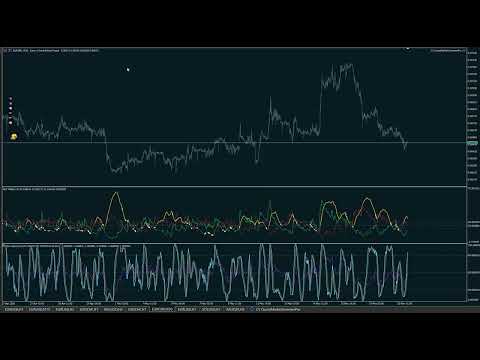
CV QuantMarketScreener Pro is a professional multi-asset market screener for MetaTrader 5, developed for institutional-grade market analysis, rapid signal detection, and efficient multi-symbol trading. The screener combines modern market structure analysis, trend filters, volatility evaluation, and advanced visual signal technology in one powerful dashboard system.
The integrated screener allows simultaneous monitoring of multiple markets such as:
- Forex
- Indices
- Metals
- Cryptocurrencies
- Stocks & CFDs
Features
- Institutional dashboard design
- Real-time multi-symbol analysis
- Trend, momentum & volatility filters
- AI-assisted market logic
- Support & resistance zones
- Volume & market structure analysis
- Visual symbol icons & market labeling
- Optimized for scalping, day trading & swing trading
- Professional trading and risk overview
The screener was specifically developed for MetaTrader 5 Build 5834+ with a strong focus on performance, stability, and professional usability.
Installation of Required Indicators
To ensure the full functionality of CV QuantMarketScreener Pro, the required indicators must be installed separately.
Inside the MetaTrader 5 terminal, create a folder under:
MQL5/Indicators/
with the following name:
CV
Then copy all required CV indicators into this folder, for example:
- CV ADX
- CV StochasticRSIDiv
- CV Fibonacci
- CV MACD
- CV Ribbon
Only then will the screener be able to correctly detect, load, display, and process the indicators as shown in the video.
Important Note
The indicators are not included directly in the main product and must be downloaded separately from our download page.
https://www.mql5.com/en/users/calogerovella/seller
Installation of Symbol Icons
To ensure that the symbol icons are displayed correctly inside the screener, please contact us via private message to receive the download link for the icon package.
After extracting the ZIP archive, copy the included folder or BMP files into the following MetaTrader 5 directory:
MQL5/Images/
The screener loads the symbol icons directly from this directory. The folder structure must not be modified.
Note
The icons are not part of the main product and must be downloaded separately for the visual appearance shown in the video.
Disclaimer
Trading Forex, CFDs, Futures, cryptocurrencies, and other financial instruments involves substantial risk and may result in the total loss of invested capital.
This screener is intended solely for analysis and trading support purposes and does not constitute financial advice. Past performance does not guarantee future results. Use entirely at your own risk.
The developer assumes no liability whatsoever for financial losses, damages, or trading decisions resulting from the use of this product.
No personal onboarding, coaching, or individual support is provided. Personal experience, market understanding, and continuous learning are essential parts of trading.
We are always open to constructive feedback, improvement suggestions, and feature requests and highly appreciate every positive rating in the MQL5 Market.