Dynamic Spread and Swap
- Göstergeler
-
Bernard Kimani Mugwe
 Welcome! I am a dedicated MQL5/MQL4 programmer with 2+ years of experience, passionate about helping traders bring their ideas to life. I understand that a great trading tool starts with a clear vision, and I am here to help you build it, every step of the way.
 - Sürüm: 1.4
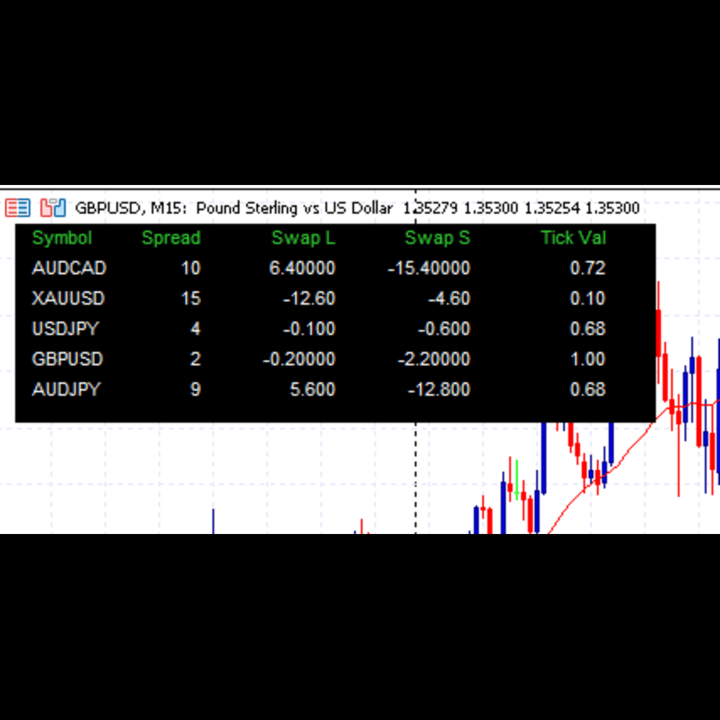
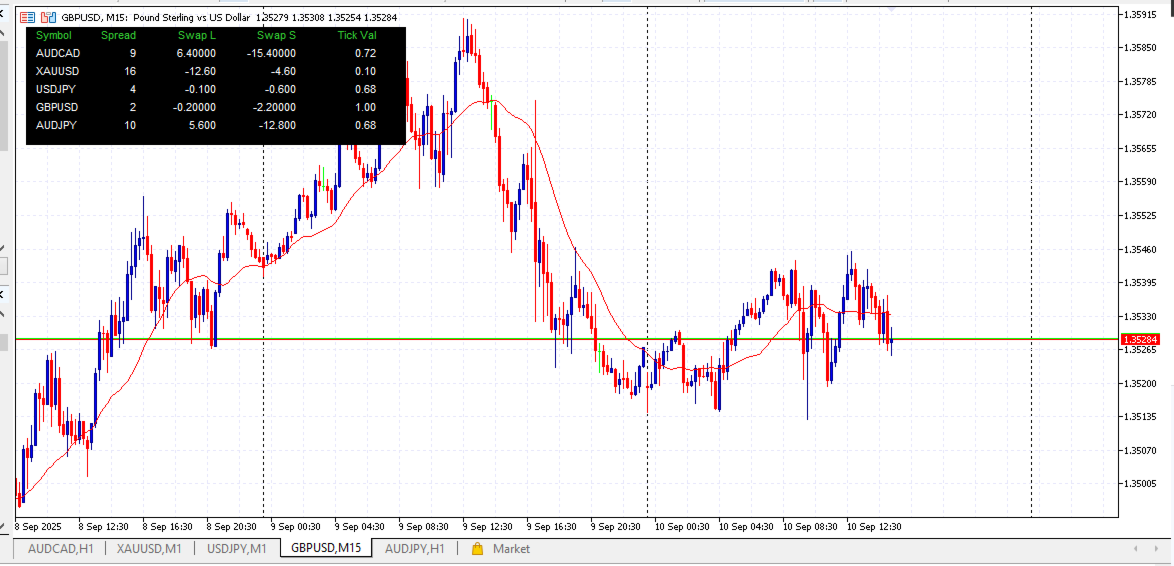
Tired of manually clicking through every chart just to check the current spread or overnight swap fees? The Dynamic Spread and Swap is a must-have utility that solves this problem by displaying all critical cost information for your favorite trading symbols in one clean, convenient dashboard.
This lightweight tool automatically detects all symbols from your open charts and presents the data in a non-intrusive panel on your screen. Stop guessing your trading costs and start making more informed decisions.
Key Features
-
Automatic Symbol Detection: No more typing symbol names! The monitor intelligently scans all your open chart windows and builds the watch list for you.
-
Dynamic & Real-Time Updates: The symbol list automatically refreshes when you open a new chart or close an existing one. All data is updated in real-time.
-
Essential Data at a Glance: Instantly view the most important cost metrics for each symbol:
-
Live Spread (in points)
-
Swap Long (cost for holding buy positions)
-
Swap Short (cost for holding sell positions)
-
Tick Value
-
-
High Spread Alert: The spread value will automatically change color to alert you when it exceeds a threshold that you define, helping you avoid entering trades during volatile, high-cost conditions.
-
Fully Customizable: Tailor the look and feel of the dashboard to match your chart theme. You can easily adjust:
-
Background, Text, and Header colors.
-
Font size and font style.
-
The high-spread threshold and alert color.
-
Data refresh rate.
-
How to Use
-
Open charts for all the symbols you wish to monitor.
-
Attach the "Dynamic Multi-Symbol Cost Monitor" to any single chart.
-
The utility will automatically detect your open symbols and display the dashboard. It's that simple!
Input Parameters
-
BackgroundColor: Sets the background color of the dashboard.
-
TextColor: Sets the color for the data text.
-
HeaderColor: Sets the color for the column headers.
-
HighSpreadColor: The color the spread text will change to when the threshold is breached.
-
HighSpreadThreshold: The spread value (in points) that will trigger the color change.
-
FontSize: The font size for all text on the panel.
-
FontName: The font style (e.g., Arial, Times New Roman).
-
RefreshRateSeconds: How often the data updates (e.g., 1 = every second).
This tool was designed to be simple, efficient, and genuinely useful for traders of all levels. Download it today to gain a clearer understanding of your trading costs!