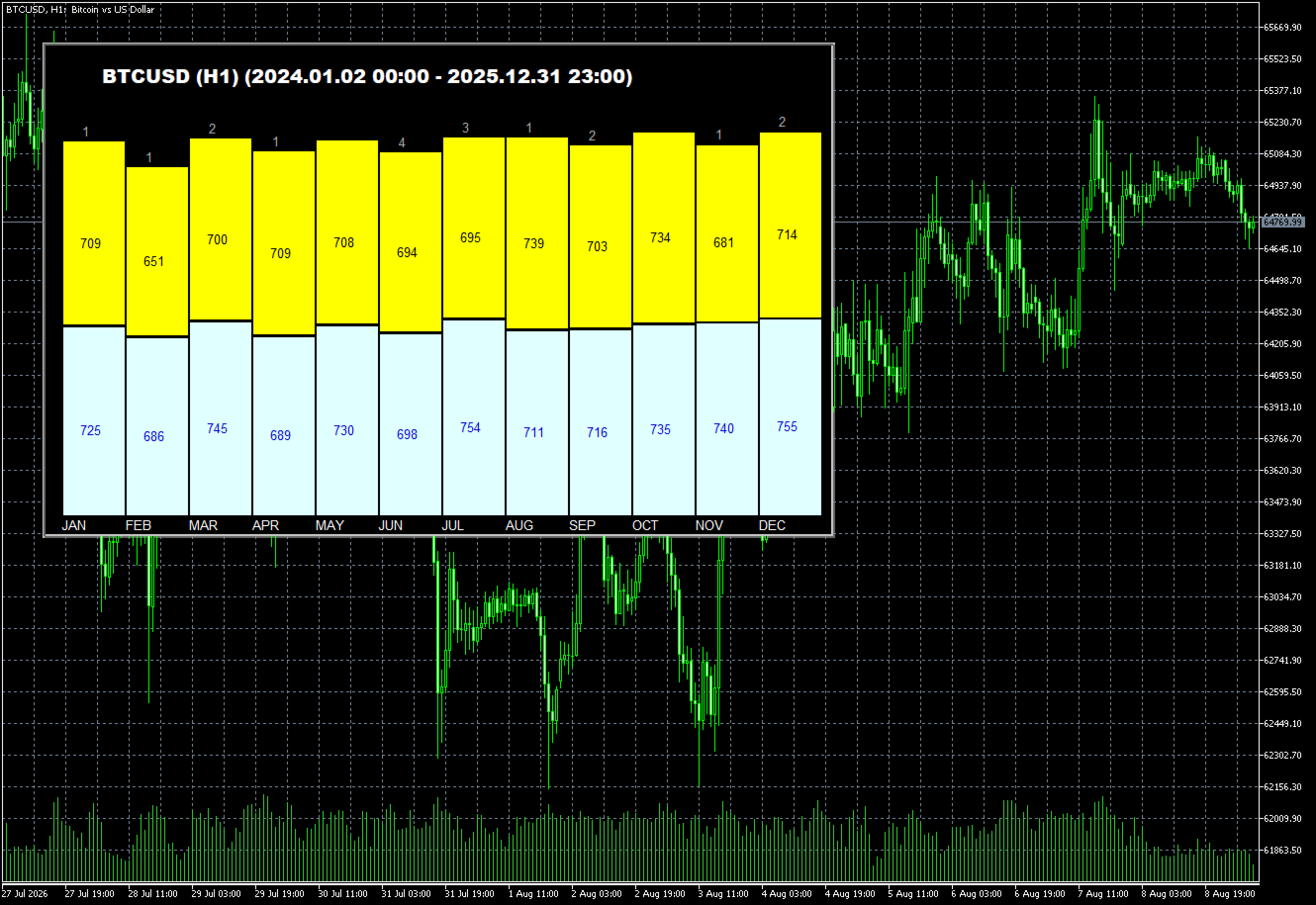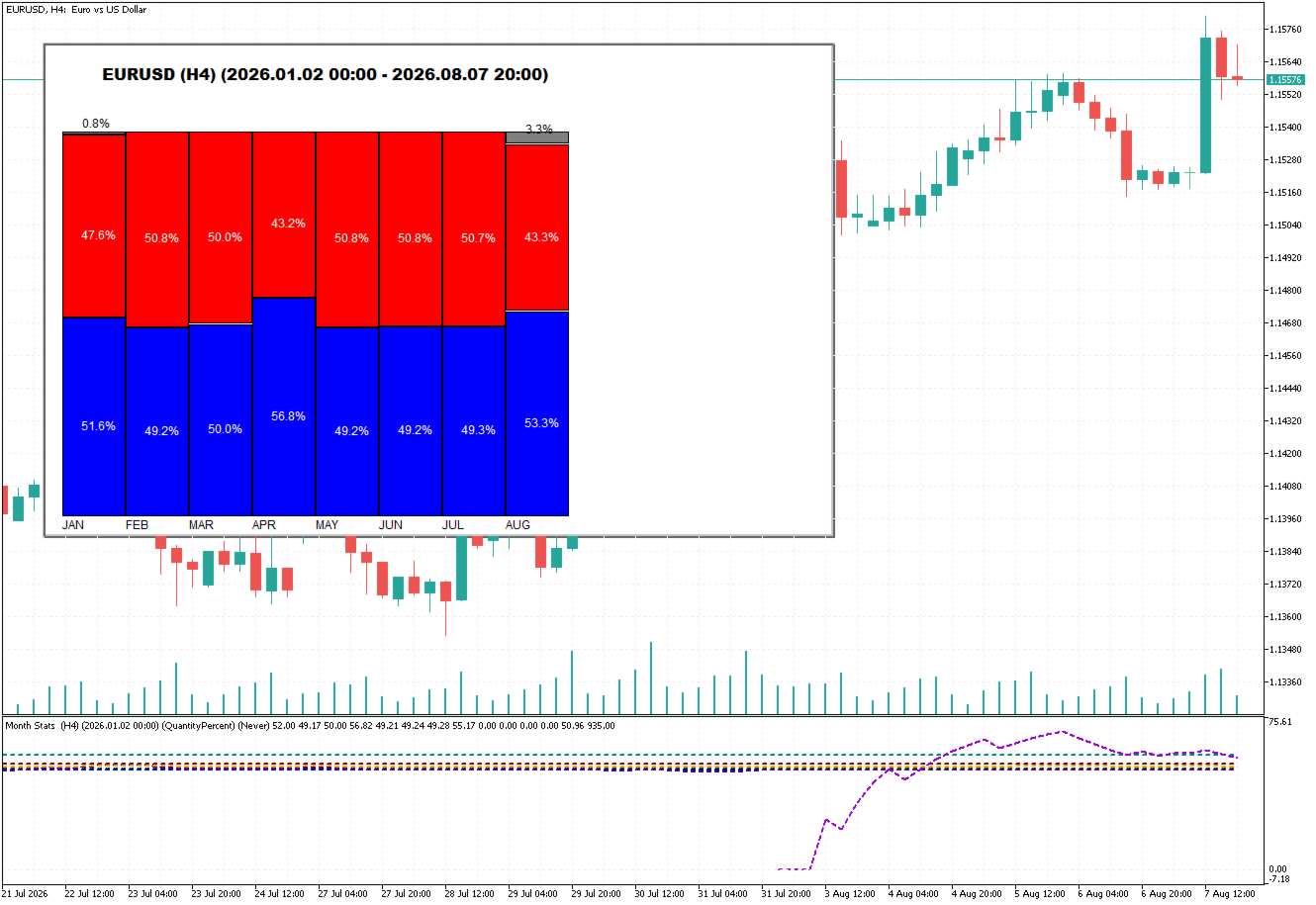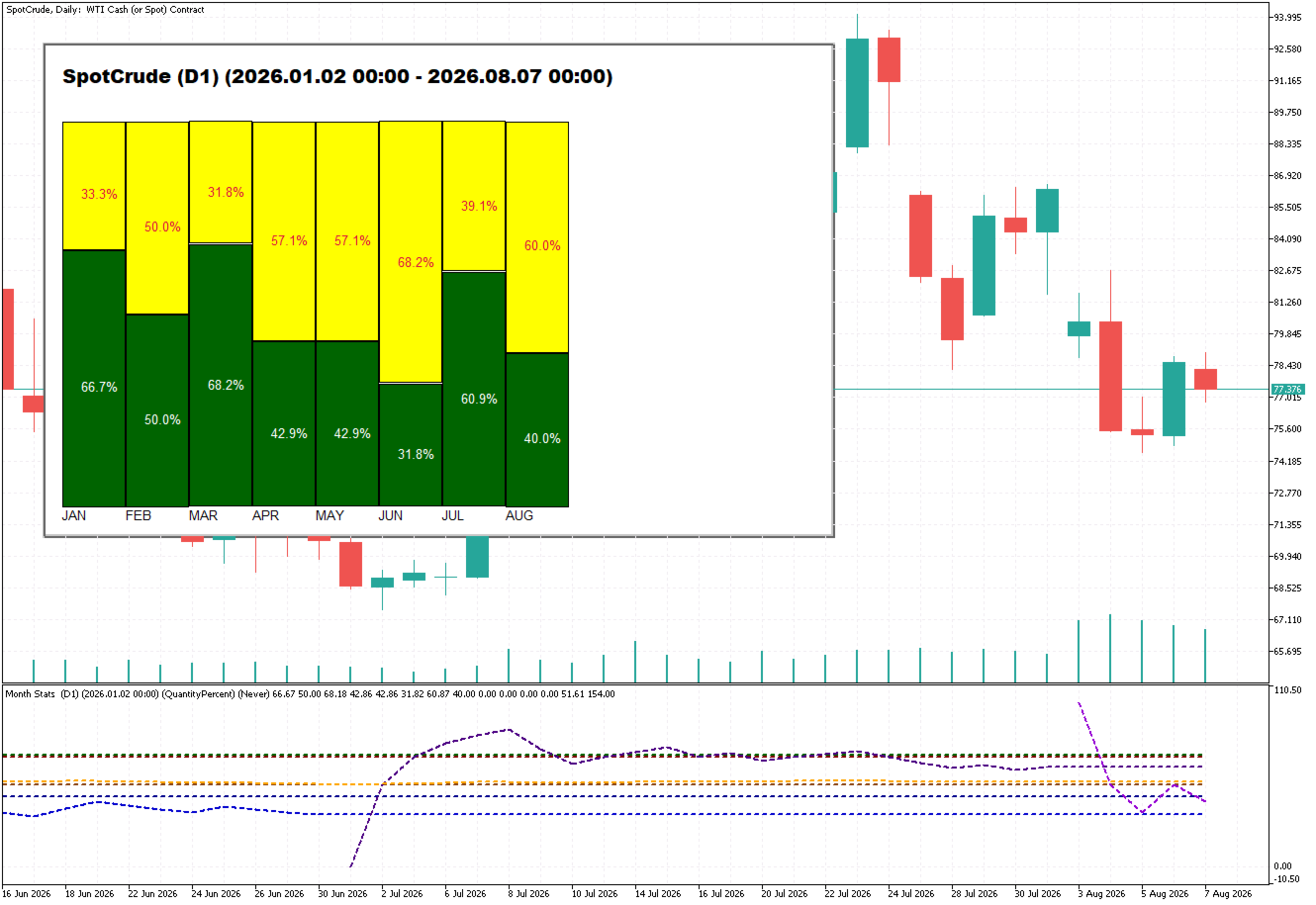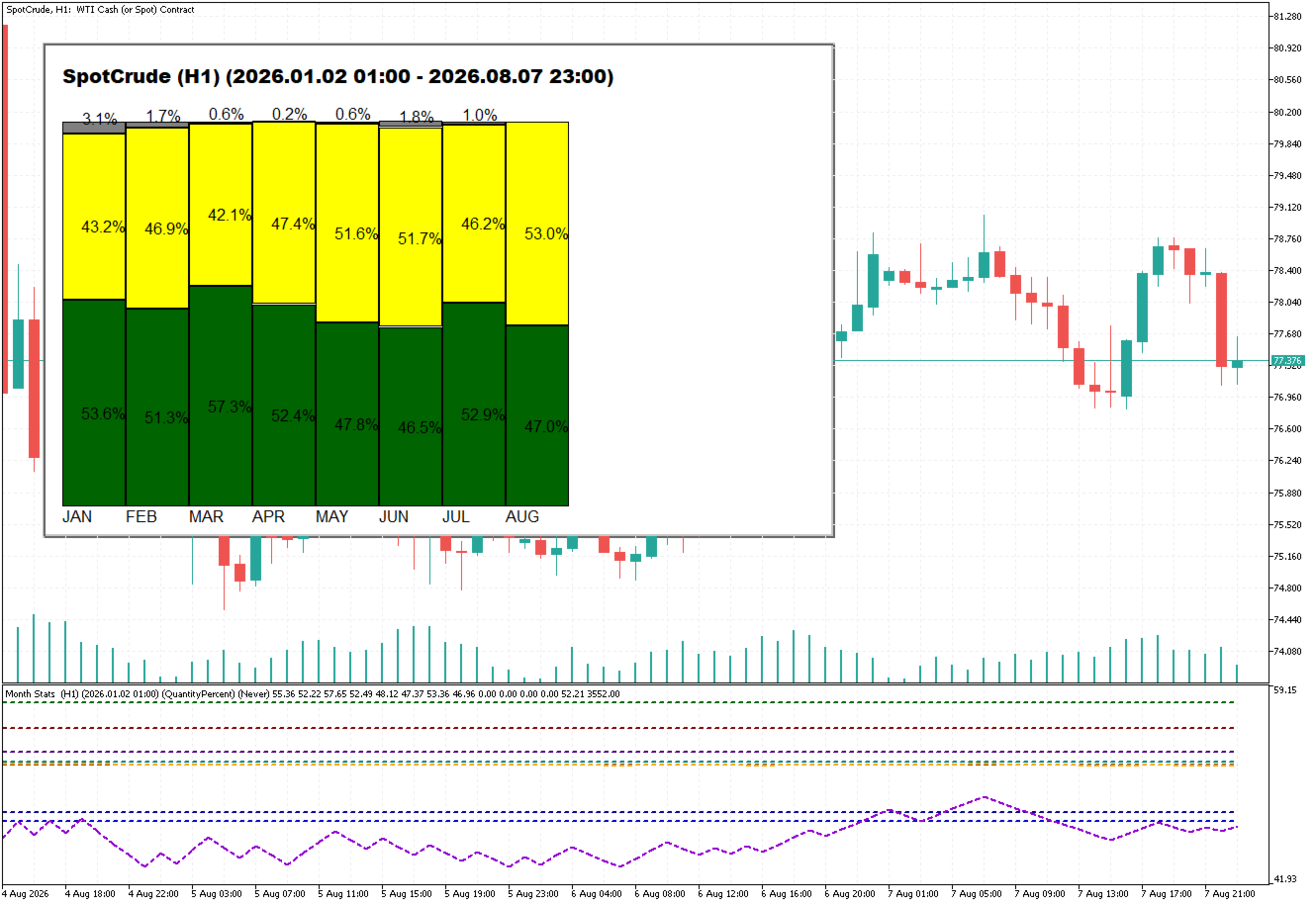
Month Stats
- Göstergeler
- Sürüm: 2.0
- Güncellendi: 9 Ağustos 2026
- Etkinleştirmeler: 20

Overview
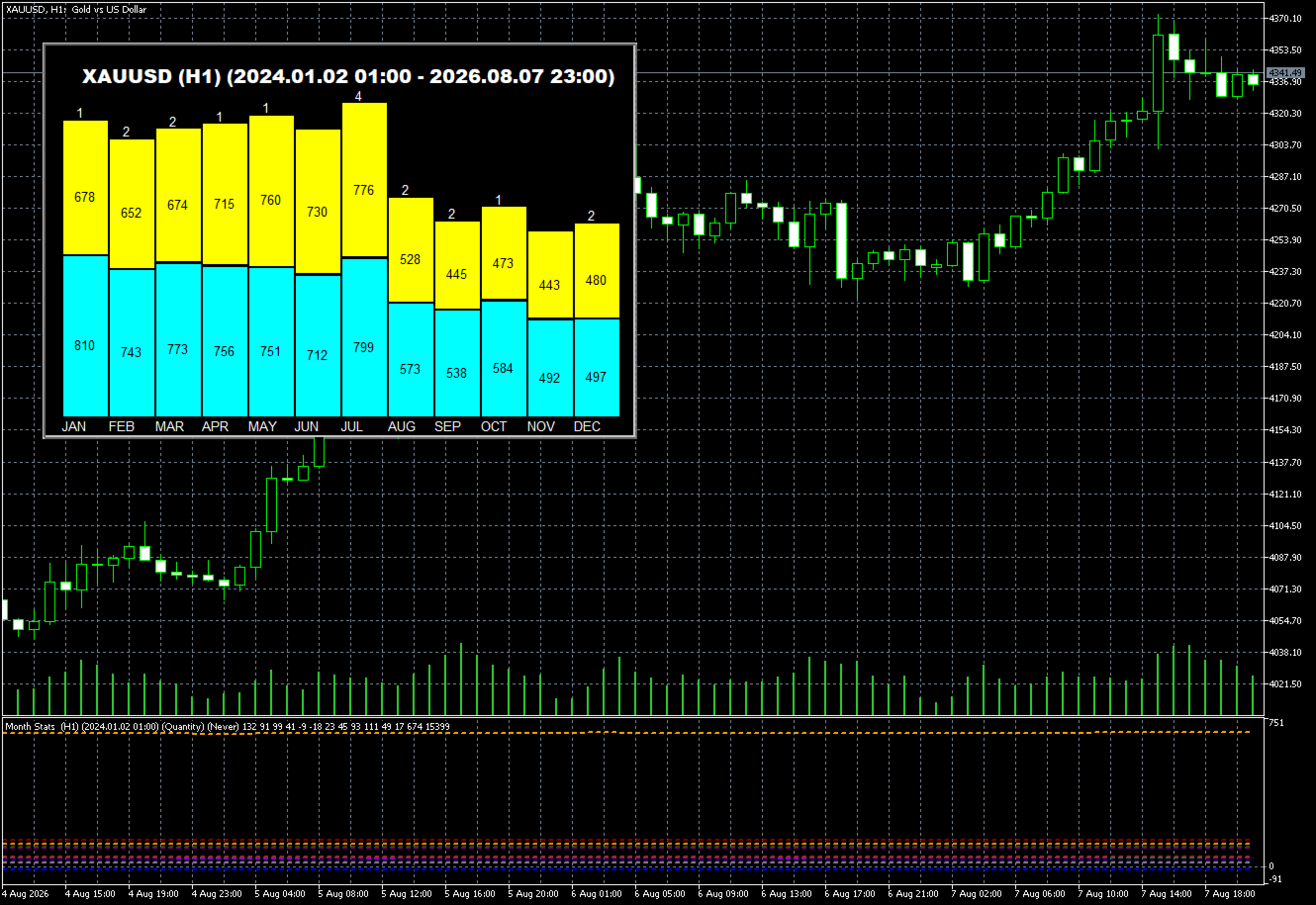
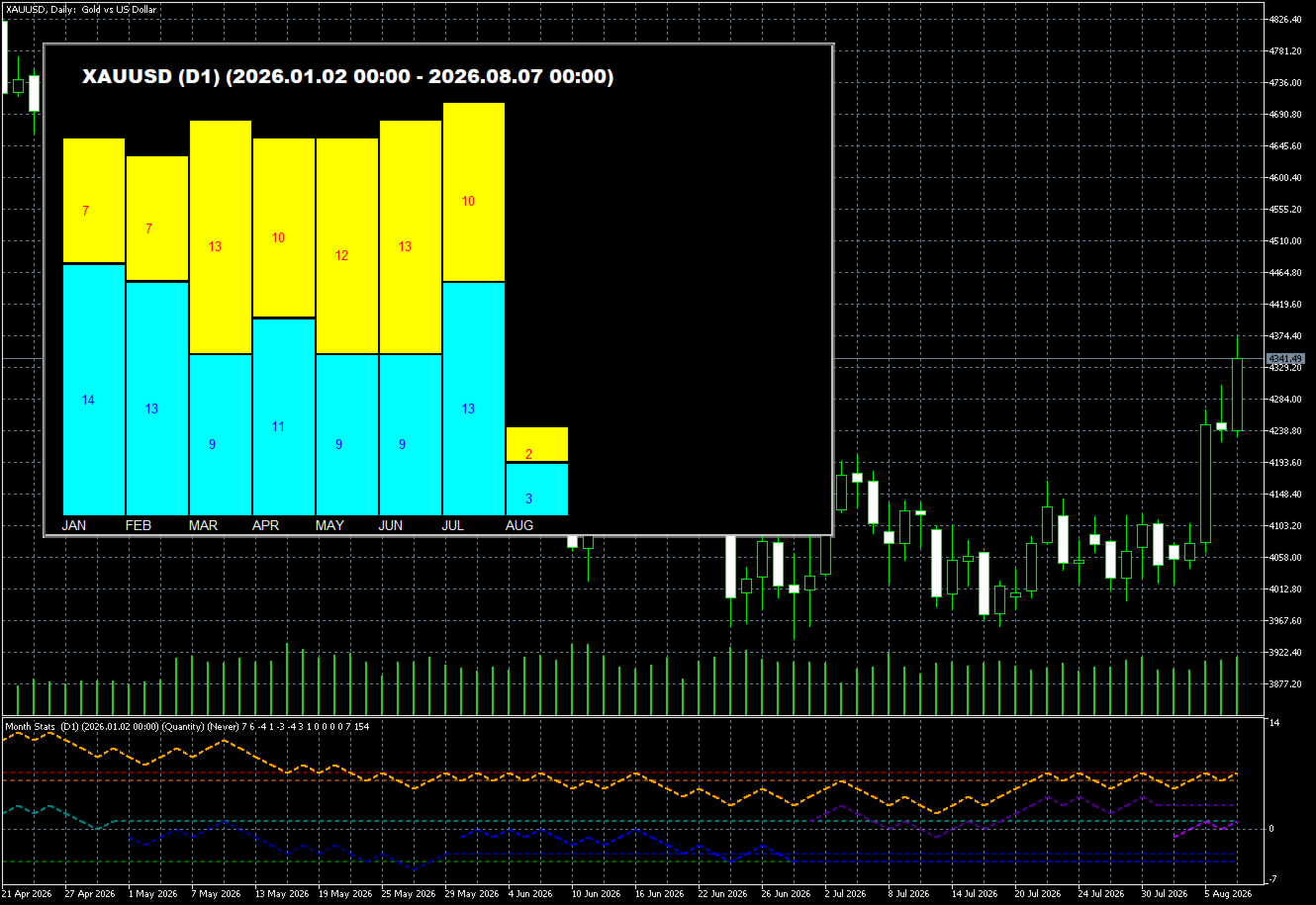
Month Stats is a quantitative analysis indicator designed to perform statistical studies of price behavior by classifying candle data according to the calendar month in which each candle was formed.
The indicator processes historical candle data and provides statistical results for each month of the year, allowing users to analyze price behavior individually for January, February, March, and the remaining calendar months.
The input parameters allow users to define the sampling period and the criteria used in the statistical calculations. In this way, Month Stats provides a quantitative basis for identifying and analyzing potential recurring patterns in the market.
Statistical Data
For each calendar month, the indicator calculates and displays three main statistical properties:
- Candle Directional Variation
Represents the balance between the number of positive (bullish) candles and negative (bearish) candles. ``` - Percentage of Positive Candles
Represents the proportion of positive candles relative to the total number of candles included in the sample. - Total Points
Represents the net price variation in points, calculated from the variations of the positive and negative candles included in the sample. ```
Sampling Period Configuration
The period used to calculate the statistics can be defined through the indicator's input parameters.
The available options are:
- Full History (Never)
Uses all available historical data for the selected asset to perform the statistical calculations. ``` - Yearly (Every Year)
Uses only candles belonging to the current calendar year. ```
Minimum Variation Filter
The indicator allows you to define a minimum variation in points to determine which candles will be included in the statistical calculations.
Candles whose variation is below the configured minimum value can be excluded from the sample. This feature reduces the influence of low-volatility candles and allows the analysis to focus on price movements considered more significant.
Statistical Timeframe
The statistics are calculated based on the timeframe of the chart on which the indicator is being used.
For example:
- M1 chart: statistics calculated using M1 candles.
- M5 chart: statistics calculated using M5 candles.
- M15 chart: statistics calculated using M15 candles.
- H1 chart: statistics calculated using H1 candles.
- D1 chart: statistics calculated using D1 candles.
The indicator supports timeframes up to D1. Higher timeframes, such as W1 (weekly) and MN (monthly), are not compatible with the methodology used by the indicator.
Unlike an analysis based on the day of the week, Month Stats is designed to group and analyze data according to the calendar month. Therefore, candles from different years are classified according to the respective month in which they occurred, allowing users to compare the historical behavior of each month of the year.
Data Visualization
Month Stats presents the results in two main ways:
- Subwindow: displays the calculated statistical data and information related to the selected parameters.
- Main Chart: displays a histogram based on the statistical results and the parameters defined by the user.
Subwindow — Data Window
The data window displays information related to the selected statistical parameters and the results calculated from the historical candles included in the sample.
Sampling Start Date
The indicator displays the actual starting date used for the sample at the top of the subwindow.
In some situations, this date may differ from the expected date based on the period configured in the input parameters. Therefore, it is recommended to check the starting date displayed by the indicator whenever you need to confirm the historical period actually analyzed.
If the displayed starting date is later than expected, check whether the asset has sufficient historical data for the requested period and whether the MetaTrader platform is configured to provide the required amount of historical candles.
Important — Historical Data
The period actually used by the indicator may be shorter than the period requested through the input parameters. This is mainly caused by limitations related to the availability of historical price data.
The main causes are:
- Platform History Limitations
The MetaTrader platform may be configured to store or provide only a limited number of historical candles. Check the platform settings related to the maximum number of bars available in the history. ``` - Insufficient Asset History
The symbol used on the chart may simply not have sufficient historical data available for the requested period. ```
To obtain the largest possible historical sample, it is recommended to use a platform configuration that allows the complete amount of available historical data for the asset to be loaded.
Timeframe Limitation
Important: Month Stats should not be used on timeframes higher than D1, such as W1 or MN.
The indicator is designed to aggregate candle variations from different timeframes according to the calendar month in which each candle occurred. Its methodology is therefore based on monthly aggregation of the data rather than analysis by day of the week.
On W1 and MN timeframes, the individual classification of candles by calendar month no longer adequately represents the methodology used by the indicator. For this reason, these timeframes are not supported.
Summary
Month Stats is a statistical analysis tool that allows users to study historical price behavior according to the calendar month. By combining the sampling period, minimum variation filter, and chart timeframe, users can analyze different datasets and identify potential recurring statistical patterns for each month of the year.
The results should be interpreted as statistical information based on the historical data analyzed and should not, by themselves, be considered a guarantee of future price behavior.