 MetaTrader 5
 Uzmanlar
 Göstergeler
 Kütüphaneler
 Yardımcı programlar
 Widgetlar
 Kurallar
YouTube'dan Mağaza ile ilgili öğretici videoları izleyin
Bir alım-satım robotu veya gösterge nasıl satın alınır?
Uzman Danışmanınızı
sanal sunucuda çalıştırın
sanal sunucuda çalıştırın
Satın almadan önce göstergeyi/alım-satım robotunu test edin
Mağazada kazanç sağlamak ister misiniz?
Satış için bir ürün nasıl sunulur?
MetaTrader 5 için alım-satım yardımcı programları - 17
 Aşağıda MetaTrader 5'te işlem yapmayı kolaylaştıran alım-satım programları bulunmaktadır. Açıklamasını ve amacını okumak için aşağıdaki listeden ürünün üzerine gelin.
Here is the English version of the product description, tailored to sound clear, professional, and engaging for the MQL5 Market: RBM SL TP Label — Indicator for MetaTrader 5 If you trade Forex and miss seeing the exact financial value of your risk and target directly on your chart, this indicator solves that in a clean, direct, and intuitive way. What It Does As soon as you open a position, the indicator automatically detects your Stop Loss and Take Profit lines and displays, in real-time, both
FREE

FullMargin RiskGuard - Advanced Risk Management for New Traders Unlock the power of full margin trading with confidence using FullMargin RiskGuard , a cutting-edge Expert Advisor (EA) designed specifically for beginner traders on the MetaTrader 5 platform. Inspired by the renowned trading style of Papip Celebes, this EA empowers users to execute full trade strategies while safeguarding their capital with advanced risk management features. Key Features: MaxFloatingLoss Protection: Set your maxim
FREE

# Trade Manager Lite - Visual Risk Management for MetaTrader 5
**Trade Manager Lite** is a highly optimized, visual trading assistant designed to simplify risk management and trade execution on MT5. Built with Prop Firm traders in mind, this tool allows you to visually set your Entry, Stop Loss, and Take Profit levels directly on the chart, instantly calculating the exact lot size needed to respect your risk parameters.
## Key Features
* **Visual Trade Placement:** Drag and drop Entry,
FREE

MetaTrader 5 için Indicator Test Report — herhangi bir göstergenin gerçekte nasıl davrandığını gösteren bir repaint denetleyicisi ve gösterge test cihazı Derlenmiş bir göstergenin içini göremezsiniz. Indicator Test Report, satın alınmış, yazılmış veya MetaTrader'a yerleştirilmiş herhangi bir göstergeyi yükler ve bir açıklamanın yapamayacağı soruyu yanıtlar: repaint yapıyor mu, ne kadar geçmişe ihtiyacı var ve gerçekte ne yayınlıyor? Davranışı bildirir. Derecelendirme yapmıyor. Herhangi bir göste
FREE

AI Advisor – Yapay Zekânın Gerçek Hesabınızı Görmesini Sağlayın AI Advisor, gerçek hesap bilgilerinizden otomatik olarak yüksek kaliteli komut metinleri (prompt) üretir ve bunları doğrudan istediğiniz herhangi bir yapay zekâ sohbetine yapıştırarak kullanabilirsiniz.
Hesap durumunuzu hızlıca özetlemenize, enstrümanın mevcut yapısını anlamanıza, riskleri fark etmenize ve potansiyel kâr fırsatlarını keşfetmenize yardım eder; böylece yapay zekâ, hayali bir senaryoya değil, gerçek işlem durumunuza g
FREE
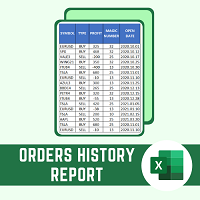
This script will create a report with all history orders in CSV format. The report is useful for those who run multiple EA's with different magic numbers in the same account. You can define some filters to generate your orders history report: 1) Initial date for assets in orders history. 2) Final date for assets in orders history. 3) Asset name. 4) Orders magic number. 5) Add balance/costs.
QUESTIONS ABOUT THE INSTALLATION OF PRODUCTS AT META TRADER You can also find some instructions on how
FREE

• Please test the product in the Strategy Tester before purchasing to understand how it works.
• If you face any issues, contact me via private message—I’m always available to help.
• After purchase, send me a screenshot of your order to receive a FREE EA as a gift. Dual Hedge Trading Panel — Professional Trading & Risk Management for MetaTrader 5 Short Description Professional one-click BUY, SELL, and DUAL hedge execution panel featuring an advanced on-chart trade planner with draggable En

Live Risk Dashboard MT5 EA Monitor your account risk clearly and trade within your limits Live Risk Dashboard MT5 EA is a practical account-monitoring utility for MetaTrader 5. It displays your most important trading and risk information directly on the chart, helping remove the "math anxiety" of managing open positions. Instead of repeatedly checking different MT5 windows or manually calculating floating profit, drawdown usage, and remaining limits, you can view everything in one clean, compact
FREE

This MQL5 indicator creates a customizable grid of horizontal lines on your trading chart. Here's what it does:
**Main Functions:** - Draws equally spaced horizontal lines across the visible price range - Supports two line types: horizontal lines or trend lines with forward projection - Automatically adjusts to price scale changes
**Key Features:** 1. **Customizable Spacing**: Set grid distance in pips (20 pips by default) 2. **Flexible Starting Point**: Auto-calculates starting price or lets
FREE

>
Risk Sentinel bir strateji değil, bir koruma aracıdır. İşlem açmaz. Sizin veya başka bir EA'nın açtığı pozisyonları, profesyonel bir işlem masasının riski yönettiği gibi korur.
Ne yapar
- Her pozisyona zorunlu stop-loss. Hiçbir işlemi korumasız bırakmaz. ATR, puan, yüzde veya sabit bir para tutarı seçin. - Otomatik break-even ve trailing stop. Fiyat lehinize hareket ettikçe kazançlı işlemi kilitler. - Günlük zarar devre kesici. Gün, belirlediğiniz zarar limitine ulaştığında tüm pozisyonları
FREE
Overview:
The Drawdown Control Limiter MT5 is a robust and efficient tool designed for traders who aim to monitor and limit drawdown levels in their MetaTrader5 Live/Demo accounts. This Expert Advisor provides real-time tracking of drawdown percentages or amounts and automatically closes positions if the specified limits are exceeded, helping protect your capital. EA account drawdown protector is designed for normal trading Live and Demo accounts (not for Prop Firms) . Key Features: Customiza
OneClick RiskSizer: One-Click Trading Panel with Percentage-Risk Position Sizing Stop calculating lot sizes by hand. OneClick RiskSizer sizes every position automatically from your risk % and Stop Loss, for faster, more reliable execution than manual math or third-party tools. Key features One-click BUY and SELL buttons, always visible on the chart. Lot size calculated automatically from your risk % and SL distance, via OrderCalcProfit/OrderCalcMargin, not a rough points estimate. Draggable SL a
FREE

The "Smart Partial TP & Daily Loss Limit Manager" is a versatile and powerful MQL5 indicator designed to help traders manage their trades more effectively. It combines two essential features that improve trading discipline and profitability: partial take-profit (TP) closing based on risk-reward ratios and a fixed daily loss limit to protect your capital. Key Features: Partial Take-Profit (TP) Close: This feature allows traders to set a percentage for partial TP closure (e.g., 50%). Once the pric
FREE

Manual Trade Helper
is an MT5 Expert Advisor designed as an automated assistant for managing manually opened trades. This EA does not open trades on its own, but instead enhances manual trading by automatically managing risk and position settings. Remote Management via VPS + Mobile Devices When deployed on a Virtual Private Server (VPS), the RitzEAneha Manual Trade Helper allows traders to seamlessly manage their trades from anywhere using just a smartphone or tablet. Since the EA runs 24/7 on t
FREE

Lenzi Indicators - Advanced Chart Watermark Pro (MT5) Water Mark Pro is a professional-grade watermark indicator for MetaTrader 5. Designed for traders, educators, signal providers, and content creators, it allows you to beautifully brand your charts without obstructing price action. Featuring a smart mathematical engine, it calculates true opacity, automatically centers text, prevents overlapping, and dynamically resizes fonts when you shrink your chart window. Key Features Background Render
FREE

Gold Precision Execution Panel V5.3 The Ultimate Risk-Controlled Trading Dashboard for XAUUSD Gold Precision Execution Panel is a professional-grade trading tool specifically engineered for gold traders who prioritize speed, accuracy, and rigorous risk management. In the fast-moving XAUUSD market, one mistake can be costly; this panel eliminates human error by automating complex lot calculations and providing a clear visual preview of every trade before execution. Key Features Fixed Risk Managem
FREE

Professional Trade Management for Manual Traders Featuring Structure-Based SL, Symbol-Adaptive Trailing, and Dollar-Level Profit Protection
This EA takes care of your open trades so you can focus on entries. It never opens Buy or Sell positions - you decide when and where to enter. The EA handles the rest: stop loss placement, breakeven, trailing, dollar-level profit lock, and pending order protection, all automatically, all in the background.
Built by an active live trader who codes his own t
FREE

This is a demo version of a non-trading expert , which utilizes so called the custom symbols feature ( available in MQL as well ) to build renko charts based on historical quotes of selected standard symbol and to refresh renko in real-time according to new ticks. Also it translates real ticks to the renko charts, which allows other EAs and indicators to trade and analyze renko. Place the EA on a chart of a working instrument. The lesser timeframe of the source chart is, the more precise resulti
FREE

Layer Trade Manager — Level trade & Scalping Assistant Layer Trade Manager is a simple yet powerful on-chart trade management panel for MetaTrader 5 designed to take the heavy lifting out of layered trade strategies. It operates in two modes: Standard Mode — a single click opens the first trade and queues up a basket of up to 5 staggered market entries if price reaches the preconfigured layers, each with its own configurable take profit, and the smart automation takes care of setting BE, etc.

TrumpFeed to Telegram – Lightweight News Forwarder especially for Gold-Trader This Expert Advisor reads the Trump Truth Social RSS (mirror feed) , classifies new posts via OpenAI , neatly shortens the quote, and forwards it to your Telegram group/topic – including a compact XAUUSD impact summary . Ideal if you want to be notified immediately of potentially market-moving statements. Key Features Fetch: EA reads the RSS feed https://trumpstruth.org/feed every 30 seconds. Parse & Clean: Removes HTM

Forex17 Clock , MetaTrader 5 için geliştirilmiş hafif ve minimalist bir yardımcı araçtır. Broker sunucu saatini ve/veya kullanıcı tarafından ayarlanmış zamanı grafik üzerinde göstermeyi amaçlar. Ürünün amacı, grafik analizine müdahale etmeden net ve doğru zaman bilgisi sağlamak ve grafiği temiz ve işlevsel tutmaktır. Saat, paneller, arka planlar, kenarlıklar veya dikkat dağıtıcı görsel öğeler olmadan yalnızca metin kullanılarak doğrudan grafik üzerine çizilir. Bu yaklaşım düşük kaynak kullanımı,
FREE

This Expert Advisor provides an advanced on-chart trading panel designed for discretionary traders. It simplifies position sizing, risk management, and trade execution directly from the chart without manual calculations.
Key Features On-chart trading panel Fixed lot and balance percentage risk mode Risk-based lot calculation using stop loss Market and pending order execution Partial close management Break-even automation Trailing stop control Equity protection system Daily loss lock S
FREE

Read-only trade export tool for MT5 investor accounts NTS Investor Reader is a lightweight companion EA for NTS Local Copier . It runs on an read-only / investor login and writes your open positions to the shared file in the same format used by the NTS Local Copier Master. No trade execution. No OrderSend. No copying logic. It simply reads open positions and outputs them for the Slave EA to follow. What it does Reads all open MT5 positions safely from an investor account. Writes them to the shar
FREE

Assistant Trader MT5 Check Pro version with OCO feature and fluid drawings : Assistant Trader Pro MT5 | Buy Trading Utility for MetaTrader 5 Assistant Trader MT5 is a MetaTrader 5 manual trading assistant for fast multi-leg order execution. It is built for traders who need to copy signal levels, split entries into legs, and manage trades with less delay.
Detailed Introduction
Assistant Trader MT5 provides a compact chart dashboard for placing and managing multi-leg trades in MT5. It is intende
FREE

A manual trade manager with a live on-chart preview. Plan every trade visually: entry, stop and up to four take-profits appear as draggable lines with filled risk/reward zones — lot size, R-multiple and money value update in real time. One click places it all. Market, Limit and Stop orders at the press of a button Position sizing by percent, money risk or fixed lot Up to 4 partial positions, each with its own TP and a shared SL Stop by pip/ATR distance or anchored to the last swing high/low Auto
FREE

Overview
This Expert Advisor (EA) for MetaTrader 5 is a robust tool designed to optimize money and risk management. It allows users to calculate position sizes based on account balance, desired risk percentage, and trade parameters like stop loss and entry points. Additionally, it offers a clear view of reward-to-risk ratios and allows for the inclusion of broker commission, recalculating data accordingly.
Key Features
1. Risk-Based Position Sizing
The EA calculates position sizes by taking
FREE
The Equity Closer Bot is a custom MetaTrader 5 (MT5) Expert Advisor (EA) designed to help traders manage their account equity levels automatically. It monitors the account's equity in real-time and closes all open trades when the equity reaches user-defined thresholds. This bot is ideal for traders who want to enforce strict risk management rules, protect their account from excessive losses, or lock in profits at specific equity levels. Key Features Dual Equity Thresholds : Below Equity Clos
FREE

Trade Copier Master and Follower in 1 is a local expert advisor for copying trades between master and follower accounts on different terminals on the same device. It supports master/follower modes, configurable symbol mapping for different brokers, multiple money management options, risk-based sizing, stop loss/take profit copying, partial close copying, and deviation handling. The follower can close positions independently, invert trades, and adjust symbols with prefixes, suffixes, or explicit
FREE

MT4 Sürümü: https://www.mql5.com/tr/market/product/91169 MT5 Sürümü: https://www.mql5.com/tr/market/product/110193 Canlı Sinyal: https://www.mql5.com/tr/signals/2345410
Eşsiz uyum kabiliyeti ve son teknoloji risk yönetimi stratejileriyle dünya çapında profesyonel yatırımcıların güvendiği en üst düzey araç olan "Smart Trader" işlem asistanı uzman danışmanını sunuyoruz.
"Smart Trader"ın merkezinde, sürekli değişen piyasa koşullarına dinamik olarak uyum sağlayacak şekilde titizlikle tasarlanmış

Trader Toolkit Panel An all-in-one manual trading panel that helps you size, place, and manage your trades from a single window. It does not trade automatically and gives no buy/sell signals — you stay in full control. Think of it as a control panel for disciplined, manual trading. What it does Position Calculator — Enter your risk percentage and stop distance, and the panel instantly shows the correct lot size, your risk in account currency, and your reward-to-risk ratio. No more manual math or
FREE

TimeBar TimeBar, çubuğun kapanmasına kalan süreyi, çubuğun açılmasından bu yana geçen süreyi ve geçerli saati gösteren basit bir bilgi göstergesidir. Algılamayı kolaylaştırmak için iki tür görüntüleme modu eklenmiştir: grafiğin sol üst köşesinde yorum şeklinde veya grafik nesnesi şeklinde.
Avantajları Yazı tipi seçimi Yazı Boyutu. Herhangi birini ayarlayabilirsiniz. Yorum yaparken çok küçük Nesneleri taşıyabilirsiniz. Fareye çift tıklayarak herhangi bir zaman seçilebilir ve grafik üzerinde her
FREE

The PSM Trading Panel is a comprehensive, all-in-one trade management utility designed for both manual and automated traders. Whether you prefer executing precise manual entries, managing recovery with a Martingale system, or deploying a Grid strategy, this panel provides all the necessary tools directly on your chart. Built with advanced risk management and a highly intuitive interface, the panel minimizes the emotional stress of trading by automating complex calculations like Auto-Candle Stop
FREE

# ApexForge One Click Close EA
## Overview
**ApexForge One Click Close EA** is a lightweight, non-blocking trading utility that allows you to close all matching positions—and optionally delete pending orders—with a single click.
Instead of manually closing trades one by one during volatile markets, this EA provides a fast, reliable, and visually clear way to manage your exposure instantly.
> ️ This tool does not generate trading signals or open positions automatically. It is designed purely
FREE

` Account Limit Guard MT5 ` is a free account-level daily limit protection utility for MetaTrader 5.
It is not a trading strategy, does not open trades, does not generate signals, and does not rely on any specific indicator. Its purpose is simple: monitor your account-level daily loss and automatically apply protection once your configured limit is reached.
For prop / funded-challenge traders Need more than a daily-loss cap? Prop Firm Risk Guardian (MT5) is the full prop-challenge p
FREE

History by Magic Number MT5 is a utility that filters trading history based on a selected Magic Number . It’s especially useful on accounts where multiple EA strategies run simultaneously and you need to isolate the performance of a single strategy . This tool is a non‑trading analytical Expert Advisor for MetaTrader 5, designed to provide precise evaluation of trading performance associated with a specific Magic Number within a user‑defined time range . It does not interfere with live trading,
FREE

Position Manager Pro v1.0 (MT5) Dual Magic Number Independent Group Manager with Live P&L Dashboard Overview Position Manager Pro is a powerful trade management Expert Advisor for MetaTrader 5 that operates as an overlay manager — it does not open positions itself, but instead manages and monitors positions opened by other EAs or manually by the trader. The core concept is two fully independent groups , each identified by a unique Magic Number . Each group has its own Take Profit, Stop
FREE

HotkeyTrader Pro — Expert Advisor for MetaTrader 5 HotkeyTrader Pro is an Expert Advisor that allows executing and managing trades through configurable keyboard shortcuts, with integrated risk management tools and position tracking. Keyboard execution The EA includes 11 predefined keyboard shortcuts for opening buy and sell orders, managing open positions, and executing partial or full closes. It is compatible with external macro software such as AutoHotKey and with programmable input devices. R
FREE

Risk Manager Trade Panel is an on-chart tool that helps you size and manage trades with one click. Set your risk per trade as a percentage (for example 0.5%, 1% or 2%) and the panel instantly shows the correct lot size for your stop distance, taking your symbol's tick value and 3/5-digit pricing into account. One-click actions: Move the open position to breakeven (with a spread-safe offset). Close 50% of the position (partial close). Close the whole position. The tool does not open trades automa
FREE
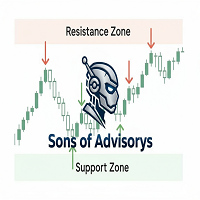
Sons of Advisorys: QuantumLevel This advanced MT5 Expert Advisor automates trading decisions based on a robust Support and Resistance breakout and retest strategy. It performs multi-timeframe analysis across H4, H1, and M15 charts to identify high-probability trade setups with precise zone validation. Key Features: Strategy: Support/Resistance breakout with retest continuation. Multi-Timeframe Detection: Independent analysis and toggle options for H4, H1, and M15 timeframes. Auto-Trading:
FREE

Bring the TradingView Experience to Your MT5! Break free from the clunky, traditional default shapes of MT5. The 'True Color RR Manager' is a next-generation Risk/Reward management tool featuring a custom 'Transparency Illusion HEX Engine' that flawlessly replicates the modern TradingView style. It provides perfect visibility without obscuring your chart movements.
Key Features Perfect TradingView Colors: Equipped with a custom HEX decoder, allowing you to use original TV colors with transp

Price Range Measure MQL5 Price Range Measure MQL5 is a visual measurement tool for MetaTrader 5. Measure price movements directly on your chart and display the signed price difference and percentage change between two points. Create and keep multiple ranges on the same chart to compare different market movements. Each range uses time and price coordinates, with adjustable endpoints
FREE

A simple and useful Current Price Panel, which displays magnified current Bid, Ask prices and spread, movable anywhere on chart window using the mouse. Also provides an option to have as text at a static location showing bid or ask price along with spread, shown at any location on the chart. Allows display as pips or points along with spread highlighted in distinct color if it crosses the threshold point for the previous 100 ticks. Includes an option to show or hide the last digit (pipette) of t
FREE

# LBU Trading Console
LBU Trading Console is a unified MetaTrader 5 utility for visual trade planning, position management, equity protection and multi-symbol RSI monitoring. Its tabbed interface keeps four practical workflows in one chart and one EX5 file.
## Main modules
### Trade
- Draw and drag Entry, Stop Loss and Take Profit levels directly on the chart. - Calculate volume from the selected account risk percentage. - Support market, limit and stop orders. - Validate volume, margin and
FREE

天机账户统计分析是一款账户交易统计面板 EA。它在图表内嵌悬浮窗口,将账户历史交易记录按日、周、月、季、年、品种、幻数(Magic)、注释八大维度自动汇总成可视化报表,一键切换查看。
每个维度展示总手数、最大手数、交易次数、连亏、连赢、最大亏损、最大盈利、胜率、百分比、利润、余额、出入金、最大浮亏、最大浮盈等十五项统计指标,列可按需开关显示。内置账户实时面板,三列布局呈现账户信息、资金状况(余额、净值、保证金、浮动盈亏等)与持仓明细(多空单数、总/最大/最小/平均手数、持仓盈亏等)。
性能方面,采用历史记录缓存与增量更新、统计指纹校验、浮盈浮亏独立跟踪,配合防抖节流与定时刷新,兼顾实时性与流畅度。界面支持拖拽、滚动条、DPI 自适应,颜色、语言、字体、缩放均可配置,。
该工具适合交易复盘、多策略账户监控与实时风险查看,当前版本 v6.9,由天机(官网 tianjigendan.cn)提供,专注跟单系统、量化系统与定制服务。
FREE

Use Day Trading Tracker to keep a record of your earnings across accounts. This indicator will show a dashboard in the Meta Trader chart to show for the profit or loss money in your account. It’s easy to see just how much money you’re making matched betting with the Forex Trading Profit Tracker. Key features: Track your profit over time Check out your stats. Track expected profits against actual profits. Export account history to Excel. MT4 version: https://www.mql5.com/en/market/product/39113
FREE

Alert Line Manager – FREE is a simple and reliable MT5 indicator that alerts you when price crosses horizontal lines . Designed for manual traders who work with key price levels. Features: Alerts on horizontal line crossing Popup and sound notifications Alert cooldown to prevent spam Alerts ON / OFF button on chart Works on any symbol and timeframe Limitations: Horizontal lines only No trend lines, channels or Fibonacci No push notifications Alert Settings Alert sound file
Sound file played
FREE

Native Account Stats breaks your own closed-trade history down by symbol, by hour of day and by weekday, with profit factor, win rate, expectancy and the drawdown of the closed-trade equity curve. Trades are reconstructed from MT5 deals, so deposits, credits and corrections never count as winning trades.
WHAT IT SHOWS
A panel on the chart reports: Trades, net result, profit factor, win rate, expectancy and max drawdown Average win, average loss, largest win, largest loss A breakdown by symbol
FREE

# Trade Assistant Manager
Stop calculating lot sizes by hand. Trade Assistant Manager is an on-chart panel that turns your risk settings and chart lines into a precise, ready-to-fire order — automatically.
## Key Features
**Automatic Lot Sizing** Set your risk as a percentage of account balance or a fixed dollar amount. The panel reads the distance between your Entry and Stop Loss lines and instantly calculates the exact lot size for that risk — accounting for your broker's commission per lo
FREE

HM (Yatay İşaretleme), yatay seviyelerin manuel olarak işaretlenmesi için tasarlanmıştır. İşaretleme, seviyeyi ve fiyat değerini içerir. Hattın kalınlığı ve rengi ve fiyat değeri ayarlarda ayarlanır. Seviyeler yerel olarak zaman dilimlerine yerleştirilebilir veya tüm zaman dilimleri için herkese açık olarak gösterilebilir.
Onun işi çok basit:
1) - Seviyeyi işaretlemek için ayarlarda ayarladığımız tuşa basıyoruz;
2) - çizgiyi istenen yere getiriyoruz;
3) - Farenin sağ düğmesine tıklıyoruz v
FREE

Trade Analyzer is an interactive charting utility designed to make trade planning and performance tracking easier directly inside MetaTrader 5. It allows you to quickly create and visualize trade setups on your chart, giving you a clear view of your Entry, Stop Loss, and Take Profit levels. Every trade setup you chart is automatically measured and analyzed, showing you the exact risk-to-reward ratio, risk in pips, potential reward, and outcome of the setup. As you chart more trades, RR Analytics
FREE
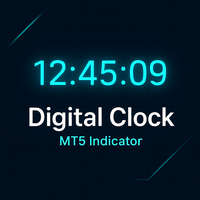
Genel Açıklama
Digital Clock, Everton Messias tarafından geliştirilen ve MetaTrader 5 grafiğinde gerçek zamanlı dijital saat gösteren bir göstergedir. Platformdan ayrılmadan seans saatlerini takip etmesi gereken trader’lar için idealdir. Başlıca Özellikler:
Gerçek zamanlı görüntüleme (saat:dakika:saniye)
Renk, yazı tipi ve boyut tamamen özelleştirilebilir
Grafiğin herhangi bir yerine yerleştirilebilir
Her saniye otomatik güncelleme
Tüm MT5 şablonlarıyla uyumlu
Seans temelli
FREE

ClearAllObjects — MT5 Grafik Anında Temizleme Amaç
Strateji testleri, mum formasyonları veya manuel çizimler sonrası karmaşık grafiklerden TÜM grafik nesneleri ni (trend çizgileri, Fib, oklar, etiketler, Gann araçları) tek tıkla silme. Kullanım
Navigatör > Script'lerden istediğiniz grafiğe sürükleyin → isteğe bağlı onay → anında temizlendi. Temel Özellikler
Sadece mevcut grafik (çoklu sekme güvenli)
Yıldırım hızı, DLL'siz, Market hazır
Grafikteki tüm nesne türleri Gerekli
Test nesnelerin
FREE
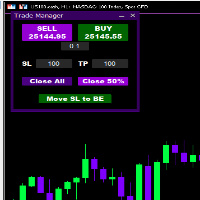
Introducing * *Trader Manager** for MetaTrader 5 - the most efficient tool for managing your trades and it's free! This smart assistant automatically sets **Stop Loss** and **Take Profit** immediately after opening a trade, saving you time and reducing the risk of errors.
With the ability to set a **Maximum Daily Loss** , you'll protect yourself from the dangers of **overtrading** and keep control of your finances.
Plus, you'll get a host of other features for easy position management: -
FREE

Relentless News Guard — Free Economic Calendar and News Warning Panel for MetaTrader 5
Relentless News Guard is a free, on-chart economic calendar panel for MetaTrader 5. It shows the upcoming high-impact news events for the currencies you trade, with a live countdown and a clear on-chart status, so you know when to stay out of the market before you place a trade.
It is free. If it keeps you out of one bad news spike, an honest review helps other traders find it.
It reads the built-in MetaTra
FREE

Liquidity Seeker EA
Why You MUST Have This EA Unlock the power of ICT (Inner Circle Trader) methodology with the most advanced Smart Money Concept trading system available. This EA transforms complex institutional trading concepts into automated precision, giving you the unfair advantage that professional traders use to consistently profit from liquidity manipulation and market structure shifts. START trading WITH market makers using their own playbook. You don't need to do much other than to
FREE
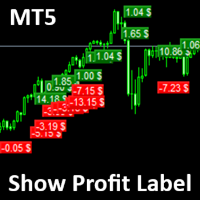
Show Label
Show your profit or loss next to the candle. This is a helpful tool if an EA don't have this feature build in. Support and questions via MQL5 product comments. For questions, updates, and to connect with other traders, join my official MQL5 group ForexEAandMore
Settings: Font color Background color for profits Background color for losses Font size Horizontal shift from candle (pixels) Vertical shift from candle high/low (pixels) Magic number filter (0 = all trades) Comment filter
FREE

Trade Assistant Risk Calculator is an all-in-one floating trading panel Expert Advisor for MetaTrader 5, built for professional manual traders. It combines visual chart trading , automatic risk calculation , and advanced position management in one compact interface. Stop calculating lot sizes manually. Stop guessing your Risk:Reward ratio. Drag the planning lines on the chart and the EA calculates the exact lot size for your selected risk percentage, equity, fixed-money risk, or fixed-lot workfl

The Draggable Candle Timer is a clean, minimal countdown to the next candle close. Fully customizable and freely draggable, it can be positioned anywhere on the chart without interfering with trading or analysis.
The timer uses the system clock, helping avoid the delays and irregular updates that can occur with candle timers based on the Market Watch clock. To reposition the timer, drag it using the upper-left anchor point.
Key Features Smooth, accurate system-time-based countdown Adjustable p
FREE

Position Size Companion – Interactive Risk & Lot Calculator for MT5
Position Size Companion is a professional, chart-based position sizing tool designed for traders who demand precision, speed, and visual clarity when managing risk. It is fully suitable for both Forex markets and synthetic instruments such as Volatility indices (e.g., V75), and similar symbols.
With this tool, traders can bid farewell to constantly using external or built-in GUIs that require manual input of entry and stop-l
FREE

ChartControl, hızlı manuel grafik gezintisi için hafif bir yardımcı göstergedir. Klavye kısayollarını kullanarak mevcut grafikte sembolü ve zaman dilimini (timeframe) değiştirmeyi sağlar — fare tıklaması olmadan hızlı piyasa taraması için idealdir. Bu ürün yalnızca EX5 (derlenmiş) olarak dağıtılır. Öne çıkan özellikler Market Watch listesini kullanarak hızlı sembol değiştirme Önceden tanımlı set ile hızlı timeframe değiştirme (M1…MN1) Minimum CPU kullanımı (hesaplama yok, çizim yok) Sembol/timef
FREE

Overview Simple Trade Panel EA is a clean, lightweight trade assistant designed for manual traders who want fast and visual order placement directly from the chart.
No more fiddling with order windows – place Market and Pending orders, adjust Stop Loss & Take Profit using draggable horizontal lines, and instantly see your risk/reward ratio, point distance, and dollar value.
The panel features a modern “dirty pastel” color scheme that perfectly fits light chart themes, and can be hidden with
FREE

İşleme girmeden önce riski planlayın ve kapanmış işlemleri doğrudan grafik üzerinde inceleyin. Edgemory Trader OS, MetaTrader 5 için ücretsiz ve çevrimdışı çalışan bir risk hesaplayıcı, pozisyon boyutu planlayıcı, işlem günlüğü ve CSV/JSON dışa aktarma aracıdır. Kayıt, token, DLL, WebRequest veya harici sunucu gerekmeden hemen çalışır.
Deterministik planlayıcı; hesap bakiyesi, risk yüzdesi, giriş, stop loss, take profit, tick boyutu ve değeri ile aracı kurumun lot sınırlarını kullanır. Sembole
FREE

AI Telegram Trade Signal Sender automatically sends every trade opened or closed on the chart straight to your own Telegram bot/channel, in real time, using MetaTrader 5's native WebRequest function. Key features: Listens to OnTradeTransaction and instantly detects every deal (open, close, partial close) on the account Sends a clean formatted message to your Telegram chat: symbol, type, volume, price, SL/TP, and profit on close Works with your own Telegram Bot Token and Chat ID - you stay in ful
FREE

A script for closing positions If you need to quickly close several positions, this script will make all the routine for you! The script does not have any input parameters. Allow AutoTrading before running the script. Usage:
Run the script on a chart. If you need to specify the maximal deviation and the number of attempts to close positions, use the script with input parameters https://www.mql5.com/en/market/product/625 You can download MetaTrader 4 version here: https://www.mql5.com/en/market/
FREE

DR Trade and Risk Manager: The Foundational Algorithmic Risk Console for MT5 For the discretionary trader, the greatest adversary is not the market; it is the undisciplined self. You have a solid strategy, but in moments of high pressure, do you follow your rules with perfect consistency? Do you cut losses without hesitation? Do you let winners run without cutting them short out of fear? For most, the answer is no. This gap between strategy and execution is where profits are lost. DR Trade and R

Native Spread Monitor basit bir soruya cevap verir: şu anda ödediğiniz spread günün bu saati için normal mi, yoksa fazla mı ödemek üzeresiniz? Ücretsiz spread araçlarının tamamı GÜNCEL spread'i gösterir. Hiçbiri bu saat için tipik olan değeri göstermez, çünkü MetaTrader 4 hiçbir zaman bar bazında spread geçmişini saklamadı. MetaTrader 5 bunu yapar ve bu gösterge de bu verileri kullanır.
NASIL KULLANILIR
1. Göstergeyi herhangi bir grafiğe sürükleyin. Sol alt köşede bir panel görünür (ayarlar ü
FREE

This is not an EA – it’s a simple and powerful MT5 indicator designed to help you manage trades quickly and easily. Key Features: TP1 Auto-Set – Fixed at 1RR TP2 Auto-Set – Set at 2RR Fast Lot Calculation – Calculates lot size based on SL in 1 second Quick Actions: Close All Trades Move to Breakeven Set TP at RR1 / RR2 User-Friendly – No complex setup, just attach to chart and start using Support:
Telegram – @inForexVIP
WhatsApp – +923118409597 MT4 Version Coming Soon
W
FREE

Introduction:
The RosMaFin Trading Panel is not just a standard order execution tool. It is a comprehensive, professional assistant designed for manual and price-action traders who want to save time, manage risk with mathematical precision, and maintain full market awareness. Say goodbye to manual lot size calculations and tedious Stop Loss adjustments. This panel streamlines your entire trading workflow from analysis to trade exit. KEY FEATURES & BENEFITS: Advanced Risk Management & Exec
FREE

Notifiche istantanee Slack. Imposta i livelli di prezzo direttamente sul grafico e ricevi un messaggio quando il prezzo li attraversa. Aggiungere un livello richiede solo un clic. Puoi trascinare la linea con il mouse per impostare con precisione il livello di prezzo desiderato. Pannello di controllo conveniente:
tutte le allerte attive sono visualizzate in una lista i livelli possono essere modificati trascinando la linea le allerte non necessarie possono essere eliminate con un clic o tutte i
FREE

SmartRecoveryEA Ultimate: Revolutionizing Forex Gold Trading with Intelligent Recovery and Risk Mastery Introduction: Elevate Your Gold Trading Game in the Volatile Forex Arena In the fast-paced world of Forex trading, particularly on the gold market (XAUUSD), where volatility reigns supreme and price swings can make or break fortunes in minutes, having a robust Expert Advisor (EA) is not just an advantage—it's a necessity. Enter SmartRecoveryEA Ultimate v1.0 , a cutting-edge MT5 EA meticulously
FREE
MetaTrader Mağazası, alım-satım robotları ve teknik göstergeler satmak için en iyi yerdir.
MetaTrader platformu için ilgi çekici bir tasarıma ve iyi bir açıklamaya sahip bir uygulama geliştirmeniz yeterlidir. Milyonlarca MetaTrader kullanıcısına sunmak için size ürününüzü Mağazada nasıl yayınlayacağınızı açıklayacağız.

Alım-satım fırsatlarını kaçırıyorsunuz:
- Ücretsiz alım-satım uygulamaları
- İşlem kopyalama için 8.000'den fazla sinyal
- Finansal piyasaları keşfetmek için ekonomik haberler
Kayıt
Giriş yap
Web sitesi politikasını ve kullanım şartlarını kabul edersiniz
Hesabınız yoksa, lütfen kaydolun