TimerStack
- Индикаторы
-
M Trihana Muslim
 I have been developing Expert Advisors and trading tools for more than 10 years. I build practical tools for disciplined trading: risk-based lot sizing, clean SL / TP management and clear market structure analysis. Simple to use, light on the terminal and regularly updated. Questions? Send me a
 - Версия: 1.2
- Обновлено: 30 октября 2026
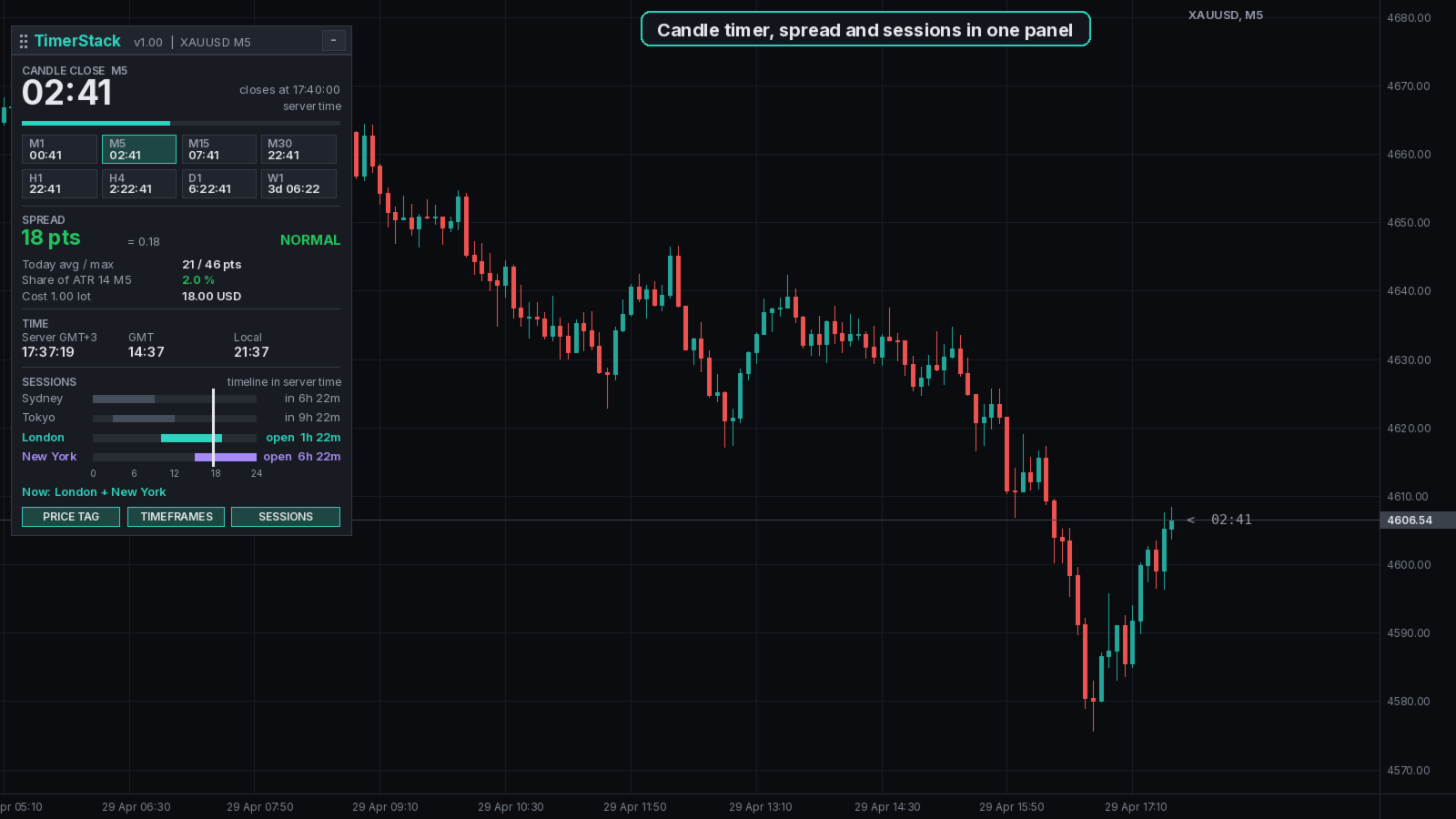
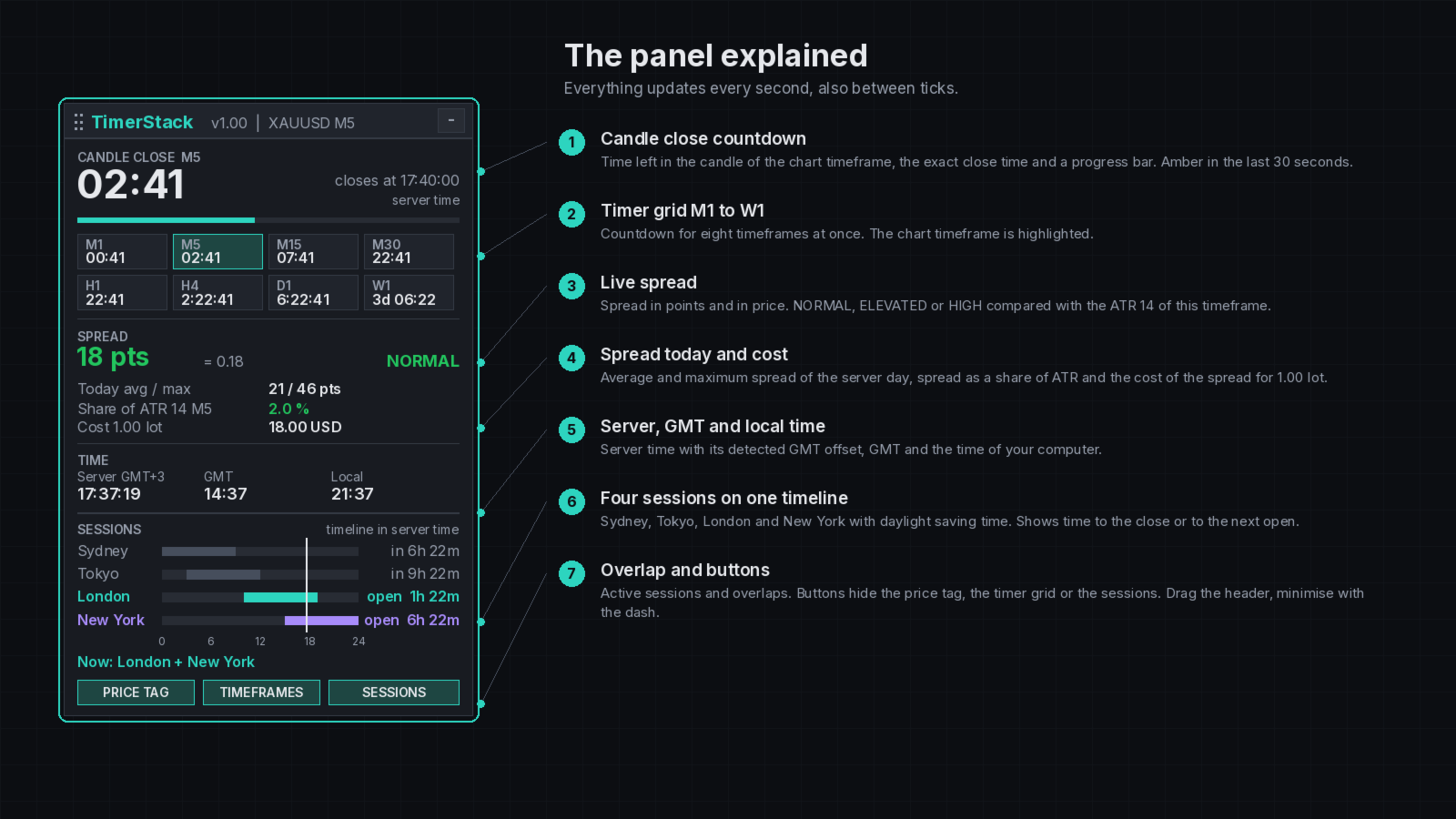
TimerStack is a small information panel for MetaTrader 5. It shows how much time is left in the current candle, how wide the spread is right now compared with normal market movement, and which trading sessions are open. It works on every symbol and timeframe, draws no signals and does not trade.
Everything updates every second, also when no new tick arrives, so the countdown keeps running in quiet markets.
Candle close countdown
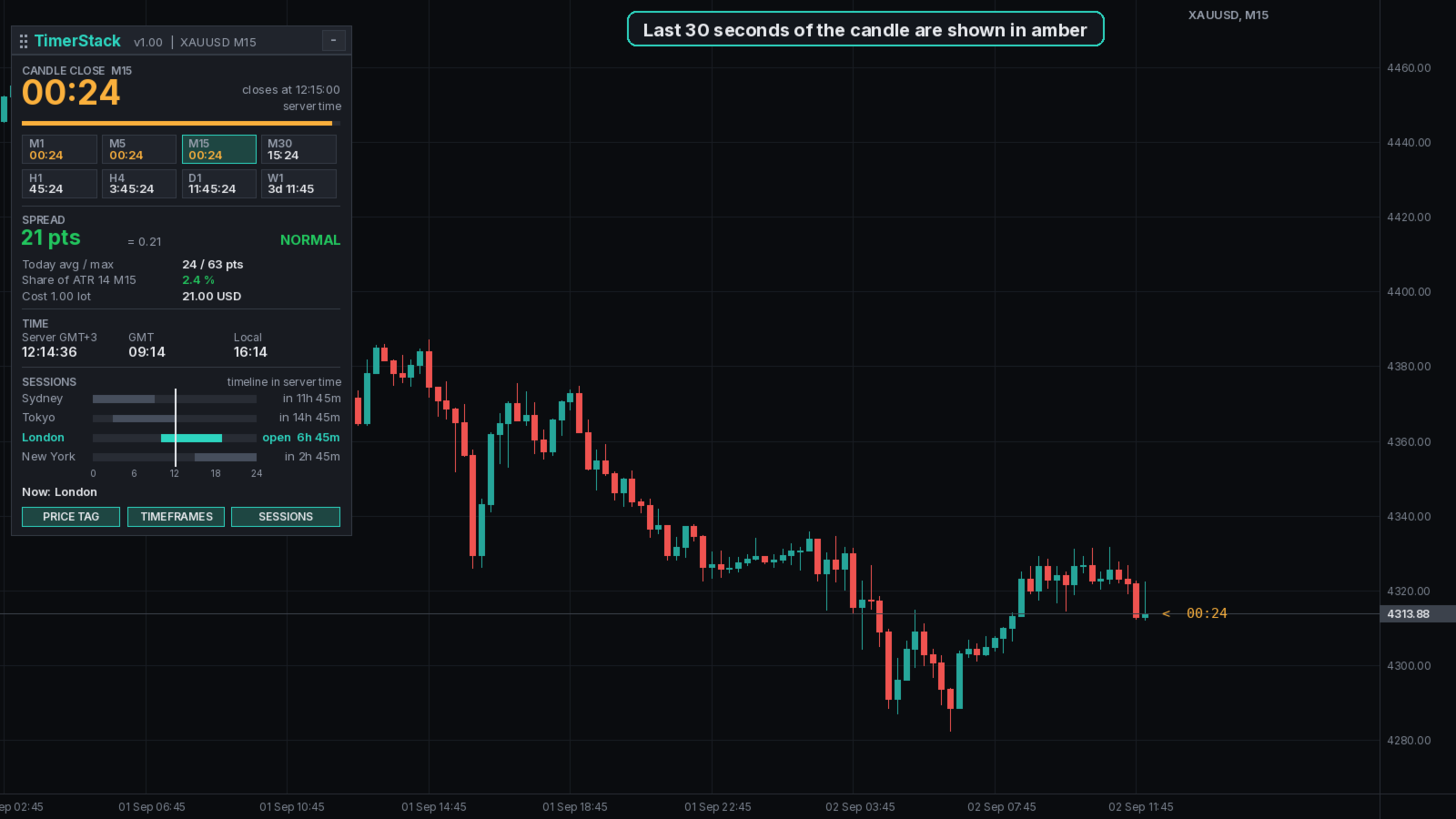
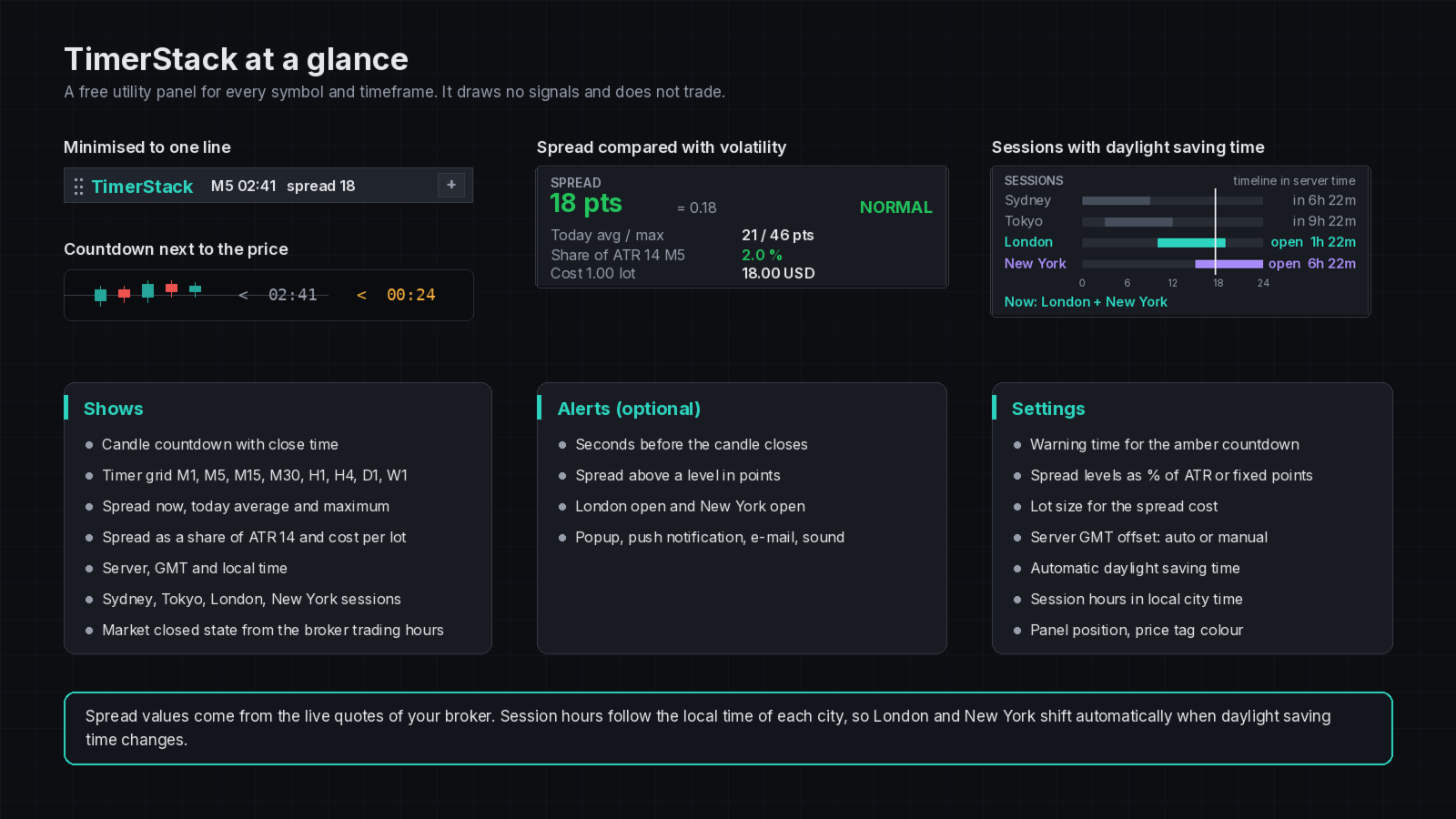
The large timer shows the time left in the candle of the chart timeframe, the exact close time in server time and a progress bar. In the last 30 seconds the timer turns amber, which helps when you wait for a candle to close before you act. A grid below shows the countdown for M1, M5, M15, M30, H1, H4, D1 and W1 at the same time, and the timer can also be shown next to the price on the chart.
Spread
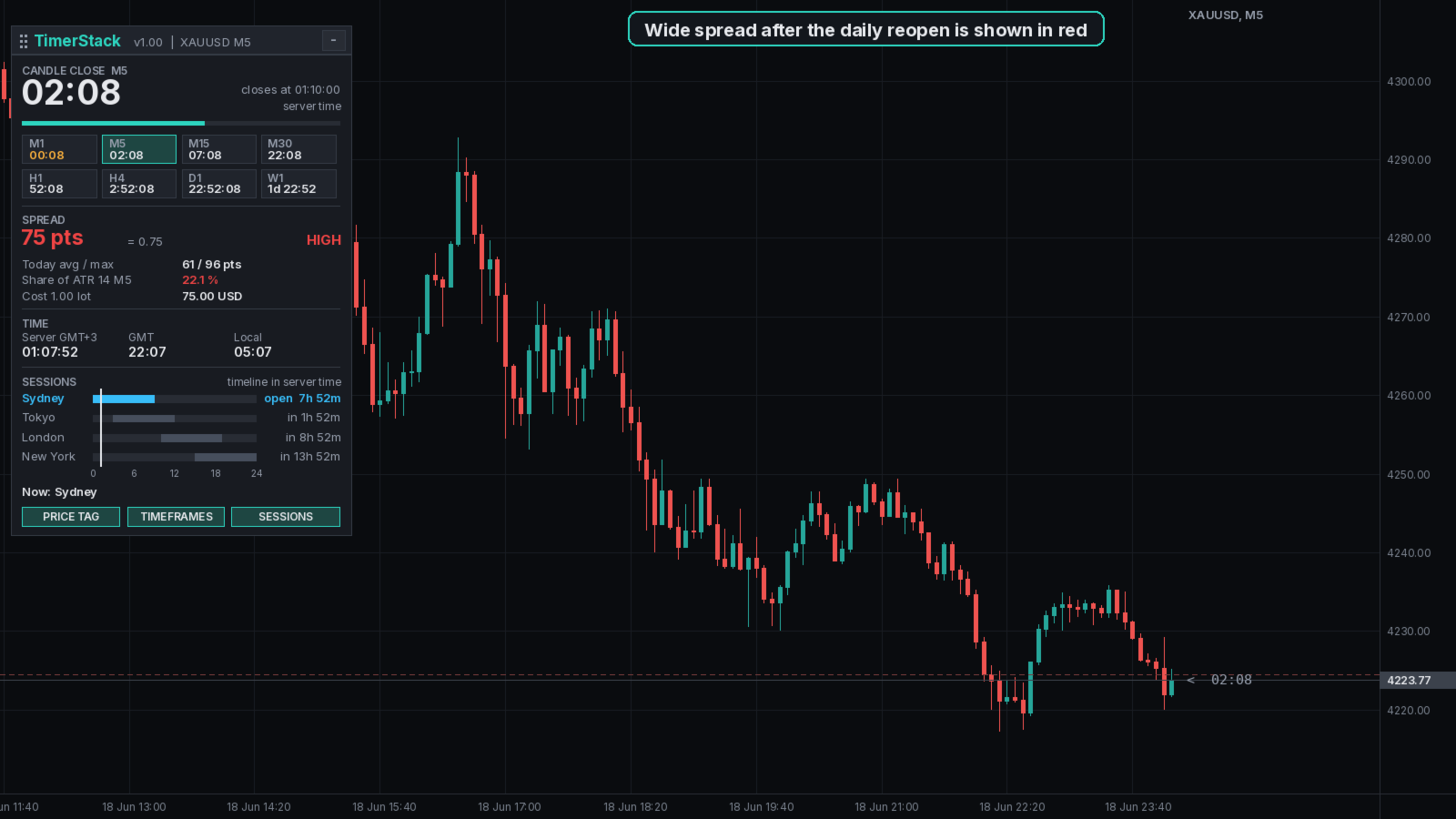
The spread is shown in points and in price. It is marked NORMAL, ELEVATED or HIGH by comparing it with the average true range (ATR 14) of the chart timeframe, so a spread that is fine on H1 can still be marked as high on M1. If you prefer, you can set a fixed level in points instead.
The panel also shows the average and maximum spread of the current server day, measured on the ticks received since the indicator started, the spread as a share of ATR and the cost of the current spread for a lot size you choose (1.00 lot by default).
Time and sessions
Server time with its GMT offset, GMT and the local time of your computer are shown side by side. The server offset is detected automatically or can be set in the inputs.
Sydney, Tokyo, London and New York are drawn on one 24 hour timeline in server time with a marker for the current time. Each session shows the time until it closes or until it opens next, and the panel names the sessions that are open now, including overlaps such as London and New York. Session hours are set in the local time of each city and daylight saving time is applied automatically, so the sessions move correctly in March, April, October and November.
Market closed
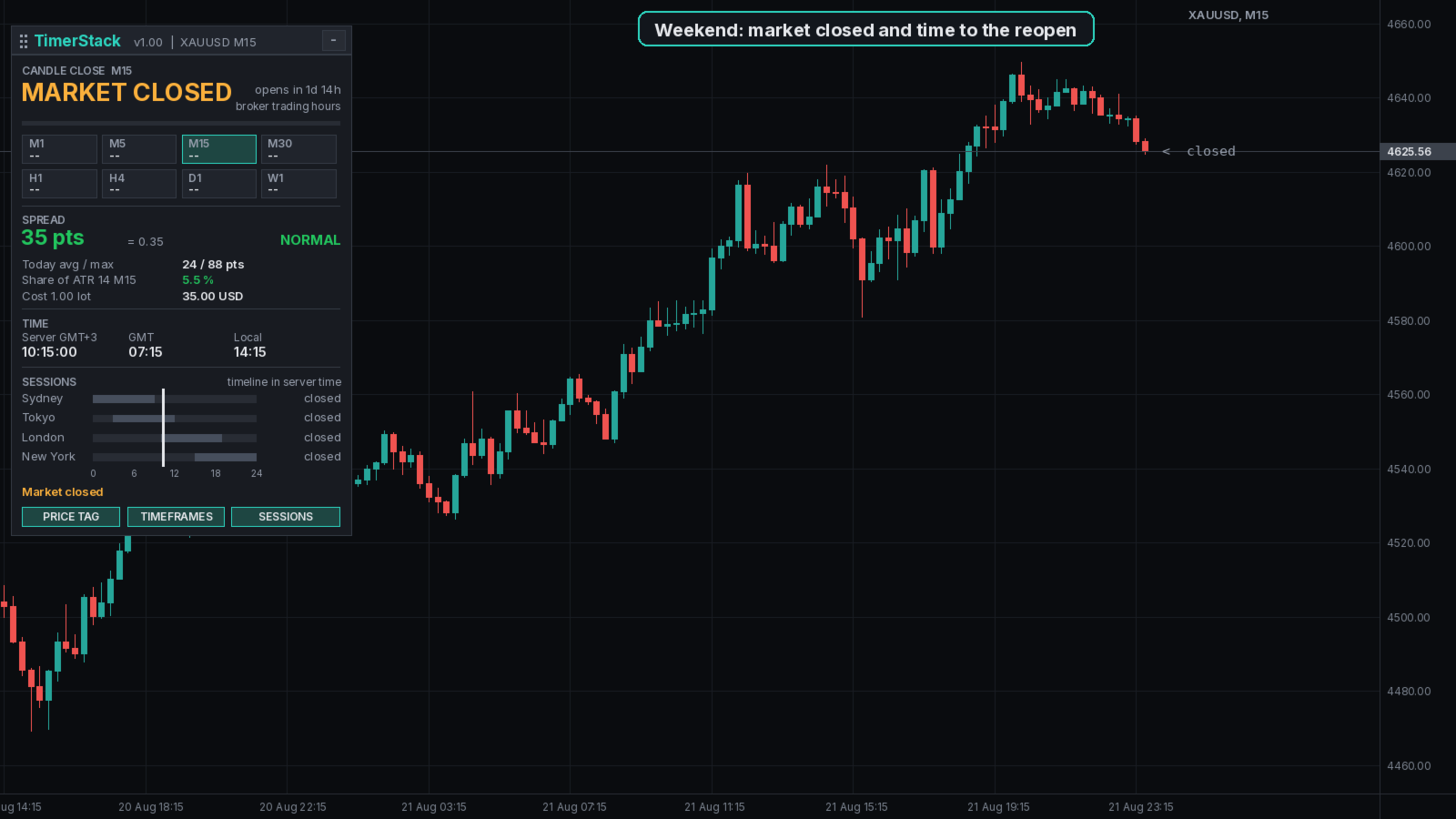
TimerStack reads the trading hours of the symbol from your broker. Outside these hours, for example at the weekend or in the daily break of gold, the panel shows MARKET CLOSED and the time until trading opens again instead of a countdown that cannot be reached.
Panel and alerts
Drag the header to move the panel or minimise it to one line that still shows the countdown and the spread. The position is remembered per chart. Buttons switch the price tag, the timeframe grid and the sessions on or off.
Optional alerts can be sent a set number of seconds before the candle closes, when the spread rises above a level in points, and when London or New York opens. Alerts can be a popup, a push notification to the MetaTrader mobile app, an e-mail or a sound.
Notes
A new candle starts with the first tick after the close time, so in very quiet markets the new bar can appear a few seconds later. The W1 timer counts down to the start of the next weekly bar. In the Strategy Tester the terminal uses server time as GMT, so set the server GMT offset in the inputs there if you want the sessions to be placed correctly.
Feedback and the Stack series
If TimerStack is useful in your trading, please take a moment to rate it and leave a short review on this page. Honest feedback, positive or critical, helps other traders decide and shows me what to improve in the next version. Questions and ideas for new features are welcome in the Comments tab, and I read every message.
TimerStack is part of the Stack series, a set of MetaTrader 5 tools built with the same clean design: trade panels, signal indicators and dashboards. To see the other tools in the series, open my seller profile by clicking my name at the top of this page.