Pivot retest EA
- Эксперты
- Версия: 1.9
- Активации: 5

Daily Pivot Price Action EA for MetaTrader 5
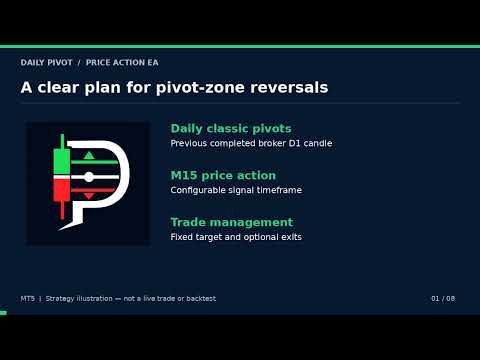
Daily Pivot Price Action EA automates reversal trading around daily support and resistance zones. It combines classic pivot points with completed candlestick formations to identify buy and sell opportunities.
The default setup uses M15 entries, a 1:5 risk-to-reward target, and a trailing stop. The signal timeframe, position size, entry filters, and trade management settings are adjustable.
How the strategy works
The EA calculates the central pivot and R1–R3/S1–S3 levels from the previous completed daily candle, using your broker’s daily session.
-
Sell zone: from the midpoint between R1 and R2 up to R3.
-
Buy zone: from S3 up to the midpoint between S1 and S2.
-
Entry confirmation: a hammer, shooting star, engulfing formation, or three-candle morning/evening-star formation.
-
Rejection confirmation: enabled by default. The latest candle must close back toward the outside of the zone, allowing the configured tolerance.
-
Entry timing: evaluates closed candles and sends an order during the opening of the next signal candle.
-
Stop loss: uses the candle formation, the outer zone boundary, or whichever produces the wider stop.
-
Take profit: uses a configurable multiple of the initial stop distance. The default target is five times the risk distance.
Main features and advantages
-
Automatic pivot calculations: daily levels update when a new broker daily candle begins.
-
Clear chart display: shows the central pivot, support and resistance levels, and trading zones.
-
Price action confirmation: requires a recognised candle formation instead of entering simply because price reaches a zone.
-
Adjustable signal timeframe: M15 is the default, with other timeframes selectable.
-
Volatility-based settings: ATR adjusts touch tolerance, overshoot limits, formation size, and stop distances.
-
Flexible position sizing: choose fixed lots or an estimated percentage of account equity at risk.
-
Trailing stop: can move the stop as a profitable trade advances.
-
Optional break-even: can move the stop to entry or beyond it after a chosen profit threshold.
-
Optional partial profit-taking: can close part of a position while leaving the remainder running, subject to account and volume restrictions.
-
Optional time exit: can close a position after a specified holding period.
-
Entry controls: includes spread limits, a daily entry cap, and a limit on concurrent EA positions and orders.
Understanding R
R means the initial distance between entry and stop loss. For example, if the initial stop distance is 100 points, 1R is 100 points and the default 5R target is 500 points.
With the default trailing settings, trailing begins at 4R profit and keeps the stop approximately 1R behind the current exit price.
Input parameters — timeframe and direction
-
InpSignalTF — default: M15. Timeframe used for candlestick signals and ATR calculations.
-
InpTradeShorts — default: true. Enable sell setups in the upper pivot zone.
-
InpTradeLongs — default: true. Enable buy setups in the lower pivot zone.
-
InpDrawLevels — default: true. Display pivot lines and trading zones.
Input parameters — price action formations
-
InpUsePinBars — default: true. Enable hammer and shooting-star formations.
-
InpUseEngulfing — default: true. Enable bullish and bearish engulfing formations.
-
InpUseStars — default: true. Enable three-candle morning and evening-star formations.
-
InpRequireRejClose — default: true. Require the latest closed candle to reject the zone toward the central pivot, allowing the touch tolerance.
-
InpTouchTolATR — default: 0.10. Zone-touch and rejection-close tolerance as an ATR multiple.
-
InpMaxOvershootATR — default: 0.50. Maximum formation overshoot beyond R3 or S3 as an ATR multiple.
-
InpMinPatternATR — default: 0.30. Minimum total formation range as an ATR multiple.
-
InpPinWickBodyRatio — default: 2.0. Minimum rejection-wick length relative to the pin-bar body.
-
InpPinCloseFrac — default: 0.65. Required pin-bar close location. A bullish pin must close in the upper 35% of its range; a bearish pin must close in the lower 35%.
-
InpStarMiddleRatio — default: 0.50. Maximum middle-candle body size relative to the first candle’s body.
Input parameters — risk and reward
-
InpStopReference — default: STOP_WIDER. Choose a stop beyond the formation, beyond R3/S3, or beyond whichever is farther from entry.
-
InpRewardRisk — default: 5.0. Take-profit distance as a multiple of the initial stop distance.
-
InpStopBufferATR — default: 0.20. Additional buffer beyond the stop reference as an ATR multiple.
-
InpMinStopATR — default: 1.00. Minimum stop distance from entry as an ATR multiple.
-
InpSizing — default: SIZE_FIXED. Choose fixed-lot sizing or percentage-of-equity risk sizing.
-
InpRiskPercent — default: 1.0. Estimated equity percentage risked per trade when percentage sizing is selected.
-
InpFixedLots — default: 0.01. Requested position size in fixed-lot mode, adjusted to broker volume limits.
Input parameters — break-even and trailing
-
InpUseBreakEven — default: false. Enable automatic break-even stop management.
-
InpBE_TriggerR — default: 1.0. Profit threshold in R at which break-even becomes active.
-
InpBE_OffsetR — default: 0.1. Distance beyond entry, measured in R, for the break-even stop.
-
InpUseTrailing — default: true. Enable the trailing stop.
-
InpTrail_TriggerR — default: 4.0. Profit threshold in R at which trailing begins.
-
InpTrail_DistanceR — default: 1.0. Trailing distance behind the current exit price, measured in R.
-
InpTrail_StepR — default: 0.2. Minimum stop improvement before an update. This threshold also applies to break-even updates.
Input parameters — partial close and holding time
-
InpUsePartialClose — default: false. Enable partial position closing.
-
InpPartialAtR — default: 2.0. Profit threshold in R for a partial close.
-
InpPartialPercent — default: 50.0. Percentage of the current position requested for partial closing.
-
InpMaxHoldDays — default: 0. Maximum holding duration in 24-hour days. Set to 0 to disable the time exit.
Input parameters — filters and execution
-
InpATRPeriod — default: 14. ATR calculation period on the selected signal timeframe.
-
InpMaxSpreadATR — default: 0.60. Maximum spread as an ATR multiple. Set to 0 to disable.
-
InpMaxSpreadPoints — default: 0. Maximum spread in broker points. A value of 0 disables this filter.
-
InpMaxTradesPerDay — default: 0. Maximum EA entries per broker day. A value of 0 disables the daily cap.
-
InpMaxOpenPositions — default: 1. Maximum combined number of this EA’s positions and pending orders on the attached symbol.
-
InpOneTradePerZone — default: true. Allow one entry per direction/zone each broker day.
-
InpMaxEntryDelaySec — default: 60. Maximum permitted entry-evaluation delay after a new signal candle opens.
-
InpMagic — default: 26101120. Identifier used to recognise this EA’s trades.
-
InpDeviationPoints — default: 20. Requested execution deviation in broker points, subject to broker execution rules.
Setup and operating notes
Attach the EA to the symbol you want to trade and enable Algo Trading. Each instance trades its attached chart symbol.
The take-profit target is based on the selected reward-to-risk multiple. The central pivot is displayed but is not the take-profit target.
Daily entry counters and partial-close tracking reset when the EA is restarted. Avoid mixing strategies on the same symbol in a netting account.
Test the selected settings in the Strategy Tester and on a demo account before live use. Risk sizing excludes commissions, swaps, slippage, and price gaps. Trading results are not guaranteed.