AI Quant System EA
- Утилиты
-
Deepak
 Добро пожаловать в Deepak Fx Trader. Я видел множество людей, которые приходят в мир трейдинга с большими мечтами, но теряются без четкого пути или правильного технического руководства. Я создаю передовые советники (Expert Advisors), индикаторы и торговые утилиты, чтобы дать вам именно это
 - Версия: 52.0
- Активации: 20
AI QUANT SYSTEM EA — Institutional Neural Engine (v52.0) Fully Automatic Trading EA
The AI Quant System EA is a next-generation, high-frequency quantitative trading system powered by a state-of-the-art Deep Neural Network. Acting as a true "Artificial Brain," the system continuously monitors global market sentiment, analyzes complex data, and takes independent, calculated decisions to execute trades entirely on its own. Operating in a seamless dual-mode, the EA functions as a fully autonomous trading machine while also giving you the power to issue instant manual commands through a revolutionary on-chart Chat Box.
Self-Learning AI & Universal Pair Compatibility This EA is not just a static algorithm; it is built on highly advanced Self-Learning AI technology. Its Neural Core deeply analyzes live market data and its own past trades, allowing it to dynamically learn from its mistakes and continuously enhance and optimize its trading logic day by day. Over time, its decision-making process becomes increasingly accurate and robustly established. The most remarkable feature is that this system is not restricted to any specific market—it performs flawlessly across all Forex currency pairs, commodities, and assets. The AI autonomously understands the unique volatility and market behavior of each individual pair and adapts its execution strategy instantly.We are Provided With Authorized Master Open AI API Keys FREE... for EA WORKING (Only for Purchase)
To activate the system, enter either of the verified Real Open AI API Keys provided below into the configuration panel:
AI API KEY 1: qxIQP4ixxk6EDc8LeCdc20eG4prQ1VNIEBqA
AI API KEY 2: k6EDc8LP4IEBeixxG4pi0njCzSqxIQqRPNeA
Core Architecture & Advanced Features
1. Autonomous Neural Brain & Dual Execution Mode
Unlike standard bots, this EA possesses its own analytical "Brain." It continuously tracks live market sentiments, institutional liquidity shifts, and price action vectors to autonomously execute, manage, and recover trades. While it acts completely on its own, the dual-execution framework allows you to instantly interact with it and override decisions via the integrated Chat Box.
2. Interactive Neural Thought Core (Hybrid Mode)
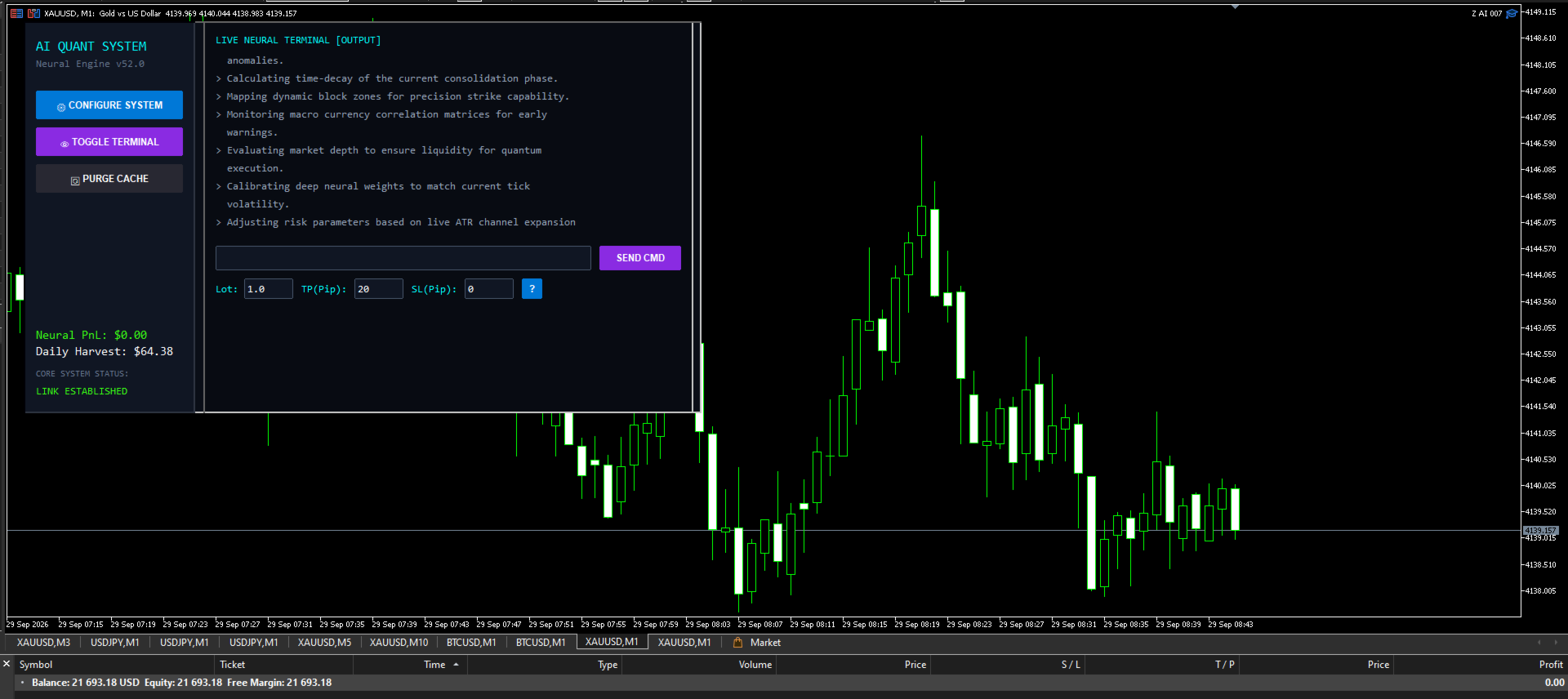
The embedded live neural output terminal within the system continuously displays the AI's internal thought process:
-
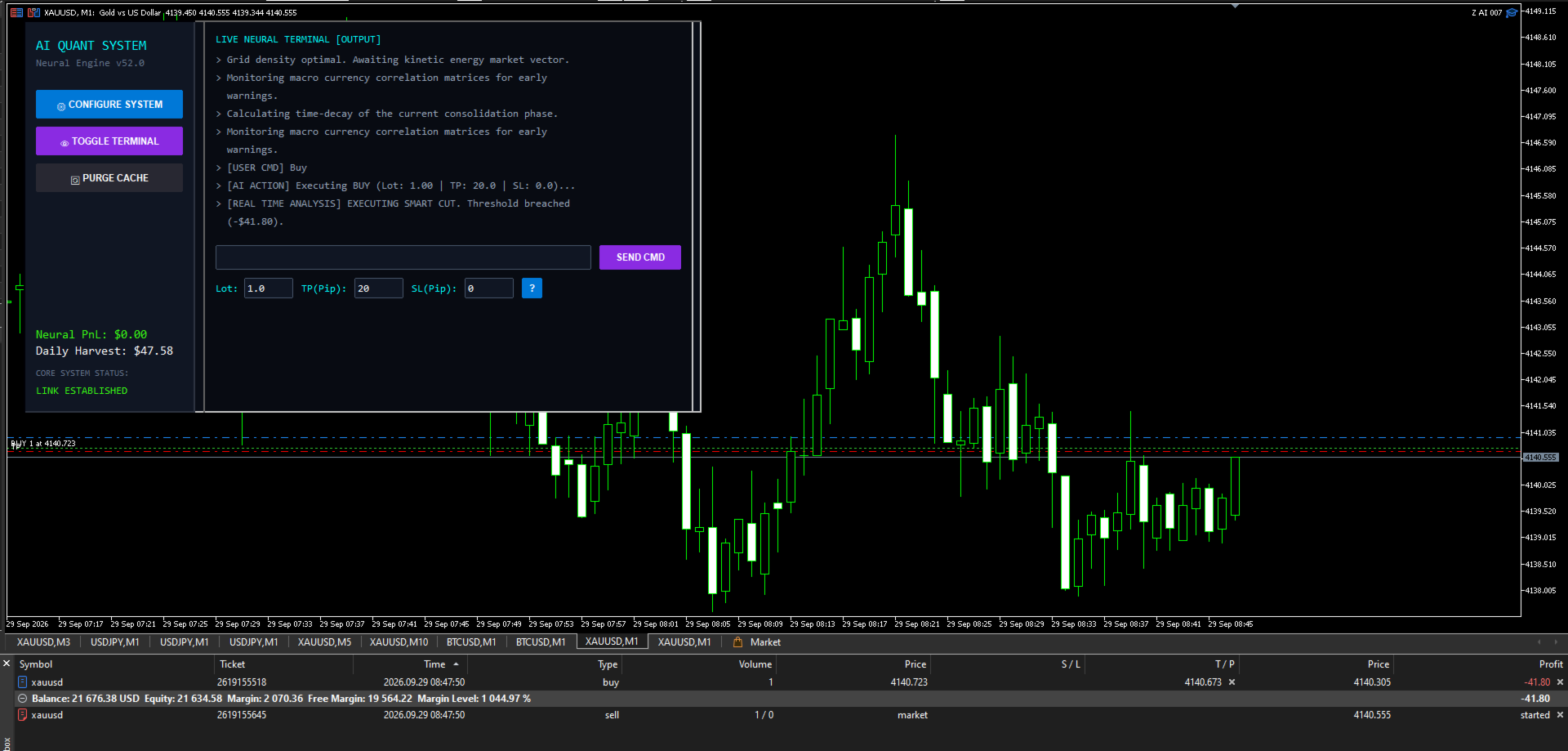
[REAL TIME ANALYSIS]: Real calculations of support/resistance swing high-lows, exact floating drawdown limits, and quantum zone recovery plans are dynamically displayed in the terminal.
-
Smart Auto Word-Wrap: Lengthy technical analysis is displayed in a clean, multi-line flow within the terminal format without any word truncation.
3. Natural Language Command Center (Interactive Chat)
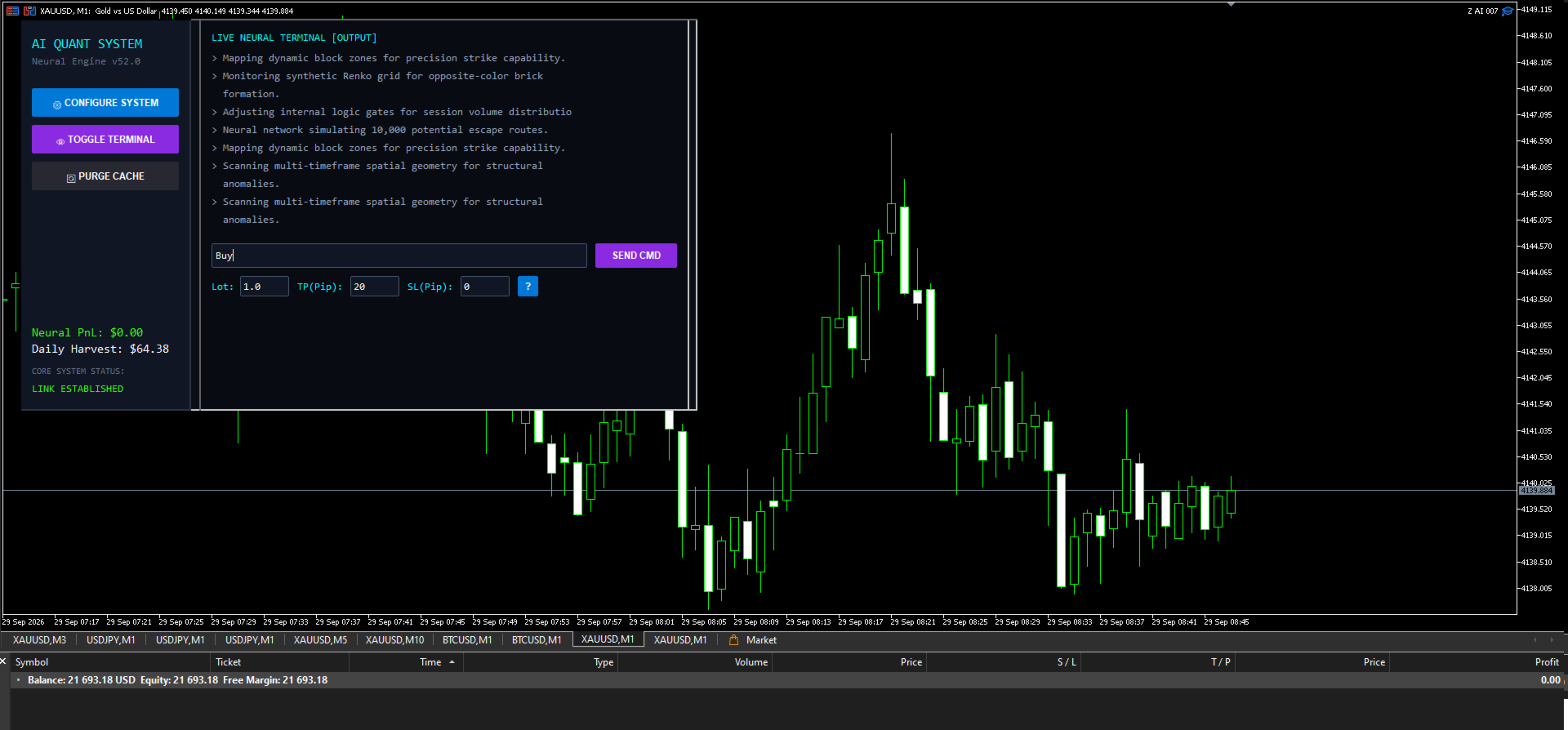
An integrated chat console is located directly below the terminal on the chart panel, allowing traders to instruct the system via plain English conversational commands:
-
Manual Lot, TP & SL Manager: Complete freedom to define volume (lots), Take Profit (Pips), and Stop Loss (Pips) directly from the panel before executing a trade.
-
Smart Commands:
-
Buy / Long — Instant market entry with the desired lot, SL, and TP limits.
-
Sell / Short — Bearish execution with exact custom parameters.
-
Partial / Half — Automatically closes exactly 50% volume of active trades at a safe break-even profit.
-
Close / Close All — Immediately liquidates all open positions and purges the pending matrix.
-
4. Auto-Purge Orphan Order Shield (OnTrade Event)
Whenever the primary basket or any trade exits via Take Profit, Stop Loss, or a manual command, the system automatically scans and permanently deletes all hanging defensive orders (Buy Stop/Sell Stop) on the chart within milliseconds. This ensures zero unattended market risk.
5. Spatial Scan Depth & Synthetic Renko Engine
Replacing traditional time-dependent lagging indicators, this EA operates purely on tick-level synthetic blocks:
-
Absolute Currency Blocks & ATR Dynamics: Eliminates false breakouts and filters volatility.
-
ZigZag Spatial Analysis: Tracks neural reversals at high-probability structural inflection points.
6. Full Web UI Settings & In-Built Glossary
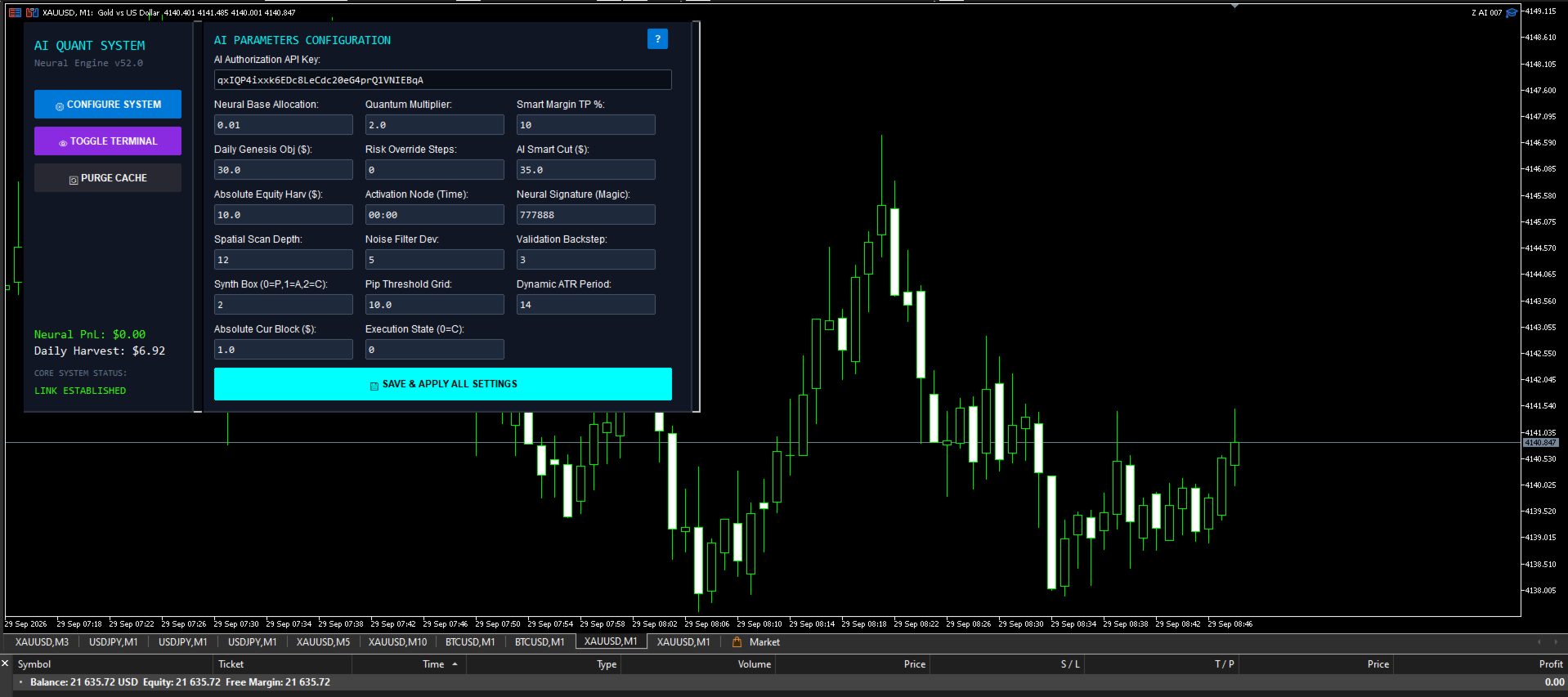
All parameters are adjusted within the on-chart futuristic HUD and auto-saved to CSV storage, bypassing the standard F7 input menu entirely. To understand the original meaning of any advanced setting, a "?" (Glossary) button is integrated into both the configuration panel and the chat console.
Quick Setup Guide
-
Open the MetaTrader 5 terminal, compile AI Quant System.mq5, and attach it to the desired chart.
-
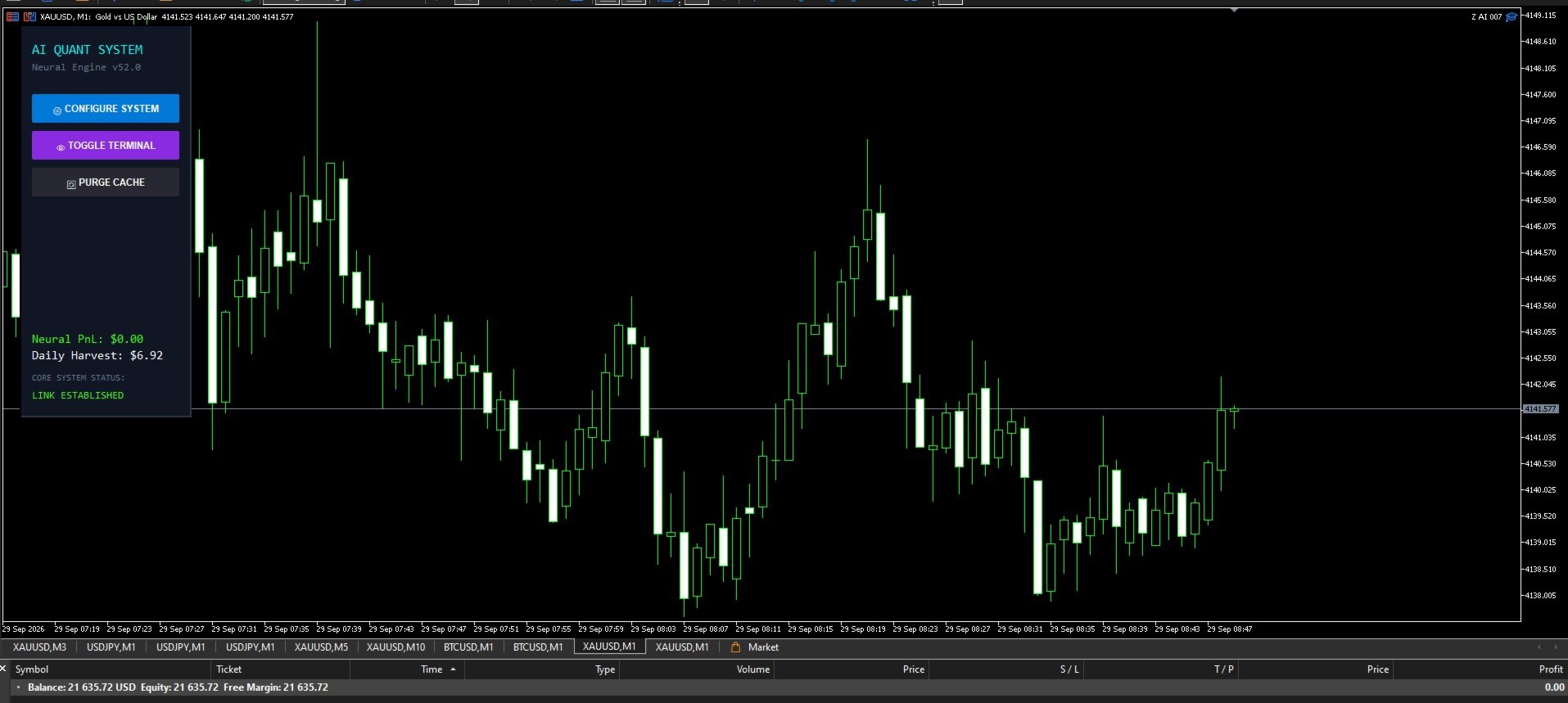
Click on the CONFIGURE SYSTEM button on the main dashboard.
-
Paste either of the API Keys provided above into the top authorization input field.
-
Press SAVE & APPLY ALL SETTINGS.
-
The system status will change to LINK ESTABLISHED (Green), and the Neural Terminal will go live.
Developer Note: This tool is highly optimized for the advanced processing capabilities of MetaTrader 5. Its mathematical engine is non-blocking, ensuring it never slows down your chart during calculations.
(Note for buyers: To see live working examples, complete trading strategies, and setups for this indicator, search and subscribe on YouTube: Deepak Fx Trader)
Author: DeepakFxTrader More Products: DeepakFxTrader MQL5 Portfolio