Fast Trade Assistant
- Утилиты
- Версия: 1.0
- Активации: 5

Fast Trade Assistant Panel
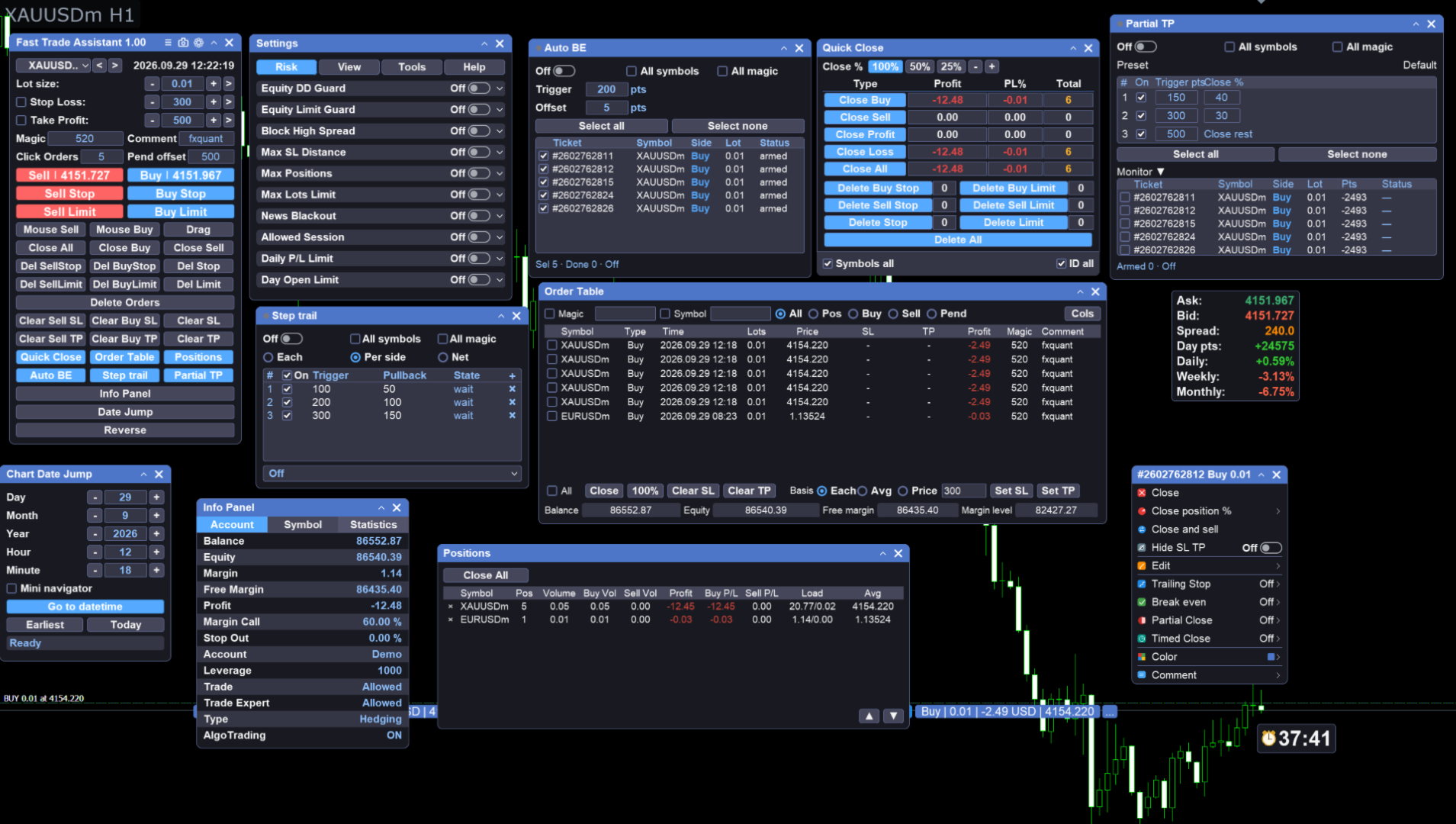
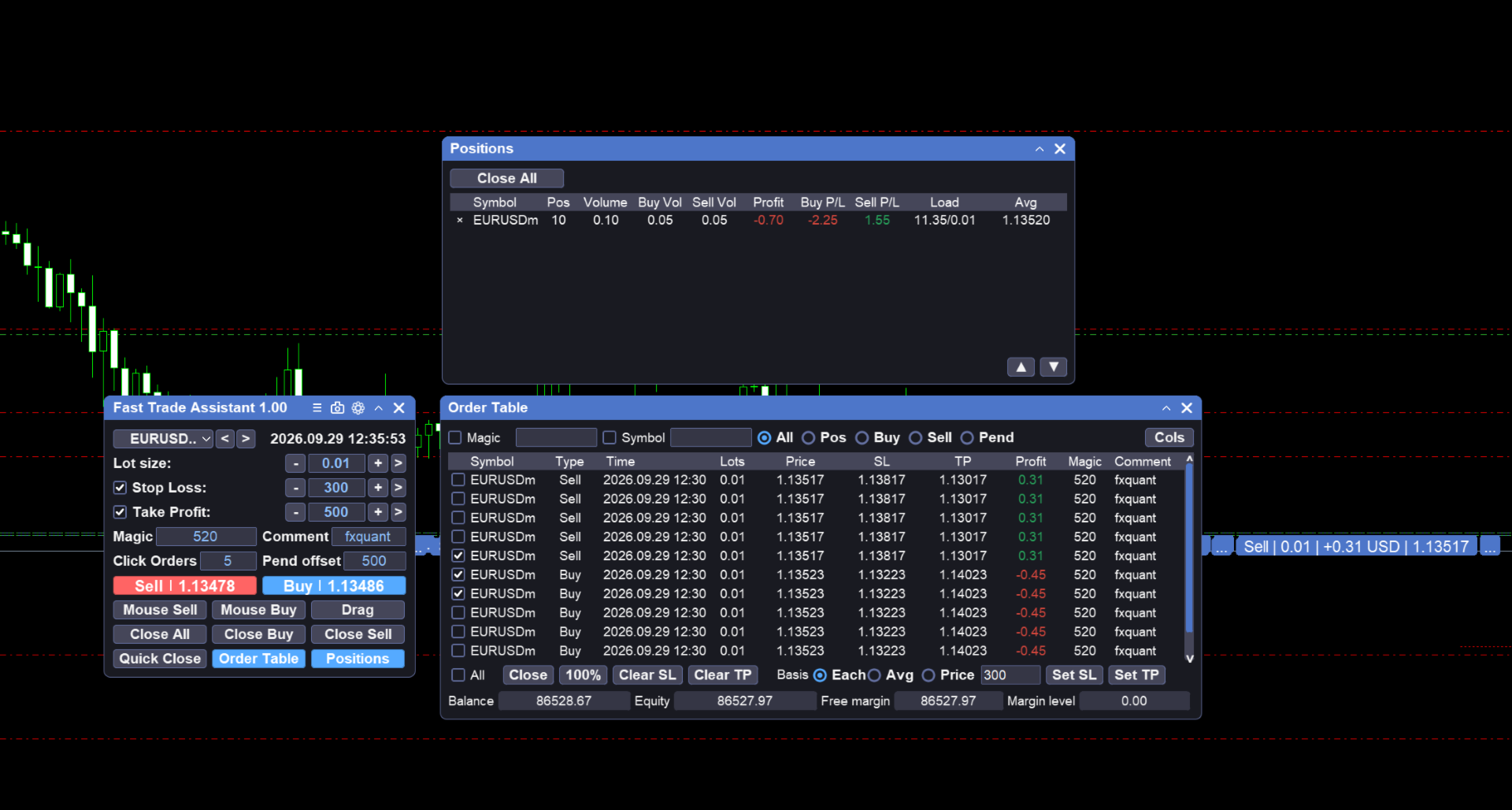
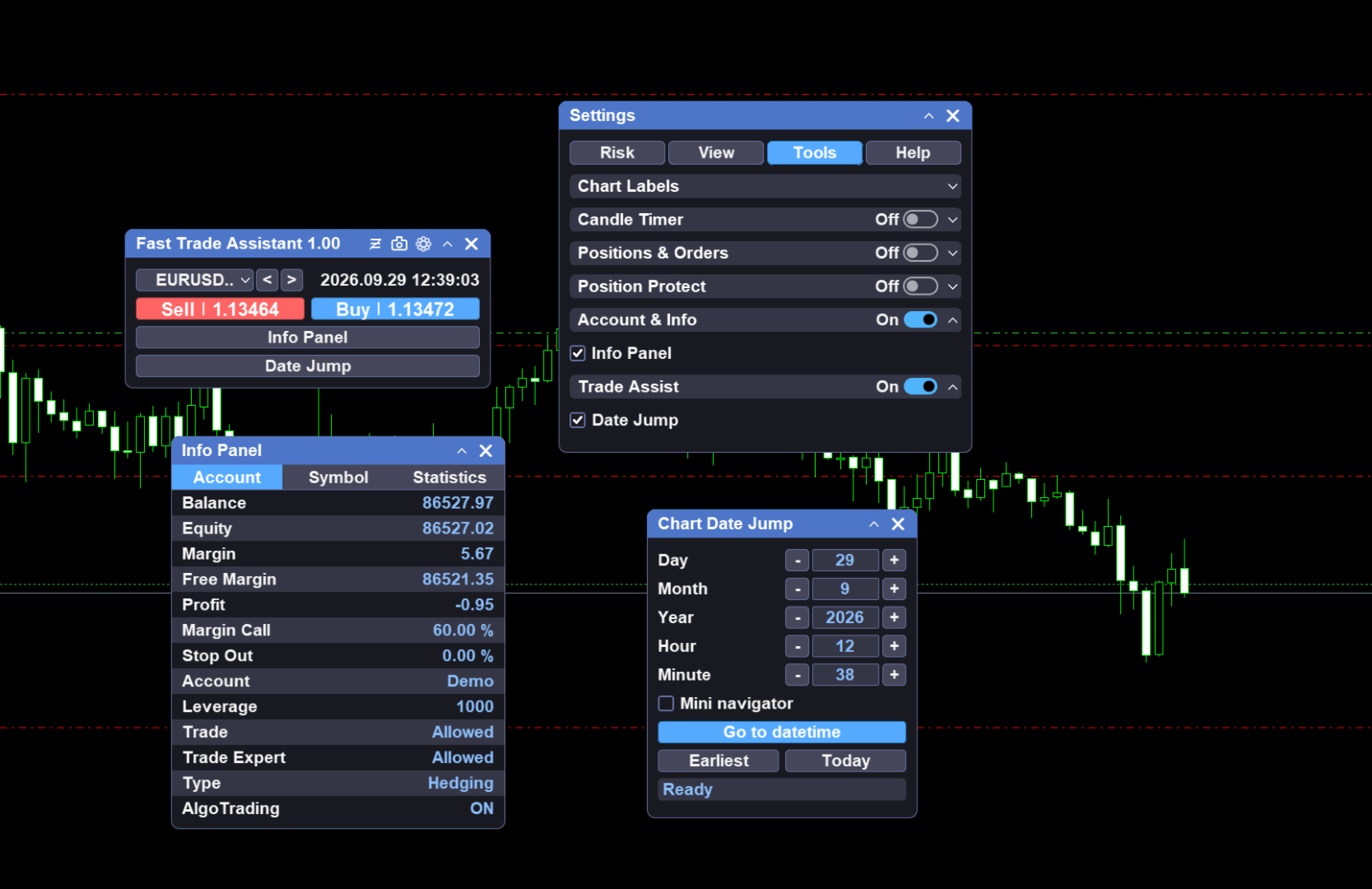
Fast Trade Assistant Panel is an on-chart trading utility for MetaTrader 5. Market orders, pending orders, risk-based lot sizing, selective close, break-even, step take-profit, and chart helpers live on the chart. Configure from the main panel and the Settings window — no EA Inputs setup is required to start trading.
Execution
-
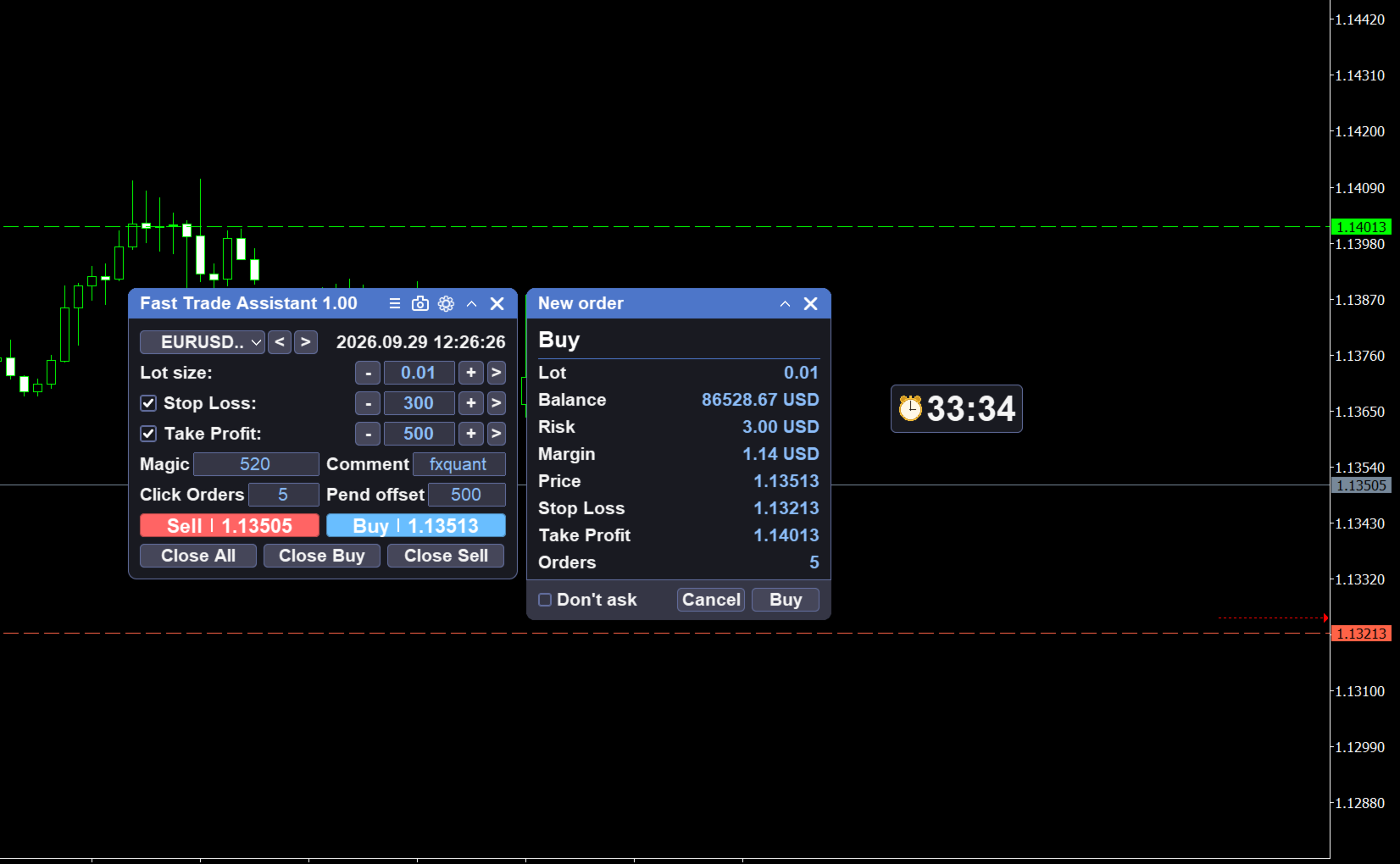
Market Buy / Sell with lot size and optional Stop Loss / Take Profit on the panel
-
Hover Buy or Sell to preview dashed SL/TP lines and a panel status line (SL / TP / Lot)
-
Optional hotkeys for buy, sell, close, and delete (turn on in Settings)
-
Alert when a market open fails because of invalid panel values
-
Magic number and current symbol only filters in Settings / panel
-
Optional fast async mode for mass-close requests (Settings)
Risk and lot sizing
-
Panel size field: Fixed lot, Risk % of balance, or Risk money
-
Switch the mode in Settings; edit the value on the main panel
-
Risk % and Risk money need Stop Loss enabled on the panel
Panel layout
-
In Settings, show or hide main-panel buttons and tool entries
-
Keep only the controls you use so the panel stays compact
Risk controls
-
Open Settings → Risk for trading guards (lot limits, daily limits, drawdown, spread, news / session related limits, and similar rules on the Risk page)
-
Separate from lot-box risk %: lot box sizes the new order; Risk page guards the account and trading environment
Pending orders
-
Types: Sell Limit, Sell Stop, Buy Limit, Buy Stop
-
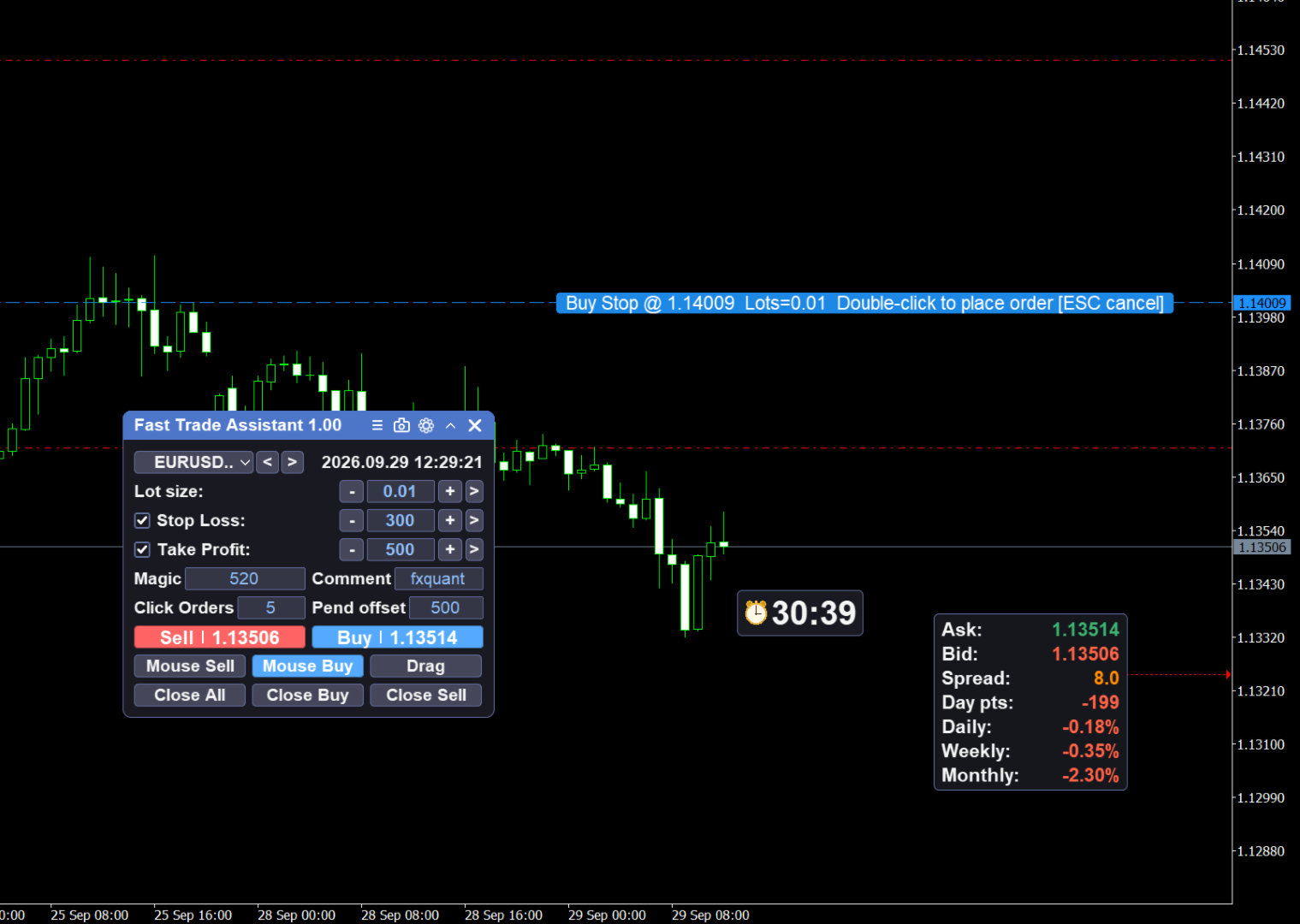
Mouse pending: select a type, follow the price line, double-click the chart to place; Esc cancels
-
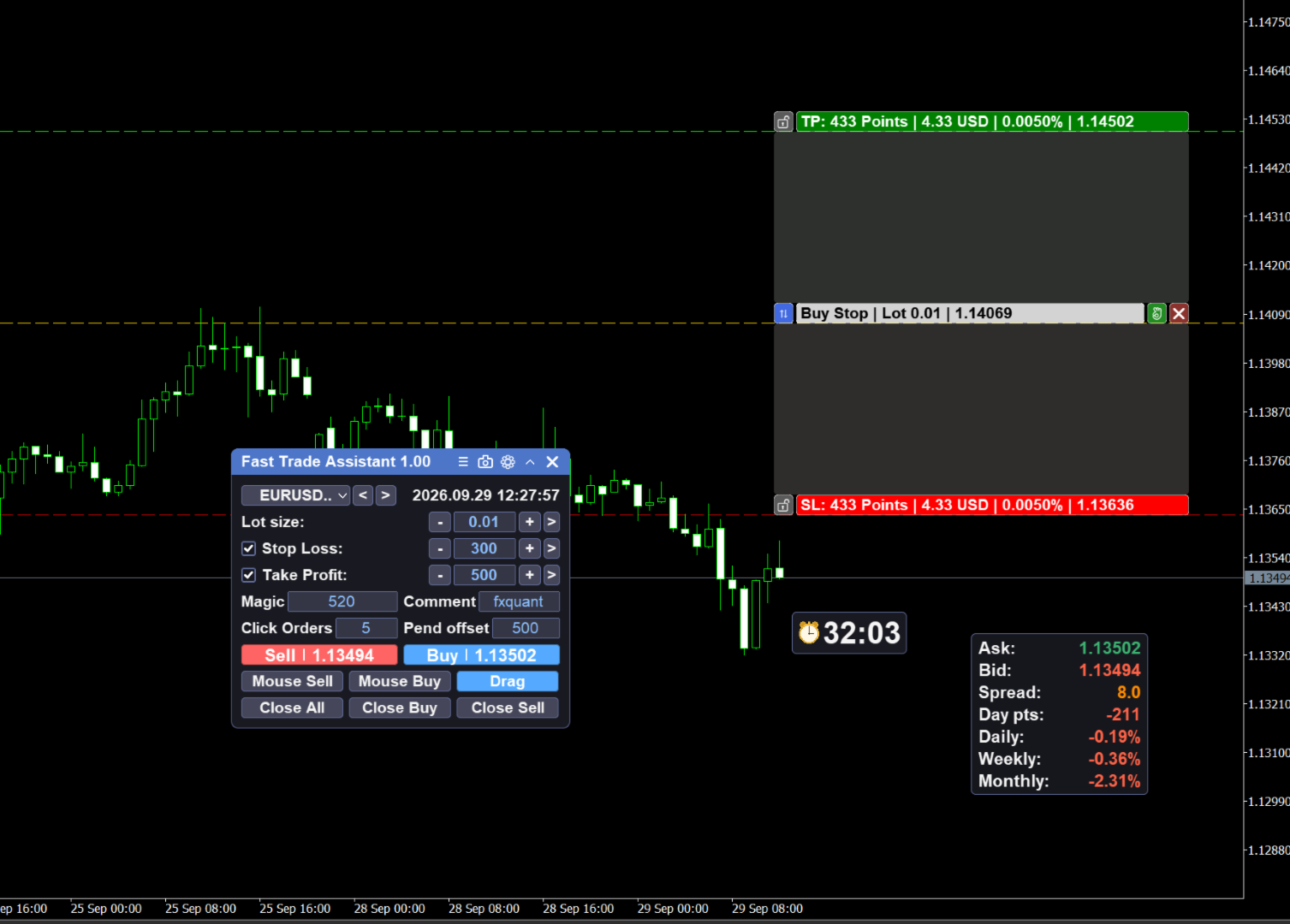
Drag Pending: drag Entry / SL / TP bars, confirm to place; lot follows the main panel lot box; Esc closes the tool
Close tools
-
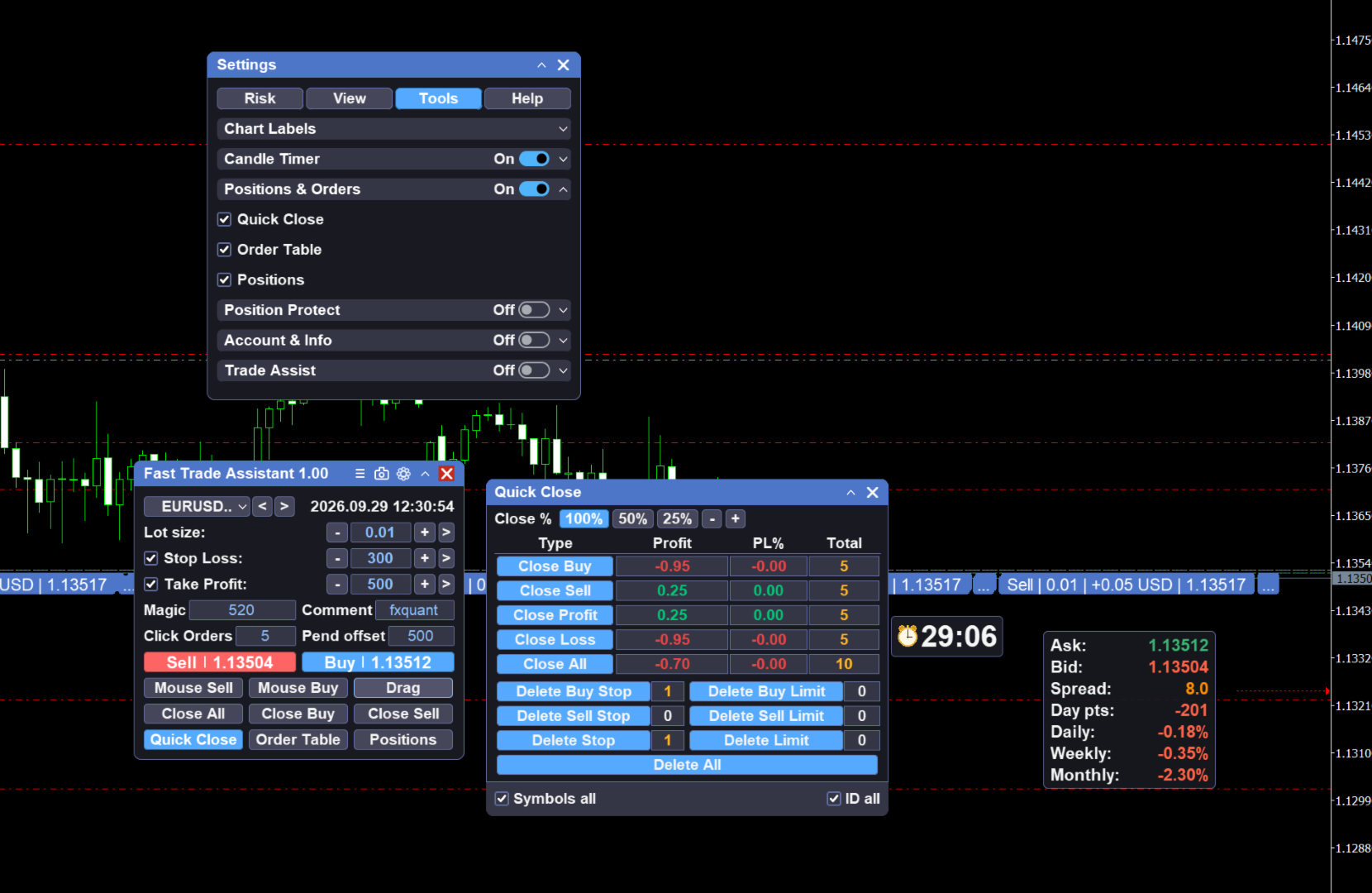
Close all positions and delete all pending orders from the main panel
-
One Key Close window: close by profit / loss / buy / sell (and combinations), clear positions, delete pendings
Position protect
-
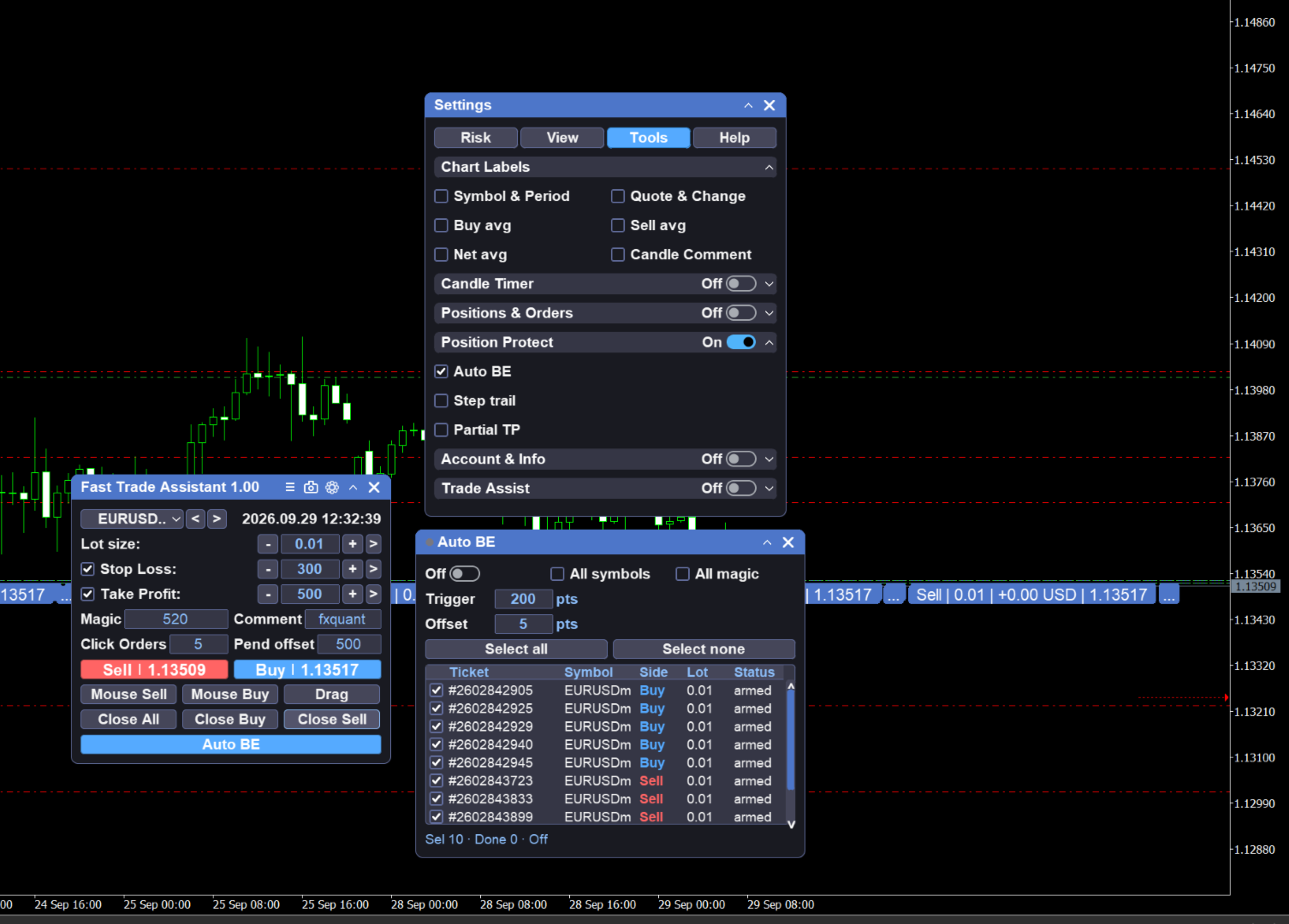
Break even: open from the main Break even button; when floating profit reaches the trigger, move stop loss to protect capital; symbol / magic filters on the panel; title lamp and main-button state show when the engine is on
-
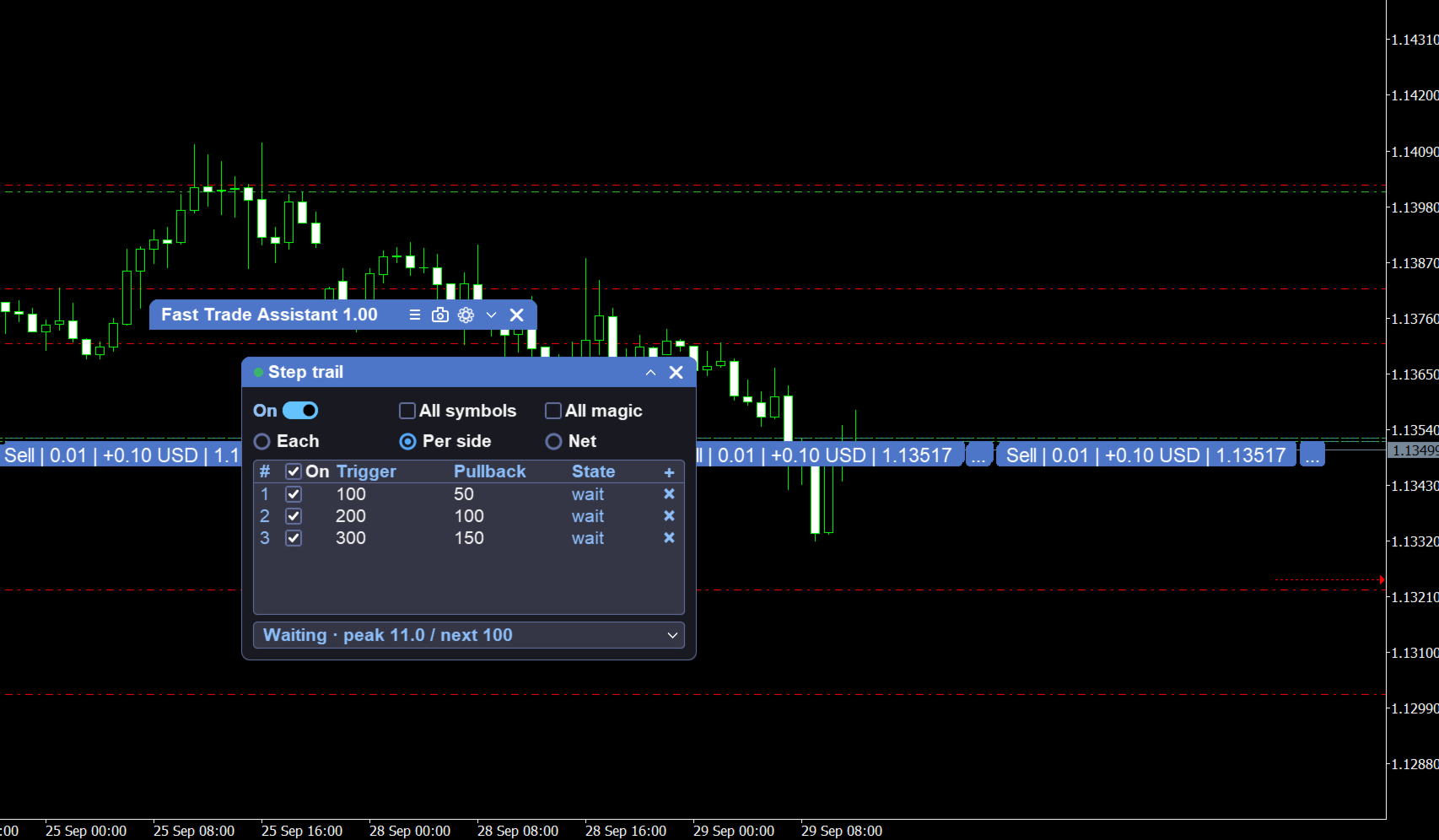
Step trail: open from the main Step trail button; step table with per-ticket / by-side / net modes; advance take-profit targets by steps; symbol / magic filters; enable toggle on the panel
Chart helpers
-
Candle Timer: bar close countdown on the chart (default Bar Right); adjust placement and style in Settings
How to use
-
Attach Fast Trade Assistant Panel to a chart.
-
Enable AutoTrading in the terminal.
-
On the main panel, set lot (or risk value) and optional SL/TP. Open Settings for lot mode, magic, symbol filter, button layout, Risk guards, timer, or hotkeys.
-
Click Buy or Sell. An Alert appears if the order cannot open.
-
Mouse pending: press LIMIT/STOP, move on the chart, double-click; Esc to cancel.
-
Drag pending: select type (default Buy Stop if none), click Drag Pending, drag Entry / SL / TP, confirm; Esc to close.
-
Use close-all / delete-all when needed. For selective close, open One Key Close.
-
For capital protect, open Break even. For stepped targets, open Step trail, fill the step table, and enable.
-
Hover Buy / Sell to preview SL/TP; lines clear when the cursor leaves the button.