Swing Breakout PRO
- Эксперты
-
Jony Islam
 I am Jony Islam, Founder and MQL5 EA Developer at ALGOEA, specializing in automated trading systems for MetaTrader 5.
My work focuses on algorithmic trading, Expert Advisor development, Gold (XAUUSD), Forex, systematic trade execution, and risk management. - Версия: 1.0
- Активации: 12
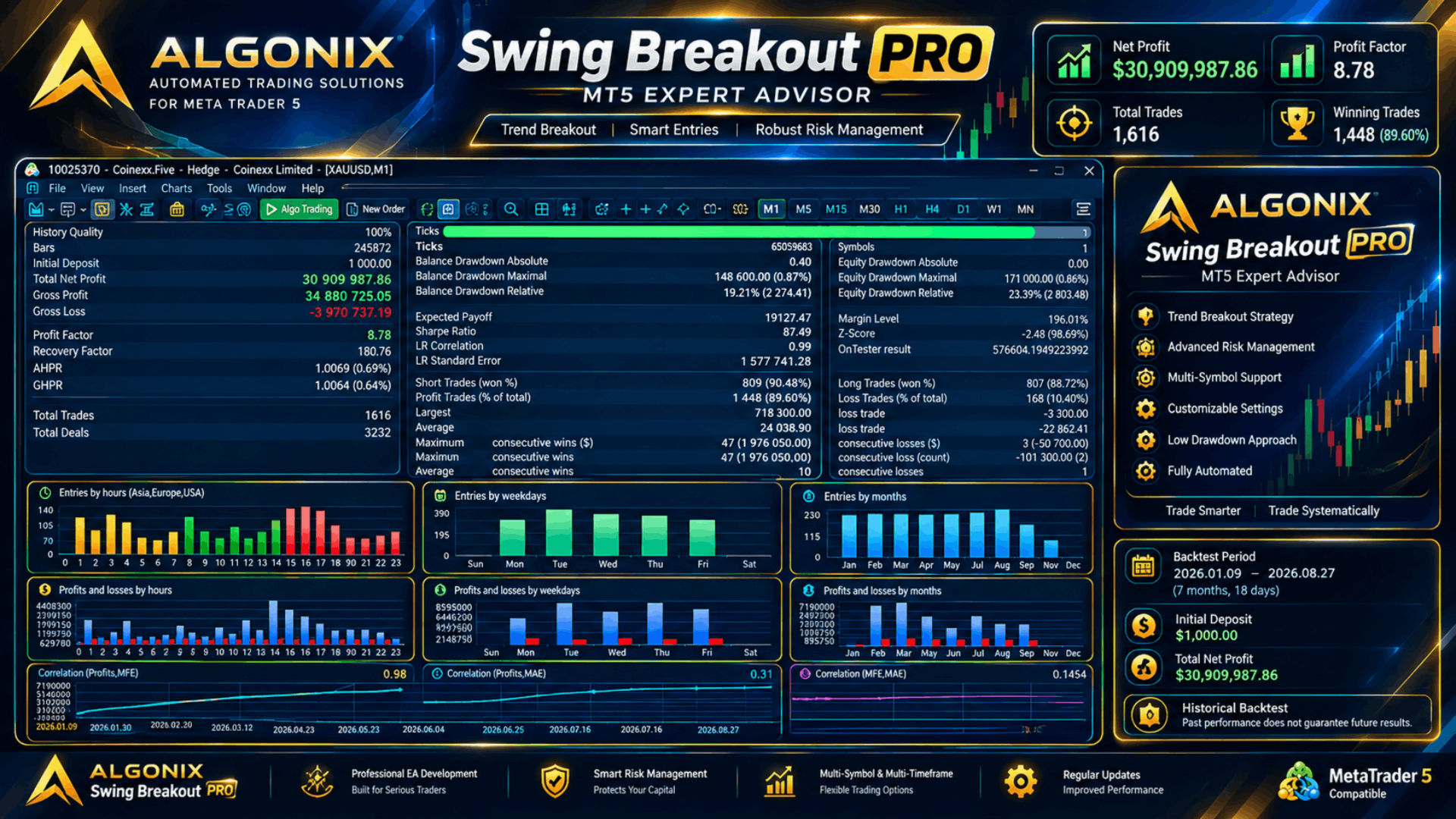
Swing Breakout PRO is a professional automated trading system designed for MetaTrader 5, built around a structured, rules-based breakout strategy rather than high-frequency scalping. Instead of chasing every market tick, Swing Breakout PRO waits for genuine swing-structure breakouts on the timeframe you choose, then manages every trade through a disciplined, staged exit process from entry to close.
Developed under the ALGONIX brand, Swing Breakout PRO is engineered with a single priority: predictable, controlled risk. There is no martingale, no grid, and no position-averaging of any kind — every trade opens with a fixed, pre-defined stop, and your total account exposure is capped by settings you control.
What Makes It Different
Unlike many breakout robots that fire on every minor price spike, Swing Breakout PRO separates its decision-making into two independent engines that you can run together or on their own:
- A Swing Breakout Core that reads pivot structure on a higher timeframe for higher-quality, lower-frequency setups.
- An optional Intrabar Opportunity Engine that scans a faster timeframe for additional range-based setups, governed by its own cooldown and trend-bias filters.
Because both engines share the same exit and risk-management layer, every trade — regardless of which engine opened it — is held to the same fixed-stop, no-averaging standard.
Key Features
Multi-Timeframe Breakout Core
- Reads swing-pivot structure on a base timeframe you select
- Adjustable pivot sensitivity and signal-freshness filtering, so only current setups are considered
- Configurable cap on active pending breakout orders per direction
- Optional Friday pending-order expiration to avoid unwanted weekend exposure
Optional Intrabar Opportunity Engine
- Independently timed secondary engine for faster, range-based setups
- Its own cooldown period to prevent over-trading
- Optional higher-timeframe trend-bias filter so intrabar setups can respect the broader trend
- Fully optional — leave it off for a pure swing-only approach, or on for more frequent opportunities
Trend Quality Filter
- Optional EMA-based context filter with a configurable period
- Helps keep breakout entries aligned with the prevailing trend direction
Structured Exit & Trade Management
- Fixed, pre-defined stop on every position from the moment it opens
- Staged trailing-stop mechanism that arms once a trade reaches a configurable profit distance, then trails at a configurable distance and step
- Virtual-stop fallback logic for brokers with inconsistent stop-order execution
- Multiple close-retry attempts to help ensure exits are honored even in volatile conditions
Risk & Money Management
- Choice of automatic or fixed lot sizing
- Configurable per-trade lot cap, independent of the lot-sizing mode
- Account-wide ceiling on both the number of open positions and aggregate risk exposure — useful for staying inside funded/prop-firm limits
Broker & Execution Safety
- Maximum spread and maximum slippage limits before a trade is allowed to open
- Duplicate-order filtering
- Cross-broker price normalization setting, so distance-based inputs behave consistently across brokers that quote the same instrument differently
- Fill-gap protection that can reject a distorted entry rather than accept a bad fill
Prop-Firm & Funded-Account Friendly
- No martingale, no grid, no averaging — every trade carries a fixed, known risk
- Optional holiday flat-protection window that can flatten or block new trades around year-end holiday periods
- Aggregate risk ceiling designed with funded-account rules in mind
Diagnostics & Transparency
- Optional verbose logging mode for full visibility into EA activity while testing
How It Works
On every new bar of your chosen signal timeframe, Swing Breakout PRO scans recent swing structure for a fresh breakout opportunity and manages any pending orders accordingly. If you enable the Intrabar Opportunity Engine, a second, independently timed scan looks for shorter-term range breakouts on a faster timeframe, subject to its own cooldown and, optionally, the broader trend bias.
Every trade opened by either engine — swing or intrabar — is handed to the same exit engine: it starts with a fixed stop, and once it has moved into sufficient profit, a trailing mechanism arms and begins protecting gains at a configurable distance. Position sizing, spread/slippage checks, and the account-wide risk ceiling are applied uniformly, regardless of which engine triggered the trade.
Getting Started
- Attach the EA to your target chart. Default settings are tuned for Gold (XAUUSD); other symbols can be used via the manual symbol override and the cross-broker normalization input.
- Choose your signal timeframe for the Swing Breakout Core.
- Decide whether to enable the Intrabar Opportunity Engine for extra, faster-cycle setups, or leave it off for a pure swing-only approach.
- Set your lot-sizing mode (automatic or fixed) and your per-trade lot cap.
- Review the Safety inputs — set your maximum spread/slippage tolerance and, if relevant, the holiday flat-protection window.
- Run the free demo version in the Strategy Tester on your target symbol and timeframe before trading live.
- For funded/prop-firm accounts, set the aggregate risk percentage and maximum open positions to match your program's rules.
Input Parameter Guide
- General — core switches for auto lot sizing, risk mode, per-trade lot cap, and the trailing-check interval.
- Symbol and Execution — magic number, manual symbol override, maximum spread/slippage, and starting lot size.
- Breakout Model — signal timeframe, pivot sensitivity, signal freshness, pending-order limits, entry buffer, initial stop distance, Friday expiration, and the optional trend filter.
- Intrabar Hunt Engine — enable/disable switch, its own timeframe and pivot settings, cooldown, trend-bias option, and position/risk ceilings.
- Exit Engine — trailing arm distance, trail distance, trail step, virtual-stop fallback, and close-retry attempts.
- Safety — holiday flat-protection window, fill-gap protection, and entry-distortion rejection.
- Cross-Broker Normalization — a single reference-point setting that keeps distance-based inputs consistent across brokers.
- Diagnostics — verbose logging toggle for testing.
Frequently Asked Questions
Does Swing Breakout PRO use martingale or grid? No. Every trade uses a fixed, pre-defined stop, and the EA never increases exposure to recover a loss.
Can I run it on more than one chart or symbol at a time? Yes — use a distinct Magic Number per chart/instance so the EA manages each position set independently.
Do I need a VPS? A VPS is recommended for uninterrupted, low-latency execution, especially if the Intrabar Opportunity Engine is enabled.
Is it suitable for prop-firm or funded accounts? The EA includes an account-wide risk ceiling, a maximum-open-positions limit, and no averaging strategies by design. Review these settings against your specific program's rules before trading live.
What account type does it need? A low-latency MT5 account with reasonable spread/slippage is recommended. Verify hedging vs. netting compatibility with your broker before use.
Recommended Requirements
- MetaTrader 5, hedging or netting account (verify with your broker)
- Low-latency execution broker recommended
- VPS recommended for continuous uptime
Risk Disclaimer
Trading with Expert Advisors carries risk. Strategy Tester results and past performance do not guarantee future results. Please test thoroughly on a demo account and fully understand every input parameter before trading with real funds.