Manual trading board
- Утилиты
- Версия: 4.10
- Обновлено: 2 сентября 2026
- Активации: 5

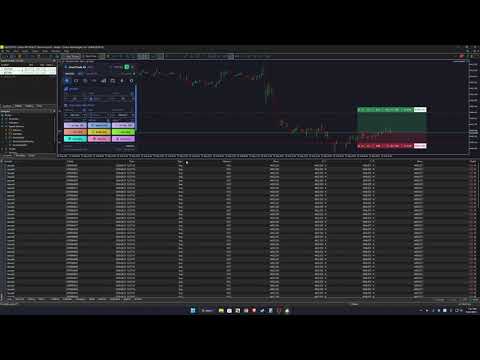
SmartTrade EA is a manual trading panel that docks on the chart. It brings order entry, position management, risk limits, statistics, the economic calendar and price alerts into one interface, so you can open, protect and close a trade without leaving the chart or opening a dialog.
It is a tool, not a strategy. It does not place trades on its own and does not generate signals. Every entry is yours. What it handles is the work after the click: moving stops, closing in parts, and keeping you inside the limits you set.
ORDER ENTRY
Three volume modes: fixed lot, percent of balance at risk, or percent of margin. When you switch mode the panel shows only the field that is in use.
You can send several orders with one click using the order count field.
Stop Loss and Take Profit can be entered in price, pips or money. You pick the unit and the panel converts.
Pip size is detected automatically for each market, with separate rules for forex, metals, indices, crypto and oil. You can set it manually if your broker is unusual.
Other entry options: instant close for fast trading, an optional confirmation before closing, and an optional double-click guard.
CHART LINES
You can set SL and TP by dragging a line on the chart instead of typing numbers. The same works for entry lines and pending order lines.
R levels from R1 to R5 are drawn from your stop distance, so you can see the reward before committing.
The SL and TP zones can be shaded, each line can show a price box, and lines can be pinned to the right edge of the chart.
The first stop distance can be seeded from ATR, so it starts at a reasonable distance for current volatility.
Virtual SL and TP are supported: the EA holds the level and nothing is sent to the server. The panel states clearly when a trade has no real stop on the server.
Two optional links are available: dragging SL can move TP with it, and turning SL on can turn TP on as well.
POSITIONS AND PENDING ORDERS
One click each for Close Buy, Close Sell, Close All, Close Winners, Close Losers and Break-even.
SL and TP can be applied to open positions or cleared from them in bulk.
For pending orders there is a grid: a ladder of orders with your chosen step, shared or per-order stops, and a TP ladder that widens with each rung.
When applying SL and TP to pending orders, levels that would land on the wrong side are skipped instead of removing the level that is already there.
Every bulk action can be limited in scope: the current symbol only, this EA's trades only, or everything.
AUTOMATED MANAGEMENT
Break-even moves the stop once a trade reaches a chosen profit in pips, with an offset so the stop clears the spread.
The trailing stop can follow an ATR multiple, a percentage of profit, or a fixed distance. A minimum step keeps it from moving on every tick.
Filters are available for direction (buy only, sell only, or both) and for trades in profit only.
There is also an option to close everything when a profit target is reached.
RISK CONTROL
Limits can be set for maximum drawdown percent, daily loss, number of open trades, spread and slippage.
When a limit is breached, new entries are blocked and everything can be closed. The panel turns red and shows which limit stopped you.
The block is released only after the figure has recovered past the limit, so it does not switch on and off while you sit exactly on the line.
An emergency stop is available to block all entries immediately.
The daily starting balance is stored per account rather than per chart, so it stays correct if you move between charts during the day.
STATISTICS
For today, the last 7 days and the last 30 days: number of trades, win rate, profit factor, gross profit and loss, average per trade, and best and worst trade.
Figures can be filtered to the current symbol or shown for the whole account.
A day-by-day breakdown of the last 30 days is also included.
ECONOMIC CALENDAR
Events for today and tomorrow with forecast and actual values, filtered to the currencies you trade.
Alerts can be set a chosen number of minutes ahead, for high impact events only if you prefer.
A banner can be shown in a corner of the chart, with a repeat count and a gap between repeats.
PRICE ALERTS
Alerts can trigger when price reaches a level, when price touches a trendline you have drawn, or when the clock reaches a time.
The level can be set by dragging its line on the chart.
Notifications can be sent through any combination of panel message, sound, push notification to your phone, and email.
Each alert has its own line colour and style, repeat count and timeout.
INTERFACE
13 languages: English, Tiếng Việt, Русский, Español, Português, Deutsch, Français, 简体中文, 日本語, 한국어, Bahasa Indonesia, ไทย, Türkçe.
5 themes: Dark, Light, Aqua, Ember and Midnight. Colours that carry small text are checked against WCAG contrast so the panel stays readable.
The navigation bar can sit on top or on the left. The panel can be dragged anywhere and collapsed to its title bar.
DPI and screen resolution are detected automatically, and there are separate manual multipliers for layout and font size, so the panel stays readable on both a 4K laptop and a 1080p monitor.
Settings are saved per chart. Theme, language and text size are shared across all charts.
INPUTS
Interface:
- Interface language
- Colour theme
- Navigation bar position
- Auto-detect DPI and screen resolution
- UI scale (0.5 to 3.0)
- Font scale (0.7 to 2.0)
- Initial X and Y position in pixels
Trading:
- Magic number
- Maximum slippage in points
- Default volume mode
- Fixed lot volume
- Percent of balance at risk
- Pip size (0 for automatic detection)
- Act on the current symbol only
- Act on this EA's trades only
- Confirm before closing
- Instant close
- Fast click
- Sound
Everything else is set inside the panel and saved automatically.
REQUIREMENTS
MetaTrader 5, any broker and any account type. Both hedging and netting accounts are supported.
Works on any symbol and any timeframe.
Algo Trading must be enabled for the panel to send orders.
Push notifications require your MetaQuotes ID in Tools, Options, Notifications. Email alerts require SMTP settings in the same dialog.
NOTES
Please try the demo on a demo account first.
Volume, stop placement and risk limits are yours to choose. The panel enforces them but does not decide them for you.
Trading carries risk, and past results do not predict future ones.
Questions and feature requests are welcome in the Comments tab.