Ultimate Trade Manager Panel EA

Stop managing trades manually under pressure.

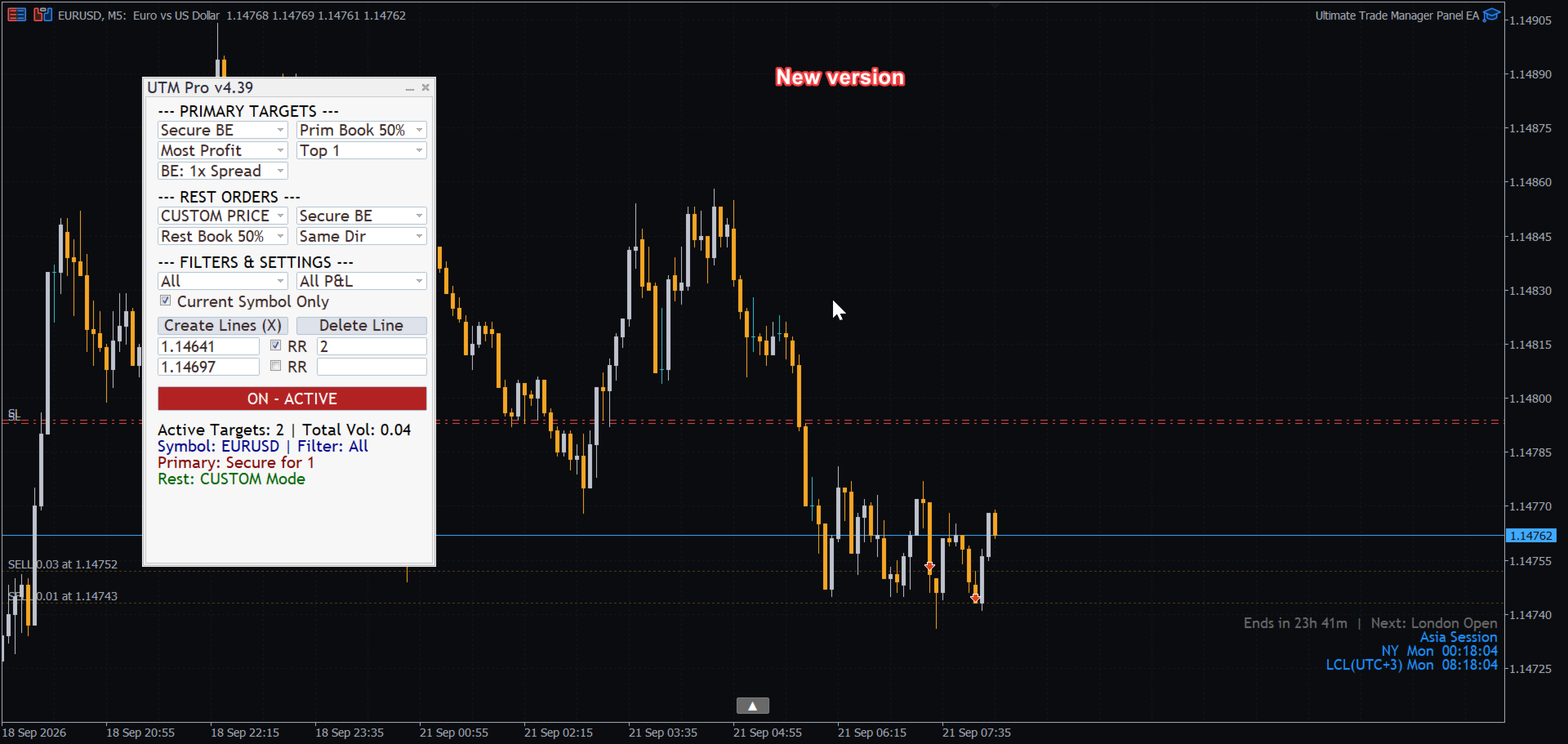
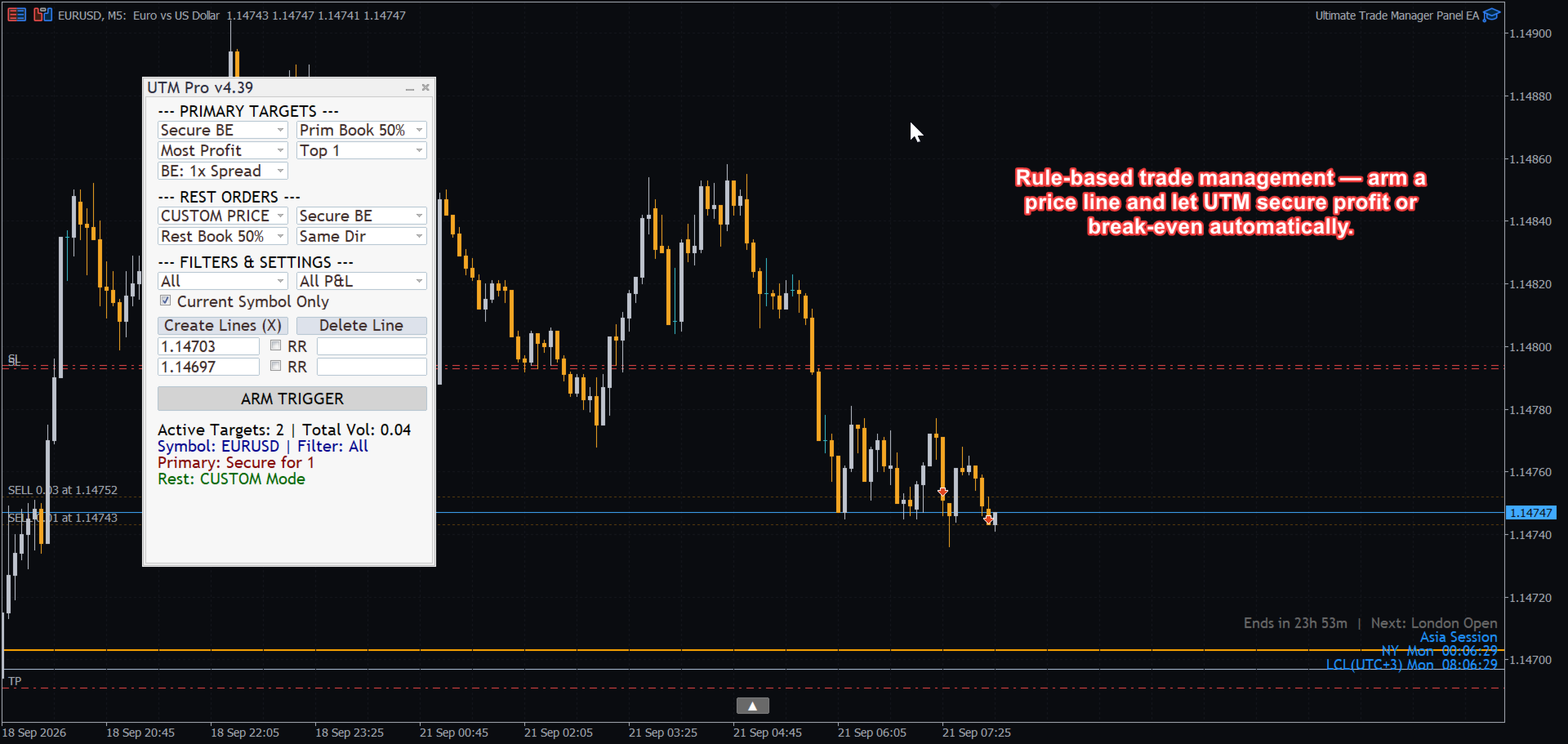
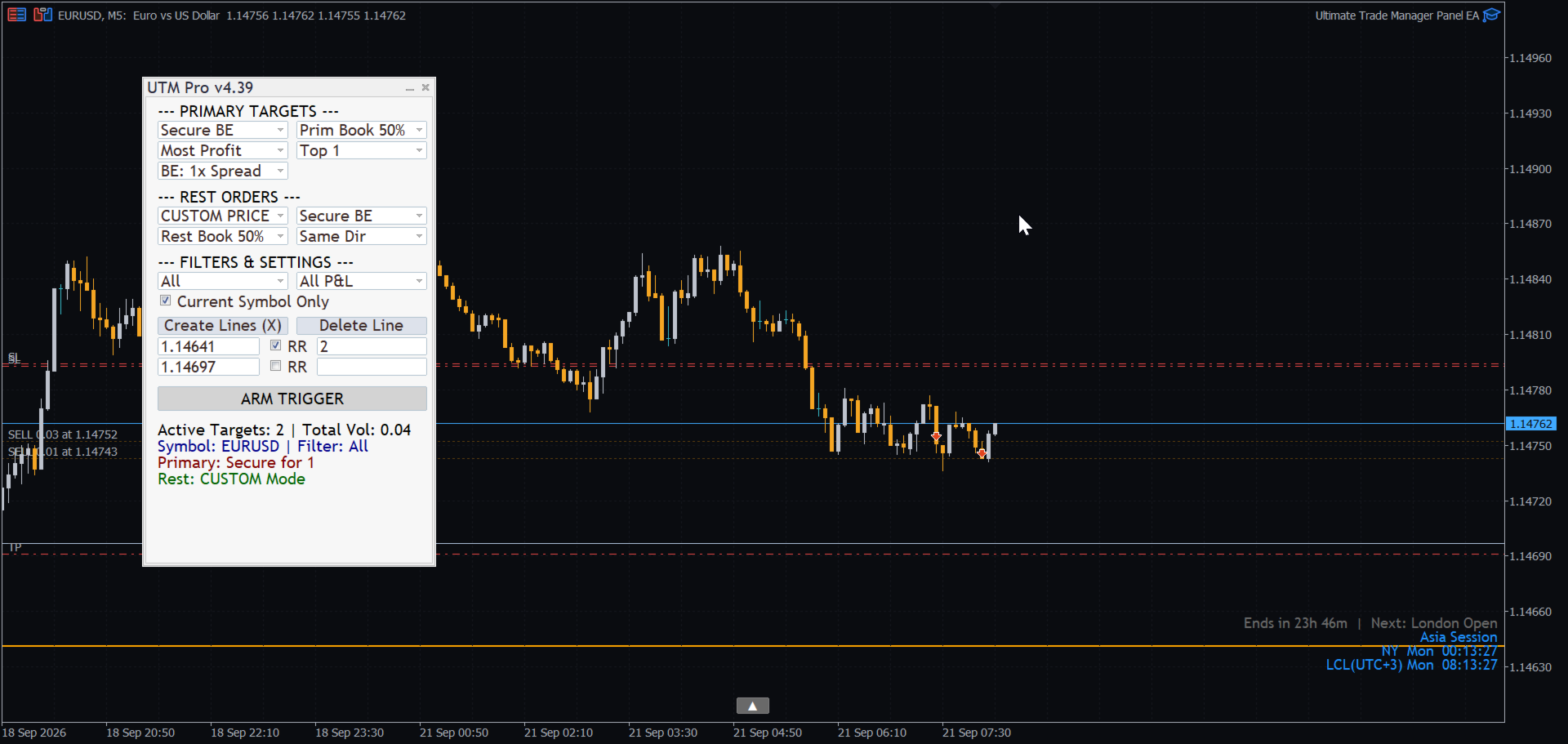
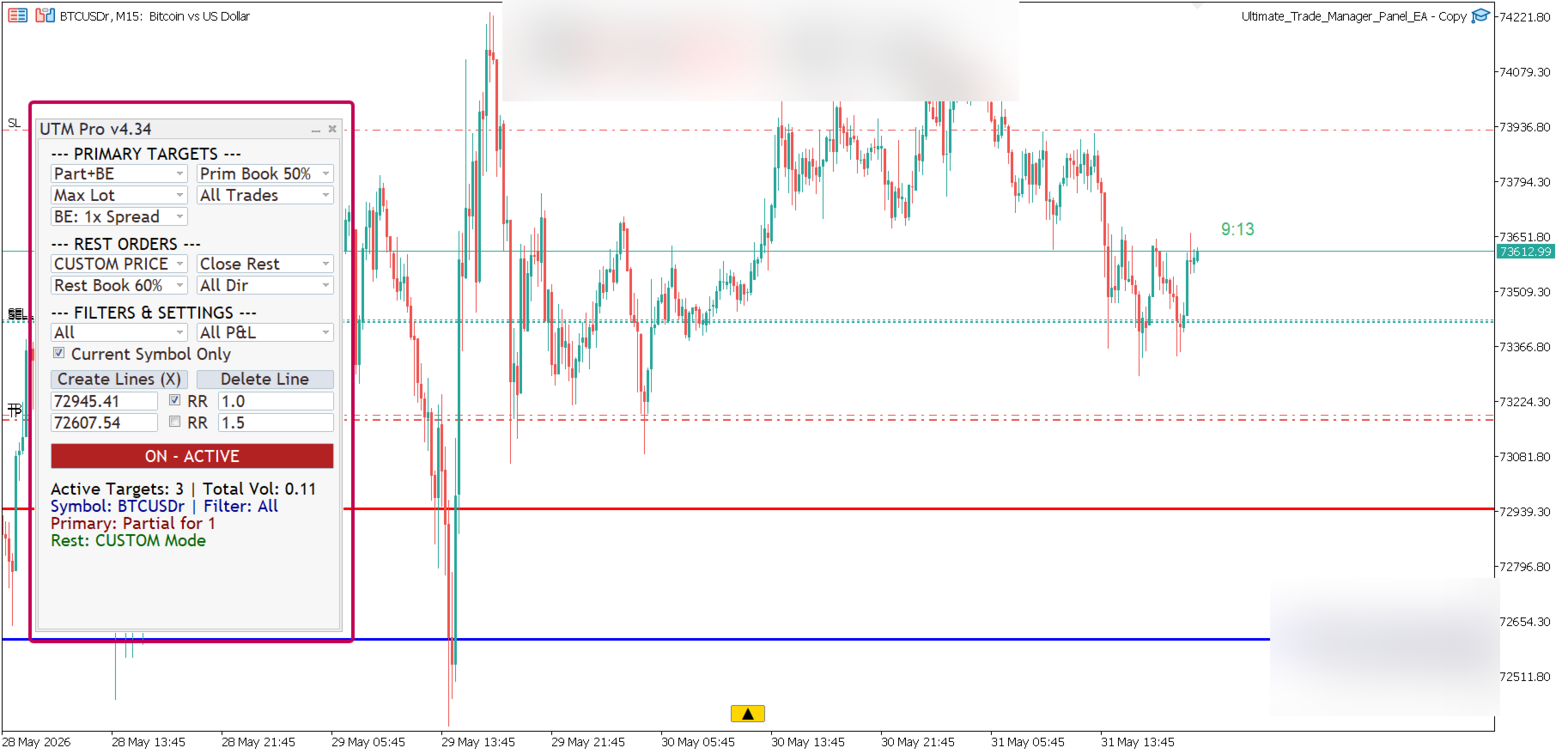
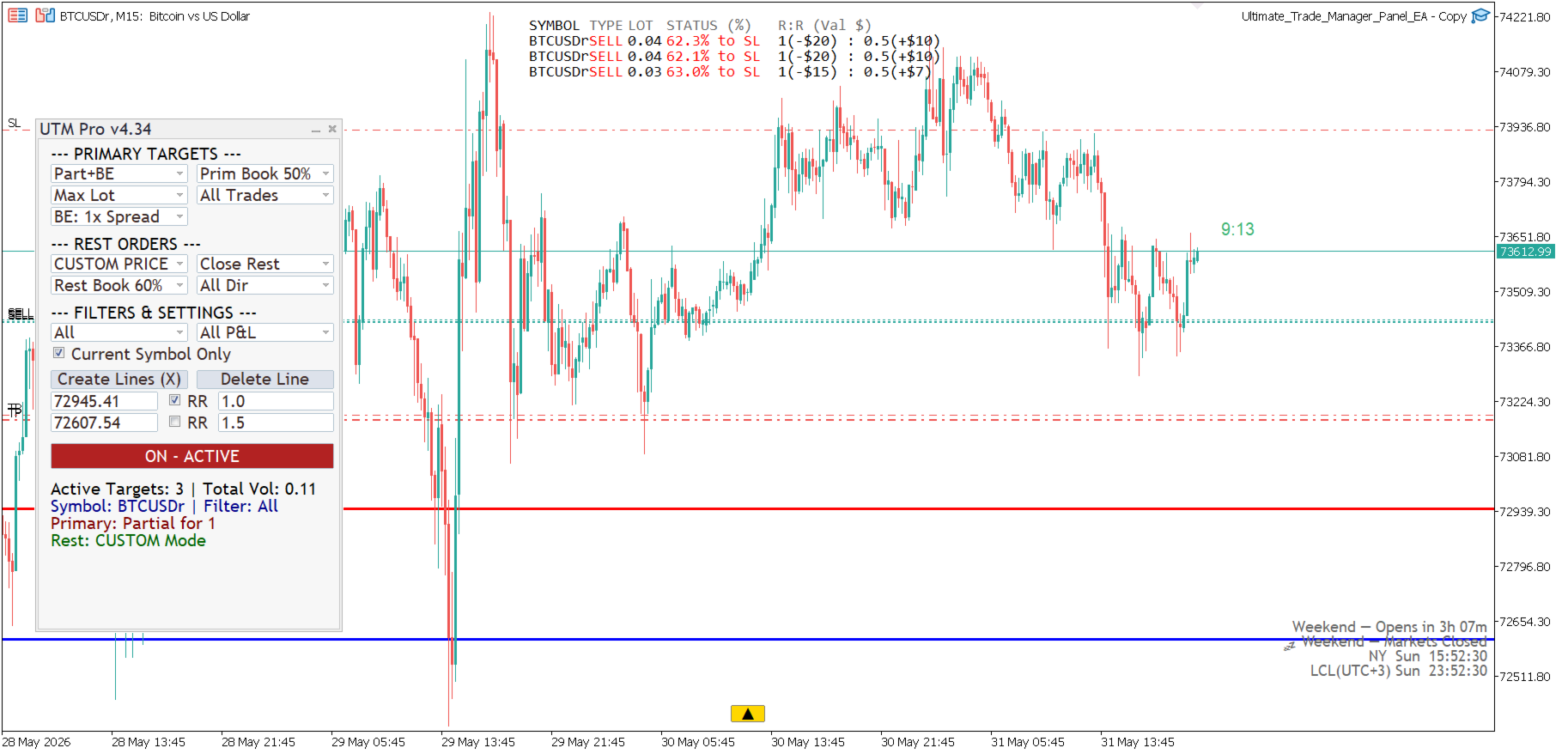
Ultimate Trade Manager Panel is a professional trade management Expert Advisor that executes your exit strategy automatically — partial closes, breakeven, profit locking, and full exits — all with a single script run.

You set your rules before the trade. The panel executes them without hesitation.

HOW IT WORKS:
Place the EA on your chart, configure your action, and run it. It scans all open positions, filters them by your criteria, sorts them by your priority, and executes — instantly.

No clicking through positions one by one. No manual calculations. No emotional decisions under pressure.

ACTIONS AVAILABLE:
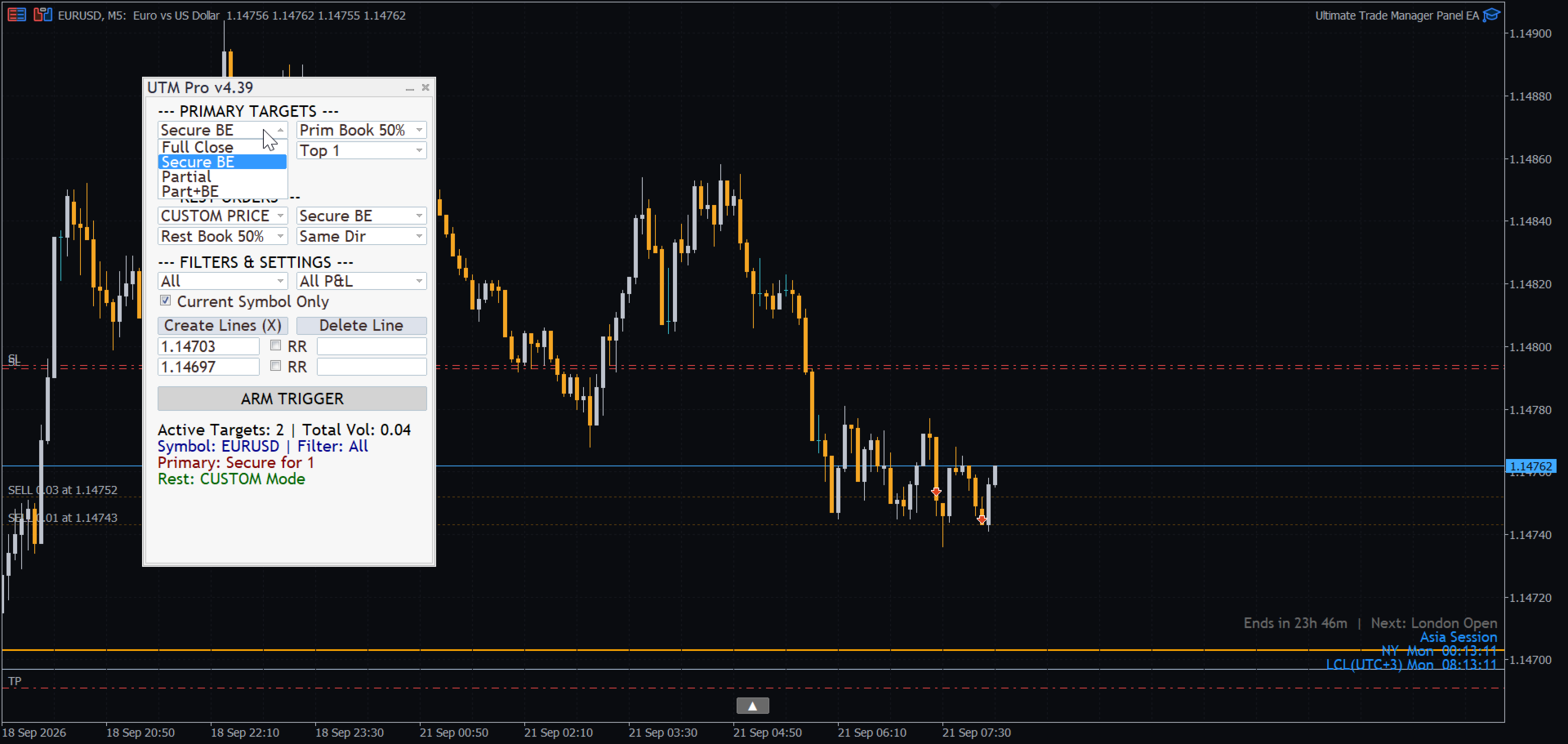
— Full Close: close selected positions completely
— Secure Breakeven: move stop loss to entry price + spread buffer
— Lock Profit: trail stop loss to current price — buffer
— Book Partial Profit: close a percentage of volume (10% to 90%)
— Book + Secure: partial close and move to breakeven simultaneously

SMART POSITION SELECTION:
— Target all positions or only the top 1, 2, 3, 5, or 10
— Sort by: furthest from price, nearest to price, largest lot, smallest lot, highest profit, lowest profit, deepest loss, oldest trade, newest trade

FILTERS:
— Current symbol only or all symbols
— Buy trades only, sell trades only, or both
— Profitable trades only, losing trades only, or all
— Filter by magic number for EA compatibility

PARTIAL CLOSE LOGIC:
— Each position is calculated independently
— Respects broker minimum lot size automatically
— If remainder after partial close falls below minimum lot, closes fully and notifies
— Full log output for every action taken

STOP LOSS BUFFER:
— Auto mode: uses spread × multiplier (1x, 2x, 3x, 5x, 10x)
— Manual mode: fixed points buffer

WORKS WITH:
— All symbols: forex, gold, indices, crypto
— All account types: standard, cent, ECN
— MetaTrader 5

PARAMETERS:
— ExecutionAction: choose what to do (close, secure, lock, book, book+secure)
— TargetNumber: how many positions to affect
— SelectionPriority: how to rank and select positions
— BookPercentage: what percentage to close (10–90%)
— ProfitStatusFilter: profitable only, losing only, or all
— SpreadMultiplier: auto SL buffer size
— ManualFixedPoints: manual SL buffer in points
— OnlyCurrentSymbol: limit to current chart symbol
— OrderTypeFilter: buy only, sell only, or all
— MagicNumber: filter by EA magic number (0 = all)

Every action is logged with ticket number, volume closed, and result — so you always know exactly what was executed and why.
Другие продукты этого автора
SL Based TP Multiplier
Muhammad Hassan Muhammad Ahmad Atiyah
Smart TP by Risk Ratio Скрипт MT5 – Расчет Take Profit по Stop Loss Описание Скрипт Smart TP by Risk Ratio для MetaTrader 5 рассчитывает уровень Take Profit на основе расстояния между ценой открытия и Stop Loss, умноженного на пользовательский коэффициент (R-Multiple). Скрипт выполняется один раз при запуске и может применяться к текущему символу или ко всем открытым позициям. Не открывает сделки и требует наличия Stop Loss на позиции. Функциональность Расчет TP: Take Profit устанавливается на
Lock and Peel Pro Advanced Risk Manager
Muhammad Hassan Muhammad Ahmad Atiyah
Advanced Breakeven & Partial Close Manager Скрипт MT5 – Управление сделками в один клик Обзор Advanced Breakeven & Partial Close Manager — это скрипт управления сделками для MetaTrader 5. Он работает только с уже открытыми позициями и выполняет действия строго по заданным пользователем правилам. Скрипт выполняется один раз при запуске и применяет только те действия, которые явно включены в настройках. Он не работает в фоне, не открывает сделки и не генерирует торговые сигналы. Основные функции
Smart Bulk TP Setter
Muhammad Hassan Muhammad Ahmad Atiyah
Smart Bulk TP Setter Скрипт MT5 – Массовая установка Take Profit Описание Smart Bulk TP Setter — это скрипт управления сделками для MetaTrader 5, предназначенный для изменения уровня Take Profit у нескольких уже открытых позиций одновременно. Скрипт выполняется один раз при запуске и применяет заданный пользователем уровень Take Profit в соответствии с выбранными фильтрами. Он не работает в фоне, не открывает сделки и не генерирует торговые сигналы. Функциональность Скрипт позволяет установить
Smart Bulk SL Setter
Muhammad Hassan Muhammad Ahmad Atiyah
Smart Bulk SL Setter Скрипт MT5 – Массовая установка Stop Loss Описание Smart Bulk SL Setter — это скрипт управления сделками для MetaTrader 5, предназначенный для изменения уровня Stop Loss сразу у нескольких уже открытых позиций . Скрипт выполняется один раз при запуске и применяет заданный пользователем уровень Stop Loss в соответствии с выбранными фильтрами. Он не работает в фоне, не открывает сделки и не генерирует сигналы. Функциональность Скрипт позволяет установить единый уровень Stop L
Smart Bulk Order Closer
Muhammad Hassan Muhammad Ahmad Atiyah
Smart Bulk Order Closer Скрипт MT5 – Закрытие сделок по PnL Описание Smart Bulk Order Closer — это скрипт для MetaTrader 5, который закрывает позиции в зависимости от их текущей прибыли или убытка на счете. Скрипт выполняется один раз при запуске и закрывает только те позиции, которые соответствуют условиям PnL, заданным пользователем. Не работает в фоне, не изменяет Stop Loss или Take Profit и не открывает новые сделки. Функциональность Скрипт оценивает каждую позицию отдельно и применяет след
Apex StopLoss Manager
Muhammad Hassan Muhammad Ahmad Atiyah
Apex StopLoss Manager Скрипт MT5 – Управление Stop Loss Описание Apex StopLoss Manager — это скрипт для MetaTrader 5, обеспечивающий точный контроль за поведением Stop Loss на существующих открытых позициях . Скрипт выполняется один раз при запуске и управляется только через настройки пользователя. Он не использует автоматическую торговую логику, не открывает сделки и не генерирует сигналы. Функциональность Регулировка Breakeven Скрипт может перемещать Stop Loss на расчетный уровень безубыточн
Active Trade Monitor
Muhammad Hassan Muhammad Ahmad Atiyah
Stop switching to the terminal tab while price is moving. Active Trade Monitor places a clean, real-time dashboard directly on your chart showing all open positions at once — symbol, direction, lot size, profit in dollars, profit in pips, and current R:R ratio. Everything you need to manage your trades is visible without leaving the chart. FEATURES: — Displays all open positions directly on the chart — Shows: symbol, type (BUY/SELL), lot size — Live profit in dollars and pips — Current R:R r
One Click Symbol Hub
Muhammad Hassan Muhammad Ahmad Atiyah
Twenty open chart tabs is not a workspace — it's noise. One-Click Symbol Hub replaces all of that with a single small button on your chart. Press it and a clean symbol panel appears, centered on your screen. Tap any pair and the chart switches instantly — preserving your current timeframe. Press the button again and everything disappears. FEATURES: — Switch between symbols with a single click — Preserves current timeframe on every switch — Clean pop-up panel — appears and disappears on deman
Session Clock Advanced
Muhammad Hassan Muhammad Ahmad Atiyah
Know exactly where you are in the trading day — at a glance. Session Clock Advanced displays two live clocks directly on your chart: your local time (auto-detected from your PC) and New York time. No manual offset needed. But it goes further than a simple clock. The indicator detects the active trading session in real time — Asia, London, New York, or any overlap — and changes color automatically so you always know the market context without reading the time. A live countdown shows exactly
Equity and Balance
Muhammad Hassan Muhammad Ahmad Atiyah
Your account health deserves a live dashboard — not a number buried in the terminal corner. Equity & Balance Monitor displays your real-time equity, balance, margin usage, drawdown, and growth metrics directly inside your chart window. No extra windows. No switching screens. FEATURES: — Live equity and balance display on chart — Real-time margin and free margin tracking — Drawdown monitoring — Historical growth indicators — Always visible — updates on every tick — Clean dashboard layout — Cus
Time and Spread
Muhammad Hassan Muhammad Ahmad Atiyah
Two numbers define whether your entry is clean or expensive: the spread, and the time left on the current candle. Candle Timer & Spread Monitor tracks both in real time, displayed as a single compact label directly on your chart. See the current spread widen during session transitions. Know when you're entering in the last seconds of a candle. Place it in any corner of your chart. FEATURES: — Live spread display (in points) — Countdown timer to next candle close (MM:SS) — Updates every secon
Фильтр:
Нет отзывов
Ответ на отзыв