AurumFlow Pro
- Эксперты
- Версия: 2.22
- Обновлено: 13 мая 2026
- Активации: 20

AurumFlow Pro is a fully automated Expert Advisor for XAUUSD (Gold) on MetaTrader 5. It uses a buy-only averaging strategy with two proprietary entry filters — a multi-timeframe trend model and a momentum oscillator — to enter long positions at high-probability levels. When price pulls back, the EA adds to the position through a dynamic expanding grid. A basket trailing stop, average-price exit, and pair-close mechanism handle exits.
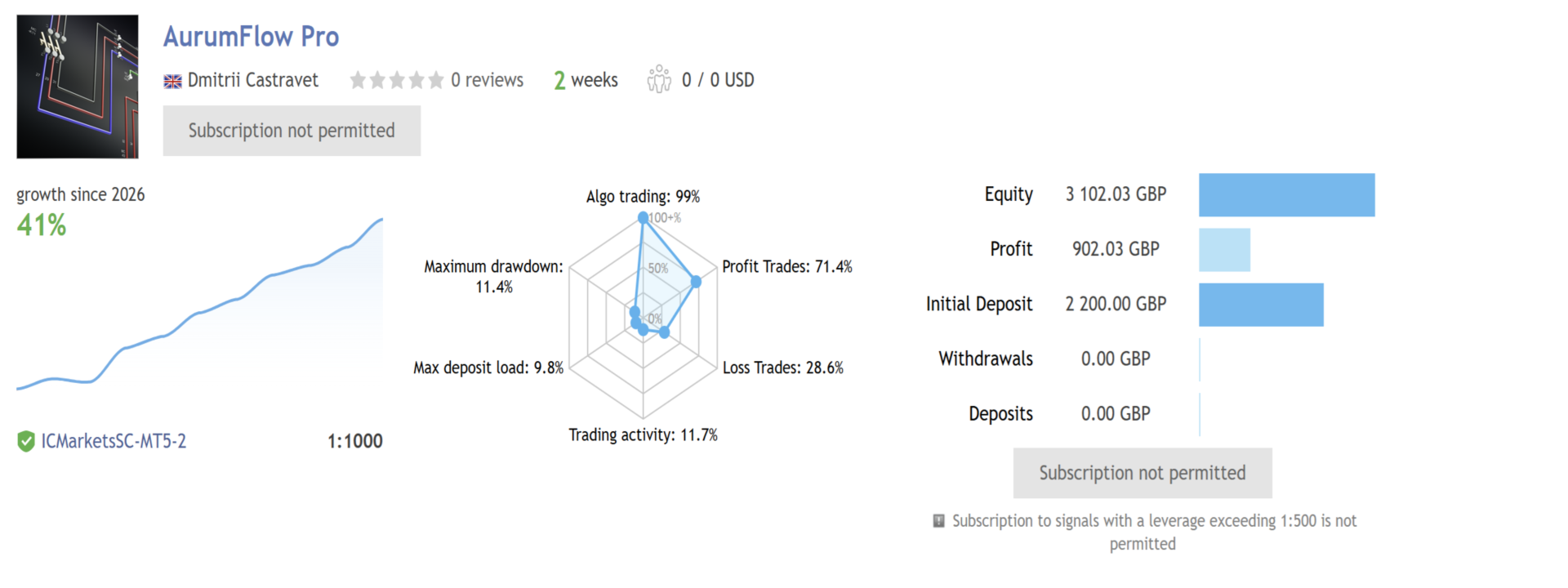
Live signal : aurumflowpro Myfxbook
Why Gold
Gold has a strong long-term uptrend driven by macro demand. Pullbacks are frequent but the structural bias consistently favours longs, making XAUUSD well-suited to a buy-only averaging approach. Every parameter in AurumFlow Pro is tuned specifically for Gold's volatility, daily range, and session schedule. The EA will not start on any other instrument.
How It Works
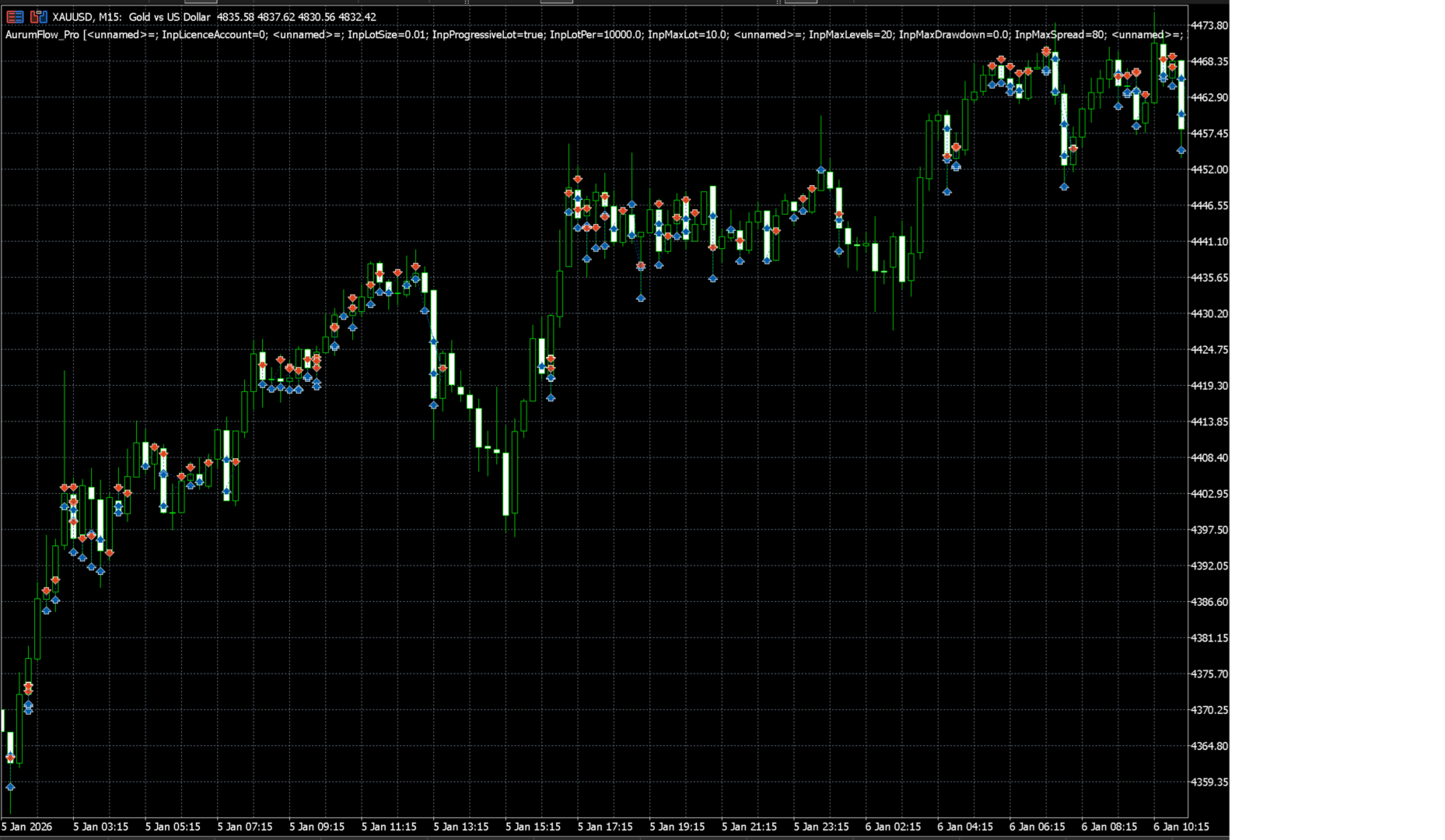
The EA opens its first Buy when both the trend and momentum filters confirm. If price continues higher, the basket target or trailing close handles the exit. If price pulls back, additional Buys are added at expanding grid distances below the lowest open position, improving the average entry price with each level. The grid step widens automatically at deeper levels, naturally slowing exposure growth during extended counter-trend moves.
Four exit mechanisms work together: a dynamic basket take-profit that scales with the number of open levels; a trailing stop on the peak basket profit; an average-price exit that closes the entire basket once price clears the weighted average entry; and a pair-close function that cancels the most profitable and most losing position together, actively reducing open exposure without waiting for a full recovery.
Key Features
The EA is exclusive to XAUUSD and requires both trend and momentum filters to agree before any trade is placed. Lot sizing scales automatically with account balance. The grid step expands progressively, the basket target grows with each open level, and an optional hard dollar stop-loss limits total basket exposure. A spread filter, market-session guard, and margin preflight check protect against bad fills during abnormal conditions. An on-chart panel shows balance, equity, basket profit, levels, next grid step, and filter status in real time.
Input Parameters
| Parameter | Default | Description |
|---|---|---|
| InpLicenceAccount | 0 | Lock the EA to your MT5 account number (0 = disabled) |
| Lot Settings | ||
| InpLotSize | 0.01 | Fixed base lot when progressive sizing is off |
| InpProgressiveLot | true | Scale base lot automatically with account balance |
| InpLotPer | 10000 | Balance required per 0.01 base lot increment |
| InpMaxLot | 10.0 | Hard cap per individual order |
| Risk Management | ||
| InpMaxLevels | 20 | Maximum simultaneous averaging positions |
| InpMaxDrawdown | 0 | Close entire basket if total loss exceeds this in $ (0 = off) |
| InpMaxSpread | 80 | Block new entries above this spread in points |
| Exit Options | ||
| InpUseBasketTP | true | Enable dynamic basket take-profit |
| InpTakeProfit | 260 | Per-order TP in points (used only when basket TP is off) |
| InpTrailBasket | true | Trail the basket profit peak before closing |
| InpUseAvgTP | true | Enable average-price exit |
| InpPairClose | true | Enable pair-close logic |
| Filters and System | ||
| InpUseTrendFilter | true | Enable proprietary trend filter |
| InpUseMomFilter | true | Enable momentum entry filter |
| InpMagic | 55501 | Magic number — change when running multiple instances |
| InpShowPanel | true | Show or hide the on-chart dashboard |
Recommended Setup
| Setting | Recommendation |
|---|---|
| Symbol | XAUUSD only — will not start on any other instrument |
| Chart timeframe | M1 or M5 (chart TF does not affect strategy logic) |
| Broker | ECN or raw-spread account with Gold spread consistently under 40 points |
| Leverage | 1:100 or higher |
| Deposit | $500 minimum — $1,000 or more recommended |
| VPS | Strongly recommended for uninterrupted 24/5 operation |
The default parameters match the live signal settings. Attach to XAUUSD M1, set InpLotPer to match your balance (10000 = 0.01 lot per $10k), enable all filters, and the EA is ready to run. No further optimisation is required for standard use.
Set Files
Three preset files are available in the Comments section: Default (matches live signal, $1,000 deposit), Conservative (fixed 0.01 lot, 8 levels, $200 hard stop, $500 deposit), and Aggressive (progressive lots, 20 levels, no hard stop, $5,000 deposit). To load a set file in MetaTrader 5, right-click the EA inputs panel and select Load.
Purchase Bonus
Every buyer of AurumFlow Pro receives a free copy of the sale-only version. After purchase, send a private message via MQL5 to claim your copy. One free copy per purchase.
Strategy Tester Results
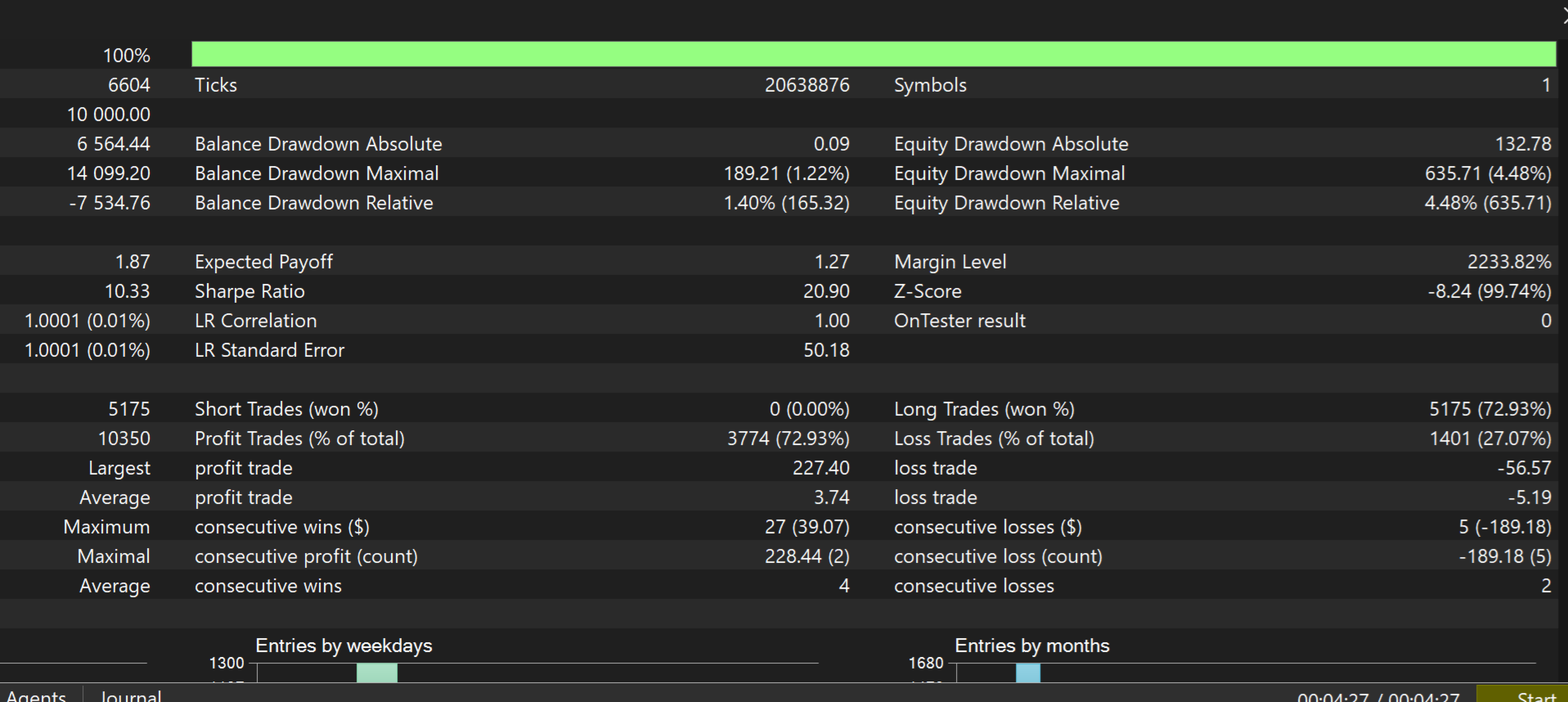
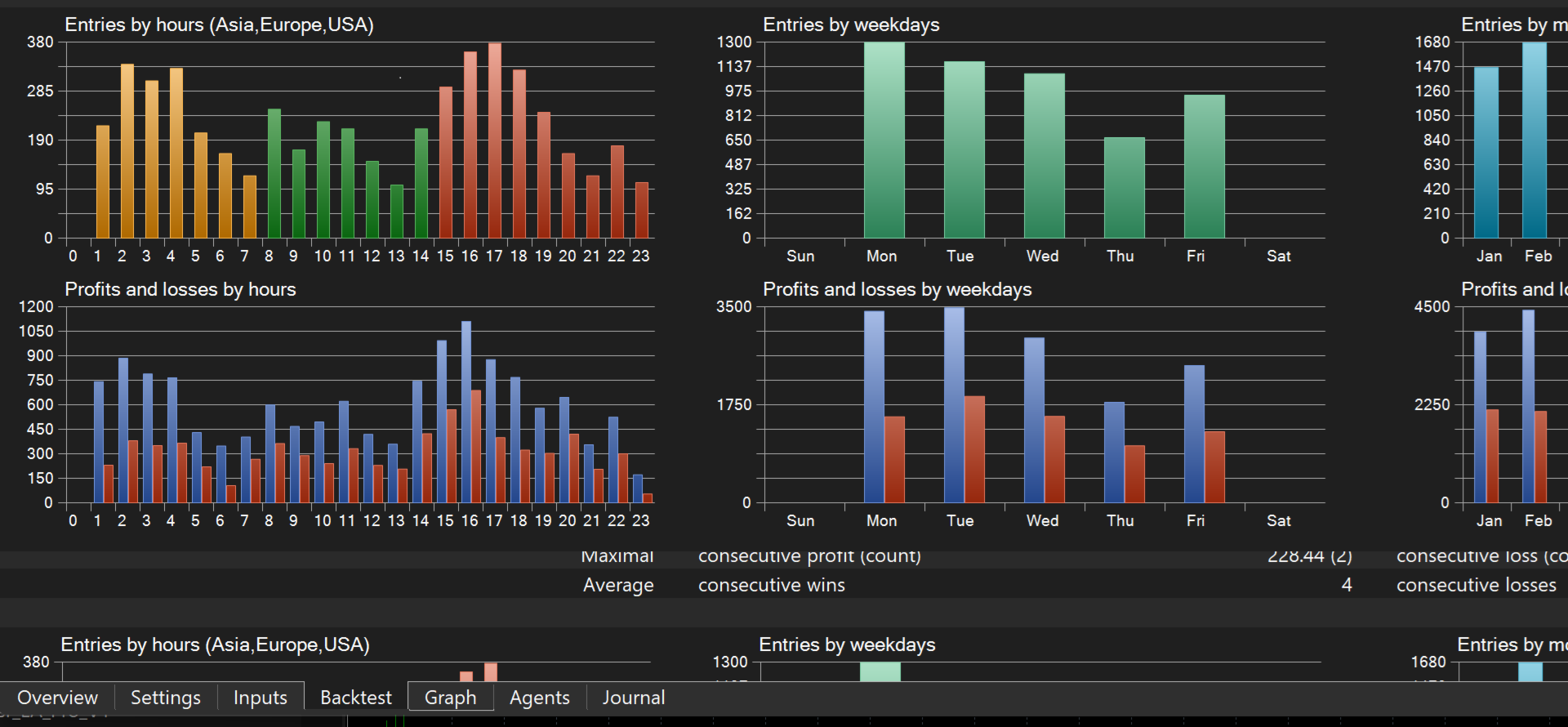
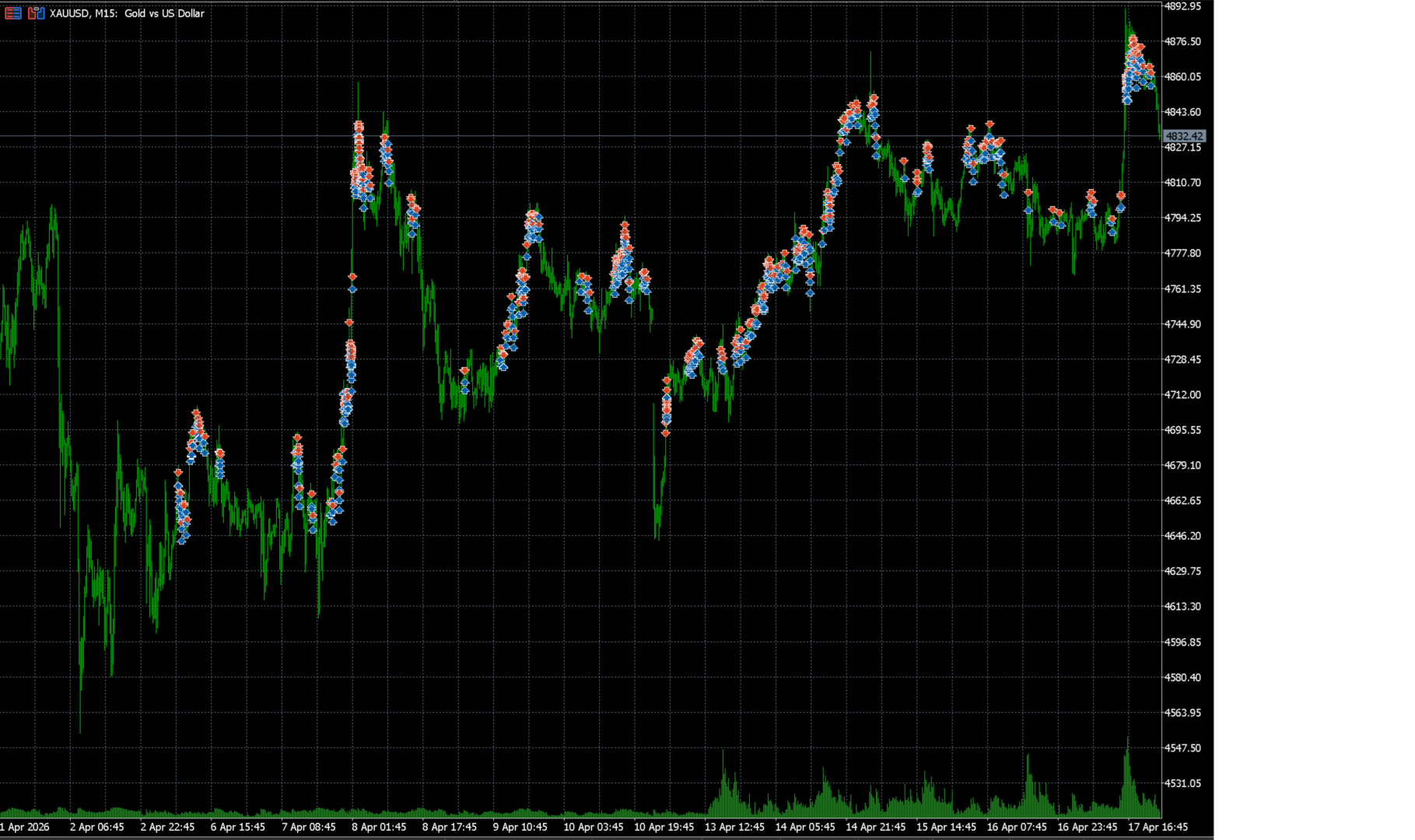
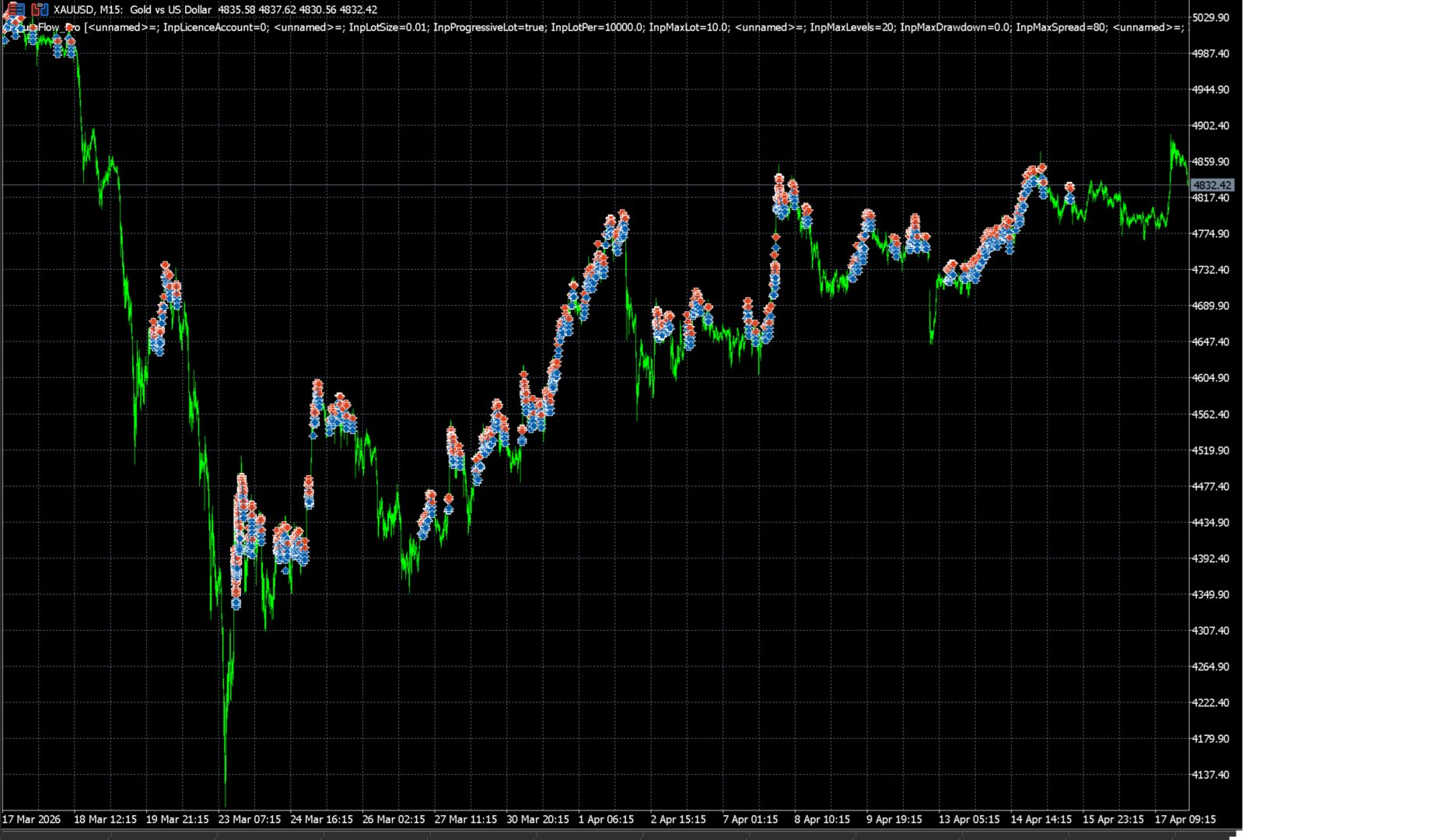
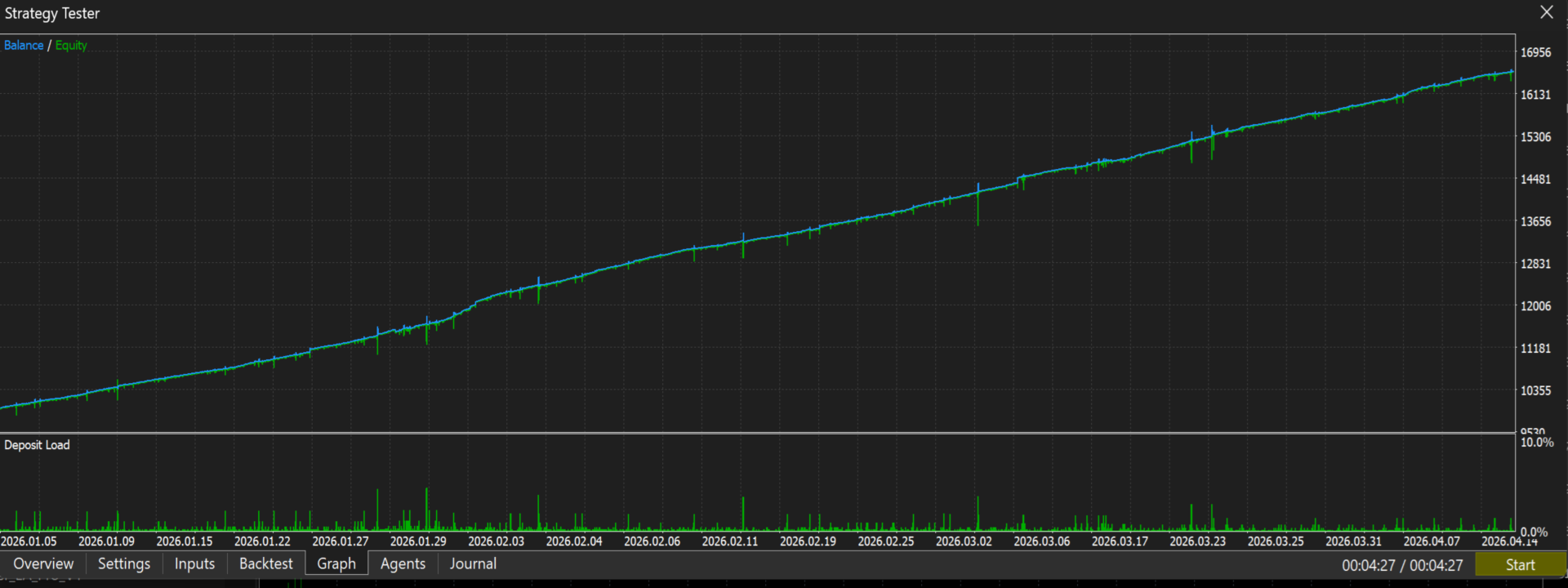
Backtest screenshots are available in the product gallery. Tests were run on XAUUSD with 100% modelling quality and real spreads. A separate backtest-ready file is provided in the Comments section for buyers who wish to run their own tests.
Trading foreign exchange and CFDs involves substantial risk of loss. Past performance, including live signal and backtest results, does not guarantee future results. AurumFlow Pro uses an averaging strategy which accumulates open drawdown during counter-trend moves. Use the InpMaxDrawdown setting to set a hard stop appropriate for your account size. Never trade with money you cannot afford to lose.
Support is provided via the product comments section or MQL5 private message. Replies within 24 hours. All updates are free for existing buyers.