History by Magic Number MT5

5

History by Magic Number MT5 is a utility that filters trading history based on a selected Magic Number. It’s especially useful on accounts where multiple EA strategies run simultaneously and you need to isolate the performance of a single strategy.

This tool is a non‑trading analytical Expert Advisor for MetaTrader 5, designed to provide precise evaluation of trading performance associated with a specific Magic Number within a user‑defined time range. It does not interfere with live trading, in any way—the utility does not trade.

How to Use

  1. Attach the utility to any chart in MetaTrader 5

  2. In the EA settings window, set the input parameters: Magic Number and Date range (From – To)

  3. Click OK to start the utility.

  4. The calculated statistics are displayed directly on the chart using the Comment panel.

  5. The utility does not trade, does not open or close positions, and does not react to market ticks. It can be safely removed after reviewing the results.


If you like this app, please leave a Review to support me. ⭐⭐⭐⭐⭐


    *****

    OPEN SOURCE ...If you are interested, I can provide the source EA code free of charge. In return, you may help improve the EA and share your modifications with me. All collaboration is entirely voluntary! If you are interested, please let me know in a message.

    *****


      Отзывы 3
      Davide Napoli
      360
      Davide Napoli 2026.02.09 18:50 

      perfect utilities

      MikeBaranoff
      91
      MikeBaranoff 2026.02.22 10:49 

      Спасибо.Полезная вещь!!!!

      Рекомендуем также
      Click Trading
      Jawad Tauheed
      5 (3)
      One Click Trading – Auto TP SL Developer TraderLinkz Version 1.00 Category Utility What it does Adds missing TP and SL to your manual trades and pending orders Sets them once per ticket Lets you move TP and SL afterward Works on hedging and netting accounts Scans on every tick and reacts on trade events Why you want it You place faster entries You get consistent risk and exit targets You reduce fat finger errors You keep full manual control Quick start Attach the EA to any chart Keep TP and SL e
      FREE
      Каждый ордер в один клик. Покупка, продажа и лот с живыми ценами Закрыть всё, закрыть прибыль, закрыть убытки, безубыток Учебный режим: знакомство с панелью при нуле ордеров Анимированная панель, чёткая на любом экране. Кнопка сворачивает её в узкую полосу, а саму панель можно перетащить в любое место графика. Панель рисуется на холсте с плавными переходами. Положение на графике и состояние, открытое или свёрнутое, запоминаются. Работает на любом символе и таймфрейме. Создано Eudora Lab, лаборат
      FREE
      Core function Intelligent transaction management one-click opening and closing operation, which supports user-defined lots to set multiple closing modes: all closing, closing by direction and closing by profit and loss status. Professional risk control, real-time risk monitoring and spread control to avoid high-cost trading environment. Visual control panel has an intuitive graphical interface, and all functions can be operated with one button to display position information, profit and loss sta
      FREE
      Collective TP SL Manager is a MetaTrader 5 utility that manages a combined take-profit and stop-loss across many open positions on one symbol. Instead of setting TP/SL per order, it watches the net profit or loss of all (or filtered) positions and closes the basket when your target is reached. Features Basket-level targets: one collective take-profit and one collective stop-loss for the whole group of positions. Net P/L monitoring: continuously sums the profit/loss of all selected positions in
      FREE
      Trade assistant pro v8
      Ahmed Mohammed Bakr Bakr
      2 (1)
      FREE FREE FREE Trade Assistant MT5 – Professional Trading & Risk Management Panel Trade Assistant MT5 is an advanced trading panel designed to help traders execute orders faster, safer, and more professionally . It simplifies manual trading by combining smart order management , precise risk control , and one-click execution , making it ideal for both beginners and advanced traders. This tool does not trade automatically . Instead, it empowers you with full control while applying professional-gra
      FREE
      https://youtu.be/KHhg88fXWTk?si=ZoVtpc-wpfTVImSL 5-Minute Trading Strategy | Quick & Effective for Beginners Welcome to our trading channel- the deepak trading In this video, we'll be exploring a simple 5-minute trading strategy that can help you capture quick market movements and make profitable trades. Whether you're a beginner or an experienced trader, this strategy is designed to give you clear entry and exit points using technical indicators like EMA, RSI, and Stochastic Oscillator.
      FREE
      Trading panel for manual trading. Has a fairly wide functionality. Allows you to automatically calculate the order size, open both market and pending orders. It has a wide range of options for closing orders, it is possible to partially close orders, close orders after reaching a certain profit or loss, separately close profitable and unprofitable, buy and sell, as well as pending orders. The panel also contains a simple implementation of a grid of pending orders, reverse and lock functions, tr
      FREE
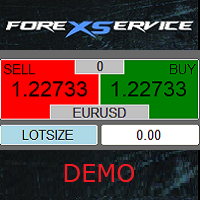
      POSITION EXIT MANAGER DEMO is the free demo of the Position Exit Manager, and it is the real thing with one difference. It is a trailing stop, a break-even stop, a take profit and a stop loss manager for MetaTrader 5: a panel over every open position where you can set a trailing stop, move every stop to break-even, set a take profit and stop loss on all of them at once, and close every position, the losers or the winners together. It shows the risk per trade and the R multiple of each position w
      FREE
      Trading Panel is an on-chart control panel for MetaTrader 5. You attach it to a chart and get a compact dark-themed window for placing market orders and closing groups of trades in one click. Features Instant Buy and Sell: Two large buttons show the live Ask and Bid prices and place a market order immediately. Order size control: It starts at your broker’s minimum lot automatically, or you can set your own size. Whatever you type is corrected to fit the broker’s minimum, maximum and step, so ord
      FREE
      PropGuard Lot Size and Daily Loss Panel is the free version of PropGuard Trade Manager. It is a manual-trading panel with risk-based lot sizing and a daily loss lock, for traders working under evaluation or funded-account rules. PropGuard only places an order when you click a button or press a hotkey. It does not generate trading signals. Ready in three clicks On first start, a short setup asks for your account type, account size and daily reset time, then configures the panel. Order panel Risk
      FREE
      When executing an order, whether through the Metatrader ticket on a computer or the Metatrader app on a mobile device, either manual or pending, Easy Trade will automatically set the take profit and stop loss levels, as well as a limit order with its respective take profit and stop loss levels. It follows the trading strategy for market open (US30, US100, US500), but it can be applied to any market asset.
      FREE
      Trade Projector by Chart Reporter Plan the trade on the chart before you place it. Trade Projector is a MetaTrader 5 chart workspace for turning a trade idea into a clear, reviewable plan. Set the direction, place the Entry, Stop Loss and Take Profit levels, inspect the projected risk and reward, then choose whether to send a market or pending order. Make the decision visible Chart-native trade plan: Entry, Stop Loss and Take Profit levels are visible and draggable on the active chart. Risk and
      FREE
      SWDM Position Manager EA The SWDM Position Manager EA is a MetaTrader 5 Expert Advisor for automatically managing matching positions on the current chart symbol. It can manage already open positions as well as newly opened positions, as long as they match the configured position filters. It is not a classic entry-signal robot and does not open trades by itself in the default workflow. The EA is designed to protect and manage manual trades or positions opened by other tools using internal risk m
      FREE
      EA Utility Tool: Risk Consistency Manager The Risk Consistency Manager EA is a simple yet powerful tool that automates risk management across multiple open positions. It dynamically adjusts stop-loss levels to distribute a predefined total risk value (e.g., $10,000) evenly among all active trades. Key Features: Dynamic Risk Distribution: Automatically allocates an equal share of risk to each position (e.g. with total risk capital of $10,000, its will be distribute each trade with $3,333.33 risk
      FREE
      This is the FREE basic version of Angel Armor. Tired of forgetting to set a stop loss? This free tool automatically adds a fixed Stop Loss and Take Profit to your manual trades. It is simple, lightweight, and prevents rookie mistakes. But it ONLY has Layer 1. If you want the complete 5-Layer Account Survival System (including Daily Loss Protection, Weekly Loss Circuit Breaker, Time Stop, and Trailing Stop), you need the Full Version. To get the complete 5-layer risk control system (including Da
      FREE
      FTU Auto Trade with on Chart Panel Mt5 (basic version) This EA will improve your trading, lower work load and improve risk management Adjust Lot size, entry based on at market or by price input EA will manage entry, stop loss, partial close and adjust stop loss after tp1, partial Designed to be compact and efficient, small layout for multiple chart trading Features: Lot groups - Allows for fast change to various risk models Tp, Partial and SL management Multiple No Trade Times - Various time
      FREE
      Product Name:   QuickStep Trader – Customizable Manual Trading Panel Version:   2.0 Compatibility:   MetaTrader 5 Product Type:   Utility Description: QuickStep Trader is a powerful yet intuitive manual trading panel designed for traders who prefer hands‑on execution. With a clean, fully customizable interface, it streamlines the process of opening and closing positions, letting you focus on your trading decisions. Key Features: One‑Click Lot Presets:   Three preset lot buttons (user‑configu
      FREE
      Risk calculator for MetaTrader 5. Precision Position Calculator is a MetaTrader 5 utility that helps calculate trade volume based on the risk configured by the user. The panel allows the user to work with Entry, Stop Loss and up to three Take Profit levels directly on the chart. Main description Precision Position Calculator is a utility for MetaTrader 5 designed to help calculate the volume of a trade before opening it. The panel allows the user to configure risk, select the order type, set th
      FREE
      Overtrading Stopper MT5 1. Overview Overtrading Stopper MT5 is a MetaTrader 5 utility EA that helps discretionary traders follow their own trading rules. You can set rules in advance, such as: how many times you may trade today, how many consecutive losses should make you stop, how many minutes to pause after a loss, and how to avoid entering several trades in rapid succession. When a configured limit or condition is reached, the EA displays the reason for the protection state on the chart. Depe
      FREE
      Ultimate MT5 Auto SL/TP Assistant EA Our MT5 Expert Advisor is designed to automatically apply predefined SL and TP levels to any order you place – Fast, accurate, and fully automated, no manual errors, no delays. Perfect for scalpers, intraday traders, and anyone who values precision and speed. Auto SLTP Auto SL TP this is Utilities  Scalper Auto SL TP fast Open Close  https://www.mql5.com/en/market/product/158389
      FREE
      SmartRisk Trade Tool — One-Click Risk-Based Trade Panel SmartRisk Trade Tool is a manual trading panel for MetaTrader 5 built around position sizing and risk control rather than signal generation. It does not analyze the market or suggest trade direction — it exists so that every order sent from the chart already has a calculated lot size, stop loss, and take profit consistent with a risk value the trader chooses, removing the manual arithmetic that normally happens between deciding to trade and
      FREE
      Free Global Stop Loss and Take Profit Setter with Break Even Free one click Stop Loss and Take Profit tool for manual trading. Apply a fixed SL and TP to every open position on the symbol, or move them all to break even, with a single button. It only modifies Stop Loss and Take Profit levels — it never opens or closes a trade. Set your SL and TP distance in points, click once, and every position on the current symbol is protected. The break even button moves stops to entry (or a configurable num
      FREE
      GDS RiskLab TradeDesk Free Manual Trading Desk and Risk-Control Utility for MetaTrader 5 GDS RiskLab TradeDesk is a free chart-based utility for traders who want a cleaner manual trading workspace in MetaTrader 5. It is designed as a simple execution-support and risk-control panel. The goal is to keep the trading process more organized: review the chart, plan the trade, keep risk visible and execute manually with more structure. This tool does not generate buy or sell signals. It does not predic
      FREE
      Lot by Risk MT5
      Sergey Vasilev
      4.88 (16)
      Торговая панель Lot by Risk предназначена для торговли вручную . Это альтернативное средство для отправки ордеров. Первая особенность панели –   удобное выставление ордеров при помощи контрольных линий. Вторая особенность – расчёт объёма сделки по заданному риску при наличии линии stop loss . Контрольные линии выставляются при помощи горячих клавиш: take profit – по умолчанию клавиша T ; price – по умолчанию клавиша P ; stop loss – по умолчанию клавиша S ; Настроить клавиши можно самостоятельно
      FREE
      MT5 History Checker Can you trust the historical data behind your MT5 backtest? MT5 History Checker is a diagnostic utility designed to identify missing periods and coverage problems in the historical data supplied by your MetaTrader 5 broker. Select the symbol and date range you want to examine and run the checker. The utility analyses the available history and provides a clear PASS, WARNING or FAIL result. What it checks Historical tick-hour coverage M1 historical-data coverage Missing periods
      FREE
      Live Risk Dashboard MT5 EA Monitor your account risk clearly and trade within your limits Live Risk Dashboard MT5 EA is a practical account-monitoring utility for MetaTrader 5. It displays your most important trading and risk information directly on the chart, helping remove the "math anxiety" of managing open positions. Instead of repeatedly checking different MT5 windows or manually calculating floating profit, drawdown usage, and remaining limits, you can view everything in one clean, compact
      FREE
      Important! Demo version will work only on EURGBP. One Click Trader  is a tool designed for MetaTrader 4 platform, which enables you to take your trading to the next level. It enables you to open, manage and close your trades in simple an efficient way by just one click of your mouse button. "-"   ,  "+"  change OCT window size  Up arrow minimizes the OCT panel Down arrow maximizes the OCT panel Right arrow displays the next panel with additional features Left arrow hides the panel with additiona
      FREE
      Equity monitor Это простой информер изменения средств. Писал для себя, может кому пригодится... 1. Отображает изменение средств за день. Каждый день, при первом запуске терминала, запоминает текущие средства и в течении дня мониторит изменения. 2. Первого числа месяца, как же запоминает средства и, в течении месяца,  мониторит изменения. 3. Ну и отображает профит открытой позиции. Для работы  необходимо создать 4 глобальные переменные: gvarEqityDay , gvarEquityMonth , gvarMonth , gvarToday 
      FREE
      Spread Candle Clock Pro
      Federico Ruben Vissio
      5 (1)
      Spread Candle Clock is a clock that displays the remaining time of the current candle along with the spread in real time directly on the chart. Features: Real-time candle countdown. Live spread (SP) display. Adjustable size. Customizable colors. Configurable position in all four corners. Compatible with all symbols and timeframes. Includes a button to minimize to a small panel.
      FREE
      The SmartTrader Panel  is a powerful and intuitive trading panel designed to streamline trade execution and risk management in MetaTrader. With its sleek and user-friendly interface, traders can quickly manage their positions, calculate risk metrics, and execute trades with precision. Key Features: One-Click Trading: Easily place Buy or Sell orders with a single click. Risk Management: Automatically calculates risk percentage, risk-reward ratio, and potential profit/loss. Customizable Trad
      FREE
      С этим продуктом покупают
      Trade Assistant MT5
      Evgeniy Kravchenko
      4.43 (216)
      Помогает рассчитать риск на сделку, простая установка нового ордера с помощью линий, управление ордерами с функциями частичного закрытия, 7 типов трейлинг-стопа и другие полезные функции. Дополнительные материалы и инструкции Инструкция по установке - Инструкция к приложению Функция Линии   - отображает на графике линию открытия, стоп-лосс, тейк-профит. С помощью этой функции легко установить новый ордер и увидеть его дополнительные характеристики перед открытием. Управление риском   -   функ
      Farmed Hedge Yield Farming | All Markets (Manual - Hybrid - Semi/Automated EA) VERIFIED TRADING RESULTS - Farmed Hedge Yield Axi Copy:  https://www.mql5.com/en/signals/2356376 - Farmed Hedge Yield Exn Copy:   https://www.mql5.com/en/signals/2356404 - Farmed Hedge Yield V Copy:  https://www.mql5.com/en/signals/2357156 IMPORTANT NOTICE: FarmedHedge is a MANUAL-FOCUSED TRADING UTILITY ,not a fully automated EA. Results shown on this Signal include manual trades and overall strategic management.
      Добро пожаловать в Trade Manager EA — лучший инструмент для управления рисками, предназначенный для упрощения, точности и эффективности торговли. Это не просто инструмент для размещения ордеров; это комплексное решение для удобного планирования торгов, управления позициями и усиленного контроля над рисками. Независимо от того, начинающий вы трейдер, опытный специалист или скальпер, нуждающийся в быстром исполнении, Trade Manager EA адаптируется к вашим потребностям и работает с любыми активами:
      Telegram to MT5 Multi-Channel Copier   автоматически копирует торговые сигналы из ваших Telegram- и Discord -каналов прямо в MetaTrader 5. Без ботов, без браузерных расширений, без ручного копирования. Сигнал приходит в Telegram или Discord — и советник открывает сделку в вашем терминале за считанные секунды. А перед тем как копировать канал, встроенный бэктестер покажет, что этот канал сделал бы на вашем счёте. Продукт состоит из двух компонентов: приложения для Windows, которое слушает ваши Te
      Local Trade Copier EA MT5
      Juvenille Emperor Limited
      4.94 (150)
      Local Trade Copier EA MT5 — это быстрый и гибкий копировщик сделок для копирования и управления сделками между несколькими счетами MetaTrader 5 на одном компьютере с Windows или Windows VPS. Он сочетает локальную синхронизацию сделок с настройками на стороне Receiver для управления размером лота, рисками, фильтрацией сделок, сопоставлением символов, управлением сделками и защитой счета. Настройте терминалы Transmitter и Receiver примерно за 1 минуту и копируйте ручные сделки или сделки, открыты
      EA Overfitter
      Stephen J Martret
      5 (4)
      Бэктест выглядит отлично. Но будет ли советник зарабатывать завтра, через неделю, через месяц? EA Overfitter прогоняет вашего советника по 100 историям цены, которых он никогда не видел. Одна оценка показывает, реально ли преимущество. Бэктест показывает, что советник сделал на одной истории цены — на той, которая случайно произошла. Из него невозможно понять, какая часть результата была заслугой стратегии, а какая — конкретного пути цены. EA Overfitter отвечает на этот вопрос. Он строит до 10
      TradePanel MT5
      Alfiya Fazylova
      4.89 (174)
      Trade Panel — это многофункциональный торговый помощник. Приложение содержит более 50 торговых функций для ручной торговли и позволяет автоматизировать большинство торговых операций. Инструкция к приложению: https://www.mql5.com/ru/blogs/post/756476 Пробная версия приложения для демо-счета: https://www.mql5.com/ru/blogs/post/750864 Как установить приложение: https://www.mql5.com/ru/blogs/post/750096 Как тестировать приложение в визуальном режиме: https://www.mql5.com/ru/blogs/post/770274 Как уст
      News Trade EA MT5
      Konstantin Kulikov
      4.55 (11)
      Представляю полезного робота, которым пользуюсь сам уже несколько лет. Может использоваться как в полуавтоматическом, так и в полностью автоматическом режиме. >>> Chat <<< Программа содержит гибкие настройки торговли на новостях экономического календаря. В тестере стратегий проверить нельзя. Только реальная работа. Скачайте последний архив настроек: https://www.mql5.com/en/blogs/post/747929 Мониторинг сигналов: https://www.mql5.com/ru/signals/author/test-standart При создании своих собственных
      Exp COPYLOT CLIENT for MT5
      Vladislav Andruschenko
      3.97 (35)
      Профессиональный копировщик сделок для MetaTrader 5 Быстрый, профессиональный и надежный копировщик сделок для MetaTrader . COPYLOT позволяет копировать сделки Forex между терминалами MT4 и MT5 с поддержкой счетов Hedge и Netting . Версия COPYLOT для MT5 поддерживает: - MT5 Hedge → MT5 Hedge - MT5 Hedge → MT5 Netting - MT5 Netting → MT5 Hedge - MT5 Netting → MT5 Netting - MT4 → MT5 Hedge - MT4 → MT5 Netting Версия MT4 Полное описание + DEMO + PDF Как купить Как установить Как получить файлы жур
      Strategy Ledger Pro
      Abdullah Uygar Tuna
      5 (17)
      Теперь доступно на русском языке. Strategy Ledger Pro — панель анализа счёта для MetaTrader 5, работающая только на чтение. Она разделяет результаты счёта по советникам, стратегиям, символам и magic-номерам, чтобы было видно, что на самом деле вносит каждый из них. Панель доступна на 11 языках: English, Français, Deutsch, Español, Italiano, Português, Русский, Türkçe, 中文, 日本語 и 한국어. Перед загрузкой демоверсии. Маркет запускает демоверсию любого платного продукта только в тестере стратегий. Эта
      Копируйте сигналы из Telegram по своим торговым правилам Telegram to MT5 Signal Trader автоматически копирует текстовые торговые сигналы из открытых и закрытых каналов и групп Telegram в MetaTrader 5. Управляйте несколькими поставщиками сигналов и счетами MT5 из одного приложения для компьютера, задавая индивидуальные параметры риска и торговли для каждого поставщика . Для копирования не нужны бот Telegram и настройка API. Просто войдите в свой аккаунт Telegram по номеру телефона или QR-коду и в
      ================================================================================ POC BREAKOUT - V20.72. Full Professional Grade Toolkit ================================================================================ POC Breakout is a full MetaTrader 5 trading dashboard for discretionary traders who want breakout signals, Point of Control (POC) context, volume profiles, order flow, market structure, news, alerts, and advanced trade planning in one professional workspace. Attached directly to you
      The product will copy all telegram signal to MT5 ( which you are member) , also it can work as remote copier.  Easy to set up, copy order instant, can work with almost signal formats, image signal,  s upport to translate other language to English Work with all type of channel or group, even channel have "Restrict Saving Content", work with  multi channel, multi MT5 Work as remote copier: with signal have ticket number, it will copy exactly via ticket number. Support to backtest signal. How to s
      Power Candles Strategy Scanner: самооптимизирующийся поиск сетапов по множеству символов Сканер, который пищит на каждое шевеление, приучает вас его игнорировать. Одно оживлённое закрытие свечи, оповещение за оповещением, и тот единственный сетап, который вы действительно торгуете, тонет в шуме. Power Candles Strategy Scanner запускает самооптимизирующийся движок Power Candles на каждом символе вашего Market Watch и оповещает только о том, что прошло ваши собственные фильтры: силу последней закр
      HINN MAGIC ENTRY - лучший инструмент для входа и менеджмента позиций! ПРОСТО. БЫСТРО. ИНТУИТИВНО. МАКСИМАЛЬНО АВТОМАТИЗИРОВАНО. Выставляет ордера через выбор уровня на графике! полное описание    ::    demo-версия    ::   60-sec-video-description Основные функции: - Рыночные, лимитные и отложенные ордера -  Автоматический подсчет лоттажа  -  Автоматический учет спреда и комиссий -  Неограниченное количество промежуточных тейков для позиций - Перевод в безубыток и трейл стоп-лосса и тейк-проф
      Telegram To MT5 Ultra
      Mirel Daniel Gheonu
      5 (5)
      Telegram To MT5 — копировщик сигналов Превратите торговые сигналы из ваших Telegram-каналов в реальные ордера MT5 — автоматически, на любом количестве счетов, с полным контролем над риском и правилами. Telegram To MT5 связывает VIP / сигнальные каналы, на которые вы уже подписаны в Telegram, с вашим терминалом MetaTrader 5. Бесплатное приложение-компаньон для ПК читает сообщения (даже из каналов, которые не допускают ботов), а этот советник исполняет их на вашем счёте — применяя ваши настройки р
      Следующее обновление — версия 2.52 уже скоро! [НОВОЕ] Приготовьтесь к 4 новым важным функциям, призванным улучшить ваш анализ рынка и торговый процесс. Мы выводим анализ рынка на новый уровень с помощью 4 новых функций, разработанных с учётом ваших потребностей в трейдинге. Представляем: 1. TRADE OVERVIEW DASHBOARD 2. CONFLUENCE AT ZONE 3. STRONG & WEAK HIGH/LOW 4. OTE 1. TRADE OVERVIEW DASHBOARD Панель, которая помогает легче понимать общую картину рынка, предоставляя рекомендации для поддержк
      EA Auditor
      Stephen J Martret
      5 (7)
      EA Auditor is an independent analysis tool for traders evaluating Expert Advisors and trading signals on MetaTrader 5. It audits backtest reports, reviews posted developer signals, and cross-verifies the two against each other to help traders assess strategies before committing capital. The MQL5 market offers a wide range of Expert Advisors from many developers, with varying approaches, quality, and transparency. EA Auditor provides a consistent, data-driven framework for reviewing them, answer
      Trade copier MT5
      Alfiya Fazylova
      4.61 (57)
      Trade Copier — это профессиональная утилита, предназначенная для копирования и синхронизации сделок между торговыми счетами. Копирование происходит от счета/терминала поставщика к счету/терминалу получателя, которые установлены на одном компьютере или vps. Перед покупкой вы можете протестировать демо-версию на демо-счете. Демо-версия здесь . Полная инструкция здесь . Основной функционал и преимущества: Русифицированный интерфейс, поддержка на русском языке. Поддерживает копирование МТ5 > МТ5, МТ
      Trade Dashboard MT5
      Fatemeh Ameri
      4.94 (135)
      Trade Dashboard simplifies how you open, manage, and control your trades, with built-in lot size calculation. It allows you to execute trades, manage risk, and control positions directly on the chart, with tools such as partial close, breakeven, and trailing stop. Designed to reduce manual work and help you stay focused on your trading decisions. A demo version is available for testing. Detailed explanations of features are provided within the MQL5 platform. Installation instructions are include
      EA Portfolio Control & Cloud Monitoring for MetaTrader 5 Your EAs manage trades. KONTROL_01 manages your EAs. A control system for traders running multiple Expert Advisors on the same account. Coordinate EA activity, manage trading risks and monitor your setup remotely. A detailed User Manual is available via DM after purchase. IN PRACTICE Multiple EAs. No coordination. Your EAs trade independently, unaware of each other's activity. KONTROL_01 coordinates them, limits simultaneous activity a
      Timeless Charts
      Samuel Manoel De Souza
      5 (9)
      Timeless Charts is an all-in-one trading utility for professional traders. It combines custom chart types such as Seconds Charts and Renko with advanced order flow analysis using Footprints , Clusters , Volume Profiles , VWAP studies, and anchored analysis tools for deeper market insight. Trading and position management are handled directly from the chart through an integrated trade management panel , while Market Replay and Virtual Accounts provide environments for practicing trading skills and
      News Filter EA
      Rashed Samir
      5 (2)
      News Filter EA: Advanced Algo Trading Assistant News Filter EA is an advanced algo trading assistant designed to enhance your trading experience. By using the News Filter EA , you can integrate a Forex economic news filter into your existing expert advisor, even if you do not have access to its source code. In addition to the news filter, you can also specify trading days and hours for your expert. The News Filter EA also includes risk management  and equity protection features. MT4 Version Ma
      Equity Protect Pro: Ваш эксперт по комплексной защите счетов для спокойной торговли Если вы ищете такие функции, как защита счета, защита капитала, защита портфеля, защита мультистратегий, защита прибыли, сбор прибыли, безопасность торговли, программы контроля рисков, автоматический контроль рисков, автоматическая ликвидация, условная ликвидация, запланированная ликвидация, динамическая ликвидация, скользящий стоп-лосс, закрытие в один клик, ликвидация в один клик и восстановление в один клик,
      MT5 to Telegram Signal Provider — это простой в использовании полностью настраиваемый инструмент, который позволяет отправлять определённые сигналы в чат, канал или группу Telegram, превращая вашу учётную запись в провайдера сигналов . В отличие от большинства конкурирующих продуктов, он не использует импорт DLL. [ Демо ]   [ Руководство ] [ Версия MT4 ] [ Версия для Discord ] [ Канал в Telegram ]  New: [ Telegram To MT5 ] Настройка Доступно пошаговое руководство пользователя . Никаких знаний A
      VirtualTradePad PRO SE MT5 — профессиональный торговый центр управления для MetaTrader 5 VirtualTradePad PRO SE — это премиальная торговая панель и рабочая среда управления сделками на графике для MetaTrader 5 . Она создана для трейдеров, которым нужны более быстрое исполнение, более понятный контроль позиций, структурированное управление сделками, визуальное планирование уровней и профессиональный рабочий процесс прямо с графика. Это не просто панель BUY / SELL. PRO SE объединяет ручную торговл
      AW Trade Manager
      AW Trading Software Limited
      AW Trade Manager - торговая панель для MetaTrader 5 с инструментом риск/прибыль на графике. Сделка планируется линиями Entry, Stop Loss и Take Profit, которые тянут мышью: плашки показывают цену, расстояние и деньги, зоны показывают прибыль и убыток, а объём считается от риска. Перед отправкой окно подтверждения показывает сделку целиком: риск, маржу и правила позиции. Инструкция и описание -> ЗДЕСЬ / Бесплатное LIVE-демо -> ЗДЕСЬ Для ведения позиции после входа в панели есть безубыток, трейлинг
      Local Trade Copier EA — это решение для индивидуальных трейдеров или менеджеров по работе с клиентами, которым необходимо выполнять торговые сигналы из внешних источников или которым необходимо управлять несколькими счетами одновременно, без необходимости использования МАМ или ПАММ-счета. Он копирует до 8 основных учетных записей на неограниченное количество подчиненных учетных записей. [ Руководство по установке | Руководство по обновлению | Устранение неполадок | Часто задаваемые вопросы | Вс
      Seconds Chart MT5
      Boris Sedov
      4.61 (18)
      Seconds Chart - уникальный инструмент для создания секундных графиков в MetaTrader 5 . С помощью Seconds Chart вы можете построить график с таймфреймом, заданным в секундах, получая идеальную гибкость и точность анализа, недоступную на стандартных минутных или часовых графиках. Например, таймфрейм S15 обозначает график со свечами продолжительностью 15 секунд. Вы можете использовать любые индикаторы и советники с поддержкой пользовательских символов. Работать с ними так же удобно, как и на станда
      Telegram to MT5 Coppy
      Sergey Batudayev
      5 (10)
      Telegram to MT5: Идеальное решение для копирования сигналов Упростите свою торговлю с Telegram to MT5 — современным инструментом, который копирует торговые сигналы прямо из каналов и чатов Telegram на вашу платформу MetaTrader 5, без необходимости использования DLL. Это мощное решение обеспечивает точное исполнение сигналов, широкие возможности настройки, экономит время и повышает вашу эффективность. [ Instructions and DEMO ] [ FAQ ] [ How atach logs properly ] [ Settings descrition ] Ключевые
      Другие продукты этого автора
      Bohemia Gold MT5
      Vladislav Taska
      4.83 (6)
      Bohemia Gold MT5 is  Trend & Volatility EA trading system designed specifically for Gold (XAUUSD) . It combines higher-timeframe trend filtering , trend detection , volatility-based SL management , and advanced trade management to adapt market conditions. It uses style logic focused on trend strength, volatility, and capital protection. NOTE:   Based on backtests, I found better trading results with the following setup: D1/H4/H2 (Trend/ADX/ATR & trade). The SET file can be downloaded here … bohe
      FREE
      Bohemia Gold Outside Inside Bar MT5  is an automated trading system for MetaTrader 5 based on pure price action logic combined with trend and momentum filters . The EA is designed to trade trend continuation setups after short consolidations or periods of increased market volatility. Recommendation EA works well in a trend For Gold (XAUUSD) M6  timeframe  Choose RiskPercent (0.1% step) or FixedLot MM setting Safety Features EA  always use SL and TP One open position at a time No hedging No marti
      FREE
      Фильтр:
      MikeBaranoff
      91
      MikeBaranoff 2026.02.22 10:49 

      Спасибо.Полезная вещь!!!!

      Davide Napoli
      360
      Davide Napoli 2026.02.09 18:50 

      perfect utilities

      Cristian Salute
      493
      Cristian Salute 2026.02.06 21:56 

      Пользователь не оставил комментарий к оценке

      Vladislav Taska
      2554
      Ответ разработчика Vladislav Taska 2026.02.09 15:10
      Thank you!
      Ответ на отзыв