Automatic Transmission
- Утилиты
-
Daniel Emanuel Hardenberg
 Lets get this money
 - Версия: 1.5
- Обновлено: 14 августа 2026
Automatic transmission is for the traders who are annoyed by constantly putting manual take profit and stop loss. This will take some of the burden. All you need is a laptop/pc at home or a VPS, so that you can press buy or sell on your phone and all will be automatically done for you. Check out parameters below.
Other products
Automatic Transmission MT5
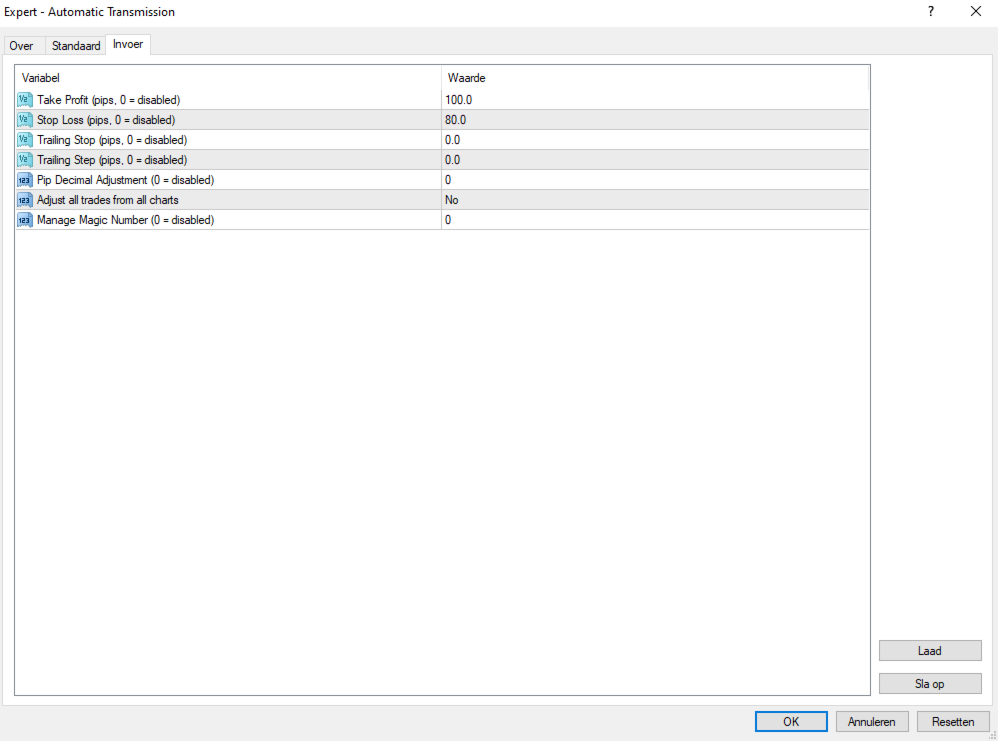
Parameters
-Manage Magic Number (0 = Disabled)----------Manage the magic number, fill in the magic number of a robot you use were you could use this tool and it will manage that for you. Make sure these 2 tools dont fight each other.
-Adjust all trades from all charts?---------------Automatically adjust all trades active from any symbol, good for managing many forex pairs at once.
-Take Profit (0 = Set 0 or unadjusted)----------Take Profit in pips
-Stop Loss (0 = Set 0 or unadjusted)------------Stop loss in pips.
-Trailing Stop (0 = Set 0 or unadjusted)--------Trailing stop in pips.
-Trailing Step (0 = Set 0 or unadjusted)--------The size in pips a trailing stop adjustment is made. when setting to 0 it will result in continues adjustment per interval x amount away (whatever you filled in as a trailing stop).
-Pip Decimal Adjustment (0 = Default)---------Shift the decimal so you dont have to type 1000 pips instead of a 100 when switching to indices for example or simply decide to keep it default.
-Enable Continuous Adjustment?----------------When enabling this any number you change for example, TP is set at 50 and you then set it to 70, it will automaticly adjust live trades. Lets say i make the same adjustment when its turned off, then the change will only happen after a new trade. Same goes for putting it at 0, when this is turned on it will stay at 0 so be careful not to run a trade without a stop loss.
-Enable Instant Trailing Stop?--------------------Yes/No , setting it to "No" will disable it. Setting it to "Yes" will enable a tick based trailing stop wich is quite fast.
-Instant Trailing Stop Profit (0 = Breakeven)---When instant trailign stop engages you can decide wether you want to breakeven or wether you want a preset profit for when price goes down if it moves too fast for the interval to adjust the stop loss resulting in a small profit.
Update Summary
-1.5: Added instant trailing stop feature wich you can turn on and off wich a preset profit for when it kicks in. Also made a toggle between continuesly adjusting the tp, sl and trailing stop should it be changed by person or robot.
Do you wish for more features? Maybe you can shoot me a message.