EA140 MultiFX CrossFire MA
- Эксперты
-
Jose Francisco Flores Rojas
 With over 15 years of private Forex trading experience, I have developed and refined a wide range of trading strategies, many of which were shaped under the guidance of professional trader mentors. My trading journey has been grounded in discipline, adaptability, and continuous learning.
 - Версия: 1.0
- Активации: 5
The MultiFX CrossFire MA is an Expert Advisor designed to trade with high precision using the 20-period Simple Moving Average (SMA) channel.
The main trading logic is based on:
-
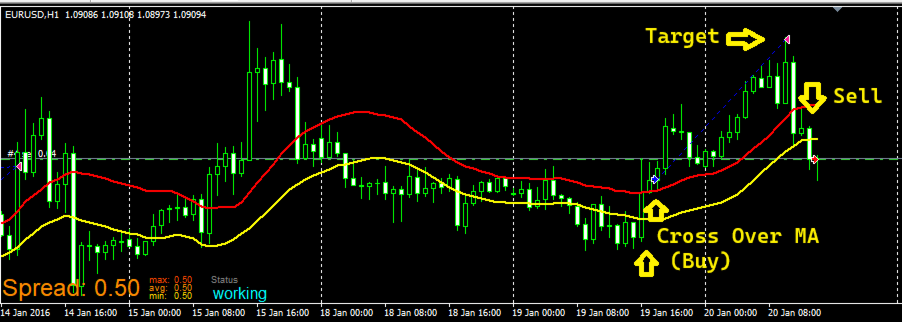
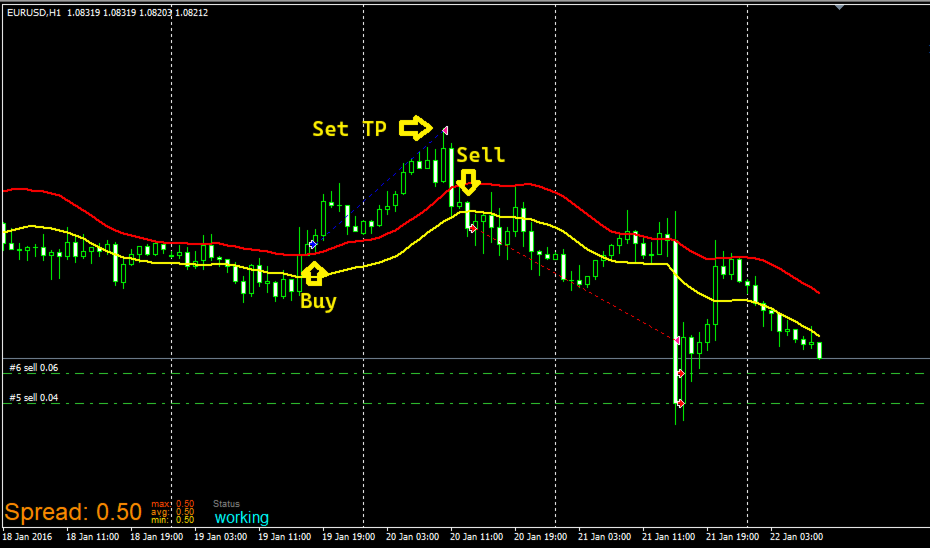
Buy entry: when the candle crosses from below the lower boundary of the 20 SMA and then breaks through the upper boundary, the EA opens a long position.
-
Sell entry: when the candle crosses from above the upper boundary of the 20 SMA and then breaks through the lower boundary, the EA opens a short position.
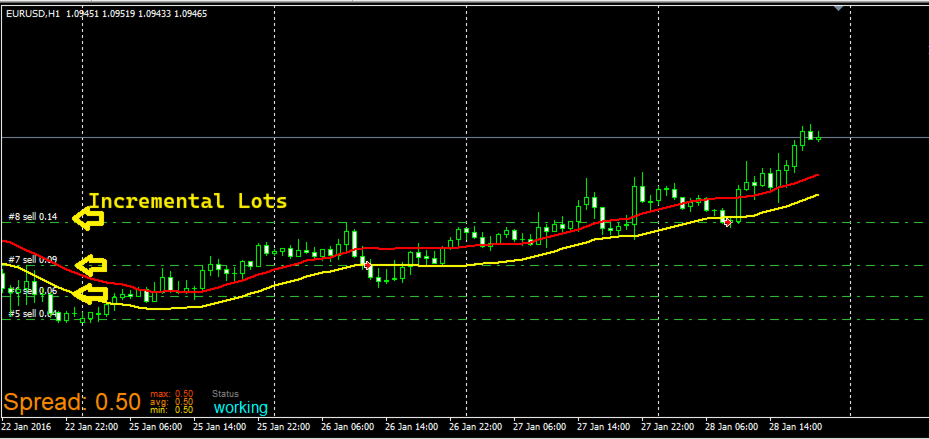
If the market reverses against the initial trade, the EA activates a smart grid recovery mode:
-
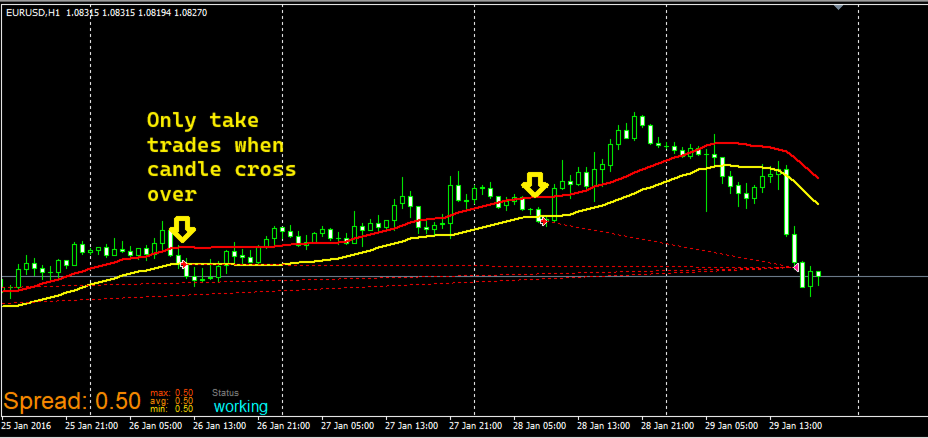
New positions are opened only when price once again meets the SMA 20 boundary-crossing condition.
-
This means the EA does not simply place trades at fixed distances, but instead waits for high-probability market turning points.
-
The system integrates a configurable martingale with a maximum lot size cap, ensuring safer risk control and capital preservation.
Additionally, the EA includes a Cut Loss feature, allowing users to limit losses in extreme market scenarios to safeguard account equity.
The MultiFX CrossFire MA has been tested on H1 timeframe for EURUSD and AUDUSD, showing solid and consistent performance under various market conditions.
⚠️ Financial Disclaimer
Trading Forex and other financial instruments involves a high level of risk. The MultiFX CrossFire MA is an automated trading tool but does not guarantee future profits. Past performance does not ensure future results. Users are solely responsible for applying the EA and managing their risk appropriately. It is highly recommended to test the EA on a demo account before using it on a live account.
⚙️ How to Test and Configure the EA
-
Installation:
-
Copy the EA file into the Experts folder of your MetaTrader 5 platform.
-
Restart the platform and select the EA from the Navigator panel.
-
-
Backtesting in Strategy Tester:
-
Choose the currency pair (recommended: EURUSD or AUDUSD).
-
Select the H1 timeframe.
-
Run historical simulations to validate the bot’s behavior.
-
-
Main Parameter Settings:
-
Initial lot size: set the size of the first trade.
-
Grid & Martingale settings: configure the lot multiplier and maximum lot cap.
-
Grid distance: specify the minimum spacing between recovery trades.
-
Cut Loss: define a maximum loss limit for capital protection.
-
-
Optimization:
-
Adjust parameters according to different market conditions.
-
Validate results in demo trading before moving to live accounts.
-