Prop Firm Risk Manager PRO EA

Professional account protection for prop-firm challenges and funded accounts. It monitors drawdown, open risk, news windows, trading sessions, manual trades, profit targets, and challenge progress in real time, then warns, locks, de-risks, deletes orders, or closes managed exposure according to your rules. Two draggable on-chart panels — Economic Calendar and Performance Stats — keep news planning and account analytics on the chart without leaving MT5.

Built for Prop-Firm Traders

This EA does not predict the market. It is a professional risk-enforcement layer designed to protect an account from avoidable rule breaches: daily drawdown violations, total drawdown violations, oversized trades, missing stop-losses, open-risk overload, trading during restricted news windows, and giving back a completed profit target.

  • Challenge Traders: Track Phase 1, Phase 2, and Funded status with built-in profile defaults and custom rule overrides.
  • Funded Account Holders: Lock the account after profit targets, drawdown events, or unsafe open-risk conditions.
  • Manual + EA Hybrid Traders: Protect dashboard trades, manual trades, pending orders, and strategy-EA exposure by symbol, magic, or account scope.
  • VPS / Multi-Chart Users: Master-instance lease and state recovery reduce duplicate execution risk after reconnects or chart reloads.

Core Protection Engine

  • Daily Drawdown Limit: Flexible baseline modes with optional prop-firm timezone day boundaries.
  • Total Drawdown Limit: Static or trailing account-level protection modes.
  • Equity Protector: Floating-loss money/percent threshold with optional lock and automatic close response.
  • Profit Target Lock: Locks trading after challenge or daily targets to prevent over-trading and giveback.
  • Peak / Weekly / Monthly DD: Optional peak-equity, weekly, monthly, and generic daily drawdown add-ons.
  • Trade Count Limits: Optional max trades per week/month with period rollover handling.
  • Daily Loss Cooldown: Pause new trading after heavy intraday loss usage.
  • Balance + Equity Checks: Drawdown is checked against both balance and equity where the firm requires it, so floating profit cannot hide a balance breach. Broker credit is excluded from balance and funding calculations.
  • Verified Baselines: Start-of-day balance and equity are tracked separately. If a baseline or trailing peak cannot be verified, new risk pauses while close and reduce actions stay available. Official values can be entered manually; an unverified baseline is never treated as zero risk.

Configurable Rule Responses

When professional action levels are enabled, daily DD, total DD, floating loss, profit target, open risk, and peak/period drawdown rules can each use: ALERT ONLY SOFT LOCK HARD LOCK

  • Alert Only: warn and record the event while trading remains allowed.
  • Soft Lock: block new trades and optionally delete pending orders while keeping positions open. Resolved soft locks can auto-unlock when conditions clear.
  • Hard Lock: delete managed orders, close managed exposure, and keep trading blocked.
  • Optional popup, push, and email notifications for alerts and critical events.

Professional Trade Gate

Smart Order infers BUY/SELL and Market/Limit/Stop from Entry/SL/TP and live quote, then validates each request through account state, time restrictions, order quality, and risk checks before execution. Lot size follows the Risk % shown on the panel and the stop distance by default; fixed-lot and fixed-money sizing are also available. The take-profit can follow a fixed reward ratio (R:R 1:0.5 to 1:20, set with +/- on the panel): the TP line moves with Entry and SL until you drag it yourself.

  • Account State: Active locks, daily loss cooldown, daily/overall/time-block overrides, and master-instance status.
  • Time Safety: News blocks, session filters, rollover block, overnight guard, weekend guard, and Friday close guard.
  • Order Quality: Spread filter, symbol trade mode, lot normalization, broker stop/freeze distance, and free margin checks.
  • Risk Limits: Required SL, single-trade risk, total open SL risk, remaining drawdown headroom, portfolio SL projection, risk-buffer money, and projected-loss buffer guard.
  • Exposure Limits: Max single position lots, max total lots, max open positions, max pending orders with pre-trade rejection, currency exposure cap, and configurable limit actions (alert, close violations, or close all managed).
  • Portfolio Projection: Open positions, pending orders and the new order are checked together, balance first. A missing stop-loss counts as unknown risk, never zero. Invalid lots, prices, SL/TP or symbol data fail closed, and symbols match exactly (EURUSD vs EURUSD.a).
  • Execution Retry: Retry only on safe retcodes; ambiguous outcomes are reconciled before another account mutation is allowed.

News Protection

Unified engine with MT5 Economic Calendar as default source, optional ForexFactory feed, manual schedule, and external feed.

  • Configurable impact levels and pre/post news block windows.
  • Currency and keyword filters for focused event blocking.
  • Failure policy per source: allow, alert, or fail-closed block.
  • Optional pending-order delete and close-during-window actions.
  • On-chart markers and block zones for fast visual planning.
  • Draft and applied calendar selections are kept separate; an empty news day is distinguished from a failed query; fractional GMT offsets (for example +5.5) are supported.

Session, Liquidity, and Time Filters

  • Server-time or local-time session filtering with weekday rules.
  • Cross-midnight range support such as 22:00-02:00.
  • Rollover, overnight, weekend, and Friday close guards.
  • Spread-spike blocking with optional cleanup actions.

Smart De-Risk

When risk is elevated, Smart De-Risk can partially or fully reduce exposure before a full hard close is required.

  • Supports partial close percentage and max actions per cycle.
  • Priority modes: largest risk, largest loss, largest volume, newest.
  • Stops when configured risk usage returns to target levels.

Trading Discipline and Portfolio Groups

Optional rules that stop the trading patterns that end most challenges: overtrading, revenge trading and stacked correlated risk.

  • Daily opening-order budget with pending-order reservations.
  • Loss-streak pause after N completed losing trades, including costs.
  • Post-loss money-risk cap for a configurable window after a loss.
  • Configuration cooling period after input changes (survives restart).
  • Exact-symbol portfolio groups with a gross stop-loss risk cap and optional automatic reduction.

Optional Position Manager

Opt-in R-based stop management for PFRM-magic positions by default.

  • Break-even, stepped trailing stop and stop-widening restoration.
  • Two persistent partial take-profit stages that never turn into an accidental full close.
  • Pauses inside scheduled news windows and suspends after scale-ins.
  • Rejected requests back off progressively to limit server requests.
  • Partial closes recheck the position and remaining volume before every retry, including on netting accounts; a manual reduction never turns a later stage into a full close unless the plan says 100%.
  • Account-level protective closes never wait for a pending stop change.

Prop Compliance and Alerts

  • Minimum holding time: EA discretionary closes wait for your firm’s minimum hold; early exits are reported.
  • Server-request budget: estimated daily request count with an 80% warning; at the limit new entries and automatic stop management pause.
  • Inactivity reminder before a firm’s inactivity rule closes the account.
  • Margin level guard: blocks entries that would push the projected margin level below your limit.
  • Alerts: pop-up, MT5 push, email and optional Telegram.
  • One-click actions: close all, delete orders, close profitable, close losing, close chart symbol, close half or move stops to break-even (entry plus a configurable offset; stops are never widened and positions not yet far enough in profit are skipped), each with confirmation.
  • Keyboard shortcuts: Shift+T order, R reset lines, L lines, A AUTO/MKT, B break-even, X close all, D delete orders, V view, C calendar, S stats. Account actions still open the confirmation dialog; can be turned off.
  • Guided setup: four-step account, rules, clock and permissions review with a live protection status.

Floating On-Chart Panels

Two draggable panels keep planning and analytics on chart.

  • Economic Calendar Panel: Weekly MT5 calendar with day, impact and currency filters, plus block-trading, close-positions and cancel-pending controls, an adjustable before/after window, and affected-pairs or all-pairs scope.
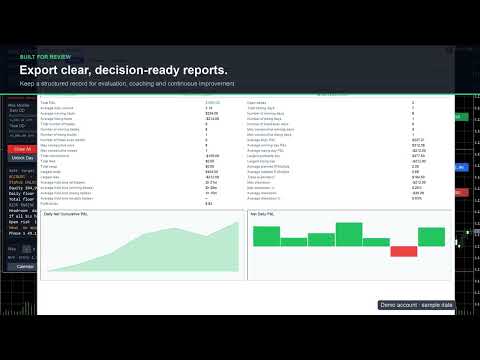
  • Performance Stats Panel: Overview KPIs, performance score, cumulative and daily P&L, a monthly P&L calendar with day details, trade charts on selectable timeframes, monthly reports and comparisons, and per-symbol statistics from account deal history.

Manual Trade Guard and Pending Order Gate

Protects manual and external-EA activity with independent checks for blocked-state trading, missing SL, and risk breaches.

  • Supports account, symbol, magic, or symbol+magic scope.
  • Re-checks pending orders for SL, lot, exposure, and margin health.
  • Can delete unsafe pending orders and close missing-SL positions.
  • Optional automatic stop-loss: a managed position opened without a stop (MT5 mobile, web terminal or another EA) gets one at a set distance from its open price, or from the current price if the market has already moved past that level, plus an optional take-profit at a set R:R. This runs before any open-risk rule, so the account is not locked for a trade the EA can still protect.

Management Scope and Symbol Filter

Risk enforcement can target the whole account, the current chart symbol, a specific magic number, or symbol+magic together. An optional symbol allow-list further limits which instruments are actively managed. Calendar “All Pairs” expands event matching only and never bypasses this management boundary.

Safety boundary: with the account-wide Master lease enabled, use Account or Magic scope so one view-only chart cannot leave another symbol unprotected. On MT5 Netting accounts, use Account or Current Symbol scope because a merged net position cannot be reliably divided by magic number. Unsafe combinations are rejected during initialization.

Challenge Progress Tracker

Tracks phase state and evaluation progress for common prop-firm workflows.

  • Built-in profiles: FTMO, FundingPips, The5ers, FundedNext, E8.
  • Manual phase advance with validation gates before transition.
  • Custom profile mode for user-defined rule sets.
  • FundingPips rule editions (including the current edition, reduced daily-loss and Swing add-on options) and overnight/weekend auto-flat for Master accounts without the Swing add-on.
  • E8 post-payout loss floor: after the first payout request the total-loss floor rises to the initial balance.
  • FundedNext Quick Strike tracking with a 20% alert and an evaluation gate; The5ers legacy and current target profiles.

Rule presets rechecked against official firm material on 9 October 2026. Built-in profiles are starting points; the trader's official account dashboard and contract remain authoritative.

Official rule references: FTMO, FundingPips 1-Step Flex, FundingPips 2-Step Standard, FundingPips 2-Step Pro, FundingPips 2-Step Flex, The5ers High Stakes, FundedNext Stellar 2-Step, and E8 Pro Forex.

Dashboard and Controls

Draggable, stateful dashboard with live risk metrics and action controls.

  • Full View: Risk monitor, trade gate, buttons, challenge state, diagnostics summary, calculator, export controls, and floating panel toggles.
  • Compact View: Reduced terminal-style layout for smaller charts while preserving key risk lines.
  • Diagnostics View: Configuration warnings, calendar status, retcodes, and recovery status.
  • Mini View: Minimal HUD for monitoring and emergency close access.
  • Smart Place order button with pre-trade gate validation; the preview shows risk, reward and R:R even while the gate blocks the order.
  • Calculator row with Risk %, SL distance and R:R controls.
  • Emergency Close All/Delete Orders with confirmation and optional PIN.
  • Phase advance and manual override controls.
  • Calendar and Stats panel shortcuts.
  • Export of rule presets and challenge summary snapshots.
  • Draggable Entry, SL and TP lines with on-chart handles that show price, pips and money at risk.
  • Colour-coded protection status at the top right with a Setup button and one-click actions; a confirmed Take Control button appears when a standby chart can safely take over.
  • Plain-language details: today, week and month P&L, daily and total floors, headroom, projected equity if every stop-loss is hit, open risk and challenge progress.
  • High-DPI support: every panel scales with Windows display scaling (150%, 200%, 4K) or a manual UI scale, and the dashboard opens in the largest view that fits the chart.

State Recovery and Execution Safety

  • State Recovery: Restores baseline, phase, lock state, overrides, cooldowns, dashboard position/mode, calculator state, risk-line state, and calendar panel state after reloads.
  • Single Active Instance: A short atomic owner+expiry lease allows only one PFRM chart to control an account at a time. A compatible chart can take over after the previous controller releases its lease or the lease expires. After a clean stop, a newly attached chart takes over with its own settings or StateName; the previous chart keeps priority while PFRM is still attached to it. After a crash, changed settings require review: a confirmed Take Control button (or the matching input) approves them once without clearing stored risk history. A valid other lease is never overridden, and standby diagnostics explain the actual reason control is unavailable. An account-wide in-flight fence still prevents duplicate execution while a synchronous broker call is unresolved.
  • Simulation Mode: Log-only mode for validating rules without sending orders, closes, or deletes.
  • Execution Reconciliation: Token-based reconciliation avoids duplicate account mutations after ambiguous broker outcomes or restart events.
  • Persistent One-Click Actions: Close All and Delete Orders keep unfinished work and resume after reconciliation or a compatible restart. Completion is reported only when every requested target is cleared. Protection stays active until order, deal and position data agree, including partial fills and broker-rewritten comments.
  • Diagnostics: Shows calendar refresh state, last trade retcode, close/delete failures, master owner, global-state health, and recovery status.

Reporting and Presets

Export CSV reports for audit, daily summary, challenge progress, and presets. Import/export helps replicate settings across accounts or VPS.

  • Audit trail for locks, alerts, trade actions, retries, and recovery.
  • Daily and challenge reports for drawdown and target tracking.
  • Preset import validation to prevent unsafe configuration commits.
  • Account cash-flow reporting: bonuses and corrections are included, broker credit is tracked separately, and CSV files carry account and server fields.

Quick Start

  1. Attach EA on one chart and confirm management scope.
  2. Select prop-firm profile or load your preset.
  3. Set daily/total drawdown, open-risk, and time/news filters.
  4. Enable Smart De-Risk and choose desired response levels.
  5. Optionally enable discipline, position-manager and compliance modules (all off by default except the inactivity reminder and news pause).
  6. Open Setup, review the four steps, verify dashboard status, then start trading.

Who Should Use It?

  • Prop-firm challenge traders who want strict drawdown discipline.
  • Funded account traders who want to protect payout periods and stop over-trading.
  • Manual traders who need an always-on safety layer around discretionary entries.
  • Strategy-EA users who want account-level guard rails independent of signal logic.
  • Traders managing multiple charts or VPS sessions who need state recovery and master-instance control.

Important Notes

Prop-firm rules change. Built-in profiles are convenience presets, not a guarantee that every account type, country-specific rule, payout rule, or newly updated firm policy is covered. Always compare the EA settings with your official firm dashboard and contract.

Risk disclaimer: This product does not guarantee challenge success, funded account retention, or loss prevention. Execution can be affected by slippage, spread spikes, broker restrictions, rejected orders, terminal connectivity, and market gaps. Forex, futures, indices, commodities, and CFDs involve substantial risk.

Optional trading automation (discipline, position manager, portfolio reduction) is off by default; review its inputs before enabling it. Trades from a phone or another EA can only be handled after they execute and while this terminal is running. Local locks and PINs do not stop someone removing the EA and are not a broker-side block. Break-even is a price level, not a promise of zero net loss after costs.

Update all PFRM charts together. For trailing profiles, confirm any UNKNOWN peak against your official dashboard (the official peak inputs accept day ID, end-of-day balance, equity peak and a fresh confirmation time) before resuming new risk.

For multi-chart operation, keep the default Account scope with the Master lease. If you intentionally disable the lease, every instance can mutate the account and must be configured and supervised separately.

If a broker replaces order comments and an ambiguous operation cannot be positively reconciled, inspect the account and history first, then use InpClearUnknownExecutionOnInit once as an explicit operator acknowledgement and return it to false immediately.

This product is not affiliated with or endorsed by FTMO, FundingPips, The5ers, FundedNext, E8, or any other prop firm named in the description.
Produtos recomendados
Topos e fundos com fibo
Paulo Henrique Sanches Bonanni
PHSB_Topo_Fundo Uma visão mais clara dos extremos e da estrutura atual do mercado O PHSB_Topo_Fundo é um indicador desenvolvido para o MetaTrader 5 com o objetivo de facilitar a visualização da estrutura de preços dentro de uma faixa de mercado , destacando seus principais extremos e regiões intermediárias. Além da identificação visual de Topo e Fundo , o indicador reúne outras informações importantes em uma única interface, permitindo ao trader observar simultaneamente a faixa de preços analisa
FREE
LineaResultadoyEjecucion
Juan Luis De Frutos Blanco
Result and Execution line, which shows the net global position, the expected profit at a given price level, and its percentage of the account balance. Additionally, with the line unselected, it executes position and/or order closing actions. You can move the line from one price to another by selecting it, to obtain information on the closing result of positions at different price levels. If you wish to close trades and/or orders, select this option in the EA parameters and then deselect the li
FREE
Candle Countdown Utility
AL MOOSAWI ABDULLAH JAFFER BAQER
Candle Countdown Know exactly when the next candle begins. Trade with perfect timing. Candle Countdown is a professional MetaTrader utility that displays a precise, real-time countdown timer for the current candle on any chart and timeframe. By showing exactly how much time remains before the current candle closes and the next one begins, the utility helps traders improve entry timing, manage exits more effectively, and avoid making decisions based on incomplete price action. Whether you're a sc
Elliott Wave Helper
Siarhei Vashchylka
4.92 (13)
Elliott Wave Helper is a panel for constructing wave analysis. Manual (Be sure to read before purchasing) | Version for MT4 Advantages 1. Constructing wave analysis and wave structure in a few clicks 2. Availability of all wave analysis patterns, including triangles and combinations 3. All nine wave display styles, including a special circle font 4. Change colors and display styles of wave groups directly from the chart 5. Binding all elements to a set timeframe or timeframes 6. A template syste
CSV News File Generator MT5 is a script specifically designed for the MQL5 platform. It enables the automated generation of CSV files containing economic calendar news, making it ideal for use in strategy simulators or as data for training artificial intelligence models. How Does It Work? The script gathers economic news directly from the MQL5 calendar, organizes the data into arrays, and converts it into CSV files for later use. Steps to Generate News Identify Event Codes: Find the event code
FREE
Martingale Osw MT5
William Oswaldo Mayorga Urduy
Manual do Usuário: Sistema Avançado de Gerenciamento de Martingale e Controle de Risco Este manual profissional descreve a operação, a configuração e a interface visual do sistema avançado de gerenciamento de ordens Martingale, projetado para automatizar a recuperação de posições e o gerenciamento de risco no MetaTrader. 1. Introdução e Objetivo Esta ferramenta atua como um gerenciador de ordens de alta precisão, cuja lógica principal é a média de custo. Seu objetivo é proteger e recuperar ope
DrawPad
Simon Draxler
DRX DrawPad: ferramenta de desenho no gráfico e planejador de operações Risk/Reward para MetaTrader 5 DRX DrawPad transforma o MetaTrader 5 em um espaço completo de análise visual. Desenhe, meça e planeje operações diretamente no gráfico do MT5, com rapidez e precisão, sem nenhum programa externo. Desenho à mão livre, linhas de tendência, setas, Fibonacci, zonas, texto, régua de medição e um planejador de posições Long/Short com cálculo automático do lote, tudo em um painel escuro e compacto que
PropGuard OS — The Airbag for Your Prop-Trading Account Risk Manager | Trade Panel | Prop Firm EA | FTMO & Funding Pips Ready Be honest: How did you really lose your last challenge? Was it the strategy? Probably not. It was that one moment : The moment a small loss turned into a revenge trade. The moment you “just quickly” bent the rules. The moment your brain screamed “BUY” while your plan said “STOP”. You wouldn’t drive a car without a seatbelt. So why risk a $100,000 account without PropGuar
No EA, no complex configuration – just run this script and see your professional trade setup instantly on the chart. The MTT   Breakout Trade Setup Pro   script is built for manual breakout traders who want   institutional‑grade risk management   without the overhead of an Expert Advisor. It uses a proprietary higher‑timeframe detection algorithm (calibrated for the 9:00 GMT+3 session) to identify the optimal breakout reference levels. Your Stop Loss distance is derived automatically from market
Replay para MT5
Renato Sanchez Moura
Replay de Estudos Treine o mercado como se estivesse ao vivo O Replay de Estudos é uma ferramenta desenvolvida para quem quer acelerar a evolução no trading através da prática realista. Com ele, o trader consegue voltar no tempo, escolher uma data e horário específicos e acompanhar o mercado candle a candle, simulando decisões como se estivesse operando ao vivo. Diferente de apenas olhar o gráfico parado, o Replay permite estudar o comportamento do preço em movimento, testar entradas, treinar le
# Wave Trend Oscillator (WTO) User Guide ## Overview Wave Trend Oscillator is a powerful technical analysis tool used to analyze price momentum and trend direction. It visualizes market conditions using two main lines (WT1 and WT2) and a histogram. ## Components 1. **WT1 (Green Line)**: Main trend indicator 2. **WT2 (Red Line)**: Signal line 3. **Histogram (Blue)**: Shows the difference between WT1 and WT2 4. **Arrows**: Mark crossover points    - Green Arrow: WT1 crosses above WT2 (Buy signa
Este rastreador permite que você identifique ativos que estão mais do que normalmente sobrecomprados (% de crescimento) ou sobrevendidos (% de queda) dentro de um período de tempo selecionado (período de tempo). O mercado é regido por lei, compre mais barato, venda mais caro, mas sem um scanner automático será muito difícil para você identificar moedas / ações que estão sobrecompradas ou sobrevendidas mais do que o normal, digamos, na semana atual, ou o hora atual ou mês. Pode haver dezenas ou
ADAM for FTMO 5
Vyacheslav Izvarin
5 (1)
ADAM EA Special Version for FTMO Please find new Version here  https://www.mql5.com/en/market/product/113326 Our 1st EA created using ChatGPT technology Trade only GOOD and checked PROP FIRMS  Default parameters for Challenge $100,000 Tested on EURUSD and GBPUSD only  Use 15MIN Time Frame Close all deals and Auto-trading  before Weekend at 12:00 GMT+3  Friday For Prop Firms MUST use special Protector  https://www.mql5.com/en/market/product/94362 -------------------------------------------------
TDI MTF: Comprehensive Market Sentiment & Trend Framework The TDI MTF  is a multi-layered (captures Trend, Channels, Oscillates, levels, multi-timeframe) technical indicator designed to provide a clear view of market structure. By combining RSI momentum with volatility analysis, it helps traders identify where price is relative to its "mean" and whether current momentum is sustainable. This tool is good for traders who want an  all-in-one separate window to filter out market noise and focus on h
FREE
DailyHighLow MT5
Komi Eyram F Kahoho
Por favor, não se esqueça de avaliar o indicador para ajudar na sua visibilidade. O indicador DailyHighLow é projetado especificamente para a plataforma MetaTrader 5 (MT5) e tem como objetivo ajudar os traders a monitorar as flutuações diárias dos preços. Este indicador traça automaticamente linhas de tendência com base nos preços mais altos e mais baixos de um período personalizado, oferecendo uma assistência visual clara para os traders que precisam de informações precisas sobre o mercado. Pri
FREE
OrderHelper script is super easy and trader friendly to use. It would boost your trading experience. Because it is designed to open one to multiple orders quickly with just one click. Besides using the OrderHelper script, traders can define various parameters for open orders such as the symbol, order type, lot size, stoploss, takeprofit and more. Basically, with this script traders can manage their open orders more efficiently and save their trading time. OrderHelper manages: Open the number of
Having trouble marking where the various forex sessions start and end? Or perhaps your strategy requires you trade only in a specific session, then this is for you. The session indicator shades the session you require in a certain color so that you can identify it easily. The sessions shown include: London session, New York session, Asian Session, Asian - London overlap and London - New York Overlap. Difference source give varying time ranges for the various session, mostly differing by not m
FREE
Introducing "PropFirm Consistency Analyst" — your dynamic companion for achieving consistency in proprietary trading. This innovative Expert Advisor operates seamlessly, continuously calculating consistency metrics between two specified dates, providing real-time insights throughout the trading month. Tailored specifically for prop traders, this tool serves as a dedicated ally in meeting the stringent consistency requirements set by some proprietary firms. By evaluating trading performance on
FREE
Volume Flow Binance
Thalles Nascimento De Carvalho
Volume Flow Binance! Já imaginou ter acesso ao times and trades da sua criptomoeda preferida, com detalhes sobre o fluxo de volumes e análise de movimentação de preços, mesmo que sua corretora não ofereça acesso ao histórico completo de negociações? Com o Volume Flow Binance , isso agora é realidade! Este script em MQL5 foi desenvolvido para traders de criptomoedas que buscam uma visão detalhada das dinâmicas do mercado em tempo real. Características Principais: Acesso direto ao t
FREE
Sinaleiro Trader
Renato Takahashi
O Sinaleiro Trader é o robô de daytrade que usa multiníveis de acordo com a abertura do dia. Assim, a cada rompimento dos níveis, o robô emite ordens de compra ou venda, de acordo com a tendência. Os stops podem ser fixos ou dinâmicos de acordo com os níveis. É possível configurar a distância do sinaleiro, bem como horários de trades e dias da semana. Alterar o parâmetro BR1 para BR.
The Linear Regression Channel is a powerful technical analysis tool that helps visually identify the prevailing trend and potential price zones. Essentially, the indicator performs two main functions: It draws a trendline through the center of price action over a specified period. This line is calculated using the linear regression method, which results in the best possible "line of best fit" for the price data. From this center line, the indicator plots two parallel lines above and below, creat
FREE
Iron Entry
Brian Mwangi Ngugi
Iron Entry — Real-Time Signal Engine with Trend Filter & Momentum Candles Why You Should Choose This Indicator Most signal tools redraw their arrows after the fact, by the time you notice a "signal," it's already changed or vanished. Iron Entry doesn't do that. This indicator locks in its pivots and signals the moment they close, and once printed, they never move, disappear, or repaint.  What you see live is exactly what stays on your chart tomorrow, next week, and next year. That means you c
MT5 Chart Replay
Hlomohang John Borotho
MT5 Chart Replay Rewind the Market. Replay Every Trade You Took. Review Every Decision . Have you ever wished you could rewind the candlesticks on your chart and the trades you took and watch the market unfold again ? Perhaps you wanted to see exactly where a trade started going wrong, identify the setup you missed, or revisit a period when your strategy was perfectly aligned with market structure. Introducing MT5 Chart Replay  — a professional MetaTrader 5 chart replay engine designed to help t
O EA funciona diretamente no gráfico principal do MetaTrader 5. Sistema visual de execução de ordens com: painel de trade envio OCO visual mini gráficos flutuantes linhas de entrada/stop/take interação via mouse gerenciamento gráfico das posições Painel principal: Contendo: seleção de ativo campo de lote stop loss take profit trailing stop botões BUY e SELL botão OCO botão cancelar ordens botão fechar tudo botão BE (break even) botão reverse Painel e movível no gráfico. 2. MINI CHARTS C
Trend Teller
Ian Nganga Comba
Trend Teller é uma ferramenta de painel poderosa e intuitiva projetada para oferecer uma visão panorâmica da tendência do mercado em todos os principais pares de moedas e em todos os timeframes — de M1 a MN1. Criada por traders para traders, esta ferramenta elimina o achismo na análise de tendências e ajuda você a se manter alinhado com a direção geral do mercado. A maioria dos iniciantes tem dificuldade em identificar a direção do mercado — algo que até mesmo traders experientes erram de vez em
FREE
Equity Shield 2
Algori Systems FZ-LLC
Equity Shield 2 for MT5 Equity Shield 2 monitors your account limits while you trade. Set daily drawdown, maximum drawdown, daily profit and account profit targets, then track your remaining room live from one on-chart panel. When an enabled limit is reached, Equity Shield 2 can close your open positions and alert you. Built for prop firm challenges and traders who want an additional layer of account protection. Account protection Monitor up to four account limits: Daily drawdown Maximum accoun
EA Claim Consistency Checker é um utilitário MT5 local que verifica se os números digitados manualmente a partir da página de venda de um EA são estatisticamente coerentes entre si. Você digita diretamente nos parâmetros do script os valores de destaque da página de venda ou da descrição do EA: Profit Factor, taxa de acerto, razão ganho/risco ou ganho médio/perda média, número de operações, drawdown máximo, retorno mensal, período declarado e capital inicial. O utilitário não lê arquivos de re
Monitor de Ordens HedgingMonitor HedgingMonitor: Controle Visual para Operações de Hedge O HedgingMonitor é um indicador profissional para MetaTrader 5 que exibe informações detalhadas sobre todas as suas ordens abertas e pendentes em um painel visual organizado e personalizável. Ideal para traders que utilizam estratégias de hedge ou gerenciam múltiplas ordens simultaneamente. Principais Funcionalidades: Interface Visual Intuitiva: Visualize todas as suas ordens em um único painel, com códigos
Trade Utility Pro
Sovannara Voan
3.87 (93)
Trade Utility Pro is a bot utility designed to help you manage trades more easily, quickly, and accurately. This utility features a control panel interface and supports MetaTrader 5 exclusively. This utility does not link to any account information or external sources, ensuring safety. Main Features: Open Trade Support: Lot size calculation Fixed Lot: Custom input lot required Money Risk Lot: Automatically calculated based on stop loss and money risk Account % Risk Lot: Automatically calculated
FREE
Simple Trade Terminal Simple Trade Terminal is a compact and performance-optimized on-chart panel for MetaTrader 5. It solves two of the biggest friction points in manual trading: time-consuming lot size calculations and inaccurate placement of Stop-Loss and Take-Profit levels. Instead of typing numbers into standard order masks, you plan your trade visually directly on the chart. The panel automatically calculates your exact position size based on your predefined risk and executes the order. Th
FREE
Os compradores deste produto também adquirem
Trade Assistant MT5
Evgeniy Kravchenko
4.43 (216)
Ajuda a calcular o risco por comércio, a fácil instalação de uma nova encomenda, gestão de encomendas com funções de fecho parcial, trailing stop de 7 tipos e outras funções úteis. Materiais e instruções adicionais Instruções de instalação   -   Instruções para a aplicação   Função de linha Mostra no gráfico a linha de Abertura, Stop Loss, Take Profit. Com esta função é fácil definir uma nova ordem e ver as suas características adicionais antes da abertura.   Gestão de risco A função de cálcul
Bem-vindo ao Trade Manager EA—uma ferramenta de gestão de risco criada para tornar o trading mais intuitivo, preciso e eficiente. Não é apenas uma ferramenta para executar ordens, mas uma solução abrangente para planejamento de operações, gerenciamento de posições e controle de risco. Seja você um iniciante, trader avançado ou scalper que precisa de execução rápida, o Trade Manager EA adapta-se às suas necessidades, oferecendo flexibilidade em todos os mercados, desde forex e índices até commodi
Local Trade Copier EA MT5
Juvenille Emperor Limited
4.94 (149)
Local Trade Copier EA MT5 é um copiador de operações rápido e flexível para copiar e gerenciar operações entre várias contas MetaTrader 5 no mesmo computador Windows ou Windows VPS. Ele combina a sincronização local de operações com controles no lado do Receiver para tamanho de lote, gerenciamento de risco, filtragem de operações, mapeamento de símbolos, gerenciamento de operações e proteção da conta. Configure seus terminais Transmitter e Receiver em aproximadamente 1 minuto e copie operações
Farmed Hedge Yield Farming | All Markets (Manual - Hybrid - Semi/Automated EA) VERIFIED TRADING RESULTS - Farmed Hedge Yield Axi Copy:  https://www.mql5.com/en/signals/2356376 - Farmed Hedge Yield Exn Copy:   https://www.mql5.com/en/signals/2356404 - Farmed Hedge Yield V Copy:  https://www.mql5.com/en/signals/2357156 IMPORTANT NOTICE: FarmedHedge is a MANUAL-FOCUSED TRADING UTILITY ,not a fully automated EA. Results shown on this Signal include manual trades and overall strategic management.
O Telegram to MT5 Multi-Channel Copier copia automaticamente os sinais de trading dos seus canais de Telegram e Discord diretamente para o MetaTrader 5. Sem bots, sem extensões de navegador, sem copiar à mão. O sinal chega ao Telegram ou ao Discord e o EA abre a operação no seu terminal em poucos segundos. E antes de copiar um canal, o backtester integrado mostra o que esse canal teria feito na sua conta. O produto inclui dois componentes: um aplicativo de Windows que escuta os seus canais de Te
Copie sinais do Telegram com suas próprias regras de negociação Telegram to MT5 Signal Trader copia automaticamente sinais de negociação em texto de canais e grupos públicos e privados do Telegram para o MetaTrader 5. Gerencie vários provedores e contas MT5 em um único aplicativo para desktop, com configurações individuais de risco e de negociação para cada provedor . Você não precisa de um bot do Telegram nem configurar uma API para copiar sinais. Basta entrar com sua própria conta do Telegram
================================================================================ POC BREAKOUT - V20.72. Full Professional Grade Toolkit ================================================================================ POC Breakout is a full MetaTrader 5 trading dashboard for discretionary traders who want breakout signals, Point of Control (POC) context, volume profiles, order flow, market structure, news, alerts, and advanced trade planning in one professional workspace. Attached directly to you
TradePanel MT5
Alfiya Fazylova
4.88 (170)
Trade Panel é um assistente de negociação multifuncional. O aplicativo contém mais de 50 funções de negociação para trading manual e permite automatizar a maioria das tarefas de negociação. Instruções para o aplicativo: https://www.mql5.com/pt/blogs/post/762435 Versão de teste do aplicativo para conta demo: https://www.mql5.com/pt/blogs/post/762547 Como instalar o aplicativo: https://www.mql5.com/pt/blogs/post/762548 Como testar o aplicativo no modo visual: https://www.mql5.com/pt/blogs/post/770
Strategy Ledger Pro
Abdullah Uygar Tuna
5 (11)
Agora disponível em português. Strategy Ledger Pro é um painel de análise de conta somente leitura para o MetaTrader 5. Ele separa os resultados da conta por Expert Advisor, estratégia, símbolo e número mágico, para que você veja o que cada um realmente contribui. O painel está disponível em 11 idiomas: English, Français, Deutsch, Español, Italiano, Português, Русский, Türkçe, 中文, 日本語 e 한국어. Antes de baixar a demo. O Market executa a demo de qualquer produto pago somente no Testador de Estratég
News Trade EA MT5
Konstantin Kulikov
4.55 (11)
Apresento um robô útil que eu mesmo uso há vários anos. Pode ser usado nos modos semiautomático e totalmente automático. >>> Chat <<< O programa contém configurações flexíveis para negociação nas notícias do calendário econômico. Não pode ser verificado no testador de estratégia. Somente trabalho real. Nas configurações do terminal, você precisa adicionar o site de notícias à lista de URLs permitidos. Clique em Serviço > Opções > Conselheiros. Marque com V a caixa "Permitir WebRequest para os
Master Your Trading Discipline   Stop losing your hard-earned gains to overtrading and emotional decisions. The Discipline Tool is your ultimate trading assistant, ensuring strict risk management in real-time. Key Protection Features: Advanced Drawdown Defense : Automatically halts trading if your daily drawdown exceeds a preset threshold (percentage or dollar amount). Real-Time Equity Lock : Safeguard profits by referencing peak equity, ensuring drawdown stays within control. Hard Profit Target
The product will copy all telegram signal to MT5 ( which you are member) , also it can work as remote copier.  Easy to set up, copy order instant, can work with almost signal formats, image signal,  s upport to translate other language to English Work with all type of channel or group, even channel have "Restrict Saving Content", work with  multi channel, multi MT5 Work as remote copier: with signal have ticket number, it will copy exactly via ticket number. Support to backtest signal. How to s
Exp COPYLOT CLIENT for MT5
Vladislav Andruschenko
3.97 (35)
Copiador profissional de operações para MetaTrader 5 Um copiador de operações rápido, profissional e confiável para MetaTrader . COPYLOT permite copiar operações de Forex entre terminais MT4 e MT5 com suporte para contas Hedge e Netting . A versão MT5 do COPYLOT oferece suporte a: - MT5 Hedge → MT5 Hedge - MT5 Hedge → MT5 Netting - MT5 Netting → MT5 Hedge - MT5 Netting → MT5 Netting - MT4 → MT5 Hedge - MT4 → MT5 Netting Versão MT4 Descrição completa + DEMO + PDF Como comprar Como instalar Como
Entry In The Zone with SMC Multi Timeframe is a real-time market analysis tool based on Smart Money Concepts (SMC), designed to analyze market structure, price direction, and key trading zones. It supports both Single-Timeframe and Multi-Timeframe Analysis, providing a clearer view of overall market structure across multiple timeframes, with real-time BUY / SELL signals designed with a strict focus on No-Repaint principles.   The signals are designed to help filter unclear setups and evaluate tr
EasyInsight AIO MT5
Alain Verleyen
4.92 (12)
EASY Insight AIO – A solução tudo-em-um para trading inteligente e sem esforço Visão geral Imagine analisar todo o mercado — Forex, Ouro, Cripto, Índices e até Ações — em segundos, sem precisar examinar gráficos manualmente, instalar indicadores ou lidar com configurações complicadas. EASY Insight AIO é sua ferramenta definitiva de exportação para trading com IA, pronta para usar. Ela oferece um panorama completo do mercado em um único arquivo CSV limpo — pronto para análise imediata no ChatGP
Power Candles Strategy Scanner - Localizador de configurações multissímbolo com auto-otimização O Power Candles Strategy Scanner utiliza o mesmo motor de auto-otimização que alimenta o indicador Power Candles — em todos os símbolos da sua lista de observação, lado a lado. Um painel indica-lhe quais os símbolos que são estatisticamente negociáveis neste momento, qual a estratégia vencedora para cada um, o par ideal de Stop Loss / Take Profit, e avisa-o assim que um novo sinal é emitido. Esta ferr
Precisa de suporte? Como configurar? Tem dúvidas? Pergunte aqui no seu idioma, resposta rápida: https://www.mql5.com/en/market/product/139088/comments Baixar demo funcional Copy Cat More (Gato Copião) — Copiador de Trades (Trade Copier) MT5 é um copiador local de trades e um completo framework de gerenciamento de risco e execução, projetado para os desafios de trading de hoje. De desafios de prop firm ao gerenciamento de portfólio pessoal, ele se adapta a cada situação com uma combinação de ex
MT5 to Telegram Signal Provider é uma utilidade fácil de usar e totalmente personalizável que permite o envio de sinais especificados para o chat, canal ou grupo do Telegram, tornando sua conta um fornecedor de sinais . Ao contrário da maioria dos produtos concorrentes, ele não usa importações de DLL. [ Demonstração ] [ Manual ] [ Versão MT4 ] [ Versão Discord ] [ Canal do Telegram ]  New: [ Telegram To MT5 ] Configuração Um guia do usuário passo a passo está disponível. Não é necessário conhec
Signal TradingView to MT5 Pro Automator Execução profissional instantânea entre TradingView e MetaTrader 5 Automatize a sua estratégia de trading com a ponte de comunicação mais robusta entre os alertas do TradingView e a execução real no MT5. Concebido para traders que exigem velocidade, flexibilidade e uma gestão de risco impecável, este Expert Advisor transforma qualquer mensagem de alerta numa ordem de mercado ou de limite precisa. PONTOS FORTES E VANTAGENS Motor de Parsing Universal (Propri
Trade Indicator Assistant   is a powerful MT5 utility designed to turn indicators into automated trading systems. Its main feature is the ability to automatically detect an indicator’s   BUY and SELL signal buffers , without requiring you to know the buffer numbers, search through indicator settings, or modify the indicator source code. Bonus Indicator:   After purchasing Trade Indicator Assistant, contact me to receive   Trade Signal Pro   completely free as a bonus indicator. [Download Demo V
Trade copier MT5
Alfiya Fazylova
4.61 (57)
Trade Copier é um utilitário profissional projetado para copiar e sincronizar negociações entre contas de negociação. A cópia ocorre da conta / terminal do fornecedor para a conta / terminal do destinatário, instalada no mesmo computador ou vps. Antes de comprar, você pode testar a versão demo em uma conta demo. Versão de demonstração aqui . Instruções completas aqui . Principais funcionalidades e benefícios: Suporta a cópia de MT5> MT5, MT4> MT5, MT5> MT4, incluindo contas "MT5 netting". Os mod
The Patch
Mian Rameez Ali
The Patch It never opens a trade. It walks behind the ones that did. Every open position, every pending order — checked twice a second for the one thing that's easy to forget: a stop, a target. Found bare, it doesn't ask. It writes the missing number in, measured in points from wherever the position began, and moves on to the next. No strategy, no opinion on direction. Just the quiet assumption that nothing should ever sit on the market unprotected — not because someone decided it shouldn't,
Painel de Trading para MetaTrader 5 — controle profissional de trading em um clique a partir do gráfico e do teclado Um painel de trading avançado para traders ativos, criado para abrir, gerenciar e fechar operações muito mais rápido do que com a interface padrão do MetaTrader. Esta solução foi desenvolvida para quem deseja controlar posições, ordens pendentes, lucro total e execução em um único espaço de trabalho profissional. Não se trata apenas de mais um utilitário. É um verdadeiro cockpit
Grid Manual MT5
Alfiya Fazylova
4.73 (22)
"Grid Manual" é um painel comercial para trabalhar com uma grade de ordens. O utilitário é universal, possui configurações flexíveis e uma interface intuitiva. Ele trabalha com uma grade de ordens não apenas na direção da média das perdas, mas também na direção do aumento dos lucros. O trader não precisa criar e manter uma grade de ordens, tudo será feito pelo ""Grid Manual". Basta abrir um orden e o "Grid manual" criará automaticamente uma grade de ordens para ele e trabalhará com ele até que s
Anchor Trade Manager
Kalinskie Gilliam
5 (9)
Your EAs cannot see each other, but Anchor can. Anchor gives you one place to coordinate your EAs, manage risk, and decide when trading is allowed. It works alongside the trading bots you already use without any changes to them. The Problem One EA opens a trade. Then another starts trading. The next thing you know, you wake up to multiple grids built across your account. Each EA may be doing exactly what it was designed to do, but together they can place far more risk on your account than you in
RETAILBERG FOOTPRINT CHART PRO — Order-Flow Workspace for MetaTrader 5 Version 7.00  |  Professional System  |  31 tools  |  One chart A full 150-page illustrated User Manual is included. Please read the full manual to understand this feature packed footprint chart elements and ui. https://www.mql5.com/en/blogs/post/777982 DEMO / STRATEGY TESTER — PLEASE READ FIRST
Telegram to MT5 Coppy
Sergey Batudayev
5 (10)
Telegram para MT5:   A solução definitiva para cópia de sinais Simplifique suas negociações com o Telegram para MT5, a ferramenta moderna que copia sinais de negociação diretamente dos canais e chats do Telegram para a sua plataforma MetaTrader 5, sem a necessidade de DLLs. Esta solução poderosa garante execução precisa dos sinais, amplas opções de personalização, economiza tempo e aumenta sua eficiência. [ Instructions and DEMO ] Principais características Integração direta da API do Telegram A
Telegram To MT5 Ultra
Mirel Daniel Gheonu
5 (5)
Telegram To MT5 — Copiador de sinais Transforme as chamadas de trading dos seus canais do Telegram em ordens reais no MT5 — automaticamente, em quantas contas quiser, com o risco e as regras totalmente sob o seu controlo. O Telegram To MT5 liga os canais VIP / de sinais que já segue no Telegram ao seu terminal MetaTrader 5. Um aplicativo de desktop complementar gratuito lê as mensagens (mesmo de canais que bloqueiam bots), e este Expert Advisor executa-as na sua conta — aplicando as suas própria
The News Filter MT5
Leolouiski Gan
4.79 (24)
Este produto filtra todos os consultores especializados e gráficos manuais durante o horário das notícias, para que você não precise se preocupar com picos de preços repentinos que possam destruir suas configurações de negociação manuais ou negociações realizadas por outros consultores especializados. Este produto também vem com um sistema de gerenciamento de pedidos completo que pode lidar com suas posições abertas e ordens pendentes antes do lançamento de qualquer notícia. Depois de comprar o
Floor Watch
Syed Tauqeer Hussain Shah
Floor Watch One number, watched every thirty seconds: how far equity has fallen since the day began — or since its highest point, if it's told to trail the peak instead of the open. Cross the line and it doesn't argue. Every open position closes, every pending order vanishes, and anything that slips through afterward gets shut the moment it appears. Not asked. Removed. The floor holds until the clock turns 5 AM Pakistan time — then, and only then, does the day start over. One rule. No except
Mais do autor
Overview SR Confluence Pro is a professional MetaTrader 5 indicator for support & resistance and chart pattern analysis. It combines dual S&R engines (high-volume box engine + multi-timeframe pivot engine), automatic detection of 16+ classic chart patterns , and a confluence scoring system that rates how closely price structure and S&R levels align. Every zone is back-tested on the chart history — touches, bounces, breaks, false breaks and bounce rate are combined into a 0–100 strength score — a
MACD Divergence Radar Pro Multi-Symbol Divergence Scanner & Visual Dashboard for MetaTrader 5 Regular & Hidden Divergence 20+ Pairs Simultaneous Scan Entry / SL / TP Levels History Statistics One-Click Chart Opening Auto Oscillator Sub-Window Overview MACD Divergence Radar Pro is a professional-grade divergence detection indicator that continuously scans multiple currency pairs and timeframes in real time. It identifies both regular and hidden MACD divergences — bullish and bearish — and presen
ICT Market Structure Pro ICT Market Structure Pro is a Smart Money Concepts / ICT trading tool designed to automatically draw the most important structural and liquidity elements directly on the chart. The indicator helps traders read price action through an institutional lens by mapping market structure shifts, liquidity pools, order blocks, imbalances, premium/discount zones, and key ICT session windows in one place. It supports both single-timeframe and multi-timeframe analysis modes, with a
A chart overlay indicator for traders who want a structured view of Smart Money Concepts, market structure shifts, order block patterns, fair value gaps, equal highs and lows, and key multi-timeframe price levels directly inside MetaTrader 5. BOS and CHoCH · Internal and Swing Structure · Order Block Finder · Input-Controlled FVG Colors · EQH and EQL · Premium and Discount Zones Product Overview SMC Price Action Patterns is designed to convert raw price action into a clear, visual market map. T
FREE
VoidFlow IFVG Trade Assistant Pro VoidFlow IFVG Trade Assistant Pro VoidFlow IFVG Trade Assistant Pro is a manual-first MetaTrader 5 trading assistant built for traders who want a cleaner Inverse Fair Value Gap (IFVG) workflow with structured trade planning, chart context, and optional automatic execution only when it is explicitly enabled by the user. It scans the selected signal timeframe for raw Fair Value Gaps, confirms true inversions, filters weak setups, draws the full trade plan on the c
Trade Assistant Risk Calculator is an all-in-one floating trading panel Expert Advisor for MetaTrader 5, built for professional manual traders. It combines visual chart trading , automatic risk calculation , and advanced position management in one compact interface. Stop calculating lot sizes manually. Stop guessing your Risk:Reward ratio. Drag the planning lines on the chart and the EA calculates the exact lot size for your selected risk percentage, equity, fixed-money risk, or fixed-lot workfl
Trade Assistant Risk Calculator is an all-in-one floating trading panel (Expert Advisor) designed for professional manual traders on MetaTrader 5. It combines Visual Chart Trading , Automatic Risk Calculation , and Advanced Position Management into a single, compact interface. Stop calculating lot sizes manually. Stop guessing your Risk:Reward ratio. Simply drag lines on the chart, and the EA calculates the exact lot size to match your risk percentage, equity, or money target. Important Notes Th
Momentum Pulse MT5 – Strength-Based Candle Coloring Indicator with Fibonacci Zone TP/SL Momentum Pulse MT5 MT5 Indicator All Markets Non-Repainting Fibonacci TP/SL Momentum Pulse is a professional-grade multi-dimensional momentum strength indicator that colors each candle based on real market power rather than price alone. It classifies every bar into one of nine clearly defined strength states , provides built-in Fibonacci zone-based TP/SL levels , and includes a comprehensive set of signal qua
Supertrend core · 11 click-to-toggle confirmation filters · Multi-timeframe trend dashboard · Entry / SL / TP1-TP3 levels · Higher-timeframe filter · Trend cloud · 5,000-bar performance simulation with profit factor & drawdown TrendGuard Pro is a professional-grade MT5 scalping indicator that fortifies every entry signal with up to 11 independent confirmation filters . False breakouts are systematically eliminated before an arrow ever appears on the chart, letting you trade only the highest-pro
ICT Market Structure EA ICT Market Structure EA trades fair value gaps in the direction of market structure, only inside the ICT Silver Bullet hours, and only when the H4 and D1 structure agree. One EA on one chart trades a whole portfolio — by default EURUSD, XAUUSD, USTEC and US500 . Its higher-timeframe context uses the same detection code as the indicator ICT Market Structure Pro (swings, BOS / CHoCH, order blocks, FVGs, premium / discount). The default portfolio and settings were checked wi
Price Action 10 Setups EA Price Action 10 Setups EA automates ten classic bar-by-bar price-action setups — the patterns that discretionary price-action traders consider the most reliable: major trend reversals, final flags, breakouts, High 2 / Low 2 pullbacks, wedges, channels, measured moves, trading-range reversals, opening reversals and magnet (breakout) tests. Every setup is a fully coded rule set with a precise entry, stop and target, so the EA trades the patterns the same way every time. O
MACD Divergence Radar EA MACD Divergence Radar EA trades MACD divergences automatically. It uses the same signal engine as the indicator MACD Divergence Radar Pro — price pivots compared with the MACD histogram (OsMA) or the MACD main line, regular and hidden divergences, bullish and bearish — and turns every freshly confirmed divergence into a trade with a stop beyond the divergence pivot and a fixed reward-to-risk target. One EA on one chart can trade a whole portfolio; by default EURUSD, GBPU
TrendGuard Pro Auto EA is a fully automated trend-following Expert Advisor built on the TrendGuard Pro signal engine. It enters when the Supertrend flips and the confirmation filters agree, protects every trade with an ATR stop loss, can bank profits in steps at TP1 / TP2 / TP3, lets winners run with an ATR trailing stop, and exits on the opposite signal. It trades the chart symbol, or a whole portfolio of symbols from one chart, and is controlled from an interactive on-chart dashboard. Signal e
Price Action 10 Setups Indicator Price Action 10 Setups Indicator finds ten classic bar-by-bar price-action setups on your chart and turns every one of them into a complete trade plan: entry, stop loss and target , drawn on the chart, tracked bar by bar and summarised in a modern dashboard with per-setup statistics, a multi-symbol scanner and alerts. The detection is the same code as in Price Action 10 Setups EA (the automated version on the MQL5 Market): the indicator shows a signal exactly whe
Filtro:
Sem comentários
Responder ao comentário