Equity Shield 2
- Utilitários
-
Algori Systems FZ-LLC
 Complete MT5/MT4 Software solution to automate your trading and focus on performance. To download free demos of our products visit out site : https://algoritrader.com/
 - Versão: 1.1
- Ativações: 5
Equity Shield 2 for MT5
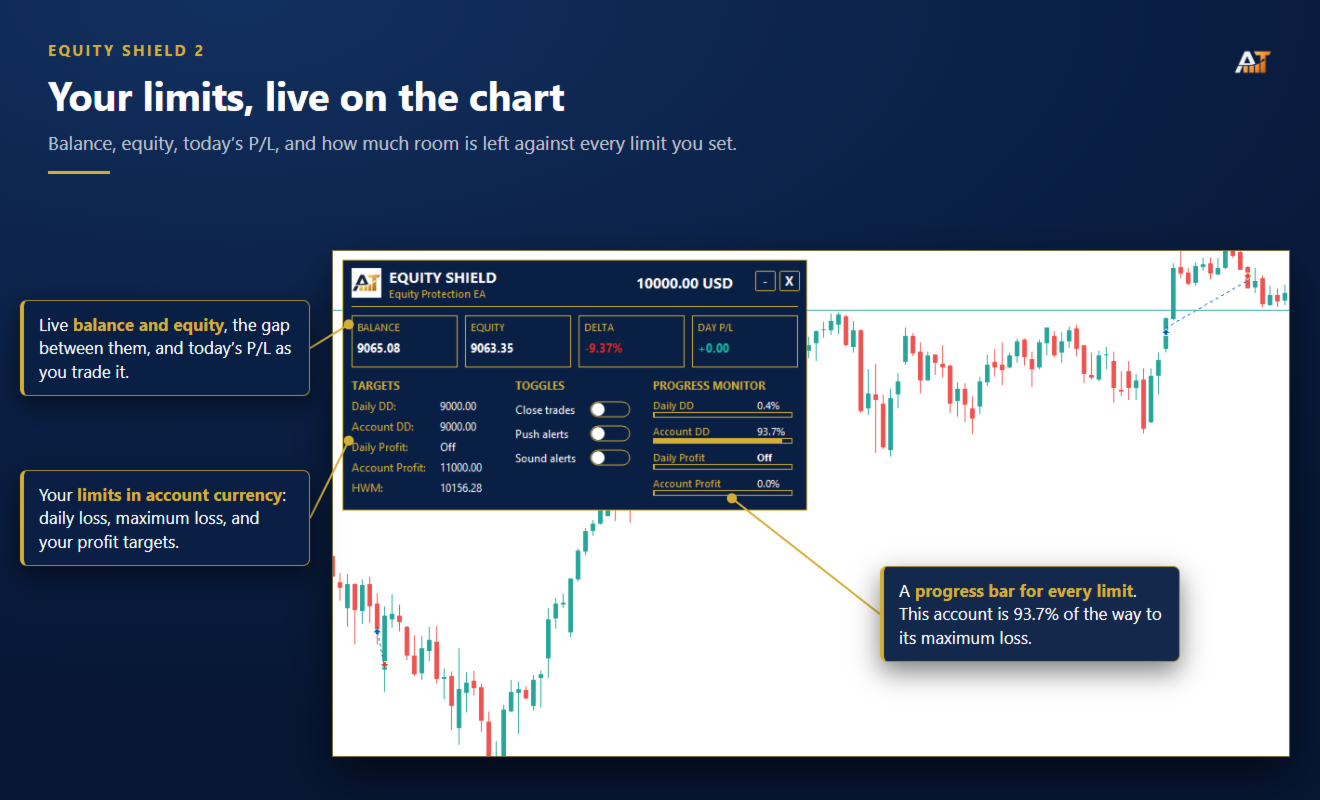
Equity Shield 2 monitors your account limits while you trade. Set daily drawdown, maximum drawdown, daily profit and account profit targets, then track your remaining room live from one on-chart panel.
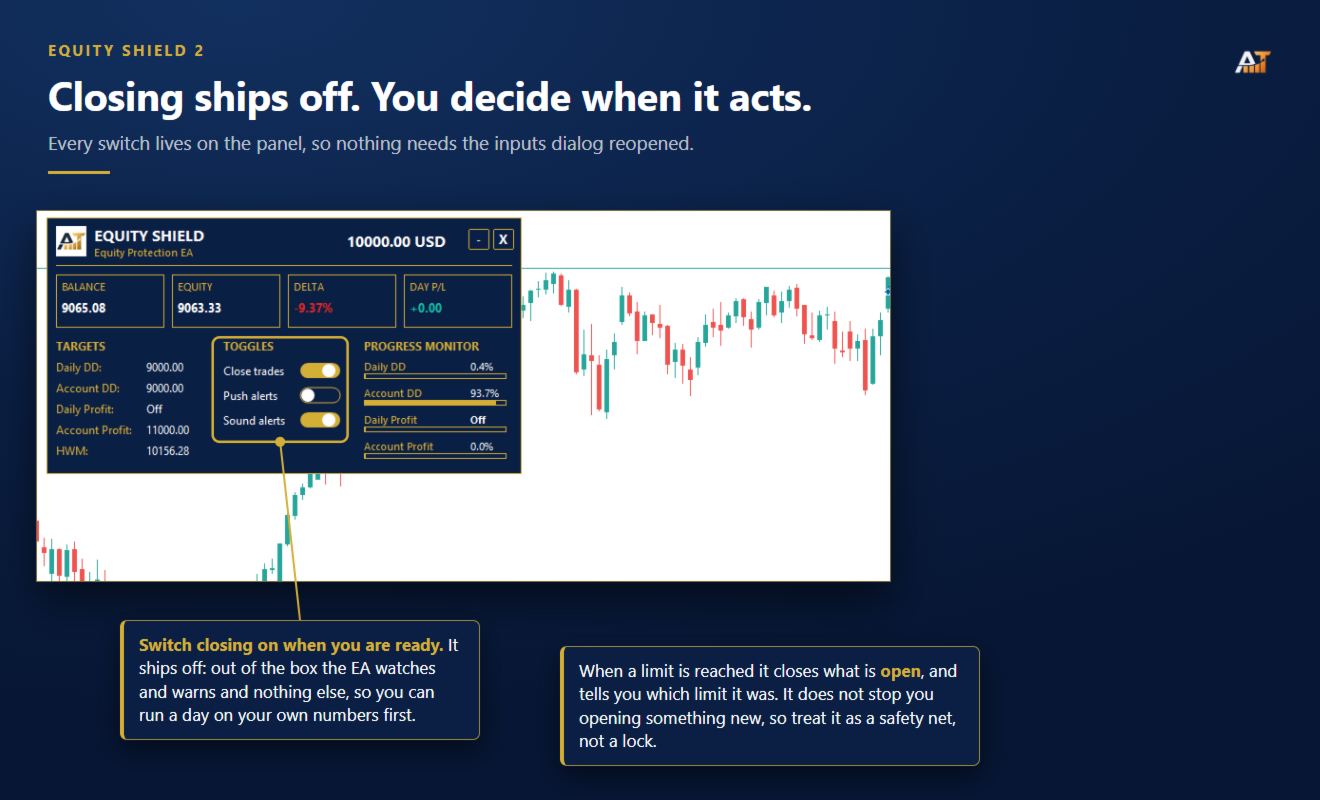
When an enabled limit is reached, Equity Shield 2 can close your open positions and alert you. Built for prop firm challenges and traders who want an additional layer of account protection.
Account protection
Monitor up to four account limits:
-
Daily drawdown
-
Maximum account drawdown
-
Daily profit target
-
Account profit target
Each limit is percentage-based and shown live on the panel. Set a limit to 0 if you do not want it monitored.
Automatic protection
When a limit is reached:
-
Open positions can be closed automatically.
-
Push and terminal notifications can identify the triggered limit.
-
The panel displays the breach for easy reference.
Automatic trade closing is OFF by default. The EA can monitor your account without closing anything until you enable this feature.
Equity Shield closes existing positions when a limit is triggered. It does not prevent you from opening new trades afterward.
Prop Presets
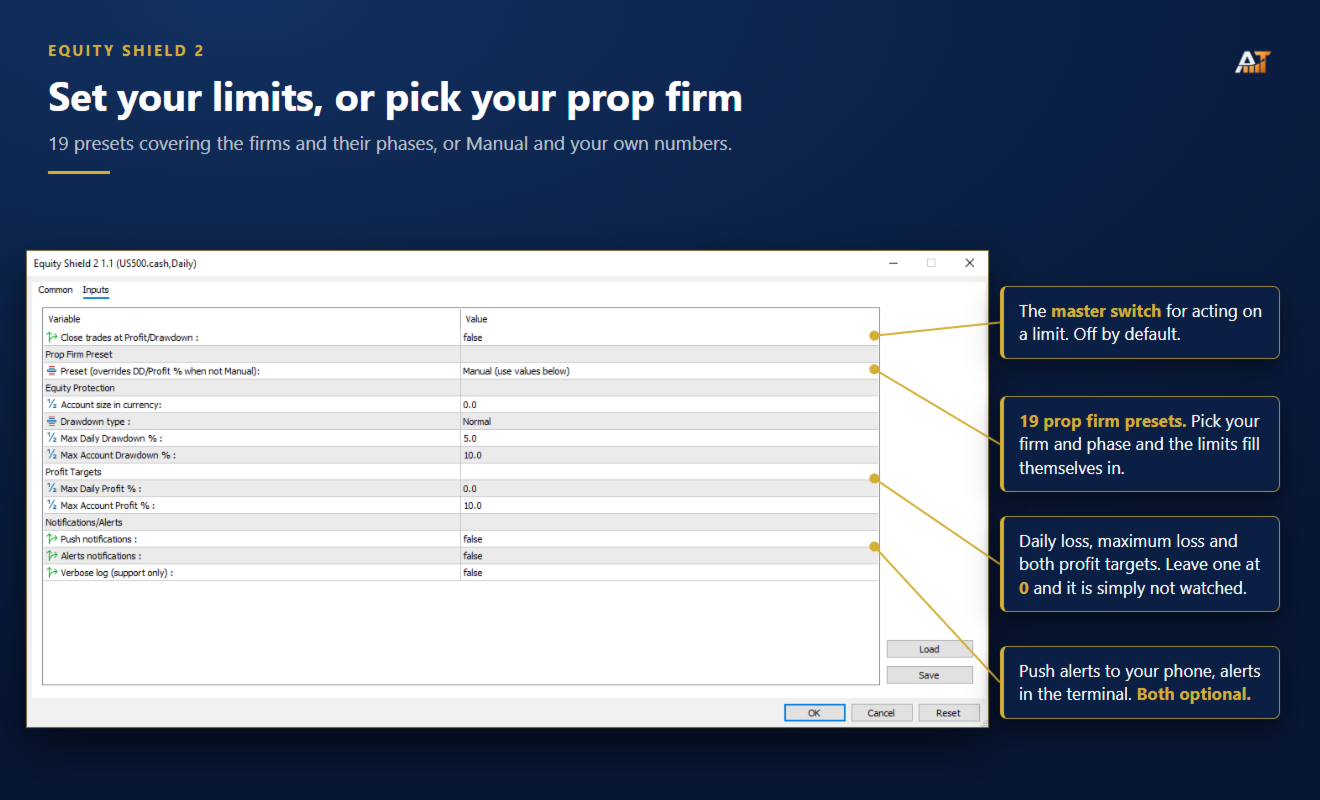
Includes 19 presets covering popular firms :
-
Phase 1 and Phase 2 presets available where applicable.
-
Automatically fills profit target, daily drawdown and maximum drawdown values.
-
Manual mode lets you enter your own limits.
Always verify your firm's current rules before trading, as prop conditions can change.
Live dashboard
-
Balance and equity
-
Floating profit/loss
-
Today's profit or loss
-
Progress bars for active limits
-
Remaining room before each limit
-
Draggable and minimizable panel
Drawdown modes
Choose the calculation method that matches your requirements:
-
Normal drawdown
-
Trailing drawdown
Leave Account Size at 0 to let the EA determine the starting balance automatically, or enter a fixed account size manually.
Alerts
-
MetaTrader 5 push notifications
-
Desktop terminal alerts
-
Both optional and OFF by default
Parameters
-
Close trades at Profit/Drawdown — default OFF
-
Prop Preset — default Manual
-
Account Size — default 0
-
Drawdown Type — Normal or Trailing
-
Max Daily Drawdown — default 5%
-
Max Account Drawdown — default 10%
-
Max Daily Profit — default 0%
-
Max Account Profit — default 10%
-
Push Notifications — default OFF
-
Alert Notifications — default OFF
Compatibility
MetaTrader 5 · all symbols · all timeframes · hedging and netting accounts · no external connection required