MacD Custom Indicator MTF Plus
- Indicadores
-
German Pablo Gori
 Developer Algorithmic Software & Trader | Founder CODE4TRADING
Argentina | 9 years as Retail Trader | 1000+ active traders using our products
CODE4TRADING: Democratizing Professional Trading Tools for Every Trader - Versão: 1.0
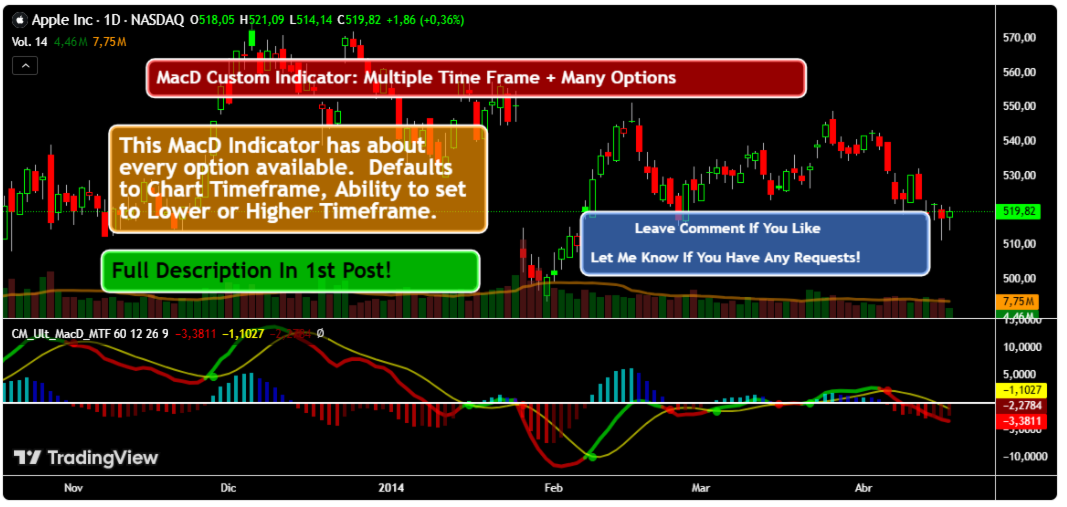
MacD Custom Indicator MTF Plus is a professional MetaTrader 5 port of the original "CM_MacD_Ult_MTF" indicator created by ChrisMoody for TradingView. This version was developed by code4trading for Free provide the MT5 community with high-quality, free access to this proven methodology.
-
Original Concept: ChrisMoody (TradingView)
-
MT5 Development: code4trading
-
Version: 1.0
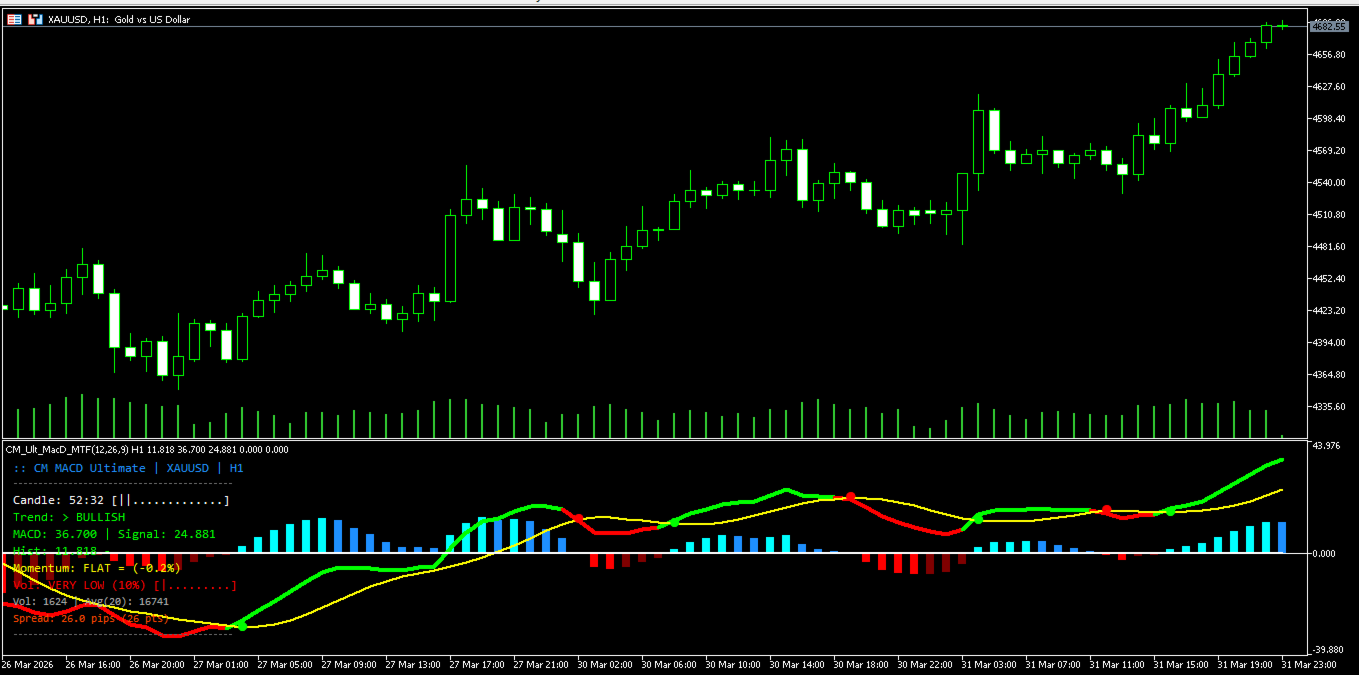
The Moving Average Convergence Divergence (MACD) is a cornerstone of technical analysis, functioning as a trend-following momentum indicator. This custom version enhances the traditional MACD with advanced visual tools and multi-timeframe analytical capabilities.
Advanced Features
-
4-Color Histogram: Immediate visual feedback on momentum strength.
-
Multi-Timeframe (MTF) Support: Analyze higher timeframe trends from your current chart.
-
Candle Countdown Timer: Precision timing for trade execution.
-
Trend Information Display: Real-time classification of market bias.
-
Volume Strength Analysis: Correlation between price movement and market participation.
-
Momentum Gauge: Measurement of price acceleration and deceleration.
-
Integrated Spread Monitor: Real-time tracking of brokerage costs.
-
Comprehensive Alert System: Mobile, sound, and visual notifications.
Functional Components
1. The 4-Color Histogram System
The histogram provides four distinct states to identify momentum shifts:
-
Cyan: Histogram > 0 and increasing (Strong Bullish)
-
Blue: Histogram > 0 and decreasing (Weakening Bullish)
-
Red: Histogram < 0 and decreasing (Strong Bearish)
-
Maroon: Histogram < 0 and increasing (Weakening Bearish)
2. Multi-Timeframe (MTF) Analysis
Traders can select a secondary timeframe (e.g., H4) to display on a lower timeframe chart (e.g., M15). This allows for institutional-level trend alignment without switching screens.
3. Real-Time Data Suite
-
Trend Display: Categorizes the market as Strong Bullish, Bullish, Weakening, Neutral, or Bearish.
-
Volume Analysis: Compares current volume against a 20-period moving average to identify "High Conviction" moves.
-
Momentum Gauge: Tracks the rate of change to warn of potential exhaustion or breakouts.
Trading Strategies
Strategy 1: Momentum Alignment
-
Entry: Wait for the MACD Line to cross the Signal Line.
-
Confirmation: Ensure the Histogram color matches the trade direction (Cyan for Long, Red for Short).
-
Volume: Confirm volume is at least "Normal" or "High."
Strategy 2: Zero Line Rejection
-
Context: In an established trend, wait for the MACD to pull back toward the zero line.
-
Entry: Enter when the MACD "bounces" off the zero line without crossing it.
-
Filter: Use the Momentum Gauge to ensure acceleration is returning.
Parameter Settings
-
Fast EMA: 12 (Standard)
-
Slow EMA: 26 (Standard)
-
Signal SMA: 9 (Standard)
-
Timeframe Settings: Toggle between Current Resolution or a specific MTF selection.
-
Visual Enhancements: Enable/Disable the Timer, Trend Info, Volume, and Gauge panels.
-
Alerts: Configure Popup, Sound, or Mobile Push notifications for Crossovers and Zero-crosses.
Best Practices
-
Trend Context: Indicators perform best when aligned with higher timeframe price action.
-
Risk Management: Always use stop losses and never risk more than 1–2% of equity per trade.
-
Volume Filter: Avoid trading during low-liquidity periods (e.g., late Friday or holidays).
Disclaimer
Trading financial instruments involves significant risk. This indicator is for educational purposes and does not constitute financial advice. Past performance does not guarantee future results.
Elevate Your Trading with code4trading Premium Tools
This free indicator is a sample of our commitment to quality. If you find this tool useful, we invite you to explore our Premium Professional Suite. Our paid products offer advanced institutional-grade features, optimized algorithms, and exclusive technical support designed to give you a definitive edge in the markets.
Visit our full catalog here: https://www.mql5.com/en/users/pablogx9/seller