Trading Assistant MT
- 유틸리티
- 버전: 1.0
- 활성화: 5

Core Purpose
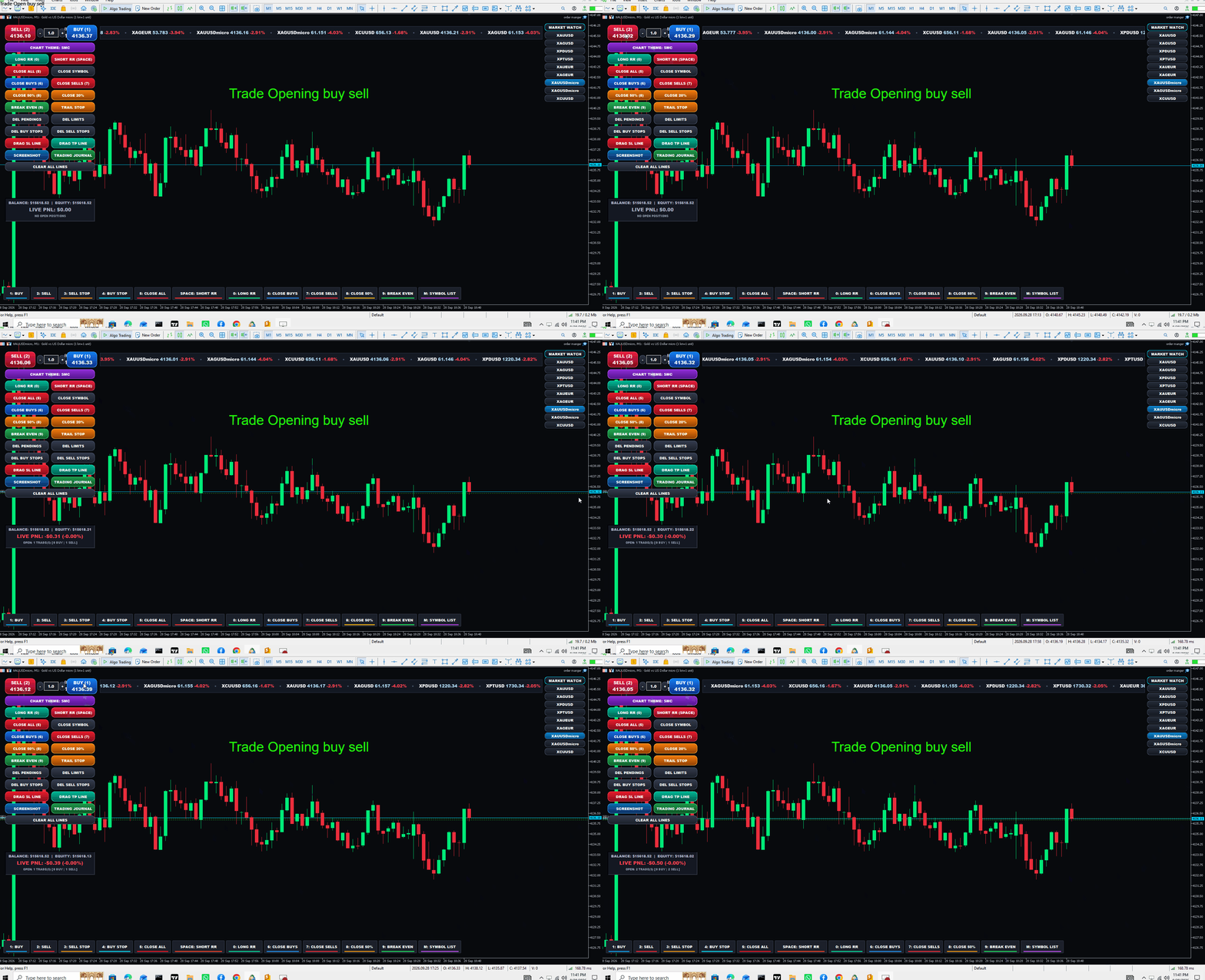
An advanced MetaTrader 5 (MT5) Trading Cockpit & Utility Expert Advisor that allows full manual chart trading via custom buttons and hotkeys, while routing all orders through MT5's algorithmic engine (OrderSend / CTrade). This ensures your broker and account history register every trade as an automated robot trade with a custom Magic Number and Order Comment.
Key Features & Capabilities
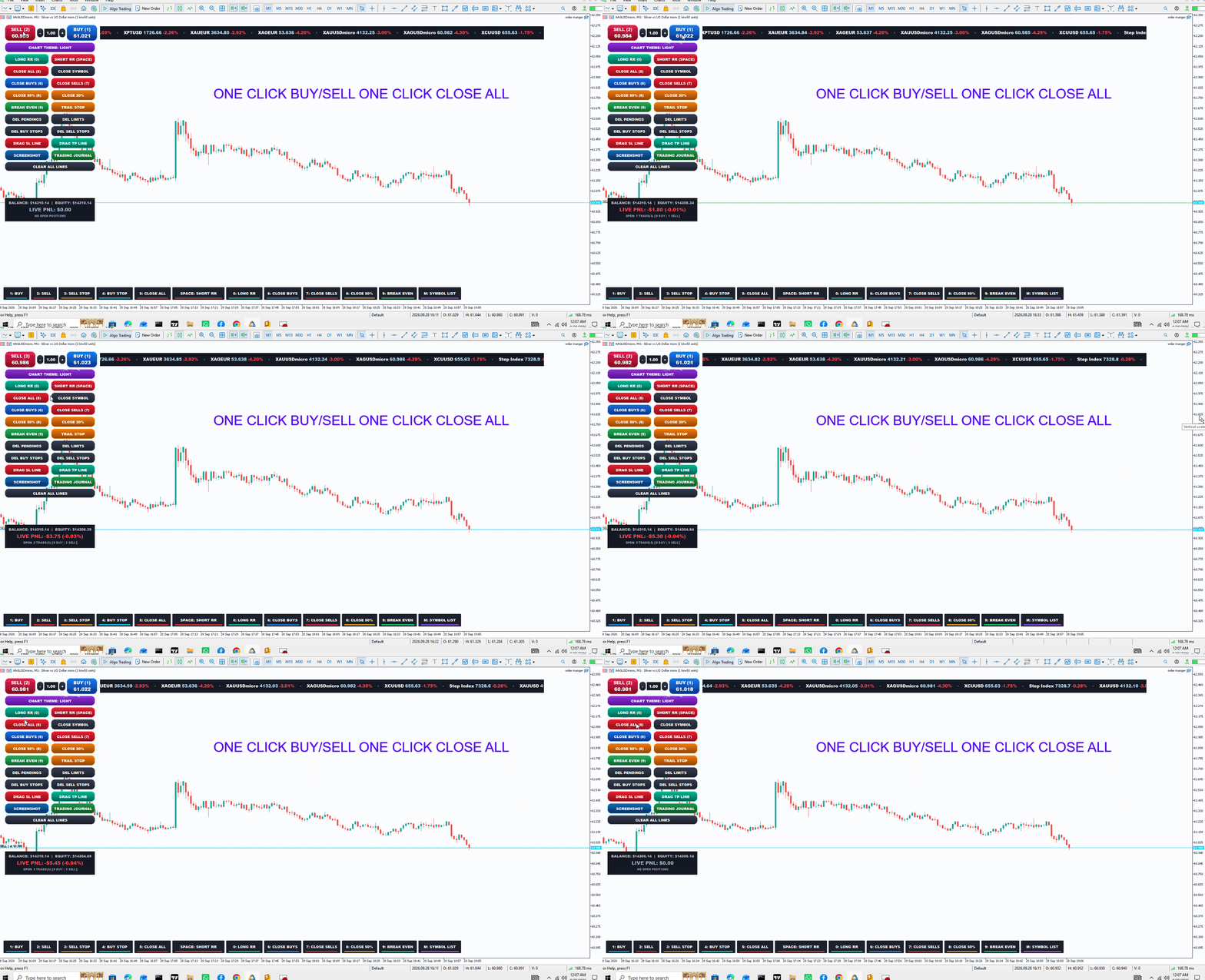
1. Execution & One-Click Trading
-
Instant Market Orders: Dual BUY and SELL squircle buttons displaying live, real-time Ask/Bid tick prices.
-
Inline Lot Selector: Dedicated lot size edit box with + and - steppers or direct keyboard typing.
-
Robot ID Tagging: Attaches your custom MagicNumber and Comment to every order, qualifying it as an EA execution.
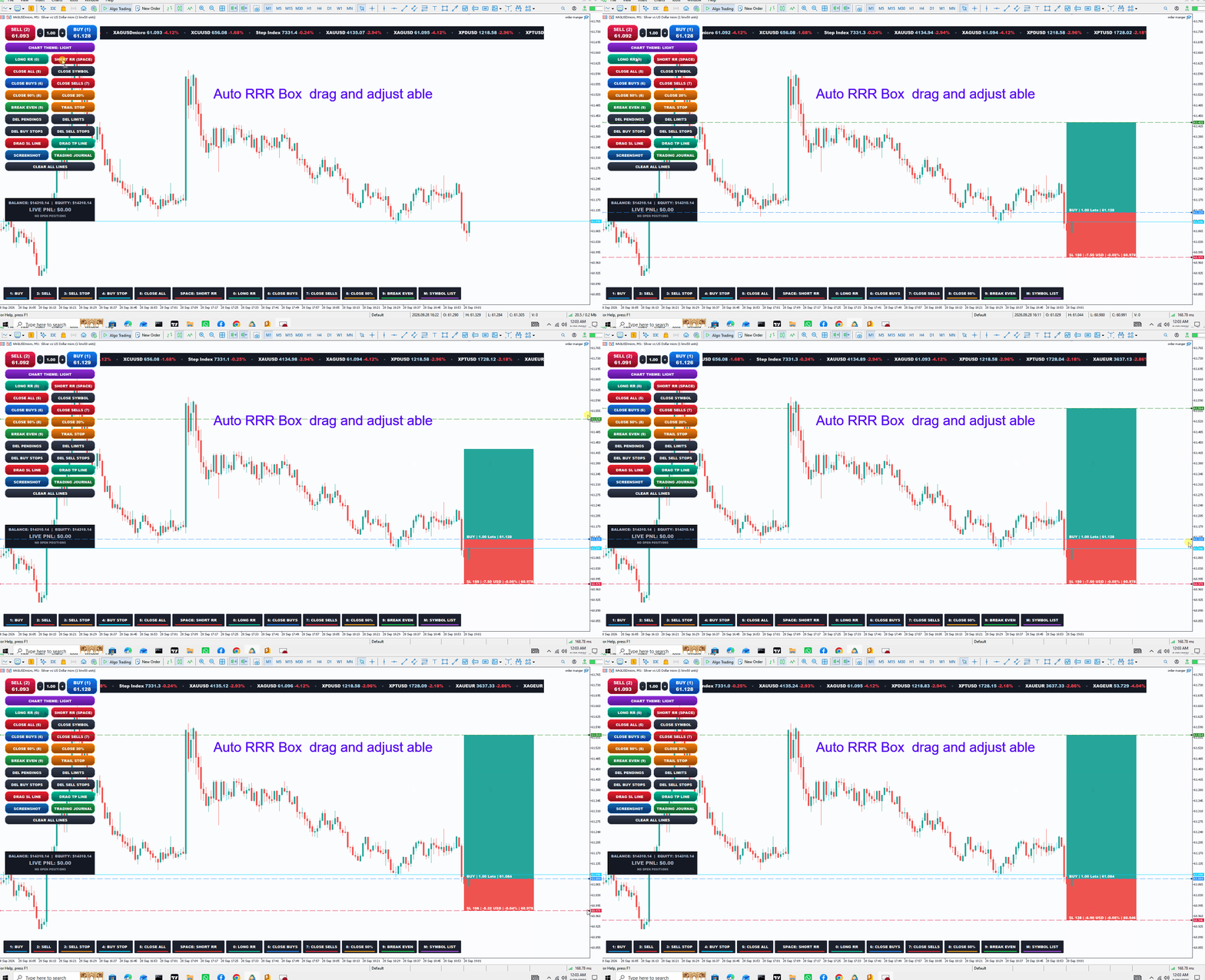
2. Auto 1:2 Risk/Reward Tool (TradingView-Style)
-
LONG RR & SHORT RR Boxes: Instantly generates an auto-calculated 1:2 R:R overlay with shaded profit (Bull) and loss (Bear) zones.
-
Live Telemetry Badges: Displays Points, Potential Profit/Loss in Account Currency ($), Account Risk Percentage (%), and Price levels.
-
Draggable & Auto-Linked: Drag the Entry, SL, or TP lines anywhere on the chart; pressing BUY or SELL automatically applies those exact SL/TP parameters to the live order.
3. Complete Trade & Position Management
-
Account & Symbol Closes: One-click options for CLOSE ALL (account-wide) and CLOSE SYMBOL (current chart only).
-
Directional Closes: Close BUY trades only or SELL trades only.
-
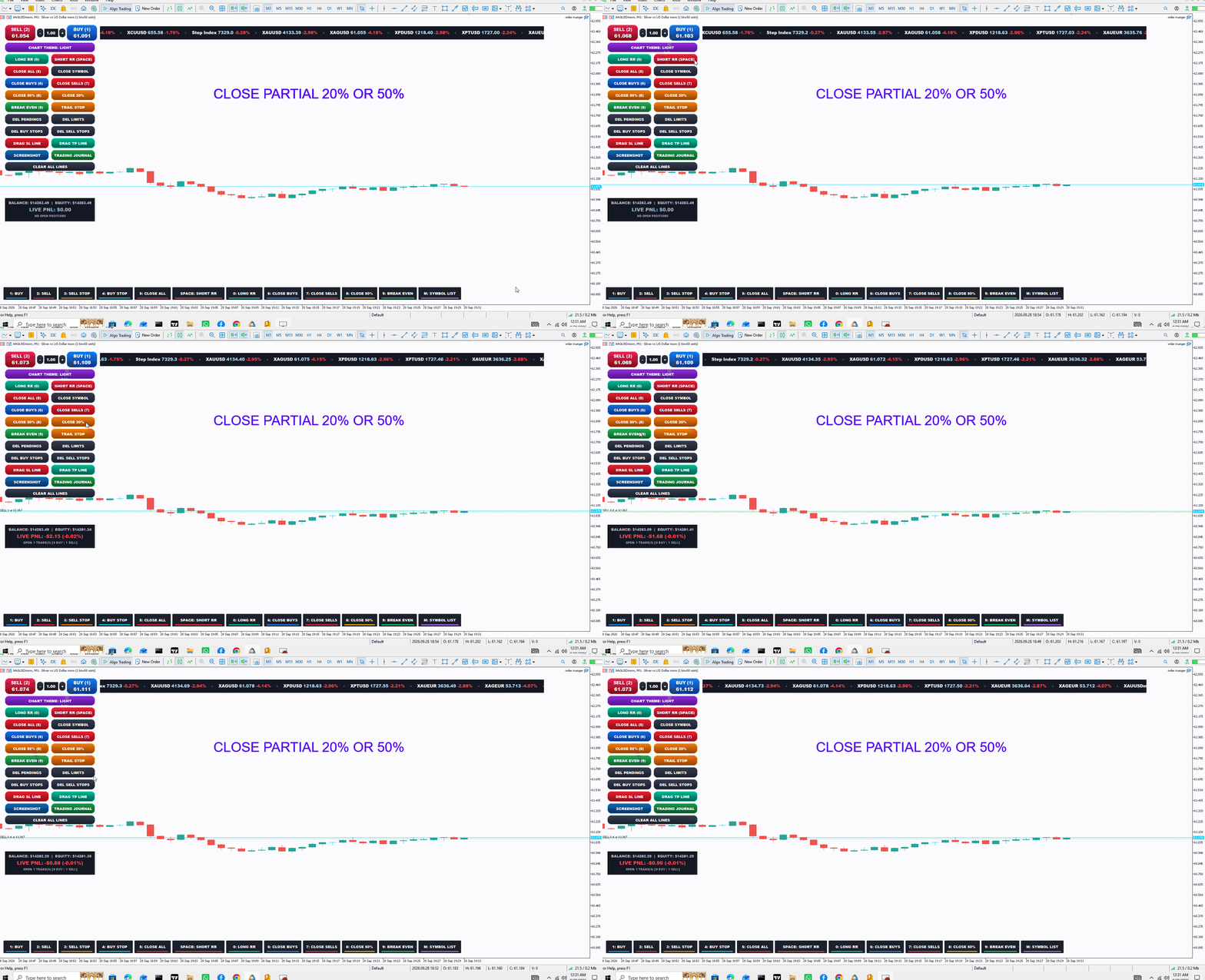
Partial Volume Closes: Instantly scale out with CLOSE 50% (half lot) or CLOSE 20%.
-
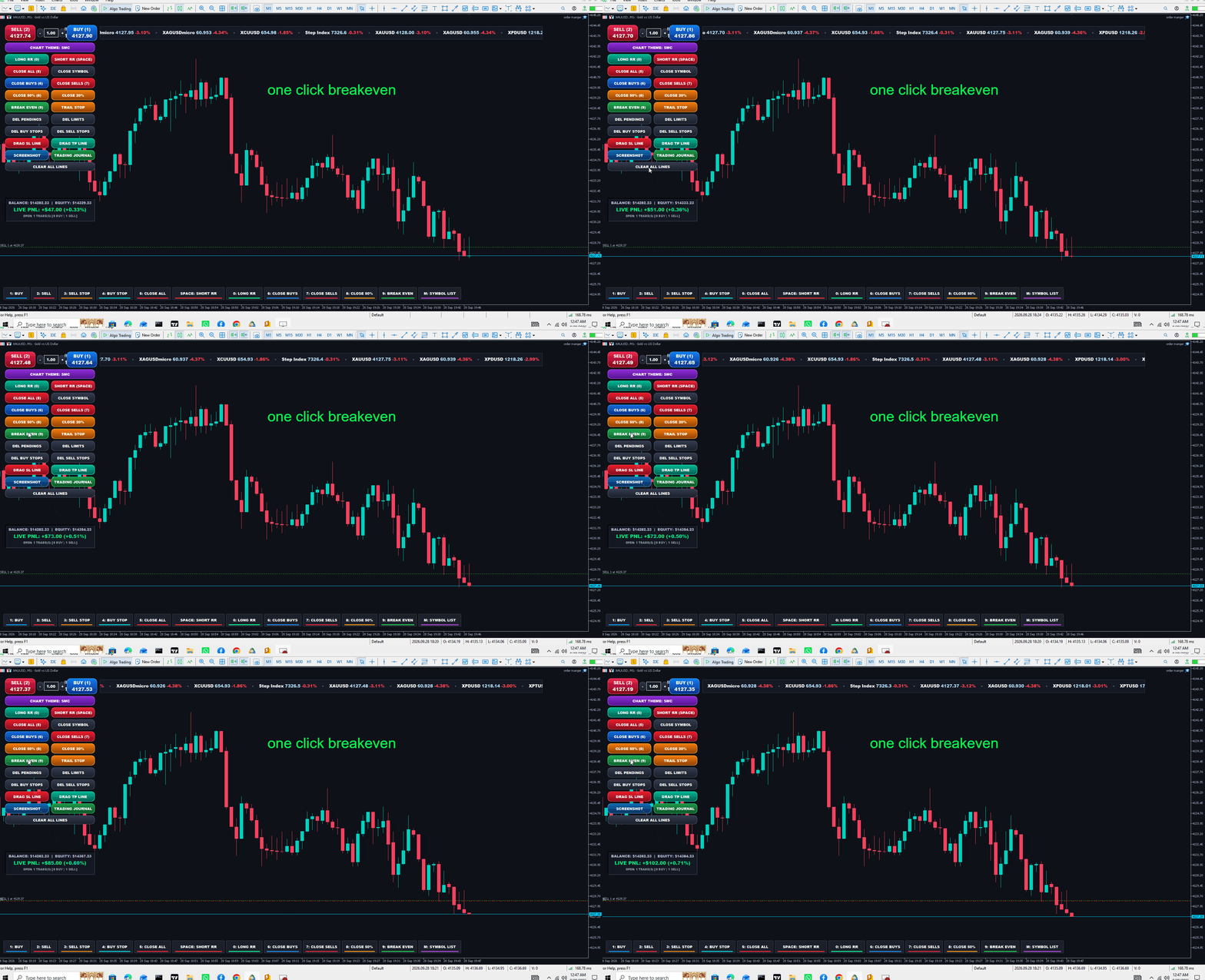
Break-Even (BE): Moves Stop Loss to the exact entry price plus a profit buffer while strictly respecting broker minimum STOPS_LEVEL.
-
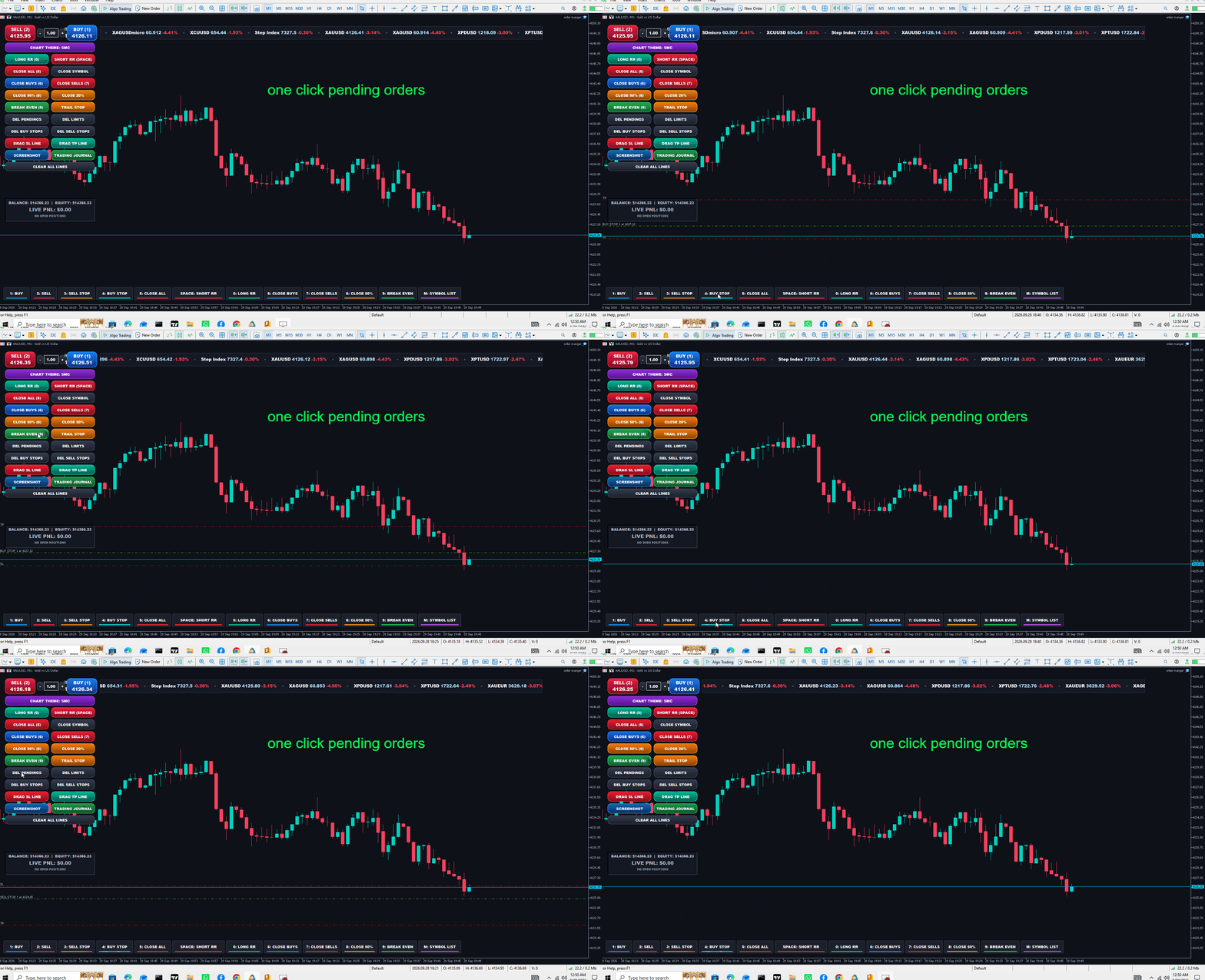
Pending Orders Control: Mass delete All Pendings, Limit Orders (Buy/Sell Limits), Buy Stops, or Sell Stops.
4. Visual Draggable Levels & Trailing Stop
-
Interactive SL / TP Lines: Click DRAG SL or DRAG TP to spawn on-chart horizontal lines. Dragging and releasing them instantly modifies the open positions' SL/TP.
-
Live Trailing Stop: Spawns a trailing guide line and trails active trades tick-by-tick at your chosen point distance.
-
CLEAR ALL LINES: One-click cleanup to remove all lines, boxes, and trailing states.
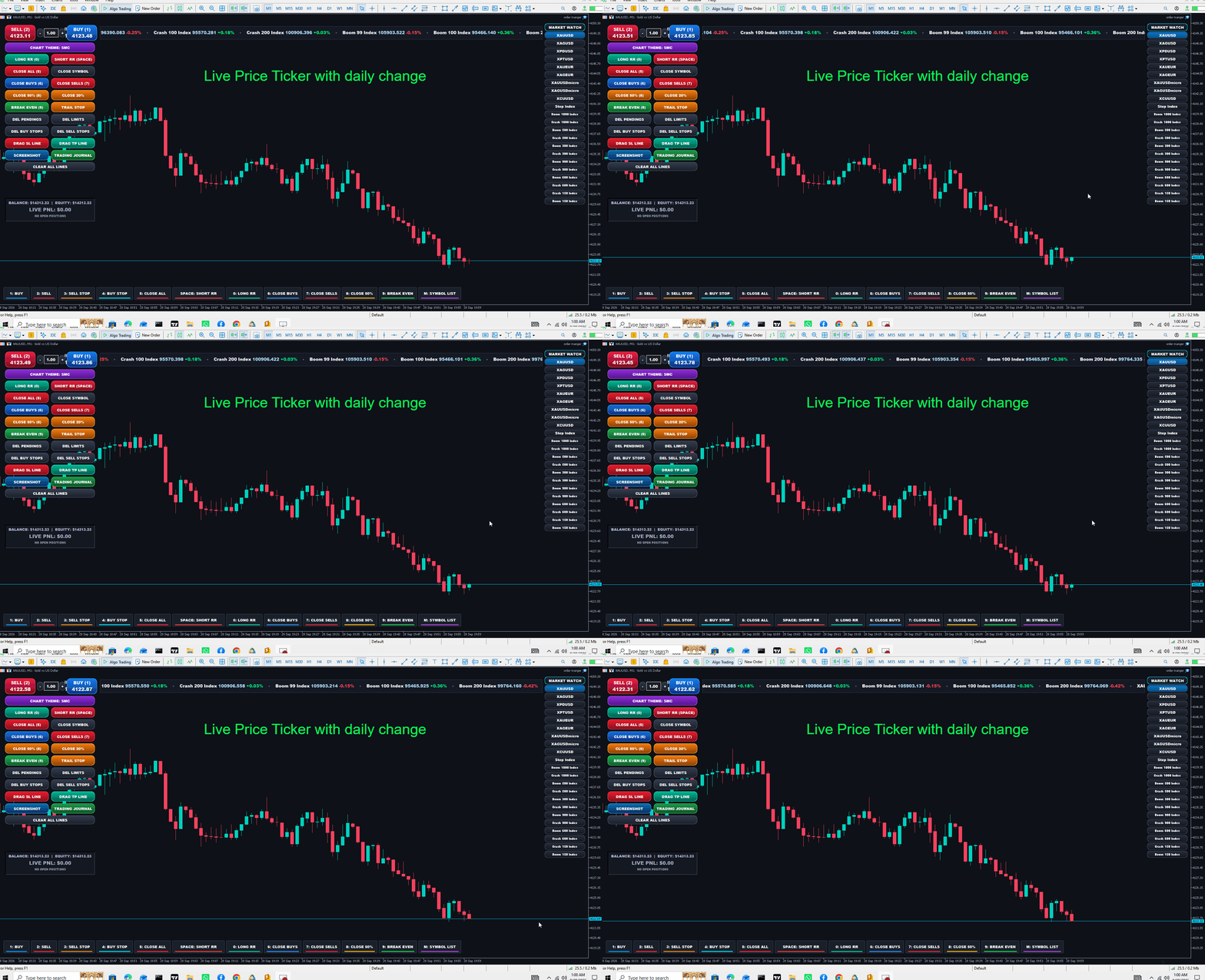
5. Top Market Marquee Ticker
-
Infinite Smooth Scrolling: Hardware-clipped, smooth top banner displaying all active Market Watch symbols.
-
Live Telemetry: Continuously loops Symbol Name, live Bid price, and 24-hour percentage change (+% in glowing green, -% in glowing red).
-
Auto-Resizing: Dynamically spans the available top space between panels.
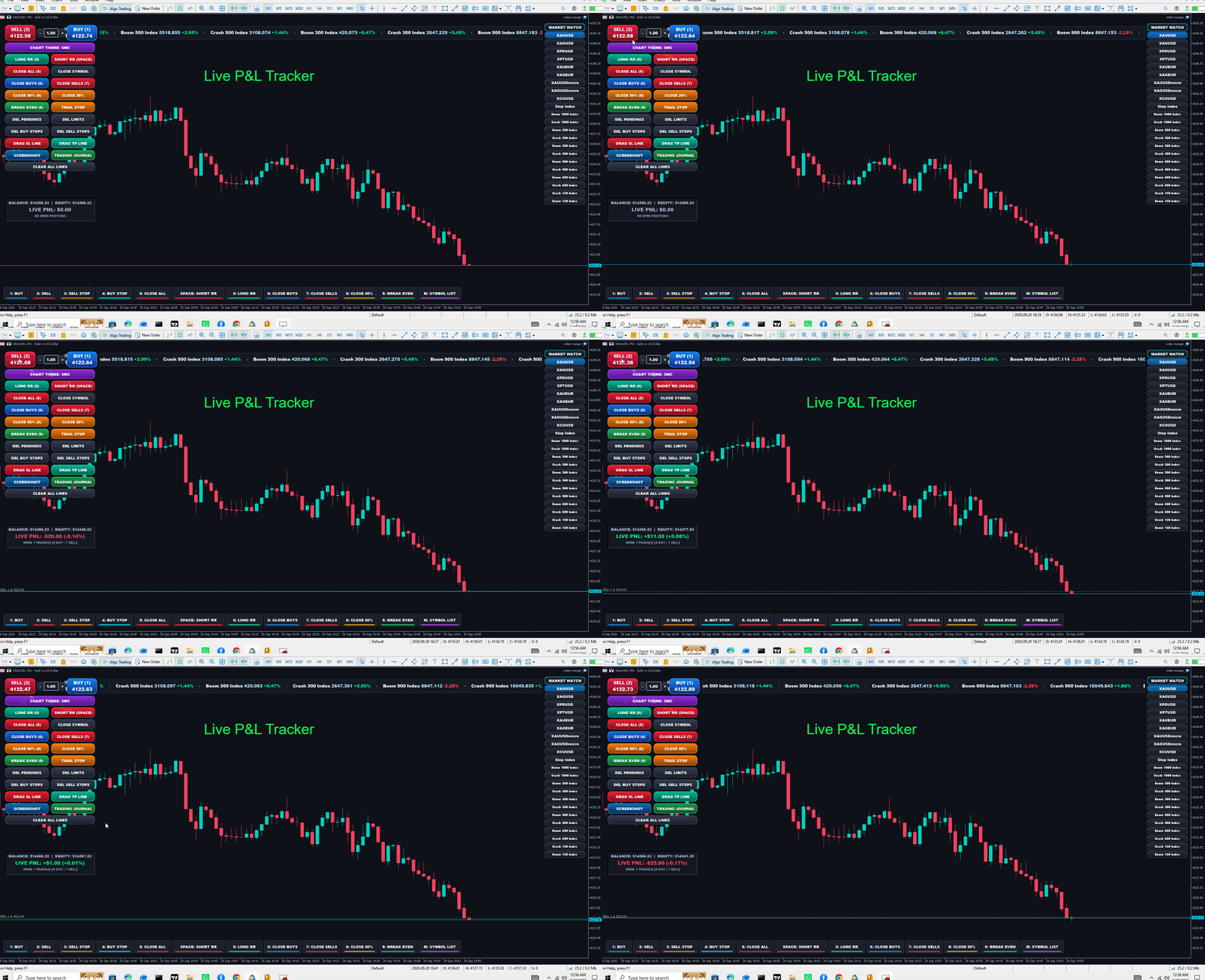
6. Live Account & Floating PnL Card
-
Located on the left panel below the trade controls.
-
Displays Live Balance, Equity, and real-time Floating PnL ($ and %).
-
Color-coded border that glows Green during profit and Red during drawdown, accompanied by an open trade counter.
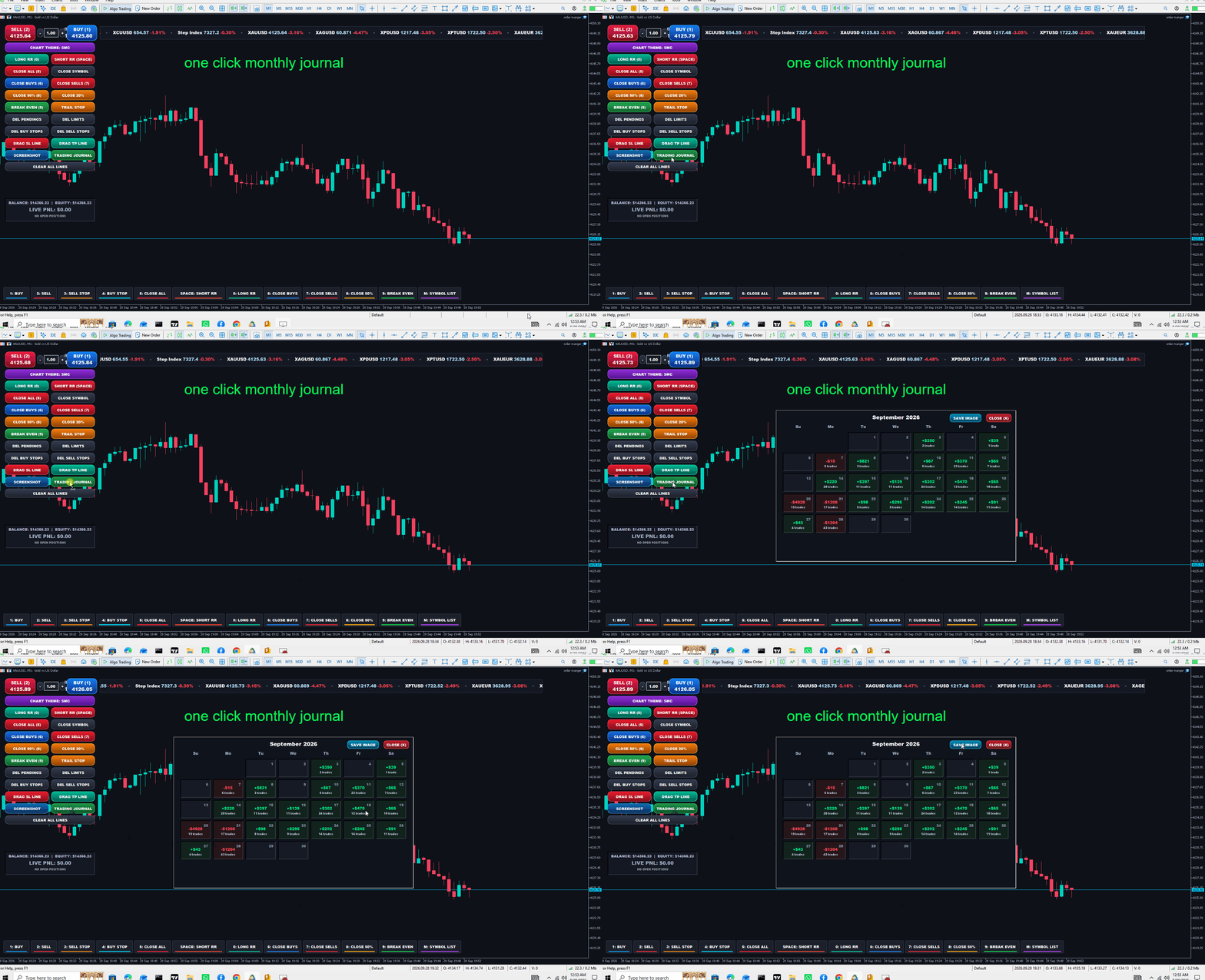
7. Full-Screen Monthly Trading Journal Calendar
-
Opens an interactive calendar overlay mapping the current month's performance directly from Account History Deals.
-
Green Cards: Display total daily profit (+$2,104) and trade count (2 trades).
-
Red Cards: Display total daily loss (-$500) and trade count (1 trade).
-
Built-in SAVE IMAGE (exports a PNG to MQL5\Files) and CLOSE (X) buttons.
-
8. Keyboard Shortcuts & Stream Deck Bottom Console
-
Keys Supported:
-
1 / B : Buy Market
-
2 / S : Sell Market
-
3 : Pending Sell Stop
-
4 : Pending Buy Stop
-
5 / C : Close All Trades
-
6 : Close Buys Only
-
7 : Close Sells Only
-
8 : Close 50% Volume
-
9 : Set Break-Even
-
0 / L : Long 1:2 RR Box
-
SPACE : Short 1:2 RR Box (Represented by an extra-wide center Spacebar key)
-
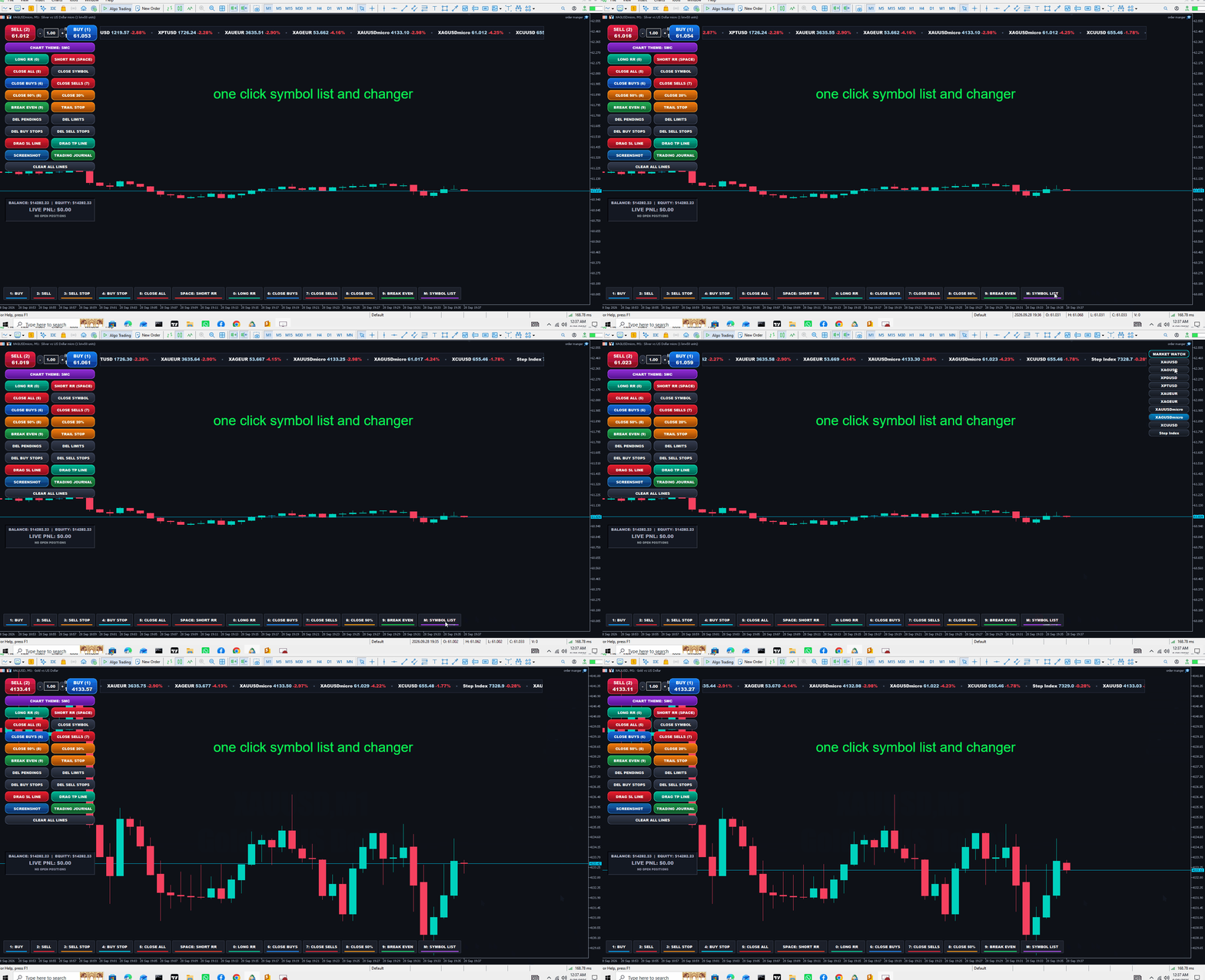
M : Toggle Right-Side Symbol List
-
-
Stream Deck Aesthetic: Matte dark keycaps with individual neon LED underline glow bars at the bottom of the chart. Clicking them with the mouse executes the exact same actions as pressing the keys.
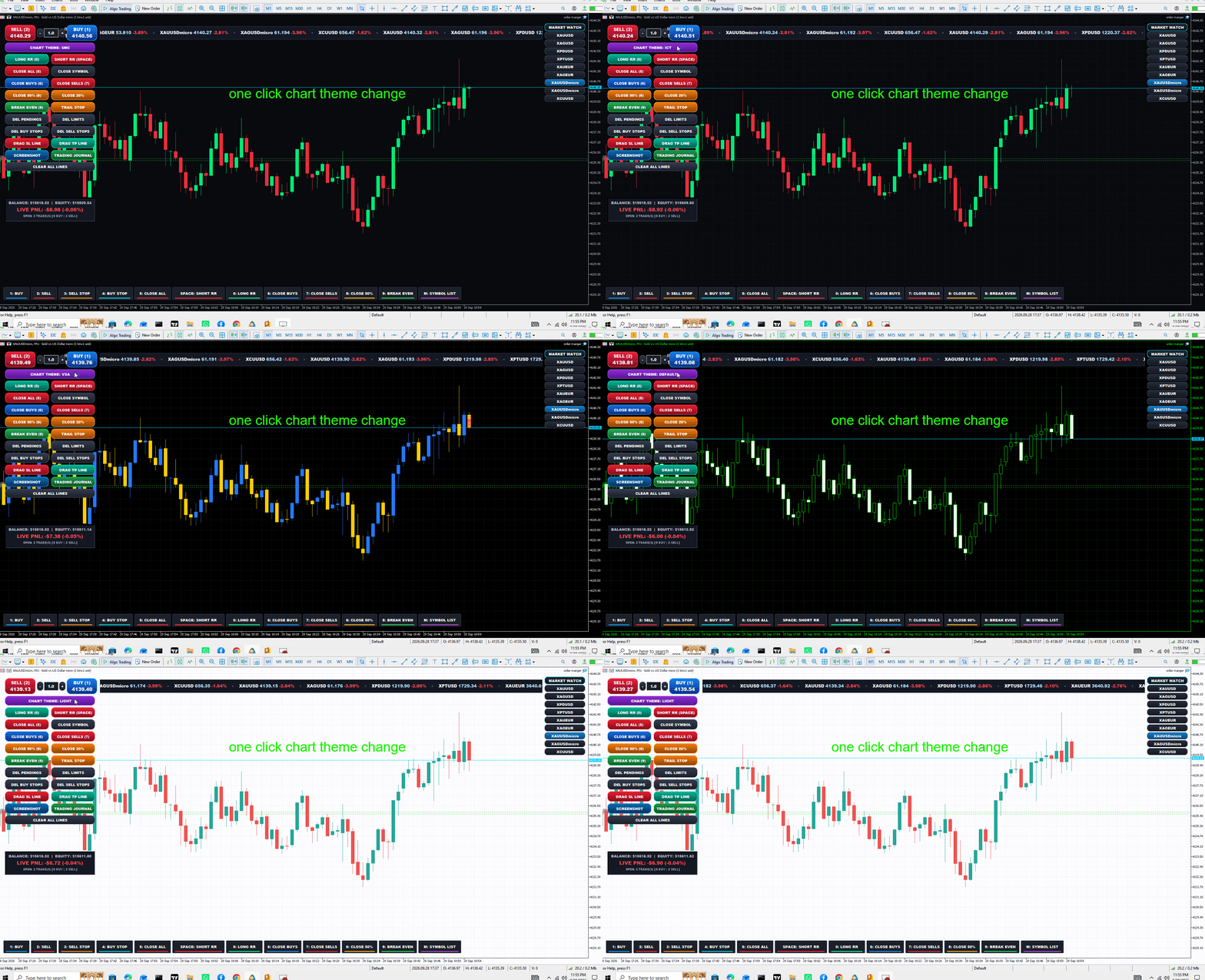
9. Dynamic 1-Click Chart Themes
-
Dedicated button cycles through 7 complete visual templates:
-
SMC (Smart Money Concepts — Dark Indigo, Teal/Coral)
-
ICT (Inner Circle Trader — Deep Midnight, Mint/Crimson)
-
VSA (Volume Spread Analysis — Black, Blue/Gold)
-
PRICE ACTION (Minimalist White/Charcoal)
-
MARKET DEFAULT (Classic Terminal Green/Black)
-
DARK (TradingView Modern Dark)
-
LIGHT (Crisp Institutional White)
-
-
Automatically adapts chart candles, grids, and Risk Box colors simultaneously.
10. Right-Side Symbol Switcher
-
Hugs the right chart margin and lists up to 22 active Market Watch instruments.
-
Text is centered inside rounded squircle buttons; clicking any symbol immediately switches the active chart to that pair.
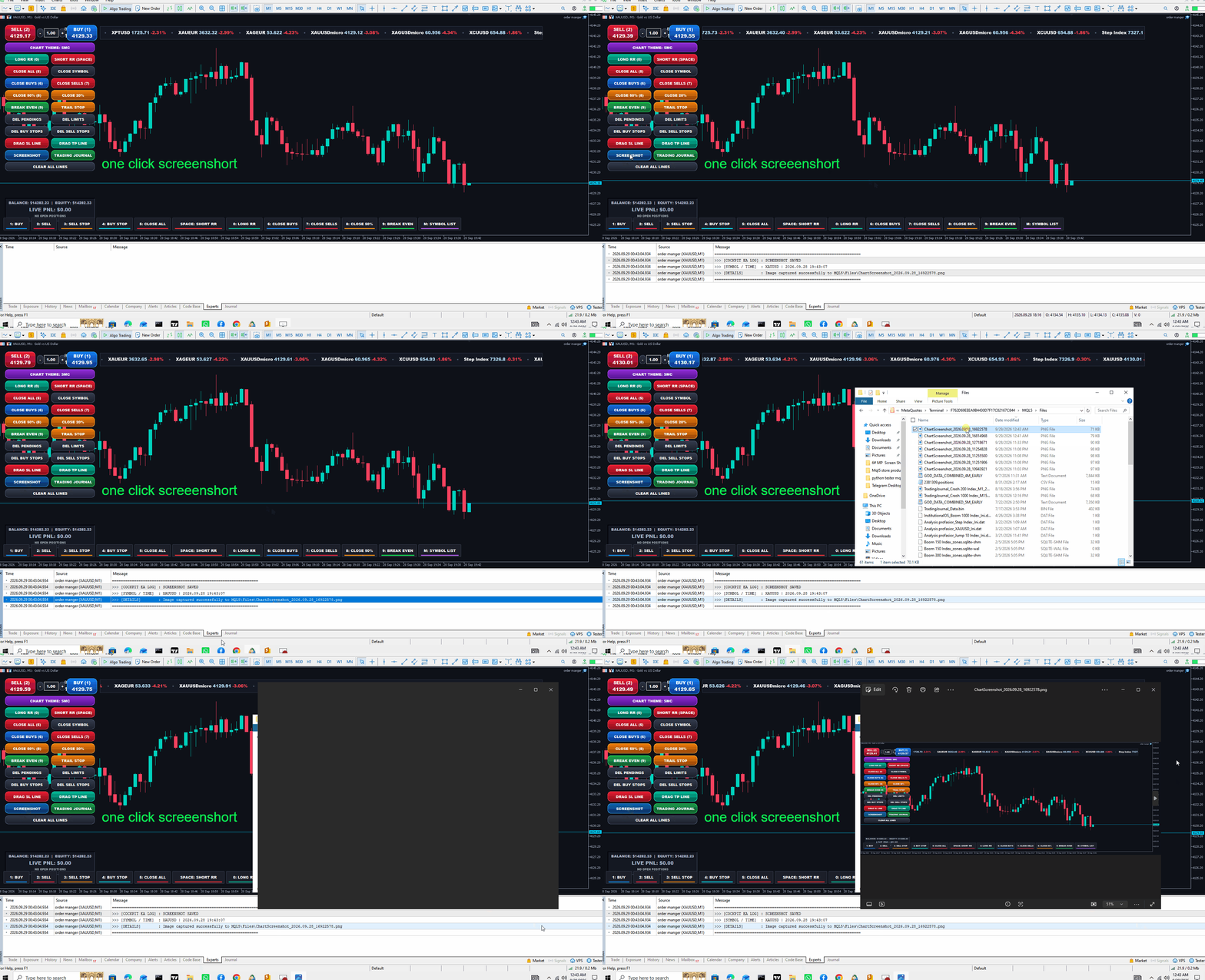
11. Screenshot & Logging Utilities
-
SCREENSHOT Button: Instantly captures the chart and saves a high-res PNG file to MQL5\Files.
-
Verbose Expert Log: Every hotkey press, button click, order execution, and error code is logged with a multi-line diagnostic report in the MT5 Experts tab
-