 MetaTrader 5
 Experts
 지표
지표
 라이브러리
라이브러리
 유틸리티
유틸리티
 위젯
위젯
 규칙
규칙
MetaTrader 5용 트레이딩 유틸리티 - 10
 다음은 MetaTrader 5의 거래를 단순화하는 거래 프로그램입니다. 유틸리티의 설명과 목적을 읽으려면 유틸리티 위에 마우스를 놓으십시오.
TITAN T-Trade – one-click trading panel with Telegram signal sharing. Works on any symbol: gold, forex, indices.
Press T (or click the T-TRADE button) and the panel shows your trade plan: - Stop-loss based on ATR (M5) - 3 take-profit legs: TP1 / TP2 / TP3 as multiples of your risk - Lot size from % risk of your account (or a fixed lot), split into 3 legs - Break-even after TP1 for the remaining legs - Live result of your open trades on the panel
One click on BUY or SELL opens all 3 legs with
FREE

The utility places a grid of pending orders . You can select the number of orders in the grid, the step between orders, multiplier for the order size, SL and TP levels, magic number etc. If you use a profit bucket , please note that it applies to all orders on the current currency pair with the current magic. If you want to use several grids with independent profit buckets at the same time, run several copies of the utility and specify different magics in the settings. MT4 version of the utility
FREE

ATC Economic Calendar and News Panel은 MetaTrader 5 내장 경제 캘린더를 차트에 직접 표시하므로 다른 창을 열지 않고도 예정된 발표를 볼 수 있습니다.
이 도구는 포지션 도구, 거래 관리 및 성과 분석과 함께 All In One Trade Management Panel MT5 의 일부이기도 합니다. 데모 계정용 무료 체험판 – 라이브 차트에서 사용해 보세요, 시간 제한 없음.
주요 기능:
• 선택한 통화의 다음 고영향 이벤트와 그에 대한 실시간 카운트다운을 보여주는 "다음 고영향" 카드.
• 일별 이벤트 목록. 화살표 버튼으로 날짜를 앞뒤로 이동하거나 오늘로 이동합니다.
• 각 이벤트는 영향 색상, 통화, 시간, 이름 및 실제값, 예측값, 이전값을 표시합니다. 실제값은 예측보다 높으면 녹색, 낮으면 빨간색입니다.
• 발표 전 마지막 5분 동안 이벤트 시간이 빨간색 카운트다운으로 바뀝니다.
• 통화 필터(주요 통화와 차트 심볼의 통
FREE

designed to help traders monitor the long and short swap rates of available trading instruments through a clear, organized on-chart table. Its primary purpose is to make overnight financing costs and potential swap credits easier to observe across multiple symbols without repeatedly opening individual instrument specifications. By presenting swap information in a centralized display, the application helps traders incorporate holding costs into their market analysis and trade planning. Key Benef
FREE

TITAN Prop Guard – Prop Firm Risk Protection for MT5 TITAN Prop Guard is a risk management utility for MetaTrader 5. It helps traders stay within the daily and maximum loss limits of their prop firm. Attach it to one chart and it monitors the account equity continuously. When the configured loss threshold is reached, it closes open positions and pending orders and activates a trading lock until the next daily reset. During the lock, any new trade opened manually or by another Expert Advisor is c
FREE

Trade Panel Pro is a powerful and easy-to-use trading utility designed for traders who need fast execution, accurate position sizing, and complete risk management directly from the chart. Whether you scalp on the 1-minute chart or swing trade on the 4H, Trade Panel Pro gives you the tools to manage trades with confidence and precision — all in one clean interface. Price will double after 5 purchases. Grab this offer Key Features Fast Trade Execution Open Buy/Sell positions instantly from the pan
FREE

Features: fast opening / closing deals the number of deals and the total profit for the Symbol
Fast open deals: set the Lot volume set StopLoss / TakeProfit in points (if you set "0", then it is not used) set slippage set Magic (if necessary) set comment (if necessary)
Fast open features: fast open Buy fast open Sell fast close ALL open orders for the current Symbol
Attention: this utility works only on the current instrument this utility works on a VPS must enable Algo trading in the termi
FREE
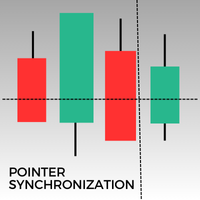
이 지표는 MetaTrader 5에서 동일 자산의 모든 열린 차트에서 포인터를 동기화합니다. 예를 들어, 한 차트에서 가격 34.45에 포인터를 놓으면 동일 자산의 다른 모든 차트에서도 동일한 가격에 포인터가 표시됩니다. 이를 통해 여러 창에서 일관되고 동기화된 분석이 가능합니다.
FREE

EA Risk Commander is the central risk manager of the From Learn to Earn EA System for MetaTrader 5. The EAs of the system send every trade proposal to it; EA Risk Commander executes it, executes it with an adjusted lot, or rejects it, and writes the reason in its journal. It does not open trades by itself.
Important: it works only together with the EAs of the From Learn to Earn EA System (BoS CHoCH Engulfing, Engulfing In Engulfing, Manual Trader) in their versions with the input group "0. EA R
FREE

Korean RSI Cross Alert EA for MT5 RSI Cross Alert EA는 상대강도지수(RSI) 가 일반적인 과매수 또는 과매도 수준에 도달할 때 알림을 보내는 MetaTrader 5용 간단한 도구입니다. 차트를 계속 확인하지 않아도 RSI 상태를 모니터링할 수 있습니다. 차트에 설치하면 EA가 RSI 값을 확인하고 중요한 수준을 돌파할 때 팝업 알림 을 표시합니다. 이를 통해 차트를 빠르게 확인하고 잠재적인 거래 기회를 평가할 수 있습니다. 기능 RSI가 과매수 수준(기본값 70)을 상향 돌파할 때 감지
RSI가 과매도 수준(기본값 30)을 하향 돌파할 때 감지
MetaTrader 5 팝업 알림
모든 심볼과 시간대에서 사용 가능
가볍고 사용하기 쉬움 작동 방식 EA는 차트의 RSI 지표를 모니터링합니다. RSI가 과매수 수준 위로 올라가거나 과매도 수준 아래로 내려가면 팝업 알림이 나타납니다. RSI 기간과 알림 수준은 설정에서 조정할 수 있습니다. 이 EA는
FREE

Overview
AlphaForge Range Chart is a professional non-trading range-bar charting utility for MetaTrader 5. It generates live Range charts as MT5 custom symbols, helping traders analyze price movement through fixed-range bars instead of standard time-based candles. Unlike visual-only overlays, the generated Range chart behaves like a real MT5 custom-symbol chart. This means you can open it as a normal chart, apply templates, draw analysis objects, and add indicators directly to the Range chart fo

TS Trading Trade Manager is a trade panel for MetaTrader 5. You set your risk, draw the position on the chart, and send it with one click. The lot size is calculated for you. The panel makes no trading decisions: no signals, no automation. Nothing is sent until you press a button. Risk-based position sizing Choose the risk as a percentage of the account balance, as a fixed cash amount, or as a fixed lot size. Stop loss and take profit as a distance in points or as an absolute price. Switching co
FREE

Recovery Assistant Pro for MT5
Manual Recovery Trading Assistant
Recovery Assistant Pro is a Manual Trading Assistant EA for Recovery trade calculations and management. Helps calculate the appropriate Lot Size. Designed to calculate Recovery trade parameters based on floating loss and the selected Target USD. Simplifies Recovery calculations that would otherwise require manual calculation. The trading panel provides direct access to the main Recovery functions from the chart. Includes a Recov

Smart Symbol Changer & Multi-Chart Sync Stop wasting time manually changing symbols on every chart. The Smart Symbol Changer is not just a button panel—it is a complete workspace management tool designed for professional traders who monitor multiple assets (Forex, Crypto, Indices) across multiple chart windows. Why this is the best Symbol Changer for MQL5: Most symbol changers are messy and clutter your screen. This tool features a Smart Auto-Grid that automatically sorts your symbols alphabetic
FREE

VoidFlow IFVG Trade Assistant Pro VoidFlow IFVG Trade Assistant Pro VoidFlow IFVG Trade Assistant Pro is a manual-first MetaTrader 5 trading assistant built for traders who want a cleaner Inverse Fair Value Gap (IFVG) workflow with structured trade planning, chart context, and optional automatic execution only when it is explicitly enabled by the user. It scans the selected signal timeframe for raw Fair Value Gaps, confirms true inversions, filters weak setups, draws the full trade plan on the c

Trade Panel by RWBTradeLab
Trade Panel is an on-chart panel for MetaTrader 5 that places market, pending and straddle orders and manages the open trades of the chart symbol.
Overview
The panel sits on the chart and has six tabs: Trade, Manage, Settings, Account, Help and About. Every value you set is saved for each symbol, so a chart keeps its own lot, stop loss, take profit and switches after a restart. The panel can be dragged anywhere on the chart and minimised to its title bar.
The pane
FREE

ELITE REVERSE TRADER (MT5)
Instantly hedge or invert any trade opened on your account—manual or EA. Reverse Mirror EA monitors your live positions and opens an opposite trade using your chosen lot mode (Fixed or Multiplier). When the original position is closed (manual close, SL/TP hit, EA exit—any method), the mirrored position closes automatically. Because it runs in the same terminal, it reacts faster than third-party copy tools. WHY THIS MATTERS
It is widely cited that a large majority of

A2 Trade Manager Finale EA is an EA that made for you that like SCALPING, HEDGING, or LONG TIME TRADING. Features : TRADING INFORMATION Total Equity information Running Total Profit / Loss information Margin Level information Running Profit / Loss each trade BUY and SELL (if Hedging) Total Lots information Current timeframe remaining Daily Profit / Loss information All time Profit / Loss information Local Currency conversion
TRADE MANAGER BUTTON Order Sell / Buy Breakevent (For multi layer pos

Blodsalgo Analytics — 당신의 트레이딩을 해독하다. MetaTrader 5를 위한 무료 실시간 분석. Blodsalgo Analytics는 MetaTrader 5 터미널을 웹의 전문 분석 대시보드와 연결해 주는 무료 보조 유틸리티 입니다. 모든 체결, 모든 지표, 모든 미결제 포지션이 자동으로 동기화되어 각 계좌와 각 EA의 실제 성과를 확인할 수 있습니다. 모든 브로커를 한곳에서, 어떤 기기에서든 볼 수 있습니다. 설치 방법, 대시보드 주소, 모든 링크는 이 제품의 설치 및 링크 안내 댓글 에 정리되어 있습니다. MQL5 Market 지침상 제품 설명에는 외부 링크를 넣을 수 없어 관련 내용을 한곳에 모아 두었습니다. 이것은 매매용 EA가 아닙니다. 어떤 주문도 진입, 수정, 청산하지 않습니다. EA 옆에서 조용히 동작하는 읽기 전용 데이터 커넥터이며 매매에 전혀 개입하지 않습니다. BLODSALGO EA 보유자 전용입니다. 무료. 구독 없음. 숨은 비용 없음. 새
FREE

PEN Trade Manager is a professional trading, position management, and risk control tool designed for MetaTrader 5.
Its main purpose is simple: help traders plan a trade visually, calculate risk accurately, execute orders quickly, and manage open positions from one clean interface.
At the center of PEN Trade Manager is the PEN system — a visual trading tool that allows you to place and adjust your Entry, Stop Loss, and Take Profit directly on the chart. Instead of calculating levels manually, s
FREE
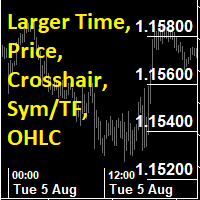
This utility indicator provides accessibility and readability, by displaying a larger price scale, time scale, crosshair, and symbol name/tf/ohlc information. All features are sizeable and can be styled separately, and are optional to show.
All Features optional to use font, size and color options
Price Scale
option to hide the default MT5 price scale option to show horizontal lines at price levels prices drawn can be at round numbers (ie automatic rounding to multiples of 5/10/20/25 points),
FREE

Korean ADX Cross Alert EA for MT5 ADX Cross Alert EA는 평균 방향 지수 (ADX) 가 설정된 표준 변동성 수준을 돌파할 때 알림을 제공하는 MetaTrader 5용 간단한 도구입니다. 차트를 계속 확인하지 않아도 시장의 강도와 잠재적인 추세를 모니터링할 수 있습니다. 차트에 설치하면 EA가 ADX 지표를 모니터링하고 설정된 수준을 돌파할 때 팝업 알림 을 표시합니다. 기능 ADX가 표준 변동성 수준(기본값 25)을 상향 돌파할 때 감지 ADX가 표준 변동성 수준을 하향 돌파할 때 감지 MetaTrader 5 팝업 알림 모든 종목 및 타임프레임에서 사용 가능 가볍고 사용하기 쉬움 작동 방식 EA는 현재 차트의 ADX 지표를 모니터링합니다. ADX 값이 설정된 변동성 수준을 돌파하면 팝업 알림이 표시됩니다. ADX 기간과 변동성 수준은 설정에서 조정할 수 있습니다. 이 EA는 알림 도구이며 자동 거래를 수행하지 않습니다.
FREE

Latency Arbitrage – Ultra Fast Execution & Price Inefficiency Capture Latency Arbitrage utility tool is designed to exploit short-term price inefficiencies between fast and slow price feeds. Instead of predicting market direction, the EA focuses on execution speed and price deviation opportunities, allowing traders to capture micro-movements before the market fully adjusts. With built-in risk controls and smart filtering, it ensures precise and disciplined trading performance. Price increases b

이 무료 도구가 마음에 드셨다면 별점 5점을 남겨주세요! 정말 감사합니다 :) "위험 관리 어시스턴트" 전문가 자문 컬렉션은 다양한 시장 상황에서 효과적으로 위험을 관리하여 거래 전략을 강화하도록 설계된 포괄적인 도구 모음입니다. 이 컬렉션은 평균화, 전환, 헤지 전문가 자문의 세 가지 핵심 요소로 구성되어 있으며, 각 요소는 다양한 거래 상황에 맞춰 고유한 장점을 제공합니다.
이 EA는 시중에 나와 있는 표준 위험 관리 전략을 기반으로 개발되었습니다.
https://www.mql5.com/en/blogs/post/756961
1. "평균화 어시스턴트" EA: MT4: https://www.mql5.com/en/market/product/115468 MT5: https://www.mql5.com/en/market/product/115469 2. "스위칭 어시스턴트" EA: MT4: https://www.mql5.com/en/market/product/115478 MT5: ht
FREE

Professional trading panel that combines visual order placement, automated risk management, and advanced position controls in one intuitive interface to save time, reduce errors, and enforce trading discipline.
Read user instructions Get the Pro version with more features
Overview The TradingLab Trade Panel is a comprehensive trading overlay that replaces multiple manual operations with a single, intuitive interface. Designed for discretionary and systematic traders alike, it combines visual o
FREE

Candle Timer is a lightweight, non-trading utility that shows you exactly how much time remains before the current candle closes — no more guessing, switching tabs, or checking the clock. A clean gold countdown badge with bold black text sits on your chart and updates in real time, using your broker's server time for accuracy. Whether you're scalping M1 or watching a Daily close, you always know precisely when the next candle begins. Features: Real-time countdown (mm:ss / hh:mm:ss) to the next c
FREE

DataExporter saves the price history from your MetaTrader 5 terminal as text files with comma separated values (CSV). The files open directly in Excel, Google Sheets, Python, R or any other analysis tool. Instead of exporting one symbol at a time through the Symbols window, you choose a list of symbols and timeframes and export them all in one run. You can also export every symbol in your Market Watch window at once. Main features Several symbols and several timeframes in one run. Update mode: a
FREE

Trade Manager MT5 Visual Position Sizer Position Sizing & Order Management Tool — No manual calculations. Just drag your Entry, Stop Loss, and Take Profit lines on the chart. Everything is automatically calculated and displayed in real time. Watch all calculations update live — instantly on both the panel and the lines. Enter trades with minimal risk, without hesitation. How to use:
1. Attach Trade Manager MT5 to any chart.
2. Write Lot size or the Margin Amount on the Panel.
3. Click on SL/T

AW MT5 To Telegram은 MetaTrader 5 계좌의 이벤트를 Telegram으로 보내는 유틸리티입니다: 포지션 진입과 청산, 부분 청산, Stop Loss와 Take Profit 변경, 대기 주문, 계좌 경고와 보고서. 유틸리티는 거래를 하지 않습니다. 계좌의 거래 내역을 읽어 모든 변경 사항을 개인 채팅, 토픽이 있는 그룹 또는 채널용 메시지로 바꿉니다. VIP 채널에는 즉시, Free 채널에는 지연을 두고 시그널을 보내는 시그널 판매자와, 낙폭, 마진, 연결 경고를 휴대폰으로 받으려는 트레이더를 위해 만들어졌습니다. 매뉴얼과 사용 설명 -> 여기 / MT4 -> 여기 장점: 최대 다섯 개의 채팅, 채팅마다 고유한 스타일, 이벤트, 필터, 지연, 버튼 차트 위의 AW Message Designer: 12개의 기본 템플릿과 실시간 미리보기 메시지는 디스크의 대기열에 보관되며 네트워크 장애 후 다시 전송됩니다 청산과 SL/TP 변경은 진입 메시지에 대한 답글로 전송됩
The RFOC Candle Timer 2x was created for the trader to locate himself in time, having access to the pending time for the formation of a new candle. Additionally, it is possible to include in the chart a second timer that shows the pending time for the formation of a new candle in a time period different from the current one. The user will have the option to select up to 4 different positions for the timer display ("No candle", lower left corner, lower right corner or upper right corner). In ad
FREE

Copy your MT5 trades to accounts anywhere in the world with the MetaToolsLab Master EA . Unlike local copiers that only work between terminals on the same PC or VPS, MetaToolsLab uses a secure cloud relay — so you can broadcast your trades to followers across different computers, VPS providers, brokers, and continents , with sub-second delivery and no broker passwords . Whether you're a signal provider, a multi-account trader, or an account manager, the Master EA installs in about
FREE

Synthetic Chart Generator — MetaTrader 5용 인디케이터 Synthetic Chart Generator는 브로커 서버에서 실시간으로 수신되는 가격 데이터를 사용하여 1분 미만의 타임프레임에서 캔들 차트를 생성하는 인디케이터입니다. 이 인디케이터의 기능 MetaTrader 5는 기본적으로 1분 미만의 타임프레임을 지원하지 않습니다. 이 인디케이터는 수신된 가격 데이터를 사용자가 설정할 수 있는 간격(예: 10초, 15초 또는 30초)으로 그룹화하여 해당 타임프레임을 대체적으로 구성합니다. 설정된 각 간격마다 인디케이터는 시가, 고가, 저가, 종가를 기록하여 완전한 캔들을 형성합니다. 결과는 터미널 내에서 사용자 정의 심볼로 게시되며, 사용자가 다른 인디케이터를 적용하거나 기준 레벨을 그리거나 Expert Advisor를 실행할 수 있는 완전히 기능하는 차트가 생성됩니다. 주요 특징 초 단위로 사용자가 설정할 수 있는 타임프레임. MetaTrader 5 내에
FREE

현재 거래 계정의 거래 내역 내보내기를 수행합니다. 파일은 터미널의 주 메뉴를 통해 열 수 있는 데이터 폴더에 저장됩니다. 파일 -> 데이터 디렉토리 열기 (Ctrl+Shift+D) 폴더로 이동 MQL5/Files . 파일 이름은 자동으로 생성되거나 스크립트 매개변수를 통해 수동으로 설정됩니다. 히스토리 파일을 사용하여 Excel에서 히스토리를 분석하거나(가져오기 마법사를 통해 열어야 할 수도 있음) Expert Advisor를 사용하여 다른 거래 서버에서 동일한 거래 순서를 시뮬레이션할 수 있습니다. 단순 기록 수신기 .
파일 형식 제목이 먼저다 DATE,TICKET,TYPE,SYMBOL,VOLUME,ENTRY,PRICE,STOPLOSS,TAKEPROFIT,PROFIT,COMMISSION,FEE,SWAP,MAGIC,COMMENT 그 뒤에 그리고 파일이 끝날 때까지 하나의 거래에 대해 쉼표로 구분된 필드 값이 있는 줄이 있습니다.
FREE

Ultra Charts - Advanced Custom Chart Types for MT5 Get Manual Here! Get The Free Ultra Charts Trader Here! Ultra Charts is a comprehensive charting solution that brings professional-grade alternative chart types to MetaTrader 5. This Expert Advisor provides traders with multiple custom chart formats beyond standard time-based candlesticks, enabling enhanced technical analysis and pattern recognition. Chart Types Included The product includes six distinct chart types, each designed to filter mark
FREE

비농업 고용(Non-Farm Payrolls), CPI, 중앙은행 금리 결정 같은 중요도 높은 뉴스는 몇 초 만에 시장을 움직일 수 있습니다. 스프레드가 넓어지고, 가격에 갭이 생기며, 대기 주문이 설정한 위치에서 멀리 떨어진 곳에서 체결됩니다. News Filter 는 MetaTrader 5에 내장된 경제 캘린더를 읽고 뉴스 구간이 다가오면 알려 줍니다. 기능을 켜면 대기 주문 삭제, 포지션 청산, 그리고 직접 사용하는 EA가 읽을 수 있는 일시 정지 플래그 게시도 수행합니다. 무료, 모든 기능 제공, 기간 제한 없음. 귀찮은 안내 창도, 프로그램 내 업그레이드 권유도 없습니다. 거래를 새로 여는 일은 절대 없습니다. 주요 기능 경제 캘린더 : MT5 내장 캘린더로 향후 7일분을 15분마다, 그리고 REFRESH 버튼으로 다시 불러옵니다. 모든 시간은 브로커의 서버 시간 입니다. 뉴스 구간 : 대상이 되는 각 이벤트 전후 X분(기본값 15 / 15). 겹치는 구간은 하나로 합쳐집니
FREE

Easy Trade Zone - Visual Order Panel
Draw your trade directly on the chart and drag it into place. Grab the Entry, Stop-Loss and the three Take-Profits individually with the mouse. The moment you move a line, everything recalculates live: the red risk box, the green reward box, the position size, and the exact profit/loss in your account currency. You see your risk in real money BEFORE you click - and never send an order without a stop by accident.
Features: - Drag every level individually: En
FREE

Trader Command Center MetaTrader 5를 위한 풀차트 실시간 트레이딩 대시보드로, 계좌 모니터링, 프롭 펌 규칙 추적, 리스크 게이트 관리, 직접 주문 체결을 단일 Canvas 렌더링 인터페이스에 통합했습니다. Trader Command Center는 MetaTrader 5용 유틸리티로, 표준 차트 뷰를 포괄적이고 반응형 대시보드로 교체합니다. 계좌 상태 추적, 프롭 펌 규정 준수 모니터링, 미결 포지션 관리, 사전 계산된 로트 크기로 시장가 주문 체결을 하나의 화면에서 처리할 통합 작업 공간이 필요한 트레이더를 위해 설계되었습니다. 인터페이스는 Canvas 엔진으로 렌더링되며 차트 크기에 맞게 자동으로 확장됩니다. 개요 대시보드는 영구 헤더, 7개의 성과 지표 행, 그리고 체결, 챌린지 진행 상황, 에쿼티 곡선, 리스크 게이트, 세션별 성과, 심볼 분석, 경제 캘린더, 미결 포지션, 최근 거래, 미체결 주문을 포함하는 4열 본문으로 구성됩니다. 모든 패널
FREE

EA Zone Recovery Assistant เป็น EA ที่ช่วยเปิดออเดอร์ Recovery ตามระดับราคาที่ผู้ใช้กำหนดได้อัตโนมัติ //โดยหลักการทำงานมีดังนี้// เมื่อผู้ใช้เปิดออเดอร์ Buy หรือ Sell (Market Order) EA จะตรวจสอบจุด SL ภายในเวลาที่กำหนดในตัวแปร Input Delay Check for setting Price Recovery ถ้าผู้ใช้วาง SL วางภายในเวลาที่กำหนด ระบบจะลบ SL ออกแล้วใช้จุดที่วาง SL เปิดออเดอร์ Recovery เมื่อกราฟวิ่งผิดทางถึงจุดที่กำหนด //แต่ถ้าผู้ใช้ไม่วาง SL ภายในเวลาที่กำหนดระบบจะไม่มีการทำ Recovery ในออเดอร์นั้นแม้ผู้ใช้มีการวาง SL
FREE

"거래 알림"은 개설 또는 마감된 모든 거래에 대한 모바일 알림이나 단말기 알림 은 물론 각 거래의 $ 이익/손실 결과를 알려주는 것을 목표로 하는 유틸리티 도구입니다 . 제가 오랫동안 사용해오던 도구인데, 무료로 공유하게 되었습니다!
입력 매개변수: (모든 입력은 참/거짓 유형입니다. 값을 변경하려면 두 번 클릭하세요.) 마감된 포지션 손익에 대한 알림 : true인 경우 마감된 거래의 $ 결과를 알려줍니다. 이렇게 하면 거래가 종료되는 시기와 그 결과에 대한 정보를 얻을 수 있습니다.
이는 차트에 얽매이지 않고 거래의 PnL이 오르락내리락하는 것을 지켜보는 데 유용한 기능입니다. 이는 스트레스를 덜 받는 거래로 이어집니다. 새로 개설된 거래에 대해 알림 : true인 경우 새 거래가 개설될 때 알려줍니다. 지정가 주문을 설정하고 언제 진입 레벨이 시작되는지 알고 싶을 때 매우 중요한 매개변수입니다.
귀하가 알고 트레이더이고 시장에 진입
FREE

What Is Fibonacci Pilot Mini? Fibonacci Pilot Mini is a semi-automatic Expert Advisor for MetaTrader 5. It assists the trader in placing Fibonacci-based trades by automating the mechanical steps after the trader has identified the swing. The trader performs the analysis; the EA handles lot sizing, entry price calculation, stop loss, take profit levels, and order placement. Mini is the streamlined single-setup edition of Fibonacci Pilot Pro. It runs one trade setup at a time with a clean, minima
FREE

RiskMaster — MetaTrader 5용 리스크 매니저 RiskMaster는 MetaTrader 5 플랫폼을 위한 Expert Advisor(EA)로, 계정 수준에서 자동 리스크 관리를 수행하도록 설계되었습니다. 시스템의 주요 목적은 엄격한 리스크 관리 규율을 유지하고 사전에 설정된 손실 한도를 초과하지 않도록 하는 것입니다. EA는 거래 성과를 지속적으로 모니터링하며 설정된 기준에 도달하면 자동으로 반응합니다. 주요 기능 리스크 한도 관리
RiskMaster는 최대 손실 수준을 설정할 수 있습니다: 일간 리스크 주간 리스크 월간 리스크 한도는 다음 방식으로 설정 가능합니다: 계좌 자산(Equity) 기준 퍼센트 고정 금액 기준 EA는 현재 거래 결과를 자동으로 계산하여 설정된 한도와 비교합니다. 자동 계정 보호
리스크 한도를 초과하면 RiskMaster는 자동으로: 모든 포지션을 청산 모든 지정가 주문 삭제 선택된 기간(일 / 주 / 월) 종료까지 거래 차단 추가 손실을 방
FREE

Lot Size Calculator, Risk Manager and Trade Panel for MetaTrader 5
Lot Size Calculator Risk Manager Panel MT5 (This is the free edition of Lot Architect PRO ) is a trading utility for MetaTrader 5 that combines a lot size calculator, position size calculator, risk manager and trade panel in one chart-based interface. The utility calculates position size from a selected risk value and displays the planned trade information before order execution. Entry, Stop Loss and Take Profit levels can be en
FREE

Overview FiT Panel Pro is a professional-grade trade management panel designed for MetaTrader 5 traders who demand speed, precision, and full control over their trades. Built with a modern dark-theme UI, it combines one-click execution with advanced risk management, visual SL/TP drag lines, automatic Fibonacci-based levels, and comprehensive order management — all in a single, compact panel. Whether you are a scalper, day trader, or swing trader, FiT Panel Pro gives you the edge you need to exec
FREE

Candle Countdown Timer - Optimized Edition
Overview
Candle Countdown Timer is a lightweight, high-performance indicator that displays the exact time remaining until the current candle closes. Designed with efficiency as a top priority, this indicator provides traders with essential timing information without consuming unnecessary system resources.
Whether you're a scalper watching every second on M1 charts, a day trader timing entries on H1, or a swing trader monitoring daily candles, this i
FREE
Introduction
Auto Chart Alert is a convenient tool to set alert for your trading in your chart. With Auto Chart Alert, you can set the alert line in one click in your desired location in your chart. You can even set alert over the sloped lines in your chart. Auto Chart Alert is a great tool when you have to watch out importnat support and resistance levels for your trading. You can receive the sound alert, email and push notification when the price hit the alert line at you desired location. Au
FREE

You can now have a BIG price showing on chart. ========================================== INPUTS: BID or ASK: Choose which price you'd like to show on the chart, bid or ask. Default is Bid. Font size: Set the font size for the price. Default is 200. Font color: Set the font color for the price. Default is White. Base corner: Choose which of the 4 corners you want to price to be in. Default is the upper right hand corner of the chart. X distance from chosen corner: Distance of the price
FREE

MT5 To Telegram Signal Bridge — Free Utility What it does This Utility ea connects The REVERSION KING Indicator to your Telegram bot or channel in real time. It runs silently on one chart and automatically forwards trading signals, TP hits, and SL events as formatted messages — no manual copy-pasting, no screen watching. Features Sends new signal alerts with entry, TP1, TP2, TP3, SL levels and R:R ratio Sends TP1, TP2, TP3 hit confirmations with points gained Sends SL hit notifications with poin
FREE

Equity Panel for MT5 Equity Panel is a free MT5 indicator that gives you a fast and convenient live overview of your account directly from the chart. Monitor balance, equity, floating P/L, drawdown, daily performance, margin data, and warning levels in one compact dashboard. Built for traders who want better control, faster risk awareness, and clearer account monitoring in live market conditions. Equity Panel is a lightweight and practical account monitoring indicator for MetaTrader 5 that helps
FREE
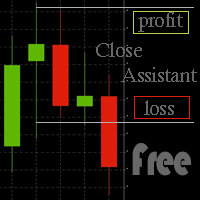
Simple program to automatically close positions by profit or loss.
User can select "Total Profit" to close all positions at the same time, once the total profit or loss is reached.
User can select "Single Profit" to close one by one positions, once single profit or loss is reached. Notes: 1. The assistant will not open any position.
2. The assistant only provide market orders, so due maket volatility positions can suffer slippage.
FREE

Symbol Screener 는 MetaTrader 5를 위한 전문적인 멀티심볼, 멀티타임프레임 지표 시그널 대시보드입니다. 선택한 모든 심볼과 타임프레임에서 5가지 인기 지표의 BUY/SELL 시그널 을 모니터링하여 하나의 컴팩트한 컬러 코딩 테이블에 표시합니다. 더 이상 차트를 수동으로 전환할 필요 없이 — 한눈에 전체 시장 상황을 파악하세요. 스크린샷이 포함된 상세 기사: Symbol Screener — 완전 가이드 지표 시그널 분석이 없는 버전이 필요하면 같은 저자의 Chart Manager 를 확인하세요. Symbol Screener 는 최대 5개의 표준 지표에서 실시간 시그널을 수집합니다: Moving Average (MA) MACD Relative Strength Index (RSI) Stochastic Oscillator Commodity Channel Index (CCI) 5개의 지표가 동시에 작동합니다. Single Symbol 모드에서는 행이 지표를, 열이 타임프

MD Trade Manager - Expert Advisor for MetaTrader 5
Description: Risk in % or Fixed Cash — the mode toggle Draggable Entry/SL/TP Lines — core visual planning workflow Auto-Follow Live Price — risk staying accurate as market moves Risk:Reward Auto-Sync — TP repositioning with SL drag Automatic Breakeven — SL auto-lock at trigger % Live Trade Duration Tracking — the one you flagged as important, calling out the exact hold-time display and its prop-firm use case specifically. Minimize & Drag Anywher

Boleta Global Lab v1.1
Pensando em proporcionar uma experiência operacional mais intuitiva e eficiente, desenvolvemos uma boleta exclusiva para MetaTrader 5 (MT5) com interface inspirada na boleta do Profit, amplamente utilizada por operadores da B3.
O objetivo é oferecer uma adaptação mais rápida para quem já está familiarizado com o ambiente operacional do Profit, tornando a execução das ordens mais prática, organizada e confortável.
Principais características
* Interface inspirada na bol
FREE

High-impact news is where spreads blow out, stops get hit on spikes, and orders fill nowhere near where you expected. News Sentinel puts a live countdown and a shaded volatility window right on your chart, and tells you how many pips each release has actually moved the currency so you know the volatility to expect. A free on-chart news panel for anyone who trades a chart, whether you run Expert Advisors that get stopped on news spikes, or you trade by hand and need to know when the market is abo
FREE

BOS VECTOR TRADE MANAGER — FREE Simple Manual Trade Control for MetaTrader 5 BOS VECTOR TRADE MANAGER is a free MT5 utility designed to make manual trade execution and position management faster, cleaner and easier directly from the chart. It does not require BOS VECTOR EA and can be used completely on its own. The aim is simple: Give the trader practical trade-management tools without turning the chart into a huge dashboard. -------------------------------------------------- WHAT IT D
FREE

TradeRazor: One-Click Trade Execution Panel It calculates your risk before every trade, places market and pending orders in one click, and manages open positions with partial closing, breakeven, and close-all functions with one click. Order Execution One-Click Execution
Place market Buy or Sell orders instantly. Lot size, stop loss, and take profit are all pre-set before you click. Preset Buttons
Four customizable lot size, stop loss, and take profit presets each, ready in one click. Universal

AIT AI Trading Terminal AIT AI Trading Terminal 是一款面向 MetaTrader 5 的多维市场分析与风险辅助 EA。 它将趋势、市场结构、成交量分布、订单块、FVG、技术指标和风险控制集中显示在同一张图表上,减少在多个指标之间来回切换的操作。 本产品重点是帮助交易者更快地了解当前市场状态、关键价格区域和风险条件。它不会保证盈利,所有信号和分析结果都应结合个人交易计划进行判断。 主要功能 1. 多维市场分析 系统会综合分析当前交易品种的市场状态,包括: 趋势方向 市场结构 支撑位与压力位 波动率 RSI EMA ATR 成交量信息 多空强弱 风险状态 分析结果直接显示在图表面板中。 2. 市场结构识别 自动识别重要价格结构,包括: HH — 更高高点 HL — 更高低点 LH — 更低高点 LL — 更低低点 BOS — 结构突破 CHoCH — 市场结构变化 帮助用户更直观地观察趋势延续和潜在结构变化。 3. Order Block 订单块 系统可以自动识别并绘制潜在的订单块区域。 支持: 多个订单块显示 订单块有效期控制 距离过滤 位
FREE
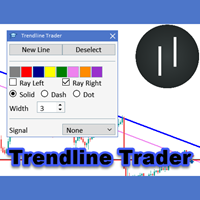
The Trendline Trader EA helps you to analyze and trade the markets with trendlines. You can place and modify lines easily with only few clicks. When you found a strong trend you can also activate the lines to open trades (or place orders) when reached by the price. The tool helps you to analyze multiple markets and still be able to trade trends without sitting in front of the charts all the time. You can change the appearance of the lines. It might be a good idea to choose different colors or si

Mobile Trade Manager - Professional Trading Management from Your Phone INTRODUCTION Mobile Trade Manager is a professional trading management EA specifically designed to give you complete control over your trades using only your phone, from anywhere. Key Features: THE ONLY EA on the market that can manage trades from anywhere - Features fully optimized for mobile, no computer needed Visual Entry Panel - Drag-and-drop to p

*** available for free for cloud pro users and above****
Ultimate EA Manager is a utility for traders running multiple Expert Advisors on a single MT5 terminal. It does not place trades itself — it coordinates the EAs you already use. Features: - Auto-detect every EA attached to charts in your terminal, grouped by EA name - Slot management: cap how many EAs may hold open positions concurrently (waiting EAs pause until a slot frees up) - Account-level drawdown circuit breake

Trade Guardian Pro is a loss protection utility for MetaTrader 5. It watches the account and closes all positions before a daily or total loss limit is reached. It works on a personal broker account, on a funded account or on an evaluation account, and it also supervises trades opened manually or by other Expert Advisors. Daily and total loss, profit target, minimum trading days and risk alerts are shown in one chart dashboard, with a safety buffer that acts before the limit itself. The user gui
Hola Traders. By popular demand from my fellow traders, I am excited to announce the release of my newly developed tool for placing pending order grids. Many of you have already benefited from this tool, and several have requested a version for MT5. Now, it is available for everyone! This automatic grid trading placement tool is convenient, easy to use, and fast. It also includes quick action buttons for closing profits, losses, and pending orders. No matter how many pending orders you have, jus
Hola Traders. By popular demand from my fellow traders, I am excited to announce the release of my newly developed tool for placing pending order grids. Many of you have already benefited from this tool, and several have requested a version for MT5. Now, it is available for everyone! This automatic grid trading placement tool is convenient, easy to use, and fast. It also includes quick action buttons for closing profits, losses, and pending orders. No matter how many pending orders you have, jus

EasyTrade Manager is an intelligent trading assistant and analyser with outstanding capabilities to make your trading experience easy, seamless and fast. This system is developed to serve as a one-click trading and eliminate all emotions after you have executed a trade. It helps you with risk management, automatic placing of stoploss, take profits, trailing stop and break even and a dynamic exit signal function. EasyTrade manager also analyses the market and alerts the user of potential good in

Quantum Trade Panel for MT5 Quantum Trade Panel is a trading assistant Expert Advisor designed to streamline order execution and risk management directly from the MetaTrader 5 chart. It provides day traders and scalpers with tools to calculate lot sizes, manage active positions, and monitor market data from a consolidated interface. Key Features and Functional Modules Automated Risk Sizing: Calculates position sizes based on user-defined account risk percentages, with optional pre-configured Sto
- The Symbol Changer Utility for MetaTrader is a tool that enables traders to switch between various symbols on the MetaTrader trading platform easily and quickly. - It is designed to change the symbol of the current and all open chart windows and the timeframe of the current chart window (by clicking the button). - The tool retrieves symbols from the Market Watch, displaying only the necessary symbols in the market watch.
FREE

TradeKeys Pro – Keyboard Trading Assistant for MetaTrader 5 TradeKeys Pro is a lightweight, keyboard‑driven trading assistant for MetaTrader 5 that combines the speed of shortcut keys with a clean configuration panel. It is designed for traders who prefer to keep their chart uncluttered and execute trades with a single keystroke, while still having full control over risk parameters and position management. Core Concept
The expert advisor places a compact graphical user interface (GUI) on the c
FREE
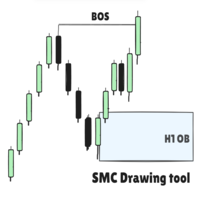
SMC Drawing Tool - Advanced Charting and Analysis Assistant Due to limitations in MetaTrader 5, this EA does not work in the Strategy Tester. To see it in action, you can download the demo version. SMC Drawing Tool is a professional technical analysis indicator for MetaTrader 5, designed to enhance the Smart Money Concepts (SMC) trading methodology. It deeply integrates a comprehensive suite of drawing tools with an intelligent labeling system and includes advanced features such as multi-timefra
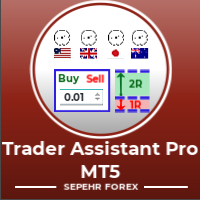
Trader Assistant MT5는 각 거래자가 자신의 잔액에 따라 거래당 위험을 관리할 수 있도록 도와주며 몇 가지 편리한 도구를 제공합니다. 주목. 응용 프로그램이 전략 테스터에서 작동하지 않습니다. 데모를 다운로드하는 방법. 트레이더 어시스턴트: 그것은 메타 트레이더 플랫폼에 없는 특별한 유창한 패널을 사용합니다. 거래를 설정하기 전에 손익 금액을 볼 수 있습니다. 또한 다음에서 설명하는 몇 가지 편리한 도구가 있습니다. 위험 대비 보상 비율 패널. 이 패널은 Trading View 플랫폼과 비슷합니다. RR 비율을 고정된 숫자로 설정할 수 있습니다. 1:2 또는 1:3 또는 ... .또한 손절매를 포인트 단위로 고정 금액으로 설정할 수 있습니다.
거래량 계산. 거래량은 세 가지 모드로 계산할 수 있습니다. 첫 번째는 로트에서 설정할 수 있는 고정 수량입니다. 두 번째는 정지 손실을 위한 고정 현금을 기반으로 합니다. 세 번째는 손절매에 대한 잔액/자본 비율을 기반으로

The Trading Sessions indicator is a simple tool that helps to highlight a specific trading session. For example, it can be used to differentiate the European, American or Asian sessions.
Main features The indicator shows a user-defined trading session. Alert notifications for the start and end of the session. Custom session time. Works on every timeframe (M1, M5, M15, M30, H1, H4, D1, W1, MN). Customizable parameters (Colors, alerts...). It can be used for creating EA. Available for MT4 an
FREE

Grid Manager — Manual Multi-Basket Grid Assistant for MT5 Grid Manager is a hands-on control panel for building and managing grid "baskets" directly on your chart. You decide the direction and the moment; the tool opens the grid, manages every leg, and protects the position with money-based risk controls, on-chart breakeven/SL/TP lines, and one-click actions. It is an execution and management assistant — fast, visual, and fully under your control. What it is — and what it is not Grid Manager is
트레이딩 전략과 기술 지표를 판매하기에 가장 좋은 장소가 왜 MetaTrader 마켓인지 알고 계십니까? 광고나 소프트웨어 보호가 필요 없고, 지불 문제도 없습니다. 모든 것이 MetaTrader 마켓에서 제공됩니다.
