 MetaTrader 5
 Experts
 지표
지표
 라이브러리
라이브러리
 유틸리티
유틸리티
 위젯
위젯
 규칙
규칙
MetaTrader 5용 트레이딩 유틸리티 - 29
 다음은 MetaTrader 5의 거래를 단순화하는 거래 프로그램입니다. 유틸리티의 설명과 목적을 읽으려면 유틸리티 위에 마우스를 놓으십시오.
Special Offer: The first 100 downloads are completely FREE! After that, the price will increase to $30. ️ 1. POSITION SIZING Sizing_Method: Choose the lot calculation method (SIZING_LOTS for manual, SIZING_PCT_EQUITY for risk percentage, SIZING_FIXED_CASH for fixed USD risk). Sizing_ManualLots: Fixed lot size (Active when SIZING_LOTS is selected). Sizing_RiskPercent: Risk per trade as a percentage of account equity. Sizing_RiskCash: Fixed risk amount per trade in USD. 2. TARGETS & STOP LO
FREE

BangkacangFX Gold Trading Panel PRO Professional Manual Trading Panel for MT5 BangkacangFX Gold Trading Panel PRO adalah Expert Advisor (EA) khusus MetaTrader 5 yang dirancang untuk trader manual XAUUSD, Forex, dan Indices yang membutuhkan eksekusi cepat, manajemen posisi lengkap, serta kontrol risiko langsung dari chart. Panel ini menggabungkan fungsi entry, pending order, break-even, trailing stop, partial close, dan monitoring akun dalam satu tampilan yang ringkas dan mudah digunakan. Main Fe
FREE

Economic Calendar Defender – Smart News Protection for MT5 Economic Calendar Defender는 중요한 경제 뉴스로 인해 발생하는 높은 변동성 이벤트 동안 귀하의 거래를 보호하기 위해 설계된 유틸리티로, 차트 앞에 있거나 사용 중인 표준 거래 운영 또는 EA를 수정할 필요가 없습니다. 어떤 차트에든 간단히 설치하면, EA가 실시간으로 경제 캘린더를 모니터링하고 관련 이벤트 전, 중, 후에 귀하의 거래를 관리합니다. prop firm에서 거래하는 경우 이러한 종류의 보호가 필수적입니다. 이들 회사는 일반적으로 높은 impact 뉴스, 격렬한 스프레드 또는 갑작스러운 시장 움직임 중의 거래에 페널티를 부과합니다. 이 EA는 예상치 못한 뉴스가 귀하의 계좌를 손상시키거나 평가를 무효화하는 것을 방지하여 이러한 규칙을 준수하는 데 도움이 됩니다. 주요 특징
• 경제 뉴스에 대한 자동 보호: EA는 ForexFactory에서 경제 캘
FREE

1.mt5跟单软件,支持本地跟单。
2.只需要一个程序,主端输入从端账户,从端输入主端账户
3.品种名称要一致。
4.跟单可正向跟单也可以反向跟单,手数暂时不支持按比例
5.可一对一跟单,一对多跟单没试过
6、喊单和跟单都是同一个EA
7、可以多个跟1个,设置好跟单和喊单的ID。
8、功能齐全,看以下说明,4种跟单手数方案,应该满足各种需要了。
9、跨平台没问题,商品名称有后缀,前缀的,都可以跟单
10、参数设置也做了保存,大家可以加载参考,再根据参数设置的图片说明,不难哈。
无dll 无txt 设计 不需调用动态链接库
币种后缀自适应,无需二次匹配
傻瓜式操作 单项向从控端 仅需填写 主控端账号 就可以 若开启双向平单则 主控填从控账号 从控填主控账号
瓜式操作,MT5本地跟单EA,支持自定义注释 前缀,微秒级别跟单
FREE

input double MaxLossLevel = 500.0; // Max Loss Level in account currency input double SafetyBufferMoney = 10.0; // Safe Buffer. In this case Threshold be 500+10 = 510 input int CheckEverySeconds = 2; input bool is_debugged = false; // Print additional messages in the Terminal
It will checks every CheckEverySeconds. If the total Loss of the account Go below Threshold of MaxLossLevel + SafeBufferMoney, then start Heding: for each open Position, open a new reversed Position with
FREE

Chart Pro Classic Dark – Golden Version Transform your MetaTrader 5 chart with a clean, dark and elegant gold-style design. Black chart background Gold bullish candle outlines & wicks Black bullish candle bodies White bearish candle bodies Gold Ask line White Bid line Gold dashed horizontal grid Gold chart labels, prices & time scale Clean and professional chart appearance Lightweight chart customization It is designed purely for chart customization and visual styling only.
FREE
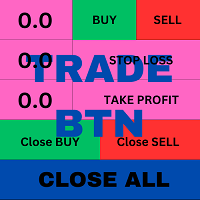
T his is an ON CHART trade management panel. In other words, ON CHART Lot Size, Buy, Sell, Stop Loss, Take Profit, Close Buy, Close Sell and Close All buttons! *IMPORTANT NOTE: Input settings are NOT usable. You can change or insert Stop Loss and Take Profit values only on the chart panel. (See the below video!) This one is MT5 version!
BUTTONS List: 1. Lot Size - (0.01) is default click on it and insert the lot size with which you want to open a trade. 2. Stop Loss - (0.0) is default click on
FREE

The CandleStick Scanner is a tool that allow you to perform a market scan and search any candlestick pattern that you already created in the current chart, You can perform a quick search in the current chart (500 bars will be scanned), This is a lite version of CandleStick Factory for MT5 . The full version video can be found here : https://www.youtube.com/watch?v=fq7pLXqVO94 The full version can be purchased here: https://www.mql5.com/en/market/product/75434
How it works You can
FREE

Trades Manager Buy and Sell Close MT5
The Close Buy and Sell Expert Advisor is a free EA given to help traders manage trades easily especially during volatile market environment.
Features:
It helps to quickly close trades either in profit or loss. Close for separate Buy Only Close for separate Sell Only Close for both Buy and Sell Only Control Box can be minimized, closed or moved around from the chart. Check the MT4 here
It works for all open trades opened on the
FREE

Trade Remote: Pocket Desk - Your MetaTrader Account, Now in Your Pocket
FEATURES Trade Remote: Pocket Desk turns your phone, tablet, or any web browser into a live trading remote control for your MetaTrader terminal. No app to install on your phone — just a 4-character code and any browser. Connects to your MT4 terminal in under 30 seconds using a unique, auto-generated 4-character CONNECT code. One-click BUY and SELL on any symbol in your Market Watch, with live bid/ask and spread shown befor
FREE

Product Name: QuickStep Trader – Customizable Manual Trading Panel
Version: 2.0
Compatibility: MetaTrader 5
Product Type: Utility Description:
QuickStep Trader is a powerful yet intuitive manual trading panel designed for traders who prefer hands‑on execution. With a clean, fully customizable interface, it streamlines the process of opening and closing positions, letting you focus on your trading decisions. Key Features: One‑Click Lot Presets: Three preset lot buttons (user‑configu
FREE

Telegram Controls (Telecontrol) — performs communication between the bot Telegram and the terminal MetaTrader 5 . It helps aggregate data from multiple terminals and manage them using a bot in Telegram . The service is convenient for working on multiple MT5 terminals, allowing each terminal to be individually configured for optimal display and perception of information. All terminal data is collected in one Telegram channel, and the settings panel allows quick adjustments and saving of changes i
FREE

패널은 모든 초보자가 다룰 수 있는 가장 직관적인 인터페이스를 가지고 있습니다.
SLp 열에서 - SL 크기를 핍 단위로 지정해야 합니다. 값이 회색으로 바뀌고 동시에 베이/매도 버튼도 비활성화되면 브로커가 설정하기 전에 허용된 것보다 작은 SL 값을 지정한 것입니다.
TP % 열에서 - 계정 잔액의 %에서 TP를 나타냅니다. 설정에서 이 지표가 계산될 항목을 기준으로 자기자본, 잔액 또는 자유 마진을 선택할 수 있습니다.
R% 열에서 거래에 대한 위험 값을 설정할 수 있습니다.
단추 Ins . - 설정 값으로 즉시 주문을 열 수 있습니다. 비활성화된 경우 차트에서 직접 거래 매개변수를 사전 설정할 수 있습니다. Pro Trading Panel - https://www.mql5.com/en/market/product/72256
상단에서 왼쪽 상단의 빼기 기호를 클릭하여 차트의 패널을 최소화할 수 있습니다.
또한 패널 이름 아래에 있는 + 및 - 버튼을 조정하여 패
FREE

This tool allows you to export Ticks for any financial instrument available in MetaTrader 5. You can download multiple symbols into the same CSV file. You can also schedule the download frequency (every 5 minutes, 60 minutes, etc.). There is no need to open multiple charts to get the latest data—the tool downloads the data directly. The CSV file will be stored in the following folder: \MQL5\Files . How it works Select the symbols to download: Click an item to select or deselect it. Enter the CSV
FREE

Price live on the Chart Description: The Real-Time Price Display is a powerful tool for MetaTrader 5 users that provides continuous updates of the current bid (SELL) and ask (BUY) prices directly on your trading chart. This script is ideal for traders who need to stay updated on market prices at a glance. Key Features: Live Price Updates : Displays the latest bid and ask prices for your selected trading symbol in real-time. Customizable Display : Adjust the horizontal and vertical position of th
FREE

한국어
설명 이 리스크 관리 도구는 계좌 잔액의 퍼센트(%)와 시장가 주문(buy market 및 sell market)에서만 작동합니다. 지정가 주문에서는 작동하지 않습니다. 계좌 잔액의 어떤 %라도 사용할 수 있으며, 설정 아이콘을 클릭하고 % 값을 입력하면 됩니다. 사용 방법 스탑을 설정하려는 가격을 마우스 왼쪽 버튼으로 클릭하십시오. 노란색 선이 나타납니다. 이 노란색 선이 당신의 스탑입니다. 그 후 ''BUY MARKET'' 또는 ''SELL MARKET'' 버튼을 클릭하십시오. 차트에 노란색 선을 만들고 싶지 않다면 ''DELETE STOP'' 버튼을 클릭한 후 ''LOCK STOP'' 버튼을 클릭하십시오. 이 작업을 되돌리려면 ''UNLOCK STOP'' 버튼을 클릭하면 됩니다 (이 버튼은 ''LOCK STOP''을 클릭한 후에만 나타납니다). 매우 중요한 참고 사항 (반드시 읽으십시오) "증거금 부족"으로 인해 주문이 거부될 가능성이 매우 높습니다. 이는 리
FREE

Trading Performance Analyzer is a MetaTrader 5 utility designed to help traders review trading activity and manage positions from a single interface.
The tool combines performance statistics, trade history visualization and position management features inside a customizable on-chart panel. It can be used for monitoring trading results, analyzing behavior patterns and executing trades with predefined risk parameters. Features Performance Analytics The dashboard provides a set of metrics that hel
FREE

개요 이 EA는 캔들 몸통을 클릭(TradingView와 유사)하면 차트에 진입(Entry), 손절(Stop Loss), 이익실현(Take Profit)을 나타내는 세 개의 선을 생성합니다. 이 선들은 마우스로 드래그할 수 있습니다. 거래 위험은 EA 입력 탭에서 백분율, 고정 로트 크기 또는 고정 달러 금액으로 설정할 수 있습니다. 보상/위험(RR) 비율은 차트 오른쪽 상단에 표시됩니다. 새로 추가된 기능 무위험 옵션 트레일링 스톱 기능 뉴스 필터 EA에는 뉴스 중요도와 사용자가 정의한 시간 창(예: 뉴스 전후 N분)에 따라 제한을 적용하는 뉴스 필터가 포함되어 있습니다. 이 시간 창 안에서는: 신규 포지션 개설 금지 오픈 포지션은 청산 가능 대기 주문 제한 가능 중요 사항 실계좌 사용 전 반드시 데모 계정에서 EA를 테스트하세요. 이 EA는 MetaTrader 5 전용입니다. 뉴스 필터가 작동하려면 MT5 경제 캘린더를 활성화하고 안정적인 인터넷 연결을 유지해야
FREE

Overview This Expert Advisor acts as a slave receiver designed to work seamlessly alongside the Copy Trades Master application. It reads broadcasted master signals in real time and automatically mirrors trade operations on the local slave account. https://www.mql5.com/en/market/product/189493 Key Features: Unlimited Slave Accounts: Broadcast signals from a single master to as many slave terminals as you need with no performance limit. Flexible Lot Management: Customize trade sizing using a lot m
FREE

POTUSCalendar 백악관 일정 대시보드 - 시장을 움직이는 정치 이벤트를 놓치지 마세요 POTUSCalendar는 미국 대통령의 공개 일정을 거래 차트에 직접 표시하는 전문 MetaTrader 5 지표입니다. 기자회견, 공식 성명, 여행 일정, 공개 출연 등 금융 시장에 영향을 미칠 수 있는 백악관의 향후 이벤트에 대한 정보를 계속 받아보세요. 이 지표는 백악관 공식 공개 일정에서 실시간 데이터를 자동으로 가져오고, 모든 이벤트 시간을 현지 시간대와 브로커 시간으로 변환하며, 우아하고 사용자 정의 가능한 패널에 모든 것을 표시합니다. 외환, 지수, 상품 또는 암호화폐를 거래하든, 주요 정치 이벤트를 인식하는 것은 정보에 입각한 거래 결정에 매우 중요합니다. 자세히 읽기: 완전한 문서 및 설정 가이드 (English) 한정 제안: 처음 50회 다운로드는 무료입니다! 그 이후에는 이 제품이 유료로 전환됩니다. 지금 다운로드하여 무료 사본을 확보하세요. 주요 기능 실시간 백악관 일
FREE

Guardian Shield EA - Risk & Profit Protection System ️ Ultimate Account Protection Guardian Shield is a specialized utility Expert Advisor designed to provide comprehensive risk management and profit protection for your trading account. It monitors all running positions in real-time and takes immediate action when predefined profit or loss thresholds are reached. Key Features Advanced Risk & Profit Guardian Real-time Monitoring : Continuously tracks total P&L across all positions Du
FREE
Protect My Trades is an EA (expert advisor bot) that automatically put stop loss and take profit on market trades and pending orders. You can specify if want it to do this only on actual symbol trades or in all others. Its configuration is very simple. Functions: Take profit: distance to TP (0 = disabled, no TP will be created).
Stop loss: distance to SL (0 = disabled, no SL will be created).
Price type: price type in pips or pipets/points (pips is common in Forex).
Actual symbol only: manage th
FREE

This expert advisor can enter and exit trades at specific times and on specific weekdays, expressed in GMT Time. It offers weekday selection, trade management settings, a martingale function and money management features. [ Installation Guide | Update Guide | Troubleshooting | FAQ | All Products | Get Help ] Easy to use and supervise Fully configurable entry and exit times (up to 5 trades)
Enable or disable trading weekdays in inputs
Customizable break-even, stop-loss, take-profit and traili
FREE

KS Timing Alert Tool은 트레이더가 드래그 가능한 수직 타이머 라인을 사용하여 차트상에 정밀한 시간 기반 알림을 설정할 수 있도록 돕는 사용자 친화적인 MT5 지표입니다.
주요 기능:
클릭 한 번으로 타이머 라인 생성: "+ New Timer Line" 버튼(기본값 15분 오프셋)을 사용하여 즉시 수직 라인을 배치할 수 있습니다.
빠른 프리셋 버튼: 15분, 30분, 45분, 1시간, 2시간... 최대 12시간까지 원터치 프리셋을 제공합니다. 프리셋을 선택하면 해당 시간 단위에 맞춰 다음 정시 캔들 마감 시점(MT5의 내장 캔들 카운트다운과 동일한 방식)에 라인이 자동으로 배치됩니다. 예를 들어, 1시간(1H)을 선택하면 다음 정시 시작점에 라인이 배치됩니다.
자유로운 드래그 및 사용자 지정: 타이머 라인을 원하는 시간(과거 또는 미래)으로 자유롭게 드래그할 수 있습니다. 알림은 가격 변동이나 실제 캔들 마감 여부와 관계없이 순수하게 실제 서버 시간을 기준으로
FREE

Candle Momentum Alert R13 Free Candle Momentum Alert Utility for MetaTrader 5 Candle Momentum Alert R13 is a lightweight utility for MetaTrader 5 designed to help traders monitor candles with significant price movement based on a user-defined candle body size threshold. This tool is intended for monitoring and awareness purposes only and does not place, manage, or modify any trades. Key Features Candle momentum monitoring based on candle body size Multi-symbol monitoring (main chart + opti
FREE

Japanese-language version of MarketEnvNavi — a free 12-pair multi-timeframe (M15 to D1) market scanner / dashboard for MT5. The panel text and the AI explanations are in Japanese. For the English version, please see MarketEnvNaviEN by the same author. The scan and ranking work without an API key. The optional AI breakdown uses your own Anthropic API key. It does not place trades. Analysis only.
FREE
Simple Position Manager is a professional-grade MT5 script designed for efficient trade management. This versatile tool allows traders to quickly apply Take Profit, Stop Loss, and Breakeven settings across multiple open positions with precision and reliability. Key Features Multi-Position Management Apply TP/SL to all open positions of the current symbol simultaneously Intelligent position filtering by symbol Batch modification capabilities Smart Breakeven Technology Automated breakeven tri
FREE

Omega Gold Risk Guard Plan your gold trades, calculate position size and manage execution from one chart panel. Omega Gold Risk Guard is a manual trading utility for MetaTrader 5, designed for XAUUSD traders who want a clear view of their planned risk before placing an order. It brings position sizing, selectable targets, execution controls and daily trading limits into one interface. You choose the direction and the setup. The utility handles the calculations and checks your configured limits b
FREE

This pivot scanner implements five industry-standard pivot methodologies: Classic Pivot (HLC/3) Fibonacci Pivot (0.382 / 0.618 / 1.000 levels) Camarilla Pivot Woodie Pivot DeMark Pivot The scanner can operate with a fixed user-selected method or in adaptive mode, where the most suitable pivot model is selected automatically based on observed market behavior and historical performance. Designed as a fully configurable analysis and observation tool, the EA performs historical warmup, executes scan
FREE

"Statistics by magic pro" is a program that provides statistics after entering a magic number. You can simultaneously track up to 10 statistics for different magic numbers in one chart window. The program is very easy to use. The program should be run on any free chart. In the EDIT field on the chart, you should enter the magic number. Entering "0" will erase the statistics in that window. The operation of the program can be stopped by selecting the statistics off option. After selecting it, the
FREE

Algorithm Update: Grid Assistant (Version v3.1) 1. Description of the Fixed Issue (Bug Fix): In previous versions, the grid level auto-recovery module ( CheckAndRestoreKnees ) scanned trade history using a fixed lookback window (the last 3 days). When a grid cycle fully closed and profit was taken, the memory cleanup mechanism wiped the stored position IDs as intended. However, upon starting a new grid cycle, the assistant queried historical deals from the past 72 hours, pulled closed profitable
FREE

Demo version of the Virtual SL TP Trailing product for testing all functions https://www.mql5.com/ru/market/product/75210
ВНИМАНИЕ: ТОЛЬКО ДЛЯ ДЕМО-СЧЕТОВ !!!
Make Trailing Stop, Take Profit, Breakeven, Stop Loss levels invisible to the broker!
HIDDEN MODE (STEALTH MODE) Virtual Trailing Stop (Virtual Trailing Stop) Virtual Take Profit (Virtual Take Profit) Virtual Breakeven (Virtual Breakeven) Virtual Stop Loss (Virtual Stop Loss) Виртуальный 2-уровневый Трейлинг-стоп Virtual Tr
FREE

Balance History Indicator The Balance History indicator visually tracks the entire trading history of your account for the selected timeframe. It plots three key performance metrics: Profit – Displayed in Green Loss – Displayed in Red Zero Profit/Break-even – Displayed in Gray Balance Curve – Displayed as a SkyBlue line This indicator helps you instantly see the distribution of profitable and losing periods over time, along with your running account balance. It's ideal for evaluating historic
FREE

Trendline Toolbox (MT5) Trendline Toolbox is a utility indicator for MetaTrader 5 that helps manage trendlines and common chart objects. It is a charting tool; it does not provide trading signals and does not guarantee any profit. Main functions Clone the selected trendline (keeps style, angle, and price levels). Toggle the Extend/Ray property for the selected trendline. Delete the selected trendline. Purge all objects on the current chart. Draggable panel: double-click the hand icon and drag t
FREE

Trend Falcon Signals is a professional-grade, lightweight signal indicator utility developed for MetaTrader 5. It is specifically designed to identify high-probability, trend-following entry points using a multiple-timeframe moving average crossover system. Please note: This utility is purely an analytical tool. It does NOT open, manage, or close trades automatically. It strictly provides visual arrows on the chart and sends mobile notifications to assist manual traders. Core Trading Logic & St
FREE

All-in-One MT5 Trading Panel EA Take full control of your trades directly from the chart using this intuitive and efficient MetaTrader 5 Expert Advisor. Built for precision, speed, and simplicity, this EA provides a fully integrated trading panel to manage your positions without navigating multiple menus. Key Features Instant Order Execution
Place trades instantly with six predefined buttons: BUY 0.5 – Open a buy position with 0.5 lot BUY 1.0 – Open a buy position with 1.0 lot BUY 2.0 – Open a
FREE

MAGIC PROTECTOR — Advanced Equity Protection EA Magic Protector is a utility built for traders who want better control over daily, weekly, or monthly risk exposure. The EA continuously monitors trading performance based on your selected protection period and helps prevent further losses or overtrading once your defined limits are reached. It can work with either the entire account or only trades belonging to a specific Magic Number, making it suitable for traders running multiple Expert Ad
FREE

Looking for a way to manage account drawdown for Prop Firms or general risk management purposes? Look no further; this simple expert advisor does exactly that!
Account Balance Percentage Limit If your current account balance is $5000 and you set a 10% limit ($500), Equity Sentinel will close all trades when the account equity reaches equal or less than $4500 and close all charts.
Floating Drawdown Percentage Limit If your current account balance is $5000 and you set a 5% limit ($250), Equity S
FREE

PnL Executer Bot (MetaTrader 5) PnL Executer Bot is an advanced risk management and trade automation Expert Advisor designed to protect open positions, lock in profits, and automate basket-level exits. Whether you trade manually or deploy external strategies, this EA acts as your automated risk manager. Key Features Automated Initial SL & TP : Automatically attaches configurable Stop Loss and Take Profit levels to newly opened positions the moment they appear. Dynamic High-Profit Trailing Stop
FREE

시장에서 거래 아이디어를 테스트하고 그 효과를 확인하는 것이 이제까지 이렇게 쉬웠던 적이 없습니다. 차트에서 4번의 클릭으로 과거의 모든 사이퍼 패턴 중 원하는 것을 선택하고 백테스팅 리스트에 추가하기만 하면 완료됩니다. 그러면 각 심볼과 시간프레임에 대한 완전한 데이터 분석을 얻게 됩니다.
사이퍼 전략 튜토리얼
로봇이 전략 테스터에서 작동하지 않음에 유의하십시오 4번 클릭으로 사이퍼 선택 자동으로 SL 및 TP 레벨 조정 여러 금융 관리 전략: 거래 당 위험 비율, 고정 금액 거래, 고정 로트 수 거래 유효하지 않은 패턴을 피하기 위한 사이퍼 전략의 유효성 검사 과거의 사이퍼를 선택하고 각 심볼과 시간프레임에 대한 데이터 분석 생성으로 쉽게 백테스팅 분석에는 거래 횟수, 승률, 이익, 목표 달성률, 평균 보상 대 위험 비율 등이 포함됩니다 느린 컴퓨터 또는 VPS용 특별 모드 전략 최적화, 최대 손실 감소 및 추가 분석 옵션 등의 업데이트가 예정되어 있습니다
FREE

Product name: BVCandleStream Overview Background service that automatically creates custom tick-based symbols (equal-tick bars) for scalping and price action analysis.
It converts raw ticks of standard symbols into custom bars with a fixed number of ticks per bar, so you can apply any standard MT5 indicators or EAs to these synthetic tick charts.
Key Features 1. Tick-Based Bar Generation Monitors the symbol of the open chart and automatically groups ticks into bars at the specified count ( InpT
FREE

A fully automated, zero-input trailing stop-loss management utility designed specifically for Gold (XAUUSD) to lock in profits using dynamic milestones. Full Description Smart Trail SL is a specialized algorithmic trade-management utility designed for Gold (XAUUSD) traders who want automated, disciplined, and strict protective stop-loss enforcement without manual intervention. This utility features a hardcoded "Attack Mode" trailing engine. It completely removes the need for configuring complex
FREE

Auto Volume & Risk Management Tool - Effortless Position Sizing & Entry It helps to calculate the risk per trade, the easy installation of a new order, order management Precise Position Sizing – A Critical Step Toward Successful Trading In the world of professional trading, accurately calculating position size while managing risk is one of the most crucial aspects of long-term success. Time and again, traders with solid, profitable strategies end up with negative statements. Upon review, it oft
FREE

Advanced History Collector Panel for MT5 The Advanced History Collector Panel is a professional-grade account analysis and visualization indicator for MetaTrader 5 (MT5). It bridges the gap between raw trading logs and actionable insights by transforming execution data into interactive charts and comprehensive tables. Key Features: Comprehensive Data Metrics : Track daily/weekly profit and loss, long/short ratios, total volume, and deposit/withdrawal history. Dynamic Visualizations : Toggle betw
FREE

You may have found after a carefully planned trade something happened. An unexpected event... You forgot to look the web calender or use any kind of program. This fills this gap in its own way. Features: - show all events as vertical lines - low, medium or high events... with different colors. -name of the events and numbers associated with the event are also shown such actual value, forecast value and previous value.
The calendar information is obtained from your broker. It is a built-in serv
FREE

Inggris:
SAMA dengan Master → SAME as Master
1.0 = lot sama, 2.0 = 2x → 1.0 = Same lot, 2.0 = 2x
Beda tiap client boleh, biar tidak bentrok → Different for each client is allowed, to avoid conflicts
true = SL TP 100% sama kayak Master → true = SL TP 100% identical to Master
true = kalau Master close, Client ikut close → true = if Master closes, Client closes as well
" Here is a professional and engaging product description in English for your **EA Copy Client**, structured to attract and
FREE

EA Portfolio Dashboard Telegram Alerts Professional dashboard designed to analyze, monitor and control multiple Expert Advisors in real time, providing institutional-level statistics directly on your MT5 chart . Track the true performance of your portfolio with clean visual analytics, automatic EA grouping, drawdown monitoring and Telegram notifications. Ideal for traders running multiple EAs, prop firm challenges or VPS trading environments. Key Features Automatic detection of all EAs runn
FREE

ENGLISH DESCRIPTION CampTrader Tools is a trade management utility designed for MetaTrader 5. The tool helps traders manage existing positions by applying configurable trade management features such as stop loss, take profit, trailing stop, and position averaging. It is intended to assist with trade management and does not provide trading signals or guarantee trading results. FEATURES — AUTOMATIC SL & TP —
The tool can automatically apply stop loss and take profit levels to positions that do no
FREE

如果产品有任何问题或者您需要在此产品上添加功能,请联系我 Contact/message me if you encounter any issue using the product or need extra feature to add on the base version.
Session TakeProfit StopLoss is basically helping to set the take profit and stop loss in dollar for the total open orders (session). Once the total profit is greater than session_tp or less than session_sl, the EA will help to close all open orders acting similarly to a take profit/stop loss for a single order.
Inputs session_tp: session take profit ses
FREE

The CandleStick Factory is a tool that allow you to perform a market scan and search any candlestick pattern that you already created. The lite version can be downloaded here : https://www.mql5.com/en/market/product/75568 You can perform a quick search in the current chart (500 bars will be scanned), or save your custom candlestick patterns, and search in different Symbols/Timeframes that you can select in the settings tab, the scan can be scheduled every 1, 5 or 10 minutes by updating the Ref
FREE
This indicator allows to hide MACD oscillator (on all MT5 timeframes) from a date define by the user, with a vertical line (Alone) or a panel (with "Hidden Candles").\ Indicator Inputs: Fast EMA Period Slow EMA Period Signal SMA Period Apply To Information on "MACD" indicator is available here: https://www.metatrader4.com/en/trading-platform/help/analytics/tech_indicators/macd ************************************************************* Hey traders!! Give me your feeds! We are a community
FREE

What the panel does (similar to Nelogica's ProfitChart/Rating):
Shows real-time bid/ask values for the asset Lot field with - / + buttons, MAX button, and quick shortcuts (0.01 / 0.10 / 1.00 / 5.00) Stop and Target fields in points (editable) Large BUY (green) and SELL (red) market buttons REVERSE position (reverses the current position) and CLOSE ALL (closes everything on the asset) Balance, equity, free margin, and open profit updated every second
Easy customization (at the top of the cod
FREE

Description in English Spartan Radar Multi-Time is an advanced tactical information and alert dashboard engineered specifically for manual traders. The software monitors real-time price action and market momentum, streaming instant audio alerts and push notifications directly to your smartphone or tablet (iOS/Apple and Android). The system operates as a true tactical radar: it analyzes the mathematical convergence of Bollinger Bands and a 50-period Moving Average on the hourly (H1) structur
FREE

MA & Price Display is a lightweight and user-friendly indicator designed to show key market information directly on your chart. It displays the current values of two moving averages (default periods 5 and 10) and the previous candle's high and low, helping you quickly assess market structure without switching windows. Key Features Real‑time display of MA(5) and MA(10) values using closing prices. Shows the previous candle’s high and low – useful for support/resistance and breakout trading. Ful
FREE

TradingTimeControl is a utility implemented as an Expert Advisor for MetaTrader 5. It automatically closes all open positions and deletes pending orders at a specified time each day. This tool is designed for traders who need to automate position management with flexible settings. Key Features Closes positions and orders at the specified time ( CloseHour , CloseMinute ) daily. Allows you to change the closing time at any moment, applying new settings immediately. Supports MagicNumber : 0 for al
FREE

Real Time Account Overview MT5 — Account & Magic Number P&L Monitor Real-time account overview and per-strategy P&L tracking, all in one clean panel. Overview Dashboard MT5 is a lightweight Expert Advisor that overlays a live information panel directly on your MetaTrader 5 chart. It gives you an instant snapshot of your account health and the performance of each trading strategy — identified by magic number — without ever leaving the platform. Whether you run a single EA or a dozen simultaneous
FREE

Copy Trade PRO - Slave EA (FREE with Master EA) Receive Trades Automatically from Your Master Account Copy Trade PRO - Slave EA is a professional trade receiver designed for MetaTrader 5. It automatically mirrors trades from the Copy Trade PRO Master EA with fast execution, intelligent symbol matching, and flexible risk management. Telegram Support Link : @GoldBotXSupport Need help or have questions? Contact me on WhatsApp: https://wa.me/447378910922
This Slave EA is complete
FREE

Hard limits for prop firm and challenge accounts Prop firm rules are not suggestions. Breach the daily loss limit by one dollar and the account is gone, whatever the equity curve looked like an hour earlier. The problem is that the rule lives on the firm's server while your positions live in your terminal, and nothing in MetaTrader 5 connects the two. Prop Firm Circuit Breaker sits on one chart and watches the whole account. The name is literal: an exchange halts trading when a threshold is bre
FREE

The Equity Curve indicator is a simple and helpful tool that shows the development of the equity curve in real time. For precision measurement, it should be used in a separate window with a period of M1.
Main features The indicator shows the development of the equity curve in real time. High precision on the minute chart. High-speed calculation. Available for MT4 and MT5. Please visit the Equity Curve indicator product page for the input and output parameters settings.
FREE

Defence Zone Engine Gold Multi-Timeframe Support & Resistance Zone Analysis for Gold/XAUUSD with Cascading Zone Refinement Defence Zone Engine Gold is an analytical Expert Advisor designed to identify, evaluate and display structural support and resistance zones, with primary calibration and runtime testing focused on Gold (XAUUSD) . Instead of simply displaying unrelated zones from several timeframes, Zone Engine can progressively refine a broader parent zone through two lower analysis timefram
FREE

Key Features Smart Profit/Loss Management Set your target profit in your deposit currency (USD, EUR, etc.) Define maximum acceptable loss to protect your capital Automatic calculation includes floating profit, swap, and commission Flexible Position Filtering Symbol Filter: Close only trades on the current chart symbol or all symbols Magic Number Filter: 0 = Close only manual trades (no magic number) -1 = Close all trades regardless of magic number Custom number = Close only trades with speci
FREE

Emergency Close All is a one-click panic exit utility for MetaTrader 5 — designed for traders who need to exit the market instantly during volatile events, news shocks, or unexpected price moves. Drop it on any chart alongside your existing EA or manual strategy. It runs independently and never interferes with other scripts or advisors. Features: Big Panic Button — A large, high-visibility close button directly on the chart. One click (or two with confirmation enabled) closes all matchi
FREE
Ultimate Chart Navigator - Instant Symbol Switcher for MetaTrader 5 Love it? Hate it? Let me know in a review! Feature requests and ideas for new tools are highly appreciated. :) Try "The AUDCAD Trader":
https://www.mql5.com/en/market/product/151841 Tired of Wasting Time Switching Charts? Save time and supercharge your trading workflow with the Ultimate Chart Navigator—the professional-grade tool that puts instant symbol switching at your fingertips.
Perfect for forex traders, commodity
FREE

"Clean Pending Orders"
현재 심볼의 모든 대기 주문을 몇 초 만에 삭제하세요! 이 간단하지만 효과적인 스크립트는 속도와 편리함을 중시하는 트레이더를 위해 설계되었습니다. 실행만 하면 현재 심볼의 모든 매수 및 매도 대기 주문을 즉시 삭제합니다. 장점: 즉시 삭제: 모든 주문이 몇 초 안에 삭제됩니다. 현재 심볼에만 집중: 다른 심볼에는 영향을 미치지 않습니다. 사용 용이: 한 번의 클릭으로 터미널 정리 완료. 로그 기록: 삭제된 항목을 보여주고 오류를 알립니다. 사용 방법: 현재 심볼에 대기 주문이 있는지 확인하세요. MetaTrader 5에서 스크립트를 실행하세요. 모든 대기 주문이 자동으로 삭제됩니다. 누구를 위한 스크립트인가요? 여러 심볼을 관리하며 대기 주문을 신속히 삭제해야 하는 트레이더. 간단한 자동화 도구를 찾는 모든 사용자. 새 거래 세션을 시작하기 전에 터미널을 정리하려는 사용자. 지금 무료로 다운로드하고 거래를 간소화하세요! 다른 도구: C
FREE

️ FWS Storm Watch — Economic News Radar & Storm Warning System Never get blindsided by news again. Storm Watch monitors the MT5 Economic Calendar in real time, filters upcoming events by currency and impact level, calculates a weather-style severity rating, and alerts you before high-impact releases. All from a compact on-chart panel with a stunning browser-based web dashboard. Part of the Forex Weather Station suite. Uses MT5's built-in calendar. What It Shows Severity Rating — Weather-styl
FREE

Binance Futures Risk Calculator Binance Futures Risk Calculator is a free utility for calculating position size and trade risk for Binance USD-M Futures. The calculator helps you estimate the key parameters of a futures trade before opening a position manually.
Binance Futures Risk Calculator — Setup and Usage Guide Main Features Long and Short trade calculation Position size calculation Risk calculation in USDT or percentage Entry, Stop Loss and Take Profit planning Risk/Reward calculation Adj
FREE


This indicator like small script only attach on any chart. It will export All symbol name and property to CSV file. Location at MQL5/File/Data/ Format CSV Pattern like ["Symbol","Category","Sector","Industry","Description"] Example : "USDX","","Indexes","Undefined"","US Dollar Index" "Coffee","","Commodities","Commodities - Agricultural"","Coffee Cash Contract" "Airbnb_Inc_(ABNB.O)","","Communication Services","Internet Content & Information"","Airbnb Inc" "Akamai_Technologies_(AKAM.O)","","Tech
FREE

Contrarian traders who've found a strategy that works better inverted — buys become sells, and vice versa Getting up and running (5 steps, no headaches) 1. Drop the EA into MT5 Copy SimpleTradeCopier.ex5 into <your MT5 terminal>\MQL5\Experts\. Then in MT5, open the Navigator (Ctrl+N) and drag SimpleTradeCopier onto any chart — it doesn't matter which one. 2. Set up your MASTER account This is the account whose trades you want to copy from. In the EA's inputs: InpMode = STC_MASTER ← this account
FREE

Strategy: This is a Guard for your account in case the Margin Call of the Account is called. The most brokers have Margin Call at Margin Level of 100%. If account Margin Level is below TriggerMarginLevelPercent (100%), the EA checks all open account positions. For every non-hedge position it opens one reverse position with the same symbol and same volume. After that it will remove itself from the Chart
IMPORTANT: CHECK this manually on the Account before using this EA. Only some Broker offer t
FREE
MetaTrader 마켓은 개발자들이 거래 애플리케이션을 판매할 수 있는 간단하고 편리한 사이트이다.
제품을 게시하고 마켓용 제품 설명을 어떻게 준비하는가를 설명하는 데 도움이 됩니다. 마켓의 모든 애플리케이션은 암호화로 보호되며 구매자의 컴퓨터에서만 실행할 수 있습니다. 불법 복제는 불가능합니다.
