 MetaTrader 5
 Experts
 지표
지표
 라이브러리
라이브러리
 유틸리티
유틸리티
 위젯
위젯
 규칙
규칙
MetaTrader 5용 트레이딩 유틸리티 - 33
 다음은 MetaTrader 5의 거래를 단순화하는 거래 프로그램입니다. 유틸리티의 설명과 목적을 읽으려면 유틸리티 위에 마우스를 놓으십시오.
VTB High Watermark Drawdown INFO Indicator for MT5 Advanced Account Monitoring & Drawdown Information Dashboard VTB High Watermark Drawdown INFO is a professional account monitoring indicator designed to display drawdown statistics, account performance, and risk management information directly on the chart. Unlike Expert Advisors, this indicator does not interfere with trading activity. It does not open or close positions, modify orders, or block trading. Its sole purpose is to provide a clear a
FREE

Hello everyone, this is another utility that I wrote specifically for users using my profile with a large number of experts and sets ( https://www.mql5.com/en/blogs/post/750723 ) . This utility is useful for working with a profile using grid strategies (averaging and martingale). As we know, such strategies periodically fall into a large drawdown and you need to be careful when opening averaging positions (do not open too many). In my profile, I use a limit of 3 positions for each EA, if this w
FREE

The TradeHistoryParsing is a utility for working with the trade history obtained from the MetaTrader 5 terminal. The product is based on the " RegularExpressions in MQL5 " library. It allows to quickly get the required data on your trading history. The filtering results are displayed as a table, a summary of mathematical statistics is provided below the table.
Working with the tool Export the trade report as an html file and place it into the "sandbox". After that, when launching the EA, specif
FREE

The utility opens an order in the opposite direction from already open positions on the currency pair on which it is launched, creating a lock of orders. The utility has a simple interface and is easy to use. MT4 version of the utility - https://www.mql5.com/en/market/product/78127 If you like this utility, take a look at my other products - https://www.mql5.com/en/users/nina_yermolenko/seller
FREE

you can close all your positions in profit or lost when you use this robot. 1.you set your max profit and max lost for all your positions. 2.the robot show you in a window beside your chart. 3.when your equity reach your target close all your positions. 4.you can use one of them or both (profit or lost)togather. 5.this robot close all your positions. ((if you have any idea or want somthing i can help you)) i hope you win in all your times of life. best regard
FREE

This system is a semi- automatic trend following system that operates during the days of highest probable market volatility aiming to capitalize on major retracements and reversals that occur midweek. It can operate on full autopilot, act as just a signal generator, or any customized user preference based on the needs of the user and the functionality of the program. It is capable of risk management with an inbuilt lot size calculator with adjustable risk pecentage to suit the user's unique apet
FREE

Indicador que calcula e exibe dois níveis de preço: o preço médio das posições atualmente abertas e o preço de cobertura, definido como o preço necessário para zerar ou manter o lucro acumulado em determinado período. O cálculo do preço médio considera o volume e o preço de entrada das operações abertas, enquanto o preço de cobertura é ajustado dinamicamente conforme o lucro ou prejuízo realizado e não realizado no período analisado.
Versão MT4: https://www.mql5.com/pt/market/product/139409
FREE

- Download historical rates via `CopyRates()` for many symbols and timeframes. - Works with Market Watch symbols or explicit symbol list. - Optional CSV export into the terminal `Files` folder (per symbol/timeframe). - Configurable retries, pause and exponential backoff. - Verbose logging and progress comments for convenience.
## Usage 1. Copy `AutoHistoryDownloader_mq5.mq5` into `MQL5/Scripts` or open in MetaEditor. 2. Attach / run the script from the Navigator (Scripts). 3. Configure inputs:
FREE

"Twits Price speedometer" is an indicator designed to measure current "speed" and directional efficiency of price movement in real time. It has been developed as an Expert Advisor (EA) because it reacts to every incoming tick, making it independent from traditional chart time frames and capable of analyzing markets with extremely high precision, even at the level of individual ticks or milliseconds. The operating principle is simple yet highly effective. Within a user-defined analysis window (fo
FREE

input double MaxDailyLoss = 500.0; // Maximum floating loss in account currency input double SafetyBufferMoney = 10.0; // Trigger at MaxDailyLoss - SafetyBufferMoney input int CheckEverySeconds = 2; input bool is_debugged = false; // Print additional messages in the Terminal
input bool is_Closing_All_Positions = false; // if false for each open position, each new reversed position with the same symbol & lot size will be opened.
This EA will then remove itself from the Chart
FREE

A manual trading tool that places buy, sell, stop, and limit orders. Easily configure your settings for risk, take profit, stop loss, break-even, and trailing stops. It works in any timeframe and serves as a highly reliable tool for manual trading. Settings can be changed easily right on the panel—no more clicking the small Expert Advisor icon in the corner of the screen.
FREE

Portfolio Aggregator - one dashboard, total clarity across all your trading accounts Portfolio Aggregator unifies account data from multiple brokers and currencies into a single, transparent dashboard, giving real-time visibility into equity, margin, P&L, and risk metrics so traders can maintain control and confidence across diversified strategies. It converts all values into a chosen base currency using live FX rates, and displays equity, balance, unrealized P&L, margin usage, and open position
FREE

Confluence Timer Core 는 MetaTrader 5(MT5) 플랫폼을 위해 전문적으로 설계된 기관급 멀티 타임프레임 지표입니다. 이 도구는 M1부터 월간 MN1까지 하위 시간대, 장중 및 거시적 차트 환경에서 실시간 카운트다운 타이머를 정밀하게 계산하여 표시하며, 특히 H1 이상의 상위 시간대(HTF)를 엄격하고 정확하게 추적합니다. 표준 외환 및 골드 표준 모드는 물론, 01:00 앵커와 23:59 강제 세션 차단을 적용한 특수 '골드 시프트(Gold Shifted)' 모드를 통해 정교한 시장 분석이 가능합니다. 또한 캔들 방향에 따라 자동으로 색상이 변경되는 동적 인터페이스, 아시아·런던·뉴욕 세션을 위한 스마트 추적 기능, 그리고 차트 이동이나 타임프레임 변경 시 잔상을 전혀 남기지 않는 탁월한 그래픽 객체 관리 기술을 갖추어, 전 세계 트레이더들에게 최고 수준의 시장 동기화와 시각적 명확성을 제공합니다.
FREE

Main Features Automatically closes open positions at a specified time. Symbol filter: close positions only for a selected instrument (or leave blank to affect all). Magic number filter: close only positions with the specified magic number (or all, if set to -1). Displays operational status and parameters directly on the chart . ...and many other interesting features
FREE

# Noetrix Guard
Noetrix Guard is a native MetaTrader 5 account-risk dashboard. It presents daily trading P/L, configurable loss limits, EOD trailing loss, account drawdown, position risk and margin exposure in one on-chart interface.
The Expert Advisor does not generate signals and never opens a speculative position. Monitoring works with Algo Trading disabled. Optional protective actions are locked by default and require both an explicit input change and an on-chart confirmation.
## Main fu
FREE

Script Universal Counter is a utility script for the MetaTrader 5 terminal designed to instantly count the number of bars (candlesticks) within a specified historical range. Key Features: Timeframe Selection: Supports all 21 standard MT5 timeframes (from M1 to MN1) via a drop-down menu. Precise Dates: Allows you to set the exact start and end time of the calculation period. Convenient Output: Automatically displays the total bar count in a pop-up window (Alert) and duplicates detailed informatio
FREE

Pairs Navigator is a simple and easy-to-use tool that allows you to view all of your charts in a single window. This eliminates the need to open multiple charts from the Market Watch window, saving you time and effort. Pairs Navigator is also very lightweight, so it will not put a strain on your RAM or cause your MT4/5 platform to hang. To use Pairs Navigator, simply drag and drop the currency pairs you want to view into the Pairs Navigator window. You can then easily switch between charts by
FREE

Description The indicator based on Average True Range (ATR) is designed to accurately determine the possible range of price fluctuations on a selected timeframe. This tool is ideal for both beginner traders and experienced professionals looking to effectively plan their trades. Key Features: Displays possible price fluctuation levels on the chart, simplifying visual analysis. Utilizes the power of the ATR algorithm to calculate precise volatility values. Adapts to any timeframe, providing releva
FREE
As traders, we all know that risk management is the most important aspect of profitable trading. So, we need to determine the lot size, every time we need to open a new trade. The FX lot size calculator is a simple tool that will help you to determine your lot size easily without using any third-party service but you will be able to do that by your MetaTrader terminal. LIMITED TIME OFFER: 30$ FOR 10 ACTIVATION.
Inputs:
Maximum_Risk_Prc: To determine your preferred risk%. For example, if your ris
FREE

You only need to load this EA into a single chart. Key Features Session Lockdown Blocks ALL trades outside London/NY sessions Instant position closing at session end NEW: Pre-close alerts (configurable minutes before session end) Smart Daily Limits Profit Target: Set $ or % goals to lock in gains Loss Limit: Hard-stop protection against bad days NEW: Choose between Balance (closed P&L) or Equity (including floating P&L) Dual-Layer Protection Prevention: Stops orders before execution Elimination
FREE

Trade With Price is a powerful and user-friendly MetaTrader 5 Expert Advisor designed to simplify and accelerate your trading execution. This EA provides a smart one-click trading panel that allows traders to instantly place BUY, SELL, and pending orders directly at the current market price—eliminating the need to calculate distances in pips. Key Features One-click BUY & SELL execution Place pending orders based on market price instead of pips Clean and intuitive trading panel interface
FREE

Connector Solutions Binance — Binance 가상화폐 거래소에서 거래를 복사하기 위한 전문적인 프로그램. MetaTrader 5를 이용하지만 귀하의 거래를 가상화폐 거래소에서도, 예컨대, Binance에 있는 것을 원하시는 분들에게 추천드립니다. Connector Solutions Binance - MetaTrader 5를 통해서 데모 계정을 복사합니다. (데모 계정에 사용하고 싶은 가상화폐가 있어야 합니다) 해당 버전은 Connector Solutions Binance 무료인데 기능성을 테스트를 하기 위한 만들어낸 프로그램입니다. 그리고 AAVEUSDT 가상화폐만 사용 가능합니다. 풀 버전의 링크는 다음과 같습니다. https://connector.solutions 시작 케이스: 시작하기 전에 Binance에서 먼저 API 키를 받아야 합니다. https://www.mql5.com/ru/blogs/post/752065 또한 웹사이트에서 쿠코인
FREE
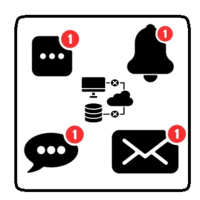
This utility will help you avoid losing money on your trades when your terminal loses connection to the broker or your VPS / computer goes into an update and doesn't open your MetaTrader client automatically after the update. How is this product different from the other disconnect alerts? This one will email you and/or an SMS even when your MetaTrader client gets disconnected from the Internet or doesn't respond! Your client is monitored externally and doesn't rely on its own Internet con
FREE

Script for deleting pending orders If you need to delete all pending orders you placed, this script will do it for you! It doesn't have any input parameters. Allow AutoTrading before running the script. Usage:
Run the script on a chart. If you need a possibility to adjust parameters of the script, use the version with input parameters https://www.mql5.com/en/market/product/627 You can download MetaTrader 4 version here: https://www.mql5.com/en/market/product/2782
FREE

Overview The script displays information about the trade account: Information about the trade account: Account - account number and type (Real, Contest or Demo); Name - name of the account owner; Company - name of a company that provide the access to trading; Server - trade server name; Connection State - connection state; Trade Allowed - shows whether trading is allowed on the account at the moment; Experts Allowed - shows whether it is allowed to trade using Expert Advisors; Balance - account
FREE

Account and Market Dashboard Advanced Account Dashboard & Risk Monitor (MT5) This script provides a real-time on-chart dashboard for monitoring account performance, risk exposure, and execution conditions in MetaTrader 5. It is designed for traders who want clear visibility of account health and risk awareness during live trading or VPS operation.
The script does not open trades and does not interfere with any strategy logic . Key Features Account Metrics Live equity, balance, and float
FREE
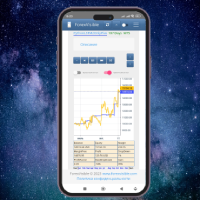
This client utility is intended for sharing and copying signals, as well as for monitoring your Expert Advisor on the site https://forexvisible.com . The Android version of the site can be downloaded here The version for the MT4 terminal can be downloaded here https://www.mql5.com/en/market/product/106509 There are many reasons to use this application in your trading, and these are: 1. If you have many trading advisors and many accounts, it is very difficult to track them and monitor everythin
FREE

Stop guessing your performance. Track your wins and losses instantly, directly on your charts! As traders, keeping an accurate, real-time pulse on our psychological and execution performance is key to staying disciplined. DaBhoza Win Rate Tracker is a lightweight, intuitive, and highly visible on-chart utility designed to help you log and monitor your trade outcomes manually with a single click. Whether you are testing a new manual strategy, practicing on a demo account, or keeping track of your
FREE

Simple countdown indicator for the next candle. Only claim is to be light! The indicator inserts a text object to the right of the current price and calculates how much time is left for the new bar, showing this to the trader. Leave your comment if the indicator helped you in any way! If you have any suggestions, let me know to evaluate the improvements. Success and Good Trades!
FREE
Botti Tools features
1 - Automatically places Take Profit and Stop Loss values, previously defined, in Pending Orders and in Market Positions
2 - Based on the amount of Stop Loss points defined and the specified monetary value it calculates what volume should be used for that order.
3 - After X points he puts the order on breakeven
4 - It cancels the Take Profit at X points away from it and places the Stop Loss in such a way as to guarantee Y gain points
5 - If the fourth option is selecte
FREE

It adds the symbols listed on Binance Spot to the Metatrader5 market clock. With this free file you can list the entire list in seconds. You can easily upload it to your demo account. It is the first file uploaded for Binance Spot Tick and is available for free. Tools menu / Options / Expert Advisors / You need to select Use WebRequest for listed URL You can watch videos to add Metatrader.
FREE

Get a Clean Chart Instantly
This script quickly and reliably removes everything unnecessary from the chart — all graphical objects and all indicators.
Key Benefits - Full Cleanup Removes all graphical objects (lines, arrows, shapes, etc.) Removes all indicators from the main and auxiliary windows - Logging Outputs detailed information about the cleanup process to the Experts tab
Recommendations - Read the product description carefully before purchasing - Back up importa
FREE

The utility for setting a common stop loss for multiple orders. Beta version. After the test, common take profit function will be added, orders close function will be added , and other necessary features will be added. Please do not give bad ratings to this free beta version. If you like it, give it a good rating and write to the author about any errors you find and what you would like to see in the utility. I made this utility for myself and use it daily. I am sharing it with you. A commercial
FREE

# Trading Info Panel - Your Complete Trading Dashboard
## Why This Indicator Was Created
As a fullscreen trader, I was constantly frustrated with the hassle of: - Exiting fullscreen mode to check positions - Switching between charts and the terminal window - Losing focus on price action while checking account status - Missing critical margin levels during active trading
**I needed a simple, elegant solution that kept all vital trading information visible at a glance - without disruptin
FREE

Aegis Gold Dashboard is a free, lightweight visual indicator created to help traders monitor key market conditions in a clean and professional way.
This indicator is designed as a visual companion to automated or discretionary trading systems and does not execute any trades.
Features: • Informational signal overview (non-executable) • ATR-based volatility display • Market session open / closed status • Real-time spread monitoring • Last closed trade overview • Simple market condition tips
De
FREE

GMG KILL ZONE DISCIPLINE ENFORCER — FREE =========================================
The free discipline and risk management EA for MetaTrader 5 — for prop firm traders who trade the New York Kill Zone (ICT-style) manually, and need their rules enforced automatically.
You know the rules. One trade per session. Trade only the window. Be flat before the close. The problem was never knowing the rules — it is keeping them at the exact moment the market moves against you. This EA keeps them for you.
FREE

Global Session Map turns one MetaTrader 5 chart into a clear session workspace. It shows which major trading sessions are active in broker time, when the next transition occurs, and where session overlaps appear.
The panel is designed for discretionary traders who need reliable time context without entry signals or profit claims. Session windows and display preferences are configurable and remain available after chart or terminal restarts.
Main functions
• Sydney, Tokyo, London and New York s
FREE

A FOMO blocker to click before opening an emotional trade.
Once activated, the blocker remains in effect—even if you change settings or restart MT5—until the timer runs out, preventing you from opening new trades.
Set the duration you need for your mindset to return to normal.
Use it without restraint.
If you open a trade during this period, it will be closed immediately.
---- NEW VERSION FULL https://www.mql5.com/en/market/product/192677
Check out my alert for stepping away from your PC
FREE
Utilidad de uso informativo la cual ayudará a gestionar el riesgo de los trades con la ayuda visual de los datos proporcionados. el usuario se encargará de ubicar sus SL y TP manual acorde al lotaje. Asesor experto desarrollado para MT5 con el objetivo de ingresar ratios de utilidad y % de riesgo, adicional los Pips de SL para el cálculo del lotaje para dicho riesgo. Estos se calculan sobre el balance actual. El usuario tomaría como dato ingresar el lotaje que se calculó y arrastrar el S
FREE

Pips Keeper is a sophisticated Forex trade manager expert advisor designed to enhance trading efficiency and optimize profit-taking strategies. With its intuitive functionality, this EA empowers traders to automate the process of closing profitable positions at predefined profit thresholds, thereby maximizing returns and minimizing risks.
Key Features:
1. Threshold-based Profit Closure: Pips Keeper enables traders to set customizable profit thresholds, allowing for the automatic closure o
FREE
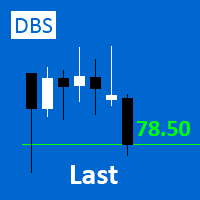
A small utility displays the value of the last price (Last) to the right of the chart. The Last price is the price at which the last deal was executed. Utility is convenient to use for screens with small print, for visual observation of the price level (value) or for people with poor eyesight. You can customize: Growth color Fall color Text font Font size Offset text
FREE

Trading panel for manual trading. Has a fairly wide functionality. Allows you to automatically calculate the order size, open both market and pending orders. It has a wide range of options for closing orders, it is possible to partially close orders, close orders after reaching a certain profit or loss, separately close profitable and unprofitable, buy and sell, as well as pending orders. The panel also contains a simple implementation of a grid of pending orders, reverse and lock functions, tr
FREE
I find the lot calculation tedious so I just use this script and tell it the dollar amount to use. It then does the rest. This works for any currency.
How-To: Creates a buy limit order at chosen MA price using the desired dollar amount instead of lots. To use, just drop it onto a chart and set inputs as needed. The script will then do the necessary lot calculation and create a buy limit order.
Inputs: FIXED_DEAL_AMOUNT: Fixed amount to use for the trade e.g 100 to open a R100 deal MA_PRICE: MA
FREE

This is a utility for storing the data on open interest (OI), ratio of buyer/seller orders' number and the ratio of buyer/seller orders' volumes on the Russian FORTS futures market. This is the first product of the series. Now, you can trace history of the specified data in real time in МТ5 terminal. This allows you to develop brand new trading strategies or considerably improve the existing ones. The data received from FORTS market is stored as a database (text CSV or binary one at user's discr
FREE

This is a versatile tool designed to help traders analyze their trading performance on a MT5 account. It provides a detailed of profit, allowing users to review their overall account performance or filter trades based on specific criteria. With this tool, traders can: Check total profit across all trades. Filter by a single Magic Number or multiple Magic Numbers (enter directly, separated by ",") Analyze individual symbols or a custom set of symbols to evaluate different market instruments (
FREE

Introducing our cutting-edge Trade Copier Expert Advisor for MetaTrader 5 (MT5) – the ultimate solution for seamless trade replication across multiple accounts on the same server or computer. Elevate your trading experience and take control of your investment strategy like never before with our professional-grade Trade Copier. Key Features: Effortless Trade Replication: Our Trade Copier effortlessly duplicates trades from a master account to multiple slave accounts, ensuring that you never miss
FREE

This Small tool allows you to define a time counter in minutes
for the closing of your positions according to the number of minutes you have set.
For example if you set it to 30 Min, the tool will close each open position after 30 minutes from its opening.
The settings
ACTIVE: It is to activate the tool and use it to close your positions after the number of minutes defined.
MANAGE: you to choose with the symbols managed by the tool. Choose "ALL CURENCY" if you want the system to apply to
FREE

The idea of enhancing the free Slider utility appeared after the release of a lite version of the EA trade panel Trading Chaos Expert Lite , which operates in the Current Chart mode without the possibility to maintain trades of several symbols in a single window. The purpose of Slider profy Ease search for trading signals by automatic display of charts of currency pairs from the "Market Watch" one by one at a specified interval of time in seconds. Automation of one-click placing of pending ord
FREE

¿Necesitas data de alta calidad para tus backtests algorítmicos pero te enfrentas a límites de descarga masiva? Este script está diseñado específicamente para extraer datos de ticks históricos reales directamente desde tu broker en MetaTrader 5, exportándolos en un archivo CSV con el formato exacto y limpio que requiere StrategyQuant X (SQX) . La principal ventaja de esta herramienta es su sistema de descarga por bloques de tiempo (chunks) . En lugar de pedir millones de ticks en una sola solici
FREE

FTU Auto Trade with on Chart Panel Mt5 (basic version)
This EA will improve your trading, lower work load and improve risk management Adjust Lot size, entry based on at market or by price input EA will manage entry, stop loss, partial close and adjust stop loss after tp1, partial Designed to be compact and efficient, small layout for multiple chart trading
Features: Lot groups - Allows for fast change to various risk models Tp, Partial and SL management Multiple No Trade Times - Various time
FREE

Break-Even Pro * 3 BE modes: - RewardRisk_Single for single trade (only valid for positions with SL) - Points_Single for single trade - Points_DCA for multiple DCA trade * Start Value: value of RR or # points to start SL moving * Offset: distance in points between BE level & entry * Symbol Filter: Select All or a specific symbol * Partial Close (%): Close % initial volume when moving SL to BE (0 for no partial close) Join my telegram channel here for more useful free EAs. Thank you!
FREE

GODFX PROTECTOR: The Ultimate Equity Guardian "Trading is not about how much you make, but how much you keep." Most traders fail not because of a bad strategy, but because of a lack of discipline. GODFX PROTECTOR is an institutional-grade utility designed to be your "Virtual Risk Manager." It sits on your chart and monitors your account 24/7, ensuring that a single "bad day" or an emotional "revenge trade" never destroys your hard-earned capital. Whether you are managing a personal account or a
FREE

Lumos Lumos is a multifunctional trading assistant. It gives an overview of the current market situation for a better decision making. The strategy tester only provides a visualization of the application. Lumos is highly customizable and gives you information in multiple timeframes about: MAs, price structure, RSI, RSI MA and an overview of the price distance to possible SLs.
FREE

Symbol Changer AA – Advanced & Instant Chart Navigator for MT5 Take full control of your trading workspace with Symbol Changer AA . This high-performance utility is designed for professional traders who need to switch between different financial instruments instantly without cluttering their MetaTrader 5 interface. Developed under the Sumerian Trader brand, the "AA" (Advanced Asset) edition focuses on speed, reliability, and extreme ease of use. Main Features: One-Click Symbol Swap: Instantly ch
FREE

MATTRIX Synthetic Charts creates 11 fully functional Custom Symbols from the 28 Forex major pairs available on any standard MT5 broker.
CREATED SYMBOLS: Currency Indices (geometric mean of 7 pairs each): #EUR #GBP #AUD #NZD #USD #CAD #CHF #JPY Risk Baskets (geometric mean of 8 pairs each): #RON "Risk-On" basket #ROFF "Risk-Off" basket (visually flipped) Diversification Basket: #FIX Combined long-bias index of all 28 majors
USAGE: 1. Attach the EA to any active major pai
FREE

Service for broadcasting quotes of selected cryptocurrencies to MT5. Charts with cryptocurrencies are created in the Market Watch window. Most standard and custom indicators are applicable to the charts. Settings : setting description What kind of graphs to broadcast Futures - futures charts c USDT
Spot - spot charts of cryptocurrencies Coins SPOT 1-6 List of cryptocurrencies for creating SPOT charts.
Enter with a space, for example: BTC ETH BNB Coins FUTURES 1-6 List of cryptocurrencies to crea
FREE

Spread Scanner & Normalizer: A Precise Analysis Tool for Symbol Data
The Spread Scanner & Normalizer is a powerful and user-friendly Expert Advisor (EA) designed for traders who want to gain precise insights into the spreads of various symbols. This tool effectively normalizes spreads across a group of symbols and expresses them as percentages, providing clarity and enhanced comparison capabilities.
Key Features: Symbol Overview : Displays symbol names and paths for easy identification. Spread
FREE

Trade Assistant – Position & History Overview Streamline your trading workflow with a powerful all-in-one panel for MetaTrader 5. Trade Assistant is a professional EA panel that gives you full control over your trades — from order execution to real-time position monitoring — all within a clean, intuitive on-chart interface. Key Features One-Click Order Execution Instant Market Orders (Buy / Sell) with configurable Lot, SL and TP Full Pending Order support: Buy/Sell Limit & Buy/Se
FREE

APEXSYNC TRADE COPIER PRO - THE INSTITUTIONAL-GRADE COPYING REVOLUTION ULTRA-LOW LATENCY | SMART RISK INTELLIGENCE | PROP-FIRM SAFE Tired of slow, basic copiers that risk your capital? Meet ApexSync Pro - the next-generation trade copier engineered to DOMINATE the MT4/MT5 ecosystem with institutional-grade performance, AI-driven risk management, and prop-firm certified safety protocols. WHY APEXSYNC PRO BEATS EVERYTHING ELSE Feature Old Copiers APEXSYNC PRO Speed 500ms+ (slow) <200ms (blazing
FREE

Risk Control Utility: Margin Call & Loss Level Calculator Info Loss Level is an information utility for MetaTrader 5 traders that monitors critical risk levels in real-time and provides clear visualization of deposit loss points. Key Features Critical Risk Level Calculations Margin Call Level - price level where broker force-closes positions Loss Level - theoretical price level for complete deposit depletion The difference between levels shows your account's "safety buffer" Critica
FREE

이 도구는 MT5의 여러 차트 스크린샷을 설정된 간격(예: 15분 봉 마감 시)에 맞춰 텔레그램이나 디스코드(Discord)로 전송해 줍니다. 정확한 타이밍에 맞춰 차트를 업데이트하려면 호환되는 별도의 보조 지표를 함께 설치해야 합니다. 해당 지표가 자동으로 스크린샷을 찍으면, 이 도구가 이를 텔레그램/디스코드 채널, 그룹 또는 개인 메시지로 전송합니다.
링크: https://www.mql5.com/en/market/product/183072
텔레그램 및 디스코드 라이브 데모를 이용하실 수 있습니다. MQL5 프로필 메시지로 문의해 주세요.
이 지표를 사용하면 설정한 주기에 따라 차트 스크린샷을 모바일 그룹 등으로 자동 전송받을 수 있습니다.
보조 지표 없이는 'KS Smart Info Panel'만으로 차트를 텔레그램이나 디스코드 그룹에 자동으로 전송할 수 없습니다.
'KS Smart Info Panel EA Tool'은 신뢰할 수 있는 자동 차트 스크린샷 전송 기능이 필
FREE
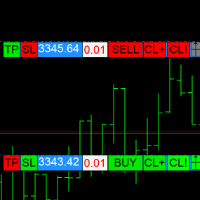

Coyote by Stellarex Horizons — visual trade setup, sized to your risk, every time. Coyote turns trade planning into three lines on a chart. Drag your Entry, Stop Loss, and Take Profit into position, and Coyote handles the rest — calculating the correct position size for your account risk, working out your reward-to-risk ratio, and automatically choosing the right order type. No manual lot-size math, no guessing whether you need a limit or a stop order. Why traders use Coyote Most traders either
FREE

Discover our all-in-one monitoring and notifications EA for MetaTrader. Designed to ensure traders’ security and peace of mind, this unique EA offers a full range of advanced features that will allow you to stay informed and control your account activity, anytime and anywhere. Key Features : Continuous server monitoring: real-time notification on server availability and performance (Cpu, Ram, disk), connectivity, latency and more Advanced account management: live tracking of margin calls, dro
FREE

설치하기 전에: 이 도구가 하지 않는 다섯 가지. 그중 하나를 기대하고 오셨다면 이 제품은 맞지 않습니다. 설정에 한 시간을 들이신 뒤에 아시는 것보다 지금 말씀드리는 편이 낫습니다. MetaTrader 5 전용. MT4 버전은 없으며, MT4와 MT5 사이의 복사도 되지 않습니다. 한 대의 PC. 두 터미널이 같은 컴퓨터 또는 VPS에서 실행되어야 합니다. 서로 다른 두 대의 PC 사이에서 원격이나 클라우드로 복사하는 기능은 없습니다. 헤징(hedging) 계좌 전용. 네팅(netting) 계좌는 거부되며, 도구가 아예 실행되지 않습니다. 먼저 계좌 유형을 확인하세요. 계좌 통화는 하나. 두 계좌 모두 같은 통화로 개설되어 있어야 합니다. 미체결 대기주문은 그대로 옮겨지지 않습니다. 송신 계좌에서 대기주문이 체결되면, 그 결과로 생긴 포지션이 즉시 복사됩니다. Copier Relay Core는 같은 PC 또는 VPS에서 실행되는 두 대의 MetaTrader 5 터미널 사이에서 매매
FREE

Destructor Risk Manager Panel Destructor Risk Manager 로 트레이딩 리스크를 완벽하게 제어하세요. MetaTrader 5 전용으로 설계된 전문가급 비주얼 유틸리티입니다. 수동 로트 계산으로 시간을 낭비하지 말고 가장 중요한 '프라이스 액션(Price Action)'에 집중하십시오. 주요 기능: 정밀한 로트 계산: 설정한 리스크 매개변수에 따른 즉각적인 계산. 최신 업데이트를 통해 수수료(Commission) 비용까지 포함 하여 100% 정확한 리스크 관리가 가능합니다. 대화형 비주얼 트레이딩: 단순한 '드래그 앤 드롭' 라인을 사용하여 차트에서 직접 진입, 손절(SL), 익절(TP) 레벨을 관리하세요. 스마트 주문 실행: 신속한 시장가 진입을 위한 INSTANT 모드 또는 자동 예약 주문을 위한 PENDING 모드를 선택할 수 있습니다. 실시간 안전 경고: 계산된 로트 크기가 브로커의 최소 요구 사항보다 작을 경우 즉시 알려주는 새로운
FREE
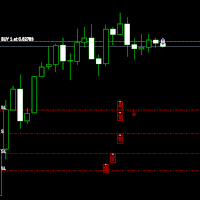
Move StopLoss - 사용 방법 사용 방법 드래그 앤 드롭 스크립트를 클릭한 후 차트로 드래그하여 새로운 StopLoss 레벨을 설정합니다. 원하는 가격 수준에서 스크립트를 놓습니다. 확인 팝업 스크립트를 놓으면 확인 창이 나타납니다. 변경되는 포지션 수와 정확한 StopLoss 가격이 표시됩니다. "예"를 클릭하면 진행되고, "아니요"를 클릭하면 취소됩니다. 자동 StopLoss 업데이트 확인하면, 현재 차트의 모든 열린 포지션에 대해 StopLoss가 업데이트됩니다. StopLoss가 없는 포지션에는 자동으로 추가됩니다. 배치 검증 매수(BUY) 거래의 StopLoss는 진입 가격 이하 여야 합니다. 매도(SELL) 거래의 StopLoss는 진입 가격 이상 이어야 합니다. StopLoss 배치가 잘못되면 오류 메시지가 표시되며 작업이 취소됩니다. 완료 메시지 몇 개의 포지션이 성공적으로 업데이트되었는지 확인하는 최종 메시지가 표시됩니다. 보
FREE
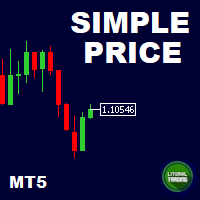
This is our simplest tool! With it you hide the Bid and Ask lines from chart and have only a small rectangle showing what current price is. This tool is useful for those who want the cleanest chart possible. You can also show the Ask price only, instead of the Bid (most common). To further assist you in cleaning the chart check out our other tool: https://www.mql5.com/en/market/product/41835 Any questions or suggestions, please contact us. Enjoy!
FREE

Please visit = https://www.mql5.com/en/market/product/181686 for slave EA
MT4 Version = https://www.mql5.com/en/market/product/183101 Free Demo Version = https://c.mql5.com/6/1033/COPYTRADE_DEMO7D.zip User Manual : download here
Professional Copy Trade EA for MT5, NO HASSLE, PLUG and PLAY and CROSS PLATFORM MT4 <---> MT5. A powerful and reliable Copy Trade Expert Advisor designed for traders, signal providers, fund managers, and prop firm users. Easily copy trades between multiple accounts
FREE
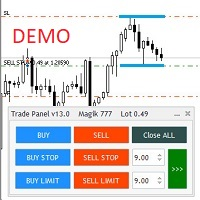
Бесплатная версия советника Trade Panel PRO
Данная торговая панель предназначена для быстрой и удобной торговли в один клик. Создавался продукт для частичной автоматизации своей личной ручной торговли https://www.mql5.com/ru/signals/1040299?source=Site+Profile+Seller Советник имеет ряд возможностей, а именно: Открытие BUY или SELL ордеров. SL выставляется ниже (выше) минимальной (максимальной) цены, задаваемых в параметрах количества свечей. Размер TP рассчитывается в соотношении от размера S
FREE
MetaTrader 마켓은 거래로봇과 기술지표를 판매하기에 최적의 장소입니다.
오직 어플리케이션만 개발하면 됩니다. 수백만 명의 MetaTrader 사용자에게 제품을 제공하기 위해 마켓에 제품을 게시하는 방법에 대해 설명해 드리겠습니다.
