 MetaTrader 5
 Experts
 지표
지표 라이브러리
라이브러리 유틸리티
유틸리티 위젯
위젯 규칙
규칙MetaTrader 5용 트레이딩 유틸리티 - 23
 다음은 MetaTrader 5의 거래를 단순화하는 거래 프로그램입니다. 유틸리티의 설명과 목적을 읽으려면 유틸리티 위에 마우스를 놓으십시오.
Important: Do not download or install My Chart Control unless you already own My Chart Generator service. My Chart Control is not a standalone chart generator. It is designed to work together with the custom charts produced by My Chart Generator. Your Range/Volume chart, optimized for your indicator — automatically. My Chart Control is the on-chart dashboard and intelligence interface for My Chart Generator. Attach it to your My Chart custom symbol chart and it gives you complete control over
FREE

Copy your MT5 trades to accounts anywhere in the world with the MetaToolsLab Slave EA . Unlike local copiers that only work between terminals on the same PC or VPS, MetaToolsLab uses a secure cloud relay — so you can broadcast your trades to followers across different computers, VPS providers, brokers, and continents , with sub-second delivery and no broker passwords . Whether you're a signal provider, a multi-account trader, or an account manager, the Slave EA installs in about a
FREE

Entry Cluster Indicator for MT5 Entry Cluster is a professional-grade trading system engineered to deliver precise, high-probability entries without repainting or hindsight bias. Designed for serious traders, it integrates momentum analysis with institutional price levels to identify only the most reliable setups. Signal Clarity : Dots mark potential buy/sell zones, allowing traders to prepare. Gems confirm execution points, triggered only when momentum aligns with key levels. Robust Framework
FREE
Преимущества и принцип работы индикатора "Risk end Lot Size Calculator" Преимущества : Простота использования :
Индикатор автоматически рассчитывает все необходимые параметры, вам нужно только ввести количество пипсов и риск.
Управление рисками :
Помогает определить, сколько вы можете потерять в сделке, и какой объем позиции (лот) выбрать, чтобы не превысить допустимый риск.
Визуализация :
На графике отображаются линии стоп-лосса для Buy и Sell, что позволяет быстро оценить уровни.
Удобство :
О
FREE

a script created with ChatGPT. It changes the symbol in every other chart window to the symbol of the window where you run the script. The story behind it. I use MT5 across 2 monitors. Same price/symbol, different candles. because changing the symbol in every window was tedious. So I had ChatGPT write this script. Important: this script only changes the symbol, everything else like indicators or objects is not transferred to other chart windows
FREE
Most current tick data does not accurately reflect the actual spread levels. To achieve more precise backtest results, we need to adjust it to a higher value to account for slippage that may occur when Expert Advisors (EAs) execute orders in real trading.
This tool is used to change the Spread value in custom symbols created from tick data for backtesting purposes. Simply select the desired Spread value and wait for the tool to adjust it accordingly.
FREE

Complete Trade Logger records every trade you close into a clean, ready-to-analyze CSV file. Unlike timer-based loggers, it is fully event-driven, so it captures everything: partial closes, fast round-trips, stop-loss and take-profit hits, manual closes, and margin stop-outs.
For each closed trade it records: - Open and close time, and trade duration - Symbol, direction, and volume - Open price, close price, and the entry stop-loss / take-profit - Profit, commission, swap, and net result - Exi
FREE

# Trade Assistant Manager
Stop calculating lot sizes by hand. Trade Assistant Manager is an on-chart panel that turns your risk settings and chart lines into a precise, ready-to-fire order — automatically.
## Key Features
**Automatic Lot Sizing** Set your risk as a percentage of account balance or a fixed dollar amount. The panel reads the distance between your Entry and Stop Loss lines and instantly calculates the exact lot size for that risk — accounting for your broker's commission per lo
FREE

AdaptiveStats is a comprehensive and visually stunning performance analysis tool for the MetaTrader 5 (MQL5) platform, featuring a professional "Fintech Dark" (JARVIS-inspired) aesthetic. It is engineered to provide traders with real-time, actionable insights into their trading performance directly on the chart interface. Key features and capabilities include: Multi-Timeframe Performance Tracking : Automatically calculates and aggregates Net Profit, Win Rate, and Total Trades for three critical
FREE

this is a Demo version of product. its limit of 3 trade at a time. when you buy full version try to click here https://www.mql5.com/en/market/product/170629
The Core Philosophy: Ultra-Fast Execution In the world of scalping, milliseconds matter. This configuration utilizes a Fixed Lot Size strategy combined with lightning-fast keyboard triggers to ensure you never miss a price level. CandleWise Trade Logic This feature restricts trade frequency to prevent "over-trading" during volatile
FREE

Friends, join us!
Ask questions and connect with like-minded traders: MetaCOT Public Group
MetaCOT Information Channel: news, CFTC reports, and signals: MetaCOT Channel
Here’s to successful trading and new profitable signals for us all! Attention! Recently, certain countries have been blocking access to the cftc.gov website. As a result, users in these countries are giving the product low ratings. MetaCOT has always adhered to the highest quality standards and is in no way associated with th
FREE

Features: The Expert Advisor pronounces current prices at a set interval. It speaks Russian and English. The file voice_dict.csv contains the rules of pronunciation (language, other rules). See an example below The Google cloud server is used for pronunciation, so the expert should be allowed to go to "https://texttospeech.googleapis.com" (see Tools\Options\Expert Advisors Allow WebRequest for...) Restrictions: Only 2 symbols
Example of a pronunciation rule (voice_dict.csv file in the Files
FREE

Risk Rule Sentinel is a risk-management utility. It does not open trades and it does not predict anything. It watches the positions that are already open on your account and enforces four rules on them, so one careless click cannot turn into an account-sized loss.
WHAT IT ENFORCES
1. Maximum lot size. Any position larger than your limit is reported, or closed. 2. Maximum risk per position. Computed from the position's real stop loss, as a percentage of your account balance. 3. Mandatory st
FREE

Most traders who fail a prop firm challenge do not fail because they did not know the rules. They fail because, at the moment it mattered, nobody was doing the arithmetic.
Prop Guard Monitor does the arithmetic. It sits on one chart, watches the whole account, and answers one question continuously: how much room is left before a rule breaks.
It never closes a position. It never deletes an order. It never locks anything. This build cannot touch a trade even if you want it to - the trading libr
FREE

Key Features: Automatic swing detection on any timeframe (M1 to MN1) Visual arrow indicators (red for swing highs, blue for swing lows) Adjustable sensitivity with customizable swing strength parameter Dynamic arrow positioning that never overlaps with candles Instant display when changing timeframes - no delays Compatible with MT4 and MT5 platforms Clean, professional interface with minimal screen clutter Lightweight code for fast performance Customizable colors and arrow sizes
Customizable S
FREE

Limit Open Positions EA
"Limit Positions EA is a powerful utility tool designed to provide strict control over the number of open positions in your trading account. This Expert Advisor continuously monitors your trading activity and ensures that no new positions are opened once the specified limit is reached. Ideal for traders seeking to mitigate overexposure and manage risk effectively, Limit Positions EA works seamlessly across all symbols and timeframes. Whether you're managing a large port
FREE
복사기->편리하고 빠른 인터페이스 상호작용으로 사용자가 바로 사용 가능 ->>>> Windows 컴퓨터 또는 VPS Windows에서 사용하는 것이 좋습니다. 특징: 다양하고 개인화된 복사 거래 설정: 1. 다양한 신호 소스에 대해 다양한 로트 모드를 설정할 수 있습니다. 2. 다양한 신호 소스를 포워드 및 리버스 복사 거래에 대해 설정할 수 있습니다. 3. 신호는 주석으로 설정할 수 있습니다. 4. 계약 로트에 따라 로트를 교정할지 여부 다양하고 개인화된 복사 주문 설정 2: 1. 다양한 품종에 대해 다양한 로트 모드를 설정할 수 있습니다. 2. 정방향 및 역방향 복사 주문에 대해 다양한 품종을 설정할 수 있습니다. 3. 주석으로 신호를 설정할 수 있습니다. 4. 계약 로트에 따라 로트를 교정할지 여부
댓글 필터링, MAGIC 필터링, 시그널 로트 필터링, 로컬 제품 필터링 근무시간 설정 역방향 동기화 SLAVE 닫힘 주문 바인딩 기능: 모든 주문은 설정된 신호 소스
FREE

Positions Risk Analyzer Utility
The Trade Analyzer is a powerful tool designed for real-time monitoring of your trading performance directly on the chart. It provides insights into: Total Open Positions : Number of active trades. Potential Profit (TP) : Estimated profit if all Take Profits are hit. Potential Loss (SL) : Maximum potential loss if all Stop Losses are triggered. Floating Profit/Loss : Real-time net profit or loss of all open trades. This utility dynamically updates its calculation
FREE

What It Does Scans Multiple Symbols Simultaneously From all pairs for the signal in real time. Detects Overbought/Oversold Conditions Using customizable RSI thresholds (e.g., 80 for overbought, 20 for oversold) and Alerts You Instantly . Send you Notifications to MT5 in your PHONE Using MetaQuotes ID Pop-up Alerts Telegram Push Messages Whether you're at your desk or on the move, you’ll know the moment a signal hits.
FREE

Stop Guessing Your Lot Size. Trade With Defined Risk. Order Management Script is a FREE risk-management utility that automatically calculates your lot size, Entry, Stop Loss, and Take Profit based on your predefined trading rules. No manual position-size calculations.
No repeated SL/TP calculations.
Just define your risk and trading setup. KEY FEATURES Automatic Lot Size Calculation
Calculate the correct position size using: • Fixed monetary risk
• Percentage of account equity Multip
FREE

The Close All Charts utility is designed for quick and convenient closure of all open charts in the MetaTrader 5 (MT5) platform. It will be especially useful for traders who work with a large number of instruments and charts simultaneously, as well as for those who prefer to maintain order in their workspace. When testing advisors in the strategy tester with different parameters, a large number of charts often open. The Close All Charts utility is able to close them in just 1 second, which avoid
FREE

Trend direction of up to 10 timeframes of your choice, in one panel — non-repainting, with configurable sync alerts. 100% free. TrendSync MTF Dashboard shows you the trend direction of up to 10 timeframes of your choice — from M1 to MN1 — in a single clean panel on your chart, so you always know whether the timeframes agree before you take a trade. Trading against the higher timeframe is one of the most common (and most expensive) mistakes in manual trading. This dashboard makes multi-timeframe
FREE

LIMITED TIME OFFER to download for FREE for Unlimited use license ================================================================
QuantView Analytics Master Advanced On-Chart Portfolio Diagnostics & Equity Forensics for MetaTrader 5 Standard MT5 history reports simply show you how much money was made or lost. QuantView Analytics Master is designed to answer the "Why" and the "How." By segmenting your trading history across four distinct analytical dimensions, this institutional-grade terminal
FREE

Foxtrip Zone Planner: Visual risk-reward b ox for MetaTrader 5
What it does:
Foxtrip Zone Planner dra ws a risk-reward zone (TP/SL b ox) on your chart. You se e entry, stop loss, and tak e-profit levels in one place, w ith a fixed risk:reward ratio. You can mov e the box, res ize it, and sw itch between buy and sell so your pla n matches you r idea. It do es not open o r manage trades : it is for analy sis and plann ing only.
How it works:
Box on chart : A green zo ne (ta
FREE

Have you ever wanted to back-test a strategy but never wanted to risk real money? And the thought of using a demo account is exhausting as real time markets develop your skills slowly. This utility will help you develop your strategy faster and will help determine if the strategy works long-term by simulating real trading through back-tests. This will save you time as you can back-test strategies from previous price data. With the new update you can now change your lot-size add take-profit and
FREE

this tool draws horizontal lines starting from a price you specify in the Inputs. you can draw Horizontal lines above or below or (both sides) the starting price. Based on (The Quarters Theory by Ilian Yotov), this tool displays colored lines at fixed intervals which you can change from the inputs. you can use many sets of Horizontal lines each set of Horizontal lines has its own color and style.
FREE

RRPP Script A script for placing a pending order prepared by the Risk Ratio Trade Panel indicator. Reads the entry price, Take Profit, Stop Loss and lot size directly from the indicator lines on the chart. Requirements The Risk Ratio Trade Panel indicator must be attached to the chart and the panel must be open before running the script. How it works Attach the Risk Ratio Trade Panel indicator to the chart, open the panel and set the Entry, TP and SL lines to the desired levels. Then run RRPP Sc
FREE

Shved Position Pips Label is a professional utility indicator for MetaTrader 5 that displays the real-time floating profit or loss of all your active positions directly on the chart. No more switching to the "Trade" tab at the bottom of the terminal — all crucial information about your running trades is positioned right in front of your eyes next to the current price line! Key Advantages: Smooth Price-Anchored Alignment: The labels are anchored to the last bar and smoothly slide vertically f
FREE

izi hedge is a tool that helps you manage risk, manage hedge orders and rebalance losing orders.
How it works It will place an order opposite to the order you placed with that currency pair. If the order you place is correct, the reverse order will be automatically deleted If the market unfortunately goes against your order and touches the hedge order, it will begin to calculate the hedging volume to limit the risk of the market going in reverse.
FREE

Trading Performance Analyzer is a MetaTrader 5 utility designed to help traders review trading activity and manage positions from a single interface.
The tool combines performance statistics, trade history visualization and position management features inside a customizable on-chart panel. It can be used for monitoring trading results, analyzing behavior patterns and executing trades with predefined risk parameters. Features Performance Analytics The dashboard provides a set of metrics that hel
FREE
As traders, we all know that risk management is the most important aspect of profitable trading. So, we need to determine the lot size, every time we need to open a new trade. The FX lot size calculator is a simple tool that will help you to determine your lot size easily without using any third-party service but you will be able to do that by your MetaTrader terminal. LIMITED TIME OFFER: 30$ FOR 10 ACTIVATION.
Inputs:
Maximum_Risk_Prc: To determine your preferred risk%. For example, if your ris
FREE
Protect My Trades is an EA (expert advisor bot) that automatically put stop loss and take profit on market trades and pending orders. You can specify if want it to do this only on actual symbol trades or in all others. Its configuration is very simple. Functions: Take profit: distance to TP (0 = disabled, no TP will be created).
Stop loss: distance to SL (0 = disabled, no SL will be created).
Price type: price type in pips or pipets/points (pips is common in Forex).
Actual symbol only: manage th
FREE

Unlock lightning-fast trade replication across multiple MetaTrader 5 accounts on the same PC or VPS. The AW Local Trade Copier is designed for speed, reliability, and ease of use. Using an advanced shared-file architecture, it achieves near-zero latency (under 100ms) without locking your terminal or overloading your CPU. ️ IMPORTANT NOTICE: This system requires TWO files to work together (Master and Slave).
Get the FREE Slave version here: AW Trade Copier Slave KEY FEATURES Ultra-Fast Ex
FREE

THIS IS DEMO VERSION AND ONLY WORKS ON
* GOLD
* EURUSD
* NASDAQ
FULL VERSION : BUY HERE
----------------------
Trading Dashboard by Ash_TheTrader The all-in-one scalper's control panel for MetaTrader 5 Stop switching between the New Order window, a calculator, and your own willpower. Trading Dashboard puts every decision a scalper makes — size, risk, entries, exits, and discipline — into one draggable, collapsible, fully editable panel that lives right on your chart. Built for traders
FREE

Trading assistant NewsRForestExpert v4.01 Purpose and principle of operation NewsRForestExpert is a trading assistant for MetaTrader 5, using the built-in economic calendar
and the machine learning model "Random Forest" of the ALGLIB library (hereinafter simply "model"). The assistant: in this version works only on the EURUSD currency pair timeframes M1 – M5; loads news history for the selected period and forms training and test samples; trains on the obtained data or loads an already trained
FREE

Active Session Timer — Key Features Real-Time Session Status
Instantly see which global trading sessions (London, New York, Tokyo, Sydney) are active or inactive at any given time. Start & End Countdown Timers
Displays exact start and end times for each session, along with live countdowns to help you plan trades in advance. Local Time Zone Support
Requires users to set their local time zone during installation for accurate and personalized session tracking across all broker servers.
FREE

FREE

This robot sends Telegram notifications based on the coloring rules of PLATINUM Candle indicator. Example message for selling assets: [SPX][M15] PLATINUM TO SELL 11:45. Example message for buying assets : [EURUSD][M15] PLATINUM TO BUY 11:45 AM.
Before enable Telegram notifications you need to create a Telegram bot, get the bot API Key and also get your personal Telegram chatId. It's not possible to send messages to groups or channels. You can only send messages to your user chatId. You should
FREE

Stop journaling trades manually. Let your terminal do it. Chart Reporter is a free Expert Advisor that turns MetaTrader 5 into a fully automated trading journal. Every position you open, scale, or close is captured in real time — complete with a chart screenshot at the moment of execution — and pushed to a private cloud dashboard you can review from any browser. No spreadsheets. No screenshots dragged into folders. No "I'll log it later" debt at the end of the week. What it does Auto-journals ev
FREE

Neuron Telegram Trade Broadcaster MT5 Neuron Telegram Trade Broadcaster MT5 는 NEURON QUANT SYSTEMS 가 개발한 전문 멀티 자산 도구로, MetaTrader 5의 거래 활동을 Telegram 그룹 또는 채널로 자동 전송합니다. 수동 거래와 Expert Advisor(EA) 거래 를 모두 감지할 수 있습니다. 주요 기능 BUY / SELL 신호 자동 전송 수동 및 EA 거래 감지 멀티 자산 모니터링 시장가 및 예약 주문 진입가, Lot, Stop Loss, Take Profit SL, TP, Trailing Stop 업데이트 부분 및 전체 청산 거래 결과 신호 기록 EA/거래 출처 식별 Symbol 및 Magic Number 필터 선택적 일일 요약 Telegram 연결 진단 반응형 패널 수동 거래 모드는 기본적으로 비활성화되어 있습니다. ManualTradingMode = true 로 설정하면 BUY, SELL
FREE

ONLY DEMO ACCOUNT Live Version Here : https://www.mql5.com/en/market/product/170601 The fastest on the entire platform, try it with 50 open trades or more
This Expert Advisor provides a fast and intuitive way to manage and close open trading positions directly from the chart using a clean button-based interface. With a single click, traders can instantly close positions based on different conditions, improving execution speed and overall trade management efficiency.
Key Features Close all open
FREE

Trade Copier Master and Follower in 1 is a local expert advisor for copying trades between master and follower accounts on different terminals on the same device. It supports master/follower modes, configurable symbol mapping for different brokers, multiple money management options, risk-based sizing, stop loss/take profit copying, partial close copying, and deviation handling. The follower can close positions independently, invert trades, and adjust symbols with prefixes, suffixes, or explicit
FREE

* This product was converted using "BRiCK Convert4To5 MT4 " based on the MQL4 source file of "BRiCK Convert4To5 MT4 Free" . "Convert4To5" is a Script that converts MQL4 source files into MQL5 source files.
Experts, Indicators, Scripts, and Libraries with extension ".mq4" will be available for MT5.
Parameter
None.
Procedure
1. Open the following folder.
terminal_data_folder\MQL4\Files\ (in the terminal menu select to view "File" - "Open the data directory") 2. Confirm that the BRiCK_Conv
FREE
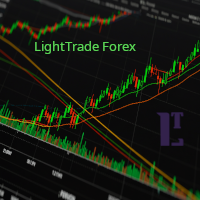
EMA Line Visualizer with Trend Analysis Description:
The Exponential Moving Average (EMA) Line Visualizer EA plots multiple EMAs on your chart (25, 50, 100, 200, and a custom EMA) and analyzes real-time trend direction. It detects whether the market is currently in an Uptrend , Downtrend , or Flat condition based on the latest EMA relationships. Features: Multi-EMA Display
Plot multiple EMAs with customizable periods. Custom Colors
Set distinct colors for each EMA line for better visual trac
FREE

This is the FREE DEMO version of Vector Local Copier.
It's the complete copier — real-time local copying, symbol mapping, multipliers, SL/TP sync, the safety guards, the live dashboard — with one limitation: slave trades are capped to 0.01 lots. That's enough to prove it works perfectly on your exact terminals, brokers, and symbols before you buy the full-size version.
GET THE FULL VERSION (no lot cap) HERE: https://www.mql5.com/en/market/product/187169
Vector Local Copier mirrors trades
FREE

Script Name: Close All Positions Language: MQL5 Type: Utility Script Primary Function: Instantly close all open positions on the current trading account Purpose The “Close All Positions” script is a lightweight and efficient tool designed for traders using MetaTrader 5. Its main purpose is to help users quickly exit all active trades with a single click, especially during volatile market conditions or when risk management requires immediate action. Instead of manually closing each position on
FREE

Your limits, enforced — not just displayed. Most funded accounts are not lost to a bad strategy. They are lost to one bad session. A bad hour, after a bad morning, when the daily limit was already half gone and nobody was counting. This counts. It sits on your chart, watches the two limits that end most evaluations, and refuses to send an order that would break one. In 30 seconds It is free, and it is not a trial. No expiry, no account limit, no countdown, no pop-up, nothing that switches off a
FREE

Trade Panel QuantumAlgo — MetaTrader 5용 전문 리스크 및 거래 관리 유틸리티 QuantumAlgo Trade Panel은 MetaTrader 5용 전문 거래 유틸리티 로, 기관급 리스크 관리와 원클릭 실행을 결합합니다. QuantumAlgo Trade Panel을 선택하는 이유 원클릭 거래 실행 , 자동 랏 계산 리스크 % 기반 포지션 사이징 차트에 드래그앤드롭 SL/TP 라인 자동 R:R 표시 다중 TP (TP1, TP2, TP3) 부분 청산 Break-Even 및 Trailing Stop 자동화 심볼 및 스프레드 정보 자기자본, 잔고, 평가손익 패널 전문 UI 모든 EA 또는 수동 거래와 호환 권장 설정 플랫폼: MetaTrader 5 심볼: 모든 심볼 계정 유형: Hedging 또는 Netting VPS: 선택 사항 설정: 기본값 ️ 중요 — 사기 주의 본 유틸리티는 MQL5.com에서만 배포됩니다. 외부 제안은 사기입니다. 리스크 고지 외환,
FREE
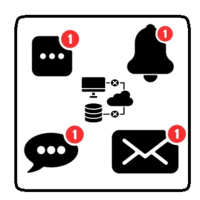
This utility will help you avoid losing money on your trades when your terminal loses connection to the broker or your VPS / computer goes into an update and doesn't open your MetaTrader client automatically after the update. How is this product different from the other disconnect alerts? This one will email you and/or an SMS even when your MetaTrader client gets disconnected from the Internet or doesn't respond! Your client is monitored externally and doesn't rely on its own Internet con
FREE

One-click breakeven management tool for manual traders.
FEATURES - Move all open positions to breakeven with one click - Close all positions instantly - Cancel all pending orders - Draggable dark-theme panel with collapse toggle - Configurable buffer in pips - Visual feedback on every action - Works with all symbols and account types
HOW TO USE 1. Attach to any chart 2. Panel appears with position count and buffer display 3. Click BREAKEVEN ALL to move SL to entry price plus buffer 4. Click C
FREE

The Synchronized Cross indicator allows you to link cross hairs from multiple chart windows. This means that as you move the cross hair in one chart, all other cross hairs will move together by automatically staying on the same time. If, for example you are moving your mouse cursor in a M5 timeframe (see screenshots), the crosshair will show as a line in the higher timeframes, and as an area in the lower timeframes. Thus making it easier to correlate timeframes. The input parameters are self exp

Traderscope is a powerful and completely free advanced monitoring dashboard for MetaTrader 5, designed to monitor your Expert Advisors' live performance directly on your trading account. It delivers clear, real-time insights into your live trading performance — directly on your chart, with no complexity and zero impact on execution. Key Features Multi Magic Number Aggregation (up to 3)
Combine and analyze up to three different magic numbers (e.g., MagicA + MagicB + MagicC) in a single unified v
FREE

The utility opens copies of open trades. It is very convenient if you use the Signals service and want to increase the volume of transactions.
Settings: Symbols: all symbols only current symbol Orders: Buy Sell Magic Any Magic Input Magic Lot size Original - lot size from original order; Fix Lot - fix lot size (input); Lot X Mult - lot size X koef; Stop Loss From sender - Stop Loss from original; Without - without Stop Loss; Plus Fix - Stop Loss from original order + fix points; Fix Point -
FREE

Did you ever feel irritated by manually adjusting Fibonacci retracement levels? Do you ever want to have a tool that was automatically adjust to certain Fibonacci levels with your trading? Well here is a tool for you: Fast Fibonacci indicator and Grid trader allows you to quickly adjust Fibonacci retracement levels or construct Fibonacci extension grid! You can also quickly setup your grid trading based on these levels - only with few clicks. Adjustable graphics, font sizes and graphics panels m
FREE

GODFX PROTECTOR: The Ultimate Equity Guardian "Trading is not about how much you make, but how much you keep." Most traders fail not because of a bad strategy, but because of a lack of discipline. GODFX PROTECTOR is an institutional-grade utility designed to be your "Virtual Risk Manager." It sits on your chart and monitors your account 24/7, ensuring that a single "bad day" or an emotional "revenge trade" never destroys your hard-earned capital. Whether you are managing a personal account or a
FREE

Advanced History Collector Panel for MT5 The Advanced History Collector Panel is a professional-grade account analysis and visualization indicator for MetaTrader 5 (MT5). It bridges the gap between raw trading logs and actionable insights by transforming execution data into interactive charts and comprehensive tables. Key Features: Comprehensive Data Metrics : Track daily/weekly profit and loss, long/short ratios, total volume, and deposit/withdrawal history. Dynamic Visualizations : Toggle betw
FREE

Limit Order Trailing Et — is a utility for trailing limit orders (Buy Limit and Sell Limit) in MetaTrader 5.
It automatically adjusts limit order prices following the market while maintaining a defined offset, allowing entries on pullbacks after price movement.
This tool is designed for working with limit orders in MT5 and can be used in both manual trading and semi-automated trading systems.
Unlike stop orders, limit orders are designed for price retracements (pullbacks) rather than brea
FREE

ApexForge Quote Paused Notification is a lightweight monitoring utility designed for MetaTrader 5 that detects when market quotes stop updating and immediately alerts you when abnormal quote interruptions occur. Whether caused by server issues, network disconnections, market closures, or temporary liquidity interruptions, the tool helps traders recognize quote freezes before they lead to missed opportunities or unexpected trading behavior. A notification is also generated once normal price upda
FREE

Trade Governor enforces trading discipline on manual trades or trades opened by another EA. It does not open trades and makes no market prediction - it is a pure risk-governor layer that protects your account with three rules.
Rules it enforces: - Trading-session window: positions held outside your allowed server-time window are closed (for example, keep only the Asian session). - Max trades per day: positions beyond your daily limit are closed (newest first); the counter resets each broker day
FREE
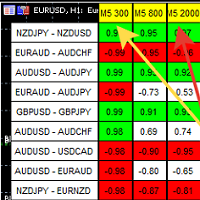
A script showing the correlation for three selected zones at once (TF-bar) In the parameters, select 3 options The data is displayed sorted by the first zone The script also creates a file in which it writes all the data without sorting. In this way, you can expand the number of zones to any number and perform the analysis in exsel
Parameters:
TF_Trade1 =PERIOD_M5; BarsCor1 = 300; TF_Trade2 =PERIOD_M5; BarsCor2 = 800; TF_Trade3 =PERIOD_M5; BarsCor3 = 2000; K = 0.8; WindSize
FREE

Упростите свой технический анализ. Инструмент помогает быстро и точно определять на графике блоки заказов и размечать ликвидность. Превратите хаос ценовых движений в четкую торговую схему для более точных решений. Экономьте время на анализе, сосредоточьтесь на принятии решений. Инструмент заточен под торговую систему "Алхимия трейдинг", с его представлением о блоках заказа.
FREE

Telegram Notification Worker (v5.31) Telegram Notification Worker is a high-performance, professional utility designed to bridge the gap between your MetaTrader 5 terminal and Telegram. It acts as a dedicated background worker that forwards custom alerts, trade events, and system status messages from any of your Expert Advisors (EAs) directly to your Telegram chat or channel. Key Technical Features: Asynchronous Messaging Engine: Unlike standard notification scripts, this worker uses an asynchr
FREE

Prop Trade Guard is an on-chart discipline panel for MetaTrader 5. It keeps you inside your own trading rules instead of relying on willpower after a loss. It tracks your account's closed trades for the day and shows a live session window, trade count, and daily P/L against your limits. A fully editable 5-item confluence checklist lets you define entry criteria for any strategy — check each box before you enter, and the panel only shows SETUP READY when everything lines up. Most importantly, it
FREE

Would appreciate a review of the product if possible.
This program, is designed to automatically log and monitor trading account performance metrics in MetaTrader 5. It tracks daily balance and equity, calculates performance metrics, and records them in a CSV file for later analysis. Key Features: 1. Initialization: • Inputs for account name ( Account_Name ), starting day balance ( Start_Day_Balance ), and equity ( Start_Day_Equity ) are accepted. • If the starting balance or equity is not prov
FREE

TRADE PANEL MASTER — Know Your Risk Before You Click
Open your chart. See your panel. Trade with confidence.
Before you click Buy or Sell, Trade Panel Master shows you exactly what you risk, what you gain, and your R:R ratio — in real time. No mental math. No surprises.
FEATURES
- Lot sizing with real-time margin display - SL & TP in 3 modes: Points / Money / Price - Au
FREE

DESCRIPTION: Position Size Calculator — On-Chart Risk Management Tool Never risk too much on a single trade again. This calculator displays real-time position sizing for 3 risk levels simultaneously, calculated from your live account balance and current ATR-based stop loss distance. DISPLAYS 3 RISK SCENARIOS AT ONCE: Risk Level 1 (1%): Risk amount in dollars + Lot size Risk Level 2 (2%): Risk amount in dollars + Lot size Risk Level 3 (3%): Risk amount in dollars + Lot size All lot sizes are dyna
FREE

Basket Take-Profit Utility Lite is a free on-chart trade management tool for MetaTrader 5 that lets you close groups of trades the moment their combined profit target is reached — something MetaTrader cannot do natively. All settings are controlled directly from the interactive panel on your chart. No need to detach and re-attach the EA to change your target. Features: Group trades by: All open positions · Specific symbol · Magic number Three target types selectable from the panel:
- F
FREE

This utility allows creating any amount of grid orders just by clicking with the mouse.
Instructions:
Trading mode
Deleting mode
Press ctrl and click with mouse to start drawing a grid While drawing, press shift to cancel Release buttons to send orders
Press shift and click with mouse to draw a removal line
Release buttons to confirm removal: EA deletes every pending order that the line touches
Inputs: - 3 options to calculate the grid sizing: Fixed points distance between grid level
FREE

If you want something as below: Sell FOREX trading signal. Manage multiple accounts. Follow the trading from somebody. "TradeCopier_follow" and "TradeCopier_source" can help you! Features: Copying from one source (master) account to multiple follower (slave) accounts. Allow investor (read only) password for the source (master) account. There are no complicated settings and input parameters, everything is easy. Works with different Brokers. Works with different symbols (EURUSD_FX, eurusd_m, e
FREE

Title: Stoch Mantis Description: Stoch Mantis is a professional multi-timeframe utility designed to monitor the Stochastic Oscillator across your current chart while providing a broader trend context using the 200 EMA. This tool does not execute trades automatically; instead, it serves as a highly efficient alert system and market analyzer for manual traders who utilize pullback strategies. Trading extreme zones on lower timeframes can be risky without considering the major trend. Stoch Mantis
FREE
MetaTrader 마켓은 개발자들이 거래 애플리케이션을 판매할 수 있는 간단하고 편리한 사이트이다.
제품을 게시하고 마켓용 제품 설명을 어떻게 준비하는가를 설명하는 데 도움이 됩니다. 마켓의 모든 애플리케이션은 암호화로 보호되며 구매자의 컴퓨터에서만 실행할 수 있습니다. 불법 복제는 불가능합니다.
