 MetaTrader 5
 Experts
 지표
지표
 라이브러리
라이브러리
 유틸리티
유틸리티
 위젯
위젯
 규칙
규칙
MetaTrader 5용 트레이딩 유틸리티 - 22
 다음은 MetaTrader 5의 거래를 단순화하는 거래 프로그램입니다. 유틸리티의 설명과 목적을 읽으려면 유틸리티 위에 마우스를 놓으십시오.
We apologize, but we are unable to provide service due to network issues. If you encounter any problems during installation or use, please contact 9048914@qq.com. Thank you. Binance is a world-renowned cryptocurrency exchange! In order to facilitate the real-time data analysis of the encrypted digital currency market, the program can automatically import the real-time transaction data of Binance Futures to MT5 for analysis. The main functions are:
1. Support the automatic creation of USD-M futu
FREE

Optimization Robustness Map reads the results of a Strategy Tester optimization and shows whether the best pass sits on a plateau, where nearby inputs give similar results, or on a lone spike that a small change destroys. It draws a heat map of any two inputs, compares every pass with its neighbours, shows how each input moves the result and, when a forward period was tested, how well the back test predicted it. Everything is written to one HTML page. How To Use In the Strategy Tester, after an
FREE

LIMITED TIME OFFER to download for FREE for Unlimited use license ================================================================
QuantView Analytics Master Advanced On-Chart Portfolio Diagnostics & Equity Forensics for MetaTrader 5 Standard MT5 history reports simply show you how much money was made or lost. QuantView Analytics Master is designed to answer the "Why" and the "How." By segmenting your trading history across four distinct analytical dimensions, this institutional-grade terminal
FREE

Closes your positions and deletes your pending orders when the day's equity drawdown reaches your limit, and closes anything you open for the rest of that day. FEATURES On breach: closes every open position, deletes pending orders, locks the day. Panel: drawdown percentage, equity, state. HOW TO USE IT 1. Enable Allow Algo Trading. 2. Attach it to a chart and set the loss and warning levels. 3. Choose the breach actions. PARAMETERS InpDailyMaxLossPercent, InpDailyWarningPercent, InpAutoCloseOnBr
FREE

天机账户统计分析是一款账户交易统计面板 EA。它在图表内嵌悬浮窗口,将账户历史交易记录按日、周、月、季、年、品种、幻数(Magic)、注释八大维度自动汇总成可视化报表,一键切换查看。
每个维度展示总手数、最大手数、交易次数、连亏、连赢、最大亏损、最大盈利、胜率、百分比、利润、余额、出入金、最大浮亏、最大浮盈等十五项统计指标,列可按需开关显示。内置账户实时面板,三列布局呈现账户信息、资金状况(余额、净值、保证金、浮动盈亏等)与持仓明细(多空单数、总/最大/最小/平均手数、持仓盈亏等)。
性能方面,采用历史记录缓存与增量更新、统计指纹校验、浮盈浮亏独立跟踪,配合防抖节流与定时刷新,兼顾实时性与流畅度。界面支持拖拽、滚动条、DPI 自适应,颜色、语言、字体、缩放均可配置,。
该工具适合交易复盘、多策略账户监控与实时风险查看,当前版本 v6.9,由天机(官网 tianjigendan.cn)提供,专注跟单系统、量化系统与定制服务。
FREE
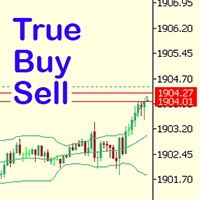
Have you ever noticed how on the forex symbols, the buy / sell button's price doesn't match the buy / sell lines on the chart? The spread always looks a lot tighter on the chart, you open a position and then realise the spread is huge. This is a very simple utility, it adds lines on the chart which match the buy / sell price on the buttons. Once installed I recommend right clicking the chart, go to Properties and uncheck "Show bid price line" and "Show ask price line", now click OK. Then righ
FREE

Tick Data HTTP Exporter NZDUSD 이 무료 버전은 NZDUSD만 내보내며, 정식 버전인 Tick Data HTTP Exporter 는 모든 심볼을 내보냅니다. 설명 이 EA는 터미널을 애플리케이션용 과거 및 실시간 틱 데이터 공급원으로 만들어 줍니다.
인터넷에는 많은 시장 데이터 제공 업체가 있지만, 실제로 제공되는 데이터의 품질이 항상 좋은 것은 아닙니다. 게다가 이러한 서비스는 대체로 더 비싸고, 보통 심볼마다 월 구독료를 받습니다.
이 EA를 사용하면 터미널에서 보는 것과 똑같은 틱 데이터, 즉 거래와 시장 분석의 근거가 되는 바로 그 데이터를 애플리케이션에 공급할 수 있습니다.
시세 데이터(OHLC, 캔들)를 제공하는 Candle Data HTTP Exporter 와 함께 사용하면 시장 분석에 필요한 전체 데이터를 갖출 수 있습니다. 기능 미리 설정한 외부 HTTP URL로 틱 데이터를 전송합니다. 모든 틱의 전달을 보장하며, 중단 시 마지막으로 보낸 틱
FREE

바이낸스는 세계적으로 유명한 암호화폐 거래소입니다! 암호화된 디지털 통화 시장의 실시간 데이터 분석을 용이하게 하기 위해 프로그램은 분석을 위해 Binance의 실시간 거래 데이터를 MT5로 자동으로 가져올 수 있습니다.주요 기능은 다음과 같습니다.
1. 통화 보안 부서에서 현물 거래 쌍의 자동 생성을 지원하고 이익 통화와 기준 통화를 별도로 설정할 수도 있습니다. 이익 통화 ProfitCurrency가 비어 있으면 모든 거래 영역을 의미합니다. 선택 사항: USDT, BTC, DAI 및 Binance에서 지원하는 기타 거래 영역(계약 거래는 현재 지원되지 않음)이고 기본 통화 BaseCurrency가 비어 있으면 모든 통화를 의미합니다. BNB와 ETC를 별도로 설정할 수도 있습니다.바이낸스에서 지원하는 모든 암호화폐. 2. 바이낸스 각 통화의 가격 정확도, 거래량 정확도, 최대 거래량을 동기화합니다.
3. WebSocket을 통해 Binance를 연결하고 각 트랜잭션을 Mt
FREE

PropFirm Risk Gatekeeper MT5
MetaTrader 5 고급 계좌 리스크 보호 EA
PropFirm Risk Gatekeeper MT5는 계좌 전체의 위험을 관리하기 위해 설계된 Expert Advisor입니다. 일일 드로다운, 전체 최대 손실 및 개별 포지션 손실을 지속적으로 모니터링할 수 있습니다.
이 EA는 특정 매매 전략과 독립적으로 작동하며 다른 Expert Advisor가 실행한 거래와 수동으로 실행한 거래도 감시할 수 있습니다.
주요 기능
일일 드로다운 보호
설정된 기준값을 기준으로 일일 최대 손실 비율을 지정할 수 있습니다.
보호 한도에 도달하면 EA는 다음 작업을 수행할 수 있습니다.
- 신규 거래 중지 - 오픈 포지션 청산 - 대기 주문 삭제 - 보호 상태 유지
거래일 시작 시간은 브로커 서버 시간에 맞게 설정할 수 있습니다.
전체 드로다운 보호
계좌 전체의 최대 손실 비율을 설정할 수 있습니다.
EA는 Balance와 Eq
FREE

Forex17 Clock 는 MetaTrader 5를 위한 가볍고 미니멀한 유틸리티로, 브로커 서버 시간 및/또는 사용자가 조정한 시간을 차트에 직접 표시하도록 설계되었습니다. 이 제품의 목적은 차트 분석을 방해하지 않으면서 명확하고 정확한 시간 정보를 제공하여 차트를 깔끔하고 기능적으로 유지하는 것입니다. 이 시계는 패널, 배경, 테두리 또는 방해가 되는 시각적 요소 없이 텍스트만을 사용하여 차트에 표시됩니다. 이러한 설계는 낮은 리소스 사용량, 밝은 테마와 어두운 테마 모두에 대한 뛰어난 호환성, 그리고 가격 스케일과 캔들에 대한 완전한 존중을 보장합니다. 본 유틸리티는 단순함, 시각적 정돈, 안정성을 중시하는 트레이더를 위해 설계되었습니다. Forex17 Clock을 사용하면 텍스트가 표시될 차트의 모서리를 선택하고, 글꼴 크기와 색상을 조정하며, 서버 시간에 대한 시간 오프셋을 설정할 수 있습니다. 이를 통해 로컬 시간이나 시간대 차이와 같은 중요한 시간 기준을 차트에서 직접
FREE

MT5 거래의 오픈, 종료, 부분 종료 및 수정에 대한 실시간 알림을 Slack으로 자동 전송합니다. 이 유틸리티는 16개 언어를 지원합니다: 영어, 프랑스어, 독일어, 힌디어, 인도네시아어, 이탈리아어, 카자흐어, 한국어, 네덜란드어, 폴란드어, 포르투갈어, 러시아어, 스페인어, 터키어, 우크라이나어, 베트남어. 알림 텍스트를 사용자 정의하여 다른 언어도 사용할 수 있습니다. 이 제품은 터미널을 지속적으로 모니터링하지 않고도 Slack 알림을 받아야 하는 트레이더를 위해 설계되었습니다. Expert Advisor 사용자, 여러 심볼로 거래하는 트레이더 및 VPS 사용자에게 적합합니다. 전체 및 부분 포지션 종료가 정확하게 감지되며 (예: 0.10 / 0.30 lot), 중복 메시지 방지 기능이 구현되어 있습니다. 알림은 계좌의 모든 심볼에 대해 전송하거나, 유틸리티가 적용된 차트의 심볼에 대해서만 전송할 수 있습니다 (선택 사항).
Test Slack 버튼을 통해 채팅 기능을 확인
FREE

Chart Buddy는 거래 차트에 재미를 더하기 위해 설계된 엔터테인먼트 도구입니다. 캐릭터가 차트 오른쪽을 따라 움직이며, 가격 움직임을 응원하는 듯한 인상을 주어 거래 경험에 독특하고 즐거운 요소를 추가합니다. 거래에 직접적인 영향을 미치지는 않지만, 애니메이션은 가벼운 휴식을 제공하며 개인적인 지원자가 있는 것처럼 느끼게 합니다. 주요 기능: 가격 움직임 지원 : 캐릭터는 가격 방향(상승, 하락 또는 포지션에 따라) 응답하여 움직이며, 마치 시장을 응원하는 것처럼 보입니다. 캐릭터 선택 : 세 가지 캐릭터(다람쥐, 스모 선수, 소녀) 중에서 선택하거나 사용자 지정 이미지를 업로드하여 경험을 개인화할 수 있습니다. 커스터마이징 가능한 애니메이션 : 캐릭터의 이동 속도와 타이밍을 설정하여 사용자 취향에 맞게 조정할 수 있습니다. 시각적 엔터테인먼트 : 애니메이션 캐릭터는 거래 환경에 생동감 있고 인터랙티브한 요소를 추가합니다. illust STAMPO 소개 이 도구는 무료 이미지
FREE

History Pre-loader — MT5 History Pre-loader is a utility script for traders who want to prepare and inspect MetaTrader price history before running a Strategy Tester, reviewing an older market period or using tools that depend on a deeper historical range. The script works from the symbol of the chart where it is attached . Open a chart for the exact broker symbol you want to prepare, attach the script, select the target oldest date and let the terminal request the available history. What the sc
FREE

️ TradeGuard by Brian_Breyli_Vana Your Trading Co-Pilot for MetaTrader 5 TradeGuard is a professional manual trading assistant for MetaTrader 5, designed for traders who want to stay in control of every trading decision while letting the EA handle the repetitive, time-consuming, and error-prone parts of trade management. Built for Price Action, Support & Resistance, Breakout, Swing, and Day Trading, TradeGuard combines fast execution, visual risk management, automated protection, session-based
FREE

TerminalBridge Trade Copier TerminalBridge Trade Copier is a local MetaTrader 5 position copier designed to synchronize trading actions between two MT5 terminals running on the same Windows computer or VPS. One terminal operates as the MASTER and publishes position changes. The second terminal operates as the SLAVE and receives and processes these events through the shared MetaTrader Common Files folder. Both roles are included in the same EX5 file. Main Features Local MT5-to-MT5 position copyin
FREE

Assets can behave based on repetitive patterns on specific times of the day, for example at the opens and closes of the sessions. Daily Vertical Lines helps us draw vertical lines at any given time of the day as many days as required, as simple as sliding a vertical line. This free version only draws vertical lines, while the paid version (to be published) collects and presents technical and statistical information regarding the price behavior at that time of the day.
FREE

Full Automated Trading panel . it works on any trading instruments: Forex, Stocks, Futures, Indices, CFD, Bonds, Cryptocurrencies; interface minimization function; flexibility of use;
Join my channel and check video of it ===> https://t.me/Ash_TheTrader/4986
Features :
Auto SL and TP Auto Close partial Auto Trailing Session Time Alert Time of trading Alert Profit and Percentage and etc.
FREE

The Tick Data Record is a multi-symbol multi-timeframe Expert Advisor that records tick data for later graphical representation and analysis. General Description The Tick Data Record offers a(n) alternative/complement to the online/offline price charts displayed through the MT4/MT5 platform. The Expert Advisor permits to write and save the current/history values of Time, Bid, Ask, Spread, Last and Volume to a text file (“.txt”). The idea is to copy/open the obtained register to/in a spreadshe
FREE

Drawdown Dashboard Lite 適合希望隨時掌握帳戶風險狀態的 MT5 使用者。
工具掛到任意圖表後,會每秒自動更新帳戶資料,讓使用者可以快速查看目前資金狀況與回撤程度,而不需要另外計算。
主要顯示內容包括:
Balance:目前帳戶已實現資金餘額 Equity:Balance 加上目前所有未平倉浮動損益後的實際帳戶權益 Floating P/L:目前全部持倉的總浮動盈虧 Current Drawdown:目前 Equity 低於 Balance 的金額與百分比 Session Peak Equity:自工具啟動後曾出現過的最高 Equity Session Max Drawdown:自工具啟動後,從最高 Equity 回落所出現的最大回撤 Positions:目前帳戶中的持倉總數
例如:
Balance: 10,000 USD Equity: 9,820 USD Floating P/L: -180 USD Current DD: 180 (1.80%) Session
FREE

로고 MT4 버전: https://www.mql5.com/en/market/product/121289 MT5 버전: https://www.mql5.com/en/market/product/121290
워터마크 MT4 버전: https://www.mql5.com/en/market/product/120783 MT5 버전: https://www.mql5.com/en/market/product/120784
"로고" 스크립트는 MetaTrader 4(MT4)의 거래 차트에 사용자 지정 로고 또는 이미지를 배경으로 표시하도록 설계되었습니다. 이 스크립트를 사용하면 트레이더가 로고 또는 기타 원하는 이미지를 사용하여 차트를 개인화할 수 있습니다.
작동 방식:
이미지 준비: 먼저 차트에 로고로 표시할 이미지를 선택하세요. 이미지 편집 소프트웨어를 사용하여 이미지를 비트맵 파일 형식(.bmp)으로 변환하세요. 이미지 저장: 변환이 완료되면 .bmp 이미지 파일을 MT4 설치 경로의 다음 디렉
FREE

Market Watch Bulk Loader 스타터 버전: 티커 목록을 붙여넣기만 하면 클릭 한 번으로 시장 관찰창에 추가됩니다. 한 번에 최대 5개 티커.
티커를 하나씩 직접 입력하지 말고, 클립보드에서 시장 관찰창으로 한 번에 추가하세요.
이것은 Market Watch Bulk Loader의 스타터 버전입니다. 정식 버전과 기능이 완전히 동일하며, 제한은 단 하나입니다. 한 번에 5개 티커까지 불러옵니다. 사용 중인 브로커의 심볼 표기를 이 유틸리티가 제대로 인식하는지 먼저 확인해 보세요.
사용 방법
1. 티커 목록을 클립보드에 복사합니다(스크리너, 스프레드시트, 채팅 메시지, 일반 텍스트 등 어디서든 가능). 2. MetaTrader 5에서 패널의 TXT 버튼을 누릅니다. 입력창이 나타납니다. 3. 목록을 붙여넣습니다(Ctrl+V 또는 마우스 오른쪽 버튼). 4. Copy를 누릅니다.
유틸리티는 각 티커를 브로커가 실제로 제공하는 심볼과 대조하여 일치하는 항목을 시장
FREE

AT Scalper Helps trader to place order seamlessly Close mulitple position at a time Place SL or TP for multiple position in a click Place hedge order same time with predefined SL and TP Place multi layer pending order in a click Place martingale layer Be informed about SL and TP in currency Get to know time remaining in current candle Get to know current spread View PnL, Balance, Equity on screen
FREE

History by Magic Number MT5 is a utility that filters trading history based on a selected Magic Number . It’s especially useful on accounts where multiple EA strategies run simultaneously and you need to isolate the performance of a single strategy . This tool is a non‑trading analytical Expert Advisor for MetaTrader 5, designed to provide precise evaluation of trading performance associated with a specific Magic Number within a user‑defined time range . It does not interfere with live trading,
FREE

Opening EA - Start Edition
Is a tool to trade the OpeningStrategy! The Opening EA is a semi-automated EA for MetaTrader 5! This means that the trader must actively start the EA using the Start button and stop it using the Stop button.
This EA pursues an opening strategy which, at the start of trading, e.g. on the DAX or Nasdaq, etc., opens a trading channel with predefined TP's (TakeProfit). Two pending orders with the same lot size are set at the beginning. As soon as one of the pending order
FREE

Sharing-Is-Caring Trade Copier
Features Local & Remote copy One tool can act as provider or receiver of trades Co-exist with other positions opened manually or from other expert advisors Can be stopped and restarted at any time without any issues such as deals getting closed mysteriously Copy same lot or adjust according to your balance and leverage Partial close/open Manage max funds to use One provider can copy to unlimited number of receivers One receiver can copy from unlimited number of p
FREE

QuickClose EA: Manage Trades Quickly and Efficiently QuickClose EA is a tool designed to help traders manage orders on the current chart easily and quickly. It provides full control over your trading status with clear feedback. Key Features of QuickClose EA: User-Friendly Control Panel: Clearly displays essential information such as the current symbol name, total profit/loss for Buy and Sell positions, and open lot sizes, giving you an immediate overview of your trading status. Precise Lot Size
FREE

One Click Chart Snap captures screenshots of your chart across all selected timeframes with a single button click — or fully automatically on a timer. Perfect for traders who journal their trades, do multi-timeframe analysis, share setups with a community, or want a visual record of the market at a specific moment. How it works At tach the utility to any chart and a button appears in the top-right corner. One click cycles the chart through every timeframe you enabled (M1 to MN1), captures each
FREE

Trade Analyzer & SL TP Optimizer Real Trade Analysis and Stop Loss / Take Profit Optimization for MetaTrader 5 Trade Analyzer & SL TP Optimizer is a MetaTrader 5 tool designed to analyze your real trading history in detail. It does more than show whether a trade ended in profit or loss. It analyzes what actually happened to price after each entry, helping you understand how your trades behaved throughout their entire lifecycle. It can be used with manual trades, Expert Advisor trades and strateg
FREE

Lot Dashboard is a trade execution and position-management panel for MetaTrader 5. It is designed for traders who want faster entries, clearer exposure visibility, and more flexible manual exit planning directly on the chart. The dashboard combines one-click market entries, quick management tools, live open-position metrics, and scenario-based exit lines in one compact panel. It is suitable for traders who scale in, manage multiple open positions, and want more control over how exits are planne
FREE

Overview Advanced MT5 EA that automatically detects, scores, and visualizes support/resistance levels with integrated trading panel, risk management, and multi-channel alerts. Installation (3 Steps) Copy EA File : Place Saturno_Smart_SR_PRO_EA.ex5 in MQL5\Experts\ folder Refresh : Right-click "Expert Advisors" in Navigator → "Refresh" Attach : Drag EA to chart → Click "OK" → Enable AutoTrading button Note : Ensure "Allow Automated Trading" is checked and the EA shows a smiley face Qu
FREE

TRADE WITH MAGIC – Professional One-Click Trading Panel
| Crystal AI Systems
Trade With Magic is a fast, lightweight, and highly efficient one-click trading panel designed for traders who require precise manual execution and full control over magic numbers, comments, and risk parameters. It is suitable for both manual trading and advanced EA testing environments where ac
FREE

What It Does Scans Multiple Symbols Simultaneously From all pairs for the signal in real time. Detects Overbought/Oversold Conditions Using customizable RSI thresholds (e.g., 80 for overbought, 20 for oversold) and Alerts You Instantly . Send you Notifications to MT5 in your PHONE Using MetaQuotes ID Pop-up Alerts Telegram Push Messages Whether you're at your desk or on the move, you’ll know the moment a signal hits.
FREE

️ SMART PANEL TESTER — 전략을 테스트하고 리스크를 관리하세요. SMART PANEL TESTER 는 메인 SMART PANEL 의 간소화된 버전으로, Strategy Tester 에서 트레이딩 전략을 편리하고 효율적으로 테스트할 수 있도록 특별히 설계되었습니다. 패널의 핵심은 리스크 관리 입니다. 트레이딩 전략의 성과는 좋은 진입 신호에만 달려 있지 않습니다. 장기적인 결과는 각 거래의 리스크를 얼마나 효과적으로 관리하는지에도 크게 좌우됩니다. ️ 내장 RISK MANAGER 리스크를 계좌 잔고의 백분율 로 설정하고 Stop Loss 를 지정하여 명확한 자금 관리 규칙에 따라 전략을 테스트하세요. 자동 Risk/Reward 비율을 빠르게 사용할 수 있습니다: 1:1 • 1:2 • 1:3 원하는 비율을 선택하면 해당 Take Profit 목표를 자동으로 설정할 수 있습니다. 백테스트에 필요한 모든 핵심 기능 BUY / SELL — 빠른 시장 주문 실행; S
FREE

Second Level Candles And Alligator Indicators 每12秒产生一个K线,而且自带Alligator指标,对超短线选手交易非常有帮助。程序启动时可能不成功,是因为MT5 MqlTick 数据加载少的原因。可以通过修改显示的数据参数避免,比如display=100,程序正常之后再将参数调大 display=300 。如果数据不正常,也可以采用重新加载的方式解决。 如果您对这个指标有任何建议,请联系作者。 Second Level Candles And Alligator Indicators produced a candle per 12 seconds,include Alligator, it's helpful to Short-Term Trading。You'd better reload the indicator every start MT5 or change display parameter to reslove data bug. Please attach author when you had some su
FREE

VisualRiskTool VisualRiskTool is a professional trade execution panel and risk management utility designed for MetaTrader. It streamlines the process of opening and managing positions by automating complex lot size calculations and providing a visual interface for setting stop-loss and take-profit levels directly on the chart. Core Functionality: Precision Risk Management The primary goal of VisualRiskTool is to eliminate manual calculation errors. By defining a fixed risk percentage (e.g., 0.5%
FREE

PipPal - Your Animated Robot Trading Companion Trading can feel lonely and stressful. PipPal puts a friendly little robot right on your chart who stays with you through every trade. He flies out of a glowing sci-fi portal, follows your live price in real time, and reacts to what is happening in your account - so your chart finally feels alive. PipPal is a pure visual companion. It reads your open trades to show emotions, but it never opens, modifies, or closes any position. Your trading stays 10
FREE

We apologize, but we are unable to provide service due to network issues. If you encounter any problems during installation or use, please contact 9048914@qq.com. Thank you. Binance is a world-renowned cryptocurrency exchange! In order to facilitate more accurate analysis of the encrypted digital currency market, the program can automatically import Binance’s futures K-line data to MT5 for analysis. The main functions are:
1. Support the automatic creation of all futures trading pairs on Binanc
FREE

Risk Manager - Equity and Trade Protection Risk Manager is a utility Expert Advisor for MetaTrader 5 that monitors open positions and account equity and closes trades when predefined risk limits are reached. The EA does not open trades. It can run alongside manual trading, signal services, or other Expert Advisors and manages risk by closing positions when defined thresholds are reached. The program operates using two independent modules. Per-trade profit and loss monitoring
Account equity monit
FREE

This utility clones the chart it is running on. It opens the same chart with the same graphical objects, set of indicators (saving the parameters) and the rest of the elements. In essence, it performs a deep copying of the original chart, transferring the template to the opened chart. The symbol and the timeframe of the original chart are also saved.
FREE
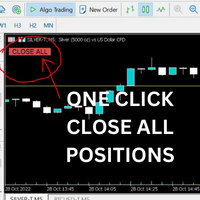
Just Attach to the Chart to be able to Click Button to Close all Open Positions in your Trading Account. Change Horizontal And Vertical Pixel based positioning for Button placement on chart. Appreciate your feedback and reviews. Note: All open positions on your trading account will be closed when button pressed.
If you need help with any simple utility happy to help.
FREE

Introducing a powerful MetaTrader 5 Expert Advisor designed to enhance your trading strategy – the Auto Breakeven EA! This feature-rich EA is tailored to bring your stop-loss to breakeven, ensuring a risk-free trade once the market moves in your favor up to a specified price.
Explore the full potential of the Auto Breakeven EA. Download it for free now, and find the download link at the bottom of our page. Elevate your trading experience and take control of your risk management strategy. Happy
FREE

QuAI EA Preflight Check is a free MetaTrader 5 utility designed to answer one simple question before you run an Expert Advisor:
Is this account, broker and symbol environment compatible with the EA settings you intend to use?
Instead of showing only raw account information, the utility performs a practical preflight diagnostic and classifies the most important conditions as PASS, WARN or FAIL.
The tool never opens, modifies or closes trades.
Main checks
- MetaTrader connection - Terminal A
FREE

Overview The Expert Advisor sends notifications to a mobile phone, via e-mail or activates an audio alarm in case any changes are detected on the trading account: opening/closing positions, changing order parameters, balance or leverage. Also, the Expert Advisor can inform that Equity on the trading account has dropped below a specified value or Free Margin is small compared to Margin. The Expert does not trade, it only monitors your account and orders.
Launching the Expert Advisor You should a
FREE

Product Name: Anchor auto TP and SL Trade Manager MT5 Your manual trade will be managed automatically. Turns single trades into smart grids with auto-sync TP/SL.
Anchor Auto TP and SL Trade Manager is a powerful trade assistant designed for manual traders who use averaging or recovery strategies. Stop calculating grid levels manually! This EA turns your manual trade into an automated "Anchor." If the market moves against you, the EA automatically builds a recovery grid based on your specific S
FREE

Close Positions on Candle Close This tool allows you to automatically close positions based on the last candle's closing price, helping confirm trade exits and avoiding unpredictable price movements. How It Works: The EA waits for a candle to close above or below the Stop Loss level before executing a position close. It eliminates the need to manually monitor trades and helps automate exit strategies. Settings: Order_Type: Select the types of orders or positions to be managed. CandleTimeFrame:
FREE

this is a Demo version of product. its limit of 3 trade at a time. when you buy full version try to click here https://www.mql5.com/en/market/product/170629
The Core Philosophy: Ultra-Fast Execution In the world of scalping, milliseconds matter. This configuration utilizes a Fixed Lot Size strategy combined with lightning-fast keyboard triggers to ensure you never miss a price level. CandleWise Trade Logic This feature restricts trade frequency to prevent "over-trading" during volatile
FREE

NinjaClose is the ultimate headless trading utility designed specifically for manual scalpers, price-action traders, and mobile traders. It operates completely silently in the background without any graphical user interface (GUI) panels, keeping your charts 100% clean. Whether you execute trades from your desktop terminal or the MetaTrader mobile app, NinjaClose detects your manual orders instantly and applies your pre-defined risk management rules at lightning speed. Key Features Mobile-Friendl
FREE

Exact Countdown Timer — shows the remaining time before the current bar closes and a new bar forms. A fast and exact countdown timer will help you find the best moment to open a position. For example, it can be used on a seconds chart built using the Seconds Chart utility. Inputs Base corner — the chart corner to which an timer Is attached. X distance — the horizontal distance from the chart corner. Y distance — the vertical distance from the chart corner. Text font — font name Font size — font
FREE

"All in One" panel. You can simultaneously control: up to 3 symbols; up to 6 periods; up to 31 popular signals. You can see the sum for all signals taking into account the weight of the signal Version for MetaTrader 4: https://www.mql5.com/ru/market/product/27880 Version for MetaTrader 5: https://www.mql5.com/ru/market/product/27830
Parameters NUM_BAR - number of the bar to analyze (set a value greater than 0 to work on closed bars). timeframe_1....timeframe_6 - working timeframes (if set to "c
FREE

*Display all text information you need on your charts.*
This will help you on displaying text on the chart, to note everything , for example: strategy.
* BUY SIGNAL
- rule 1 - rule 2 - rule 3 - etc * SELL SIGNAL
- rule 1 - rule 2 - rule 3 - etc
This will remind you to follow the discipline and trading strategy set by you.
The Discipline to Follow Rules is the Mark of a Top Trader
Safety first, then profit will come.
FREE

FXCompute Trade Copier Bridge for MetaTrader 5 FXCompute Trade Copier Bridge is a lightweight, ultra-low latency execution engine that connects your MetaTrader 5 terminal directly to your FXCompute cloud trade copying network with zero third-party software required. Overview FXCompute Trade Copier replicates trades across your accounts in real time. Operating alongside dedicated 24/7 cloud infrastructure, it handles position opens, modifications (Stop Loss and Take Profit), partial closes, and m
FREE

[Win Panel] Simple Entry and Close Positions Introducing WinPanel , an order management tool designed to enhance and simplify your trading experience. WinPanel features a clean and intuitive interface, allowing you to close orders instantly with ease. It supports flexible position management, enabling you to close losing positions, profitable positions, or all open positions with a single click. In addition, WinPanel displays the total number of open positions, current profit, and the overall p
FREE

MSMO Lot Pilot은 MetaTrader 5용 사전 거래 로트 크기 계산기이자 정보 패널입니다. 수동 거래를 실행하기 전에 한 가지 실용적인 질문에 답할 수 있도록 도와줍니다. 선택한 위험 수준에 맞는 로트 크기는 얼마인가?
Risk Percent, 심볼 포인트(points) 기준의 계획된 Stop Loss 거리, 그리고 Account Base를 설정합니다. MSMO Lot Pilot은 브로커가 제공하는 심볼 사양을 사용하여 로트 크기를 계산하고, 최종 정규화된 거래량에 대한 예상 Actual Risk를 표시합니다.
MSMO Lot Pilot은 계산 및 정보 표시만을 위한 유틸리티입니다. 거래를 개설, 종료, 수정 또는 관리하지 않으며 매수 또는 매도 신호를 제공하지 않습니다.
## 주요 기능
- 위험 기반 로트 크기 계산 - Account Base로 Balance, Equity, Lower B/E 또는 Higher B/E 선택 가능 - 금액과 백분율로 예상 Actu
FREE

VolPulse Telegram Bridge forwards the alerts of the free VolPulse Volume Profile indicator to Telegram: market-state changes, touches of key levels (POC, VAH, VAL, naked POC) and new entry signals with stop and target. It does not trade. It does not read your positions, balance or account number. Setup (about 2 minutes) Install the free indicator "VolPulse Volume Profile" and attach it to your charts:
https://www.mql5.com/en/market/product/200141 Tools → Options → Expert Advisors → tick "Allow W
FREE
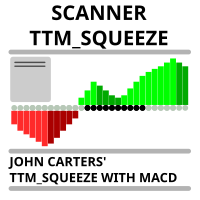
Market scanner based on the indicator published here Download the 'John Carters TTM Squeeze with MACD' Technical Indicator for MetaTrader 5 in MetaTrader Market (mql5.com) . Only the instruments that are in the Market Watch window are scanned. Maximum number of scanning tools up to 5000. The scan timeframe is selected from the timeframe panel of the terminal. To use it, open any chart and attach the Expert Advisor to the chart, the 'Search' button will appear in the upper left corner. When you
FREE

Most blown accounts don't come from not knowing the rules. They come from breaking them in the moment. Seven Sins is there for that moment.
It watches your MetaTrader 5 account. When you break one of your own rules, a "sin card" appears on your charts: what you did, which rule it broke, and a dry one-liner. If one trade breaks several rules, they appear together on one card, with one sound. Get through a whole trading day without a sin and your clean-day streak goes up by one. One sin resets i
FREE

RiskCompass Panel MT5 1. The Problem and the Approach You have a position idea, and the first real question is always the same: how much of this account am I about to put at risk, and can the account carry it. The information that answers that question is scattered across half a dozen windows. Balance is on one tab. Margin level is somewhere else. The spread you just paid is visible only if you look at the instrument row. The server day, which decides whether your daily loss limit has already be
FREE

AJUSTAR TP SEGÚN LÍNEA DE TENDENCIA — Modificación Dinámica de Take Profit en MT5 Este script para MetaTrader 5 permite proyectar el precio actual de cualquier línea de tendencia presente en el gráfico y asignarlo automáticamente como Take Profit (TP) a las posiciones abiertas que cumplan con los criterios de filtrado seleccionados. Es una herramienta imprescindible para traders que proyectan sus objetivos de salida basándose en estructuras diagonales, canales de precio, directrices de tendencia
FREE

Lucky Gold Mining Data Reader is a read-only account monitoring and audit utility for MetaTrader 5. It provides a clear dashboard for monitoring trading account activity without sending, modifying, closing or deleting orders and positions. READ ME BEFORE YOU LOVE ME
(SINCERELY — GOLD) Lucky Gold Mining — Automated XAUUSD Trading System - Trading Systems - 14 August 2026 - Traders' Blogs
FOX CUSTOMER BENEFITS Verified customers with qualifying MQL5 Market purchases may be eligible for complimen
FREE

Automatically synchronise your MetaTrader 5 trading activity with your HybridTrader journal. HybridTrader AI Journal Sync is the official MetaTrader 5 companion utility for HybridTrader. It securely synchronises your trading activity with your HybridTrader journal, removing the need to enter every position manually. To use this utility, you must have an active HybridTrader.ai subscription or free trial. Your personal API key is generated from within your HybridTrader account and is required to c
FREE

Tick Database — export of tick database from MT5 terminal to MT4. The utility provides access to the tick database in real time. This is necessary to generate synthetic charts in the MT4 terminal, which initially does not provide for loading a tick database. For example, you can organize permanent access to the tick database for the Seconds Chart utility. If the opening time of the current candle in the terminals is different, then you need to specify the time offset in hours. Example We open M1
FREE

Imagine what results you could achieve in your manual trading if you had a tool that notifies you of a possible price reversal for all the symbols you are interested in at the same time (futures, stocks, forex or cryptocurrency)?
VSA screener is just the right tool. It was created for traders who value their time and make their own trading decisions on opening or closing a position. The software monitors the presence of trading patterns on the preselected tickers under several timeframes (up to
FREE
Price Alert EA for MT5 – Intuitive On-Chart Alert System The CFN Price Alerts EA for MetaTrader 5 is a professional, easy-to-use tool designed to simplify price monitoring and trading decisions. It allows traders to set customizable price level alerts directly from their charts—no more manual setup through MetaTrader's native alert system. With a clean, interactive panel, you can quickly add, manage, and remove alerts. Alerts are visually displayed on the chart and saved between sessions, pr
FREE

Position Size Tool – Smart Risk Management & Trade Execution Panel The Position Size Tool is a powerful and intuitive MT5 panel that simplifies your trading by combining position sizing , risk calculation , risk/reward visualization , and order placement —all in one place. ️ Clean & Functional Interface The tool features a compact, real-time panel with the following: Balance & Equity display Live Price tracking Customizable Risk % input Auto-calculated Lot Size based on SL and Risk Input for S
FREE

Edgezone Strategy Monitor The Edgezone Strategy Monitor is a professional portfolio, strategy, and performance analysis solution for MetaTrader 5. The tool was specifically developed for traders who manage multiple Expert Advisors, manual trading approaches, or complete strategy portfolios and want to monitor their performance objectively. Unlike standard MetaTrader statistics, the Strategy Monitor allows precise assignment of trades to individual strategies and portfolios via Magic Numbers. Thi
FREE

Account Sentinel Pro - Monitor, Protect & Analyze Account Sentinel Pro is a professional all-in-one account intelligence EA for MetaTrader 5. It is built for traders who want a clean, full-screen control center to monitor account performance, understand real strategy behavior, evaluate execution quality, and assess drawdown risk with much more clarity than the standard terminal view. Instead of showing only raw trade history or a simple profit summary, Account Sentinel Pro organizes your trading
FREE

Rojeryo Trade Manager ATR is a MetaTrader 5 utility Expert Advisor designed to manage already opened trades.
The tool does not generate entry signals and does not open trades by itself. It is built for traders who prefer manual entries but want automatic trade management after the position is opened.
The EA can automatically set protective Stop Loss and Take Profit levels, move the Stop Loss to breakeven, close part of the position, and apply trailing stop management according to the selected
FREE

Multi-TF Alert System - 전문 다중 타임프레임 알림 패널 설명 MetaTrader 5용 전문 다중 타임프레임 알림 패널 Multi-TF Alert System은 차트 간에 지속적으로 전환하지 않고 다양한 타임프레임에서 여러 시장을 추적해야 하는 트레이더를 위해 설계된 종합 모니터링 도구입니다. 외환, 금, 지수 또는 암호화폐를 거래하든, 이 패널은 가격이 최근 고점과 저점에 대해 어디에 위치하는지에 대한 명확하고 체계적인 뷰를 제공합니다. 시스템은 다섯 개의 타임프레임(M15, M30, H1, H4, 일봉)에서 최대 10개의 심볼을 동시에 모니터링합니다. 각 조합에 대해 구성 가능한 룩백 기간 동안 최고 및 최저 가격을 계산하고 현재 가격이 이러한 수준에 얼마나 가까운지 추적합니다. 가격이 이러한 핵심 수준에 도달하거나 접근하면 사운드 알림, 팝업 메시지 또는 모바일 기기로의 푸시 알림 중 선택한 방법으로 즉각적인 알림을 받습니다. 핵심 기능 다중 시장 모니터링 시
FREE

Global Time – Trading Sessions Indicator Stay synchronized with the market, no matter your broker’s server time. Global Time gives you a clear, real-time view of the major trading sessions — Asia, London, and New York — directly on your chart. Designed with a modern and minimal interface, it helps you instantly understand which market is active and when key sessions overlap. Perfect for traders who rely on timing, volatility, and session-based strategies. Key Features: Real-time session clocks (
FREE

Most lot size calculators assume one pip is worth ten dollars. That assumption is wrong on gold, wrong on indices, wrong on JPY crosses, and wrong on every account not denominated in USD - which is to say, wrong exactly where oversizing hurts. This one asks your server instead. It reads the tick value, tick size, point size, volume step and margin requirements actually published for the symbol on your chart, so the number it gives you is the number your account will accept. How it works Attach i
FREE
트레이딩 전략과 기술 지표를 판매하기에 가장 좋은 장소가 왜 MetaTrader 마켓인지 알고 계십니까? 광고나 소프트웨어 보호가 필요 없고, 지불 문제도 없습니다. 모든 것이 MetaTrader 마켓에서 제공됩니다.
