SureInsight Journal Sync
- 유틸리티
- 버전: 1.1

Record your MetaTrader 5 trading to your SureInsight journal automatically, including the stop loss you actually set.
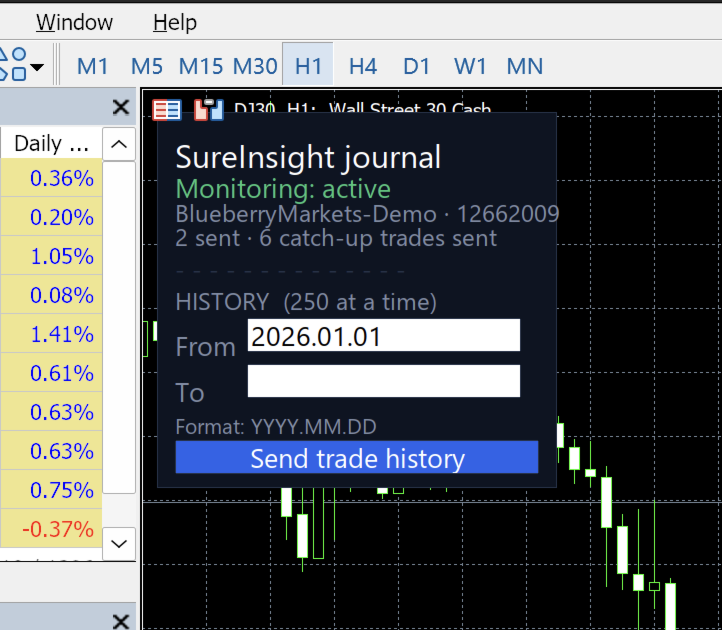
SureInsight Journal Sync is the official MetaTrader 5 companion for SureInsight. It watches your account and sends each closed trade to your journal, so your record is built from platform data rather than from memory.
Important
This is not a trading robot, signal provider, copy-trading service or automated strategy.
It does not open, close, modify or manage trades.
Its only purpose is to record journal information from MetaTrader 5 to your own SureInsight account. The full source code is published alongside it, so you can read exactly what it does before you install it.
Why a utility rather than an export
MetaTrader keeps the stop loss and take profit on the open position, and discards them the moment a trade closes. They are not in your account history, and no export or statement can recover them afterwards.
That matters more than it sounds. Without the stop a trade was taken with, there is no initial risk, and without initial risk there is no R multiple, no planned versus realised comparison, and no way to answer the questions that actually change how you trade:
Did you honour your stop?
Did you move it against yourself?
What did you plan to risk, and what did you really risk?
Because this utility runs inside MetaTrader, it sees those values while the position is still open, and records every change to them as it happens.
What it records
Instrument, direction and position size
Entry and exit times, converted to true UTC using your broker's own clock
Entry and exit prices, including partial closes
The stop loss and take profit set at entry, and every later modification
Profit, commission and swap
Orders placed and cancelled, which never appear in trade history at all
The symbol specification at the time of the trade, so risk can be expressed in your account currency
How it works
Install the utility and attach it to any one chart. It watches the whole account, not that chart's symbol.
Enter the journal key generated in your SureInsight account under Settings, Integrations.
Allow the SureInsight address when MetaTrader prompts for web access, and switch Algo Trading on.
Trade as normal. Closed trades reach your journal within seconds.
If MetaTrader is closed for a while, the utility re-sends the last few days automatically when it next starts, so an occasional gap looks after itself. Older history can be imported by date range at any time, although trades from before installation come back without their stop loss, because MetaTrader no longer holds it.
Requirements
MetaTrader 5, with any broker
A SureInsight account
A journal key, generated in SureInsight
Permission in MetaTrader for the utility to reach the SureInsight address
Security
Your journal key identifies your account. It is a write only credential: it can add trades to your own journal and nothing else. It cannot read your journal, cannot reach anyone else's data, and cannot place, change or close a trade. If you think someone has seen it, generate a new one in SureInsight and the old one stops working.
No broker password is involved at any point. The utility never asks for one, and SureInsight does not need one to receive your trades this way.
Support
Help with installation, connection and journal keys is available inside SureInsight.
Trade normally. Let SureInsight keep the record, with the detail your history cannot hold.