Panel Trading MT5
- ユーティリティ
- バージョン: 2.0

TradePanel — All-in-One Trading Panel for MT5
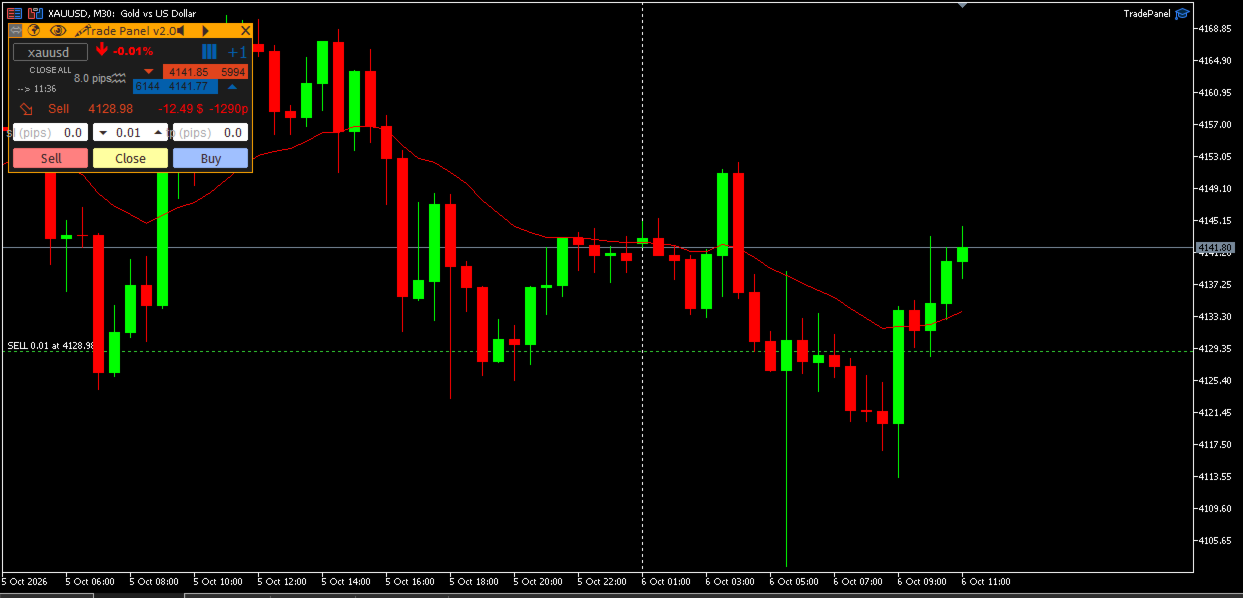
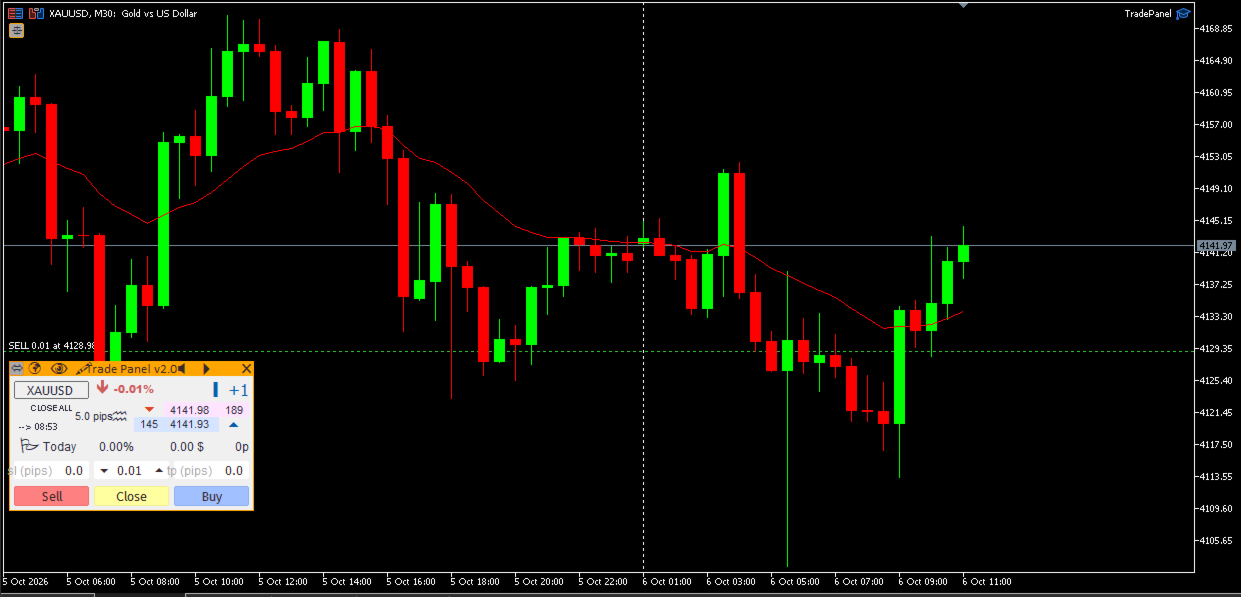
TradePanel is a compact, draggable on-chart control panel for fast manual trading. Open and close positions, read live price and P&L, and switch symbols — all without leaving the chart or opening an order ticket.
Built on CTrade with retry logic on every close, size-step/min/max-aware lot handling, and per-chart position memory, it is designed to be a safe, reliable daily driver — not just a demo panel.
📖 Full step-by-step guide (every button explained, close-mode reference, magic-number scoping, FAQ): TradePanel v2.0 — Usage Guide
Key Features
- One-click Buy / Sell with an adjustable Lot field (step, min and max read directly from the broker) and Stop Loss / Take Profit entered in pips, sent together with the order so positions are never left without protection.
- 5 close modes: Close All, Close Last, Close Profit, Close Loss, Close Partial — selectable with a single click, with automatic retry (up to 3 attempts per position) and an on-screen alert if anything could not be closed.
- Flexible magic-number scope: manage only the panel’s own trades, every position on the symbol (including manual trades), or a custom comma-separated list of magic numbers.
- Live trading stats: floating P&L and points while a position is open, daily P&L and points once it is flat — all scoped to the managed magic numbers only.
- Market read-out: Ask/Bid, spread in pips, daily % change, a tick-speed meter, and a countdown to the next candle close.
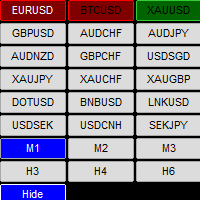
- Symbol switcher — type any symbol and jump straight to its chart, case-insensitive and auto-added to Market Watch.
- Freehand drawing tool with hotkeys for line style, color and clearing.
- Today’s trade history drawn directly on the chart: entry/exit markers connected by a dotted line.
- Per-chart memory for position, lot, SL/TP and close mode — run it on multiple charts without them overwriting each other.
- Light / dark theme and full tooltips on every control, including a Close button tooltip that states exactly which positions it is about to touch.
Why TradePanel
- No missed Stop Loss: SL/TP are submitted in the same request as the order, not added afterward.
- No silent failures: every close is retried and any leftover position triggers a visible alert with the reason logged to the Experts tab.
- No cross-chart interference: panel state is stored per chart ID.
- Built for real accounts: lot normalization guards against broker step/min/max edge cases instead of crashing or rejecting orders.
Inputs
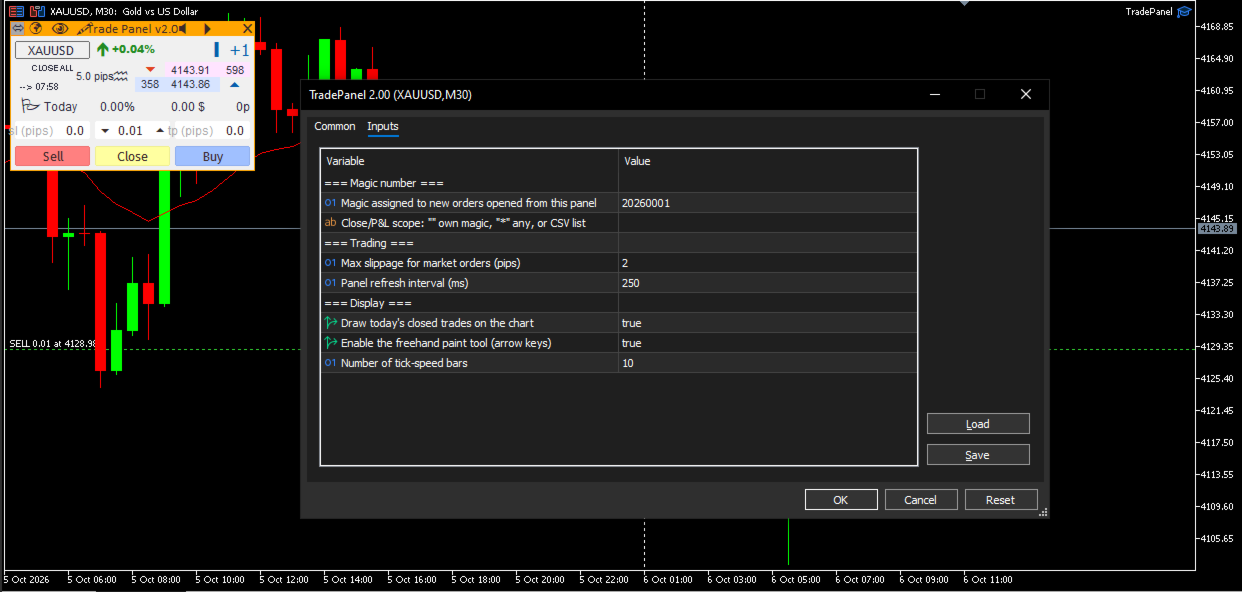
| Input | Default | Description |
|---|---|---|
| InpMagicNumber | 20260001 | Magic number assigned to new orders opened from the panel. |
| InpManagedMagics | "" (empty) | Which magic numbers the Close button and P&L stats act on. Empty = InpMagicNumber only; "*" = every position on the symbol; or a comma-separated list, e.g. "1001,1002". |
| InpSlippagePips | 2 | Maximum slippage for market orders, in pips. |
| InpTimerMs | 250 | Panel refresh interval, in milliseconds. |
| InpShowOrderHistory | true | Draw today’s closed trades on the chart. |
| InpShowPaintTool | true | Enable the freehand drawing tool (arrow-key controls). |
| InpMaxSpeedBars | 10 | Number of bars shown on the tick-speed meter. |
Works on any symbol and timeframe. Recommended: enable “Allow Algo Trading” when attaching the EA to a chart.