Panel Trading MT5

TradePanel — All-in-One Trading Panel for MT5

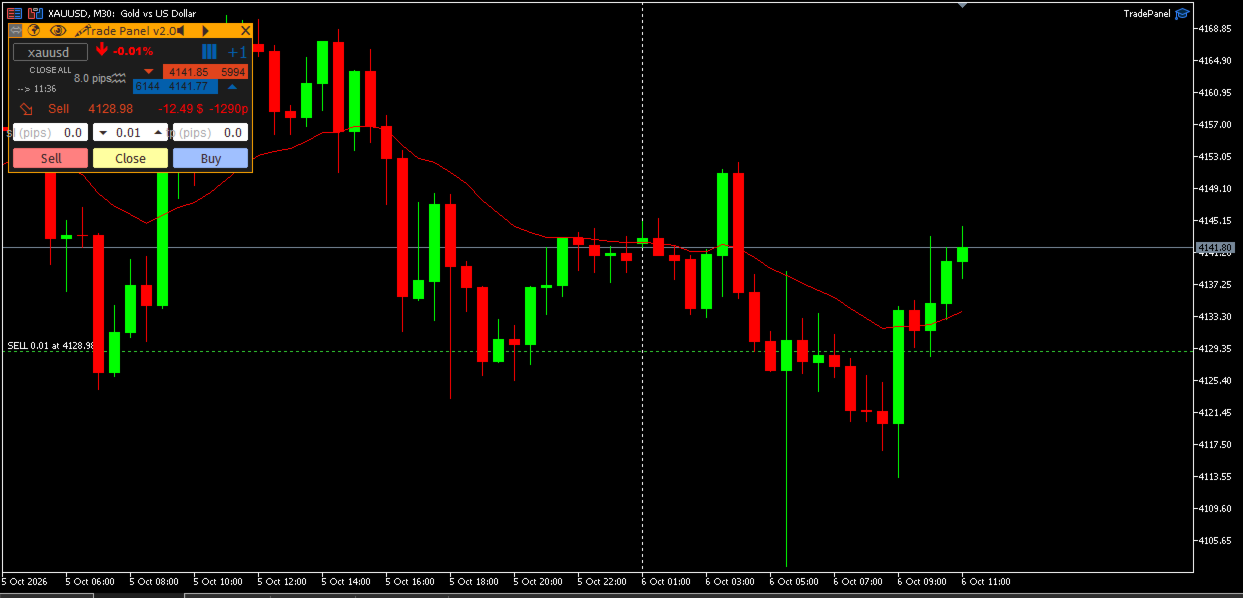
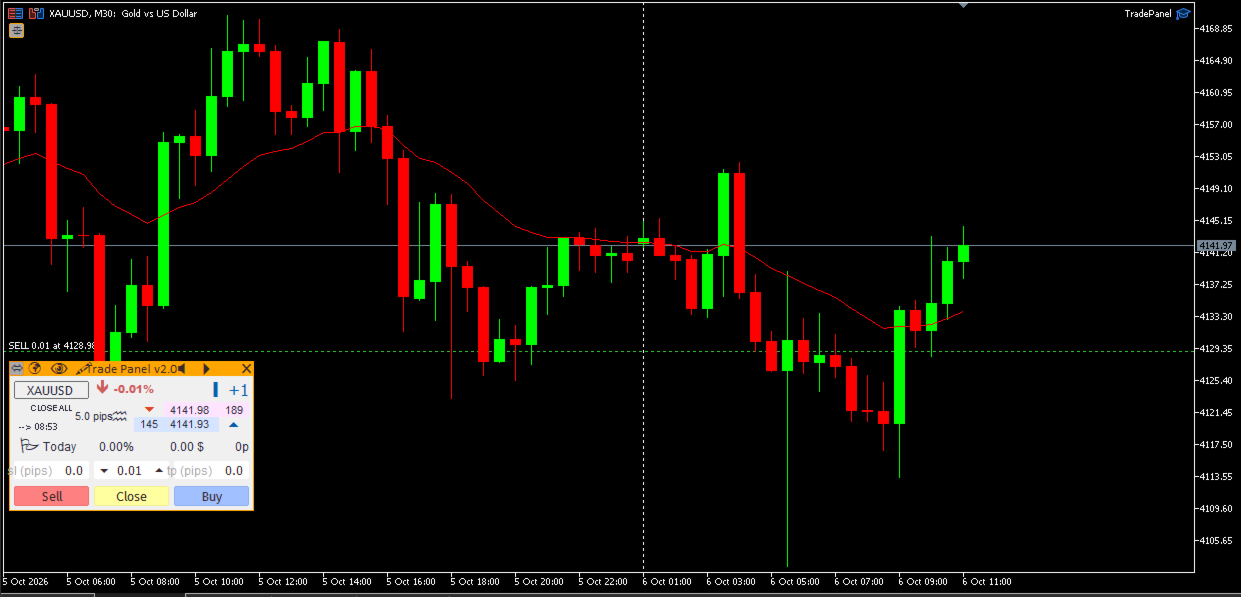
TradePanel is a compact, draggable on-chart control panel for fast manual trading. Open and close positions, read live price and P&L, and switch symbols — all without leaving the chart or opening an order ticket.

Built on CTrade with retry logic on every close, size-step/min/max-aware lot handling, and per-chart position memory, it is designed to be a safe, reliable daily driver — not just a demo panel.

📖 Full step-by-step guide (every button explained, close-mode reference, magic-number scoping, FAQ): TradePanel v2.0 — Usage Guide

Key Features

  • One-click Buy / Sell with an adjustable Lot field (step, min and max read directly from the broker) and Stop Loss / Take Profit entered in pips, sent together with the order so positions are never left without protection.
  • 5 close modes: Close All, Close Last, Close Profit, Close Loss, Close Partial — selectable with a single click, with automatic retry (up to 3 attempts per position) and an on-screen alert if anything could not be closed.
  • Flexible magic-number scope: manage only the panel’s own trades, every position on the symbol (including manual trades), or a custom comma-separated list of magic numbers.
  • Live trading stats: floating P&L and points while a position is open, daily P&L and points once it is flat — all scoped to the managed magic numbers only.
  • Market read-out: Ask/Bid, spread in pips, daily % change, a tick-speed meter, and a countdown to the next candle close.
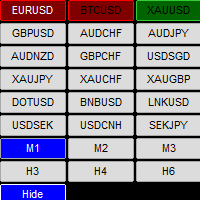
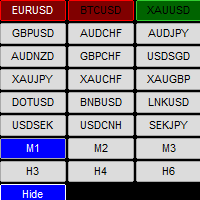
  • Symbol switcher — type any symbol and jump straight to its chart, case-insensitive and auto-added to Market Watch.
  • Freehand drawing tool with hotkeys for line style, color and clearing.
  • Today’s trade history drawn directly on the chart: entry/exit markers connected by a dotted line.
  • Per-chart memory for position, lot, SL/TP and close mode — run it on multiple charts without them overwriting each other.
  • Light / dark theme and full tooltips on every control, including a Close button tooltip that states exactly which positions it is about to touch.

Why TradePanel

  • No missed Stop Loss: SL/TP are submitted in the same request as the order, not added afterward.
  • No silent failures: every close is retried and any leftover position triggers a visible alert with the reason logged to the Experts tab.
  • No cross-chart interference: panel state is stored per chart ID.
  • Built for real accounts: lot normalization guards against broker step/min/max edge cases instead of crashing or rejecting orders.

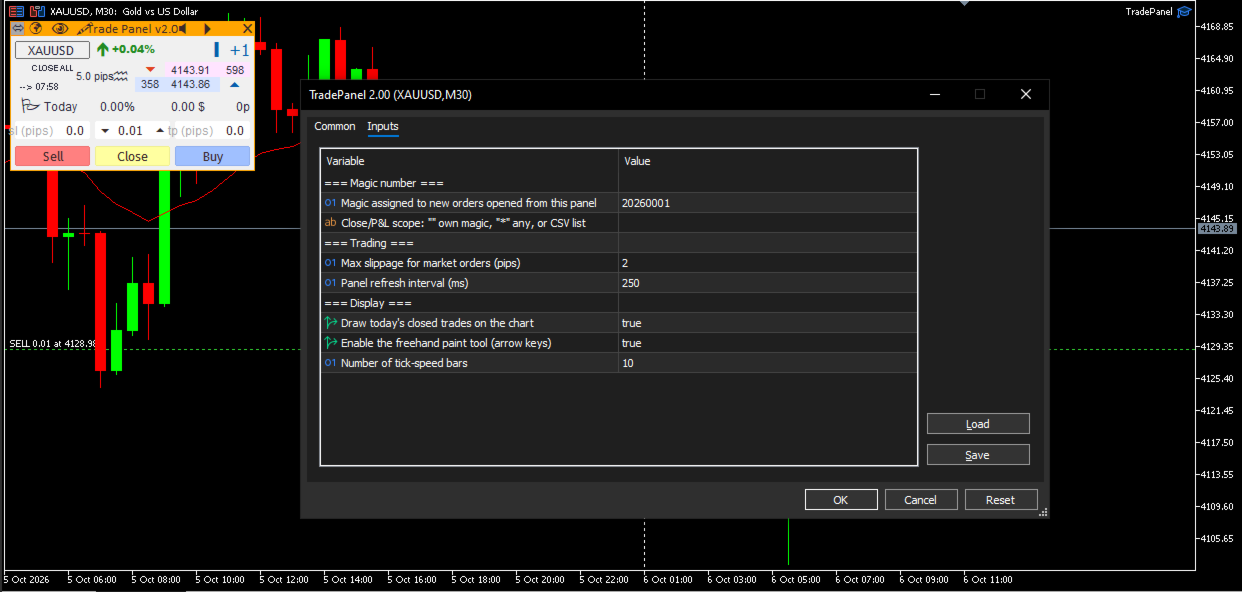
Inputs

Input Default Description
InpMagicNumber 20260001 Magic number assigned to new orders opened from the panel.
InpManagedMagics "" (empty) Which magic numbers the Close button and P&L stats act on. Empty = InpMagicNumber only; "*" = every position on the symbol; or a comma-separated list, e.g. "1001,1002".
InpSlippagePips 2 Maximum slippage for market orders, in pips.
InpTimerMs 250 Panel refresh interval, in milliseconds.
InpShowOrderHistory true Draw today’s closed trades on the chart.
InpShowPaintTool true Enable the freehand drawing tool (arrow-key controls).
InpMaxSpeedBars 10 Number of bars shown on the tick-speed meter.

Works on any symbol and timeframe. Recommended: enable “Allow Algo Trading” when attaching the EA to a chart.
Mais do autor
** NOTE: This indicator uses realtime data. Thus DO NOT download Demo version. If you still need demo version, please refer to trial version . Version for MT4:  https://www.mql5.com/en/market/product/123597 Symbol Chart Changer is an indicator/utility that offers you the option to switch between symbols and timeframes. You can choose any symbol and timeframe on the same chart with just a few clicks.  In addition, this indicator also shows the profit of the symbol through the color of the butt
This indicator displays two important pieces of information on the MT5 chart: Current Spread - Trading cost measured in points, helping traders assess optimal entry timing when spread is low. Time Countdown - Remaining time (minutes:seconds) until the current candle closes and a new candle forms, supporting candle-based trading strategies. Information is displayed as compact text in a chart corner (default top-right), with customizable position, color, and font size. The indicator updates in rea
FREE
This indicator displays two important pieces of information on the MT4 chart: Current Spread - Trading cost measured in points, helping traders assess optimal entry timing when spread is low. Time Countdown - Remaining time (minutes:seconds) until the current candle closes and a new candle forms, supporting candle-based trading strategies. Information is displayed as compact text in a chart corner (default top-right), with customizable position, color, and font size. The indicator updates in rea
FREE
For MT5: TP SL Calculator This tool helps you to automatically calculate profit at Take - Profit price and loss at Stop - Loss price. Feature: - Calculate profit at TP price. Apply to all operators (BUY / BUY LIMIT / BUY STOP / SELL / SELL LIMIT / SELL STOP), with TP price is greater than 0. Profit is expressed in money and points. - Calculate loss at SL price. Apply to all operators (BUY / BUY LIMIT / BUY STOP / SELL / SELL LIMIT / SELL STOP), with SL price is greater than 0. Loss is express
** NOTE:   This indicator uses realtime data. Thus   DO NOT   download Demo version. If you still need demo version, please refer to   free version . Version for MT5:   https://www.mql5.com/en/market/product/115489 Symbol Chart Changer   is an indicator/utility that offers you the option to switch between symbols and timeframes. You can choose any symbol and timeframe on the same chart with just a few clicks.  In addition, this indicator also shows the profit of the symbol through the color o
For MT4: TP SL Calculator for MT4 This tool helps you to automatically calculate profit at Take - Profit price and loss at Stop - Loss price. Feature: - Calculate profit at TP price. Apply to all operators (BUY / BUY LIMIT / BUY STOP / SELL / SELL LIMIT / SELL STOP), with TP price is greater than 0. Profit is expressed in money and points. - Calculate loss at SL price. Apply to all operators (BUY / BUY LIMIT / BUY STOP / SELL / SELL LIMIT / SELL STOP), with SL price is greater than 0.   Loss is
Dashboard Basket MT5 is a multi-symbol trading dashboard for manual traders. One panel shows the market state of up to 40 symbols at a glance (spread, daily move, average daily range, candle direction on 9 timeframes and position versus a moving average) and lets you open, close and manage trades on any of them with a single click, including whole currency baskets, with an automatic basket take profit and stop loss. The EA does not trade by itself. Every position is opened by you. The dashboard
Filtro:
Sem comentários
Responder ao comentário