Risk to R Ratio Manager

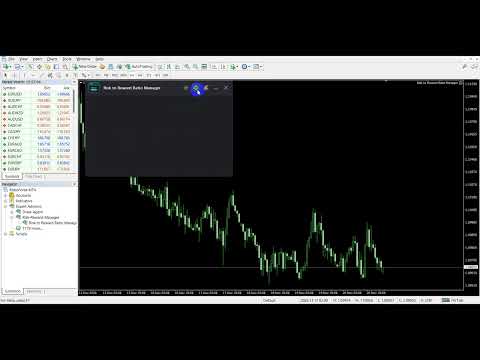
Risk to Reward Ratio Manager は、MetaTrader 用のビジュアル注文ツール兼ポジションサイズ計算機です。チャート上でリスク、ストップロス、テイクプロフィットを設定し、取引前にロット数、リスク、リワードを確認して、ワンクリックで注文できます。ロットはあなたのリスクから計算されるため、すべての取引で計画どおりのリスクになります。

ドラッグできるエントリー、ストップロス、テイクプロフィットのラインでトレードを計画し、リスクリワード比を 1:2、1:3、1:4 または任意の値に保ち、証拠金と建玉全体のリスクを確認し、1日の損失上限に達したら取引を止めることができます。設定は保存され、ターミナルを再起動しても保持されます。このツールはシグナルを出さず、自動売買もしません。注文は、ボタンまたはショートカットキーを押したときだけ送信されます。

目的と使い方

Risk to Reward Ratio Manager は、ルールに基づく手法やリスク重視の手法で取引するトレーダー向けです。チャート上で視覚的にトレードを計画し、ロット数とリワードの計算はツールに任せ、ストップロスとテイクプロフィットを設定済みの状態で注文できます。手計算やロットの誤りのリスクをなくし、すべてのポジションで一定のリスクを保ちます。

主な機能

トレードの計画

  • チャート上のエントリー、ストップロス、テイクプロフィットのライン。ラインをドラッグすると、ロット、リスク、リワードがすぐに更新されます
  • ストップロスのラインをエントリーのライン越しにドラッグすると、買いが売りに切り替わります
  • ラインのロック、トレードの反転、すべてのラインの表示・非表示をボタン1つで
  • 成行、指値、逆指値注文:エントリーのラインを価格から離すと、ボタンが Buy Limit、Sell Limit、Buy Stop、Sell Stop に変わります
  • チャート上のボックスに pips、金額、ロット、比率を表示。4つのスタイル:フルバー、チップ、プライスタグ、アウトライン
  • ボックス用の独自テキストと、シンボル、売買、注文タイプ、ロット、pips、金額、通貨、パーセント、価格、比率、残高、スプレッドのプレースホルダー

リスクとロットサイズ

  • リスクは、残高・有効証拠金・余剰証拠金の割合、または固定金額で指定できます
  • ロットはリスクとストップロスから計算され、シンボルの最小値、最大値、刻みに従います
  • ロットを自分で入力すると、リスクもそれに合わせて変わります
  • ストップロスとテイクプロフィットは、pips、ポイント、または価格の割合で指定できます
  • テイクプロフィット比率 1:2、1:3、1:4 またはカスタム(テイクプロフィットを自分で入力)
  • 「SL を使用」「TP を使用」ボタン:ストップロスとテイクプロフィットを注文に付けるか省くかを選べます
  • リスク、リワード、証拠金、総リスクを口座通貨で表示するカード
  • 送信前のチェック:ブローカーが許可するストップ距離、最大ロット、アルゴ取引と口座の権限を確認し、わかりやすいメッセージを表示

情報セクション

  • パネルに表示するセクションと列数を選べます
  • 口座:残高、有効証拠金、余剰証拠金、証拠金維持率
  • 日中レンジ:その日の安値と高値の間で価格がどこにあるか
  • 直近10件の取引:勝ちと負けが一目でわかります
  • 利益目標:1日の利益目標への進捗
  • 損失ガード:1日の損失と建玉リスクを上限と比較
  • 統計:本日、今週、今月の取引数、勝率、平均R、合計R
  • ボタンの下に建玉と含み損益を表示
  • ステータスバー:接続、次のローソク足までの時間、サーバー時刻、スプレッド

損失ガード

  • 基準額に対する割合で1日の損失上限と建玉リスク上限を設定し、1日の利益目標も設定可能
  • 上限に達したときは、表示のみ、先に警告(もう一度押すとそのまま注文)、または新規注文のブロックを選べます

パネルと設定

  • 移動と最小化ができるコンパクトなパネル
  • 5つのテーマ:ダーク、ライト、ミッドナイト、コントラスト、ソフト
  • アクセントカラーとホバーカラー、角の丸み、ウィンドウの影、アニメーションを自由に設定
  • すべてのコントロールにツールチップ(オフにも可能)
  • パネルサイズ:Windows のスケールに合わせた自動、または 100%、125%、150%、200%
  • 5言語:英語、ドイツ語、スペイン語、フランス語、アラビア語(右から左のレイアウトに対応)
  • 注文、ストップロス、テイクプロフィットのラインの色
  • ベルで製品の最新ニュースを表示
  • すべての設定がセッション間で保持されます
  • 主な操作のキーボードショートカット(キーは自由に選べます)

入力とパラメーター

パネルのボタンとボックス:

  • リスク:トレードのリスク(パーセントまたは金額)。
  • ロット:ロットサイズ。ロットを入力するとそこからリスクが決まり、リスクやストップロスを変えるとロットが再計算されます。
  • SL / TP:選んだ単位でのストップロスとテイクプロフィットの距離。
  • 比率:テイクプロフィットの 1:2、1:3、1:4、またはカスタム。
  • ライン:チャート上のラインとボックスを表示または非表示にします。
  • SL を使用 / TP を使用:ストップロスとテイクプロフィットを注文に付けるかどうか。
  • 買い注文 / 売り注文:注文を出します。ボタンは売買の方向とエントリーのラインに連動します。

設定(パネルの歯車ボタン):

  • 一般:テーマ、言語、スケール、アニメーション、ウィンドウの影、ツールチップ、角の丸み、アクセントカラー、ホバーカラー。
  • ショートカット:買い注文、売り注文、ラインの表示/非表示、買い/売りの切り替え、パネルの表示/非表示に、それぞれ英字または数字1文字を割り当てます。
  • リスクとライン:残高・有効証拠金・余剰証拠金のどれを基準に計算するか、リスクをパーセントか固定金額か、距離の単位、注文・ストップロス・テイクプロフィットのラインの色。
  • ボックス:スタイル、角の丸み、フォントサイズ、ゾーンの塗りつぶし、テイクプロフィット・注文・ストップロスのボックスのテキスト。
  • パネル:表示するセクション、タイトル、列数、1日の損失上限、建玉リスク上限、1日の利益目標、上限到達時の動作、ステータスバーの項目。

使い方

1. リスク(例:1%)を入力し、比率を選んで「ライン」を押します。

2. ストップロスとテイクプロフィットのラインを好きな位置にドラッグします。ドラッグ中にロット、リスク、リワードが更新されます。

3. カードを確認します:リスク、リワード、証拠金、総リスク。

4. 「買い注文」または「売り注文」を押すか、ショートカットキーを使います。注文はストップロスとテイクプロフィット付きで送信されます。

5. 設定を開いて、損失ガードの設定、情報セクションの選択、ショートカットキーの変更を行います。

ご意見をお待ちしています。ご質問やアイデアは、製品のコメント欄にお書きいただくか、MQL5.com でメッセージをお送りください。

#tags リスクリワード, リスクリワード比, リスク管理, ポジションサイズ計算機, ロット計算機, ビジュアル注文, ビジュアルライン, ストップロス, テイクプロフィット, ワンクリック取引, トレードパネル, 注文マネージャー, 損失ガード, 1日の損失上限, 取引統計, ユーティリティ, パネル, GUI, ダークテーマ, ライトテーマ, Forex, MT4, MT5, graphic
おすすめのプロダクト
This Utility is a test for creating objects on the graph . Drag it on any graph and follow the instructions! Any questions about work program send me mail : info@tradingsolution.it In future I will add more information with new version for now it provides account information: AccountNumber AccountName AccountCurrency AccountCompany Server Account Leverage Stop Out level Balance Equity Margin Free Margin
Every trader is watching over his account over and over.... trying to anlayse every system he or she has. With this tool you are able to  export your complete history of every account export withdrawls / deposits / rebates to a separate file export account status with balance / equity / current drawdown recalculate micro to standard lots / profits ...  export decimal by "." or ","  combine a series of Magic Numbers to one unique Magic Number   filter to ignore OrderComments.
This indicator shows both GMT time and your broker's time on the chart. Simply attach the indicator to a chart, and you will see the GMT time and your broker's time displayed in the top left corner, as shown in the screenshot. By using this indicator, you can always stay informed about your broker's time, which is especially useful during daylight saving changes. You won't have to worry about whether your broker follows the US or EU schedule, as the indicator automatically adjusts to reflect an
FREE
CloseProfit is a utility created to automate the process of setting a stop-loss and closing orders when a certain percentage of profit is reached. The utility also has two Buy and Sell buttons on the chart for opening orders. The utility can be used to close orders opened by other advisors, with a stop-loss or a percentage of the increase in the deposit. To do this, you need to set in the settings a magic number that matches the one that is installed in the advisor when opening a transaction.
FREE
Metrics Pro for Telegram - MT4 Metrics Pro for Telegram is a reporting utility for MetaTrader 4 that automatically sends your account performance data to a Telegram chat or channel via the Telegram Bot API. It is designed for algo-traders, signal providers, and fund managers who need scheduled performance summaries delivered directly to their phone without checking the terminal manually. The utility runs in the background on a chart and posts formatted reports at a scheduled server time. Reports
"Support or Resistance Alert Broken" is a simple and very intuitive tool that allows you to create or eliminate horizontal and trend supports and / or resistances with a simple click. When the support or resistance line is broken by the closing price at the end of the current candle, the "Support or Resistance Alert Broken" tool will send an alert with sound, as well as a notification to the MT4 or MT5 mobile application. This tool can send alerts from multiple pairs at the same time. Utility
Telegram Ultimate Manager MT4 Use Cases: Manager Order (open, close, modify order) Publish open and close order to Telegram Channel Open trade based on Forex Factory News Requirement: Telegram Chat ID Telegram Bot API Token Telegram Channel ID Please read the guide This tools can not be backtested Free n8n workflow template to : 1. Import Forex Factory news to Google Calendar 2. Send chat to Telegram bot about news release. Is it good or bad for the currency Inputs: Telegram Bot Token : your T
如果产品有任何问题或者您需要在此产品上添加功能,请联系我 Contact/message me if you encounter any issue using the product or need extra feature to add on the base version. Please re-direct to LINK for free demo version. There are two critical components in a profitable trading system, one is entry (place an order), and another one is exit (close an order). You can exit by time: closing order after London Close for example. You can also exit by position: closing an order when price reaches a certain support/resistance level
MT4 To Telegram Signal Pro MT4 To Telegram Signal Pro allows you to broadcast your trades to a Telegram Channel or Group. Can be used to build, support and expand your own network of traders. A Group can have 200.000 members, A Channel can have an unlimited number of subscribers. The messages are send to Telegram in HTML5 format, which is the preferred language. Ability to broadcast newly opened trades, trades that were closed, and sending out status reports on set intervals. This EA also has
The Expert Advisor will help you forward all alert from MetaTrader 4 to discord channel. Parameters Discord url webhook - create webhook on your discord channel. Use multi webhook url - use file to input multi webhook url, with each line, input one link, input symbol before link to send only alert from the symbol to the channel. Example: EURUSD=link1 Forward alert - default true, to forward alert. Send message as caption of screenshot - default true, one message include alert and screenshot  For
This EA gives traders a clean, full-window view of how large a position each Market Watch symbol can support at different percentages of account balance used as margin. It helps you quickly compare sizing options across symbols and risk levels without ever placing or modifying orders. The goal is simple position-size awareness so you can decide exposure before you trade. Benefits Shows lot size potential across Market Watch symbols at up to three different % of balance margin levels side-by-sid
FREE
M5 タイムフレームのロボット スカルパー。 GBPUSD 通貨ペアでの取引。このロボットは、英ポンドの取引のためにプロのトレーダーの会社によって特別に開発されました。ロボットは、毎日約 5 ~ 15 の取引を開始します。 GBPUSD のスプレッドが最大 10 ピップスまでの低いブローカーと取引するのが最善です。開始するための推奨最低入金額は $500 以上です。 利点: マーチンゲールは使いません。 ネットではありません。 すべての取引にはストップロスがあります。 GBPUSDペア専用のプロボット。 ロボットスキャルパー、M5 期間の日中取引。 このロボットはどのように取引しますか? 市場を分析するために、ロボットは 2 つの指標の価格モデルと戦略的な市場パターンを使用します: パラボリック ストップとリバース システムとボリンジャー バンド。ロボットは最初に、価格エントラポレーション統計を使用して価格の動きについて市場を分析します。次に、ロボットはこれらの指標を読み取り、現在と過去の動きの傾向を比較します。市場の反転またはロールバックを示すパターンが一致した場合、ロボットは取
PowerTech AutoUpdater downloads FF News Calendar and COT CFTC updated data and writes the exact cache files used by PowerTechPropTradingSystemPro MT4   (No separate panel, just data updates — panel is built into the indicator) PowerTech AutoUpdater — Companion EA for PowerTech Prop Trading System PowerTech AutoUpdater is a companion Expert Advisor for PowerTech Prop Trading System Pro . MT4 indicators cannot use WebRequest: this EA takes care of the data downloads and writes the exact cache fi
FREE
My Account Brokers Details List This script displays the account data and broker terms regarding its operation. For example, broker name, account number, financial leverage, account currency, automatic trading approval, minimum lot, lot step, maximum number of lot, margin call, stop out and many other important data. It is easier to display such data on the chart in one moment with a click of the mouse, than to look for it in the contract or call the broker. Details are printed not on the scree
FREE
ONE DRAG SETS THE LOT SIZE - RISK STAYS WITHIN YOUR LIMIT Risk-first position sizing for traders who protect their capital Introductory offer — first 30 copies at $35, then $45. Early buyers keep the lower price forever! Also available for MT5 :  https://www.mql5.com/en/market/product/185711 New on version 2.1: RR box Transparency Slider Risk Sentinel is a risk-first position sizing and risk management tool for MT4, built for discretionary traders who size every trade to the same disciplined
IndiSig by Buffer Detect Signals from a Custom Indicator by Buffer & Send notifications to Telegram Channel or Open orders * Buy/Sell Buffer: You may get this info on MT4/5 Data Window (CTRL + D) * MT5 version: Add the indicator first, then the EA * MT4 version: Only works properly with default settings of the indicator Join https://t.me/fxassistant_vn for more useful EAs!
FREE
The new version of  MirrorSoftware 2021  has been completely rewriten and optimized.  This version requires to be loaded only on a single chart because  it can detect all actions on every symbol and not only the actions of symbol where it is loaded. Even the  graphics and the configuration mode  have been completely redesigned. The MirrorSoftware is composed of two components (all components are required to work):  MirrorController  (free indicator): This component must be loaded into the MASTER
FREE
This indicator show all history orders on chart with the same symbol. It help you see time and price that orders opened and closed. 1) Show all history 2) Open chart with symbol that you need to watch 3) Attach the indicator 4) Press key "h" -Downwards line Blue: sell with profit -Downwards line Red: buy with loss -Upwards line Blue: buy with profit -Upwards line Red: sell with loss.
FREE
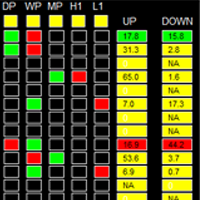
This indicator allows you to monitor the vitals of your account and notifies of some events, in accordance with user settings. Keep your finger on the pulse of trading. Control elements Main panel of the indicator shows the following values: chart symbol, bid/ask prices, spread, free margin, equity, total number of orders and total profit/loss. There are also two buttons: "Alarm" and "Mute". "Alarm" button starts up a timer, which will notify user in a period of time, defined in the settings. I
FREE
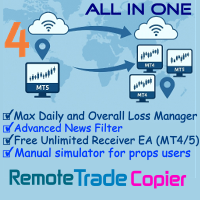
Remote Trade Copier   is an advanced tool designed for efficiently copying trades between accounts in both   local   and   remote   modes. It allows for lightning-fast order replication from a master account to a slave account. In local mode, trades are copied instantly, while in remote mode, the copying process takes a second.  In new version, in remote mode , the copy operation can be performed with a delay of milliseconds or zero . After purchase, ask how to activate it MT4 Version (Only Loc
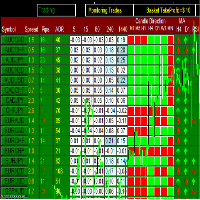
** Automatically Adds to your existing trades that you open ** KFX Dashboard EA monitors Price Action using Candle Direction + Moving Average on Multiple currency pairs (selected by you) and on Multiple Timeframes (selected by you). The dashboard also reveals Currency Strength of pairs based on your Moving Average selection. KFX Dashboard EA option to set Stop Loss(SL) and Take Profit(TP) based on your selected Timeframe and ATR / Points settings. Trailing stop by ATR / Points also available (s
Heaven Assistant: Simplify Your MT4 Management Simplify the management of the MetaTrader 4 (MT4) platform with the Heaven Assistant . This Expert Advisor (EA) is a robust tool that allows you to control and customize your trading environment in an efficient and user-friendly manner. Key Features: Multiple Pairs Opening: Quick access to most currency pairs, both major and minor, plus exotic pairs. The ability to open indices, metals, and cryptocurrencies with a single click. Template Change: Easi
Telegram Forwarder can forward all activities related to trades and position taking as a signal to Telegram messenger. It can also forward indicators' alert to Telegram if you modify indicator code (I can do it for you too) to hand over alerts to Telegram Forwarder. This EA is intended for business and professional usage. You can introduce your own Telegram bot and customize water mark in screenshots. Telegram forwarder is able to forward signals for "new order", "modification of order", "Pendin
Overview Happy Shiba Inu is a precision scheduling utility designed to restrict a MT4 account's trading activity to specific day or time windows. It manages both live execution logic and the automatic cleanup of pending orders during "Off-Hours." Operational Logic Pending Orders: The moment the timer hits a "Restricted" zone, the EA will scan all open orders. Any Limit or Stop orders will be deleted immediately to prevent accidental fills during high-volatility off-hours. Execution Block: Any c
Price Alert EA for MT4 – Customizable Alert System with Intuitive Chart Interface The CFN  Price Alerts EA is a powerful yet easy-to-use Expert Advisor designed for traders who want full control over price level alerts directly from their MT4 charts. No need to manually set alerts through MT4’s native system – this EA gives you an on-chart interface to quickly set, view, and remove price alerts with flexibility. Key Features: Set unlimited price alerts directly on your chart. Visual display
FREE
UMNi-CMND  UMNi-Cmnd — MT4 Remote Trade Command and Control UMNi-Cmnd turns Telegram into a full remote control panel for your MetaTrader 4 terminal. Send commands from your phone to open trades, manage positions, query account status, and receive complete trade telemetry — all without touching the platform. KEY FEATURES • Full remote trade execution via Telegram • Open, close, and manage positions by command • Move SL/TP, set breakeven • Live status, account, and positi
Close All Orders for MT4 script   - closes absolutely all orders, whether pending or market ones. Orders are closed at the current profit/loss indicators at the time of closing. The script is suitable for moments when you need to quickly close all orders at the current indicators. The script is very easy to use, just drag the script onto the chart and it will do its job. Add me as a friend, I have many other useful products.
FREE
This EA will make all the history trades appear on the chart,,  will make it easy to track each trade in history  separately , it will show each trade open price + time and closing price + time  simply download the EA to your MT4 platform, then apply it on any chart that belongs to any trades in mt4 history,  for example, if you have traded on GBPUSD in the history, open GBPUSD chart and apply the EA on it, it will automatically print all info on the chart about the trades ,, EA works per
FREE
Trades Time Manager は MetaTrader 用のトレード予約ツールです。アクション、シンボル、サーバーの日付と時刻を選ぶだけで、ツールが代わりに実行します。注文の発注、待機注文の設定、ポジションの決済、SL の建値移動、TP の変更、待機注文のキャンセルが可能です。シグナルは出さず、追加したタスクだけを実行します。 ニュースやセッション開始時のエントリー、週末前の全決済、決まった時刻にポジションの SL を建値へ移動するといった用途に最適です。1 回だけでも、選んだ曜日に繰り返すこともできます。 Trades Time Manager インストールと入力パラメータのガイド MT4 版: https://www.mql5.com/ja/market/product/103716 MT5 版: https://www.mql5.com/ja/market/product/103715 主な機能 14 種類のアクション:Buy, Sell, Buy Stop, Sell Stop, Buy Limit, Sell Limit, Close Buy only, Close
このプロダクトを購入した人は以下も購入しています
Trade Manager EAへようこそ。これは、取引をより直感的、正確、そして効率的にするために設計された究極の リスク管理ツール です。これは単なるオーダー実行ツールではなく、包括的な取引計画、ポジション管理、リスク管理のためのソリューションです。初心者から上級者、迅速な実行を必要とするスキャルパーまで、Trade Manager EAはあらゆるニーズに対応し、為替、指数、商品、暗号通貨などさまざまな市場で柔軟に対応します。 Trade Manager EAを使用すると、複雑な計算が過去のものになります。市場を分析し、エントリーポイント、ストップロス、テイクプロフィットのレベルをチャート上のラインでマークし、リスクを設定するだけで、Trade Managerが最適なポジションサイズを即座に計算し、SLとTPをピップ、ポイント、口座通貨でリアルタイムに表示します。すべての取引が簡単かつ効果的に管理されます。 主な機能: ポジションサイズ計算機 :定義されたリスクに基づいて取引サイズを瞬時に決定します。 簡単な取引計画 :エントリー、ストップロス、テイクプロフィットを設定するためのド
Ultimate No Nonsense FX Backtester - You can Run Forward Test Simulation with this tool! Do Not Download the Demo Here, Please Read Below! Step by Step Manual Guide PDF for this backtester PDF List of Commands(Shortcuts) for this backtester Ultimate NNFX Backtester is a powerful utility tool that significantly reduces the length of backtesting process for NNFX followers.  As well as for Forex traders that operates their entries and exits at the close of a candle and manage the risk using ATR.
The product will copy all telegram signal to MT4   ( which you are member  ) , also it can work as remote copier.  Easy to set up, copy order instant, can work with almost signal formats, image signal, s upport to translate other language to English Work with all type of channel or group, even channel have "Restrict Saving Content", work with  multi channel, multi MT5 Work as remote copier: with signal have ticket number, it will copy exactly via ticket number. Support to backtest signal. How to
Simple button panel of trade on your chart with OneClick VZ . This trade panel will make it easier for you. Equipped with several functions that make it very easy for you. You can try Trial Version OneClick V1 in here . This version includes: Open Order Buy Open Order Sell Open Pending Order [Buy Limit - Buy Stop - Sell Limit-Sell Stop] Close ALL orders Close Order Buy Close Order Sell Delete Pending Order [Buy Limit - Buy Stop - Sell Limit-Sell Stop] Order Management: Stop Loss Take Profit Tra
Trade Indicator Assistant is a powerful MT4 utility designed to turn indicators into automated trading systems. Its main feature is the ability to automatically detect an indicator’s   BUY and SELL signal buffers , without requiring you to know the buffer numbers, search through indicator settings, or modify the indicator source code. Bonus Indicator: After purchasing Trade Indicator Assistant, contact me to receive Trade Signal Pro completely free as a bonus indicator. [Download Demo Version]
News Filter EA: Advanced Algo Trading Assistant News Filter EA is an advanced algo trading assistant designed to enhance your trading experience. By using the   News Filter EA , you can integrate a Forex economic news filter into your existing expert advisor, even if you do not have access to its source code. In addition to the news filter, you can also specify   trading days   and   hours   for your expert. The News Filter EA also includes   risk management   and   equity protection   features
TradePanel MT4
Alfiya Fazylova
4.84 (95)
Trade Panelは多機能なトレーディングアシスタントです。アプリには手動取引用の50以上のトレーディング機能が搭載されており、ほとんどの取引作業を自動化することができます。 アプリの説明書: https://www.mql5.com/en/blogs/post/756482 デモ口座用アプリの試用版: https://www.mql5.com/en/blogs/post/750865 アプリのインストール方法: https://www.mql5.com/en/blogs/post/756239 アプリをビジュアルモードでテストする方法: https://www.mql5.com/en/blogs/post/770277 VPSのMetaTraderにアプリをインストールする方法: https://www.mql5.com/en/blogs/post/770190 取引。 ワンクリックで取引操作を行うことができます: リスクを自動計算して指値注文やポジションを開く。 複数の注文やポジションをワンクリックで開く。 注文のグリッドを開く。 保留中の注文やポジションをグループごとに閉じる
Grid Manual MT4
Alfiya Fazylova
4.71 (17)
「Grid Manual」は、注文のグリッドを操作するための取引パネルです。 ユーティリティはユニバーサルで、柔軟な設定と直感的なインターフェイスを備えています。 それは、損失を平均化する方向だけでなく、利益を増やす方向でも注文のグリッドで機能します。 トレーダーは注文のグリッドを作成して維持する必要はありません。 すべてが「Grid Manual」によって行われます。 注文を開くだけで十分であり、「Grid Manual」は注文のグリッドを自動的に作成し、非常に閉じるまでそれに付随します。 完全な説明とデモバージョン ここ。 ユーティリティの主な機能と機能 ユーティリティは、モバイル端末から開かれた注文を含め、あらゆる方法で開かれた注文を処理します。 「制限」と「停止」の2種類のグリッドで機能します。 グリッド間隔の計算には、固定と動的(ATRインジケーターに基づく)の2つの方法で機能します。 オープンオーダーグリッドの設定を変更できます。 チャート上の各注文グリッドの損益分岐点を表示します。 各注文グリッドの利益率を表示します。 ワンクリックでグリッドから収益性の高い注文を閉じるこ
Black Week: 購入価格 69.99 USD。このオファーは 11 月 27 日(金)に終了します。 Telegram to MT4 Multi-Channel Copier   は、 Telegram と Discord チャンネルのトレードシグナルを MetaTrader 4 へ自動コピーします。ボット不要、ブラウザ拡張不要、手動コピー不要。Telegram や Discord にシグナルが届くと、EA が数秒であなたのターミナルに注文を出します。 さらに、チャンネルをコピーする前に、内蔵バックテスターでそのチャンネルがあなたの口座でどう動いたかを確認できます。 製品は 2 つのコンポーネントで構成されます:Telegram チャンネルを監視する Windows アプリと、MT4 ターミナルでシグナルを執行する本 EA です。MT5 版もあります   こちら . 購入前にお試しください:   アプリは無料でダウンロードできます。ご自身のチャンネルを接続し、各シグナルがどのように読み取られるかをご確認ください。Backtest タブと実際の取引には、購入またはレンタルした E
Drawdown Minimizer for MetaTrader 4 - your EAs pay in, old losers get paid off. This utility runs next to your other Expert Advisors and never opens a trade. It keeps a savings book of the net realized profit of your whole account and uses it to close the oldest losing positions of the EAs you choose - slice by slice, oldest first. WHY IT EXISTS Made by traders, for traders. One of our grid EAs got stuck in drawdown for months. The old positions did not come back, and they paid swap every single
ATTENTION: The Indicator cannot be backtested, as it is generated exclusively from live intraday calculations based on options flow. GEX Level Converter – Gamma Exposure Mapping for CFD Charts NASDAQ-100 edition — for US100 · NDX · NAS100 · USTECH and every Nasdaq-100 CFD equivalent Instantly see professional options-market levels directly on your MetaTrader Nasdaq-100 CFD chart. The GEX Level Converter translates the daily Gamma Exposure (GEX) zones of the NDX options market into precise pri
Risk Manager MT4   is an account protection Expert Advisor for traders who want strict risk control inside MetaTrader 4. The utility monitors your account equity, daily and weekly results, drawdown, open positions, trade count, consecutive losses, and trading hours. When a configured limit is reached, it can automatically close positions, cancel pending orders, stop other EAs, send notifications, or close the terminal. Instead of relying on discipline during a stressful trading session, you defi
Take a Break pauses your Expert Advisors when trading is a bad idea: before news, after a daily loss, outside your trading hours, or when a rule you wrote yourself says so. When the pause is over, your EAs simply continue. Account protection for all your EAs in one tool: news filter, drawdown and equity protection, time filter and custom rules. One EA on one chart protects the whole account, the free indicator gives every chart its own rules on top. Free demo | What is new in 26.09 | Support Ass
コピー機->便利で高速なインターフェースインタラクション、ユーザーはすぐに使用できます     ->>>> WindowsコンピュータまたはVPS Windowsでの使用を推奨 特徴: 多様でパーソナライズされたコピー取引設定:1. 異なるシグナルソースに異なるロットモードを設定できます。2. フォワードコピー取引とリバースコピー取引に異なるシグナルソースを設定できます。3. シグナルはコメントで設定できます。4. 契約ロットに応じてロットを調整するかどうか 多様でパーソナライズされたコピー注文設定2:1.品種ごとに異なるロットモードを設定できます2.順方向コピー注文と逆方向コピー注文に異なる品種を設定できます3.コメントでシグナルを設定できます4.契約ロットに応じてロットを調整するかどうか コメントフィルタリング、MAGICフィルタリング、シグナルロットフィルタリング、ローカル製品フィルタリング 勤務時間設定 逆同期SLAVE終了 注文バインド機能: 任意の注文を設定されたシグナルソース注文にバインドできます (テーブルをダブルクリックして編集します) アカウントリスク管理 基本
The Price Action Dashboard is an innovative tool to help the trader to control a large number of financial instruments. This tool is designed to automatically suggest signals and price conditions. The Dashboard analyzes all major Time Frame suggesting price action conditions with graphic elements. The Dashboard can suggest you the strength of the trend identifying directional movement, it is an indispensable tool for those who want to open position themselves using market trends identifiers. The
Trade Manager は、リスクを自動的に計算しながら、取引を迅速に開始および終了するのに役立ちます。 過剰取引、復讐取引、感情的な取引を防止する機能が含まれています。 取引は自動的に管理され、アカウントのパフォーマンス指標はグラフで視覚化できます。 これらの機能により、このパネルはすべてのマニュアル トレーダーにとって理想的なものとなり、MetaTrader 4 プラットフォームの強化に役立ちます。多言語サポート。 MT5バージョン  |  ユーザーガイド + デモ Trade Manager はストラテジー テスターでは機能しません。 デモについてはユーザーガイドをご覧ください。 危機管理 % または $ に基づくリスクの自動調整 固定ロットサイズを使用するか、ボリュームとピップに基づいた自動ロットサイズ計算を使用するオプション RR、Pips、または価格を使用した損益分岐点ストップロス設定 トレーリングストップロス設定 目標に達したときにすべての取引を自動的に終了するための 1 日あたりの最大損失 (%)。 過度のドローダウンからアカウントを保護し、オーバートレードを防ぎま

MT4 to Telegram Signal Provider は使いやすく、完全にカスタマイズ可能なツールで、Telegramに信号を送信し、あなたのアカウントを信号提供者に変えることができます。 メッセージのフォーマットは 完全にカスタマイズ可能です! しかし、簡単な使用のために、あらかじめ定義されたテンプレートを選択し、メッセージの特定の部分を有効または無効にすることもできます。 [ デモ ]   [ マニュアル ] [ MT5バージョン ] [ Discordバージョン ] [ Telegramチャンネル ]  New: [ Telegram To MT5 ] セットアップ ステップバイステップの ユーザーガイド が利用可能です。 Telegram APIの知識は必要ありません。開発者が必要なものをすべて提供します。 主要機能 購読者に送信される注文の詳細をカスタマイズする機能 例えばブロンズ、シルバー、ゴールドなど、階層型のサブスクリプションモデルを作成できます。ゴールドサブスクリプションでは、すべての信号が得られますなど。 ID、シンボル、またはコメントによる注文のフ
これは視覚的な取引パネルであり、取引を簡単に配置および管理し、人為的エラーを回避し、取引活動を強化するのに役立ちます。使いやすい視覚的なインターフェースと、健全なリスクおよび位置管理アプローチを組み合わせています。 [ インストールガイド | 更新ガイド | トラブルシューティング | よくある質問 | すべての製品 ] 驚くほど使いやすい チャートから簡単に取引 正確なリスク管理との取引、手間のかからない 資本の保存が最優先事項です 気をつけずに利益を上げましょう できるだけ早くリスクのない取引をお楽しみください 開かれているすべての取引の自動トレーリングストップ 最初のストップロスは、取引が行われるとすぐに配置されます EAは、取引を行った後に次のタスクを実行します。 最初のストップロス/テイクプロフィットは自動的に配置されます できるだけ早くフリーライドにロックします(オプション) ストップロスを初めて損益分岐点に移動します(オプション) 停止するまで、希望の方法を使用してストップロスを追跡します その他のクールな機能は次のとおりです。 優れたターミナルアクティビティレポート
Shepherd Safety EA
AW Trading Software Limited
4.92 (13)
AW Shepherd Safety EA は、保有中のポジションを管理するエキスパートアドバイザーです。最初の注文はトレーダーがパネルから発注し、その後は EA がバスケットを自動で管理します。トレンドフィルターを通してリカバリー注文を追加し、TakeProfit、トレーリング、またはストップでサイドを決済し、決済の水準をチャートに表示します。 買いと売りは別々に管理され、両方のサイドを同時に保有できます。リカバリー注文は、価格が一定の間隔だけ動いたというだけでは発注されず、Parabolic SAR、2本の MA、またはローソク足の色でポジション方向への反転が確認されてから発注されます。Orders Magic number が一致していれば、手動や他の EA で発注したポジションも管理の対象になります。 EA によるポジション管理の流れ: 1 トレーダーが Open Buy または Open Sell ボタンで、Order Size 欄のロットで最初の注文を発注します。 2 価格がポジションに不利な方向へ Minimal step between recovery orders
KT Equity Protector MT4
KEENBASE SOFTWARE SOLUTIONS
3.75 (4)
An equity protection EA for MetaTrader that enforces your loss limits and profit target for you: when your account reaches a rule you set, it closes your trades on every symbol, before one bad day turns into a lost account. It suits prop firm challenges and personal accounts alike. Attach it to one chart, answer a few questions in the on-chart setup wizard, and it watches your whole account in the background while you trade by hand or with other EAs. What it protects Daily loss limit: a percenta
注文管理やリスク管理など、手間のかかる作業をワンクリックまたは数クリックで行えるようにし、取引を楽にするためのユーティリティです。 特徴 リスク管理  リスク欄に%またはドルで指定されたリスクに基づいて自動的にロットを計算し、SL TPなどのラインを置くだけで入力でき、リスクリワードをリアルタイムで表示します。 TrueRiskは、FXペアのロットサイズ計算時に手数料を含むので、例えば1%を指定した場合、全ての取引手数料で1%のリスクを負うか、負わないかは、あなたの選択です。 シンボルごとの最大取引数量の10倍以上の取引をワンクリックで行えるビッグロッツハンドラーを搭載。 指数や他の資産で、自動計算されたロットサイズがロット単位に合わない場合でも、四捨五入して入力することができます。(1、0.1、0.01のロット単位に対応しています。) トレード管理  ワンクリックで可能です。 手数料とスプレッドを含む、または含まないブレイクイーブンのオープンポジションを設定することができます。 テキストフィールドにSLまたはTPの新しい価格を指定し、入力された新しいSLおよび
Riskless Pyramid
Snapdragon Systems Ltd
5 (1)
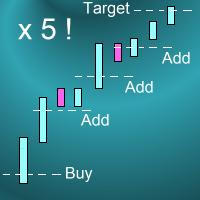
Introduction This powerful MT4 trade mangement EA offers a way potentially to aggressively multiply trade profits in a riskfree manner. Once a trade has been entered with a defined stoploss and take profit target then the EA will add three pyramid add-on trades in order to increase the overall level of profit. The user sets the total combined profit target to be gained if everything works out. This can be specified either as a multiple of the original trade profit or as a total dollar amount. Fo
この製品は、ニュースタイム中にすべてのエキスパートアドバイザーと手動チャートをフィルタリングするため、急激な価格変動によるマニュアルトレードのセットアップの破壊や他のエキスパートアドバイザーによって入力された取引について心配する必要はありません。この製品には、ニュースのリリース前にオープンポジションとペンディングオーダーを処理できる完全な注文管理システムも付属しています。 The News Filter  を購入すると、将来のエキスパートアドバイザーのためにビルトインのニュースフィルターに頼る必要はなく、今後はすべてのエキスパートアドバイザーをここからフィルタリングできます。 ニュース選択 ニュースソースは、Forex Factoryの経済カレンダーから取得されます。 USD、EUR、GBP、JPY、AUD、CAD、CHF、NZD、CNYなど、任意の通貨数に基づいて選択できます。 Non-Farm(NFP)、FOMC、CPIなどのキーワード識別に基づいて選択することもできます。 影響レベルによってフィルタリングするニュースを選択することができ、低、中、高の影響範囲から選択できます。
Prop Guardian Risk Manager MT4 – Drawdown, Risk & Hedge Protection for Prop Firm and Managed Accounts Prop Guardian Risk Manager is a professional risk-control utility for MetaTrader 4, designed for prop firm traders, money managers and anyone who wants strict account-level risk protection. It does not generate trading signals, strategy entries or trading decisions. Instead, it runs in the background, monitors your account risk and can automatically block new exposure, close managed trades or ac
FCK CurrencyStrength Pro
Patel Hitendrakumar Mahendrabhai
Hi Friends, " FCK Currency Strength Pro " is a auto & semi auto trading expert with direction of pair. Buy-Sell separate or multi currency in one click. The strategy of  FCK Currency Strength Pro  is a combination of custom indicator, Trendlines, Support & Resistance levels ( Price Action ) and most important secretive trading algorithm mentioned above. Download News Ex4 and csv file You need the following SDSnews.ex4 in MQL4/Libraries and the daylightsavings.csv in MQL4/Files. Only 4 of 5 copi
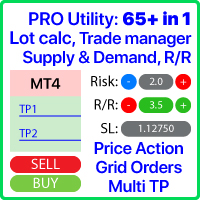
多機能取引ツール:ロット計算機、グリッド注文、R/R比率、トレードマネージャー、需給ゾーン、プライスアクションなど デモ版   |   ユーザーマニュアル トレードアシスタント はストラテジーテスターでは動作しません:この ユーティリティ をテストするには デモ版をこちら からダウンロードしてください。 ご質問 /改善のアイデア/バグ発見 の場合は 私に連絡 してください MT5版が必要な場合は、 こちら から入手できます 取引 プロセス を簡素化、高速化、自動化します。この ダッシュボード で標準ターミナルの機能を拡張します。 取引パネル はあらゆる取引銘柄で動作します:FX、株式、指数、暗号通貨など。 1. 新規取引の開始 :ロット/リスク/RR計算:手動取引のリスク管理 ロット計算機(リスクサイズに基づく取引量計算) リスク計算機(ロットサイズに基づくリスク額) リスクリワード比率 グリッド注文: + 動的間隔オプション、分割ロットオプション 注文アクショントリガー、+ 買いストップリミット/売りストップリミット:Mt4でも可能 仮想SL、仮想TP(非表示SL、非表示TP:ブロ

Risk manager Risk manager - it will simplify the tracking of drawdown and will notify you (alert) when the specified risk is reached, and close/lock orders when the critical DD risk level is reached. If the specified drawdown is exceeded, you can choose two options for actions: All orders will be closed that mean loss will be fixed on depo. The terminal also closes. Instead of fixing the loss on depo, the opposite order will be opened - orders locking will occure. Not a single order will be c
Lot Architect — Trade Panel and Position Size Calculator for MT4 Lot Architect is a trade panel and risk-based position size calculator for MetaTrader 4. It helps calculate lot size from the selected risk, displays trade parameters before entry, and supports Market, Limit and Stop orders from the chart. The utility is designed for traders who want a structured workflow for position sizing, stop-loss placement, take-profit planning and order execution. Purpose Before opening a trade, a trader nee
TradeMirror は、MT4/MT5プラットフォーム向けに開発されたローカル注文同期ツールで、リアルタイム取引をサポートします。 チュートリアル Trademirror チュートリアル のリンクをクリックして、さらにチュートリアルをご覧ください。 製品の特長 金融ソフトウェアにおけるセキュリティ・安定性・プライバシー保護の高基準に準拠し、以下の3つの核心領域を最適化しました: 直感的なグラフィカルインターフェースで操作が容易 金融シナリオにおける機密データ分離のための強化されたプライバシー保護 ミリ秒単位の注文同期で信号遅延ゼロを実現 MT4/MT5完全互換、多様な取引環境にシームレス対応 システム監視機能とメール通知による取引安定性管理 主要機能 本製品には以下のプロフェッショナルコピー機能を搭載: 複数アカウント並列接続 リアルタイムメール通知 ロットサイズカスタマイズ 信号フィルタリング機構 逆方向コピーモード テイクプロフィット/ストップロス再設定 無料デモ手順 購入前に以下の手順で全機能を体験可能: ページ内の「無料デモ」ボタンをクリック 「MetaTrader 4/5
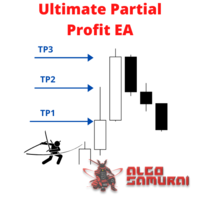
This EA Utility delivers a robust solution for managing an unlimited array of open orders, both manual and automated. It enables customizable partial profit levels utilizing metrics such as pips, ratios, ATR (Average True Range), and profit amounts for precise trade management. The utility features an advanced on-screen display, offering clear visualization of all orders and their profit levels to enhance strategic decision-making and control. To evaluate its performance and interface, the EA s
作者のその他のプロダクト
素晴らしい信号を見つけましたが、プロバイダーの敷地が小さすぎますか?より大きなポジションボリュームが必要ですが、ターミナルの設定が悪すぎますか? Signal Lot Manager は、必要な量の重複注文によってプロバイダーのポジション量を増やします。 ロットサイズと注文をコピーするシグナルの名前を設定するだけです。 Signal Lot Manager は、端末上で注文を複製するためのロット乗数ユーティリティです。ソースは、任意のアドバイザー、手動取引、個別の取引シグナルを選択できます。簡単なセットアップで幅広い機能を備え、高速性と信頼性も備えています。 Sign Lot Manager インストールおよび入力ガイド EA に関する通知を受け取りたい場合は、URL を MT4/MT5 ターミナルに追加してください (スクリーンショットを参照)。 MT4のバージョン     https://www.mql5.com/en/market/product/34864 MT5のバージョン     https://www.mql5.com/en/market/product/41610 一
エリオット波動カウンターは、エリオット波動を迅速かつユーザーフレンドリーに手動でマークアップするためのパネルです。マークの色とレベルを選択できます。最後のマークアップとツールによって作成されたマークアップ全体を削除する機能もあります。マークアップはワンクリックで作成されます。 5 回クリック - 5 つの波があります。エリオット波動カウンターは、エリオット波動の初心者にもプロのアナリストにも最適なツールです。 エリオット波動カウンターのインストールと入力ガイド 取得したい場合     EA 追加 URL (  http://autofxhub.com   ) MT5 端末に関する 通知 (スクリーンショットを参照)。 MT4 バージョン https://www.mql5.com/en/market/product/14016 MT5 バージョン https://www.mql5.com/en/market/product/15081 一般的な入力: 波の種類ボタン: このボタンを使用すると、ユーザーはチャートで強調表示する波のパターンの種類を選択できます。使用可能なオプションには、イン
If you wish to draw Support and Resistance lines, view: daily market opening, classical pivot levels, Fibonacci pivot levels, trend lines, Fibonacci levels, the remaining time to candle closing, and current spread. If you seek to place your orders with the exact lot that meets your desired stop loss risk. If you wish to do all this and more with just one click, then this is the perfect tool to use. This tool will allow you to feel more relaxed when deciding to open orders, as well as predicting
ワンクリック分析ツールは、     キーボード ショートカット ベースのオブジェクトの作成     MetaTraderのコピーツール。クリックするだけで MetaTrader の分析ツールを簡単に使用できます。私たちのツールを使用すると、サポートとレジスタンスのレベル、フィボナッチ レベル、形状、チャネル、トレンド ライン、およびチャート上の他のすべてのオブジェクトをすばやく描画できます。ボタンをクリックしてマウスを動かすだけで、ワンクリック分析ツールが残りの作業を行います。これにより時間が節約され、チャート分析がより効率的になり、分析に基づいて情報に基づいた取引決定を下すことに集中できるようになります。 ワンクリック分析ツールには、オブジェクトの作成に加えて、     あるチャートから別のチャートにオブジェクトを簡単にコピーできる オブジェクトコピー機 ( チャート 同期)   。これは、複数のチャートを開いていて、それらの間でオブジェクトを複製する必要がある場合に特に役立ちます。 ワンクリック分析ツールを使用すると、     すべてのシンボルに 1 つのチャートを使用する   メ
Draw Agentは、MetaTraderチャート用の描画ツールです。黒板に書くようにチャート上へ手描きし、すべての描画を1つのコンパクトなパネルから管理できます。取引は行わず、注文も送信せず、シグナルも提供しません。 エリオット波動のスケッチ、サポート・レジスタンスやゾーンのマーキング、トレードアイデアの下書き、ライブウェビナーで生徒や顧客にチャートを説明する場面などにご利用ください。描画は標準のチャートオブジェクトで作られているため、ターミナルを再起動してもチャート上に残ります。 インストールと入力パラメータのガイド MT4版: https://www.mql5.com/en/market/product/14929 MT5版: https://www.mql5.com/en/market/product/14964 目的と使い方 Draw Agentは、視覚的な分析とプレゼンテーションのためのツールです。水準やゾーンをマークし、波動カウントやアイデアを手描きし、ウェビナーで領域を強調し、注釈付きのスクリーンショットを保存して共有できます。描画は作成したシンボルに属するため、いつ
Partial Close Expertは 、多くの機能を1つの自動化システムに統合したツールです。このEAは、リスク管理と潜在的な利益の最大化のための複数のオプションを提供することで、トレーダーがポジションをより効果的に管理するのに役立ちます。 パーシャルクローズエキスパートを使用すると、トレーダーは   部分的な閉鎖   利益を確定するためのレベル、     トレーリングストップ   利益を守り損失を制限するレベル、     とんとん   価格が反対方向に動いた場合でも取引が損益ゼロになることを保証するレベル、およびその他のいくつかの機能。 このオールインワンのエキスパートアドバイザーを使用することで、トレーダーは取引を常に監視する必要がなく、時間と労力を節約できます。EAは市場の状況に基づいて事前に設定された指示を実行するため、トレーダーはより柔軟に取引をコントロールできます。 部分クローズエキスパートを添付し、     キーボードの「p」を押して 設定を変更すれば準備完了です。 部分クローズエキスパート   インストールと入力ガイド EA に関する通知を受け取りたい場合は、U
Trade Copier Agent は、複数の MetaTrader(4/5) アカウント/端末間で取引をコピーするように設計されています。 このツールを使用すると、プロバイダー (ソース) または受信者 (宛先) として機能できます。すべての取引アクションは、遅延なくプロバイダーからレシーバーにコピーされます。 このツールを使用すると、0.5 秒未満の超高速のコピー速度で、同じコンピューター上の複数の MetaTrader ターミナル間で取引をコピーできます。 Trade Copier Agent インストール & 入力ガイド コピーを開始する前、または注文がないうちに、プロバイダー アカウントで設定を適用してください。 注文中の変更は、受取人のアカウントに影響します。 例: プロバイダー アカウントが買い注文を適用し、その後、受信者アカウントのすべての買い注文を無効にすると、決済されます。 EA追加URL(   http://autofxhub.com   )MT4端末(スクリーンショット参照) に関する通知を受け取りたい場合 。 MT5 バージョン https://www

The library is dedicated to help manage your trades, calculate lot, trailing, partial close and other functions Orders CloseallSell CloseallBuy CloseallOpen DeletePending DeleteAll: Close All Market Orders and delete all pending orders. CheckOpenBuyOrders: return the count of buy orders. CheckOpenSellOrders: return the count of sell orders. CheckOpenOrders: return the count of market orders. ModifyOrder DeleteOrder CloseOrder OpenOrder Lot Calculation Mode 0: Fixed Lot. Mode 1: Martingale Lot
Telegram Publisher Agent は、 トレーダーが Telegram チャネルおよびグループにリアルタイムでシグナルを送信できるようにするアドオンです。このツールは、カスタマイズ可能なメッセージ、チャートのスクリーンショット、その他の機能を備えており、トレーダーが取引の洞察や戦略をフォロワーと共有するのに役立ちます。このツールは、明暗のテーマ切り替えを備えた美しいデザインも備えており、ユーザーに美的で機能的な取引体験を提供します。 Telegram Publisher Agent は、すべての取引をチャネルおよびグループ内のシグナルとして公開するように設計されています。あなたがしなければならないことは、取引を提供することだけです。その後、ボタンをクリックするだけで、Telegram Publisher Agent が取引シグナルを取引チャネルまたはグループに送信するためのすべての面倒な作業を実行します。 Telegram パブリッシャーエージェント   インストールと入力ガイド EA に関する通知を受け取りたい場合は、URL  ( http://autofxhub.c
素晴らしい信号を見つけましたが、プロバイダーの敷地が小さすぎますか?より大きなポジションボリュームが必要ですが、ターミナルの設定が悪すぎますか? Signal Lot Manager は、必要な量の重複注文によってプロバイダーのポジション量を増やします。 ロットサイズと注文をコピーするシグナルの名前を設定するだけです。 Signal Lot Manager は、端末上で注文を複製するためのロット乗数ユーティリティです。ソースは、任意のアドバイザー、手動取引、個別の取引シグナルを選択できます。簡単なセットアップで幅広い機能を備え、高速性と信頼性も備えています。 Sign Lot Manager インストールおよび入力ガイド EA に関する通知を受け取りたい場合は、URL を MT4/MT5 ターミナルに追加してください (スクリーンショットを参照)。 MT4のバージョン     https://www.mql5.com/en/market/product/34864 MT5のバージョン     https://www.mql5.com/en/market/product/41610 一
バイナリートレードパネルは、MT4/MT5プラットフォームでバイナリーオプションを取引するための非常に便利なツールです。 MT4/MT5 の外部でプラグインを設定する必要はもうありません。 MT4/MT5チャート上にあるシンプルで便利なパネルです。 バイナリートレードパネルは、MT4/MT5プラットフォームを使用してバイナリーオプションを取引するトレーダーにとって便利なツールです。これは、トレーダーが外部プラグインを設定したり、複数の画面やメニューをナビゲートしたりすることなく、MT4/MT5 チャートから直接バイナリー オプション取引を行うことができるシンプルで便利なパネルです。 バイナリートレードパネルは、MT4/MT5取引プラットフォームを提供するバイナリーオプションブローカーと特に連携するように設計されています。 そうは言っても、バイナリー オプション取引の仕組みを好み、通常のブローカーを使用してそのスタイルで取引を続けたい場合は、使用しているブローカーがバイナリー オプション取引と同様のエクスペリエンスをトレーダーに提供するように設計されたバイナリー トレード パネルが設計
MetaTrader のニュース パネルは、MetaTrader 取引プラットフォーム内の経済カレンダー データを表示するツールです。このツールは、金融ニュース Web サイトやデータ プロバイダーなどの外部ソースから経済ニュースやデータ リリースを取得し、読みやすい形式で表示します。 このツールを使用すると、トレーダーはソース、タイムゾーン、影響レベル、通貨、通知方法ごとにニュースリリースをフィルタリングできます。また、ユーザーが手動でデータを更新し、最新の情報を利用できるようにするための [更新] ボタンも含まれています。 ニュースパネルのインストールと入力ガイド ニュース パネルがソースからニュース データをロードできるようにするには、データ ソースの URL を [オプション] -> [エキスパート アドバイザー] -> [リストされた URL の WebRequest を許可する] に追加する必要があります。   (スクリーンショットを参照)。 MT4のバージョン     https://www.mql5.com/en/market/product/77300 MT5のバージ
Trades Time Manager は MetaTrader 用のトレード予約ツールです。アクション、シンボル、サーバーの日付と時刻を選ぶだけで、ツールが代わりに実行します。注文の発注、待機注文の設定、ポジションの決済、SL の建値移動、TP の変更、待機注文のキャンセルが可能です。シグナルは出さず、追加したタスクだけを実行します。 ニュースやセッション開始時のエントリー、週末前の全決済、決まった時刻にポジションの SL を建値へ移動するといった用途に最適です。1 回だけでも、選んだ曜日に繰り返すこともできます。 Trades Time Manager インストールと入力パラメータのガイド MT4 版: https://www.mql5.com/ja/market/product/103716 MT5 版: https://www.mql5.com/ja/market/product/103715 主な機能 14 種類のアクション:Buy, Sell, Buy Stop, Sell Stop, Buy Limit, Sell Limit, Close Buy only, Close
1つのチャートで、完全コントロール。 チャートごとにオブジェクト、色、設定を個別に管理して時間を無駄にするのはもうやめましょう。Chart Sync Manager なら、1つのパネルと少数のショートカットだけで、すべての MetaTrader チャートを即座に同期、コピー、操作できます。 1回描けば、どこでも更新。ワンクリックでチャートを開閉。シンボル別のオブジェクト管理で作業スペースをすっきり保てます。スプレッド表示、カウントダウンタイマー、ローソク足終了アラートで、大事な情報を見逃しません。 時間を節約し、ミスを減らし、よりスマートに取引しましょう。 Chart Sync Manager Installation & Inputs Guide MT4版  https://www.mql5.com/en/market/product/148491 MT5版  https://www.mql5.com/en/market/product/148492 主な機能:   オブジェクト - オブジェクトを1回描くだけで、他のチャートにリアルタイムで同期されます。トレンドライン、水平線、垂直
Notes Manager は MetaTrader のチャート用の付箋ツールです。チャート上に直接メモやチェックリストを書き、価格やローソク足に固定し、リマインダーを設定し、取引の記録をつけられます。すべて 1つのコンパクトなパネルから操作できます。取引は行わず、注文も送らず、シグナルも出しません。 セッション前のトレードプランの作成、価格と一緒に動くメモでの重要な価格帯のマーク、エントリー前のチェックリスト、価格があなたのレベルに達したときのアラート、そして 決済したすべての取引の結果を残すメモに使えます。メモはファイルに保存されるので、ターミナルを再起動しても残り、すべての MT4・MT5 ターミナルで共有できます。 インストールと入力パラメータのガイド MT4 版: https://www.mql5.com/ja/market/product/209449 MT5 版: https://www.mql5.com/ja/market/product/209450 目的と使い方 Notes Manager はトレーダーのためのメモ・計画・記録ツールです。プラン、価格帯、ルール、学ん
Draw Agentは、MetaTraderチャート用の描画ツールです。黒板に書くようにチャート上へ手描きし、すべての描画を1つのコンパクトなパネルから管理できます。取引は行わず、注文も送信せず、シグナルも提供しません。 エリオット波動のスケッチ、サポート・レジスタンスやゾーンのマーキング、トレードアイデアの下書き、ライブウェビナーで生徒や顧客にチャートを説明する場面などにご利用ください。描画は標準のチャートオブジェクトで作られているため、ターミナルを再起動してもチャート上に残ります。 インストールと入力パラメータのガイド MT4版: https://www.mql5.com/en/market/product/14929 MT5版: https://www.mql5.com/en/market/product/14964 目的と使い方 Draw Agentは、視覚的な分析とプレゼンテーションのためのツールです。水準やゾーンをマークし、波動カウントやアイデアを手描きし、ウェビナーで領域を強調し、注釈付きのスクリーンショットを保存して共有できます。描画は作成したシンボルに属するため、いつ
ワンクリック分析ツールは、     キーボード ショートカット ベースのオブジェクトの作成     MetaTraderのコピーツール。クリックするだけで MetaTrader の分析ツールを簡単に使用できます。私たちのツールを使用すると、サポートとレジスタンスのレベル、フィボナッチ レベル、形状、チャネル、トレンド ライン、およびチャート上の他のすべてのオブジェクトをすばやく描画できます。ボタンをクリックしてマウスを動かすだけで、ワンクリック分析ツールが残りの作業を行います。これにより時間が節約され、チャート分析がより効率的になり、分析に基づいて情報に基づいた取引決定を下すことに集中できるようになります。 ワンクリック分析ツールには、オブジェクトの作成に加えて、     あるチャートから別のチャートにオブジェクトを簡単にコピーできる オブジェクトコピー機 ( チャート 同期)   。これは、複数のチャートを開いていて、それらの間でオブジェクトを複製する必要がある場合に特に役立ちます。 ワンクリック分析ツールを使用すると、     すべてのシンボルに 1 つのチャートを使用する   メ
エリオット波動カウンターは、エリオット波動を迅速かつユーザーフレンドリーに手動でマークアップするためのパネルです。マークの色とレベルを選択できます。最後のマークアップとツールによって作成されたマークアップ全体を削除する機能もあります。マークアップはワンクリックで作成されます。 5 回クリック - 5 つの波があります。エリオット波動カウンターは、エリオット波動の初心者にもプロのアナリストにも最適なツールです。 エリオット波動カウンターのインストールと入力ガイド 取得したい場合     EA 追加 URL (   http://autofxhub.com   ) MT5 端末に関する 通知 (スクリーンショットを参照)。 MT4 バージョン https://www.mql5.com/en/market/product/14016 MT5 バージョン https://www.mql5.com/en/market/product/15081 一般的な入力: 波の種類ボタン: このボタンを使用すると、ユーザーはチャートで強調表示する波のパターンの種類を選択できます。使用可能なオプションには、イ
Partial Close Expertは 、多くの機能を1つの自動化システムに統合したツールです。このEAは、リスク管理と潜在的な利益の最大化のための複数のオプションを提供することで、トレーダーがポジションをより効果的に管理するのに役立ちます。 パーシャルクローズエキスパートを使用すると、トレーダーは   部分的な閉鎖   利益を確定するためのレベル、     トレーリングストップ   利益を守り損失を制限するレベル、     とんとん   価格が反対方向に動いた場合でも取引が損益ゼロになることを保証するレベル、およびその他のいくつかの機能。 このオールインワンのエキスパートアドバイザーを使用することで、トレーダーは取引を常に監視する必要がなく、時間と労力を節約できます。EAは市場の状況に基づいて事前に設定された指示を実行するため、トレーダーはより柔軟に取引をコントロールできます。 部分クローズエキスパートを添付し、     キーボードの「p」を押して 設定を変更すれば準備完了です。 部分クローズエキスパート   インストールと入力ガイド EA に関する通知を受け取りたい場合は、U
If you wish to draw Support and Resistance lines, view: daily market opening, classical pivot levels, Fibonacci pivot levels, trend lines, Fibonacci levels, the remaining time to candle closing, and current spread. If you seek to place your orders with the exact lot that meets your desired stop loss risk. If you wish to do all this and more with just one click, then this is the perfect tool to use. This tool will allow you to feel more relaxed when deciding to open orders, as well as predicting
The library is dedicated to help manage your trades, calculate lot, trailing, partial close and other functions. Lot Calculation Mode 0: Fixed Lot. Mode 1: Martingale Lot (1,3,5,8,13) you can use it in different way calculate when loss=1 ,when profit=0. Mode 2: Multiplier Lot (1,2,4,8,16) you can use it in different way calculate when loss=1 ,when profit=0. Mode 3: Plus Lot (1,2,3,4,5) you can use it in different way calculate when loss=1 ,when profit=0. Mode 4: SL/Risk Lot calculate based on s
Telegram Publisher Agent は、 トレーダーが Telegram チャネルおよびグループにリアルタイムでシグナルを送信できるようにするアドオンです。このツールは、カスタマイズ可能なメッセージ、チャートのスクリーンショット、その他の機能を備えており、トレーダーが取引の洞察や戦略をフォロワーと共有するのに役立ちます。このツールは、明暗のテーマ切り替えを備えた美しいデザインも備えており、ユーザーに美的で機能的な取引体験を提供します。 Telegram Publisher Agent は、すべての取引をチャネルおよびグループ内のシグナルとして公開するように設計されています。あなたがしなければならないことは、取引を提供することだけです。その後、ボタンをクリックするだけで、Telegram Publisher Agent が取引シグナルを取引チャネルまたはグループに送信するためのすべての面倒な作業を実行します。 Telegram パブリッシャーエージェント   インストールと入力ガイド EA に関する通知を受け取りたい場合は、URL (   http://autofxhub.
Trade Copier Agent は、複数の MetaTrader(4/5) アカウント/端末間で取引をコピーするように設計されています。 このツールを使用すると、プロバイダー (ソース) または受信者 (宛先) として機能できます。すべての取引アクションは、遅延なくプロバイダーからレシーバーにコピーされます。 このツールを使用すると、0.5 秒未満の超高速のコピー速度で、同じコンピューター上の複数の MetaTrader ターミナル間で取引をコピーできます。 Trade Copier Agent インストール & 入力ガイド コピーを開始する前、または注文がないうちに、プロバイダー アカウントで設定を適用してください。 注文中の変更は、受取人のアカウントに影響します。 例: プロバイダー アカウントが買い注文を適用し、その後、受信者アカウントのすべての買い注文を無効にすると、決済されます。 EA追加URL(   http://autofxhub.com   )MT4端末(スクリーンショット参照) に関する通知を受け取りたい場合 。 MT5 バージョン https://www

MetaTrader のニュース パネルは、MetaTrader 取引プラットフォーム内の経済カレンダー データを表示するツールです。このツールは、金融ニュース Web サイトやデータ プロバイダーなどの外部ソースから経済ニュースやデータ リリースを取得し、読みやすい形式で表示します。 このツールを使用すると、トレーダーはソース、タイムゾーン、影響レベル、通貨、通知方法ごとにニュースリリースをフィルタリングできます。また、ユーザーが手動でデータを更新し、最新の情報を利用できるようにするための [更新] ボタンも含まれています。 ニュースパネルのインストールと入力ガイド ニュース パネルがソースからニュース データをロードできるようにするには、データ ソースの URL を [オプション] -> [エキスパート アドバイザー] -> [リストされた URL の WebRequest を許可する] に追加する必要があります。   (スクリーンショットを参照)。 MT4のバージョン     https://www.mql5.com/en/market/product/77300 MT5のバー
バイナリートレードパネルは、MT4/MT5プラットフォームでバイナリーオプションを取引するための非常に便利なツールです。 MT4/MT5 の外部でプラグインを設定する必要はもうありません。 MT4/MT5チャート上にあるシンプルで便利なパネルです。 バイナリートレードパネルは、MT4/MT5プラットフォームを使用してバイナリーオプションを取引するトレーダーにとって便利なツールです。これは、トレーダーが外部プラグインを設定したり、複数の画面やメニューをナビゲートしたりすることなく、MT4/MT5 チャートから直接バイナリー オプション取引を行うことができるシンプルで便利なパネルです。 バイナリートレードパネルは、MT4/MT5取引プラットフォームを提供するバイナリーオプションブローカーと特に連携するように設計されています。 そうは言っても、バイナリー オプション取引の仕組みを好み、通常のブローカーを使用してそのスタイルで取引を続けたい場合は、使用しているブローカーがバイナリー オプション取引と同様のエクスペリエンスをトレーダーに提供するように設計されたバイナリー トレード パネルが設計
Trades Time Manager は MetaTrader 用のトレード予約ツールです。アクション、シンボル、サーバーの日付と時刻を選ぶだけで、ツールが代わりに実行します。注文の発注、待機注文の設定、ポジションの決済、SL の建値移動、TP の変更、待機注文のキャンセルが可能です。シグナルは出さず、追加したタスクだけを実行します。 ニュースやセッション開始時のエントリー、週末前の全決済、決まった時刻にポジションの SL を建値へ移動するといった用途に最適です。1 回だけでも、選んだ曜日に繰り返すこともできます。 Trades Time Manager インストールと入力パラメータのガイド MT4 版: https://www.mql5.com/ja/market/product/103716 MT5 版: https://www.mql5.com/ja/market/product/103715 主な機能 14 種類のアクション:Buy, Sell, Buy Stop, Sell Stop, Buy Limit, Sell Limit, Close Buy only, Close
Risk to Reward Ratio Manager は、MetaTrader 用のビジュアル注文ツール兼ポジションサイズ計算機です。チャート上でリスク、ストップロス、テイクプロフィットを設定し、取引前にロット数、リスク、リワードを確認して、ワンクリックで注文できます。ロットはあなたのリスクから計算されるため、すべての取引で計画どおりのリスクになります。 ドラッグできるエントリー、ストップロス、テイクプロフィットのラインでトレードを計画し、リスクリワード比を 1:2、1:3、1:4 または任意の値に保ち、証拠金と建玉全体のリスクを確認し、1日の損失上限に達したら取引を止めることができます。設定は保存され、ターミナルを再起動しても保持されます。このツールはシグナルを出さず、自動売買もしません。注文は、ボタンまたはショートカットキーを押したときだけ送信されます。 Risk to Reward Ratio Manager インストール&入力ガイド MT4 版: https://www.mql5.com/ja/market/product/207859 MT5 版: https://www
1つのチャートで、完全コントロール。 チャートごとにオブジェクト、色、設定を個別に管理して時間を無駄にするのはもうやめましょう。Chart Sync Manager なら、1つのパネルと少数のショートカットだけで、すべての MetaTrader チャートを即座に同期、コピー、操作できます。 1回描けば、どこでも更新。ワンクリックでチャートを開閉。シンボル別のオブジェクト管理で作業スペースをすっきり保てます。スプレッド表示、カウントダウンタイマー、ローソク足終了アラートで、大事な情報を見逃しません。 時間を節約し、ミスを減らし、よりスマートに取引しましょう。 Chart Sync Manager Installation & Inputs Guide MT4版  https://www.mql5.com/en/market/product/148491 MT5版  https://www.mql5.com/en/market/product/148492 主な機能:   オブジェクト - オブジェクトを1回描くだけで、他のチャートにリアルタイムで同期されます。トレンドライン、水平線、垂直
Notes Manager は MetaTrader のチャート用の付箋ツールです。チャート上に直接メモやチェックリストを書き、価格やローソク足に固定し、リマインダーを設定し、取引の記録をつけられます。すべて 1つのコンパクトなパネルから操作できます。取引は行わず、注文も送らず、シグナルも出しません。 セッション前のトレードプランの作成、価格と一緒に動くメモでの重要な価格帯のマーク、エントリー前のチェックリスト、価格があなたのレベルに達したときのアラート、そして 決済したすべての取引の結果を残すメモに使えます。メモはファイルに保存されるので、ターミナルを再起動しても残り、すべての MT4・MT5 ターミナルで共有できます。 インストールと入力パラメータのガイド MT4 版: https://www.mql5.com/ja/market/product/209449 MT5 版: https://www.mql5.com/ja/market/product/209450 目的と使い方 Notes Manager はトレーダーのためのメモ・計画・記録ツールです。プラン、価格帯、ルール、学ん
フィルタ:
レビューなし
レビューに返信