TradeDiscipliner
- Utilità
- Versione: 3.40
- Attivazioni: 10

Stop Trading on Impulse. Let Your Rules Do the Blocking.
TradeDiscipliner — The Rule-Enforcing Order Panel for MT5
You already know your rules. The problem is following them.
You have a strategy. You know your risk-reward minimum. You know your lot-sizing rules. You know you shouldn't enter after three losses in a row.
And yet — the moment a candle spikes, all of that knowledge evaporates. You click BUY anyway. You tell yourself "just this once." Then you watch the position go against you, exactly the way your own rules warned you it would.
This isn't a knowledge problem. It's an execution problem. TradeDiscipliner exists to solve exactly that.
What TradeDiscipliner actually is
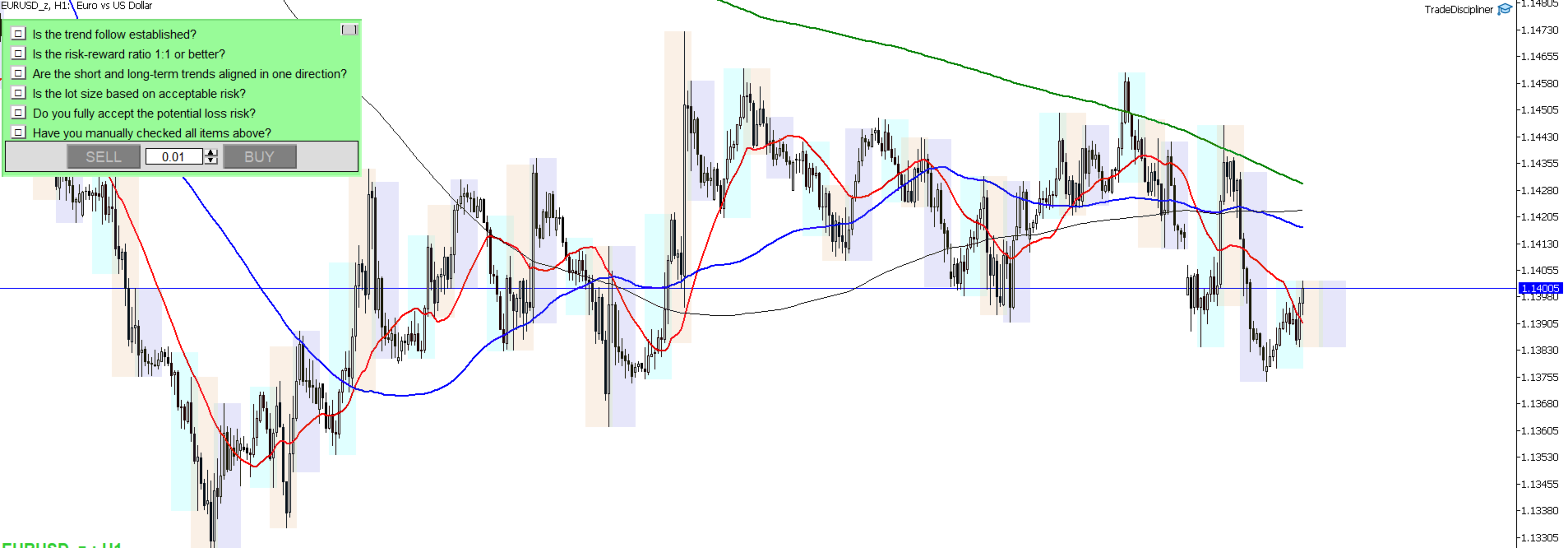
TradeDiscipliner is not an indicator. It doesn't predict price, and it doesn't generate trading signals. It is a rule-enforcing order panel that replaces MT5's default one-click trading panel with one that has a simple, non-negotiable condition:
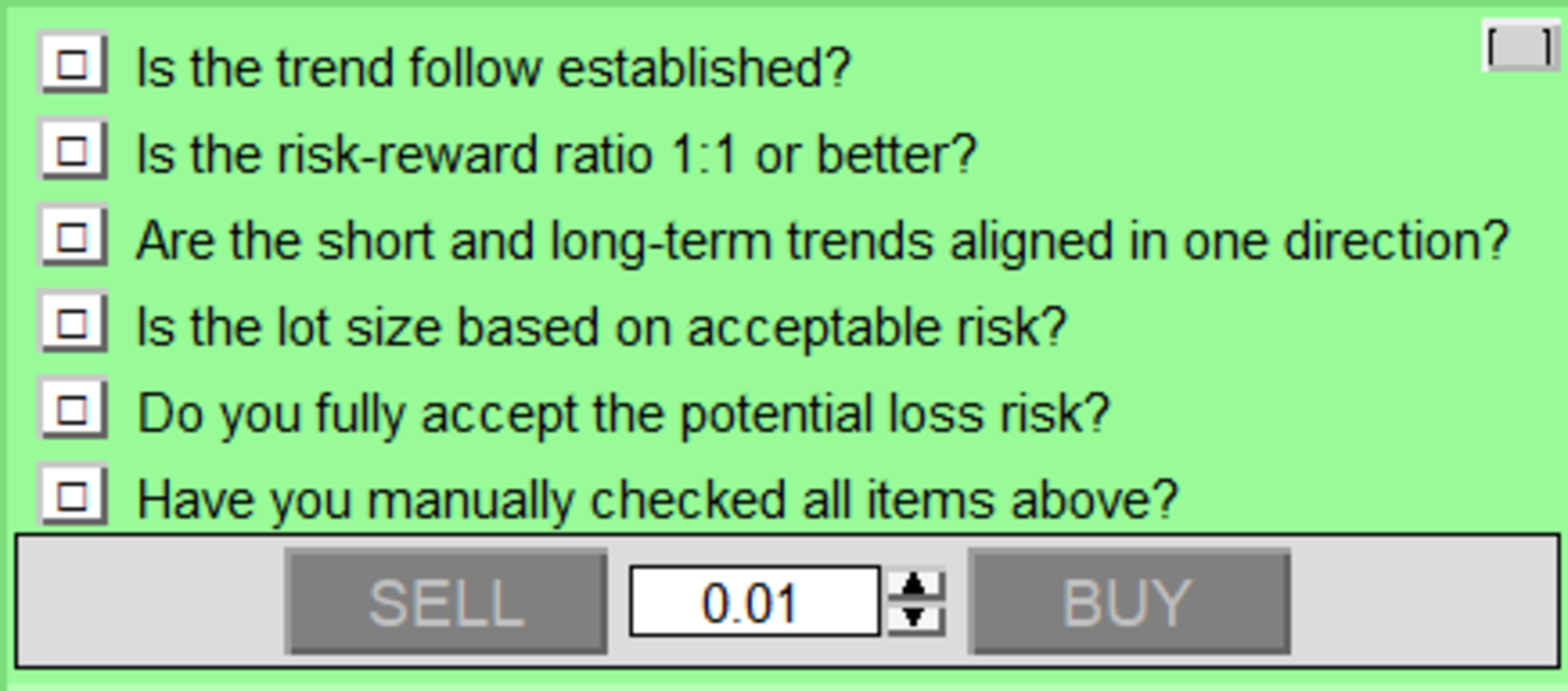
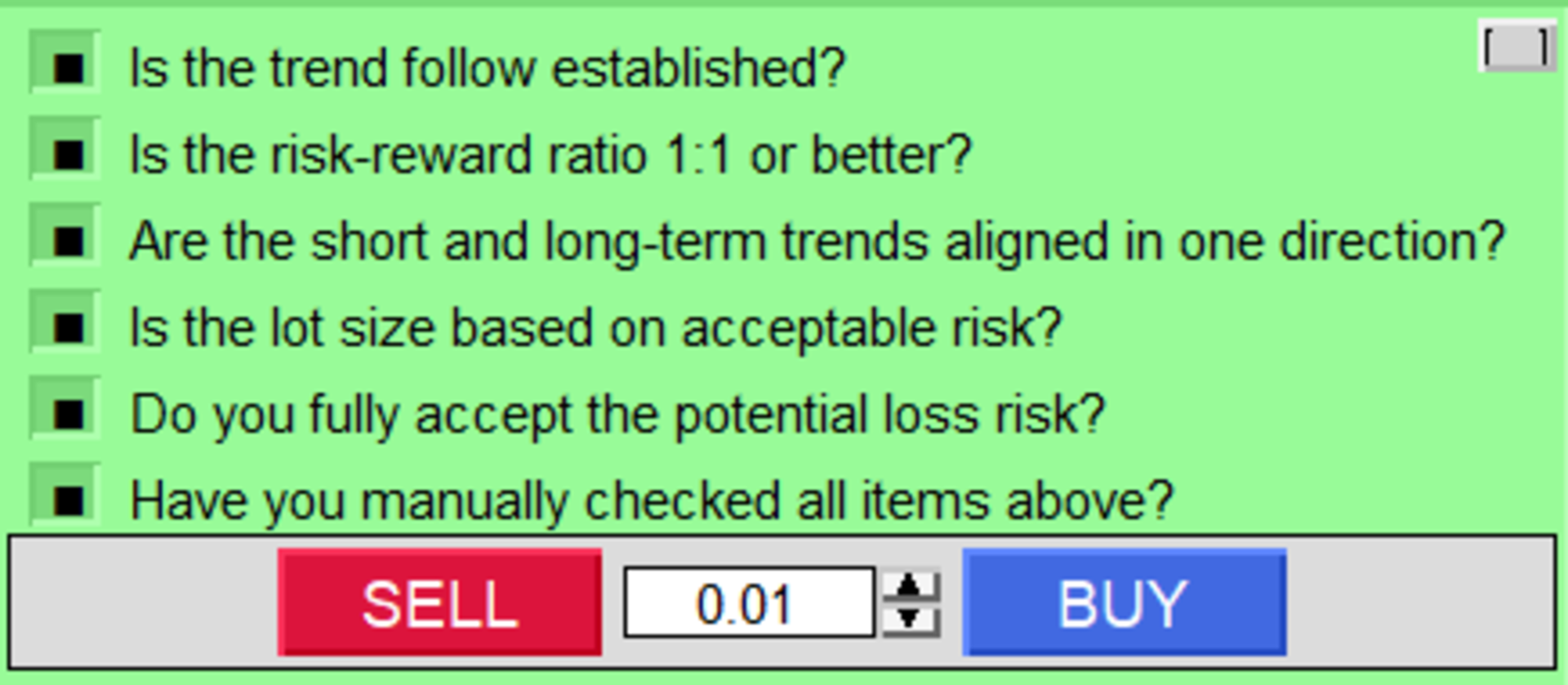
Every rule on your checklist must be checked before the BUY or SELL button will do anything at all.
Miss one box, and the buttons are visually and functionally dead. There is no override, no "just this once." The tool doesn't know your excuses — it only knows whether the boxes are checked.
How the protection actually works (and why we're telling you the technical details)
Most "discipline" tools on the market work by watching your account after you've already opened a trade, then closing it back out if you broke a rule. That approach quietly costs you money every time it triggers — a small slice of spread and slippage, lost on every "correction."
TradeDiscipliner is built with two layers, and we want to be precise about what each one does:
Layer 1 — The panel itself (zero cost). When you place an order through TradeDiscipliner's own BUY/SELL buttons, and your checklist isn't complete, the order is never sent to your broker in the first place. No trade opens, so there is nothing to unwind — zero slippage, zero spread cost, zero exposure.
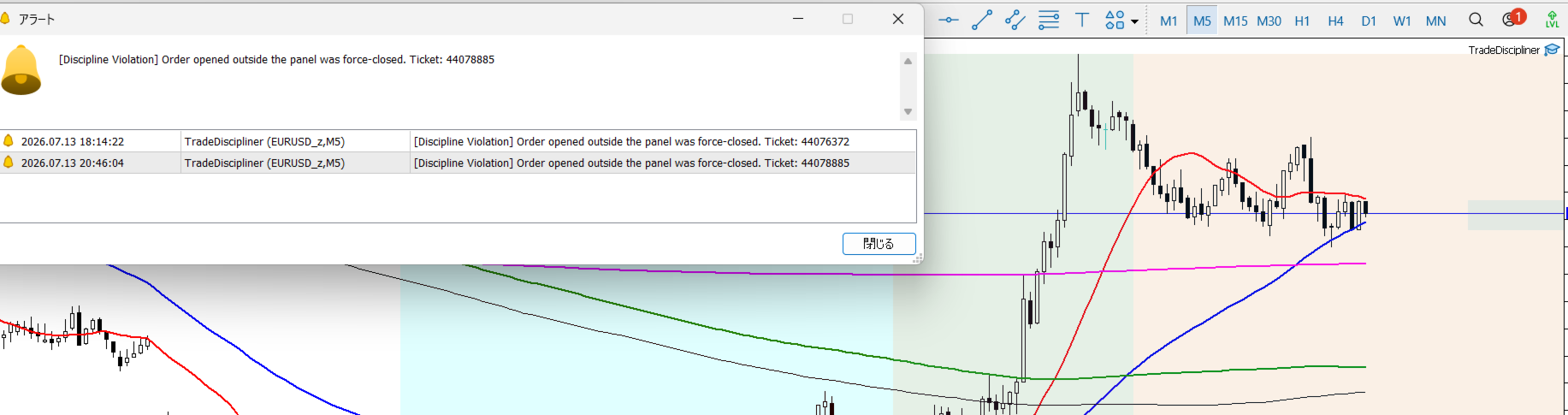
Layer 2 — The safety net (for everything else). MT5 lets orders in from other doors too — the platform's own order dialog (F9), a mobile app, or another EA. TradeDiscipliner can't physically lock those doors (no MT5 tool can), but it actively watches your account in the background and force-closes any position that didn't come through its own panel while your rules are incomplete — typically within a fraction of a second. Because this is a close of an already-open position rather than a block, it can involve a small amount of slippage, exactly like the "after the fact" tools described above. This is the honest trade-off of working within MT5's architecture.
In short: use the panel, and it costs you nothing. Slip past it through another door, and TradeDiscipliner still has your back within moments — not instead of protection, but as a backup to it.
What's actually in the box
- Up to 10 fully custom rules — write your own checklist in plain English (or any language), from "Is my risk-reward at least 1:1?" to "Have I checked the news calendar?"
- Six professionally-written rules pre-loaded, covering trend confirmation, risk-reward, multi-timeframe trend alignment, position sizing, loss acceptance, and a final manual gut-check — ready to use out of the box, or overwrite with your own.
- Editable lot size, directly in the panel — type a value or use the up/down steppers, with automatic rounding to your broker's allowed lot step.
- Optional fixed Stop Loss / Take Profit (in points) — set it once if you want every panel trade to carry the same risk parameters automatically.
- Auto-fitting panel width — the panel sizes itself to your rule text automatically, with a manual override available if you ever want to fine-tune it.
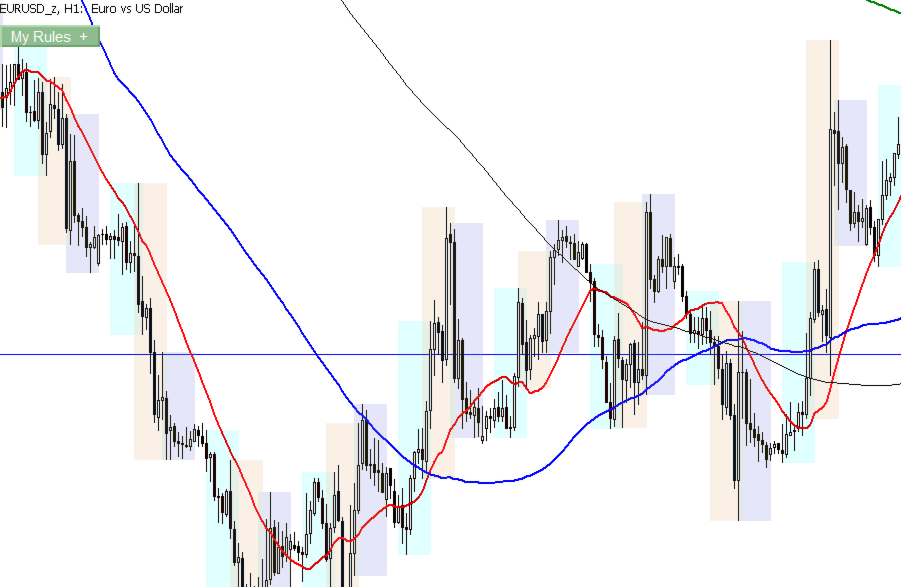
- One-click minimize — collapse the whole panel into a small "My Rules +" button whenever you want a clean chart.
- Session-aware checklist memory — your checked boxes survive a timeframe or symbol change (so multi-timeframe analysis doesn't force you to re-check everything), but reset automatically the next time you restart MT5, so you're never trading today on yesterday's confirmation.
⚙️ One-Time Setup Note (Please Read Before First Use)
Before TradeDiscipliner can place or block any order, MT5's "Algo Trading" permission must be switched on — both the main toolbar button in the terminal, and the individual "Allow Algo Trading" checkbox inside the EA's own properties (press F7 on the chart to check this). This is a standard MT5 requirement for every Expert Advisor, not something specific to TradeDiscipliner — without it, MT5 will silently block every order the panel tries to send, as well as the Layer 2 safety net described above.
The math is simple
Think about your last rule-breaking trade. Not the strategy that didn't work out — the one where you knew better and clicked anyway.
TradeDiscipliner costs less than the spread on a single bad entry. It only has to prevent one of those trades, ever, to have already paid for itself. Everything after that is money it kept in your account instead of your broker's.
This is a discipline tool, not a profit guarantee
To be direct: TradeDiscipliner does not analyze the market, does not predict direction, and cannot make a bad strategy profitable. What it does is make sure that whatever strategy you've chosen actually gets followed, trade after trade, without your emotions getting a vote. If your rules are good, enforcing them consistently is exactly what turns a good strategy on paper into good results in your account.
Disclaimer
TradeDiscipliner is a trading-discipline support tool. It does not provide trading signals, does not predict market direction, and does not guarantee profits, error-free execution, or protection against every possible order entry method. All trading involves risk of loss, and any losses incurred through the use of this software — including losses arising from orders placed outside of TradeDiscipliner's own panel — are entirely the user's responsibility. The developer accepts no liability for trading losses, technical malfunctions, broker-side execution issues, or any other outcome arising from the use of this software. Use at your own risk, and always test thoroughly on a demo account before live use.