Happy Eagle
- Experts
- Pui Yan Leung
- Versione: 1.0
- Attivazioni: 5
Overview
Happy Eagle is a professional trend-following and fractal-based reversal Expert Advisor developed for the XAUUSD (Gold) H1. The system identifies high-probability entry points by combining Multi-EMA trend filtering with Bill Williams Fractal exhaustion points.
Key Functions
- Hides Take Profit (TP) and Stop Loss (SL) levels from broker servers. It monitors price movements locally and executes a "Stealth Close" once targets are hit to prevent stop-hunting.
- Utilizes an Average True Range (“ATR”) filter to dynamically adjust the safety buffer for stop losses based on current market volatility.
- Ensures trades are only executed when the short, medium, and long-term trends are perfectly aligned.
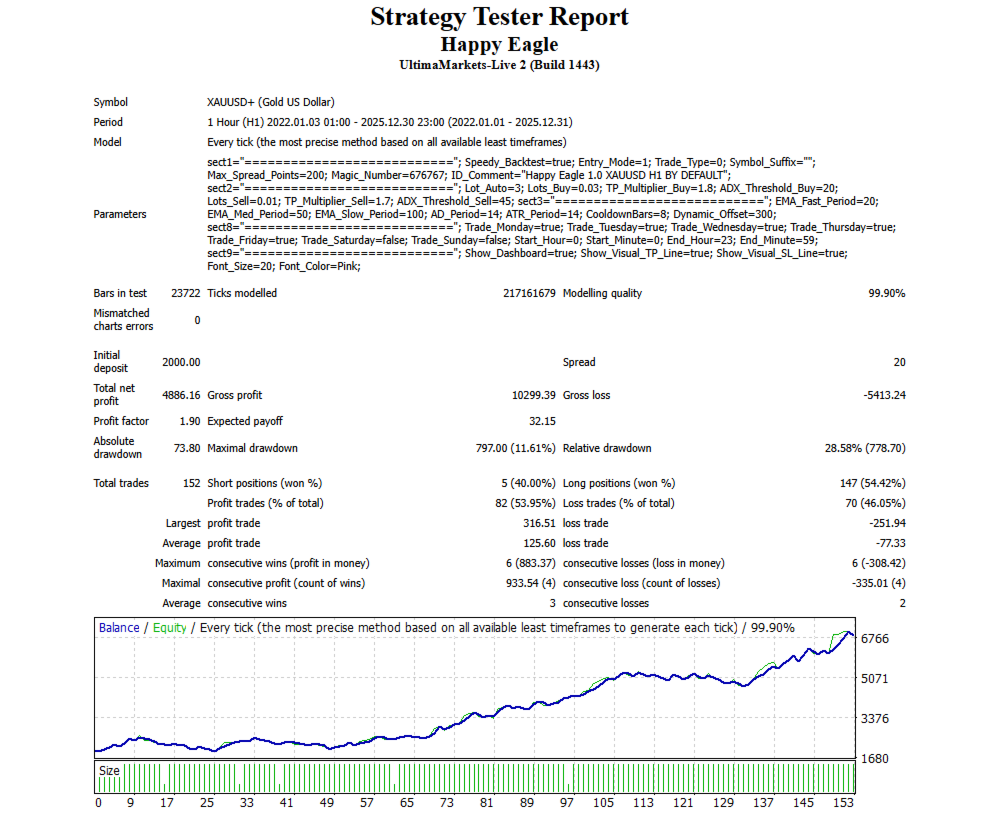
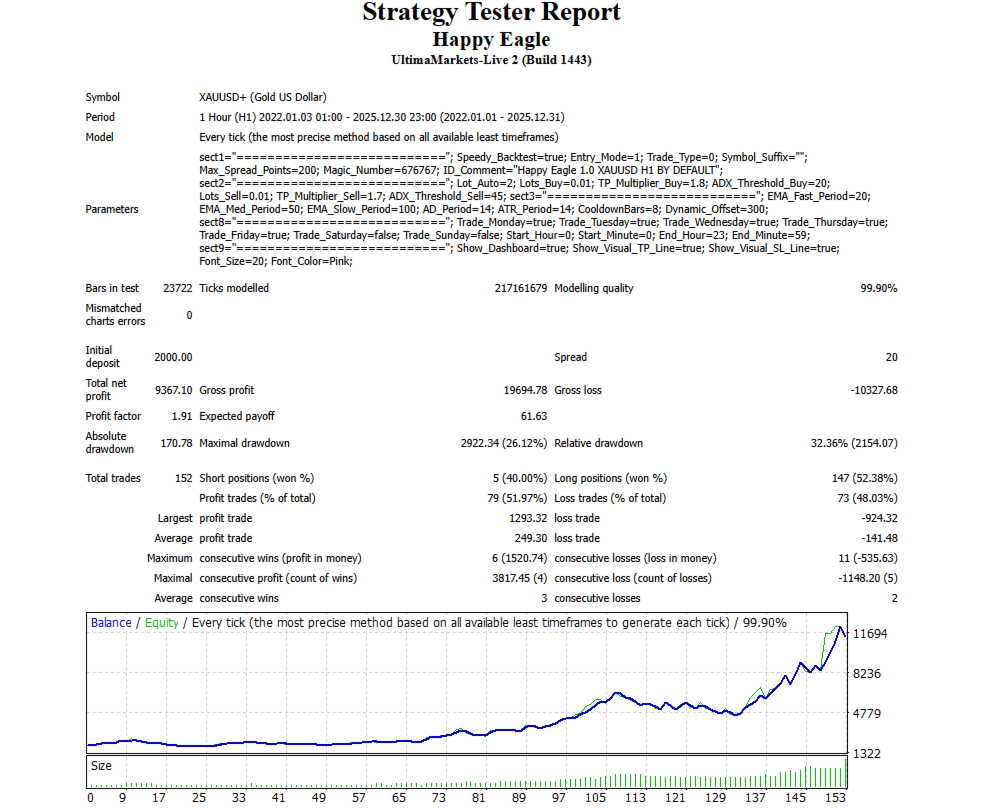
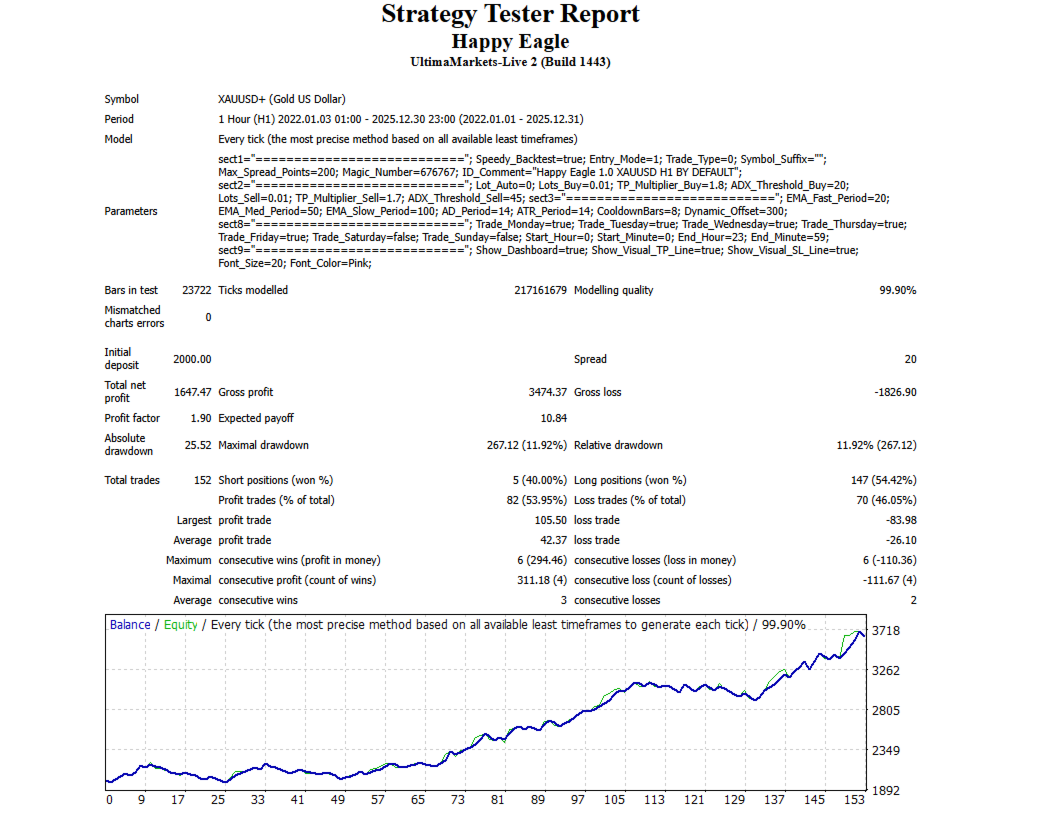
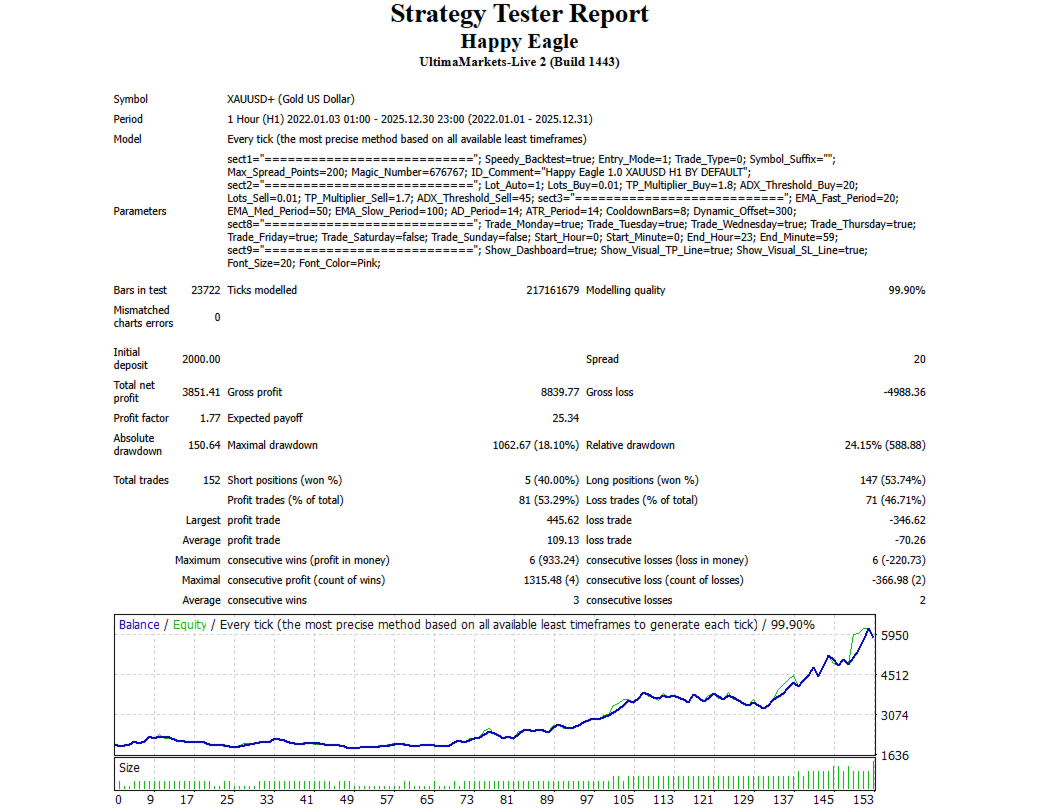
- Built-in auto lot calculation logic allows users to switch between risk profiles (Low, Medium, High):
| Mode | Initial Lot Logic | Equity per 0.01 Lot |
| Low Risk | Auto-Equity | $2,000 |
| Medium Risk | Auto-Equity | $1,000 |
| High Risk | Auto-Equity | $750 |
|
| Manual Fixed | User Input |
Core Trading Strategy
- Fractal Reversal Logic
Monitors price action for Bill Williams Fractals. A trade is triggered when a confirmed fractal appears on the 3rd bar back, indicating a potential local exhaustion point.
- Sell Setup / Buy Setup
Occurs when an upper fractal is detected, the price is between the Medium and Slow EMAs, and the overall EMA stack is in a bearish formation (Fast < Medium < Slow).
Occurs when a lower fractal is detected, the price is between the Medium and Slow EMAs, and the overall EMA stack is in a bullish formation (Fast > Medium > Slow).
- Momentum Filtering (ADX)
Avoids "fakeout" signals by utilizes the Average Directional Index (‘ADX”). It will only enter a trade if the ADX value exceeds the defined threshold (i.e. 20 for Buys, 45 for Sells), ensuring the trend has sufficient strength.
- Session Management
Allows users to define specific trading days (Monday–Sunday) and specific start/end hours to avoid high-volatility news events.
Visual Display
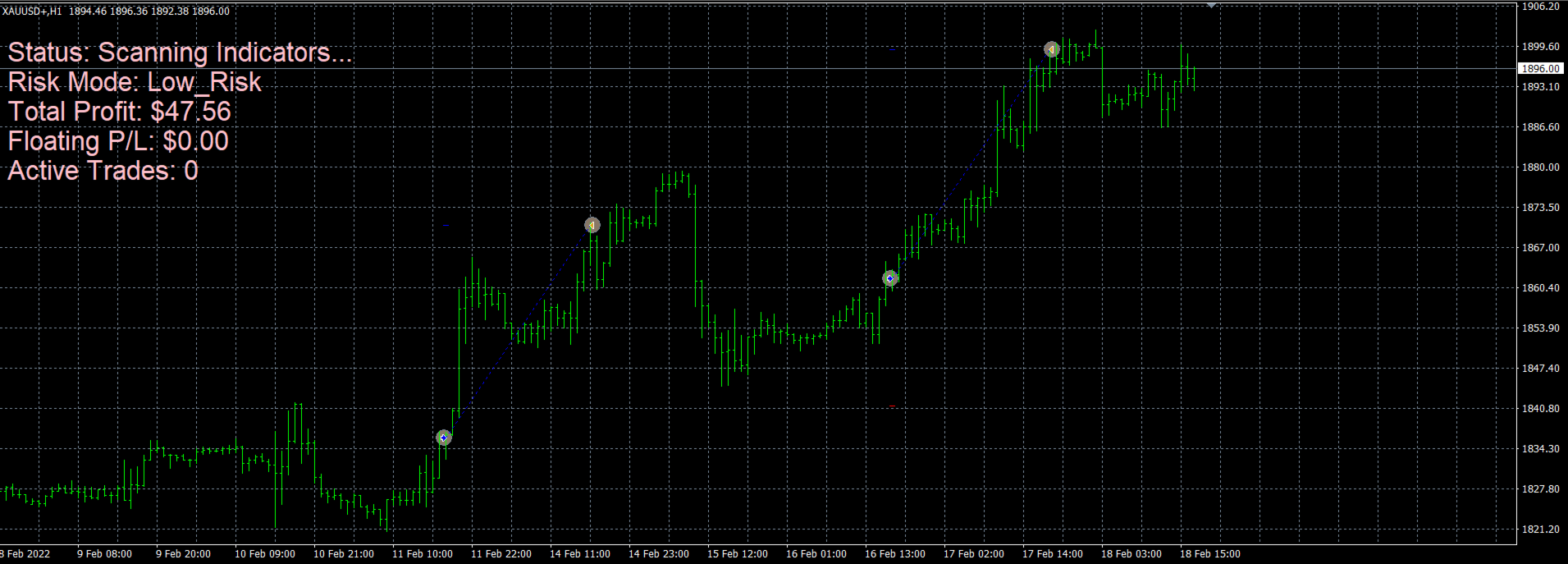
Show TP Line / Show BE Line draw horizontal lines on the chart to visualize the basket's Take Profit and Breakeven levels.
- Automatic Risk Tiers
Built-in lot calculation logic allows users to switch between risk profiles (Low, Medium, High) without manual lot calculation.
Support
If you have questions or want to share suggestions, please leave your comment or contact through the MQL5 messaging system.