Grid Copier
- Utilità
-
Aleh Piatrenka
 MQL4/MQL5 developer specializing in Expert Advisors and trading utilities.
Experienced in trade copying (master/slave systems) and trading notification services.
All products are designed and personally used in real trading environments. - Versione: 1.1
- Aggiornato: 23 febbraio 2026
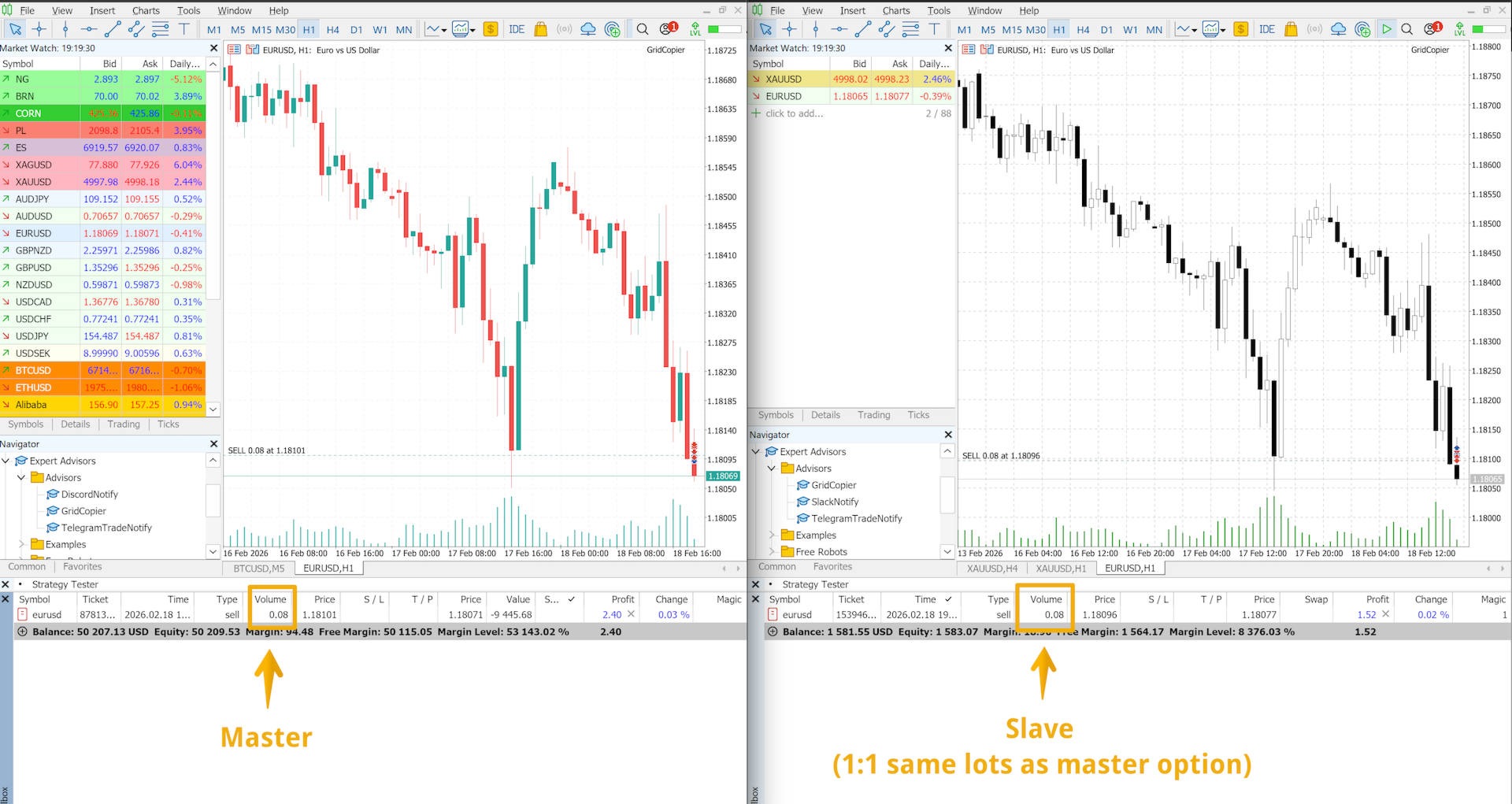
Copia automaticamente l’apertura delle operazioni BUY/SELL da un conto di trading (Master) a un altro conto (Slave) con sincronizzazione automatica di un Take Profit condiviso per la stessa direzione.
Progettato per il trading a griglia, strategie di averaging e martingale. Il conto Slave replica le azioni di trading del conto Master e non prende decisioni di trading indipendenti. I terminali non devono necessariamente essere installati sullo stesso dispositivo.
Come funziona:
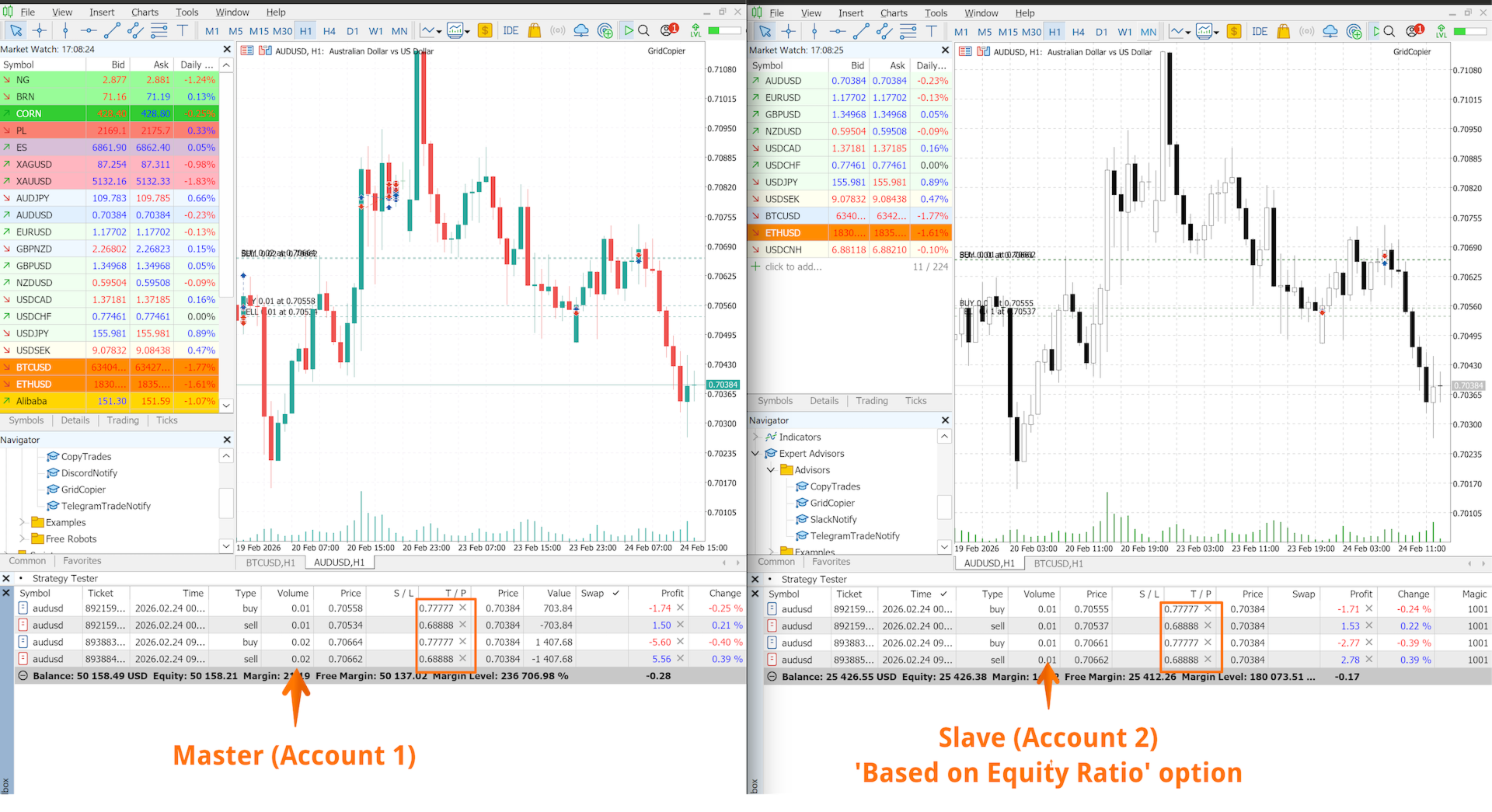
Il conto Master apre una griglia di posizioni BUY su EURUSD e imposta un Take Profit condiviso. Dopo alcuni secondi, il conto Slave apre automaticamente la stessa griglia di posizioni BUY e copia il TP. La dimensione del lotto può essere calcolata proporzionalmente al deposito dello Slave oppure impostata con un rapporto 1:1 - questo parametro è configurato nelle impostazioni di input. Se il Master modifica il TP delle posizioni aperte, lo Slave ripete la modifica. La sincronizzazione del Take Profit può essere disattivata nelle impostazioni se necessario.
Configurazione:
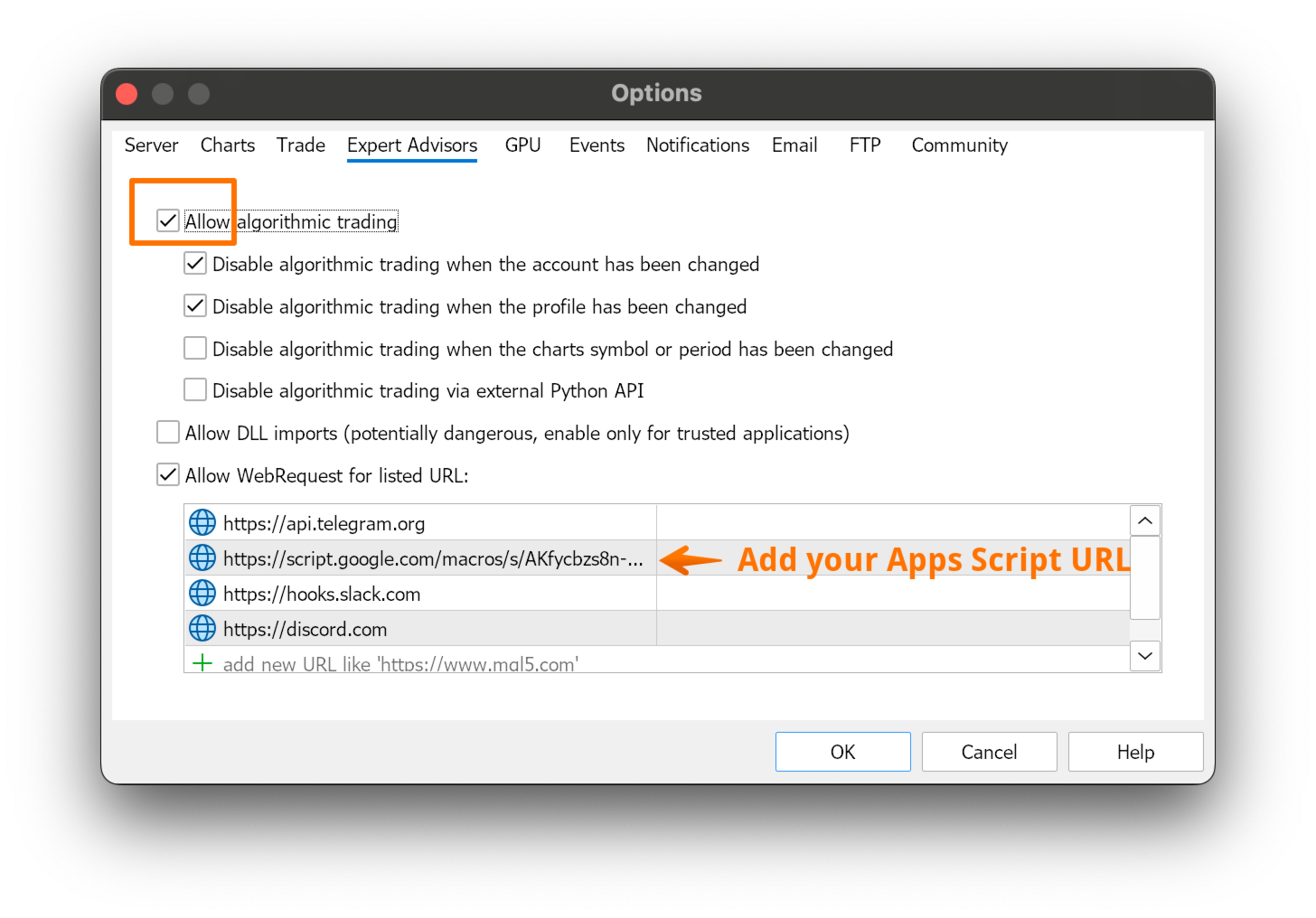
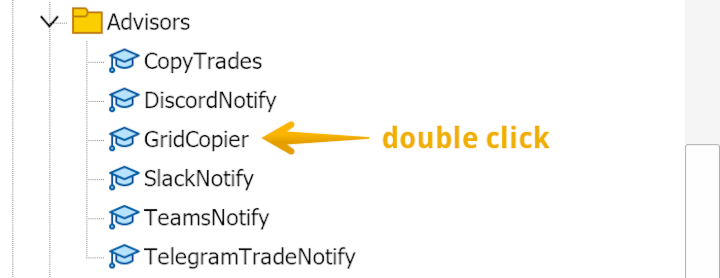
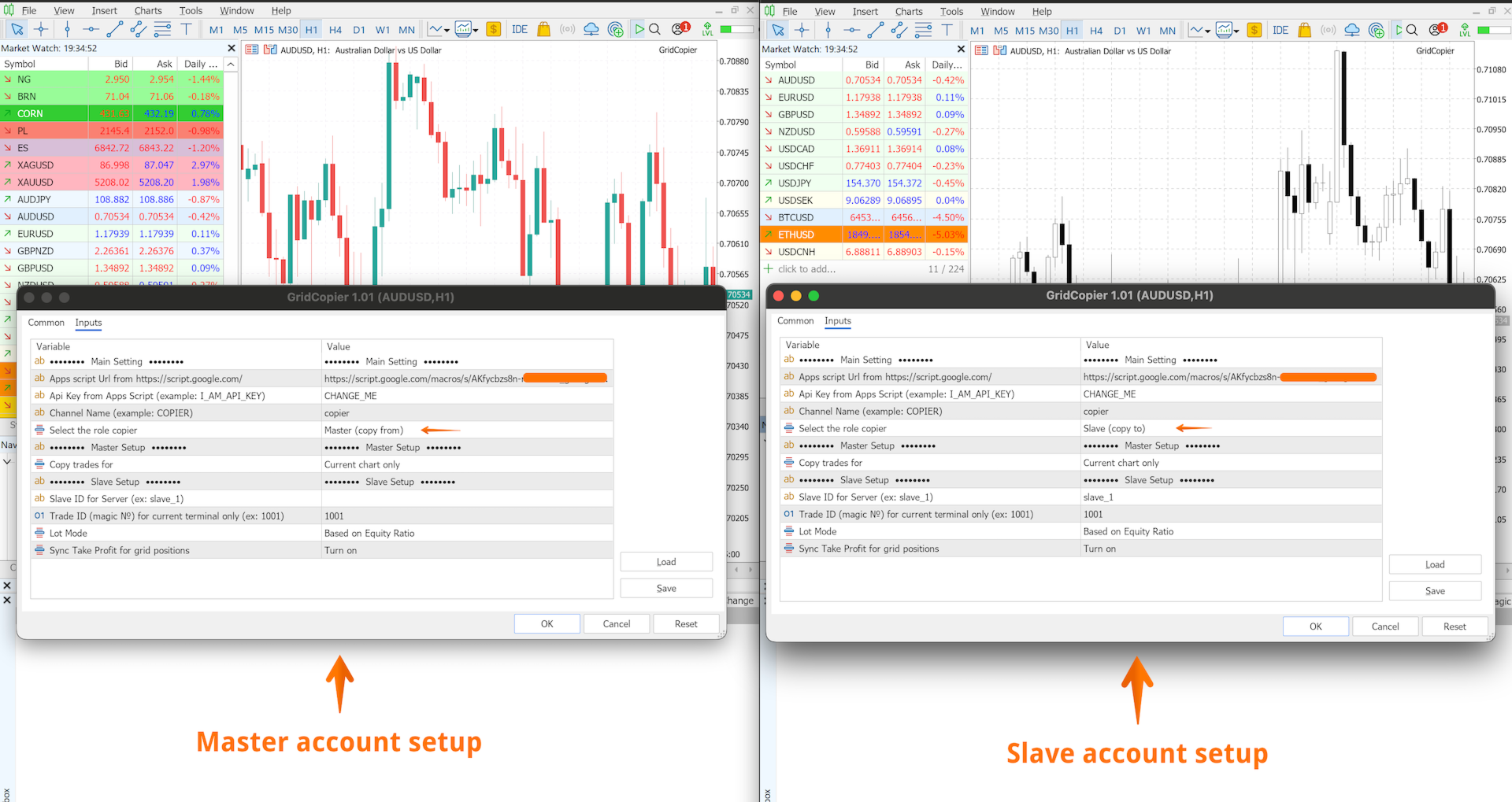
- Per copiare tutte le operazioni dal Master allo Slave indipendentemente dallo strumento di trading, collegare l’utilità a qualsiasi grafico, selezionare il ruolo Master, impostare il Channel Name e abilitare il parametro All Symbols. Sul conto Slave collegare l’utilità a qualsiasi grafico, selezionare il ruolo Slave e specificare lo stesso Channel Name - le operazioni verranno copiate automaticamente su tutti gli strumenti.
- Per copiare solo strumenti specifici (ad esempio EURUSD e XAUUSD), collegare l’utilità a ciascun grafico corrispondente sul conto Master e abilitare il parametro Current Chart Only per ogni istanza Master. Sul conto Slave collegare l’utilità agli stessi strumenti. Utilizzare un Channel Name separato per ogni coppia Master–Slave.
Note importanti:
- Lo Stop Loss non viene copiato sullo Slave
- È supportato un solo account Slave
- Le chiusure parziali delle posizioni e gli ordini pendenti non vengono copiati
- Si consiglia di utilizzare Grid Copier sui timeframe M5 o superiori
- Se il mercato sul conto Slave è chiuso quando il Master apre un’operazione, l’operazione potrebbe non essere copiata (dipende dal broker)
Se questo strumento ti è utile, una recensione sarebbe molto apprezzata.
Nota: Questo prodotto è attualmente disponibile gratuitamente. Il prezzo potrebbe cambiare in futuro.