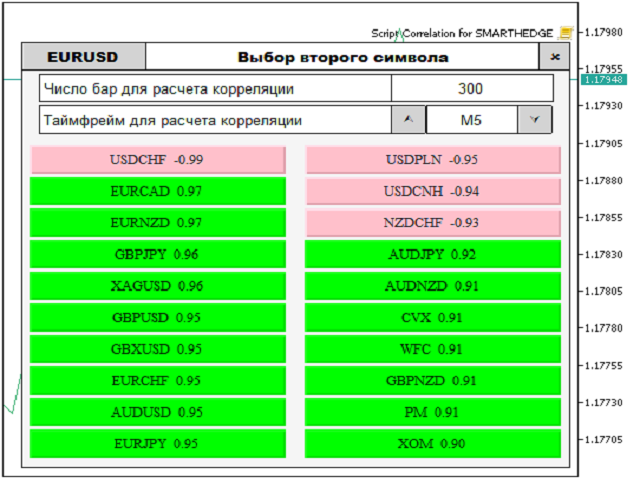
Correlation for SH

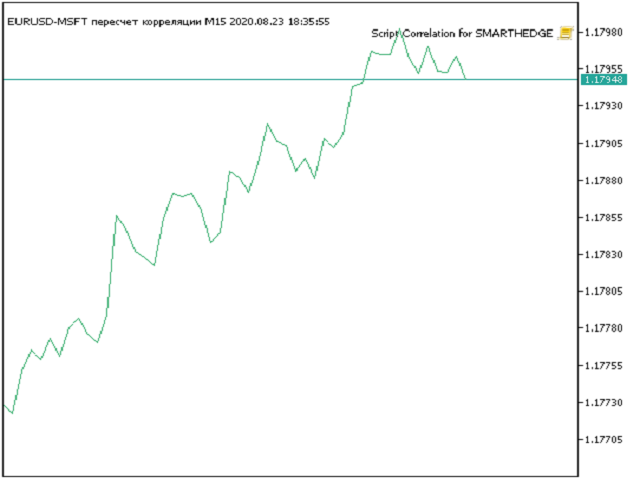
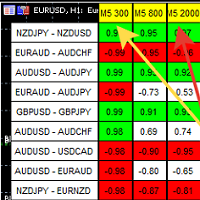
Script for quickly selecting a tool with high correlation.
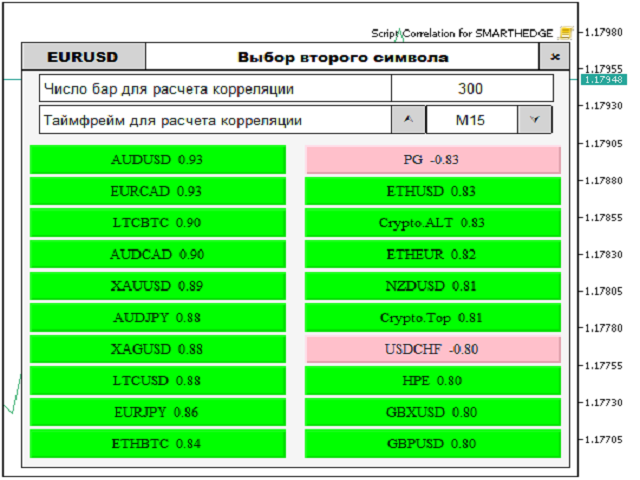
The script is placed on the tool to which you need to select the second correlating one. Then you can change the number of bars to calculate and the timeframe. The script iterates through all available symbols in the market overview and returns the 20 most correlated ones. You can use the selected pairs to trade with THE new SH expert Advisor
Prodotti consigliati
Reverse
Konstantin Chernov
1 (1)
A script for quick reversing positions and/or orders. If you need to reverse a position with the same volume, open an opposite position of a different volume, this script will save you from routine! Allow AutoTrading before running the script. Instructions: Run the script on the chart. This script is a limited version of the market product https://www.mql5.com/en/market/product/638 and allows reversing only positions. Input parameters are not required. Parameters such as changing the type of exi
FREE
MultiTradeNews
Leeank Andres Fernandez Molano
This script is designed for traders who need to quickly place trades across multiple currency pairs during critical news releases, where every second counts. With this tool, you can pre-select your desired currency pairs and assign independent volumes for each one. When a major news event hits, such as Non-Farm Payroll (NFP) or PMI data releases, the script allows you to execute all your trades instantly without the need to open each pair manually. Key Features: Customizable Pairs : Choose from
FREE
Deal multiplier Mt5
Mikhail Mitin
4.5 (8)
The utility opens copies of open trades. It is very convenient if you use the   Signals   service and want to increase the volume of transactions. Settings: Symbols: all symbols only current symbol Orders: Buy Sell Magic Any Magic Input Magic Lot size Original - lot size from original order; Fix Lot - fix lot size (input); Lot X Mult - lot size X koef; Stop Loss From sender - Stop Loss from original; Without - without Stop Loss; Plus Fix - Stop Loss from original order + fix points; Fix Point -
FREE
Display rectangles and trendlines list  from Trading box  Technical analysis tool. Objects are ordered in the list by   pip distance   that is difference between object price and Bid price. With this tool you will know which chart to look for next trading opportunity. No more switching between charts and searching for trades where price is close to rectangle zone or trendline support resistance level. Sorted Rectangles and Trendlines by pip distance -  If you are trading on multiple charts, the
FREE
Script Name: Close All Positions Language: MQL5 Type: Utility Script Primary Function: Instantly close all open positions on the current trading account Purpose The “Close All Positions” script is a lightweight and efficient tool designed for traders using MetaTrader 5. Its main purpose is to help users quickly exit all active trades with a single click, especially during volatile market conditions or when risk management requires immediate action. Instead of manually closing each position on
FREE
NEW :  integration with Ofir Signals to send personalized alerts Ofir Notify is a tool which send alerts on trades to Telegram Alert on any event concerning a position : Opening, Closing, modification (SL, TP) Send alerts to Chats, Groups and Channel Alert on Equity change Display Risk, Reward and progress of profit/lost for each position Customization of alerts Sending charts screenshots with alerts Send signals from your indicators or experts Multi-lingual NEW  : version 2 brings integration
FREE
L'utility Close All Charts è progettata per chiudere rapidamente e comodamente tutti i grafici aperti nella piattaforma MetaTrader 5 (MT5). Sarà particolarmente utile per i trader che lavorano con un gran numero di strumenti e grafici contemporaneamente, nonché per coloro che preferiscono mantenere l'ordine nel proprio spazio di lavoro. Durante il test di consulenti nel tester di strategie con diversi parametri, spesso vengono aperti molti grafici. L'utility "Close All Charts" è in grado di chiu
FREE
Count Lots
Hui Xian Sarah Seow
This MT5 script calculates and displays the total lot sizes traded on your account. This is useful as a quick visual summary for VPS promotions from brokers. The script outputs directly onto the chart. This is broken down by symbol and by three customisable time periods: today this week this month Font sizes can be adjusted The summary will appear in your chart To update the display after new trades, simply run the script again.
FREE
Cancella Tutti gli Stop Loss e Take Profit — Una soluzione semplice per rimuovere istantaneamente i livelli SL/TP Rimuovi tutti i livelli di Stop Loss e Take Profit con un solo clic! Cancella Tutti gli Stop Loss e Take Profit è uno script pratico progettato per i trader che desiderano rimuovere rapidamente ed efficacemente i livelli di SL e TP da tutte le posizioni aperte. La sua semplicità d'uso e l'esecuzione immediata lo rendono uno strumento indispensabile per condizioni di mercato dinamiche
FREE
The GRat_OrderExport EA exports trades made in the MT5 (manual or any other Expert Advisor), which can later be imported    by: GRat_BinanceImpor t  or  GRat_BybitImport or  GRat_Crypto   tool in order to copy trades to the crypto exchange; using the GRat Order Exchange library (in particular, by the GRat_OrderImport EA) in order to copy trades to another MT5 terminal or to another correlating symbol of the same MT5 terminal; using GRat_OrderImport (MT4)   in order to copy trades to MT4 termina
FREE
Telecontrol MT5
MIKHAIL VINOGRADOV
Telegram Controls (Telecontrol) — stabilisce la comunicazione tra il bot Telegram e il terminale MetaTrader 5 . Aiuta ad aggregare i dati provenienti da più terminali e a gestirli utilizzando un bot su Telegram . Il servizio è comodo per lavorare su più terminali MT5, consentendo di configurare individualmente ogni terminale per una visualizzazione ottimale e una migliore percezione delle informazioni. Tutti i dati dei terminali vengono raccolti in un unico canale Telegram e il pannello di confi
FREE
Script for Metatrader 5. One click to Delete the background grid and object, all objects on the chart such as Trend lines you have drawn or created by another program arrows text Fibonacci lines removes the background grid making a clearer clean chart horizontal and vertical lines Easy for clearing a chart or when opening new charts. Please leave a review on how its working.
FREE
Product Overview The Simple Telegram Copy Trader is a FREE unified Expert Advisor that combines both Master and Slave functionality in a single EA with easy mode switching. This simplified version focuses on OPEN TRADES ONLY , making it perfect for basic copy trading setups without the complexity of advanced features. Get professional-grade copy trading with complete lifecycle management: Telegram Signal Broadcaster MT5 (Master)   Telegram Signal Subscriber MT5 (Slave) Key Features Unified Des
FREE
CloseAllPosition
Konstantin Chernov
4 (2)
A script for closing positions If you need to quickly close several positions, this script will make all the routine for you! The script does not have any input parameters. Allow AutoTrading before running the script. Usage: Run the script on a chart. If you need to specify the maximal deviation and the number of attempts to close positions, use the script with input parameters https://www.mql5.com/en/market/product/625 You can download MetaTrader 4 version here: https://www.mql5.com/en/market/
FREE
For contact, free connect to signal, PARTNER PROGRAM and detailed info :  Facebook Welcome. This tool is designed to help traders monitor the critical price level at which the account's margin level reaches 100%, providing valuable insights for risk management in trading. Advisor Description The "Margin Level 100%" indicator is a custom technical indicator for MetaTrader, designed to calculate and display the critical price level for a specific symbol where the account's equity equals it
FREE
TradingTimeControl is a utility implemented as an Expert Advisor for MetaTrader 5. It automatically closes all open positions and deletes pending orders at a specified time each day. This tool is designed for traders who need to automate position management with flexible settings. Key Features Closes positions and orders at the specified time ( CloseHour , CloseMinute ) daily. Allows you to change the closing time at any moment, applying new settings immediately. Supports MagicNumber : 0 for al
FREE
Chiudere le Posizioni sul Simbolo Corrente Uno script semplice e affidabile per chiudere tutte le posizioni sul simbolo corrente. Elimina il lavoro manuale e fa risparmiare tempo prezioso. Vantaggi: Concentrato solo sul simbolo corrente: Lo script chiude solo le operazioni sul simbolo selezionato, senza toccare altre posizioni. Veloce e comodo: Con una sola esecuzione, tutte le posizioni vengono chiuse in pochi secondi. Perfetto per qualsiasi strategia: Ideale sia per chi gestisce più posizioni
FREE
This is an EA (Expert Advisor) designed to support manual and automatic order closing. Main Features: Automatically adjust Stop Loss (SL) and Take Profit (TP) for all buy and sell orders based on the specified points. Automatically close buy or sell orders when the specified profit level is reached. Automatically close all buy and sell orders when their total profit reaches the desired level. Can be closed manually: Buy orders, Sell orders, Close all with buttons Display the average price of buy
FREE
Quick Style MT5
Maxim Polishchuk
4.73 (11)
The Quick Style utility is designed for facilitation and acceleration of working with the properties of graphical objects. Left-click a graphical object while holding the Shift key to open the quick access window for configuring the object properties. In the window, you can change the color, style and line width with one click, including those of other graphical objects. All changes are displayed immediately. To close the Quick Style , simply click the free space on the chart. The utility is eas
FREE
Trade Manager Interface MT5
Peter Mueller
4.73 (11)
The Trade Manager Interface is a free utility designed to simplify manual trading in MetaTrader. MT4 Version Available Please leave a review, if you like the trade manager. It allows traders to visualize trades directly on the chart, calculate position size automatically, and manage orders with advanced features such as partial take profits, automatic breakeven, and trailing stops. For more advanced features check out: ManHedger This tool focuses on risk control and execution precision, making
FREE
The script is intended for synchronization and loading into the Terminal of the desired (or maximum possible) history of quotes of the timeframes specified by the user for the symbols in the "Market Watch" window. The first download of the full history for one "new" symbol takes approximately one and a half to two minutes. Input parameters for running the script: 1. Desired history length (bars) - here we indicate the number of bars in the quote history that we would like to receive from t
FREE
DBS Last
Dmitriy Burlachenko
5 (1)
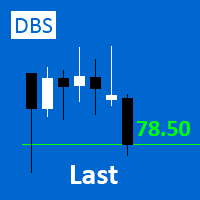
A small utility displays the value of the last price (Last) to the right of the chart. The Last price is the price at which the last deal was executed. Utility is convenient to use for screens with small print, for visual observation of the price level (value) or for people with poor eyesight. You can customize: Growth color Fall color Text font Font size Offset text
FREE
Time Scale for MT5
Taras Slobodyanik
4.75 (28)
The indicator draws the time scale on the chart. You can specify the time offset, adjust the size and font to display on the chart ( it is displaying your local time on your chart instead of MT time ). You can also select the desired format for displaying the date and time. You may be interested in my other product , which contains a more advanced version of the Time Scale . You can also find my other products here Parameters Hours (time shift) — time shift (hours); Minutes (time shift) — time
FREE
“One-Click Flatten — Fast, Clean, Reliable”      Close all orders and positions in your account with a single click — no hassle, no fumbling through tabs.      Time-saving tool for traders needing instant exit from the market—especially during volatile moves or news events.      Emotion-free execution reduces human errors and hesitation—just click and it's done.      Easy to use: load the EA in MT5 and let it handle the rest. Perfect for both beginners and seasoned traders.      Fu
FREE
Strifor SmartTrade Expert
Strifor (Mauritius) Ltd
5 (1)
Strifor SmartTrade Expert is a solution for professional traders that automates the key stages of trade execution: Instantly sets stop-loss and take-profit levels Fixes the risk per trade (configured in the Expert settings) Saves time and eliminates manual input errors Works perfectly together with Strifor Lot Calculator (the lot size is calculated in the calculator, and the same risk value is set in the Expert) Hotkey ALT+F4 — quick order entry. With a single press, an order is opened with pre-
FREE
AutoGrid Assistant
Andrii Palchevskyi
AutoGrid Assistant - Strumento di Posizionamento Automatico di Ordini a Griglia ASSISTENTE GRATUITO per i trader che utilizzano strategie di trading a griglia! COSA FA: AutoGrid Assistant posiziona automaticamente una griglia di ordini pendenti (Buy Stop/Sell Stop o Buy Limit/Sell Limit) con una singola esecuzione. Nessun clic manuale richiesto! CARATTERISTICHE PRINCIPALI: Posizionamento automatico della griglia con un clic Supporto per ordini Stop e Limit Impostazioni flessibili della griglia (
FREE
Chart Handler
Gediminas Rucinskas
5 (2)
Have you ever been in a situation when you could not control the chart conveniently or had to make additional clicks to be able to scroll the history or set the scale fix numbers manually to be able to stretch the chart?  Features: Chart centering. Automatic scale fix. Automatic scroll control. This tool is one of many features included in "Trading Essentials" utility application, which can be found on mql5.com
FREE
ZoomIN MT5
Maxim Polishchuk
The ZoomIN MT5 indicator is designed for quickly viewing the selected bar on the smaller timeframes in a pop-up window. Once launched, the indicator works in the background, does not take up space on the chart and does not consume system resources. When the indicator is activated by the Shift + i combination (can be changed in the settings), a pop-up window with a chart of a smaller timeframe is created. The displayed timeframe can be changed by a left-click on the magnifying glass icon. To hide
FREE
MMTrader Manager
Mateusz Makarewicz
Welcome to my MMTrader Manager product. EA that allows You for simple managing trades and positions. Key Features: Position Opening – Open trades quickly with customizable Take Profit (TP), Stop Loss (SL), and lot size settings. Position Closing – Close trades with one click. Grid System – Automatically create a grid of orders. Recovery Mode – Loss recovery lot calculation. Trade History Data – Acces data to historical positions. User-Friendly Interface – A clear and simple panel designed. This
FREE
OrderAssistant MT5
Hao-Wei Lee
2 (1)
Panel Tool – Button Click Trading (Replaces Default Trade Panel) Features 1. Open or close Long positions with a button click. 2. Open or close Short positions with a button click. 3. Set lot sizes. 4. Set Stop-Loss (SL) or Take-Profit (TP) points (0 = not used). 5. Set order comments. 6. Display the Break-Even price . 7. Show total Long and Short lot sizes. 8. Display Profit or Loss in USD. 9. Show daily Profit or Loss in USD. 10. Set ID = 0 to manage manual orders together .
FREE
Gli utenti di questo prodotto hanno anche acquistato
Trade Assistant MT5
Evgeniy Kravchenko
4.42 (204)
It helps to calculate the risk per trade, the easy installation of a new order, order management with partial closing functions, trailing stop of 7 types and other useful functions. Additional materials and instructions Installation instructions - Application instructions - Trial version of the application for a demo account Line function -   shows on the chart the Opening line, Stop Loss, Take Profit. With this function it is easy to set a new order and see its additional characteristics bef
Forex Trade Manager MT5
InvestSoft
4.98 (574)
Benvenuto a Trade Manager EA, lo strumento definitivo per la gestione del rischio , progettato per rendere il trading più intuitivo, preciso ed efficiente. Non è solo uno strumento per l'esecuzione degli ordini, ma una soluzione completa per la pianificazione delle operazioni, la gestione delle posizioni e il controllo del rischio. Che tu sia un principiante, un trader avanzato o uno scalper che necessita di esecuzioni rapide, Trade Manager EA si adatta alle tue esigenze, offrendo flessibilità s
Local Trade Copier EA MT5
Juvenille Emperor Limited
4.96 (116)
Sperimenta una copia di trading eccezionalmente veloce con il   Local Trade Copier EA MT5 . Con la sua facile configurazione in 1 minuto, questo copiatore di trading ti consente di copiare i trades tra diversi terminali di MetaTrader sullo stesso computer Windows o su Windows VPS con velocità di copia ultra veloci inferiori a 0.5 secondi. Che tu sia un trader principiante o professionista,   Local Trade Copier EA MT5   offre una vasta gamma di opzioni per personalizzarlo alle tue esigenze speci
TradePanel MT5
Alfiya Fazylova
4.86 (143)
Trade Panel è un assistente commerciale multifunzionale. L'applicazione contiene più di 50 funzioni di trading per il trading manuale e consente di automatizzare la maggior parte delle operazioni di trading. Attenzione, l'applicazione non funziona nel tester di strategia. Prima dell'acquisto, puoi testare la versione demo su un conto demo. Versione demo qui . Istruzioni complete qui . Commercio. Ti consente di eseguire operazioni di trading con un clic: Apri ordini e posizioni pendenti con calco
Trade Dashboard MT5
Fatemeh Ameri
4.96 (103)
Tired of complex order placement and manual calculations? Trade Dashboard is your solution. With its user-friendly interface, placing orders becomes effortless, by a single click, you can open trades, set stop loss and take profit levels, manage trade lot size, and calculate risk to reward ratios, allowing you to only focus on your strategy. Say goodbye to manual calculations and streamline your trading experience with Trade Dashboard. Download  Demo Version  right now. You can find  Details of
Ultimate Extractor
Clifton Creath
5 (7)
Ultimate Extractor - Professional Trading Analytics for MT5 Ultimate Extractor transforms your MetaTrader 5 trading history into actionable insights with comprehensive analytics, interactive charts, and real-time performance tracking. What It Does Automatically analyzes your MT5 trading history across all Expert Advisors and generates detailed HTML reports with interactive visualizations. Tracks live performance metrics including open positions, floating P/L, and drawdown in real-time. Supports
Versione Beta Telegram to MT5 Signal Trader è quasi pronto per il rilascio ufficiale in versione alpha. Alcune funzionalità sono ancora in fase di sviluppo e potresti riscontrare piccoli bug. Se riscontri problemi, ti preghiamo di segnalarli, il tuo feedback aiuta a migliorare il software per tutti. Il prezzo aumenterà dopo 20 vendite. Copie rimanenti a $90:   2/20 . Telegram to MT5 Signal Trader è uno strumento potente che copia automaticamente segnali di trading da canali o gruppi Telegram a
Smart Stop Scanner – Analisi multi-asset degli stop-loss basata sulla reale struttura di mercato Panoramica Smart Stop Scanner offre un monitoraggio professionale dei livelli di stop-loss su più mercati. Il sistema identifica automaticamente le zone di stop più rilevanti basandosi sulla reale struttura di mercato, sulle rotture significative e sulla logica del price action, presentando tutte le informazioni in un pannello chiaro, coerente e ottimizzato per schermi ad alta risoluzione (DPI-awar
Copy Cat More Trade Copier MT5 (Gatto Copiatore MT5) è un copiatore di trade locale e un framework completo di gestione del rischio ed esecuzione progettato per le sfide di trading odierne. Dalle sfide delle prop firm alla gestione di portafogli personali, si adatta a ogni situazione con una combinazione di esecuzione robusta, protezione del capitale, configurazione flessibile e gestione avanzata dei trade. Il copiatore funziona sia in modalità Master (mittente) che Slave (ricevente), con sincro
Smart Stop Manager – Esecuzione automatica dello stop-loss con precisione professionale Panoramica Smart Stop Manager è il livello di esecuzione della linea Smart Stop, progettato per i trader che richiedono una gestione dello stop-loss strutturata, affidabile e completamente automatizzata su più posizioni aperte. Monitora continuamente tutte le operazioni attive, calcola il livello di stop ottimale utilizzando la logica di struttura di mercato Smart Stop e aggiorna gli stop automaticamente se
Trade Manager DashPlus
Henry Lyubomir Wallace
5 (11)
DashPlus è uno strumento avanzato di gestione delle operazioni progettato per migliorare l'efficienza e l'efficacia del trading sulla piattaforma MetaTrader 5. Offre una suite completa di funzionalità, tra cui calcolo del rischio, gestione degli ordini, sistemi di griglia avanzati, strumenti basati su grafici e analisi delle prestazioni. Caratteristiche Principali 1. Griglia di Recupero Implementa un sistema di griglia flessibile e di media per gestire le operazioni in condizioni di mercato avve
MT5 to Telegram Signal Provider è un'utilità facile da usare e completamente personalizzabile che consente l'invio di segnali specificati a una chat, canale o gruppo Telegram, rendendo il tuo account un fornitore di segnali. A differenza della maggior parte dei prodotti concorrenti, non utilizza importazioni DLL. [ Dimostrativo ] [ Manuale ] [ Versione MT4 ] [ Versione Discord ] [ Canale Telegram ]  New: [ Telegram To MT5 ] Configurazione Una guida utente passo-passo è disponibile. Nessuna cono
Grid Manual MT5
Alfiya Fazylova
4.9 (20)
Grid Manual è un pannello di trading per lavorare con una griglia di ordini. L'utilità è universale, ha impostazioni flessibili e un'interfaccia intuitiva. Funziona con una griglia di ordini non solo nella direzione delle perdite, ma anche nella direzione dell'aumento dei profitti. Il trader non ha bisogno di creare e mantenere una griglia di ordini, lo farà l'utilità. È sufficiente aprire un ordine e il manuale di Grid creerà automaticamente una griglia di ordini per esso e lo accompagnerà fino
Seconds Chart MT5
Boris Sedov
4.59 (17)
Seconds Chart — uno strumento unico per creare grafici in secondi su MetaTrader 5 . Con Seconds Chart , puoi generare grafici con timeframe definiti in secondi, ottenendo una flessibilità e una precisione d'analisi ideali, non disponibili nei grafici standard in minuti o ore. Ad esempio, il timeframe S15 indica un grafico con candele di 15 secondi. Puoi utilizzare qualsiasi indicatore e Expert Advisor con supporto per simboli personalizzati. Lavorare con loro è comodo quanto operare sui grafici
HINN MagicEntry Extra
ALGOFLOW OÜ
4.6 (10)
HINN MAGIC ENTRY – the ultimate tool for entry and position management! Place orders by selecting a level directly on the chart! Key features: - Market, limit, and pending orders - Automatic lot size calculation - Automatic spread and commission accounting - Unlimited partitial take-profits  - Breakeven and trailing stop-loss  functions - Intuitive, adaptive, and customizable interface - Session and strong algorithmic level visualization - Works with any assets and account types Join the   ALG
Exp COPYLOT CLIENT for MT5
Vladislav Andruschenko
3.82 (34)
Trade copyr per MT5 è un trade copyr per la piattaforma МetaТrader 5   . Copia le negoziazioni forex   tra       eventuali conti   MT5   -   MT5, MT4   -   MT5 per la versione COPYLOT MT5 (o MT4   -   MT4 MT5   -   MT4 per la versione COPYLOT MT4) Fotocopiatrice affidabile! Versione MT4 Descrizione completa   +DEMO +PDF Come comprare Come installare     Come ottenere i file di registro     Come testare e ottimizzare     Tutti i prodotti di Expforex Puoi anche copiare le operazioni nel termina
ChartSync MT5
Alfiya Fazylova
5 (2)
Indicatore di sincronizzazione del grafico: progettato per sincronizzare gli oggetti grafici nelle finestre del terminale. Può essere utilizzato come aggiunta a TradePanel . Prima dell'acquisto, puoi testare la versione Demo su un account demo. Demo qui . Per funzionare, installa l'indicatore sul grafico da cui desideri copiare gli oggetti. Gli oggetti grafici creati su questo grafico verranno automaticamente copiati su tutti i grafici con lo stesso simbolo. L'indicatore copierà anche eventuali
KT Equity Protector MT5
KEENBASE SOFTWARE SOLUTIONS
4.25 (4)
Proteggi facilmente il tuo capitale di trading Proteggere il tuo capitale è importante tanto quanto farlo crescere. KT Equity Protector è il tuo gestore del rischio personale: monitora costantemente l’equity del conto e interviene automaticamente per prevenire perdite o bloccare i profitti chiudendo tutti gli ordini attivi e pendenti quando vengono raggiunti i livelli di profitto o perdita predefiniti. Niente più decisioni emotive o congetture: solo protezione affidabile dell’equity che lavora p
Trade Manager DaneTrades
Levi Dane Benjamin
4.33 (27)
Trade Manager per aiutarti a entrare e uscire rapidamente dalle operazioni calcolando automaticamente il tuo rischio. Incluse funzionalità che ti aiutano a prevenire l'eccessivo trading, il vendetta trading e il trading emotivo. Le operazioni possono essere gestite automaticamente e i parametri di performance del conto possono essere visualizzati in un grafico. Queste caratteristiche rendono questo pannello ideale per tutti i trader manuali e aiuta a migliorare la piattaforma MetaTrader 5. Suppo
EasyInsight AIO MT5
Alain Verleyen
4.91 (11)
EASY Insight AIO – La soluzione all-in-one per un trading intelligente e senza sforzo Panoramica Immagina di poter analizzare l’intero mercato — Forex, Oro, Cripto, Indici e persino Azioni — in pochi secondi, senza dover controllare manualmente i grafici, installare indicatori o affrontare configurazioni complicate. EASY Insight AIO è il tuo strumento definitivo di esportazione per il trading alimentato dall’IA, pronto all’uso. Offre una panoramica completa del mercato in un unico file CSV pul
Cerberus Equity Watcher
Samuel Bandi Roccatello
5 (3)
Cerberus the Equity Watcher è uno strumento di gestione del rischio che monitora costantemente il valore della tua equity ed evita grosse perdite causate da EA difettosi o dall'emotivitá. È estremamente utile per i trader sistematici che si affidano a EA che potrebbero contenere bug o che potrebbero non funzionare bene in condizioni di mercato impreviste. Cerberus ti consente di impostare un valore minimo della equity e (opzionalmente) un valore massimo, se uno di questi valori viene raggiunto,
VirtualTradePad One Click Trading Panel
Vladislav Andruschenko
4.58 (72)
Pannello di trading per il trading in 1 clic.   Lavorare con posizioni e ordini!   Trading dal grafico o dalla tastiera. Con il nostro pannello di trading, puoi eseguire operazioni con un solo clic direttamente dal grafico ed eseguire operazioni di trading 30 volte più velocemente rispetto al controllo MetaTrader standard. I calcoli automatici di parametri e funzioni rendono il trading più veloce e conveniente per i trader. Suggerimenti grafici, etichette informative e informazioni complete sugl
Telegram to MT5 Coppy
Sergey Batudayev
5 (7)
Da Telegram a MT5:   la soluzione definitiva per la copia del segnale Semplifica il tuo trading con Telegram su MT5, il moderno strumento che copia i segnali di trading direttamente dai canali e dalle chat di Telegram sulla tua piattaforma MetaTrader 5, senza bisogno di DLL. Questa potente soluzione garantisce un'esecuzione precisa dei segnali, ampie opzioni di personalizzazione, fa risparmiare tempo e aumenta la tua efficienza. [ Instructions and DEMO ] Caratteristiche principali Integrazione d
Trade Assistant 38 in 1
Makarii Gubaydullin
4.91 (22)
Ultimate Trade Assistant MT5 — Assistente di Trading Multifunzionale Oltre 66 strumenti integrati per analisi, gestione del rischio e automazione del trading. L’assistente combina gestione del rischio, ordini intelligenti, analisi di mercato e controllo delle posizioni in un’unica interfaccia semplice e potente. Ideale per Forex, azioni, indici e criptovalute. Perché i trader lo scelgono Esecuzione rapida e gestione completa con un clic Calcolo automatico di lotto e rischio in base al saldo Ordi
Trade copier MT5
Alfiya Fazylova
4.58 (33)
Trade Copier è un'utilità professionale progettata per copiare e sincronizzare le transazioni tra conti di trading. La copiatura avviene dal conto/terminale del fornitore al conto/terminale del destinatario, che sono installati sullo stesso computer o vps. Prima di acquistare, puoi testare la versione demo su un account demo. Versione demo qui . Istruzioni complete qui . Funzionalità e vantaggi principali: Supporta la copia degli ordini: MT5> MT5, MT4> MT5, MT5> MT4, inclusi i conti di compensaz
Zentral Trading Manager
Ray Zeanrik Parreno Fredeluces
5 (4)
Zentral Trading Manager Your Command Center for Precision Trading — Now Stronger than Ever Take control of your trades like never before. Zentral Trading Manager is your all-in-one manual trading panel for MetaTrader 5 — built for scalpers, day traders, and serious strategy execution. Fully compatible with both Mac and Windows laptops. High-DPI safe. No more layout issues. Key Features (Latest 2025 Update): • One-Click Close – Instantly close Buy/Sell, winning/losing trades, or even half positi
Copiatrice->Interazione dell'interfaccia comoda e veloce, gli utenti possono utilizzarla subito       ->>>> Si consiglia di utilizzarlo su computer Windows o VPS Windows Caratteristiche: Impostazioni di copy trading diversificate e personalizzate: 1. È possibile impostare diverse modalità di lotto per diverse fonti di segnale 2. È possibile impostare diverse fonti di segnale per il copy trading forward e reverse 3. I segnali possono essere impostati con commenti 4. Se calibrare il lotto in base
MT5 To Tradovate
Laurent Xavier Richer
MT5 → Tradovate Bridge (Prop-Firm Ready) Mirror your MT5 trades into Tradovate in real time—perfect for running your favorite indices/gold EA on MT5 while meeting the rules of top prop firms like Apex , etc. What it does Live mirroring: Replicates MT5 market executions (open/close) to Tradovate as market orders. Symbol routing:  Map your chart (e.g., US100/USTEC) to the right futures contract (MNQ/NQ/MES/ES/…); roll-aware (quarterly/monthly). Position cap: Limit how many MT5 positions are mirro
The product will copy all telegram signal to MT5 ( which you are member) , also it can work as remote copier.  Easy to set up, copy order instant, can work with almost signal formats, image signal,  s upport to translate other language to English Work with all type of channel or group, even channel have "Restrict Saving Content", work with  multi channel, multi MT5 Work as remote copier: with signal have ticket number, it will copy exactly via ticket number. Support to backtest signal. How to s
OrderManager MT5
Lukas Roth
4.83 (24)
Presentazione del   OrderManager : un rivoluzionario strumento per MT5 Gestisci le tue operazioni come un professionista con il nuovissimo utility Order Manager per MetaTrader 5. Progettato pensando alla semplicità e alla facilità d'uso, Order Manager ti permette di definire e visualizzare senza sforzo il rischio associato a ogni operazione, consentendoti di prendere decisioni informate e ottimizzare la tua strategia di trading. Per ulteriori informazioni sull'OrderManager, si prega di consultar
Altri dall’autore
Tar BANK
Vladimir Khlystov
Triangular arbitrage with full automatic! In the parameters, it is enough to specify only the lot and profit! Trades on all triangles at once, which can be made up of instruments open in the market overview. The adviser himself determines all the triangles that can be made from the broker's available tools. It analyzes the price shift in each triangle relative to the calculated one and opens the whole three at the right moment. Thus, all three instruments constantly insure each other by 100%
Matematik
Vladimir Khlystov
The Expert Advisor is based on simple mathematics. The EA places two opposite-directed orders. Wherever the price goes, one order will always have a positive result, the second one will have negative. If we average it, then on the return movement of the price (only a few spreads) the averaged orders are closed and there is only profitable order left! The EA trades through its profit. Of course, the averaging positions also add profit due to MinProfit , especially if you use rebate programs to re
The algorithm of the adviser's work: When the Expert Advisor is launched at a specified distance from the price (first_step), BuyStop and SellStop orders are placed. Further, depending on which way the price went, one of them becomes market, and the other begins to crawl after the price. When the price rolls back, it also becomes market. If we have reached a set profit in some direction, the order is closed and a creeping pending order of the same direction is placed again. If the profit is no
Best Correlation
Vladimir Khlystov
5 (1)
A script showing the correlation for three selected zones at once (TF-bar) In the parameters, select 3 options The data is displayed sorted by the first zone The script also creates a file in which it writes all the data without sorting. In this way, you can expand the number of zones to any number and perform the analysis in exsel Parameters: TF_Trade1 =PERIOD_M5; BarsCor1  = 300; TF_Trade2 =PERIOD_M5; BarsCor2  = 800; TF_Trade3 =PERIOD_M5; BarsCor3  = 2000; K             = 0.8; WindSize   
FREE
Indicator panel
Vladimir Khlystov
The panel shows 6 indicators and their signals for all timeframes. You can enable or disable various signals, entire timeframes, and individual indicators. if the alert button is pressed and all signals match, the indicator sends a message to the alert window. You can disable and enable both individual signals and the entire indicator for all timeframes, or disable individual timeframes for all indicators
FREE
Hourglass
Vladimir Khlystov
4 (1)
Logarithmic Network - cm-hourglass Expert Advisor The Expert Advisor places orders with a decreasing lot and step in the direction of the trend and with an increasing lot and step in the counter-trend direction. It sets Take Profit for every direction to avoid breakeven of the entire series. The farthest order in the direction of the trend is closed with a farthest counter-order so as to get the positive total, thus pulling the entire network to the price without letting it expand. Parameters Lo
Offset
Vladimir Khlystov
The indicator identifies the direction and strength of the trend. Bearish trend areas are marked with red color, bullish areas are marked with blue color. A thin blue line indicates that a bearish trend is about to end, and it is necessary to prepare for a bullish one. The strongest signals are at the points when the filled areas start expanding. The indicator has only two parameters: period - period; offset - offset. The greater the period, the more accurate the trend identification, but with a
Fishing PRO
Vladimir Khlystov
Советник имеет несколько режимов торговли. Режимы открытия позиций и отложенных ордеров. Открытие позиций через заданный шаг. После прохождения ценой заданного расстояния 1 шаг вверх — продает, 1 шаг вниз — покупает. Таким образом, появляется сеть, которую Вы закрываете руками с помощью кнопок советника или отдаете прибыль на усмотрение самого советника, нажав кнопки автоторговли. Открытие сети отложенных ордеров Ордера открываются в зависимости от настроек. Можно задавать любые сочетания из buy
SmartHedge
Vladimir Khlystov
3 (2)
The EA compares two instruments and opens opposite positions when these instruments diverge. Further, when the instruments converge, the EA closes positions on the total profit. The EA works on any instruments. Select couples can be on the table. Advisor enough to put on one pair of bundles. For example, for trading on GBPUSD — EURUSD, it is enough to put the EA on GBPUSD or EURUSD. On the chart, the EA draws both currencies and the bars indicate the distance between them. The parameters of the
Bancomat MT4
Vladimir Khlystov
4 (4)
Bancomat   The Expert Advisor does not require setting and optimization of parameters. At the same time, the advisor trades on 20 currency pairs. The principle of trading is hedging (transaction insurance). Thanks to this principle, the EA does not go into large drawdowns. Regulation of profitability is achieved by changing the lot. The minimum recommended deposit is from 500 usd with a lot of 0.01. At the same time, the expected profit will be 7-15% per month. The rest of the parameters can be
The EA opens trades using the indicator's graphical arrows. If the indicator needle does not have a binding buffers, it is possible to test this indicator with the help of dagnogo adviser. Specify the arrow codes in the parameters and the EA will trade on them. You can find out the arrow codes by opening the arrow properties. following values are set by default: 225; //Up arrow code 226; //Down arrow code
Rul PRO
Vladimir Khlystov
The main task of the expert Advisor is to reduce the drawdown and close all orders that are opened by other expert advisors or manually. But it also added the functions of regular trading, so now the expert Advisor can be used as the main tool for earning money. The principle behind its strategy: All the actions performed by the Expert Advisor are controlled by built-in trend indicators, but, as practice has shown, many users disable these indicators to accelerate a process of “settlement” (i.


Rul Hedge MT4
Vladimir Khlystov
3.67 (3)
Description of strategy: The EA trades on 2 pairs with a positive correlation. On one, he trades only for buying, on the second only for selling. If the position goes to a loss, the adviser begins to resolve it by opening deals much smaller in volume than the original one and biting off small pieces on price rollbacks. The opposite trade, which is in the black, will not be closed until the unprofitable one is resolved or until they reach the specified profit in total. Clearing (averaging) trades
Manual Grid CM
Vladimir Khlystov
The expert Advisor helps you set a network of pending orders and collect profit from any price movement. You can use it to trade many grid strategies. You can also use it to track open positions. "Buy Stop — - open a network of pending stop orders for sale "Sell Stop" - open a network of pending stop orders for purchase "Buy Limit" - open a network of pending limit orders for sale "Sell Limit" - open a network of pending limit orders for purchase "Close Buy" - button for closing the entire net
Velosity
Vladimir Khlystov
The Expert Advisor analyzes the rate of price change and opens positions in the direction of price movement when the speed sign changes. Then it accompanies the positions with a trawl, which also depends on the speed. That is, when the price growth SL SL is pressed closer, when the speed increases, respectively, further, allowing the price to gain weight and prevents from closing when the market noise. tp also moves higher when the speed changes. If necessary, you can enable the transfer func

Description of the Expert Advisor: You can trade with any strategies and any Expert Advisors, but there comes a time when trading comes to a standstill. All dogmas and rules are violated and you do not know what to do next. My hands drop and I want to take a break, but there are several thousand dollars at stake, which is so insulting to leave to the mercy of fate. You can of course just put a lock, go on vacation and then calmly sort everything out, and you can entrust all this to the adviser
Cm limit
Vladimir Khlystov
Strategy: A grid Expert Advisor that collects profit in any direction of price movement! We catch the initial price movement with stop orders. The exact guidance of the order is carried out by a trawl (pulling it up behind the price). Next, a grid of limit orders is placed at a specified distance (Step) from each other. Moreover, the distance is dynamic and can adjust to the market. The lot is set as a fixed or as a percentage (RiskPercent) of available funds.  The essence of the strategy is t
The Expert Advisor cannot be tested in the MT4 Strategy Tester! Only on MT5, so put it on a demo account and test it in real time or download the same version for MT5. The Expert Advisor trades on instruments with a high correlation. At the same time, it insures (hedges) each transaction is made at the expense of another instrument. The principle of insurance is that we buy one instrument, and sell the opposite one. Since pairs with a positive correlation always follow in the same direction, th

SL Stop Orders
Vladimir Khlystov
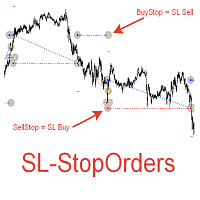
При старте советник выставляет два отложенных стоп ордера образовывая канал. Если один ордер срабатывает то второй переустанавливаем на его SL с увеличением лота. При срабатывании ТП советник начинает цикл с ноля. Оптимизируемые параметры: Объем ордеров (   Lot   ) нам нет смысла оптимизировать. Его проще сразу установить в соответствии с размером вашего депозита. Например для депозита менее 500 usd ставим минимальный лот 0,01 Размер прибавки лота (   Plus_Lot   ) ставим в зависимости от перво
News 21
Vladimir Khlystov
The Expert Advisor trades on market surges, while not using any indicators. The Expert Advisor analyzes the speed of price movement and if the price starts moving faster than the set one, opens a position in the direction of price movement. Trades are closed by SL TP and trailing stop. If the averaging is set to greater than 0, then the stop loss is not set, but new deals are opened with an increased lot and averaged. Parameters: Lot = 0.1; LevelNewse = 50; strength of the news (price jumps i


ExpertTradePanel
Vladimir Khlystov
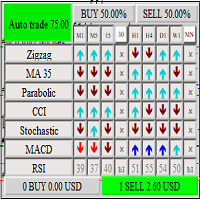
It shows signals for all timeframes, and calculates the total percentage of the probability of price movement based on 63 signals. You can enable and disable various signals, entire timeframes and individual indicators. You can configure at what percentage the adviser will open positions himself. Or just trade in manual mode using it as an indicator. If the Trade button is pressed and the percentage in some direction has reached the set value, the Expert Advisor will open the corresponding posi
Expert BDT MT4
Vladimir Khlystov
Advisor based on triangular arbitrage. The Expert Advisor analyzes the prices of all trading instruments on the entire account opened in the market overview.   The analysis takes place at the expense of other currency pairs linked by a single currency.   (currency triangles). Examples of triangles: EURUSD – USDJPY – EURJPY USDCAD – CADCHF – USDCHF EURGBP – GBPUSD – EURUSD AUDUSD – USDCAD – AUDCAD GBPAUD – AUDUSD – GBPUSD The Expert Advisor analyzes each currency through the other two and calcu

Cm Equity Tral
Vladimir Khlystov
5 (1)
Это очень удобный и нужный инструмент для тех, кому некогда сидеть за монитором или если вы просто хотите при получении определенной прибыли, зафиксировать ее и закрыть все открытые ордера на счете. Советник полностью автоматический, но если Вы захотите вмешаться в его работу, то для этого есть кнопка Close. Кнопка «Close» позволяет закрыть все открытые на данный момент позиции. Настройки: Total_Profit_Start = 5000; //Сумма в USD от которой стартовать трал по Профиту Profit_Percent = 1; //% Пр
Expert NEWS
Vladimir Khlystov
The Expert Advisor trades on market surges, while not using any indicators. The Expert Advisor analyzes the speed of price movement and if the price starts moving faster than the set one, opens a position in the direction of price movement. Trades are closed by SL TP and trailing stop. If the averaging is set to greater than 0, then the stop loss is not set, but new deals are opened with an increased lot and averaged. Parameters: Lot = 0.1; LevelNewse = 50; strength of the news (price jumps in
EA Hedging for MT5
Vladimir Khlystov
5 (1)
A trading robot based on the correlation of instruments is the safest strategy on the market! Advisor's Strategy:  We know that highly correlated currencies almost always behave in a mirror way. But there are moments of deviation (divergence of currencies) from the normal value. The Expert Advisor opens orders in the direction of currency convergence.  Further, when the total profit reaches CloseProfit (the value in the deposit currency at which all positions are closed), the ADVISER closes the
New Smarthedge
Vladimir Khlystov
5 (2)
The EA has the same trading principle as   SMARTHEDGE . We trade simultaneously on drum instruments with high correlation. Transactions made on one instrument compensate for the drawdown of transactions on the other instrument. Thus, we can trade fairly large volumes with relatively low risk. The principle of operation is clearly visible in the video below. In this expert Advisor, I tried to simplify the settings as much as possible, but left all the main functions from the early development. (
Bancomat
Vladimir Khlystov
4 (12)
The expert Advisor does not require configuration and optimization of parameters. At the same time, the expert Advisor trades on 20 currency pairs. The trading principle is hedging (insurance of transactions). Thanks to this principle, the EA does not enter large drawdowns. The regulation of profitability is achieved through changes in the lot. The minimum recommended Deposit is from 500 usd with a lot of 0.01. At the same time, the expected profit will be 7-15% per month. You can leave the oth

Rul MT5
Vladimir Khlystov
The expert Advisor is designed for dealing with complex situations, including Loka. In addition, the expert Advisor can successfully trade itself. To do this, it provides auto-trading functions. Parameters BUY   – allow to resolve sales SELL   – allow to resolve purchases Step   = 60; – step between averaging positions ProfitClose   – closing profit in currency Lot   = 0.01; – the first lot of averaging K_Lot   = 1.5; – averaging coefficient Max_Lot   = 10.0; – maximum possible volume StartLot  

Rul HEDGE
Vladimir Khlystov
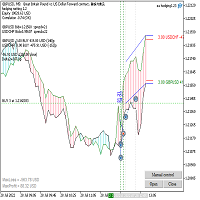
Description of strategy: The EA trades on 2 pairs with a positive correlation. On one, he trades only for buying, on the second only for selling. If the position goes to a loss, the adviser begins to resolve it by opening deals much smaller in volume than the original one and biting off small pieces on price rollbacks. The opposite trade, which is in the black, will not be closed until the unprofitable one is resolved or until they reach the specified profit in total. Clearing (averaging) trades
Matematiks
Vladimir Khlystov
Matematiks The expert Advisor is based on simple math. The expert Advisor puts 2 multidirectional orders further, wherever the price goes, it turns out that one order is always in the plus, the second in the minus. If we average it, then on the reverse price movement (only a few spreads), the averaged orders are closed and only the profitable one remains! It is thanks to his profit that the trade goes on. Of course, the averaging positions themselves also add profit to the piggy Bank at the ex

Filtro:
Hozan Ahmad
239
Hozan Ahmad 2020.09.20 16:33 
 

L'utente non ha lasciato alcun commento sulla valutazione.

Rispondi alla recensione