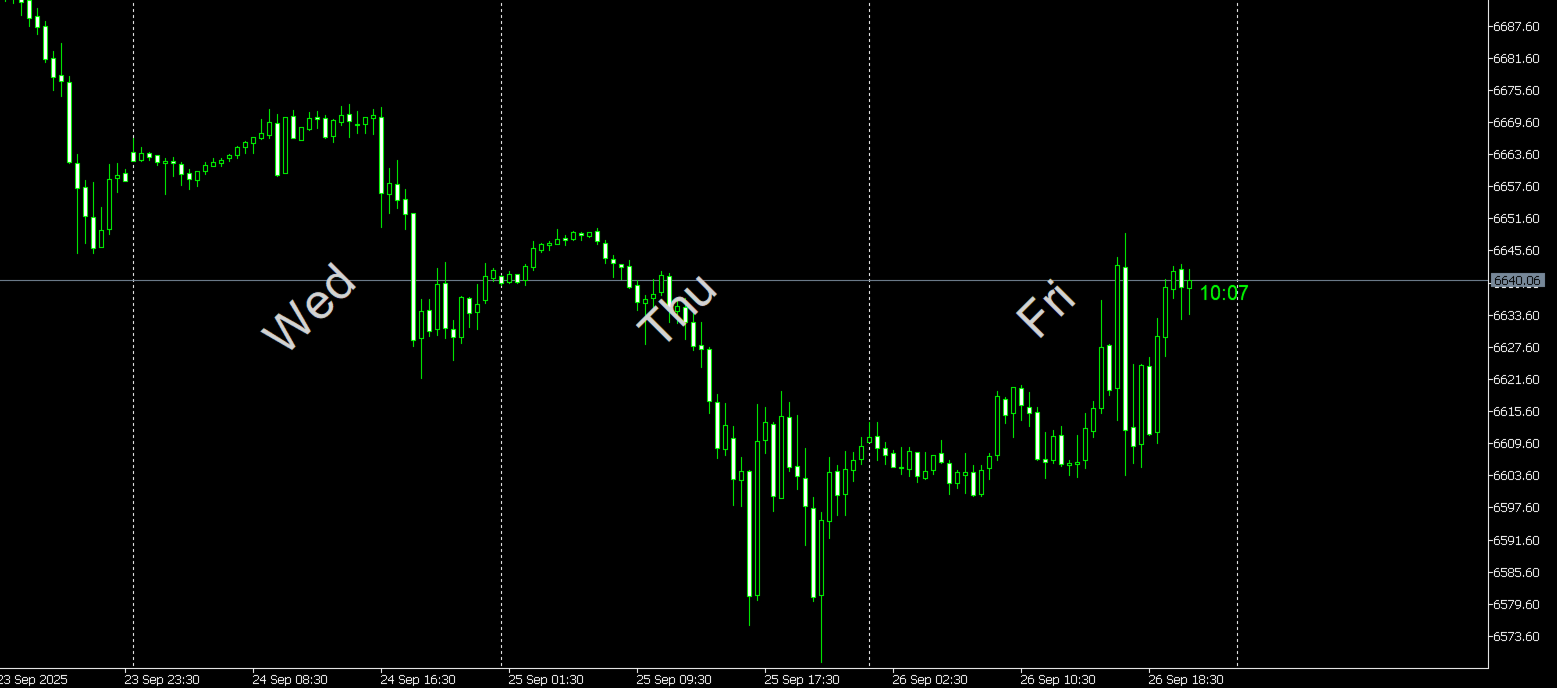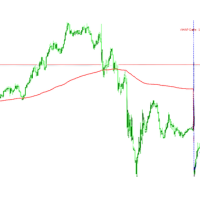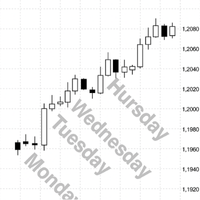
Show Days of The week MT5
- Indicatori
- Versione: 1.0
- Attivazioni: 5

Key Features
-
Start Date Control
-
Choose a specific date from which labels begin to appear.
-
Prevents clutter from old history data.
-
Ideal for focusing on recent or relevant trading periods.
-
-
Latest N Days Limiter
-
Input option to display labels only for the most recent N days.
-
Keeps your chart uncluttered during long backtests.
-
Example: Set LatestDays = 10 to only show the last 10 trading sessions.
-
-
Font Customization
-
Set your preferred font name (default: Arial).
-
Adjust font size for readability.
-
Choose label color to match your chart theme.
-
Option to rotate text horizontally, vertically, or diagonally using orientation input.
-
-
Label Placement (Hour of Day)
-
Select the specific hour within each day to place the label.
-
Default = 12:00 noon, keeping labels visually centered within the day’s candles.
-
Fully customizable (0–23 hours).
-
-
Day Selection (Toggle ON/OFF)
-
Individual switches for each weekday: Sunday through Saturday.
-
Full control over which days you want labeled.
-
Example: Show only Monday–Friday for Forex, or include Saturday/Sunday for crypto.
-
-
Day Format Options
-
Toggle between short (e.g., Mon) and full (e.g., Monday) weekday names.
-
Short format is compact and fits better on busy charts.
-
Full format is clearer for presentation or reporting.
-
-
Centered Placement
-
Labels automatically position themselves at the vertical midpoint of the visible price range.
-
Adjusts dynamically whenever you scroll or zoom.
-
Ensures labels are always legible and evenly aligned.
-
-
Auto Refresh
-
Internal timer updates labels automatically once per day.
-
Keeps the current day’s label always fresh.
-
Additionally, chart events (like zoom/scroll) trigger re-centering instantly.
-
-
Self-Cleaning Objects
-
Automatically deletes old labels that no longer match your settings.
-
Prevents leftover objects from cluttering your chart.
-
Keeps everything neat and consistent.
-
-
Lightweight and Non-Intrusive
-
Does not use buffers or plots — only lightweight text objects.
-
Zero impact on your chart calculations.
-
Works alongside any other indicator or EA without conflict.
-
Why Use DailyLabel.mq5?
-
Better Time Awareness:
Quickly see what day of the week you’re analyzing without having to check crosshairs or the time scale. -
Cleaner Backtesting:
When scrolling through historical data, day labels help you immediately identify where Mondays or Fridays fall, which can be useful for strategies tied to weekly cycles. -
Reduced Mental Load:
No need to count bars or constantly look at the bottom time axis — the labels provide direct context. -
Customization for Any Market:
Works for Forex, stocks, commodities, or crypto.
You decide which days matter — for example, disabling weekends in Forex.
Practical Use Cases
-
Intraday Traders:
Easily track sessions (e.g., see Mondays at a glance to adjust for weekly opens). -
Swing Traders:
Use the labels to mark weekly pivots and plan entry/exit strategies around specific weekdays. -
Crypto Traders:
Crypto trades 7 days a week — you can enable Saturday and Sunday labels if you wish. -
Education / Presentation:
Makes your charts cleaner and easier to explain to others during webinars, reports, or trading groups. -
Backtest Review:
Perfect for visually reviewing how your strategy performs on specific days of the week.
Technical Details
-
Indicator Type: Custom (uses chart objects, no buffers).
-
Chart Window: Works directly in the main candlestick chart window.
-
Performance: Lightweight — labels are simple objects, minimal CPU load.
-
Compatibility: MetaTrader 5, any symbol, any timeframe.
Inputs (Quick Reference)
-
StartDate → First date to draw labels.
-
LatestDays → Limit number of most recent days shown.
-
Orientation → Horizontal, Vertical, or Diagonal.
-
FontName / FontSize / FontColor → Full customization.
-
LabelHour → Hour inside the day for label placement (default = 12).
-
ShowSunday – ShowSaturday → Toggle each day ON/OFF.
-
FullDayNames → Choose between “Mon” or “Monday”.