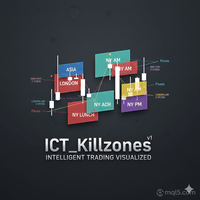
ICT Kill zones
- Indicatori
- Versione: 1.0
- Attivazioni: 5

Automate your ICT & Smart Money analysis with precise, dynamic session tracking and liquidity pivots.
Here our more valuable tools
SMC Trend Trading , Easy SMC Trading , Institutional SMC Architect
Product Description
Stop wasting time drawing boxes and lines every single day. ICT Killzones Professional is the ultimate session management tool designed specifically for traders utilizing Inner Circle Trader (ICT) concepts, Smart Money Concepts (SMC), and Liquidity-based strategies.
This indicator automatically highlights the key trading sessions— Asia, London, New York AM, Lunch, and PM—drawing dynamic range boxes that update in real-time as new highs and lows are formed. But it goes beyond just boxes; it identifies crucial Liquidity Levels (Session Highs/Lows) and extends pivot lines into the future until price mitigates (tests) them.
Key Features
1. 5 Fully Customizable Sessions
Monit
input Parameters (Settings)
-
Max Days: How many days of history to display (Default: 3).
-
Time Settings: Format HH:MM-HH:MM. Note: Times must be set according to your Broker's Server Time (Market Watch window), not your local time.
-
Visuals:
-
Toggle individual sessions On/Off.
-
Custom Colors for every session.
-
Box Transparency control.
-
Pivot Line Style (Solid, Dash, Dot) and Width.
-
-
Smart Money Features:
-
Show Pivots: Toggle High/Low lines.
-
Extend Pivots: Enable the "Until Mitigated" logic.
-
Show Labels: Display text information on the chart.
-
or the exact time windows relevant to your strategy. The indicator comes pre-loaded with standard ICT times but is fully editable to match your Broker's Server Time:
-
Asia Range (Accumulation)
-
London Open (Manipulation/Expansion)
-
New York AM (The reversal/continuation)
-
New York Lunch (Retracement/Consolidation)
-
New York PM (End of day distribution)
2. Smart "Mitigation" Pivot Lines
This is the standout feature. The indicator marks the High and Low of every session.
-
Auto-Extension: If a session High or Low is not broken immediately, the line extends into the future.
-
Mitigation Logic: As soon as price trades through a level (taking liquidity), the line stops drawing. This keeps your chart clean and focused only on untapped liquidity pools.
3. Dynamic Range Boxes
-
Boxes draw in real-time. As the session makes a new high or low, the box expands instantly.
-
Fully customizable colors and transparency settings to ensure your candlesticks remain visible.
4. Info-Rich Labels
-
Session Names: Clearly labeled boxes (e.g., "Asia", "London").
-
Price Levels: Option to display the exact price of the Session High and Low next to the pivot lines.
-
Smart Anchoring: Labels automatically position themselves to stay out of the way of price action.
5. Period Separators
Includes built-in, clean vertical separators for Days, Weeks, and Months to help you visualize the macro structure alongside intraday sessions.
6. Performance Optimized
-
Max Days Limit: You choose how many days back to draw. The indicator automatically cleans up old objects to keep your MT5 terminal running smoothly with zero lag.
-
Cross-Day Logic: Perfectly handles sessions that start on one day and end on the next (e.g., Asia session crossing midnight).
input Parameters (Settings)
-
Max Days: How many days of history to display (Default: 3).
-
Time Settings: Format HH:MM-HH:MM. Note: Times must be set according to your Broker's Server Time (Market Watch window), not your local time.
-
Visuals:
-
Toggle individual sessions On/Off.
-
Custom Colors for every session.
-
Box Transparency control.
-
Pivot Line Style (Solid, Dash, Dot) and Width.
-
-
Smart Money Features:
-
Show Pivots: Toggle High/Low lines.
-
Extend Pivots: Enable the "Until Mitigated" logic.
-
Show Labels: Display text information on the chart.
-
How to Use / Strategy Tips
-
Asia: Look for the "Asia Range" box. Often, price will sweep the High or Low of this box during the London session (The "Judas Swing").
-
London: Watch for the formation of the High or Low of the day.
-
New York: Use the extended lines from London or Asia as targets. If a line is still extending across your chart, that liquidity has not been taken yet—it is a magnet for price!
Why Choose This Indicator?
Most session indicators simply draw vertical lines. ICT Killzones Professional understands Price Action. It highlights the Range, marks the Liquidity, and helps you visualize the Narrative of the day.