Robofxea Pro V1
- Experts
- Versione: 1.2
- Aggiornato: 29 settembre 2025
- Attivazioni: 10

Robofxea Pro is an automated trading system designed for XAUUSD (Gold) and BTCUSD (Bitcoin). The system uses a breakout strategy with pending orders and includes risk management features such as hard stop loss on every trade, news filtering, and spread protection. The system does not use martingale, grid, or averaging strategies.
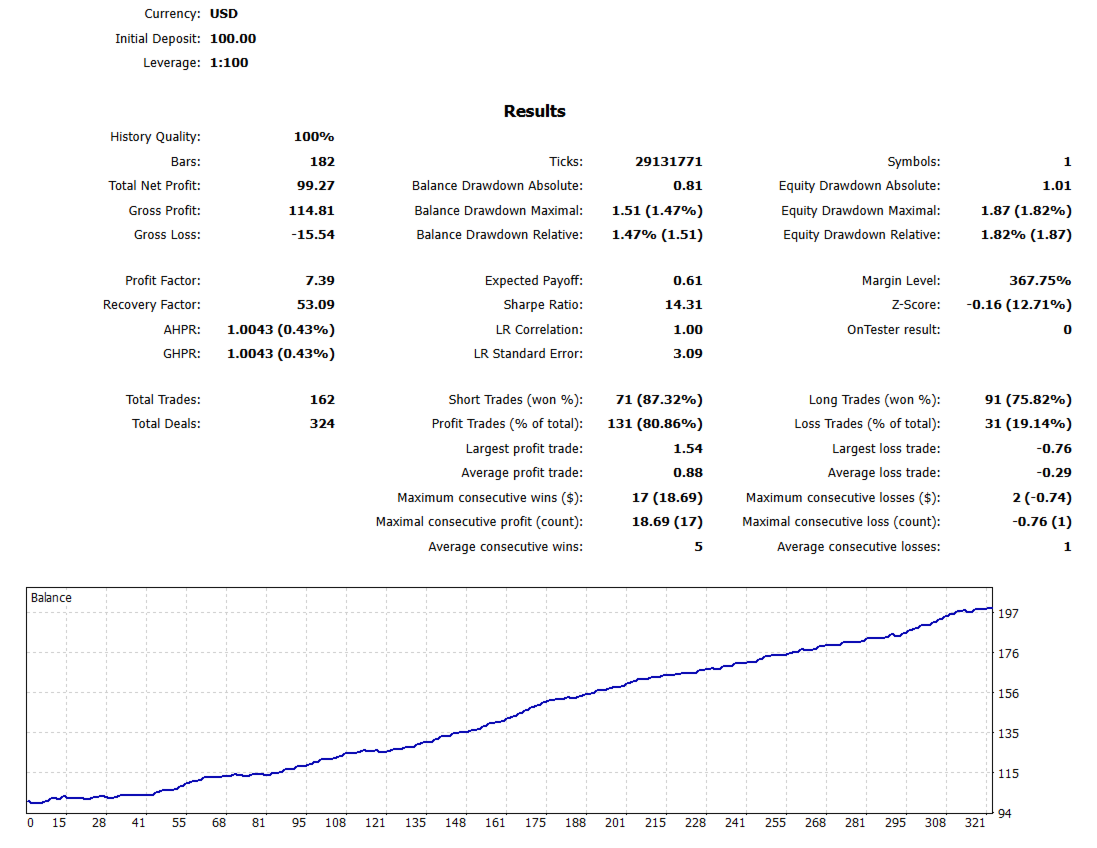
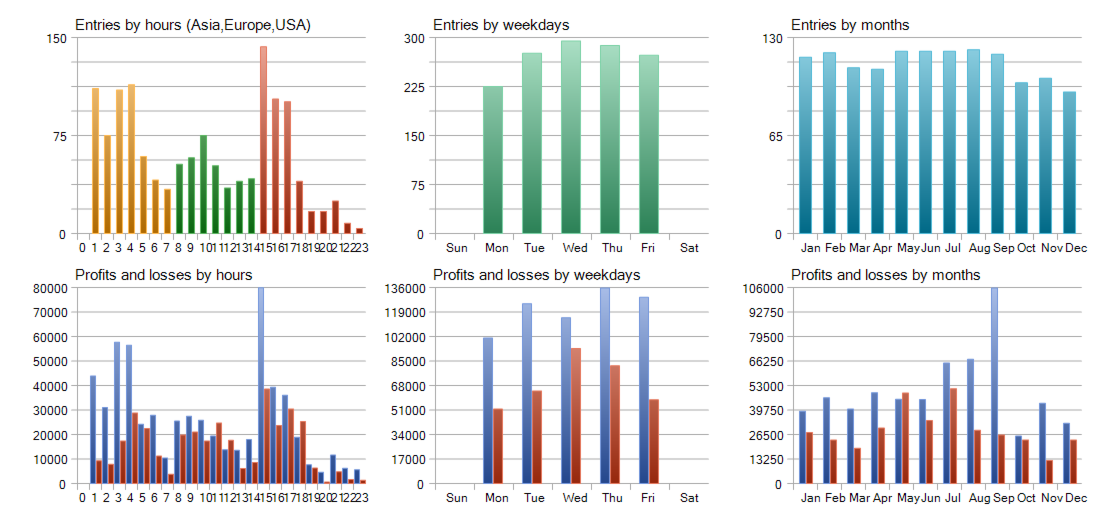
Live Trading Results
View verified live account performance:
Vantage Markets Live Account: https://www.mql5.com/en/signals/2329641
ICMarkets Live Account: Performance monitoring in progress
Optimized Settings Files
Pre-configured setup files are available for download:
XAUUSD (Gold) Settings: https://c.mql5.com/31/1566/xauusd_200_usd_set_file_robofea.set
BTCUSD (Bitcoin) Settings: https://c.mql5.com/31/1566/btc_200_usd_set_file_robofea.set
These files contain tested parameter combinations for each instrument.
Trading Strategy
The system operates using a breakout methodology combined with pending order execution.
Entry Mechanism
The EA identifies potential breakout levels based on recent price structure. Pending buy stop and sell stop orders are placed at calculated distances from current price. When price reaches these levels, orders are triggered and positions are opened with predetermined stop loss and take profit levels.
Price Action Analysis
The system monitors support and resistance zones, volatility patterns, and price momentum. Order placement adapts based on current market conditions. The strategy focuses on capturing moves when price breaks out of consolidation areas.
Risk Management
Each trade includes a fixed stop loss. Position sizing calculates automatically based on account balance and risk parameters. The system includes controls for maximum open positions and daily loss limits.
Safety and Protection Features
Stop Loss Implementation
Every position opened by the EA includes a hard stop loss. The stop loss distance is configurable in the input parameters. Trailing stop functionality moves the stop loss as positions move into profit.
News Event Filtering
The EA includes a news filtering system that monitors upcoming high-impact economic events. During the configured time period before and after scheduled news releases, the system removes pending orders and avoids opening new positions. This helps manage risk during increased volatility around major economic announcements.
Spread Monitoring
Real-time spread monitoring prevents trade execution during abnormal conditions. When spread exceeds the configured maximum threshold, pending orders are cancelled automatically. Orders are replaced when spread returns to acceptable levels.
Money Management
The system adapts to broker-specific requirements including minimum lot size and lot step increments. Margin checks verify sufficient free margin exists before placing orders. Automatic lot size calculation adjusts based on account equity and risk percentage settings.
Information Display
An on-chart panel shows current account metrics including equity, floating profit/loss, drawdown percentage, and number of active trades. When the news filter is active, a countdown to the next scheduled event is displayed.
Technical Specifications
Supported Instruments
XAUUSD (Gold) BTCUSD (Bitcoin)
Timeframe Compatibility
The EA functions on any chart timeframe. Internal logic operates independently of the attached chart period.
Account Requirements
Minimum balance: 200 USD or equivalent Account type: Standard, ECN, RAW, or STP accounts supported Leverage: No specific requirement (1:100 or higher recommended for smaller accounts) Position mode: Hedging not required
Broker Compatibility
The system works with brokers offering standard XAUUSD and BTCUSD symbols. Spread protection logic adapts to different broker conditions.
VPS Usage
Continuous operation via VPS ensures the EA remains active during all trading sessions and prevents interruptions from local computer or internet connectivity issues.
Installation Steps
Step 1: File Placement
Locate your MetaTrader 5 data folder by selecting File > Open Data Folder from the MT5 menu. Navigate to MQL5/Experts subfolder. Copy the EA file into this folder. Restart MetaTrader 5.
Step 2: Chart Attachment
Open a chart for XAUUSD or BTCUSD. Locate Robofxea Pro in the Navigator window under Expert Advisors. Drag the EA onto the chart.
Step 3: Load Settings
When the settings window appears, click the Load button. Select the appropriate set file downloaded from the links provided above. Use the XAUUSD set file for Gold charts and the BTCUSD set file for Bitcoin charts.
Step 4: Magic Number Configuration
If running the EA on both XAUUSD and BTCUSD simultaneously, assign a different Magic Number to each instance in the input parameters. This prevents order conflicts between instances.
Step 5: Validation Parameter
Locate the ValidationKickstart parameter. Set this to FORCE OFF for live trading. This parameter is used only during product testing and validation.
Step 6: Enable Trading
Enable the AutoTrading button in the MT5 toolbar. Verify the EA displays a smiling face icon in the upper right corner of the chart.
Step 7: Confirm Operation
Check the Experts tab at the bottom of MT5 for initialization messages. The EA will display its settings and confirm successful startup.
Input Parameters
Money Management
Risk Per Trade: Percentage of account balance risked per position (default: 2.0%) Fixed Lot Size: Set to 0 for automatic calculation or enter fixed lot size Maximum Lot Size: Upper limit for position sizing Minimum Lot Size: Lower limit based on broker requirements
Trading Controls
Magic Number: Unique identifier for EA orders Maximum Open Trades: Limit on simultaneous positions Trading Days: Specify which weekdays to trade Trading Hours: Define active trading time windows
Stop Loss and Take Profit
Stop Loss Distance: SL distance in pips from entry price Take Profit Distance: Primary TP target in pips Trailing Stop Enabled: Activate trailing stop functionality Trailing Start Distance: Profit level to begin trailing Trailing Step Size: Distance to move SL as profit increases
News Filter Settings
Enable News Filter: Activate news event protection News Buffer Minutes: Time before and after news to pause trading High Impact Only: Filter only major economic releases
Spread Protection
Maximum Allowed Spread: Cancel orders if spread exceeds this level in pips Spread Check Frequency: Interval for verifying spread conditions
Breakout Strategy Parameters
Breakout Distance: Pip distance for pending order placement Volatility Multiplier: Adjusts breakout distance based on recent price movement Order Expiration: Minutes before pending orders are cancelled and replaced
Troubleshooting
EA Not Placing Orders
Verify the following conditions: Current spread may exceed the Maximum Allowed Spread setting News filter may be active due to upcoming economic event Daily loss limit may have been reached Trading hours restriction may be in effect Insufficient margin for calculated lot size
Error: Invalid Lot Size
Check broker specifications for minimum lot size and lot step by right-clicking the symbol in Market Watch and selecting Specification. Adjust the Minimum Lot Size parameter to match broker requirements.
Error: Not Enough Money
Reduce the Risk Per Trade percentage or increase account balance. The EA calculates position size based on stop loss distance and available equity.
Error: Trade Context Busy
This is a temporary condition. The EA will retry the operation automatically.
Error: Invalid Stops
Check the symbol specification for minimum stop level requirement. Increase the Stop Loss Distance parameter to exceed broker minimum if needed.
No Activity After Installation
Confirm AutoTrading is enabled in MT5 toolbar Verify ValidationKickstart is set to FORCE OFF Ensure symbol name on chart matches exactly (case-sensitive) Review Experts tab for specific error messages
Symbol Name Issues
Some brokers use variations such as GOLD, XAUUSDm, or XAUUSD.suffix. If your broker uses non-standard naming, contact support via the comments section for guidance.
Support Information
Product support is provided through the MQL5 comments section and private messaging system.
When requesting assistance, include: Screenshot of the Experts tab showing error messages Screenshot of input parameters Broker name and account type Description of the issue
Check the Comments tab regularly for product updates and common solutions.
Version Information
Current Version: 1.2.0
Updates and improvements are provided at no additional cost to existing customers.
Risk Disclosure
Trading foreign exchange, gold, bitcoin, and other leveraged products involves substantial risk of loss. The high degree of leverage can work against you as well as for you.
No trading strategy or system can guarantee profits or eliminate losses. Past performance, whether actual or indicated by historical tests of strategies, is not indicative of future results. Market conditions change constantly.
Before using this product with real capital, test thoroughly on a demo account. Start with conservative risk settings and monitor performance closely. Only trade with capital you can afford to lose.
The developer is not responsible for trading losses incurred while using this product. Users assume all risks associated with automated trading.
This product is provided for informational purposes and does not constitute financial advice or trading recommendations. The developer makes no representations regarding profitability or suitability for any particular trader or market condition.