Master Trade Manager
- Utilitaires
- Version: 2.95
- Mise à jour: 18 mai 2026
- Activations: 20

MASTER TRADE MANAGER — Complete Trading Panel for MetaTrader 5
Stop wasting time on manual order setup. Master Trade Manager is your ultimate trading co-pilot — fast, precise, and fully in control.
Trial Version: download from blog
MT4 Version : click here
FEATURES:
TAB MAIN
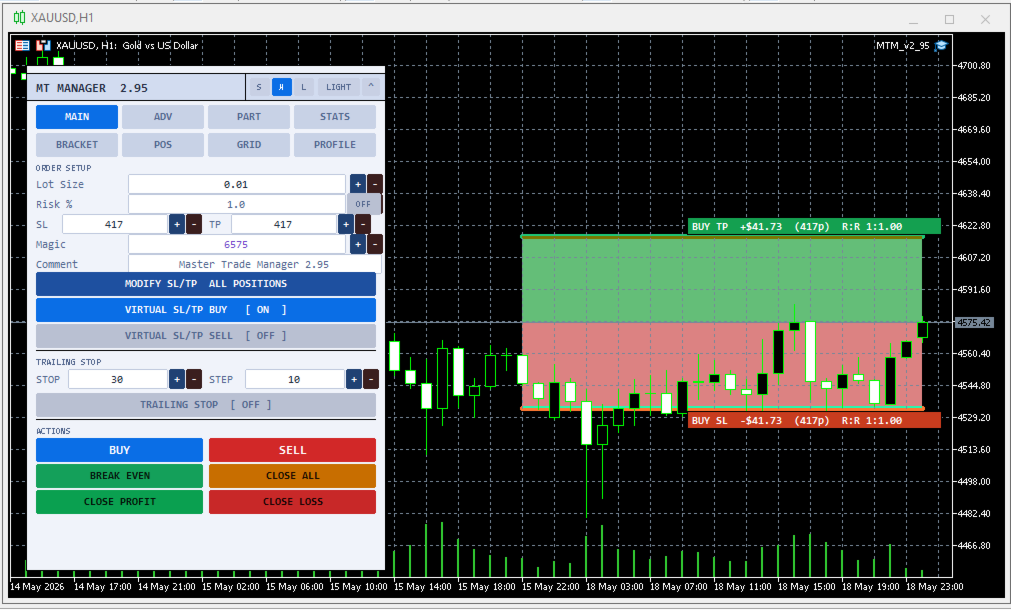
- Lot Size with +/- stepper for quick input
- Risk Per Trade % — auto lot calculation based on account balance
- Stop Loss & Take Profit in pips, adjustable directly from the panel
- Customizable order Magic Number
- Customizable order comment
- Modify SL/TP all position (opened trade)
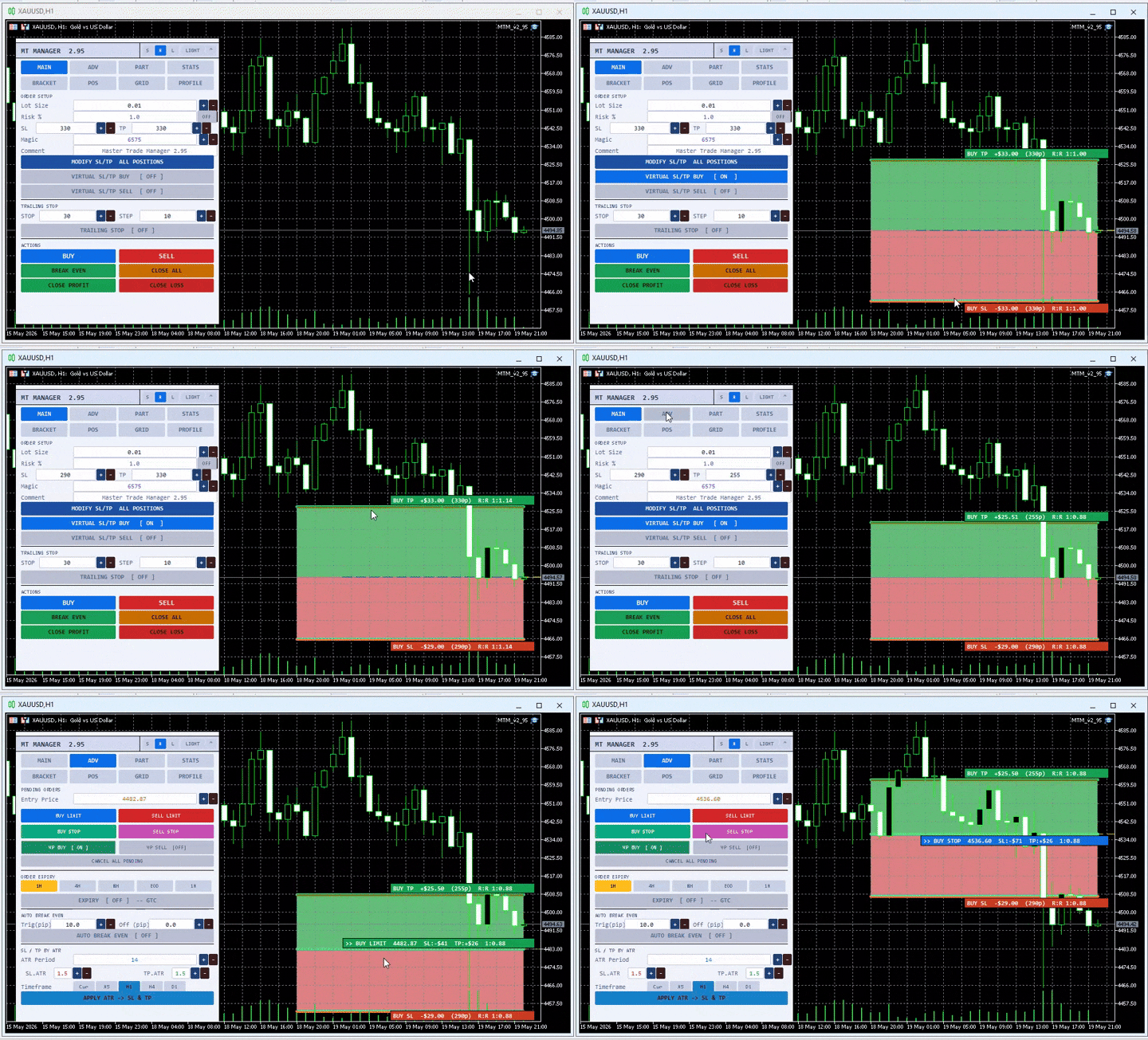
- Virtual SL/TP Preview — see your SL/TP lines on the chart before entering (separate toggle for BUY and SELL)
- Trailing Stop with Trail Step — automatically lock in profits as price moves
- One-click BUY / SELL, Close All, Break Even, Close Profit, Close Loss
TAB ADVANCED
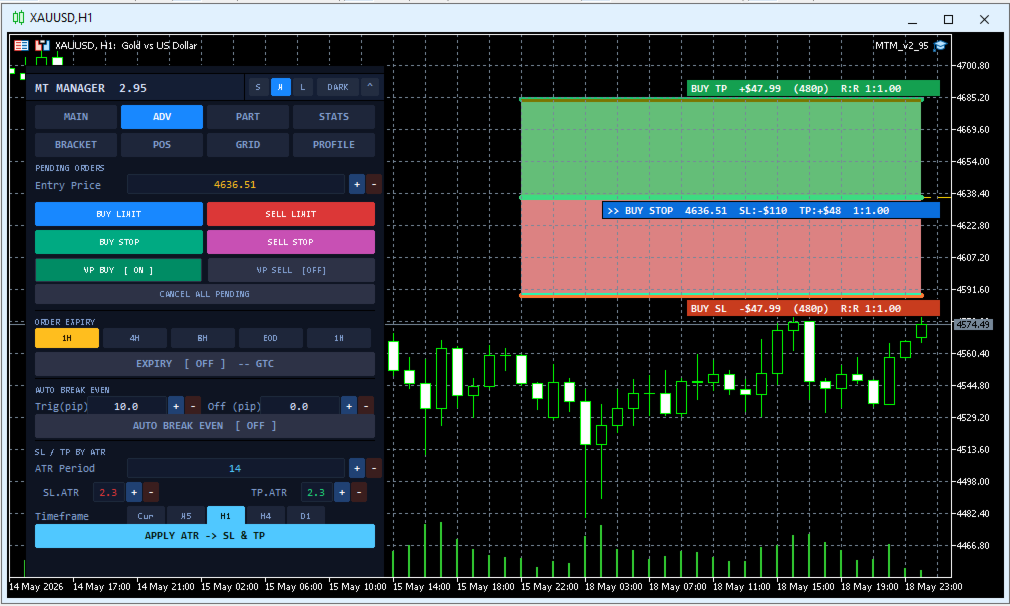
- Pending Orders — Buy Limit, Sell Limit, Buy Stop, Sell Stop with direct price input from the panel
- Order Expiry — set expiry time (1H / 4H / 8H / EOD / 1W) or keep as GTC
- Auto Break Even — SL automatically moves to entry price once profit reaches your trigger
- SL/TP by ATR — adaptive Stop Loss & Take Profit based on real market volatility, choose your own period & timeframe
TAB PART
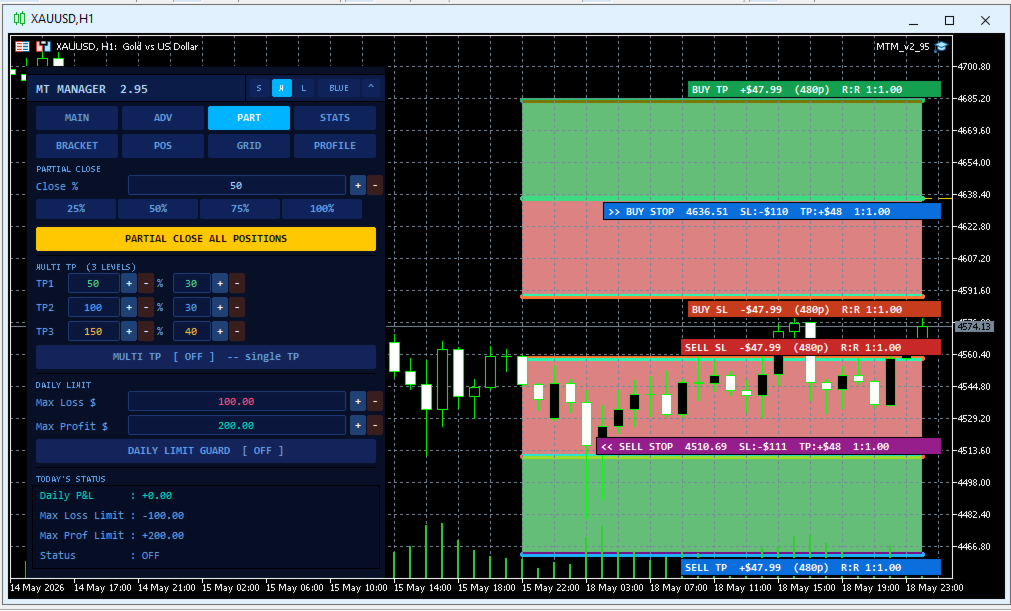
- Partial Close — close a portion of your position (25% / 50% / 75% / 100%) in one click
- Multi TP 3 Levels — open positions with TP1, TP2, TP3 simultaneously, set lot % per level
- Daily Limit Guard — auto close all positions when daily loss or profit target is hit
TAB STATS
- Real-time R:R Ratio — risk vs reward comparison with automatic green/yellow/red indicator
- Daily P&L — today's total P&L with breakdown between closed and floating positions
- Account Statistics — Balance, Equity, Free Margin, Spread, Magic Number, Server name
- Open Positions Summary — number of positions, total lot, total floating P&L
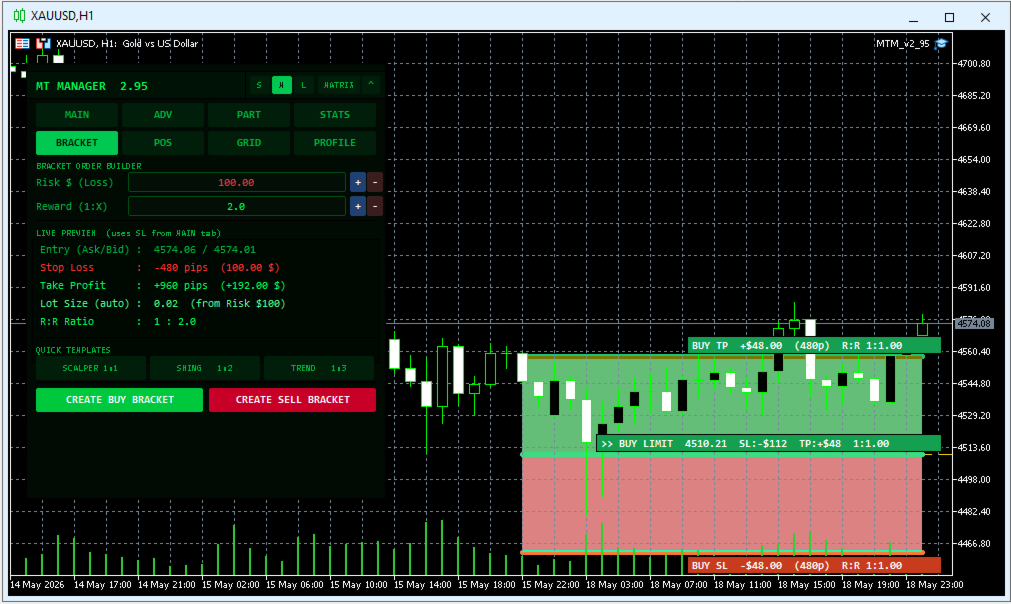
TAB BRACKET
Pre-plan precision news trading or structural breakout traps without manual calculation stress.
- Dollar-Risk Sizing Matrix: Simply type your maximum allowed loss in cash ( Risk $ ) and your target Reward Ratio .
- Mathematical Preview Table: Before executing, the tab displays an exact blueprint showing Entry Price, Stop Loss, Take Profit, required Lot Size, Max Potential Loss, and Max Potential Profit.
- Rapid Sizing Templates: Quickly apply predefined risk models with a single click.
TAB POS
Ditch the standard MT5 terminal—this tab offers total micromanagement over every independent ticket.
- Live Ticket Monitor: Displays up to 10 active positions on the current symbol, listing: Ticket #, Order Type, Entry Price, Current Price, Profit ($), and Profit (%).
- Quick Edit Accordion Panel: Clicking any position row expands a dedicated drop-down workspace directly beneath it.
- Individual SL/TP Modifier & Partial Close: Adjust SL/TP values or completely close only that specific ticket instantly without affecting other running orders.
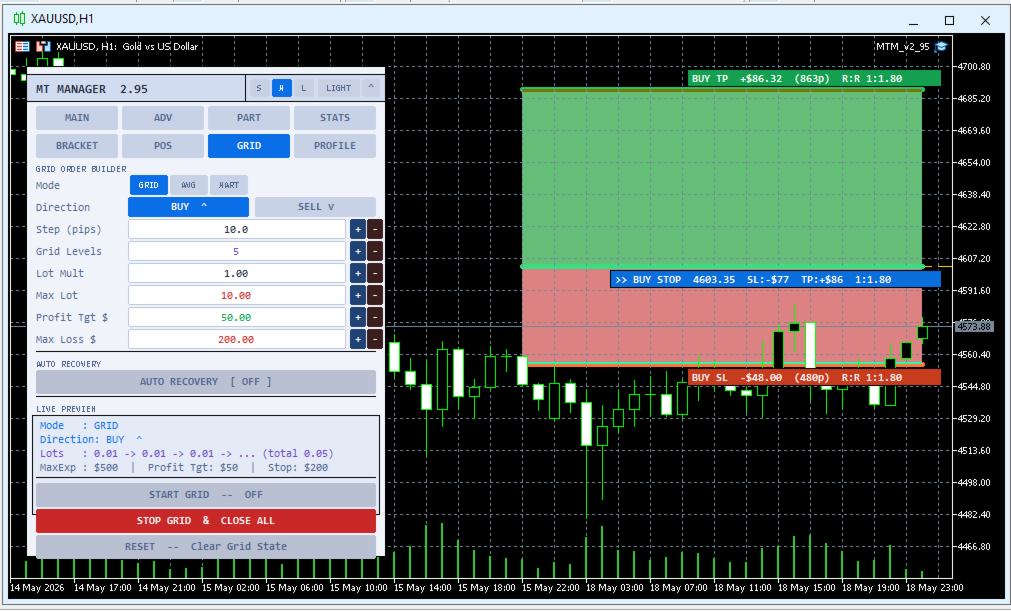
TAB GRID
A powerful algorithmic module to manage range-bound consolidation or complex cost-averaging recovery loops.
- 3 Algorithmic Modes: Toggle instantly between standard GRID networks, pure AVG (Averaging), or aggressive MART (Martingale lot multipliers).
- Granular Matrix Inputs: Customize your grid Direction (BUY, SELL, or BOTH), Grid Step, Max Levels, Lot Multiplier, Max Lot restrictions, Profit Targets, and overall Grid Stop Loss.
- Intelligent Auto Recovery Guard: Embedded algorithmic safety net with a kustom threshold parameter to manage floating grid drawdowns safely.
- 4-Row Live Simulation Preview: Displays your upcoming step levels and lot scaling models visually before initiating the grid.
TAB PROFILE
Save, structure, and recall your favorite configurations instantly.
- Direct UI .ini Exporter: Save all panel settings, grid steps, and risk parameters into local .ini config files simply by typing a profile name.
- Preset Explorer: View your saved profiles in an interactive list to Load configuration states, toggle a profile as your Default Startup preset, or Delete them entirely without leaving the chart.
UI & UX
- 3 Panel Sizes — Small (S), Medium (M), Large (L)
- 4 Color Themes — Dark, Light, Blue, Matrix
- Minimizable panel
- Compatible with all MetaTrader 5 brokers
Perfect for: Scalpers · Day Traders · Swing Traders
NOTE
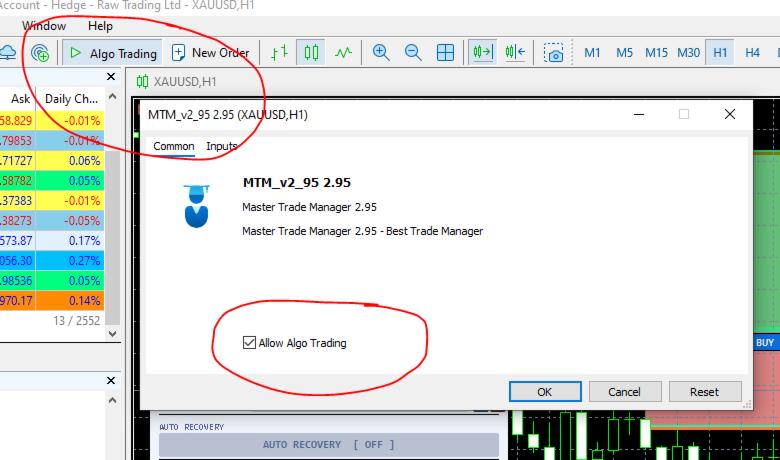
- Make sure Algo trading is 'on'
- After attach on chart, make sure 'check' Allow Algo trading
- Please test on demo account first (my recommendation)