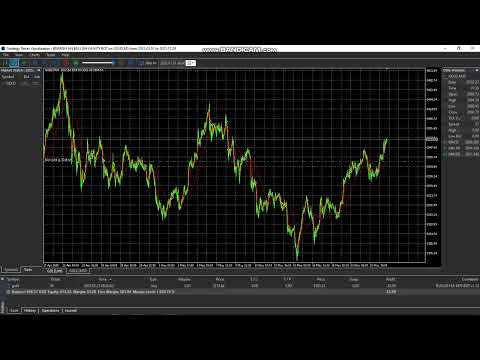
Bearish An Bullish EA
- Experts
-
Lungile Mbanjwa
 Hi, I’m Lungile Mbanjwa, a 27-year-old reliable and dedicated Expert Advisor (EA) developer.
I specialize in building smart, adaptive trading robots using Moving Average strategies — including SMA/EMA crossovers, trend detection, slope analysis, and dynamic filters.
My promise to you: - Version: 1.29
- Mise à jour: 21 septembre 2026
- Activations: 10
Bullish EA MT5 – Gold Edition v1.29
Professional Multi-Session Trading Expert Advisor
Bullish EA is a carefully engineered Expert Advisor designed for traders who want structured, disciplined, and controlled trading on MetaTrader 5. Built with precision and real trading logic in mind, this EA combines classic Moving Average crossover strategy with advanced session management, risk control, and dual order systems.
Core Strategy
The EA uses a triple Moving Average system:
- Fast MA
- Slow MA
- Long-term Filter MA
Trades are only taken when the market structure is clearly aligned (bullish or bearish bias confirmed by all three MAs). This helps filter out weak and choppy market conditions.
Key Features
1. Dual Trading Sessions
- Morning Session (customizable)
- Afternoon / Second Session (customizable)
- Smart Second Session logic: You can allow the EA to trade in the second session only if no trades were taken earlier, or reserve the second trade specifically for the afternoon.
2. Flexible Trade Modes
- Market Only
- Pending Only
- Both (Market + Pending on Stop Loss)
3. Advanced Risk Management
- Separate Stop Loss for Market and Pending orders
- Dedicated Take Profit for Market orders (Buy: 9000 points / Sell: 7000 points – fully adjustable)
- Independent Trailing Stop for Market orders
- Independent Trailing Stop for Pending orders
- Pending orders can be set to “Hold to SL” so they are not closed by reverse signals
4. Trade Control & Limits
- Maximum trades per day or per week
- Cooldown period between trades
- Trading day filter (Monday to Sunday fully controllable)
- Force close all positions and pending orders at a specific time
5. Direction Control
- Prefer Buy trades
- Force Only Buys mode
- Sell signal strength filter
6. Professional Compact Panel A clean, modern on-chart information panel that displays:
- Account balance, equity & free margin
- Current position status & floating P/L
- Active session
- Signals status
- Trade statistics
- All important settings at a glance
7. Visual Aids
- Fixed logo on the chart
- Vertical session lines for clear visual session boundaries
About the Developer
Lungile Mbanjwa
Independent EA developer focused on building practical, rule-based trading systems for MetaTrader 5.
This EA was developed in collaboration with advanced AI tools (ChatGPT and Grok) to refine logic, improve structure, and deliver a clean professional product.
The goal is simple: create tools that are transparent, controllable, and useful for real traders — not black-box systems.
Join the Official Channel for Real-Time Behavior
Want to see how Bullish EA actually performs in live market conditions?
Join the official channel for:
- Real-time trade updates
- Daily performance results
- Current recommended settings
- Live account behavior
- Tips and future updates
→ Join here:
https://www.mql5.com/en/channels/01df52e1e42bdd01
Stay informed. Trade with structure.
Risk Warning
Trading financial markets involves significant risk. Past performance and backtesting results do not guarantee future results.
Users should properly test the EA using the Strategy Tester and forward/demo testing before considering live deployment.
Trade responsibly and use risk settings appropriate for your account.