 MetaTrader 5
 Experts
 Indicateurs
 Bibliothèque
 Utilitaires
 Widgets
 Règles
Regardez les tutoriels vidéo de Market sur YouTube
Comment acheter un robot de trading ou un indicateur
Exécutez votre EA sur
hébergement virtuel
hébergement virtuel
Test un indicateur/robot de trading avant d'acheter
Vous voulez gagner de l'argent sur Market ?
Comment présenter un produit pour qu'il se vende bien
Nouveaux utilitaires de trading pour MetaTrader 4 - 26
 Vous trouverez ci-dessous des programmes de trading simplifiant le trading sur le marché Forex dans MetaTrader 4. Passez la souris sur un utilitaire dans la liste ci-dessous pour lire sa description et son objectif.
a Perfect TradingPanel for who wants to have entry in a RANGE .
Join my channel ===> https://t.me/Ash_TheTrader
For example : You have a zone and you don't know where of the zone will be your entry so , you will use this Tool , to separate your risk per position and it will automatically calculate your LOT SIZE . Total risk base on martingale rules or Grid input . You can choose how many positions you want to have and it will calc the Lot size for you .
Features :
Enter in a range of p
FREE
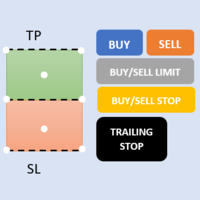
First 5 copies sold for 39$. 2/5 sold. Next price 49$. Not all function work on tester. If you want to test it, write to me a personal message, i send to you a demo version valid for 7 days with full functionality.
The Trade Manager Advace is composed by 4 part: Navigation panel. Execution panel (Here is present the Risk Reward Tool). Management panel. Equity panel.
Input parameters Magic Number : Number (number must be unique, do not use the same number in more one chart). Trailing stop for
This EA Trails your stops for both manually and auto-opened trades. This EA will work whether you have manually or automatically set stop loss or not. Trailing stop is a more flexible variation of a normal exit order. T railing stop is the practice of moving the stop-loss level closer to the current price when the price moves in your favor. Trailing the stop-loss allows traders to limit their losses and safeguard their positive trades. It is a very popular practice. This EA will manage your

Expert Advisor for MT4 Useful utility MUST have for all traders. With 1 click button, you're able to close all your open positions. Its come with a warning pop up notification when you click to close all your trades, to avoid an accident press the button. Just press 'Yes' to confirm or 'No' to cancel it. The expert will close all your open positions no matter what pairs you currently open or directions. Just attach the expert on 1 of your chart, and you're good to go.
M ulti Cross Alert! on your smartphone. Use multiple indicators to get a crossover signal on chart as well as on MetaTrader app. You can use all crossovers at the same time but it is not recommended cause your chart will look messy. Instead use combination of two indicators which will be better. IMP NOTE:- More indicators will be added in future updates. Any suggestions regarding indicators are welcome! Indicators List: 1. MA (Cross) 2. RSI (OB/OS) 3. MACD Lines (Main Line & Signal Line Cross)
FREE

PROTECT YOUR FTMO Account in a simplest way Must-Have Account Protector for any Prop-trading Account and Challenge MT4 / MT5 Expert Advisor that protects your Forex Prop Trading account from an unexpected drawdown! FTMO Protector is a Tool that lets you manage trades and control your profit and loss across multiple Robots and currency pairs using a simple parameters and settings. Use as many EAs and Instruments you need, the Protector will: 1. Calculate your midnight (01:00 System time) Bal

The Screen Shooter utility will help you take screenshots of your trading process.
How it works: The program is a small panel with two modes of operation: the first mode "All Open Charts" - allows you to create screenshots of all charts open in the terminal; the second mode "All TF Curr Chart" - creates, accordingly, screenshots of all timeframes of the current chart (to which this tool is attached). In the second mode, the user can disable unnecessary timeframes using the buttons on the panel (

Информирование пользователя о величине текущего спрэда цветом, в зависимости от тренда. Простой и удобный информатор. Расположить можно в любом месте графика (настраивается во входных параметрах). При активном индикаторе наносим на график горизонтальную линию цветом, указанным во входных параметрах. Эта линия будет (по Вашему мнению) точкой разворота тренда. Если цена будет ниже линии - цвет величины спрэда будет окрашен в цвет "медвежьего" тренда, если цена буде выше линии - цвет величины спрэ
FREE

OrderHelper script is super easy and trader friendly to use. It would boost your trading experience. Because it is designed to open one to multiple orders quickly with just one click. Besides using the OrderHelper script, traders can define various parameters for open orders such as the symbol, order type, lot size, stoploss, takeprofit and more. Basically, with this script traders can manage their open orders more efficiently and save their trading time.
OrderHelper manages: • Open the number

Do you over trade??? Do you lose your account by adjusting the stop loss or not putting stop loss?? Do you cross your daily loss limit and closed your account??? Do you breach your funded account??? Do you fail frequently because of emotion?? So you have to control your emotion in trading. And this EA will do the job for you. You can not repeat those mistake even if you try hard. Just set the EA and relax. This will do major role in funded account. This EA will not open orders/positions. It j

Ce panel a été créé pour aider les traders, débutants et professionnels, dans le trading.
Fonctions principales:
Signaux sur les retournements potentiels du marché sur toutes les périodes Avertit 5 minutes avant le communiqué de presse Avertit de l'intersection des sessions de trading en 5 minutes Envoie des notifications par e-mail, téléphone ou terminal Calcule pour chaque instrument la résistance et les lignes de support pendant la journée Ne permet pas de dépasser les risques sur chaque

Informing the user about the size of the current spread.
A simple and convenient informant. You can place it anywhere on the chart (configurable in the input parameters).
Input parameters:
- text color
- text size
- text style
- binding to the corner of the graph
- horizontal offset from the anchor point
- vertical offset from the anchor point
- enabling (disabling) the "Show as background" function
Have a good trade to everyone!
FREE

Простая и полезная утилита для нанесения меток на открытые сделки. При запуске скрипта он ищет все открытые сделки и наносит метки на время и цену открытия сделки. Сделки в лонг обозначаются синим цветом, сделки в шорт обозначаются красным цветом. Есть два варианта нанесения меток: - с учетом текущего спрэда (по Ask) - без учета текущего спрэда (по Bid) Входных параметров нет. Всем профита!
FREE
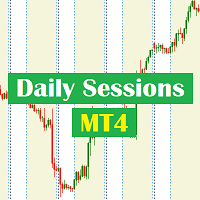
Daily Sessions utility is the best tool to highlight trading sessions , the trader can set any starting hour and ending hour to mark his trading session. Main features :
Customizable session time. Customizable Colors. Customizable vertical lines for the start and end of sessions
Set as many sessions as you want by simply plotting the indicator and changing the Indicator ID.
This is a tool for back testing your strategy manually on the chart , it's very easy to use, it may be useful for both professional and beginner traders. Features : • Simple buttons. • Export : P/L Points , Lots , Order P/L Result , Balance , to CSV file. • Ability to choose Auto or Manual StopLoss & TakeProfit. • Manual lot , or lot by risk can be used.
• Ability to change the chart time frame for live charts without losing the backtest result , you can even clo
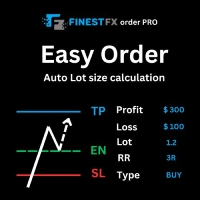
FinestFx order PRO is easy order execution and auto risk management tool developed by FinestFx official Programmer : Mohammed Rafi Just move SL,TP , Entry lines or Type SL,TP on entry columns . Lot are calculated automatically by fill out the loss cut amount. Work with all base currencies Fixed loss amount can be selected. Calculate risk rewards. Market order, limit order, and stop order are selected using buttons Supports FX, CFD, and crypto currency on MT4 Visit the owner website to see its

The EA is used as an assistant for traders in the Trading Masters group. The EA assists with identifying setups when taking trades using the strategies outline in the Trading Masters Group. The EA has been developed and is intended for use by community members who understand the concepts and would like assistance navigating trade setups. It is recommended to first understand the concepts presented in the Trading Masters group before purchasing this EA so the user can understand and benefit fr
Auto Take Profit MT4 is designed to take profits in automatic way.
As a trader (manual or auto), you define your own expected profits schema. When you open one or several orders, the AutoTP program calculates profits then update into SL or TP automatically. It also re-calculates and updates accordingly for remaining open positions when a new order opened or an existing position closed. ---------------------------------- (Watch live in this DEMO ONLY signal https://www.mql5.com/en/signa
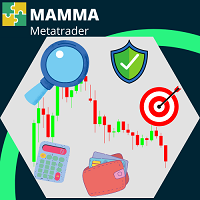
L'indicateur MAMMA est idéal pour les débutant comme pour les traders perfectionnés pour calculer les STOP, les VOLUMES ou le niveau de RISQUE.
Vous avez un cockpit pour piloter les paramètres et adapter l'outil à votre trading.
Ce cockpit peut être déplacé ou tout simplement réduit pour être agrandi quand vous en avez besoin.
Il y a 3 modes de calcul : * Vous pouvez automatiquement calculer le risque en fonction de ce que vous prévoyez de faire avec une taille de lot et une taille de stop *
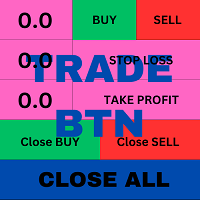
This is an ON CHART trade management panel. In other words, ON CHART Lot Size, Buy, Sell, Stop Loss, Take Profit, Close Buy, Close Sell and Close All buttons! *IMPORTANT NOTE: Input settings are NOT usable. You can change or insert Stop Loss and Take Profit values only on the chart panel. (See the below video!) This one is MT4 version!
BUTTONS List: 1. Lot Size - (0.01) is default click on it and insert the lot size with which you want to open a trade. 2. Stop Loss - (0.0) is default click on i
FREE

The panel allows you to place and open orders with one click of a button.
It is possible to quickly change the parameters of the lot, take profit, stop loss and expiration time.
The expiration parameter is valid only for pending orders. The trading panel works in the tester. To open a pending order, click on the buy or sell stop button, and then on a place on the chart.
(This function cannot work in the strategy tester for technical reasons) Expiration time is in minutes, everything else is
FREE

Line Trader Pro is designed to simplify your trading activities and automatically open trade when the trendline or horizontalline you draw touched by the running price, You can choose to set EA to trade buy order or sell order when the trendline or horizontalline touched by running price, you can also set stoploss and takeprofit in pips, when using MM Lot it will automatically calculate your order lot based on the SL distance and set risk per trade from your current equity. This EA include : 1.
New version 1.22. Partagas
The AG algorithm is an element of a comprehensive trading system for trading a basket of currencies across 8 major currencies across all 28 currency pairs. The algorithm serves as a signal block for determining entry/exit from a position. To collect initial values, AG uses data from the CSS Currency Slope Strength cluster indicator. This indicator was not chosen by chance - it performed very well during testing of the algorithm. A. AG determines the width of the e
FREE

You can send MetaTrader screenshot easily to your identified telegram channel via press the send button that on the chart. TelegramBotToken: Telegram API credentials. You can create API credentials on my.telegram.org web page ChatId: Your telegram chatId. Secreenshots will be sending this channel - Please do not press the button repeatedly. This may cause your bot or ip address to be blocked. - You have to add telegram api address ( https://api.telegram.org ) in Option > Expert Advisors > Allow
FREE

Simple Trendline Trader is designed to simplify your trading activities and automatically open trade when the trendline you draw touched by the running price, You can choose to set EA to trade buy order or sell order when the trendline touched by running price, you can also set stoploss and takeprofit in pips, when using MM Lot it will automatically calculate your order lot based on the SL distance and set risk per trade from your current equity. This EA include : 1. Trade Mode, BUY or SELL mode

Simple HorizontalLine Trader is designed to simplify your trading activities and automatically open trade when the horizontalline you draw touched by the running price, You can choose to set EA to trade buy order or sell order when the horizontalline touched by running price, you can also set stoploss and takeprofit in pips, when using MM Lot it will automatically calculate your order lot based on the SL distance and set risk per trade from your current equity. This EA include : 1. Trade Mode,

This EA is designed to simplify your trading activities and automatically close all open order when the trendline or horizontalline you draw touched by the running price, You can also choose to close only all buy order or close only all sell order or both close all buy and sell order at the same time. This EA include : 1. Close Mode, BUY or SELL mode 2. Time Filter (Broker Time) 3. Advanced Breakeven and Trailing Stops 4. Partial Close 5. Magic Number You can save it as template (for BUY or SELL
Let Your Ideas Earn For You.
Convert your Ideas and Strategies in to automated trading bots directly on MT4. Visual Strategy Builder with Instant Results on the chart. This One of a kind strategy builder, allows you to specify rules and visually see the signals based on those rule as you create them. Visit the link for Group, User Manual, Video Examples
Why Use LBM
LBM is an essential tool for traders of all levels. It allows traders to create strategies quickly and easily, and to test them i
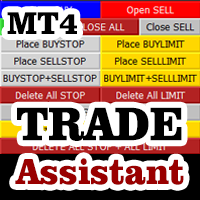
Do you think that in markets where the price can change in a split second, placing orders should be as simple as possible? In Metatrader, each time you want to open an order, you have to open a window where you enter the opening price, stop loss and take profit, as well as the trade size. EA Trade Assistant V for MT4 is an advanced tool that allows you to easily plan each transaction and manage them effectively. If you are a scalper and need to quickly open and close trades without setting defe

Martingale grid panel - a semi-automatic Expert Advisor with a built-in trading panel. The Expert Advisor is activated by standard MT4 tools (or via its own panel) and automatically sets Take Profit, Stop Loss, Trailing Stop. Automatically or manually opens averaging orders. Changes the volume of orders in accordance with the Martingale strategy. Works with all orders of the selected symbol or only those opened from the panel, when the ID number is set. The Expert Advisor (and its Free Demo) are
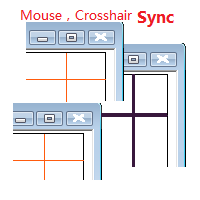
Objective: Mouse Crosshair Synchronization In multiple-charts. Syncronization crosshair for other timeframes. Syncronization mouse for other timeframes.
Use: 1. Download the program and put it in the dir (MQL5/Indicators or MQL4/Indicators). 2. Load this indicator to the charts that need to be synchronized. It just work. 3. Support the left and right keys of the keyboard. When the left and right keys move crosshair on a chart, the same symbol charts will also

On the other hand, we denounce with righteous indignation and dislike men who are so beguiled and demoralized by the charms of pleasure of the moment, so blinded by desire, that they cannot foresee the pain and trouble that are bound to ensue; and equal blame belongs to those who fail in their duty through weakness of will, which is the same as saying through shrinking from toil and pain. These cases are perfectly simple and easy to distinguish. In a free hour, when our power of choice is untram
FREE

"Statistics by magic pro" is a program that provides statistics after entering a magic number. You can simultaneously track up to 10 statistics for different magic numbers in one chart window. The program is very easy to use. The program should be run on any free chart. In the EDIT field on the chart, you should enter the magic number. Entering "0" will erase the statistics in that window. The operation of the program can be stopped by selecting the statistics off option. After selecting it, the
FREE

Outil de Position de Trading et de Backtesting :
L'outil de Position de Trading et de Backtesting, également connu sous le nom d'Outil de Ratio Risque/Récompense, est un indicateur complet et innovant conçu pour améliorer votre analyse technique et vos stratégies de trading. L'outil de Risque est une solution complète et conviviale pour une gestion efficace du risque dans le trading forex. Avec la possibilité de prévisualiser les positions de trading, y compris le prix d'entrée, le stop-loss (
FREE
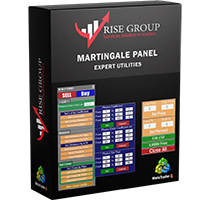
is highly helpful in both performing and assisting a successful trade. This program allows you to work in a real account and take advantage of its most important feature, the Back-Test feature. is made up of two panels that work together to provide you with the best and fastest performance possible. The command panel is on the left, and the confirmation panel is on the right. The command panel is divided into four main categories: Buy/Sell, Lot, Distance, and Set Close. You make all the decisi
If you need an advisor on any arrow indicator signals - this utility will definitely help you. You will be able, with the help of this utility to form an unlimited number of EAs on YOUR signals , with your set of settings, with your copyright and complete source code . You will be able to use the resulting EAs unlimitedly , including adding them to the Market and other resources. Free simple version of the generation script to help you understand how it works - here
What does the utility do?

FXO PRICE ACTION LEVEL NOTIFICATIONS
Notes:
1. .ex4 must be loaded in EA folder (not indicator folder).
2. Activate MT4 application notifications by Tools/options/enable push notification.
3. Drag Overlapped Horizontal lines to desired levels at start.
This is an Indicator file, it will not take trades by itself.
For any query Support: admin@forexmarket.one
Copyright: www.forexmarket.one
FREE
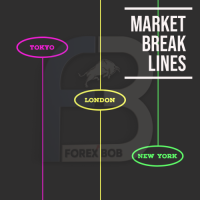
Market Break Lines is an utility tool to create a partition line at market openings/closings of Tokyo/London/NewYork sessions. This will help you to compare the market movements, volatility variations between the different markets.
Inputs: Inputs are simple to feed the time of Tokyo/London/NewYork sessions as per your broker server time Change Color and width of partition lines You can enable or disable any line (Hide/Show).
Please don't forget to support by giving handsome reviews/rating MT5
FREE

This EA is literally a reverse of Recovery Zone Assistance, as its name says ... It is an assistant, an expert advisor that monitors all the orders for the asset in which it has been placed, no matter if that order was by some other expert advisor or by the trader placed on the Manually, he will start his work after each order that is negative. Find Recovery Zone Assistance on https://www.mql5.com/en/market/product/68909 This Expert Advisor is based on this sistem on video "Recovery Zone" on
FREE
Introducing the Revolutionary Trade Closing Assistant ! Are you tired of manually closing hundreds trades? Are you a scalper , day trader , swing trader and you want to maximize your profits and minimize your losses by closing multiple positions at thesame time under different conditions? Are you a Prop Firm Trader who wishes to avoid hitting maximum daily drawdown? Search no further. This kit is the ultimate solution for all you.
GUIDE TO USE THE KIT 1. Shows the total profit/lo

The Saz_Timer indicator belongs to the Saz_Forex suite of professional indicators designed by Traders, for Traders. This indicator will show minutes and seconds of real time on the chart window. The indicator uses the OnTimer() event so it can update even while no ticks received on the chart. The text is shown toward the bottom right of the chart, encircled red in the screenshot. Inputs: Text Colour, allows selection of the colour for the text.
FREE

FXO BROKER SPREAD INFORMATION
Floating spreads are harmful for your trading strategy, even with Raw spread account. it makes a lot difference.
Floating spread goes too high when it's news time or daily or weekend rollovers.
this can affect trades's Expert Advisors, Pending orders and Stop losses.
Therefore this tool is created to find right information about spread while rollovers.
How to use :
download/paste the program file to Expert Advisor folder,
Open a chart of any instrument, Lo
FREE

Darwin Reports Tool EA
Prix de lancement exceptionnel ! 35 USD
DESCRIPTIONS :
Darwin Reports Tool EA est le nouveau produit de la gamme Darwin.
Les produits Darwin sont reconnus et réputés sur MQL5 pour les qualités et leurs performances.
Cette fois ce n'est pas un Expert Advisor que je vous propose, mais un utilitaire destiné a automatisé des taches.
Essentiellement, faire des rapports de vos performances
EXPLICATIONS :
Effectivement, grâce à cet utilitaire, vous aurez la possibilité

This is a Semi Automated OTE EA based on the free teachings of ICT. One of the biggest challenges in trading is related to executing and managing trades. After analyzing charts, draw an OTE Fibonacci and turn on the EA. It will automatically execute orders based on the Fibonacci level of your placement and protect any open positions when in profit. Please review the documentation that accompanies this product.
Auto Lot Calculation Based on Risk Percent
Auto SL and TP
Auto BE
Risk Per
FREE
This trading tool automatically applies stop loss, take profit, and breakeven levels to trades that are opened manually or with a specific magic number or comment. The stop loss is set in pips, and the take profit and breakeven levels are calculated as a multiple of the stop loss. This helps traders to manage their risk and protect their profits. Additionally, the tool also watches for the breakeven point, allowing traders to move their stop loss to break even once a certain level of profit has
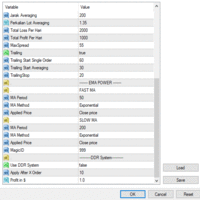
Ea SING MAIN MAIN menggunakan strategy DUA CROS EMA yang anda dapat sesuaikan di pengaturan sesuai dengan strategy anda masing masing ea SING MAIN MAIN juga sangat dapat membantu kita open posisi dan mengatur resiko yang kita akan gunakan karena sudah dilengkapi dengan cut loss BY % cut loss BY $ ea SING MAIN MAIN ini juga dapat mengurangi resiko ketinggalan moment entry

Utilitaire de gestion des positions ouvertes et des commandes en attente. Le trailing stop intégré a cinq modes et sept outils. Il existe un stop loss virtuel et un take profit virtuel, qui peuvent être librement déplacés sur le graphique. À l'aide du simulateur de trading intégré, vous pouvez vérifier le fonctionnement de l'EA dans le testeur de stratégie. Un guide détaillé de UTralVirtual peut être trouvé dans la section "Commentaires". Avantages 5 modes trailing stop: virtuel, normal, total,

XLT Alert EA identifie la tendance à long terme et fournit des alertes pour les transactions possibles.
EA affiche uniquement une alerte, mais le commerçant peut alors décider d'ouvrir l'ordre ou d'attendre un meilleur signal.
La fenêtre d'information Trade Management affiche la direction de la tendance du mois, EA n'envoie une alerte que lorsque le signal correspond à la tendance. La gestion des échanges permet un accès facile aux boutons d'achat et de vente ainsi qu'au bouton de fermeture d

Indicador SMART MONEY CONCEPTS DRAW Este indicador te permitirá dibujar de forma sencilla, rápida y fácil todos los conceptos de Trading Institucional e Smart Money Concepts basados en la terminología de The Inner Circle Trader (ICT) necesarios para realizar análisis técnico en tus gráficos de Metatrader.
Este indicador ha sido desarrollado por el equipo de TradingForexTV y lo entregamos totalmente gratis para toda nuestra comunidad y seguidores de nuestro canal y redes sociales.
Algunos de lo
FREE
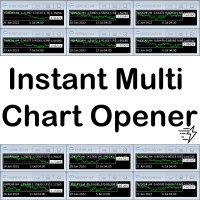
A script to open and Close charts of multiple pairs instantly with custom template
$30 for the next 25 downloaders, next price: $45
Features:
Chart Opener : Open chart(s) of multiple pairs simultaneously
Template Opener : Load any User specified template (.tpl) to the opened chart(s)
Chart Closer : Close chart(s) of multiple pairs simultaneously
Disclaimer:
Any loss involving this trading tool is the sole responsibility of the User, and not the responsibility of the Creator of this trading

Prop Manager allows you to automatically close trades once the max daily loss or profit target is reached so it's designed for the control and management of PROP FIRM ACCOUNT , but also live accounts.
Prop Manager will allow you to manage prop accounts with maximum security, whether you want to do manual trading or algorithmic trading.
It was created for people who want to be sure that their trading does not run into daily drawdown or total drawdown problems. The user is left with complete fr

Hide TP and SL from your broker. Set Use_TP_SL_Stealth_Mode to true to hide your TP or SL from the brokers. Stealth Trailing now avalable in updated version. Set Use_Stealth_Trailing to true for profit trailing without your broker knowing. This EA can be used on any currency pair and will manage your open orders. Besides the stealth mode EA can also be used for normal order management where actual TP SL levels can be set. Also the EA can trail order by adjusting the Stoploss price.

Broker Desynchronization script MT4 is a script in the form of an EA. It will check the desynchronization of a BROKER's server compared to your time at your PC.
Usually BROKER sets time forward to have some space to execute trades.
If you wish to check how big the difference is, please load the EA to any chart.
After loading, it will wait for the first tick to check the desynchronization.
Information will be available for 10 seconds.
NOTE!
If market is closed, you get information to try again la
FREE
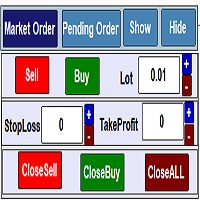
Trading Panel for managing orders in one click ... for MetaTrader 4 . Market Order : Open Order Sell . Open Order Buy . Set Lot orders . Set stop loss, Take profit orders on the chart. closing all Sell positions. closing all Buy positions. closing all positions. Open Pending Order : Calculating pips on the chart Sell limt . Sell Stop . Delet Sell limt. Delet SellStop . Buy limt . Buy Stop . Delet Buy limt . Delet Buy Stop . Delet All ,Sell limt,Sell Stop,Buy limt,Buy Stop . Work in the back t

A utility for managing open positions using virtual (invisible to the broker) stops. Virtual stop loss and virtual take profit can be freely moved around the chart. If the price touches the virtual stop line (TP, SL, TS), the EA will close all orders of the same direction on the current chart. Closing orders by virtual take profit is possible only if there is a profit.
With the help of the built-in trading simulator, you can, in the strategy tester, see how the adviser works. Parameters Block
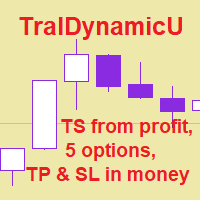
The utility for managing open positions can work with stops (take profit and stop loss) in money, percentages or points. The built-in trailing stop starts working from profit, the size of which can be set in currency or as a percentage. Trailing stop can work in three modes and for five instruments. With the help of the built-in trading simulator, you can check how the utility works in the strategy tester. Benefits setting stop loss and take profit in the deposit currency, as a percentage of the
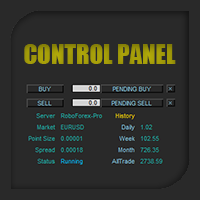
Control Panel mette a disposizione una semplificata ed avanzata gestione dedicata per ogni singolo mercato Forex, CFD, Materie Prime, Indici Azionari, Metalli Preziosi, Prodotti Energetici, Azioni & Crypto Valute, dal trade pad si posso aprire posizioni e ordini pendenti, visualizzare tutti i dati relativi alla quantità delle posizioni Buy, Sell e di tutti i trade oltre alla quantità espressa in lotti anche per i posizionamenti hedge indicando il valore espresso in lotti relativo all’esposizion

Pip Counter Indicator Point This Panel is a great tool for Traders who open multiple orders and want to have detailed control of their operations, as well as traders who want to see the pips obtained at the end of their Trading session. This Panel reports on the buy and sell orders you have open, the pips traveled, pips generated and distance from the Stop Loss Long: Indicates the number of open buy orders. Short: Indicates the number of open sell orders. PIPS Counter: Indicates the real-time

================================================================================ The utility is useful when you have to load history data for many symbols and timeframes. It loads the symbol used in the market watch. One symbol is scanned for all timeframes. Then the charts will be closed and the next symbol is scanned. You cannot abort the operation. Wait till it is done. ================================================================================
FREE
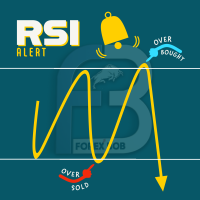
RSI PHONE ALERT RSI Alert is an amazing tool to get alerted on your mobile phone when Overbought/Oversell levels reached on RSI indicator. So that traders who doing manual trading can execute their trades from mobile phone while following their RSI strategy, as most of the traders use RSI for entering their trades. New suggessions are welcome INPUTS RSI levels RSI period Start/End time of the tool Custom text message to get on mobile phone Enable/Disable mobile alert function available Do not fo
FREE
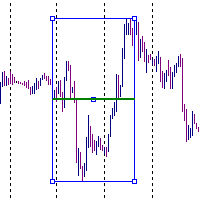
It is just an alternative fibo lines, because mt4 have is a very strange drawing of fibo lines A simple Box (Rectangle) graphic element with adjustable levels binding: it is possible to specify up to 17 custom levels, all rectangles on the chart with the given prefix in their name are processed. Levels are specified in % of the height of the rectangle. A convenient graphical element for analyzing charts by growth-correction levels. Enjoy your work!
FREE
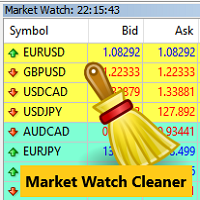
Clean up Market Watch from unused symbols.
If you use multiple advisors and terminals on the same account your Market Watch windows may get filled with unused symbols from orders and positions opened on other terminals. Every symbol in the Market Watch consumes cpu power and bandwidth to get constantly updated and if you are on a vps you want to minimize resources consumption. Market Watch Cleaner helps you with that by periodically cleaning your Market Watch window from unused symbols.
Param
FREE

The Spread Monitor indicator is designed to instantly show the seprads of currency pairs. Spreads of all pairs appear at the bottom of the screen as oscillators. The indicator has a spread level parameter. When you enter a value in this parameter, the ones below that value are displayed in green and the ones above it in red. The spreads of 28 pairs appear on the indicator. Note: It does not work in test mode. In test mode, spreads show 0. Works in live mode To View Our Other Products Go to the
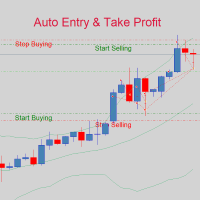
If you are good at market analysis this Semi-automatic EA will help you to manage trade for entry and take profit as you analyzed You job is set the zone for buying or selling by moving the lines on MT4 chart
For Supply and Demand Strategy - Support & Resistance System.. Buy low sell high from potential reversal point For this tool you only need to set the Market zone for buy or sell Start lots should be small for low drawdown for 0.01 standard lots for each $200 or more Default setting is for t
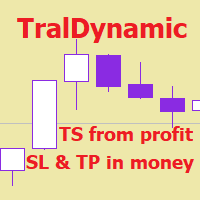
The utility for managing open positions can work with stops (take profit and stop loss) in money, percentages or points. The built-in trailing stop starts working from profit, the size of which can be set in currency or as a percentage. With the help of the built-in trading simulator, you can check how the utility works in the strategy tester. Benefits setting stop loss and take profit in the deposit currency, as a percentage of the account balance or by points; adding stop loss and take profit

Le script est très utile pour ceux qui travaillent avec un grand nombre d'ordres. Il arrive qu'il y ait un profit sur le compte et que vous devez fermer tous les ordres sur le compte. c'est pour cela que vous avez besoin du script Full Closer.
Paramètres du script: Close Type -spécifiez le type d'ordres à fermer. Si vous souhaitez fermer uniquement les ordres BUY. mettez le paramètre à la position Only BUY orders, et si vous voulez fermer tous les ordres, laissez le paramètre à la position All
FREE
TradeStops Manager EA is a simple, dynamic, volatility-adaptable stops-management tool that will help you to manage your open order's stops effectively according to your way. The fact that most traders lose money in the markets is not really surprising if you consider that most traders do not know how to set up the right, dynamic, adaptable stops in the face of current volatility in the market. Do you want to close a specific order after a specified
number of candles, StopLoss Level is reach
FREE

This Tool Allow you close all open Orders automatics when Equity reach to specific value: - When Equity is less than specific value - When Equity is greater than specific value - And Allow you close all open orders in manual - It will notification to MT4 Mobile app when it execute close all orders. __________________________________________ It very helpful for you when you trade with prop funds. Avoid reach daily drawdown and automatics close all orders when you get target.
FREE

Dear Friend ... I hope and Wish a happy new year to all of you .. as i told you < this is a simple Utility EA can helps you in your trading . he helps you to ensure that your decision is correct to enter the market . it is work on all currency pairs , stocks ,indices and crypto . its easy to install . no complicated inputs. this EA works as follows : it's main work is to detect the highest price and the lowest price on H4 & H1 time frame and draw resistance and support and trend every line has
FREE

这是一个简易的下单功能面板 不仅可以开市价多单和市价空单 当设置好止盈止损点数 就可以点击按钮开仓 除了市价单还可以挂限价多单和限价空单及突破多单和突破空单 认为不需要挂单的时候可以点击删除挂单按钮 。 面板还带有平仓多单和平仓空单及平仓后开反向单功能, 在面板的最上面有退出面板和隐藏面板功能。 在面板里边有参数输入功能:下单量、止损点数、止盈点数、多单挂单位置、空单挂单位置。 该面板是挂在什么货币对就执行当前图表上货币对下单功能,设置有订单识别码 也可以相同的图标货币对上挂2个以上的面板下单功能互不影响。 该面板显示在图标的右边角落,不会挡住当前行情方便操作。当前是最新版本 以后在运行当中会不断升级完善做到精益求精,给使用者带来良好的体验。
Le MetaTrader Market est un site simple et pratique où les développeurs peuvent vendre leurs applications de trading.
Nous vous aiderons à publier votre produit et vous expliquerons comment préparer la description de votre produit pour le marché. Toutes les applications de Market sont protégées par un cryptage et ne peuvent être exécutées que sur l'ordinateur de l'acheteur. La copie illégale est impossible.

Vous manquez des opportunités de trading :
- Applications de trading gratuites
- Plus de 8 000 signaux à copier
- Actualités économiques pour explorer les marchés financiers
Inscription
Se connecter
Vous acceptez la politique du site Web et les conditions d'utilisation
Si vous n'avez pas de compte, veuillez vous inscrire