
IVISTscalp5
- Indicators
- Version: 10.41
- Updated: 30 August 2026
- Activations: 5

[iVISTscalp5]: A Laboratory for Market Behavior Research Through Time
TLV Framework | Liquidity Activation Points
⸻
General Description
iVISTscalp5 is a multi-level timing and price structure indicator developed within the VISTmany project.
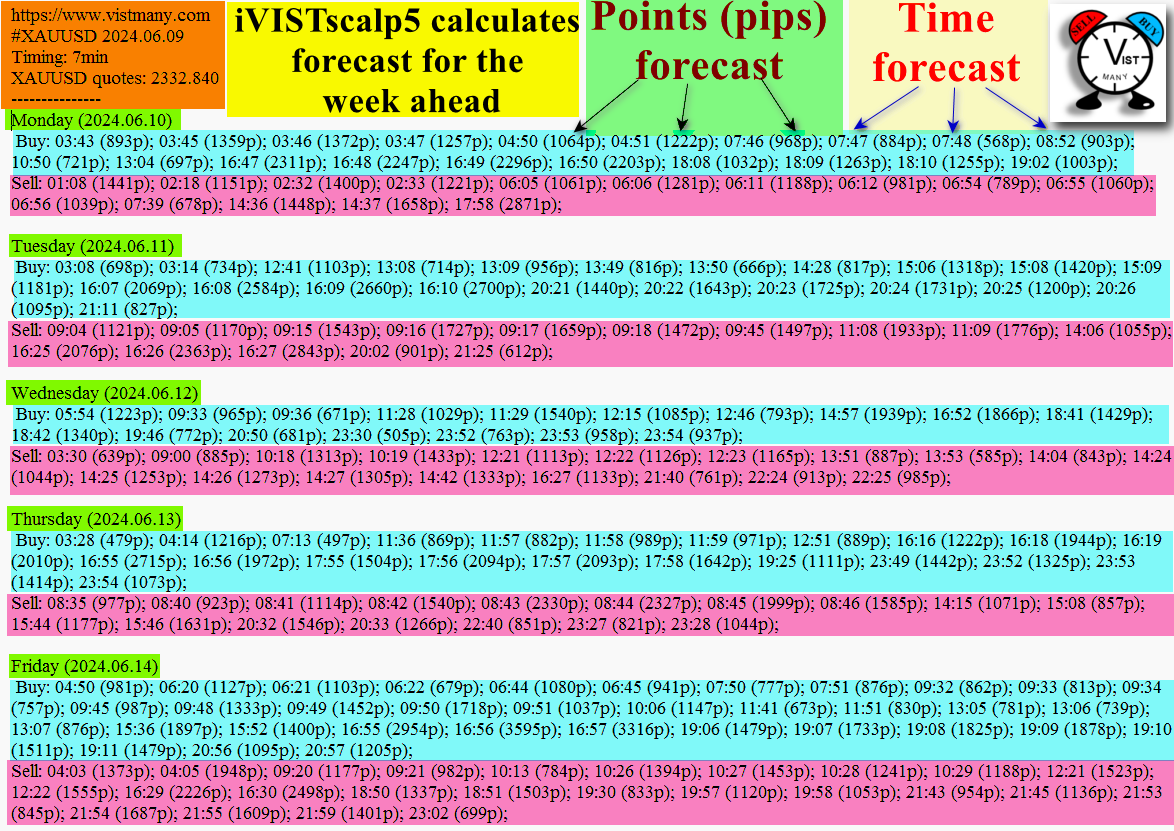
The system forecasts time, direction, and movement range through Liquidity Activation Points (timings).
The iVISTscalp5 indicator can be used with default parameters for any financial instrument.
⸻
Practical Value
The iVISTscalp5 indicator was not created as a conventional technical indicator.
The main development idea was different:
to give any person the opportunity to study market behavior through time.
⸻
Time Language VISTmany (TLV) — Core Concepts of the Project
t(p)
t(p) are price levels where timings become activated.
⸻
p(p)
p(p) are the main price levels generated by the iVISTscalp5 indicator.
The strongest reactions often occur:
during the interaction between t(p) and p(p).
⸻
Within the TLV (Time Language VISTmany) framework
the market is viewed as a system where not only price and volume matter, but also:
time structures of movement.
That is why the foundation of the indicator is based on:
Liquidity Activation Points (timings)
— time points where the market has an increased probability of activating movement.
⸻
What is iVISTscalp5
iVISTscalp5 is a nonlinear forecasting system for financial instruments.
The indicator allows traders to:
forecast movement activation time
analyze probable direction
estimate average movement range
study the interaction between price and time
analyze Momentum Clusters
study timing intersections
⸻
Installing the Indicator in MT5
MQL5 → Indicators → iVISTscalp5
Set the bar history in the MT5 terminal to at least 10000 bars:
Tools → Options → Max bars in chart = 10000
After that, restart MT5 and attach iVISTscalp5 to the chart. The iVISTscalp5 indicator can be set on any timeframe.
⸻
One of the Main Goals of the Indicator
is the research of market behavior.
That is why the indicator is recommended to be constantly tested:
inside the MT5 Strategy Tester
to study financial market behavior and its relationship with time.
⸻
Why Is This Important?
Only through:
continuous observation
testing
repeated analysis
comparison of timing structures
can traders begin to understand:
how the market reacts to time
how price interacts with timings
how liquidity reactions are formed
⸻
iVISTscalp5 Answers Three Key Questions
When the market is ready to move
Where a reaction is likely to occur
What type of movement can be expected
⸻
The Indicator Combines
Timings
Price levels
Statistical deviations
⸻
Core Idea
The market does not move randomly.
It reacts during Liquidity Activation Points (timings).
⸻
Timing System
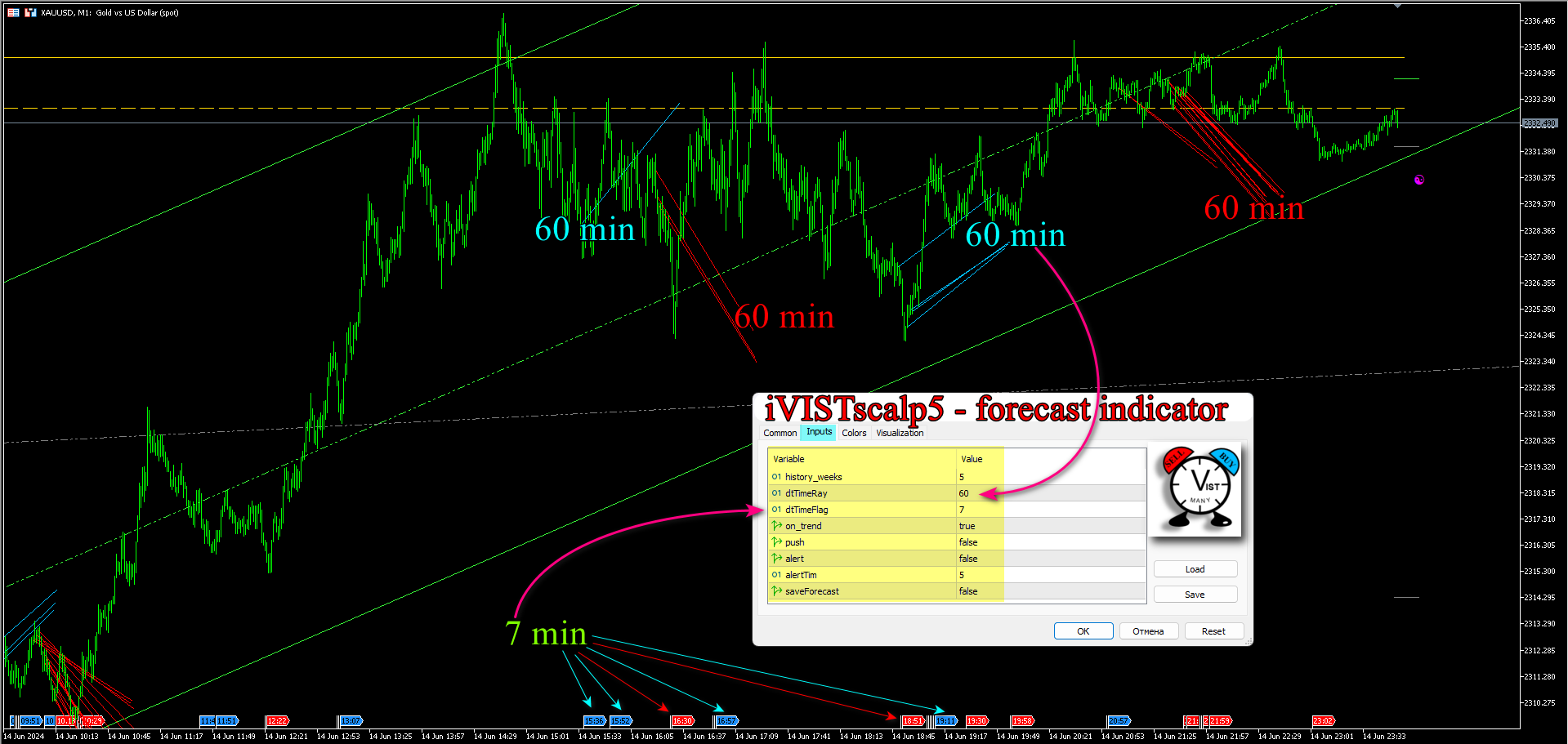
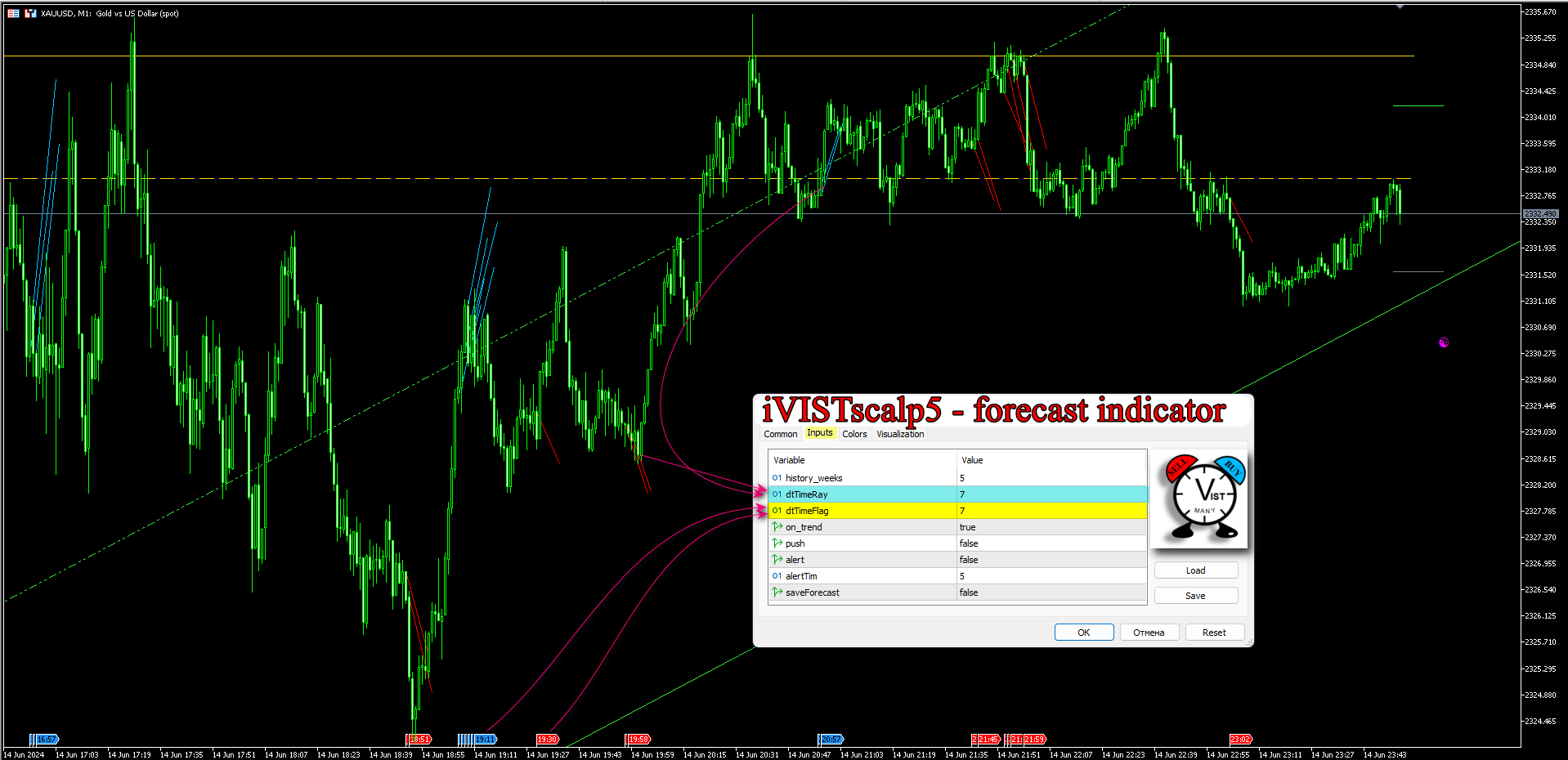
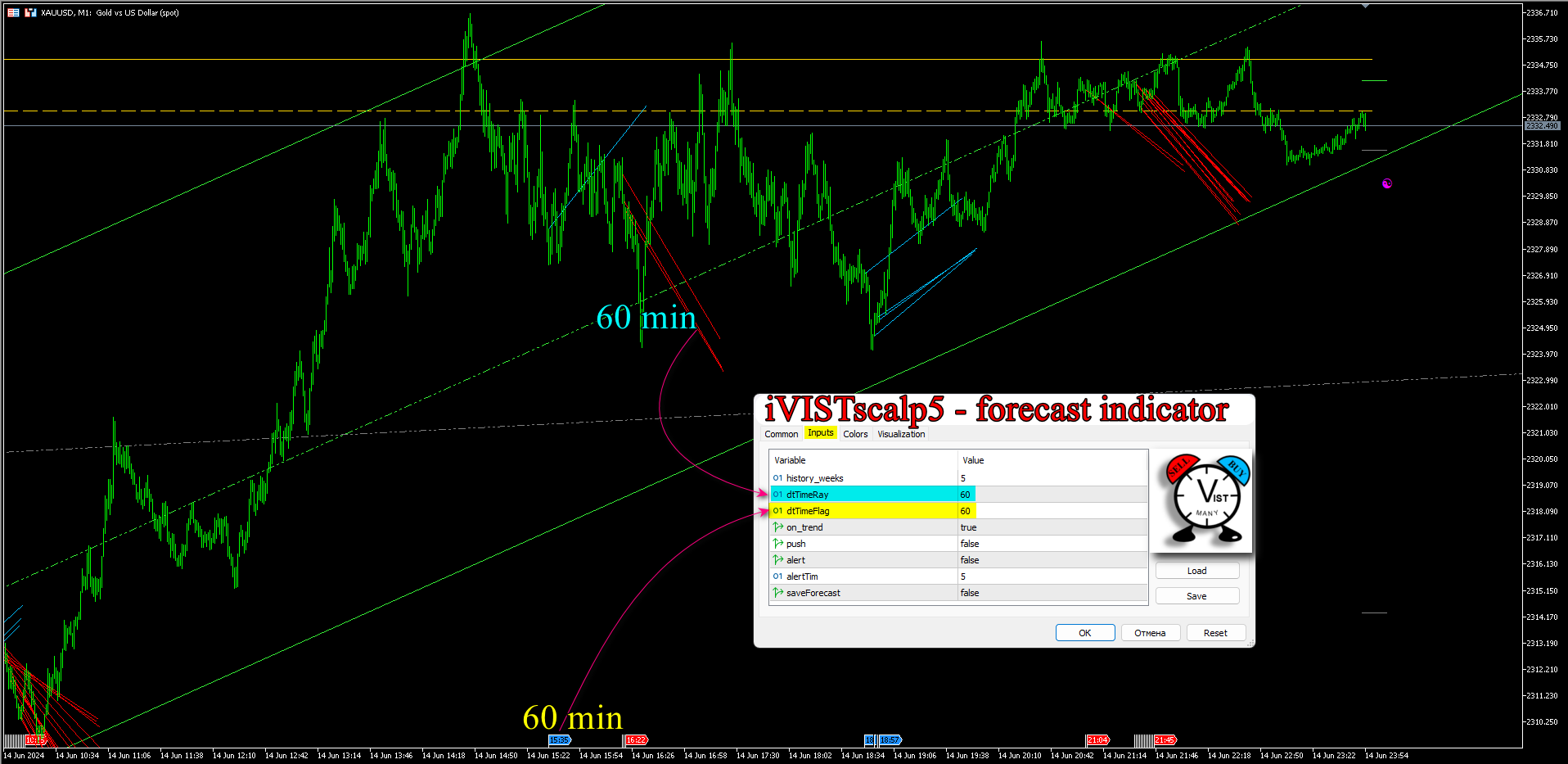
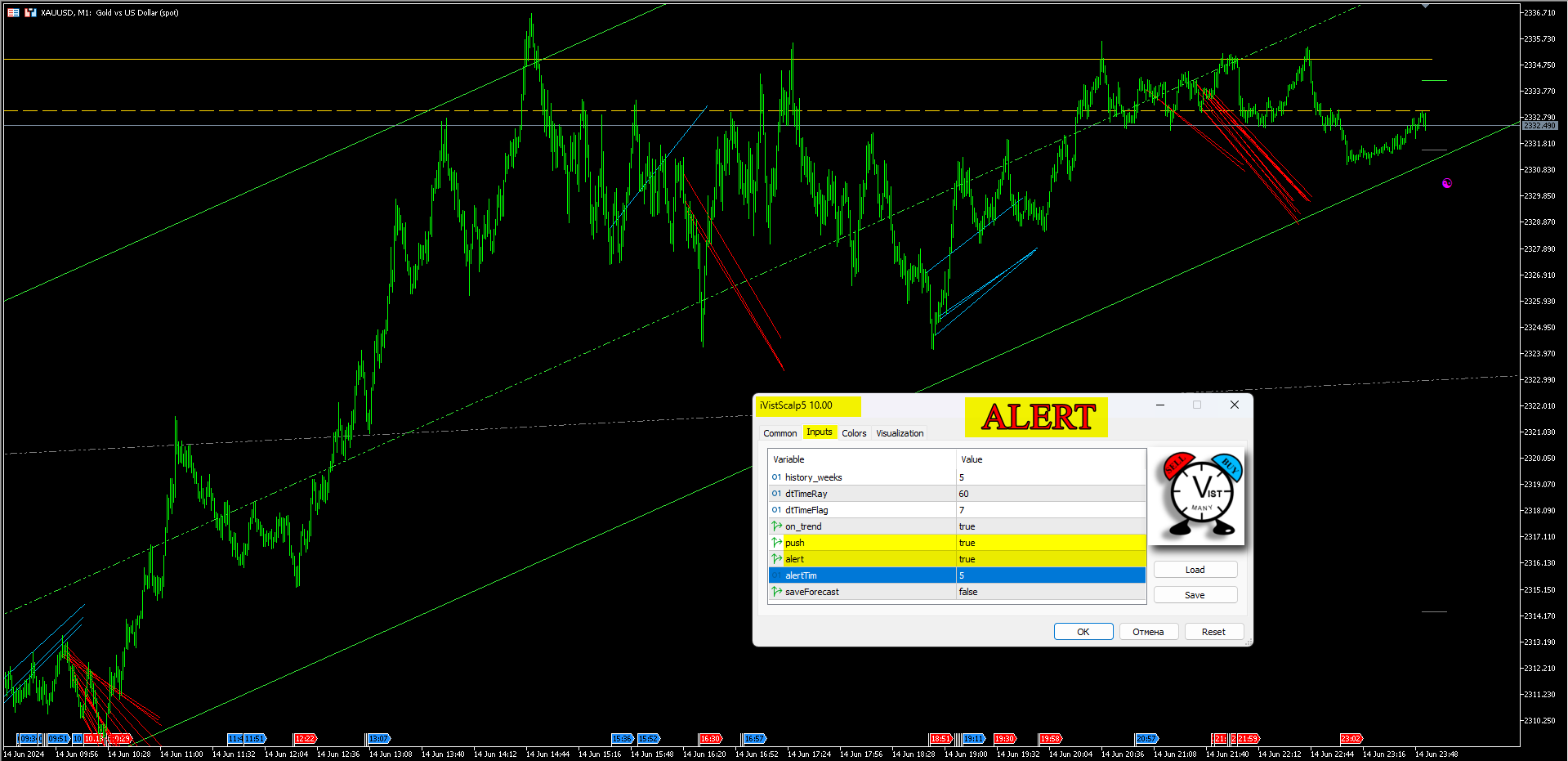
Timings can be configured flexibly:
from 7 minutes and higher.
Recommended intervals:
7 minutes
33 minutes
48 minutes
54 minutes
60 minutes
Higher timings define the main impulse of the day.
Lower timings refine the entry point.
However, traders may choose any timing intervals.
⸻
Weekly Analysis and Timing Calculation System (history_weeks)
from 5 weeks and higher.
For the 2nd and 3rd trading weeks, we recommend:
history_weeks = 5
For the first and last trading weeks, we recommend:
history_weeks = 8
⸻
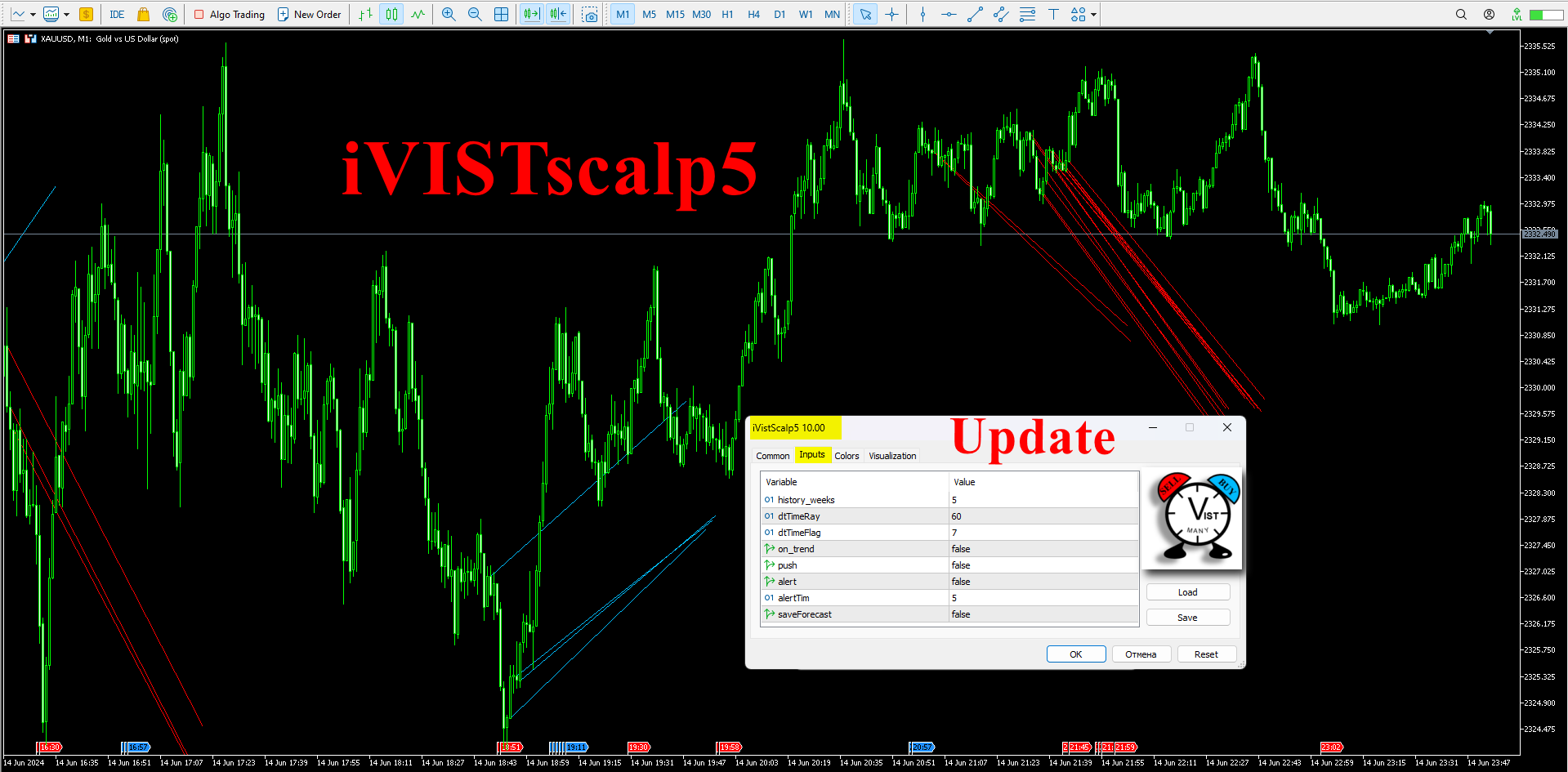
Visualization: Flags and Rays
Flags
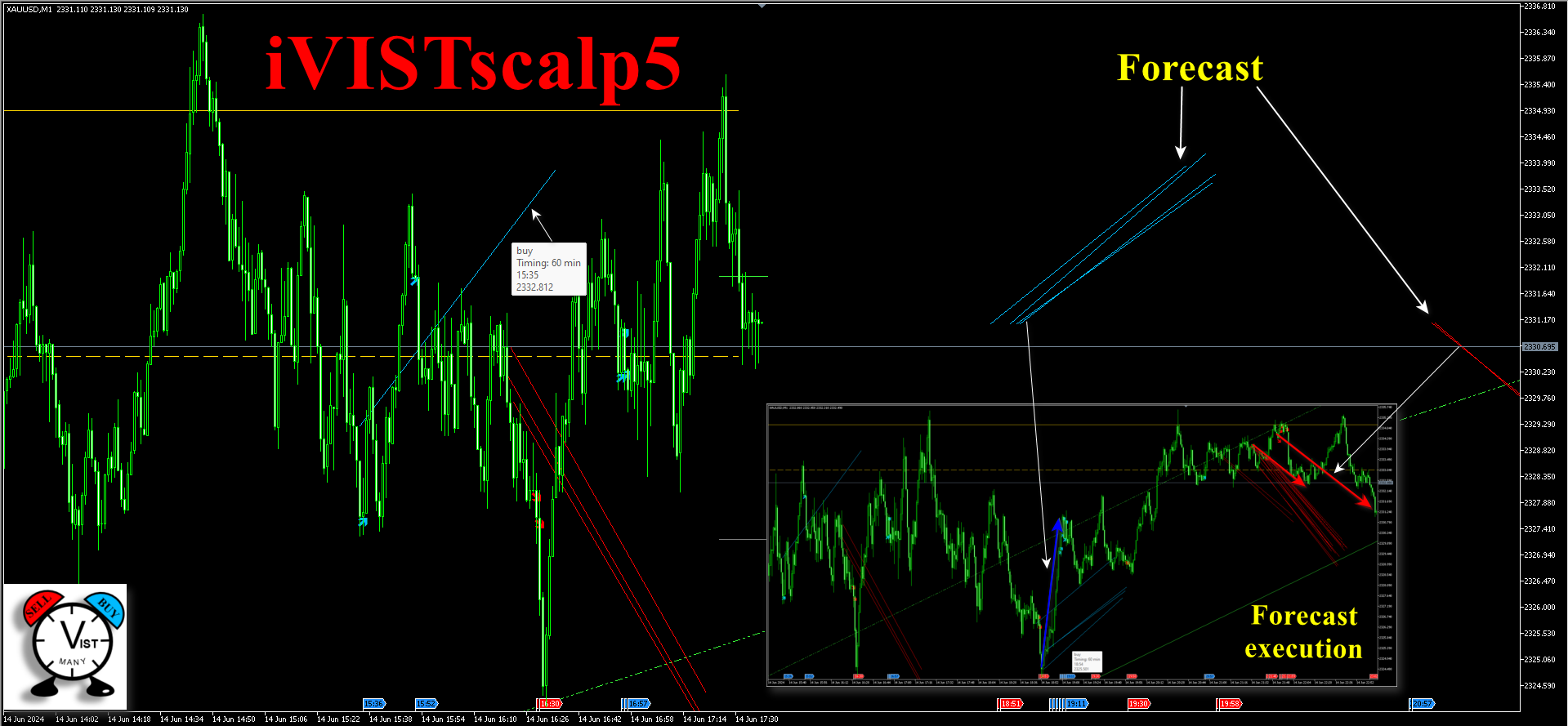
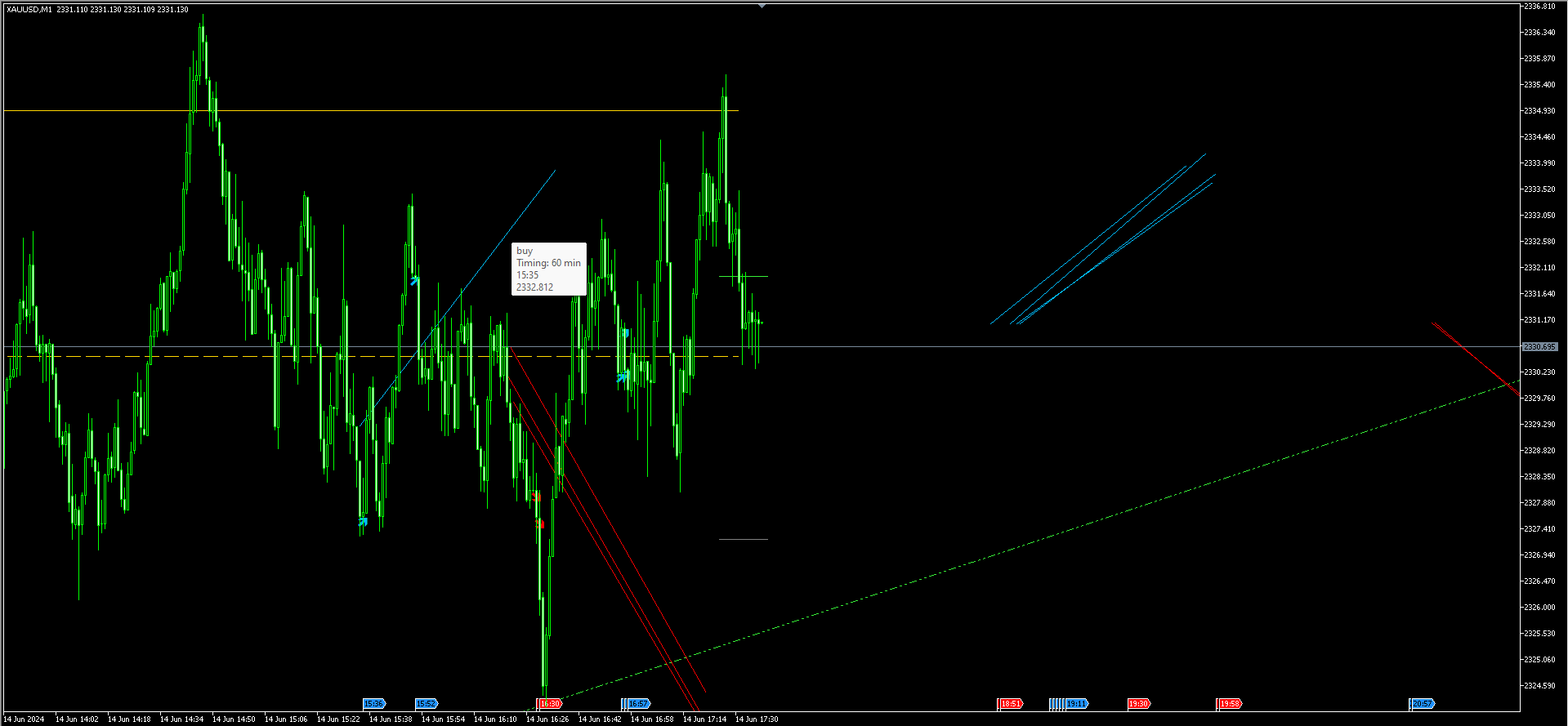
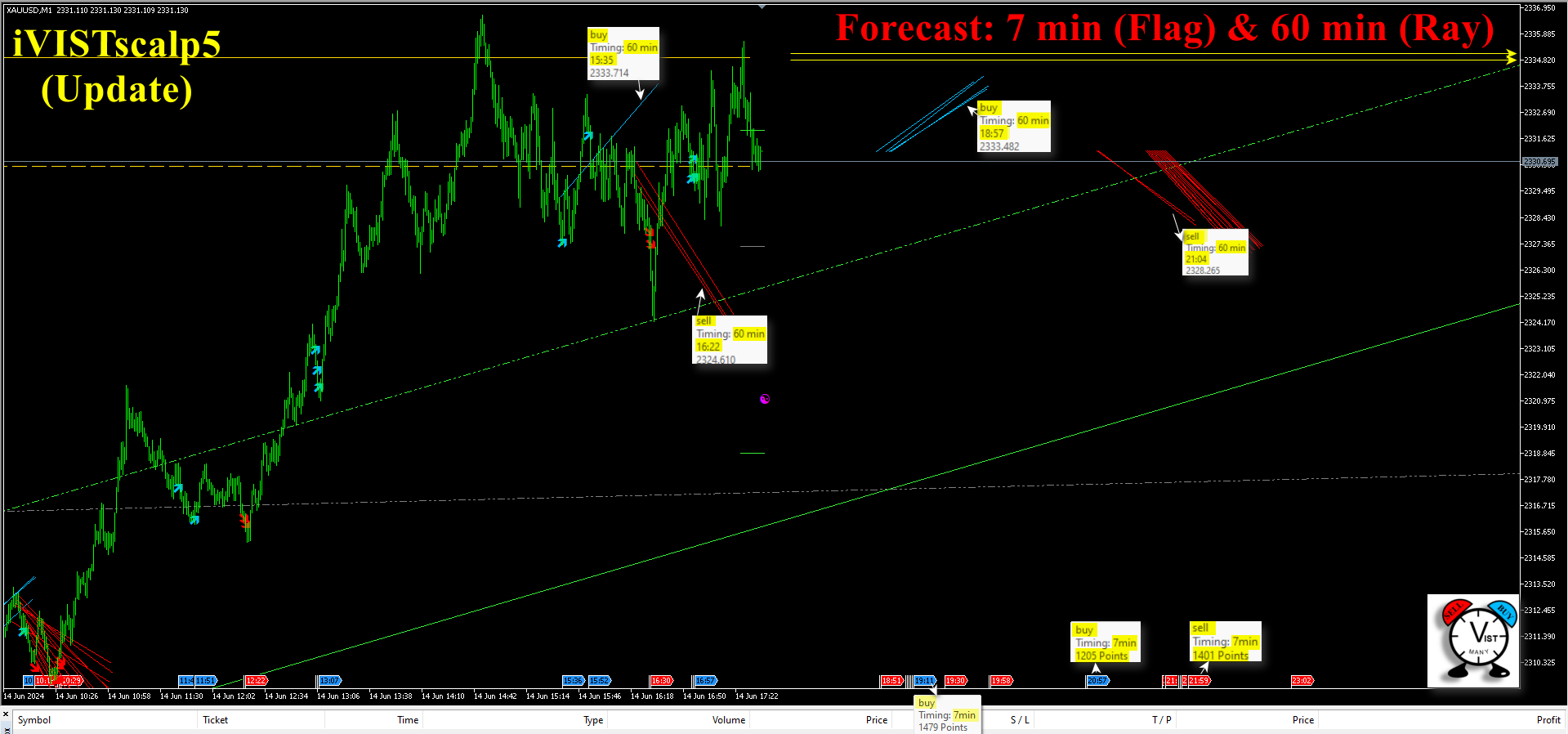
A flag represents a forecasted impulse activation moment.
Colors
🔵 Blue → Buy
🔴 Red → Sell
Information (when hovering the mouse)
Operation (buy/sell)
Timing interval
Average movement value (points)
⸻
Rays
Rays “float” until activation and then become visually attracted toward price.
Colors
🔵 Blue → Buy
🔴 Red → Sell
Ray Length
→ represents the average movement potential.
Information (when hovering the mouse)
Operation (buy/sell)
Timing interval (minutes)
Timing time
⸻
Flexibility
Flags and Rays can be swapped.
⸻
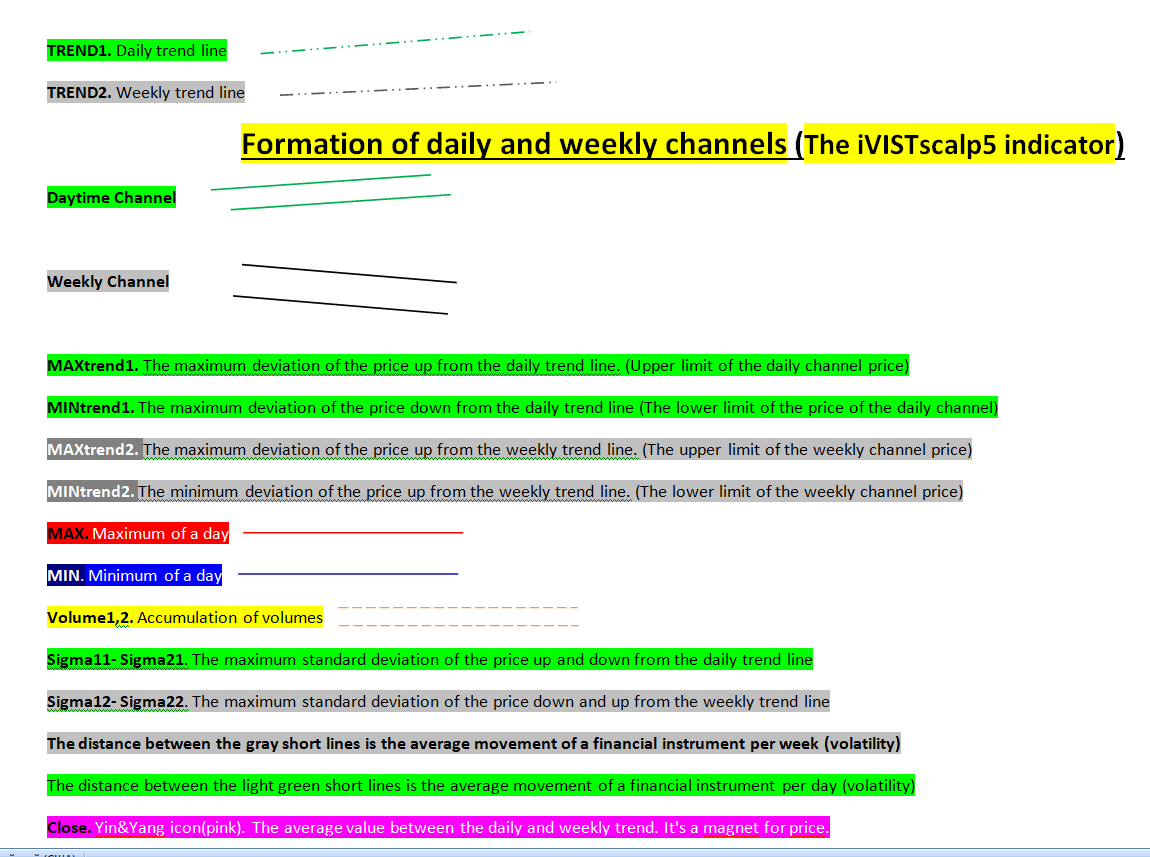
Price Channels
Daily, weekly, and monthly channels define:
trend
boundaries
reaction zones
⸻
Volume Levels
Volume levels display trading accumulation zones.
They work as:
support/resistance
liquidity zones
⸻
Standard Deviation
Calculated from:
daily trend
weekly structure
monthly structure
Shows: extremes, market overheating conditions
⸻
Balance Point (Pink Circle)
This is:
the center of all price levels generated by the indicator.
It represents:
equilibrium
the price attraction point
⸻
Trading Rules
A timing is not a signal, but a moment of attention.
Always consider context.
Observe price reaction.
⸻
Conditions
Extremes
Reversals or delays may occur.
⸻
News
News events may shift reactions.
⸻
Flat Market
Weak movement and accumulation phases are possible.
⸻
Directional Filtering
After a strong decline:
→ ignore Sell timings.
After a strong rally:
→ ignore Buy timings.
⸻
Retest
Price often returns to the timing starting point.
This can be used for entry opportunities.
⸻
Additional Notes
clusters increase probability
higher timings are more important
not all timings should be traded
⸻
Conclusion
iVISTscalp5 is not just an indicator.
It is a system for understanding the market through time.
⸻
Web Version of the Project (https://vistmany.com/vistlab)
monthly structure
Shows: extremes, market overheating conditions
⸻
Balance Point (Pink Circle)
This is:
the center of all price levels generated by the indicator.
It represents:
equilibrium
the price attraction point
⸻
Trading Rules
A timing is not a signal, but a moment of attention.
Always consider context.
Observe price reaction.
⸻
Conditions
Extremes
Reversals or delays may occur.
⸻
News
News events may shift reactions.
⸻
Flat Market
Weak movement and accumulation phases are possible.
⸻
Directional Filtering
After a strong decline:
→ ignore Sell timings.
After a strong rally:
→ ignore Buy timings.
⸻
Retest
Price often returns to the timing starting point.
This can be used for entry opportunities.
⸻
Additional Notes
clusters increase probability
higher timings are more important
not all timings should be traded
⸻
Conclusion
iVISTscalp5 is not just an indicator.
It is a system for understanding the market through time.
⸻
Web Version of the Project (https://vistmany.com/vistlab)
In addition to the MT5 version, the project also includes:
a Web-version on the official project website.
This allows traders to:
analyze timings without a terminal
study timing structures online
receive weekly forecasts
compare different financial instruments
The system projects time, direction, and expected movement
through Liquidity Activation Points (timings).















































One of a kind indicator that can actually forecast future movement and the estimated number of points. I haven't found or seen anything like this. Developer is also constantly improving the system to help users. But the most amazing part is the support. Iryna will guide you all the way to be successful in using this amazing tool. Highly recommend. 5 stars all the way