 MetaTrader 5
 Experts
 Indicators
 Libraries
 Utilities
 Widgets
 Rules
Rules
Watch the Market tutorial videos on YouTube
How to buy а trading robot or an indicator
Run your EA on
virtual hosting
virtual hosting
Test аn indicator/trading robot before buying
Want to earn in the Market?
How to present a product for a sell-through
Expert Advisors and Indicators for MetaTrader 5 - 132
 Use trading robots and indicators to make Forex trading more profitable. Trading robots allow you to automate opening and closing deals, while indicators help you predict market behavior more accurately.
The page features the catalog of MetaTrader 5 applications.
Use trading robots and indicators to make Forex trading more profitable. Trading robots allow you to automate opening and closing deals, while indicators help you predict market behavior more accurately.
The page features the catalog of MetaTrader 5 applications. 
DS Watermark V2.0 Professional Chart Identification & Market Information Overlay for MetaTrader 5 Overview DS Watermark V2.0 is a lightweight MetaTrader 5 indicator designed to improve chart organisation by displaying essential chart information directly on the trading window. The indicator provides a clean and customisable watermark overlay showing the current symbol, timeframe, and optional market information. It is designed for traders who work with multiple charts, multiple instruments, or d
FREE

Vegas Tunnel, with up to 20 levels, allowing you to plot or not each level with color change, line thickness and ON/OFF visualization for easy use 100% free and lifetime Recommended use for time frames: Original --> H1 Fractals --> M15, M30, H4, D1 and W1 When the black dots are above the tunnel, start short positions. When the black dots are below the tunnel, start long positions. It's important to remember that just because the market breaks the line of lying doesn't mean it's time to enter a
FREE

SPL102 SpikeCatcher Pro v3.0 Institutional Spike Reversal Trading System Built for XAUUSD, Volatile Markets & Fast Reversal Opportunities SPL102 SpikeCatcher Pro v3.0 is a professional spike-reversal Expert Advisor developed to capture high-probability reversal setups after aggressive market spikes, liquidity grabs, and wick rejection movements. The EA intelligently identifies abnormal candle expansions, stop-hunt liquidity sweeps, and sharp rejection zones where the market often reverses with m

Professional Position Planning and Volume Control Panel for MetaTrader 5 Position Control Suite is a professional visual trade planning panel for MetaTrader 5. It is designed for traders who want to prepare orders directly on the chart, define the exact stop-loss level, and automatically calculate the appropriate position volume from a chosen account-currency risk amount. The main idea is simple and practical: define how much you want to risk, set the Stop Loss distance, and the panel calculates
FREE

LIMITED TIME OFFER to download for FREE for Unlimited use license ================================================================
QuantView Analytics Master Advanced On-Chart Portfolio Diagnostics & Equity Forensics for MetaTrader 5 Standard MT5 history reports simply show you how much money was made or lost. QuantView Analytics Master is designed to answer the "Why" and the "How." By segmenting your trading history across four distinct analytical dimensions, this institutional-grade terminal
FREE

Flexible Copy Trade EA: The Premier MetaTrader Multi-Account Synchronizer Streamline your trading operations with the most reliable, high-speed trade copier designed for the modern MetaTrader environment.
Whether you are managing multiple accounts, coordinating a trading team, or looking to mirror signals across different terminals with near-zero latency, Flexible Copy Trade EA is your enterprise-grade solution. It offers seamless, lightning-fast synchronization regardless of the broker or acco
FREE

Smart Risk Manager FOREX – Free On-Chart Lot Size Helper Smart Risk Manager Forex is the free & simplified edition of the Smart Risk Manager family. It helps you calculate your position size on Forex pairs using a clean drag-and-release workflow. Just drag on the chart and the indicator shows the recommended lot size based on your RiskUSD amount. It is small, fast and easy to use. Features ️ Drag-to-measure lot size directly on the chart ️ Clean & very lightweight – no panels, no clutter
FREE

Price Action Auxiliary Indicator Suite 4-4 ATR/ATR% Numerical Indicators
This is a set of price action auxiliary indicators that I use regularly in my trading, covering the basic needs of price action trading. It can be loaded and used on any instrument.
A boon for manual price action trading, providing multiple auxiliary functions. Non-price action traders should purchase with caution, as this set of indicators does not provide any buy or sell signals; it is purely auxiliary.
This indicator
FREE

QuantSystem Multi Timeframe Panel QuantSystem Multi Timeframe Panel is a free MetaTrader 5 indicator that displays the current market direction across several important timeframes in a clean chart dashboard. The indicator was developed to give traders a fast, clear and structured overview of the current multi-timeframe market situation. Instead of opening each timeframe manually and checking several indicators separately, the panel summarizes the most relevant information directly on the chart.
FREE

MT5 Alert Indicator Please add Ema moving averages 60/100/200 & Rsi period 10 levels 30/70 to your chart. This indicator alert on a trend reversal strategy were - ema 60 > 100&200 - ema 100 < 200 And the Rsi is below 30 FOR BUY SIGNAL
Use this strategy in confluence with a larger timeframe trend in the same direction. This strategy identifies great entry opportunities to enter an early trend.
FREE

About This Indicator: RSI vs SMA Oscillator: A Comprehensive Technical Analysis Tool for Better View of Market Price
The RSI vs SMA Oscillator is a powerful technical analysis tool designed to understanding Market Price Fluctuation for buy or sell signals. This user-friendly Oscillator good for both novice and experienced traders, providing valuable insights into market trends and price movements. Key Features: - RSI Cross Alert: The indicator is based on the Relative Strength Index (RSI), a pop
FREE

Indicador Volume Range Spread O Volume Range Spread é um indicador desenvolvido para analisar a força do mercado por meio da combinação entre volume negociado , amplitude do movimento de preço e spread . Seu objetivo é ajudar o trader a identificar regiões onde há maior participação dos participantes do mercado, possíveis absorções, desequilíbrios, rompimentos e pontos de exaustão. O indicador observa a relação entre o volume acumulado em determinado intervalo de preço ou tempo e o tamanho do ra
FREE

Santa Trend Indicator is an efficient way to forecast and detect the trend in any market. Advantages Generates instant buy and sell signals. Provides an alternate exit strategy to your existing trading system. Never repaints, never backpaints, never recalculates. Works in all symbols and all timeframes. Perfect trend filter for any strategy or expert advisor. Fully compatible with Expert Advisor (EA) development. Does not lag.
FREE

Product Description: Effortlessly bridge the gap between Binance and MetaTrader 5 with this sleek integration tool. Designed for traders who demand precision and real-time data, this product fetches live Binance chart information directly into MT5, enabling seamless technical analysis and strategy execution. Whether you're tracking candlestick patterns or refining your forex indicators, this tool ensures your MT5 environment stays synced with the crypto market pulse. Getting Started: Place the
FREE

OSS ULTIMATE ELITE 2026 – Institutional Smart Money System Stop chasing price. Start trading like smart money. Why Traders Are Switching to OSS Elite Most indicators react after the move.
OSS ULTIMATE ELITE is designed to help you position before the move happens. This is not just another signal tool — it’s a complete trading framework combining momentum, structure, and liquidity behavior. What Makes This Different? Not lagging signals Not random arrows Not overfitted strategies Built
FREE

YuRaLytics Trade Analyzer reads the trade history of your account and breaks it down. You see which Expert Advisors and symbols make or lose money and how much commission and swap take out of the result. It also tests whether the average trade is large enough to tell apart from luck. The panel only reads history and never opens, changes or closes a trade, so you can run it next to live Expert Advisors. What it shows Summary: trades, win rate, profit factor, average trade, net result, gross resul
FREE
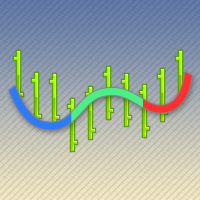
The ColorLine indicator shows the line of the price moving average on the chart. The line has diffrent colors (100 bars have the same color). The color settings of the line is changing every 5 ticks, there are 3 color schemes. Indicator for demonstrating the DRAW_COLOR_LINE style. Draws a line at Close prices in colored pieces of 20 bars. The thickness, style and color of the line sections are changed randomly. The indicator code is published in the MQL5 Documentation in the section Indicator S
FREE

FOZ One Shot Sessions — One Trade. One Opportunity. Every Day. Discipline beats noise. Simplicity beats complexity.
The FOZ One Shot Sessions EA is built for traders who want clarity, robustness, and long-term discipline.
Instead of chasing signals all day, it takes just one precise trade per session — clean, controlled, and fully transparent.
Key Highlights One trade per day per enabled session (default = London) Safe by design — No Grid, No Martingale, No Arbitrage, No tricks
FREE
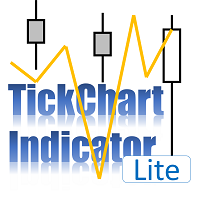
TickChart Indicator plots tick line on the main window of MetaTrader.
In the Lite version, the number of ticks is limited to 20 and the alert function described below is omitted. The tick-line shows the most detailed, fastest and real-time activities of the market, which are usually hidden in bars or candles longer than 1 minute. Usually, several new tick-line segments appear while a bar of M1 time frame is completed. After the release of an important economic indicator, the number of ticks per
FREE

SMC Order Blocks + FVG — Professional Smart Money Concept Indicator
Unlock institutional trading insights with this professional-grade Smart Money Concept indicator. Automatically detect Order Blocks and Fair Value Gaps used by banks and hedge funds.
KEY FEATURES:
ORDER BLOCKS DETECTION • Automatic bullish and bearish Order Block identification • Based on price action and impulse strength analysis • Real-time mitigation tracking • Customizable imp

SPECIAL OFFER: FREE FOR A LIMITED PERIOD To celebrate our February 2026 launch, we are offering the Phoenix Trade Planner for FREE to the first 500 users. Download now and secure your lifetime access to the most intuitive planner on the market! Why Phoenix Trade Planner? Most traders fail because they enter trades without knowing their exact £/€/$ risk. The Phoenix Trade Planner changes the game by allowing you to draw your trade on the chart before you commit. 1. Intuitive "Drag-to-Trade
FREE

Trading Companion MT5 is a free visual companion for MetaTrader 5.
It adds an original character called Lumo directly to your chart. Lumo reacts with small visual animations to different observable MT5 market and trading events without interfering with your trading.
Available reactions include:
• calm market; • bullish movement; • bearish movement; • high volatility; • position opened; • profitable position closed; • losing position closed; • high spread; • market closed; • terminal disconne
FREE

Timeframes: M1–M5 Symbol: XAUUSD (Gold)
XAU FastFlip Pro is a professional Expert Advisor designed for scalping and intraday trading on Gold (XAUUSD). It combines breakout logic, trend confirmation and volatility filters to adapt to changing market conditions. The system was created for traders who want both safety and efficiency in short-term trading.
Key Features: Breakout entries with EMA trend filter Spike filter (ATR-based pseudo news detection) ATR-based Stop Loss & Take Pro

"Triple Performance" Trading Strategy Harness the market's full potential with this dynamic strategy! Main Benefits: Maximize profits by utilizing clear signals. Automatic position control with MACD. Easy customization with configurable RSI and CCI levels.
Works perfectly with EUR/CAD TIME FRAME 30 MINUTES.
Can be adapted for any requirement.
OFFER VALID UNTIL THE NEXT UPDATE
FOR ANY ISSUES, FEEL FREE TO CONTACT ME WITHOUT ANY OBLIGATION.
FREE

Flexible receiver with lot scaling, symbol mapping and filters. Ideal receiver for MT4 → MT5 trade copying. Receive trades automatically from MT4 or MT5 master accounts. Designed for fast, flexible and reliable multi-account copying. Main Features • MT4 Master → MT5 Slave
• MT5 Master → MT5 Slave
• Lot size management: Same Lot Fixed Lot Multiply Lot Balance Based Lot • Symbol Mapping
Example:
XAUUSD = GOLD
EURUSD = EURUSD.a • Include Symbols filter
• Include Magics filter
• Reverse Trades mode

Heikin Ashi Candlestick Indicator for MT5 This custom Heikin Ashi indicator provides a smooth visual representation of market trends by filtering out short-term noise, making it easier to identify potential reversals and trend continuations. Unlike regular candlesticks, Heikin Ashi candles are calculated using averages, resulting in more stable and readable chart patterns. Key Features: Clear and smoothed visualization of price action. Compatible with all timeframes and instruments. Lightwe

Level Painter PRO — Professional Manual Chart Markup Tool Level Painter PRO is a powerful and stylish tool for manually drawing support and resistance levels, price zones, rectangles, and vertical areas on the MetaTrader 5 chart. The indicator is designed for traders who value visual analysis and prefer to mark up their charts manually while maintaining full control over the process. Key Features Manual Drawing of Levels and Zones Horizontal Lines — quickly mark key price levels Vertical Line
FREE

PEAK MASTER LITE – PRECISION RESISTANCE NAVIGATOR
Peak Master Navigator is a non-repainting technical indicator designed to accurately identify and visualize structurally confirmed resistance levels in real time.
It detects valid swing highs based on market structure confirmation rules, ensuring that only meaningful and reliable resistance points are displayed on the chart. By filtering out weak or premature highs, Peak Master Navigator helps traders focus on true price reaction zones , improvi
FREE

Fast copier for sending trades to multiple MT4 / MT5 accounts. MT5 Trade Copier Master EA sends trades instantly from your master account to one or multiple slave accounts. Supports copying to:
• MT5 accounts
• MT4 accounts Perfect for:
• Multi-account traders
• Signal providers
• Account managers
• Personal account mirroring Main Features • Fast local trade copying
• Low latency execution
• Multiple slave accounts support
• Copy open positions on startup
• Stable file-based communication
• Easy

SwingTrade Candle Patterns EA uses Pin Bar, Engulfing, Morning/Evening Star and Hammer patterns with RSI confirmation and ATR-based money management. Stable swing trading with low drawdown and steady profit growth. Valid for Prop Firms. Strategy Recognizes Pin Bar, Engulfing, Morning/Evening Star, Hammer candlestick patterns. Confirms trades with RSI trend filter . Uses ATR-based Stop Loss and Take Profit → adapts to volatility. Built-in breakeven system to protect profits. No m
FREE
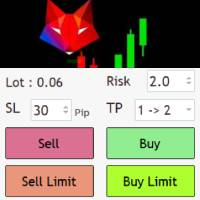
Risk management settings Automatic lot size calculation based on risk Open Buy and Sell positions with one click based on settings Open positions graphically (Buy Limit – Buy Stop – Sell Limit – Sell Stop) Real-time display of open positions' profit/loss and daily profit/loss Completely free You are welcome to explore and purchase from our other products as well. Please feel free to take a look and let us know if you have any questions.
FREE

Convenient tool for measuring the number of points between the prices directly on the chart. Displays in the measurement between points in percentage, points (financial) and time (bars ). Compatible with all graphical timeframes. When fixed on the chart is displayed in all timeframes. Press Ctrl, click the first point, move the mouse and will now display the measurement. Click again and fix. Very fast tool that does not occupy much space. Input Parameters Line Color Line Style Text Color Text Si
FREE

The Volume Weighted ATR indicator is a helpful tool for measuring market activity. It is based on the idea of the Volume-Weighted ATR. Combining these two elements helps identify potential turning points or breakout opportunities. The indicator for the classification of the activity of the market uses the moving average and its multiples. Accordingly, where the VWATR bar is located (relative to the moving average), it is labelled as ultra-low, low, average, high, very high or ultra high. The Vo
FREE

Nebula Gold Strike – Micro-Noise Heatmap + Hybrid Direction Logic + Tick Anomaly Detector Version 1.3 | Copyright 2025 Bob's Channel | t.me/BobsGoldCrusherVIP
"See the market in ticks — not bars."
What You Get in 1 Minute - Hybrid Heatmap: Real-time color shows **direction + noise level** (green = bullish clean, dark red = bearish chaos). - Tick Anomaly Dot: Yellow alert **the moment** a statistically weird tick arrives — no bar-close delay. - DOM Imbalance Line: Buyer vs seller pr
FREE
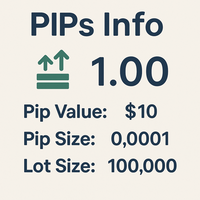
MultiPip Range Label v2 — Lightweight Daily/Weekly/Monthly Pip Stats
MultiPip_RangeLabel_v2 is a zero-plot, ultra-light indicator that prints a compact, draggable text panel with objective range statistics—perfect for order-flow and breakout traders who need quick context without clutter.
No backgrounds, no heavy drawing—just crisp labels you can park anywhere on the chart. The header is draggable; all lines move together.
What it shows
Today – current day’s range (high–low) in pips
Last D
FREE

El EA opera el par USDJPY en temporalidad H1. Parametros configurables y completamente optimizables a cada estrategia o gestion del riesgo Solicite archivo .set para FTMO DEMO. No utiliza grid, hedging, martingale, etc. Cada operacion con SL y TP. limite de perdida diaria y total para desafios. Realice la optimizacion de cada set en base a su broker o solicite ayuda para cada caso.
FREE

This proficient advisor employs the mesmerizing dance of crossovers between a gentle, languid moving average and a nimble, swift moving average to gracefully initiate positions. In a delightful twist of intuition, it enters a tranquil purchase when the quick MA gently embraces the slow MA in a downward crossing, gracefully bidding farewell at the subsequent crossing. Conversely, a spellbinding sale is orchestrated when the swift MA elegantly crosses the slow MA, a harmonious choreography that c
FREE

Trading Assistant DARA is a professional MT5 utility Expert Advisor designed to help traders manage risk and protect profits automatically. It works with both manual and automated trades by providing intelligent trade management features without generating trading signals. Key Features: Automatic Broker Stop Loss & Take Profit Break Even Protection Smart Trailing Stop Basket Take Profit & Basket Stop Loss Equity Protection System Real-Time Candle Timer Trading Information Dashboard Compatible wi
FREE

Session Bias This Strategy of bias useful for those who follow TRADESHARE on youtube. This script is designed by BokaroTraderFx for traders who want assistance in determining their session bias, particularly for those who trade within sessions typically represented by a single 4-hour candle. The method involves using price action to establish a daily bias, guiding decisions on whether to focus on buys, sells, or both. The analysis is based on the previous daily and 4-hour candle closes, fo
FREE
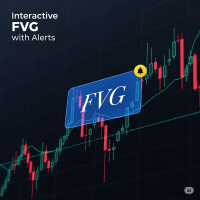
FVG Indicator with Alerts Description: This is a simple and effective indicator for identifying and displaying Fair Value Gaps (FVGs) on any timeframe. The indicator helps you see important price imbalances and provides powerful interactive tools for your analysis. Key Features: Detects FVGs: Clearly identifies and draws boxes around Bullish and Bearish Fair Value Gaps. Midline Level: Displays the 50% equilibrium level inside each FVG box, a critical point of interest. Complete Alert System: Rec
FREE

This powerful tool ensures you never miss important trading signals by providing instant Alerts whenever specific indicators generate signals. With its sleek and user-friendly interface, you can effortlessly stay on top of market opportunities. Once an alert is received, you have the flexibility to decide your next move, putting you in full control of your trading decisions.
Does not work in the Strategy Tester!
Indicator Alert Features Automatically get alerted when a chosen indicator produce
FREE

This indicator creates a watermark with the asset symbol (e.g., BTCUSD) in the center of the MetaTrader 5 chart. The text is displayed in Arial Black sans-serif font, with customizable size, color, and opacity through indicator settings. The watermark stays centered both horizontally and vertically on the chart, remaining behind candles and other elements to avoid interfering with visualization. By default, it uses light gray color with 30% opacity, creating a subtle effect that helps quickly id
FREE

Dynamic CMF Calculation: Customize the period for the Chaikin Money Flow (CMF) to fine-tune your analysis and maximize signal precision. Intuitive Color-Coded Alerts: Instantly interpret market conditions with clear visual cues: Green Alert: Indicates the Overbought zone – signaling a potential selling opportunity. Red Alert: Indicates the Oversold zone – suggesting a potential buying opportunity. Gray Alert: Represents the Neutral zone – a signal to wait for a confirmed trend or reversal. Autom
FREE
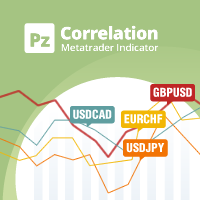
In the world of finance, correlation is a statistical measure of how two securities move in relation to each other. Correlations are used in advanced portfolio management. This indicator measures how different securities move in relation to a reference one, thus making portfolio management easier. [ Installation Guide | Update Guide | Troubleshooting | FAQ | All Products | Get Help ] Avoid concurrent trades in highly correlated instruments Find trading opportunities among highly correlated
FREE

One Mint EMA Higher Trend Scalper is a fast and flexible MT5 trading bot designed for quick entries while following the stronger higher-timeframe trend. It uses a clean EMA crossover on the main chart and confirms direction with a higher-frame trend filter to avoid counter-trend trades and improve consistency. Key Inputs Lot Size Take Profit Stop Loss Trailing Stop Max Trade Limit Close Opposite Trade Option Core Features EMA-based entry strategy for simple and fast scalping Higher Time Frame Tr
FREE

Introducing Steady Runner NP EA (Free Version): Precision Trading for GBPUSD M5 What is Steady Runner NP EA?
Steady Runner NP EA is a mathematically designed Expert Advisor (EA) exclusively crafted for the GBPUSD M5 timeframe . Built with advanced algorithms and statistical models, this EA automates your trading strategy to deliver precision, consistency, and discipline in every trade. Whether you're a seasoned trader or just starting out, Steady Runner NP EA is your reliable par
FREE

TestTrendIndicator — Professional Trend & Momentum Engine The TestTrendIndicator is a multi‑layered trend analysis and signal‑generation tool designed for traders who want clarity, precision and structure in their decision‑making. It combines ADX , RSI , ATR , MA logic , volatility assessment and dynamic market context into one unified visual system. This indicator is built for traders who value clean signals , multi‑timeframe confirmation , and adaptive logic that responds to real market cond
FREE

See Your Key Trading Measurements at a Glance Smart Pips Meter is a free utility that displays important market measurements directly on your chart—so you can make faster trading decisions without manually calculating pip distances. WHAT IT SHOWS ADR (Average Daily Range)
See the current ADR pip value directly on your chart. Current Candle Size
Instantly see the size of the current candle in pips. Previous Candle Size
Quickly check the size of the last completed candle.
FREE
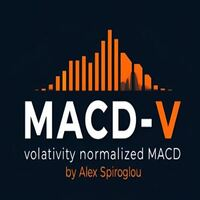
MACD-V — Volatility-Normalized Momentum Indicator Inspired by award-winning quantitative trader Alex Spiroglou ,
the MACD-V is a powerful evolution of the classic MACD — delivering a volatility-normalized momentum framework that produces consistent, actionable signals across all securities and timeframes. While the traditional MACD measures the difference between two EMAs, the MACD-V goes a step further by dividing this difference by the market’s volatility (ATR).
This normalization makes the
FREE

概要
このインジケーターは、MetaTrader 5に内蔵されている経済指標カレンダー機能を使い、 FOMCや雇用統計などの重要な経済指標の発表時刻を 日本時間(JST)かつ日本語で チャート上にコンパクトに表示します。 外部サイトへの通信(WebRequest)は一切行わないため、許可URLの設定や面倒な設定は一切不要です。 ---Japanese only. Other languages are not supported.---
主な機能 MT5内蔵カレンダーから自動取得、常に最新の予定を反映 重要度をHigh/Moderate/Lowでフィルタ可能(の数で一目表示) 表示時刻は日本時間に自動変換、年を省いたコンパクト表示(MM/DD HH:MM) 角丸・半透明の見やすいパネルデザイン、8方向(時計回り)から配置場所を選択可能 時計機能内蔵で指標発表時に目線を外す必要がありません 指数発表前は予告色に変化し、直前〜発表後は点滅して警告可能(発表x分前から発表後x分後までなど自由設定、0で機能ごとに無効化も可能) インジケーターとして動作するため、お使いのEAと同一チャ
FREE

SI Ruler A clean, one-click price ruler that shows points and exact dollar cost between any two levels on your chart. Every trader needs to quickly measure the distance between two price levels and know what it costs in real money. Most platforms make this harder than it should be. SI Ruler puts a single icon in the corner of your chart — click it, click your entry level, and drag to your stop or target. The label tells you instantly how many points that distance is and exactly what it costs in
FREE

️️️MTF MA Dashboard Pro v1.04️️️ - Professional Multi-Timeframe Moving Average Analyzer
Advanced technical indicator for MT5 providing comprehensive multi-timeframe moving average analysis with intelligent Golden/Death Cross detection and fully customizable visual dashboard.
Stop switching between timeframes! Analyze up to 4 timeframes simultaneously and spot trend alignments instantly.
KEY FEATURES
MULTI-TIMEFRAME ANALYSIS - Monitor up to 4 timeframes simultaneously (M1-MN1
FREE

This is the technical document for GTB (Grid Trader Brazil) for the Market version. It details the strategic operation and the complete dictionary of available parameters. ️ IMPORTANT: DEFAULT SETTINGS The default settings of this EA are calibrated to be Ultra-Conservative (Low Frequency) to strictly comply with MQL5 Market Validation rules. For Real Trading Results: You MUST load a valid .set file. Check the Comments Section for the official Set Files or Send me a Priva
FREE

History Pre-loader — MT5 History Pre-loader is a utility script for traders who want to prepare and inspect MetaTrader price history before running a Strategy Tester, reviewing an older market period or using tools that depend on a deeper historical range. The script works from the symbol of the chart where it is attached . Open a chart for the exact broker symbol you want to prepare, attach the script, select the target oldest date and let the terminal request the available history. What the sc
FREE
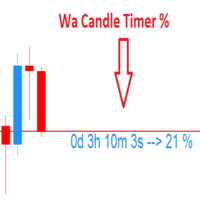
Wa Candle Timer Percentage MT5 is an indicator which shows the user how much time is remaining until the next candle will form. The percentage of the evolution of the current candle is also displayed. The user can set the percentage that the candle timer will change the color. These are the settings: 1- The percentage that the candle timer will change the color. 2- Color of Candle Timer when it's BELOW the percentage set by the user. 3- Color of Candle Timer when it's ABOVE the percentage set b
FREE
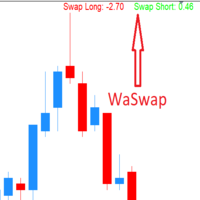
WaSwap MT5 Indicator shows the current Swap Long and current Swap Short with color.
* Set the Swap Threshold and the color to identify when the current swap is below or above the Spread Threshold.
* Set X axis and Y axis and chose the Corner and the Anchor to position the Swap Label on the chart.
* Write the font and the font size for more confort.
* Activate alert if the current Swap Long or the current Swap Short is below the swap threshold.
* The user will never swing with a negative sw
FREE

Arixis Grid Risk Calculator — Understand Grid Exposure Before Trading
Arixis Grid Risk Calculator is a professional mathematical analysis tool for traders who use grid, recovery or progressive position-sizing systems. Configure the initial lot size, distance between entries, maximum number of levels and position-sizing progression to visualize how exposure evolves as additional positions are added. The calculator generates a detailed level-by-level representation including individual lot size,
FREE

A manual trading tool that places buy, sell, stop, and limit orders. Easily configure your settings for risk, take profit, stop loss, break-even, and trailing stops. It works in any timeframe and serves as a highly reliable tool for manual trading. Settings can be changed easily right on the panel—no more clicking the small Expert Advisor icon in the corner of the screen.
FREE

天机账户统计分析是一款账户交易统计面板 EA。它在图表内嵌悬浮窗口,将账户历史交易记录按日、周、月、季、年、品种、幻数(Magic)、注释八大维度自动汇总成可视化报表,一键切换查看。
每个维度展示总手数、最大手数、交易次数、连亏、连赢、最大亏损、最大盈利、胜率、百分比、利润、余额、出入金、最大浮亏、最大浮盈等十五项统计指标,列可按需开关显示。内置账户实时面板,三列布局呈现账户信息、资金状况(余额、净值、保证金、浮动盈亏等)与持仓明细(多空单数、总/最大/最小/平均手数、持仓盈亏等)。
性能方面,采用历史记录缓存与增量更新、统计指纹校验、浮盈浮亏独立跟踪,配合防抖节流与定时刷新,兼顾实时性与流畅度。界面支持拖拽、滚动条、DPI 自适应,颜色、语言、字体、缩放均可配置,。
该工具适合交易复盘、多策略账户监控与实时风险查看,当前版本 v6.9,由天机(官网 tianjigendan.cn)提供,专注跟单系统、量化系统与定制服务。
FREE

Copilot Trend ATR Lite Full version (unrestricted): https://www.mql5.com/en/market/product/175467 This is a limited version of the Copilot Trend ATR EA designed for testing and evaluation before purchasing the full version.
The system is built for automated multi-symbol trading using structured execution and ATR-based logic.
Multi-symbol trading engine Automatic trade execution Built-in Stop Loss and Take Profit Smart trade management No manual intervention required
This version al
FREE

This indicator displays a customizable checklist directly on your chart, helping you stay disciplined and organized during trading. You can define your own list of tasks, position it anywhere on the screen, and adjust the appearance to match your setup. It’s ideal for pre-trade routines, strategy rules, or reminders to follow your trading plan. The indicator automatically manages and cleans up its text labels, ensuring no leftover objects remain when it is removed or updated.
FREE

This MetaTrader 5 indicator plots **two moving averages** on the price chart:
**Two main MAs (Fast & Slow)**: These are displayed as lines (blue and red) with a colored fill between them. The fill visually represents the gap between these two moving averages. Traders can use this indicator to: - Identify trend direction (when lines are stacked in order) - Spot potential crossover signals (when lines cross each other) - Gauge market momentum (based on the spacing between lines)
The fill betwee
FREE

1. Move SL to BE On/Off: allow EA move SL to BE or not allow. 2. BE mode: BE Single order: move SL of single order when condition match. BE multi order: Move Sl of multiple orders base on BE of multiple orders. 3. Move SL to BE when profit >= (pips): set how many pips you want EA move SL to BE when profit. 4. Add value from BE: number of pips you want to add from BE (offset). 5. Audible Alert: Enable audible alert on/off. 6. Push notification: Enable Push notification on/off. 7. Three button hel
FREE

This indicator shows the direction of the trend and trend change. Ganesha Trend Viewer is a trend indicator designed specifically for gold and can also be used on any financial instrument. The indicator does not redraw. Recommended time frame H1. Ganesha Trend Viewer is perfect for all Meta Trader symbols. (currencies, metals, cryptocurrencies, stocks and indices..)
Parameter setting
MA Short Period ----- Moving Average short period MA Long Period ----- Moving Average long period Alerts ON
FREE

Stop guessing whether the market is trending, reversing, or simply ranging. MaMI Structure Engine v6.0 helps traders instantly identify high-quality market structure and avoid low-probability setups before risking capital. MaMI Structure Engine v6.0 is a professional MetaTrader 5 market structure indicator built to help traders quickly understand whether the current market is bullish, bearish, mixed, or not ready for execution. Instead of forcing you to manually read every swing, BOS, CHoCH, pr
FREE

Trade Analyzer is an interactive charting utility designed to make trade planning and performance tracking easier directly inside MetaTrader 5. It allows you to quickly create and visualize trade setups on your chart, giving you a clear view of your Entry, Stop Loss, and Take Profit levels. Every trade setup you chart is automatically measured and analyzed, showing you the exact risk-to-reward ratio, risk in pips, potential reward, and outcome of the setup. As you chart more trades, RR Analytics
FREE
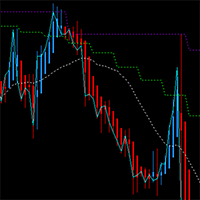
This MT5 chart trend checker cuts through the noise of market volatility to provide a clearer picture of trends and price movements. It includes the following features that can provide more clarity during market assessments: 1 customizable multi-period moving average Optional Heikin-Ashi candles 3 switchable focus modes Distinct colors for easy analysis
Link to MT4 version: https://www.mql5.com/en/market/product/106708/
This indicator shows your preferred moving average from multiple time fram
FREE

MA Cross Histogram Oscillator (MT5) The MA Cross Histogram Oscillator is a custom indicator designed to visualize the relationship between two moving averages in the form of a color-coded histogram. Instead of drawing standard MA lines on the chart, it highlights the strength and direction of the trend by comparing the difference between a fast and a slow moving average. Green bars – bullish momentum (fast MA is above slow MA and rising). Red bars – bearish momentum (fast MA is below slow MA and
FREE

EA Monitoring Dashboard MT5 A simple and lightweight monitoring dashboard for traders running multiple Expert Advisors on MetaTrader 5.
When multiple EAs are running on the same account, keeping track of each strategy's performance can become inconvenient.
EA Monitoring Dashboard provides a compact overview directly on the MT5 chart, allowing you to monitor the performance of multiple EAs from a single dashboard. Key Features Monitor up to 20 EAs in a single dashboard
Identify each EA using its
FREE
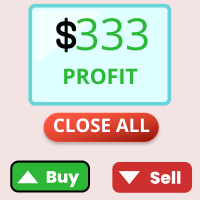
This trading utility is a universal solution for active traders, allowing you to simplify and automate the chart workflow to the maximum extent. Its key features include: Pre-setting TP and SL: Before placing a trade on the chart, you can set the Take Profit and Stop Loss parameters in advance. This enables you to determine exit levels ahead of time and protect your capital from unexpected market movements. Opening trades in both directions: The utility supports opening both long (buy) and shor
FREE
MetaTrader Market - trading robots and technical indicators for traders are available right in your trading terminal.
The MQL5.community payment system is available to all registered users of the MQL5.com site for transactions on MetaTrader Services. You can deposit and withdraw money using WebMoney, PayPal or a bank card.

You are missing trading opportunities:
- Free trading apps
- Over 8,000 signals for copying
- Economic news for exploring financial markets
Registration
Log in
You agree to website policy and terms of use
If you do not have an account, please register