= 200000.00; // Target Profit - must be more than your Balance in the settings (you have a Balance of 10000 - want to earn 500. in the settings = 10500)
= 250.0; // Stop Loss - hidden and close on reaching 0 pips if it will close immediately (1=10 pips.) 250=2500 pips
= 460.0; // Take Profit - hidden and close upon reaching pip - if0 it will close at once(1=10 pip.)
nput string t0="------ Parameters --------"; //inputdatetime HoursFrom = D'1970.01.01'; // Время старта Экспертаinputdatetime HoursTo = D'2030.12.31'; // Время закрытия всех позицийinputdouble TargetProfit = 200000.00; // Целевая прибыльinputdouble InpVolumeLotOrRisk = 0.01; // The value for "Money management"inputdouble InStopLoss = 250.0; // Stop Lossinputdouble InTakeProfit = 460.0; // Take Profit
Перед тем как приступить к изучению торговых функций платформы, необходимо создать четкое представление об основных терминах: ордер, сделка и позиция. — это распоряжение брокерской компании купить или продать финансовый инструмент. Различают два основных типа ордеров: рыночный и отложенный. Помимо них существуют специальные ордера Тейк Профит...
//+------------------------------------------------------------------+//| Custom indicator initialization function |//+------------------------------------------------------------------+intOnInit()
{
//--- indicator buffers mappingPlotIndexSetInteger(0,PLOT_ARROW,108);
PlotIndexSetInteger(1,PLOT_ARROW,108);
//--- indicator buffers mappingSetIndexBuffer(0,FractalUpBuffer,INDICATOR_CALCULATIONS);
SetIndexBuffer(1,FractalDownBuffer,INDICATOR_CALCULATIONS);
//--- create handle of the indicator iFractals
handle_iFractals=iCustom(Symbol(),Period(),"Examples\\ZigzagColor");
//--- if the handle is not createdif(handle_iFractals==INVALID_HANDLE)
{
//--- tell about the failure and output the error codePrintFormat("Failed to create handle of the iFractals indicator for the symbol %s/%s, error code %d",
Symbol(),
EnumToString(Period()),
GetLastError());
//--- the indicator is stopped earlyreturn(INIT_FAILED);
}
//---return(INIT_SUCCEEDED);
}
//+------------------------------------------------------------------+
Now handy for manual trading.
I started using this method to learn programming first)))
How's that going?
How's that going?
It turns out to be a constructor. It's very convenient.
Forgot to warn -
= 200000.00; // Target Profit - must be more than your Balance in the settings (you have a Balance of 10000 - want to earn 500. in the settings = 10500)
= 250.0; // Stop Loss - hidden and close on reaching 0 pips if it will close immediately (1=10 pips.) 250=2500 pips
= 460.0; // Take Profit - hidden and close upon reaching pip - if0 it will close at once(1=10 pip.)
I don't know what to put here. But it needs. - when to set = D'1970.01.01'; // Expert start time.
Then it is visible in work or waiting - time of switching on.
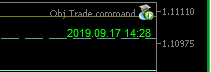
it means the Expert Advisor is on and working.
Attached DATE and TIME.A new feature - or should I say correctly.
now from 6 objects - of them two horizontal lines - which we draw ourselves and they trawl - from which we can both close and open.
and 4 named objects - also manually set - also can be both close and open.
The indicator moves 2 named objects - which need to be set manually.
by indicator =iFractals
The indicator moves 2 named objects - which need to be set manually.
by indicator =iFractals
From this Indicator you can run any indicator for your ideas
changing here
and here
the path to the indicators in the Market
change here
and here
something like that - I poked at it in the Indicator.
at the very bottom - blue line, crosses the 50 level